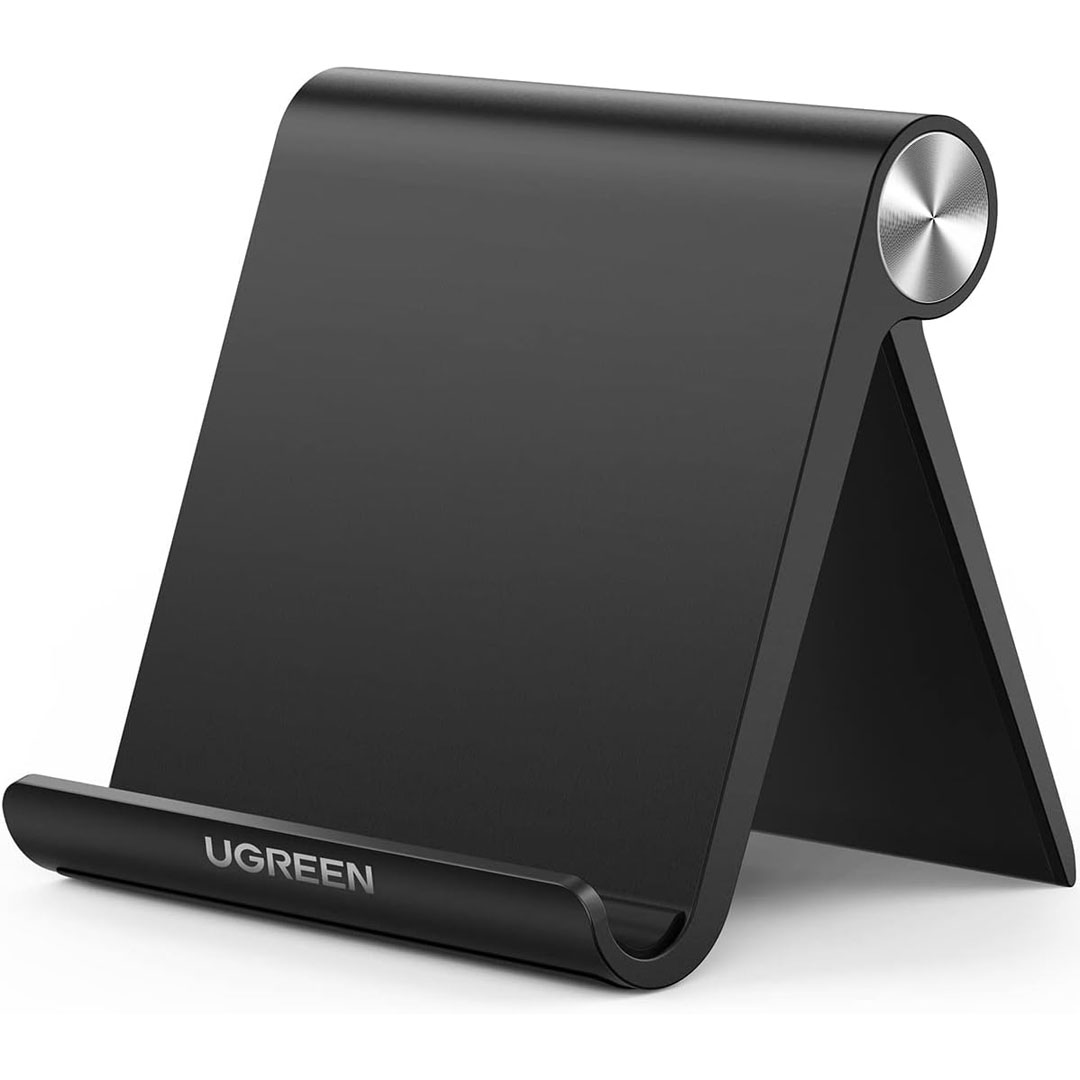
UGREEN Cell Phone Stand Holder for Desk Adjustable Compatible with iPhone

The UGREEN Cell Phone Stand Holder is a multi-functional and durable accessory that keeps your smartphone easily accessible while working, studying, or relaxing. Compatible with a wide range of devices, including iPhone 13, 12 Pro Max, 11, SE, XS, XR, 8 Plus, 7, 6, and Samsung Galaxy Note20, S20, S10, S9, S8, this stand secures your phone for video calls, streaming, or browsing. Its sleek black finish adds a modern, professional touch to any desk or workspace.

Designed for ease and comfort, the UGREEN stand offers an adjustable angle so you can enjoy the ideal viewing position for videos, reading, or note-taking. Its foldable design ensures portability and convenient storage, making it easy to carry from home to the office or on trips. Built with durable materials, it provides a stable base that keeps your phone secure and prevents tipping or sliding.

Beyond its practical use, this phone stand includes user-friendly features such as anti-slip silicone pads that safeguard your device from scratches while keeping it secure. Its minimalist design is both elegant and functional, fitting seamlessly into any setting. Perfect for hands-free video calls, following recipes, or streaming content, the UGREEN Cell Phone Stand offers stability, adjustability, and portability in one compact package.
 

Specification

Here are the specifications for the UGREEN Cell Phone Stand Holder for Desk (adjustable, foldable, black):

Model / SKU: 50747 

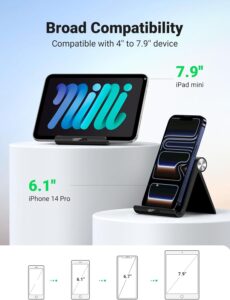
Compatibility: Smartphones with screen size 4.7″ to 7.9″, including iPhone 13, 12 Pro Max, 11, SE, XS, XR, 8 Plus, 6, 7; Galaxy Note20, S20, S10, S9, S8 

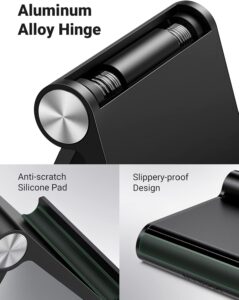
Material: ABS + Aluminum alloy (structure) 

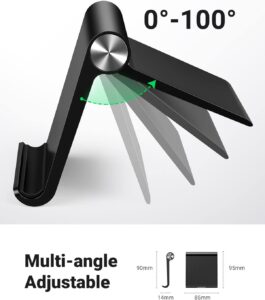
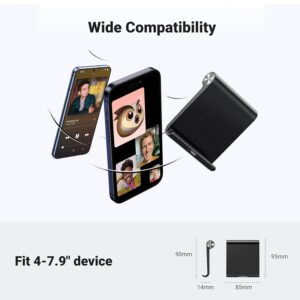
Dimension (Folded): ~ 3.74″ × 3.35″ (about 95 mm × 85 mm) 

Weight: ~ 2.2 oz (≈ 62 g) 

Adjustable Angle: 0° to 100° via dual hinges / automatic lock mechanism 

Anti-Slip: Silicone pads on the base and cradle to prevent sliding and scratching 

Phone Thickness Supported: Maximum of 0.55″ (with phone case) 

Portability: Foldable design — very compact for travel / storage 

Base Structure: Stable triangle structure (for extra sturdiness)
Key Features

Here are the key features of the UGREEN Cell Phone Stand Holder for Desk (adjustable, foldable, black):

  1. Wide Compatibility
    Works with most smartphones, even bigger models, from iPhone 6 / 7 / 8 / SE / X / XR / 11 / 12 / 13 to Samsung Galaxy S8 / S9 / S10 / S20 / Note20.

  2. Adjustable Viewing Angle
    With its two-hinge design, the stand can be tilted from 0° to 100°, providing an optimal viewing angle for videos, browsing, or video conferencing.

  3. Foldable & Portable
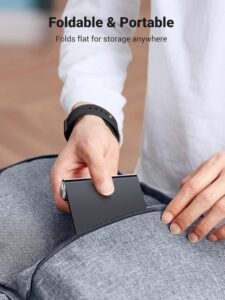
    The stand collapses flat for convenient storage or portability—ideal for travel, commuting, or slipping into a bag.

  4. Durable Build Quality
    Made from a combination of ABS plastic and aluminum alloy, providing a strong, durable base that stays stable.

  5. Stable Triangle Structure
    The triangular tripod design provides a sturdy, stable base, keeping your phone secure and preventing wobbling.

  6. Anti-Slip Protection
    Gentle silicone pads on the base and cradle hold your phone firmly while preventing scratches.

  7. Case-Friendly Grip
    Fits phones with slim or bulky cases, supporting devices up to approximately 0.55″ thick.

  8. Lightweight
    Weighing approximately 62 grams, it’s light and easy to carry without adding extra bulk.

  9. No Tools Needed
    Comes fully assembled and ready for use—adjustable design with no tools or screws needed.

  10. Minimalist Design
    The modern black design complements any desk setup, perfect for home, office, or shared spaces.
How to use the UGREEN Cell Phone Stand Holder for Desk Adjustable Compatible with iPhone

Here’s a clear guide on how to use the UGREEN Cell Phone Stand Holder for Desk:

  1. Unfold the Stand
    Unfold the stand by carefully extending the base and adjusting the hinges until it creates a stable triangular shape. Ensure it rests flat on your desk or surface.

  2. Adjust the Viewing Angle
    Rotate the rear support to your desired angle (0°–100°) for optimal viewing while watching videos, making calls, browsing, or reading.

  3. Place Your Phone
    Place your phone in the cradle, where silicone pads keep it secure and scratch-free. Supports devices with or without cases up to ~0.55″ thick.

  4. Use Hands-Free
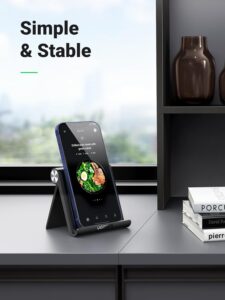
    Experience hands-free convenience for video calls, streaming, recipe reading, or multitasking, with adjustable angles to enhance comfort and minimize glare.

  5. Fold for Storage or Travel
    After use, collapse the stand for convenient storage or transport. Its compact, lightweight design makes it easy to carry in a bag or backpack.

Ready to use out of the box, this stand requires no tools or assembly, offering quick and convenient daily use.
Tips suitable for the UGREEN Cell Phone Stand Holder for Desk Adjustable Compatible with iPhone

Here’s a list of tips suitable for using the UGREEN Cell Phone Stand Holder for Desk:

  1. Keep It on a Flat Surface
    Set the stand on a flat, steady surface to keep it stable and prevent your phone from falling.

  2. Adjust Gradually
    When adjusting the angle, do so gently to avoid stressing the hinges and to extend the stand’s lifespan.

  3. Use for All Hands-Free Activities
    Perfect for hands-free use during video calls, tutorials, cooking, or streaming—great anywhere you need easy phone access.

  4. Avoid Overloading
    Use the stand only with compatible smartphones up to ~0.55″ thick. Avoid placing tablets or heavier devices that could exceed its weight capacity.

  5. Protect Your Desk
    Silicone pads protect against scratches, and using a soft mat underneath adds extra safety for delicate surfaces.

  6. Fold When Not in Use
    Collapse the stand flat when not in use for simple storage, portability, or taking it on the go.

  7. Keep Clean
    Clean the silicone pads and stand periodically with a soft cloth to remove dust and keep a firm grip.

  8. Use in Portrait or Landscape Mode
    The stand supports your phone in both portrait and landscape orientations for video calls, streaming, or gaming.
Cleaning Guide

Here’s a clear guide on how to clean the UGREEN Cell Phone Stand Holder for Desk:

  1. Remove Your Phone
    Remove your phone or device from the stand before cleaning to avoid scratches or damage.

  2. Wipe Down the Stand
    Gently wipe the stand with a soft, dry microfiber cloth to remove dust, fingerprints, and minor debris without scratching.

  3. Clean Silicone Pads
    Lightly clean the silicone pads with a damp cloth if needed, taking care not to soak them to avoid damage.

  4. Use Mild Cleaner if Needed
    For tough stains or sticky spots, moisten a cloth slightly with water or a mild soap solution. Avoid using alcohol, bleach, or abrasive cleaners to protect the stand’s surface.

  5. Dry Thoroughly
    Once cleaned, ensure the stand and silicone pads are fully dry before returning your phone to the holder.

  6. Regular Maintenance
    Wipe the stand regularly to keep its grip strong, prevent slipping, and protect your phone.
What to avoid when using the UGREEN Cell Phone Stand Holder for Desk Adjustable Compatible with iPhone

Here’s a “What to Avoid” guide for the UGREEN Cell Phone Stand Holder for Desk to ensure longevity and safe use:

  1. Avoid Overloading
    Only use the stand with smartphones up to ~0.55″ thick. Avoid tablets, laptops, or thicker devices, as they may strain the hinges or cause tipping.

  2. Avoid Uneven Surfaces
    Avoid placing the stand on uneven, sloped, or soft surfaces, as this can lead to your phone falling or the stand tipping over.

  3. Avoid Excessive Force
    Do not push the stand past its 0°–100° range; excessive force may harm the hinges.

  4. Avoid Direct Sunlight or Heat
    Avoid placing the stand near direct sunlight, heaters, or other hot surfaces, as heat may warp the plastic or damage the silicone pads.

  5. Avoid Harsh Chemicals
    Avoid cleaning the stand with alcohol, bleach, or harsh abrasives, as they can damage the finish or silicone pads.

  6. Avoid Dropping Devices
    Carefully set your phone in the cradle to avoid scratches or damage to both your device and the stand.

  7. Avoid Overstretching
    When collapsing or carrying the stand, avoid stretching the hinges beyond their intended range, as this could loosen or damage the joints.

In conclusion, the UGREEN Cell Phone Stand Holder is a durable, foldable, and adjustable accessory that keeps your smartphone secure and hands-free. Compatible with most iPhones and Samsung Galaxy devices, it’s perfect for video calls, streaming, or multitasking at home, in the office, or on the go. Its sleek design, anti-slip pads, and portable build combine convenience, stability, and style in one compact package.
LISEN Gooseneck Phone Holder for Desk Bed

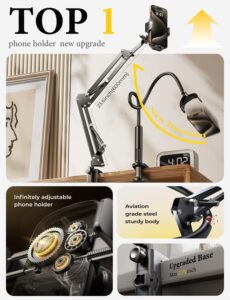
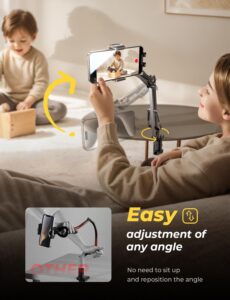
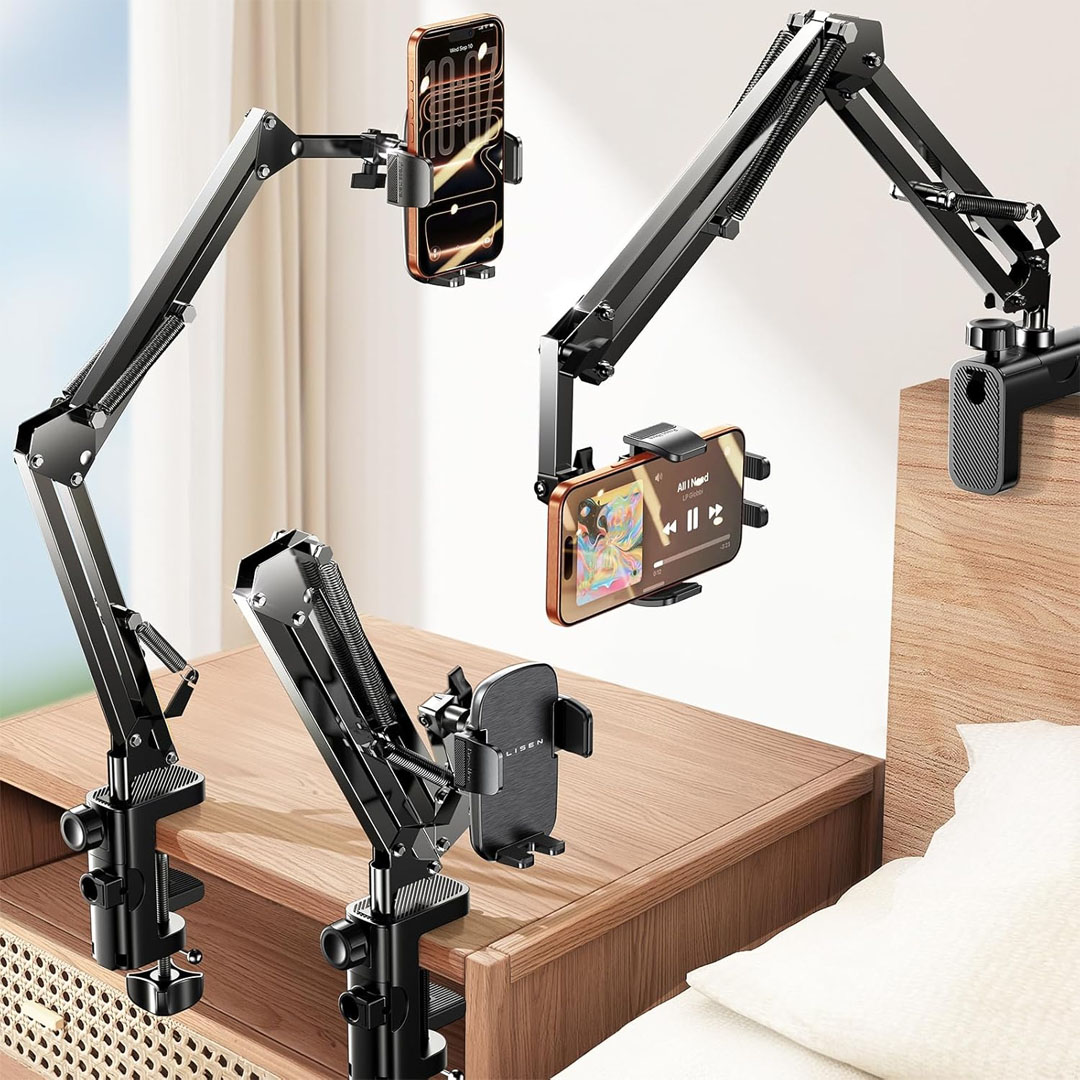
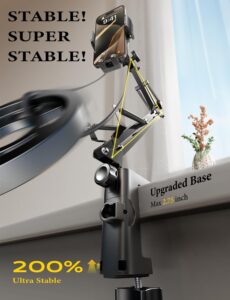
The LISEN Gooseneck Phone Mount [3rd Upgrade] is a multifunctional gadget built for maximum ease and comfort. Its adjustable gooseneck arm lets you set your smartphone at the ideal viewing angle—whether you’re lounging in bed, working at your desk, or chilling on the sofa. The latest upgrade delivers improved sturdiness and reliability, keeping your device firmly in place while watching videos, participating in video calls, or following tutorials hands-free.

Constructed with a durable clamp and universal device holder, this stand works with most smartphones and compact tablets. The third-generation upgrade enhances stability and grip, minimizing wobble, making it perfect for filming, video calls, or live streaming without disruption. Its flexible arm bends and rotates for multiple viewing angles, providing a completely hands-free experience for gaming, reading, or watching content comfortably.

Ideal for seniors, elderly tech lovers, or anyone who prefers hands-free device use, the LISEN Gooseneck Phone Holder is both functional and considerate. Its strong build and simple clamp attachment make it perfect for desks, nightstands, or kitchen surfaces. Lightweight yet robust, it’s essential for multitaskers, content creators, or anyone wanting to improve their smartphone experience while relaxing or working.

Specification 

Here are the specifications for the LISEN Gooseneck Phone Holder for Desk & Bed [3rd Upgrade] based on available sources:

  • Generation / Version: 3rd‑Generation Upgrade

  • Body Material: Steel / Aviation-grade metal

  • Clamp/Base: Bi‑directional adjustable clamp base, fits surfaces up to ~3.15 in (8 cm) thick

  • Arm / Gooseneck Length: 33.4 in (85 cm) flexible gooseneck

  • Joint Features:

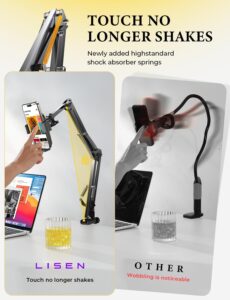
    • Shock‑absorbing spring at joints

    • Elastic tension‑adjustment knobs at each joint for stability and flexibility

  • Phone Clip / Holder:

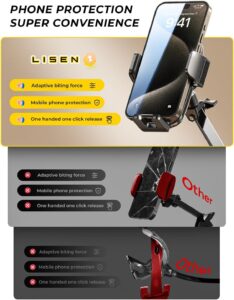
    • New mechanical-structure spring clip in this generation

    • Built-in silicone pad to protect device from scratches

    • One‑touch release for fast insertion/removal

  • Compatibility:

    • Works with most smartphones, including iPhones (iPhone 12–16), other Android phones, tablets, Kindle, etc.

    • Wide base compatibility; can mount on beds, desks, tables, baby chairs, sofas, etc.

  • Foldability: The gooseneck stand folds or collapses for easy storage and convenient portability.

  • Cable Management: Integrated cable management to keep your charging and data cables neat and organized.

  • Weight / Load Info: Device weight limits aren’t specified in the spec sheet — refer to the seller’s listing for details.

  • Warranty: 24‑month (2-year) manufacturer warranty according to Newegg listing.

Key Feature

Here are some key features of the LISEN Gooseneck Phone Holder (3rd Upgrade):

  • 3rd‑Generation Upgrade: Features a revamped phone clip, dual-direction adjustable clamp, and improved durability.

  • One‑Touch Release & Silicone Protection: The clip features a mechanical design for optimal grip, with a built-in silicone pad to prevent phone scratches.

  • Shock‑Absorbing Springs: Enhanced joint springs minimize wobbling, providing steady support in all positions.

  • Elastic Adjustment Knobs: Every joint includes a tension dial to adjust the arm’s flexibility and firmness.

  • Sturdy, Foldable Metal Body: Crafted from aviation-grade steel, the gooseneck is strong and foldable for convenient storage and portability.

  • Wide Rotation & Angle Range: The bendable arm offers full 360° adjustment, enabling you to find the ideal angle for viewing or filming.

  • Multi-Scenario Base: The clamp can secure to multiple surfaces, including desks, nightstands, couches, baby seats, and more.

  • Built-in Cable Management: Includes a built-in channel to route your charging or data cable neatly along the arm.

  • Warranty: Comes with a 24‑month (2-year) warranty according to Newegg.

How to use the LISEN Gooseneck Phone Holder for Desk Bed

Here’s a clear step-by-step “How to Use” guide for the LISEN Gooseneck Phone Holder (3rd Upgrade):

  1. Attach the Clamp to a Surface

    • Spread the adjustable clamp and secure it onto the edge of a solid desk, nightstand, sofa arm, or any flat surface up to ~3.15 in (8 cm) thick.

    • Secure the clamp tightly until it is stable and wobble-free. Do not attach to soft, uneven, or delicate surfaces.

  2. Adjust the Gooseneck Arm

    • Adjust the flexible arm to your desired height and angle. The 33.4 in (85 cm) gooseneck provides extensive rotation and positioning options.

    • Adjust the tension knobs on each joint to control the arm’s stiffness and stability.

  3. Mount Your Device

    • Phones and tablets with magnetic surfaces can be easily attached to the magnetic holder.

    • For devices without magnetic backs, use the provided silicone-lined spring clip for a secure hold. Make sure it’s properly positioned to avoid slipping.

  4. Optimize Viewing or Recording Angle

    • Twist, tilt, or reposition your device to achieve the ideal angle for watching, filming, streaming, or video chatting.

    • Do not overextend the arm with heavy devices to protect the joints from strain.

  5. Cable Management

    • Guide charging and data cables through the integrated cable clips to maintain a tidy workspace and avoid tangles.

  6. Removal and Storage

    • When you’re done, detach your device and collapse the gooseneck arm for easy storage.

    • Loosen the clamp and remove it from the surface when you need to pack it for travel.

Tips suitable for the LISEN Gooseneck Phone Holder for Desk Bed

Here’s a list of practical tips for getting the most out of the LISEN Gooseneck Phone Holder (3rd Upgrade):

  1. Choose a Stable Surface

    • Always secure the clamp to a solid, level surface—such as a desk, nightstand, or sofa arm—for optimal stability. Steer clear of soft or delicate areas.

  2. Avoid Overloading

    • Use only devices that fall within the stand’s specified size and weight range. Excess weight may strain the joints and shorten its lifespan.

  3. Align Devices Properly

    • For magnetic mounting, confirm your device’s surface is clean and aligns flat against the magnet. For non-magnetic phones, let the spring clamp hold firmly without applying excessive force.

  4. Adjust Gradually

    • Gently bend or swivel the gooseneck to the angle you prefer. Do not push it past its intended rotation limits to avoid stressing the joints.

  5. Use Cable Clips

    • Organize your charging and data cords by running them through the integrated cable clips, helping prevent tangles and keeping your area tidy.

  6. Protect Surfaces

    • Use a protective buffer, like a fabric piece or silicone mat, under the clamp to safeguard fragile surfaces from marks.

  7. Regular Maintenance

    • Clean the holder using a gentle, dry microfiber cloth to clear away dust. For tougher grime, switch to a lightly moistened cloth. Make sure the magnetic areas and silicone pads stay clean for the best hold.

  8. Fold When Not in Use

    • When not in use, collapse or fold the gooseneck arm to save space and make it easier to carry or store.

  9. Mind Heavy Devices

    • Do not leave heavy devices attached for extended periods when idle to avoid stressing the joints and compromising stability.

  10. Multi-Purpose Use

    • Perfect for streaming, video chats, reading, recording, or using recipes in the kitchen—enhance versatility by adjusting the arm for various activities.

Cleaning Guide

Here’s a detailed cleaning guide for the LISEN Gooseneck Phone Holder (3rd Upgrade):

  1. General Dust & Smudges

    • Clean the clamp, flexible arm, and phone holder using a soft, dry microfiber cloth to remove dust, fingerprints, and minor debris.

    • Do not use coarse cloths or paper towels, as they can damage or scratch surfaces.

  2. Stubborn Dirt

    • Wipe stubborn spots with a lightly dampened cloth using water or a gentle soap solution.

    • Make sure the cloth is only lightly damp, and avoid letting water enter the magnet, joints, or spring clip.

  3. Magnetic Surfaces

    • Carefully wipe the magnetic pad using a dry microfiber cloth.

    • If necessary, slightly moisten the cloth and wipe gently, ensuring that no moisture seeps into the magnet area.

  4. Silicone or Rubber Pads

    • Clean silicone or rubber pads using gentle soap and water to preserve grip and reduce dust accumulation.

    • Ensure the surface is completely dry before mounting the device again.

  5. Avoid Harsh Chemicals

    • Avoid cleaning the metal frame, magnet, or silicone pads with alcohol, ammonia, bleach, or abrasive solutions, as they may scratch, discolor, or damage the materials.

  6. Inspect Moving Parts

    • During cleaning, inspect the joints and gooseneck arm for dust or debris that could hinder smooth operation.

    • Ensure all components are completely dry before reattaching your phone or tablet to avoid slipping or water damage.

What to avoid when using the LISEN Gooseneck Phone Holder for Desk Bed

Here’s a clear list of what to avoid when using the LISEN Gooseneck Phone Holder (3rd Upgrade):

  1. Overloading the Holder

    • Avoid mounting devices that surpass the holder’s weight or size limits, as this can stress the joints, lower stability, or make the clamp slip.

  2. Unstable Surfaces

    • Do not attach the clamp to soft, uneven, or delicate surfaces, as this may reduce grip and increase the chance of tipping or damage.

  3. Overextending or Forcing the Arm

    • Avoid pulling, twisting, or forcing the gooseneck past its intended rotation limits, as this may loosen joints, limit flexibility, or cause wear over time.

  4. Exposure to Moisture

    • Keep the device away from water and damp environments, as moisture can weaken glue, corrode metal parts, and lessen magnet strength.

  5. Harsh Chemicals & Abrasives

    • Avoid cleaning the frame, magnet, or silicone pads with alcohol, ammonia, bleach, or harsh cleaners, as they may scratch, stain, or damage the materials.

  6. Direct Clamp Contact with Delicate Surfaces

    • Do not attach the clamp directly to soft wood, thin plastic, or glass without a protective layer; it may leave scratches or dents.

  7. Misalignment on Magnetic Mounts

    • Avoid positioning your device at an angle or with particles between it and the magnetic surface, as misalignment can weaken grip and cause slipping.

  8. Leaving Heavy Devices Extended

    • Do not leave the arm fully stretched with a heavy device when idle, as it may strain the joints and compromise stability over time.

In conclusion, the LISEN Gooseneck Phone Holder [3rd Upgrade] offers hands-free convenience, flexible positioning, and secure device support. Durable, adjustable, and portable, it’s perfect for streaming, video calls, reading, or multitasking. Ideal for seniors, tech enthusiasts, and content creators, it enhances comfort and productivity in any setup.