Anova Culinary Sous Vide Precision Cooker Nano 2.0

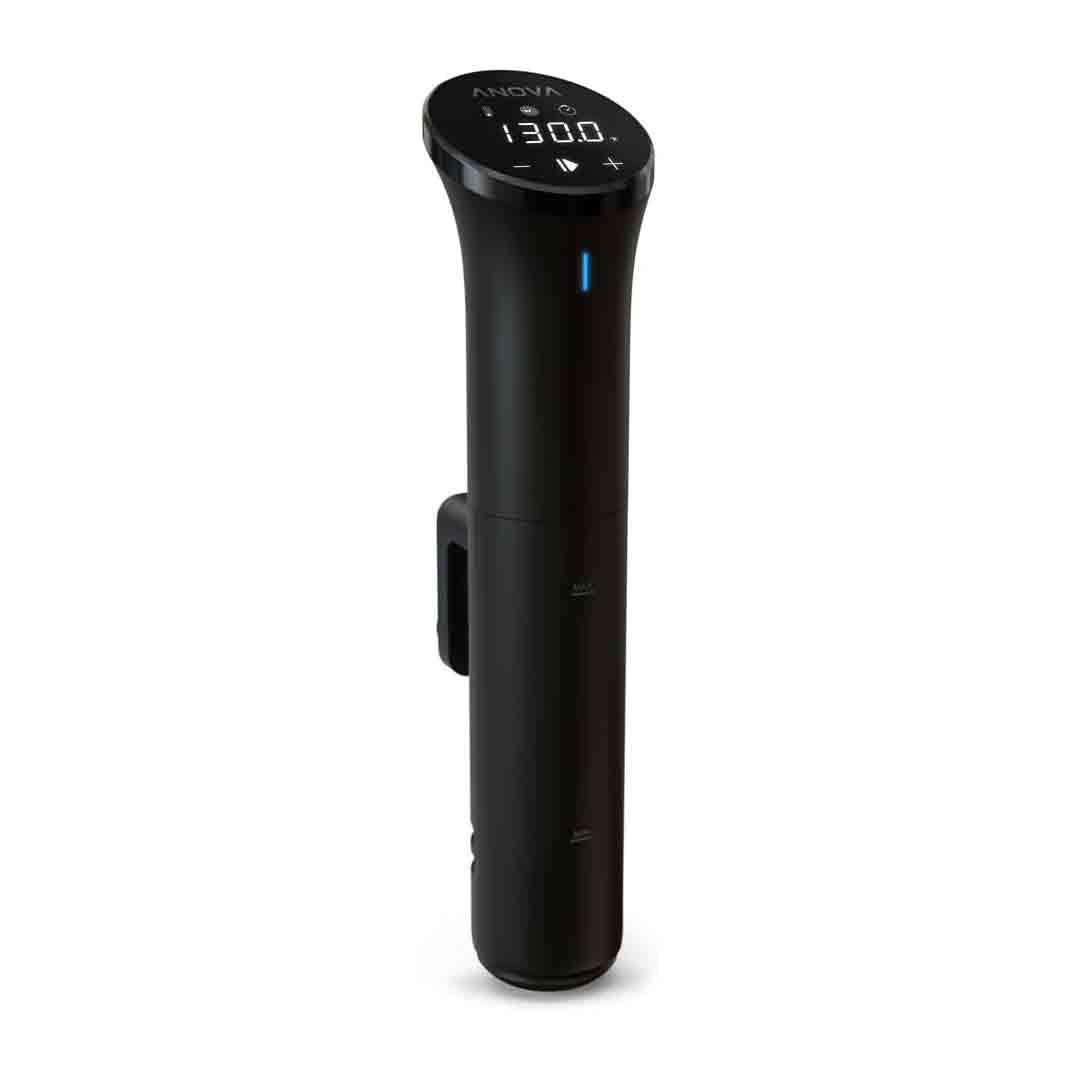
The Anova Nano 2.0 is a compact sous-vide circulator built for home cooking precision. Its sleek wand-style design attaches securely to any pot, circulating water to hold a consistent temperature for long durations. It offers adjustable heat settings from 32 °F to 197 °F (0 °C to 92 °C), allowing you to prepare everything from vegetables and seafood to meats and poultry with ease.

In terms of performance, it offers impressive accuracy and consistency. Independent evaluations showed that it held water bath temperatures within roughly ±0.2 °F of the set point over extended periods — a level of precision ideal for home chefs. The only downside is that its heating rate is slower compared to some higher-wattage models, so it can take a bit longer to reach the desired temperature when heating larger water volumes.

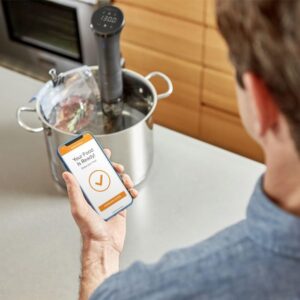
From a user-experience perspective, the Nano 2.0 combines intuitive onboard controls with Bluetooth app connectivity, making it simple for beginners yet flexible enough for those who prefer remote operation. However, some reviewers mention that its clamp design and compact build can limit use with extra-large or deep containers, and the Bluetooth range isn’t as strong or stable as that of WiFi-enabled alternatives. Still, for those seeking precise sous-vide cooking without a premium price tag, the Anova Nano 2.0 remains a compelling and cost-effective option.
Specification

Temperature Range: 0 °C to 92 °C (32 °F to 197 °F) with ±0.1 °C (±0.2 °F) accuracy.

Power: 750 Watts.

Flow Rate: 8 L/min (litres per minute) as per manufacturer specs.

Dimensions: 78 mm (W) x 105 mm (D) x 325 mm (H) (≈ 3.07″ W × 4.1″ D × 12.8″ H).

Weight: approx. 0.63 kg (1.39 lbs) per manufacturer.

Materials & Finish: Plastic + stainless steel; unit is IPX7 rated for water & splash resistance.

Connectivity: Bluetooth BLE 4.2 (iOS & Android app support).

Minimum immersion water level sensor: Minimum water depth needed before shut-off is built in.

Colour & Model: Black, Model AN400-US00.

Warranty: 2-year manufacturer warranty.


Key Features

Here are the key features of the Anova Culinary Sous Vide Precision Cooker Nano 2.0:

  • Precision temperature control: It maintains water bath temperature to within about ±0.1 °C (±0.2 °F).

  • Wide temperature range: Operates within a temperature range of about 0 °C to 92 °C (32 °F to 197 °F), allowing you to prepare a wide variety of foods, from fresh vegetables to perfectly cooked steaks.

  • Compact, space-saving design: Standing at about 12.8 inches (325 mm) tall and featuring a clip-on design for attachment to a pot, it’s compact enough for small kitchens and convenient to store in a drawer.

  • Bluetooth connectivity & companion app: Operated through the Anova Culinary app for iOS and Android via Bluetooth, allowing you to manage and monitor your cooking remotely.

  • Good circulation and stable water bath performance: In testing, it circulated dye evenly within about 48 seconds and kept water temperatures remarkably stable over extended periods.

  • Durable, easy-to-clean build: Constructed from a blend of plastic and stainless steel, and rated IPX7 for water resistance, offering durability and protection against splashes.

  • Fixed clamp mounting onto a pot/container for immersion: Simple to mount, making it suitable for most standard stock pots.

  • App recipe library and guided cooking: The app offers access to thousands of recipes, making sous-vide cooking easier and more approachable for home users.


How to use the Anova Culinary Sous Vide Precision Cooker Nano 2.0

Here’s a clear step-by-step guide on how to use the Anova Culinary Sous Vide Precision Cooker Nano 2.0 (and sous-vide cooking in general) — it’ll help you get great results even if you’re new to the method:

1. Setup the water bath & device

  • Fill a heat-resistant pot or deep container with enough water to cover the circulator’s minimum fill line.

  • Secure the Nano 2.0 to the side of your container using its built-in clamp, ensuring the water level stays between the “min” and “max” indicators on the device.

  • Turn on the unit and adjust the target temperature based on your recipe (e.g., 54 °C for medium-rare steak) using either the built-in controls or the mobile app.

  • Allow the water to heat up until it reaches your chosen temperature. The circulator should stay active to maintain a stable water bath.

2. Prepare the food & cook

  • Season your ingredients—whether it’s meat, seafood, or vegetables—as you normally do. Then place them in a vacuum-sealed or durable, heat-resistant zip bag, making sure to remove excess air using a vacuum sealer or the water displacement method.

  • When the water bath reaches the desired temperature, lower the sealed bag into the water, making sure it’s completely submerged. If it floats, add a small weight to keep it fully immersed.

  • Adjust the cooking time based on the type and thickness of your food. Sous-vide cooking generally requires longer durations than traditional techniques but delivers uniform and reliable results.

  • Allow the Nano 2.0 to keep the water steady at the exact cooking temperature for the entire duration.

3. Finish & serve

  • When the cooking cycle finishes, take the bag out of the water bath. For items such as steak or pork chops, gently pat the surface dry before serving or searing.

  • For most proteins, give them a brief finish by searing in a hot skillet or on a grill for 30–60 seconds per side to enhance flavor and texture. This final step completes the sous-vide process.

  • Serve right away, or if you’ve prepared it in advance, chill the sealed bag in an ice bath and store it in the refrigerator. When ready to eat, reheat in the sous-vide water bath before finishing.

  • After cooking, power off and detach the immersion circulator. Clean it following the manufacturer’s guidelines—this usually means wiping the exterior and descaling if required—then store it safely for future use.


Tips and recipes suitable for the Anova Culinary Sous Vide Precision Cooker Nano 2.0

Here are some expert tips and delicious recipes perfectly suited for the Anova Culinary Sous Vide Precision Cooker Nano 2.0:

Pro Tips for Using Your Anova Nano 2.0

  1. Preheat before sealing – Always allow the water bath to reach the desired temperature before adding your food. This guarantees consistent and even cooking throughout.

  2. Use high-quality bags – Vacuum-sealed pouches or BPA-free freezer-grade zip bags are ideal. Eliminate as much air as possible to keep the bag from floating during cooking.

  3. Keep it submerged – If the bags start to float, secure them to the pot’s edge with clips or weigh them down using stainless steel sous-vide weights.

  4. Don’t overcrowd the pot – Make sure the water flows freely around each bag to promote uniform cooking.

  5. Finish with heat – Sous-vide cooking delivers precise doneness throughout, but you’ll still want to sear, grill, or torch meats afterward to create a flavorful golden crust.

  6. Use ice baths for storage – If you’re not serving right away, chill the cooked food in an ice bath before placing it in the refrigerator.

  7. Season lightly before, flavor boldly after – Simple seasoning with salt and pepper is all you need for sous-vide. Add sauces, glazes, or marinades after cooking to achieve the best flavor and presentation.

  8. Keep your Nano clean – Periodically operate the unit in a vinegar and water solution to eliminate mineral deposits.

Tried-and-True Sous Vide Recipes

Sous Vide Steak (Medium Rare)

  • Temperature: 54 °C / 129 °F

  • Time: 1.5 – 2 hours

  • Steps: Season steak with salt, pepper, and herbs. Seal in a bag and cook. Pat dry, then sear 30 sec per side in a hot pan with butter and garlic.

  • Result: Tender, edge-to-edge pink perfection.

Sous Vide Chicken Breast

  • Temperature: 60 °C / 140 °F

  • Time: 1.5 hours

  • Steps: Season with olive oil, salt, pepper, and rosemary. After cooking, sear skin-side down in a skillet for crispiness.

  • Result: Juicy, never-dry chicken with perfect texture.

Sous Vide Salmon

  • Temperature: 50 °C / 122 °F

  • Time: 45 minutes

  • Steps: Place lemon, dill, and butter in the bag before sealing. Cook, then serve right away topped with fresh herbs or a delicate cream sauce.

  • Result: Silky, tender salmon with restaurant-quality flavor.

Sous Vide Vegetables (Carrots, Broccoli, Asparagus)

  • Temperature: 85 °C / 185 °F

  • Time: 30 – 45 minutes

  • Steps: Mix with butter, herbs, and a pinch of salt prior to sealing.

  • Result: Vibrant color, perfect bite, and enhanced natural sweetness.

Sous Vide Eggs (Soft-Boiled Style)

  • Temperature: 75 °C / 167 °F

  • Time: 13 minutes

  • Steps: Place the eggs, shells intact, directly into the water bath. Once cooked, crack them open for café-style soft eggs with rich, creamy yolks.


Cleaning Guide

Here’s a simple step-by-step guide on how to clean your Anova Culinary Sous Vide Precision Cooker Nano 2.0 safely and effectively:

After Each Use (Quick Clean)

  1. Unplug and cool down – Always disconnect the Nano 2.0 from power and allow it to cool fully before cleaning. Do not submerge the upper section or motor housing in water.

  2. Wipe the exterior – Gently clean the exterior with a soft, slightly damp cloth. Do not use abrasive cleaners or immerse the upper section in water.

  3. Clean the stainless-steel skirt and impeller area

    • Remove the detachable metal skirt by turning it counterclockwise.

    • Clean the skirt and impeller under warm, sudsy water.

    • Employ a small brush, such as a bottle brush or toothbrush, to clear away food particles.

  4. Dry thoroughly – Wash and thoroughly dry all detachable parts before putting them back together.

  5. Reattach the skirt – Line up and turn clockwise until firmly in place.

Monthly or Deep Cleaning (Descaling)

  1. Prepare a cleaning bath – Combine equal amounts of white vinegar and water in the cooking vessel.

  2. Run the Nano 2.0 – Attach it to the container, pour water up to the minimum mark, and adjust the temperature to roughly 60 °C / 140 °F.

  3. Circulate the solution for 20–30 minutes to dissolve mineral deposits inside the heater and pump system.

  4. Rinse and dry – Pour out the vinegar solution, rinse thoroughly with fresh water, and dry the device before storing.

Important Care Tips

  • Do not immerse the top section (black housing) in water, as it houses the electronics.

  • Do not use rough or abrasive pads, as they may damage the surface.

  • Avoid bleach and harsh chemical cleaners, as they may harm internal parts.

  • In regions with hard water, perform descaling more often, about every 2–3 weeks.


What to avoid when using the Anova Culinary Sous Vide Precision Cooker Nano 2.0

Here are the key things to avoid when using your Anova Culinary Sous Vide Precision Cooker Nano 2.0, to keep it working safely and efficiently:

1. Don’t submerge the top housing

  • The top part of the Nano, containing the display and power cord, is not water-resistant.

  • Only immerse the stainless-steel lower half. Submerging the top can harm electronics and void the warranty.

2. Avoid using shallow or unstable containers

  • Always select a deep, heat-resistant container where water reaches the “MIN” mark but stays under the “MAX” line.

  • Using shallow water or thin containers may cause temperature errors, overheating, or automatic shutdowns.

3. Don’t overcrowd the bath

  • Overfilled bags prevent proper water circulation, which can cause uneven cooking.

  • Keep gaps between the bags and make sure water can flow freely around them.

4. Don’t let the water drop below the minimum line

  • The Nano 2.0 automatically shuts off when water is low, but running it dry may lead to overheating or internal damage.

  • Keep an eye on the water level, particularly during extended cooking, since evaporation may reduce it.

5. Avoid harsh cleaning methods

  • Avoid abrasive scrubbers, bleach, and dishwasher use on the Nano.

  • Clean exclusively with mild soap and water, and keep the motor head dry.

6. Don’t plug in before placing it properly

  • Always secure the unit to the pot before adding water to the correct level and plugging in.

  • Connecting it too soon may cause accidental startup or overheating if the impeller isn’t underwater.

7. Avoid over-seasoning or open bags

  • Using too much oil or spices can enter the water and create buildup on the Nano.

  • Make sure bags are fully sealed to avoid water leaks.

8. Don’t ignore descaling

  • When water looks cloudy or shows mineral spots, perform a vinegar-water cleaning cycle to prevent reduced performance.

In conclusion, the Anova Culinary Sous Vide Precision Cooker Nano 2.0 is a compact, reliable, and easy-to-use device that delivers precise, restaurant-quality cooking at home. With accurate temperature control and simple operation, it ensures consistently perfect results for any meal. Durable, efficient, and ideal for beginners or pros alike, it’s a smart choice for anyone looking to elevate their cooking with precision and ease.
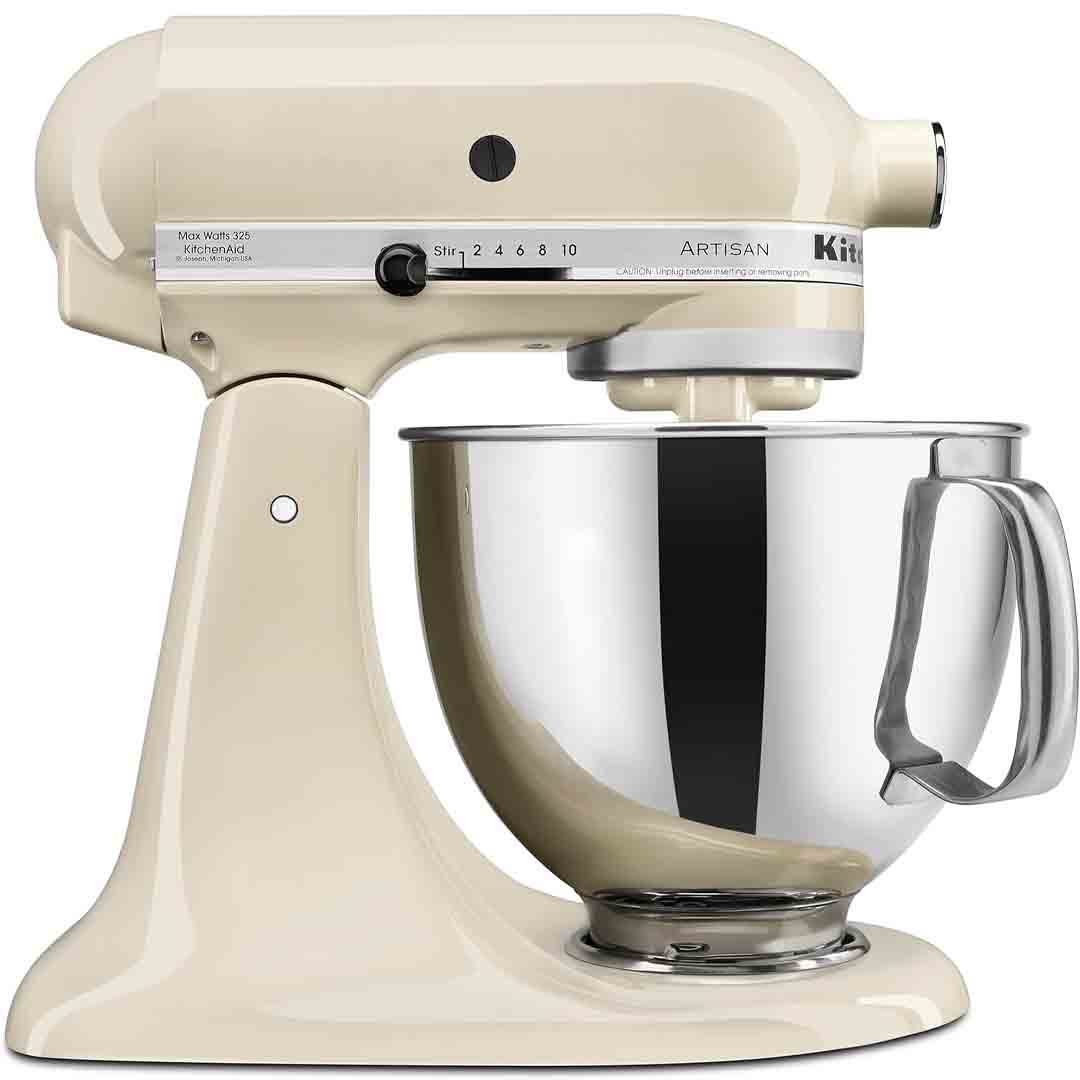
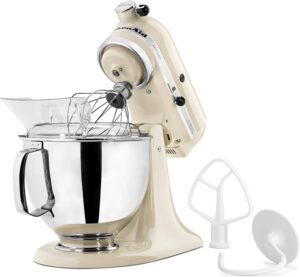
KitchenAid Artisan Series 5 Quart Tilt Head Stand Mixer

Equipped with a spacious 5-quart stainless steel bowl and a robust 325-watt motor, this mixer is designed to handle everything from daily baking to more advanced creations. Its tilt-head design provides easy access for adding ingredients and changing attachments, while the included accessories—a coated flat beater, dough hook, 6-wire whip, and pouring shield—deliver versatility from the start.

What makes this mixer stand out is its 10-speed control, allowing you to mix slowly, knead dough, or whip cream with exact precision. Its sturdy metal build and efficient planetary mixing motion deliver uniform results for everything from airy meringues to hearty bread dough.

Beyond its impressive performance, the Almond Cream finish adds a timeless, versatile charm that complements both contemporary and traditional kitchen styles. It’s also compatible with numerous optional attachments, allowing the mixer to evolve with your culinary creativity. Backed by thousands of positive reviews, it’s seen as a reliable, long-term investment for passionate home chefs.

Specification

Here are the key specifications for the KitchenAid Artisan Series 5 Quart Tilt-Head Stand Mixer (Model KSM150PS – Almond Cream finish):

General Features

  • 5-quart polished stainless-steel mixing bowl with comfortable handle.

  • Includes flat beater (coated), dough hook (coated), 6-wire whip, and a pouring shield.

  • Tilt-head design for easy access to bowl and attachments.

  • 10 mixing speeds (for stir, beat, whip, knead etc.).

  • Multipurpose attachment hub compatible with over 10 optional accessories—allowing you to expand its use for pasta making, food grinding, and more.

Technical & Dimensional Specifications

  • Motor power: 325 watts.

  • Model dimensions (approx): Height ~ 14.1″, Width ~ 8.7″, Depth ~ 14.1″.

  • Weight: about 22 lbs (≈10 kg) for the unit.

  • Voltage: 120 V (for U.S. market).

Capacity & Performance

  • The 5-quart bowl offers ample capacity for mixing large batches—according to the manufacturer, up to 9 dozen cookies in a single use with the flat beater.

  • Sturdy all-metal construction with 59 touchpoints around the bowl ensures thorough, consistent mixing every time.

Key Features

Here are the key features of the KitchenAid Artisan Series 5 Quart Tilt-Head Stand Mixer (model KSM150PS) in the Almond Cream finish:

Top Features

  • 5-quart polished stainless-steel mixing bowl with comfort handle — Spacious enough to mix up to about 9 dozen cookies in a single batch.

  • 10 distinct mixing speeds — Ranging from a gentle stir to a powerful whip, it offers precise control for tasks from airy egg whites to dense doughs.

  • Tilt-head design — The tilt-head design lifts easily, allowing you to add ingredients or change attachments without removing the bowl.

  • Durable, all-metal construction with “planetary” mixing action — Ensures even, consistent mixing as the beater makes contact with the bowl at multiple points—approximately 59 per rotation.

  • Multipurpose attachment hub — Lets you attach over 10 optional accessories (sold separately), including pasta rollers, spiralizers, meat grinders, ice cream makers, and more.

  • Included accessories — Includes a coated flat beater, coated dough hook, 6-wire whip, pouring shield, and a 5-quart mixing bowl right out of the box.

  • Wide range of color options — The Artisan Series in this size offers more than 20 color options, allowing you to choose a finish that perfectly complements your kitchen décor.

Why These Features Matter

  • Home bakers appreciate the 5-quart bowl for its ideal balance—spacious enough for big batches yet compact enough to fit comfortably on the counter.

  • The 10-speed setting gives you flexibility: Low speeds handle dense doughs, while high speeds are perfect for light, airy toppings—offering precision instead of a one-speed-fits-all approach.

  • The tilt-head design is especially convenient when swapping tools or scraping the bowl; You can access everything without shifting the mixer or taking out the bowl.

  • The attachment hub transforms this mixer from a simple mixing tool into a true kitchen powerhouse—perfect for making pasta, ice cream, smoothies, and more. Ideal for anyone who values versatility.

  • With all essential tools included, you can start mixing immediately—and the wide range of color options lets you match your mixer to your kitchen décor.

How to use the KitchenAid Artisan Series 5 Quart Tilt Head Stand Mixer

Here’s a clear and practical guide on how to use the KitchenAid Artisan Series 5-Quart Tilt-Head Stand Mixer (Model KSM150PS):

1. Set Up Your Mixer

  • Set the mixer on a flat, stable surface before connecting it to power.

  • Attach the bowl: Align the bowl with the clamping plate, then rotate it clockwise until it securely locks in place.

  • Install an attachment: Raise the mixer head using the tilt-head lever, attach the beater or dough hook to the shaft, and twist clockwise until it locks. Lower the head and secure it back in place with the lever.

2. Add Ingredients & Mix

  • Add your ingredients into the bowl before turning the mixer on.

  • Select your speed using the 10-speed control lever:

    • Speed 1–2: Stirring or mixing dry ingredients.

    • Speed 3–4: Mixing batters or cookie dough.

    • Speed 5–6: Beating or creaming butter and sugar.

    • Speed 7–10: Whipping cream, egg whites, or meringue.

  • Use the pouring shield to help prevent splashes when adding flour or liquids.

  • If necessary, pause mixing and use a spatula to scrape the sides of the bowl for uniform blending.

3. Finish & Clean Up

  • Always switch off and unplug the mixer before detaching any attachments.

  • Raise the mixer head, unlock the bowl, and detach the beater or dough hook.

  • Clean the bowl, pouring shield, and coated attachments in warm, soapy water. The stainless steel bowl is also dishwasher-safe.

  • Wipe the mixer base with a soft, damp cloth; do not immerse the unit in water.

Pro Tips for Best Results

  • Always begin mixing on the lowest speed to prevent splashes.

  • Chill the bowl and whisk beforehand to achieve greater volume when whipping cream.

  • Use the dough hook to knead bread or pizza dough efficiently, reducing both time and effort.

  • For dense mixtures, pause the mixer periodically to avoid overworking the motor..


Tips and recipes suitable for the KitchenAid Artisan Series 5 Quart Tilt Head Stand Mixer

Here are some useful tips and a selection of recipes perfectly suited for the KitchenAid Artisan Series 5-Quart Tilt-Head Stand Mixer (KSM150PS):

Pro Tips for Getting the Most Out of Your Mixer

  1. Start slow — Start mixing at the lowest speed (1 or 2) to avoid splashing flour or ingredients. Increase the speed gradually as the mixture comes together.

  2. Room-temperature ingredients — Butter, eggs, and milk mix more evenly when not cold. This results in smoother batters and fluffier doughs.

  3. Use the right attachment:

    • Flat Beater → Best for cakes, cookies, mashed potatoes, frostings.

    • Dough Hook → Perfect for breads, pizza dough, and pretzels.

    • Wire Whip → Perfect for whipped cream, egg whites, or light meringues.

  4. Chill your bowl and whisk before whipping cream — Assists in reaching firm peaks more quickly.

  5. Avoid overmixing — especially for cakes or muffins; it can make them dense.

  6. Lock the head and bowl securely before starting. It keeps everything stable during mixing.

  7. Clean immediately after use — Dough and batter release from attachments more easily when they are fresh.

  8. Explore attachments — Transform your mixer into a pasta maker, spiralizer, or food grinder using optional attachments.

Recipes Perfect for the KitchenAid Artisan Mixer

Classic Chocolate Chip Cookies

Use the flat beater to cream butter and sugar until light and fluffy, then incorporate eggs and vanilla. Gradually add flour, baking soda, and chocolate chips on low speed. The 5-quart bowl can comfortably handle a batch of around 9 dozen cookies.

Homemade Bread Dough

Attach the dough hook, then combine warm water, yeast, flour, salt, and a little olive oil. Knead on speed 2 for 7–10 minutes until the dough is smooth and elastic. Allow it to rise, shape, and bake—no hand kneading needed!

Vanilla Cupcake Batter

Use the flat beater to cream butter and sugar, then gradually add dry and wet ingredients alternately. The 10-speed control ensures a light, fluffy texture.

Pizza Dough

Combine flour, yeast, salt, sugar, olive oil, and water. Mix with the dough hook on speed 2 until the dough pulls away from the sides of the bowl. Let it rise, then roll out and add your favorite toppings.

Whipped Cream or Meringue

Chill your bowl and wire whisk, then whip cream or egg whites on speed 8–10 until fluffy peaks form. Perfect for topping pies, cakes, and mousses.

Bonus Idea

Experiment with homemade pasta or freshly ground meat by connecting optional KitchenAid attachments to the power hub—turning your stand mixer into a versatile kitchen workstation.

Cleaning Guide

Here’s a complete and easy-to-follow guide on how to clean the KitchenAid Artisan Series 5-Quart Tilt-Head Stand Mixer (KSM150PS) — safely and effectively:

1. Unplug Before Cleaning

Always disconnect the mixer from power before starting. Do not immerse the base or motor housing in water, as it contains electrical components.

2. Remove Attachments

  • Tilt the mixer head back and remove the flat beater, dough hook, or wire whip by turning it counterclockwise.

  • Lift the stainless-steel bowl off the base by turning it counterclockwise.

  • Remove the pouring shield if it is attached.

Tip: If batter has hardened on the attachments, soak them briefly in warm water to loosen residue before cleaning.

3. Wash the Bowl and Attachments

  • Stainless steel bowl → Dishwasher-safe or can be washed with warm, soapy water.

  • Coated beater and dough hook → Dishwasher-safe (top rack recommended).

  • Wire whip → Hand wash in warm, soapy water and dry immediately to prevent rust.

  • Pouring shield → Hand wash or set on the dishwasher’s upper rack.

4. Wipe Down the Mixer Body

  • Wipe the mixer base, head, and speed control knob with a soft, damp cloth.

  • For stubborn areas, clean with a mild soapy solution and dry with a soft cloth.

  • Do not use scouring pads or strong cleaners—they may scratch the enamel finish.

Pro Tip: Clean flour or sugar from the hinge, bowl clamp, and attachment hub using a dry toothbrush or soft pastry brush.

5. Clean the Attachment Hub

  • Lift the hub cover on the front (if not in use) and gently clean the inside with a damp cloth.

  • When using attachments such as the pasta maker or grinder, keep the hub area clear of any residue.

6. Store Properly

  • Secure clean, dry accessories to avoid misplacement.

  • Keep your mixer covered or store it in a cool, dry area to protect against dust and grease.

Extra Cleaning Tips

  • Wipe your mixer after each use to avoid buildup and stains.

  • Every month, detach the bowl clamp plate (if removable) for cleaning underneath.

  • Apply a baking soda and water paste to stubborn stains on the enamel housing — gentle yet effective.


What to avoid when using the KitchenAid Artisan Series 5 Quart Tilt Head Stand Mixer

Here’s a helpful guide on what to avoid when using your KitchenAid Artisan Series 5-Quart Tilt-Head Stand Mixer (KSM150PS) — to keep it running smoothly, safely, and lasting for years:

1. Overloading the Mixer

Do not overfill the bowl. The 5-quart capacity holds roughly 9 dozen cookies or 4½ loaves of bread per batch. Overloading may strain the motor, cause overheating, and lower mixing performance.

Tip: Stop right away if the dough wraps around the hook or the motor slows — this indicates the load is too heavy.

2. Running at High Speed for Heavy Doughs

Always knead bread or pizza dough at Speed 2 or below. Higher speeds may harm the gears or cause wear. Use low speeds for dense mixtures and reserve high speeds for whipping or beating lighter ingredients.

3. Using the Wrong Attachment

Each attachment has a purpose:

  • Dough Hook → kneading heavy dough

  • Flat Beater → cookie dough, cake batter, mashed potatoes

  • Wire Whip → whipping cream or egg whites

Using an incorrect attachment may impact performance and put stress on the motor.

4. Ignoring the Tilt-Head Lock

Ensure the tilt-head is always locked before starting the mixer. An unlocked head may bounce, causing spills or hinge damage.

5. Adding Ingredients While Running at High Speed

Adding flour or liquids at high speed can cause spills or splash onto electrical components. Always reduce speed or stop the mixer before adding ingredients, and use the pouring shield to minimize splatter.

6. Submerging the Mixer Base in Water

Do not immerse the mixer body in water; it contains electrical parts. Wipe only with a damp cloth.

7. Using Harsh Cleaners or Metal Scrubbers

Do not use abrasive pads, bleach, or strong chemicals, as they can scratch enamel or dull stainless steel. Clean with mild soap and a soft cloth instead.

8. Running Continuously for Too Long

Extended use, particularly with heavy doughs, may overheat the motor. Allow the mixer short breaks during long mixing or kneading.

9. Storing Attachments While Wet

Always thoroughly dry attachments before storing, particularly the wire whip, to avoid rust or corrosion.

10. Ignoring Unusual Sounds or Vibrations

Stop immediately if you hear grinding, rattling, or notice excessive vibration. Verify the bowl lock, attachment fit, and head lock before resuming. Persistent noise may indicate internal wear requiring service.

In conclusion,the KitchenAid Artisan Series 5-Quart Tilt-Head Stand Mixer is a powerful, durable, and stylish kitchen essential that combines performance with versatility. Its 10-speed control, large capacity, and multiple attachments make it ideal for everything from baking to meal prep. With its elegant Almond Cream finish and reliable design, it’s a long-lasting investment that enhances both your kitchen’s functionality and aesthetic.

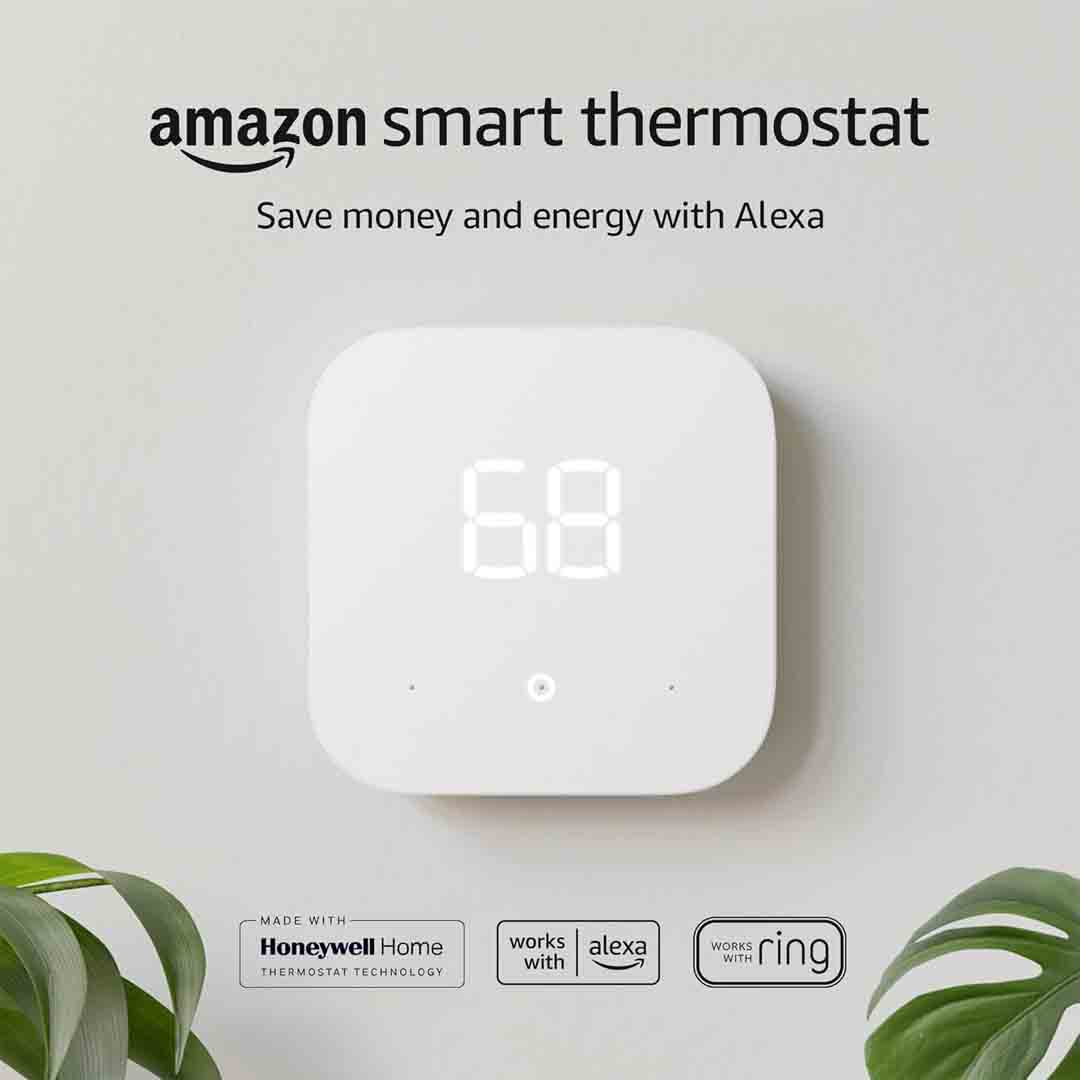
Amazon Smart Thermostat

The Amazon Smart Thermostat is a modern, energy-saving device crafted to make home climate control effortless and economical. Featuring intelligent technology and a clean, minimalist look, it allows you to manage your indoor temperature with ease while reducing energy consumption. By automatically regulating heating and cooling according to your routine and preferences, it delivers consistent comfort and efficiency — an ideal enhancement for any contemporary home.

Fully compatible with Alexa and Ring, the Amazon Smart Thermostat delivers simple, hands-free temperature control through voice or app commands. Just ask Alexa to adjust the climate, create schedules, or track energy use with ease. When linked to the Alexa app, you can manage your home’s temperature from anywhere — whether you’re at the office, traveling, or relaxing at home. It’s smart convenience and effortless control, all within your connected home network.

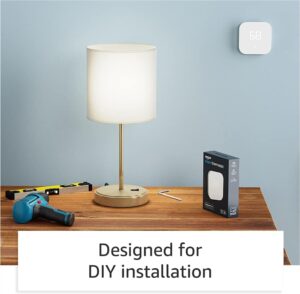
Engineered for energy efficiency, this thermostat helps lower utility costs over time by adapting to your lifestyle and fine-tuning temperature settings automatically. The C-wire connection provides consistent power for dependable operation, and the simple installation makes it a great DIY upgrade. Combining affordability, smart integration, and user-friendly design, the Amazon Smart Thermostat delivers the ideal mix of comfort, precision, and energy savings for today’s connected homes.

Specification

Here are the key specifications for the Amazon Smart Thermostat:

Technical Specifications

  • Model number: S6ED3R.

  • Compatibility: Compatible with most 24-volt HVAC systems, including standard forced-air, heat pump, and radiant boiler setups. It is not suitable for high-voltage systems, such as 110–240 V electric baseboard heating.

  • Power requirement: A C-wire (common wire) is necessary for installation or when using the included power adapter kit.

  • Dimensions: Approximately 3.56 in × 3.56 in × 0.84 in (Width × Height × Depth) of the thermostat unit.

  • Standby power consumption: ~ 0.89 W.

  • Certifications: ENERGY STAR® certified.

  • Warranty: 1-year limited warranty.

Features

  • Compatible with the Alexa app and voice control, allowing you to adjust temperatures and set schedules remotely.

  • Includes an integrated humidity sensor and supports scheduling with up to four time periods per day.

  • “Thermostat Hunches” feature via Alexa: The system automatically adjusts settings when it detects that rooms are empty or occupants are asleep.

  • Energy dashboard reporting: Offers detailed insights into your energy consumption and potential cost savings.

Key Features

Here are the key features of the Amazon Smart Thermostat:

Smart Control & Voice Integration

  • Works seamlessly with Alexa — After connecting to an Alexa-enabled device, you can adjust the temperature, change modes, or view system status using voice commands.

  • Control your thermostat remotely through the Alexa app or other compatible applications, allowing you to adjust settings from anywhere.

  • “Hunches” feature: It can automatically regulate the temperature when it detects that you’re away or asleep (if the feature is enabled).

Energy Efficiency & Smart Scheduling

  • ENERGY STAR® certified: Engineered to reduce heating and cooling expenses by optimizing HVAC system performance.

  • Allows scheduling with multiple time segments, enabling you to set customized temperature profiles such as Home, Away, or Sleep for each day.

  • Features integrated humidity monitoring and an energy dashboard that provides usage insights to help you improve efficiency decisions.

Compatibility & DIY Installation

  • Needs a C-wire (common wire) or a compatible power adapter kit for installation to provide consistent power for smart functionality.

  • Works with most 24-volt HVAC systems, including forced-air, heat pump, and radiant boiler setups, but is not compatible with high-voltage systems such as 120–240V electric baseboard heaters.

  • Step-by-step DIY installation through the Alexa app, providing a simple and intuitive setup process for most users.

How to use the Amazon Smart Thermostat

Here’s a clear, step-by-step guide on how to use the Amazon Smart Thermostat — from setup to daily operation:

1. Installation & Setup

  • Check compatibility: Verify that your HVAC system operates on low voltage (24V). The thermostat needs a C-wire or Amazon’s optional power adapter kit to maintain a steady power supply.

  • Switch off power to your HVAC system at the circuit breaker before beginning installation.

  • Detach your existing thermostat and mark each wire based on your HVAC system’s configuration.

  • Install and wire the Amazon Smart Thermostat by following the on-screen or in-app setup instructions..

  • Use the Alexa app to complete setup — It will guide you step-by-step through wiring, Wi-Fi setup, and system type identification.

2. Basic Operation

  • After installation, you can manually control the temperature through the touch-sensitive front interface.

  • Use the Alexa app (or voice commands through an Alexa-enabled device) to:

    • Set a specific temperature: “Alexa, set the temperature to 72 degrees.”

    • Change modes: “Alexa, set thermostat to cool mode.”

    • Turn heating or cooling off.

  • The app lets you set personalized heating and cooling schedules to align with your daily routine, such as lowering temperatures at night or warming your home before you wake.

3. Smart Features & Energy Savings

  • Alexa Hunches: When activated, Alexa can automatically modify your thermostat based on occupancy or sleep detection, eliminating the need for manual adjustments.

  • Energy Dashboard: Monitor your energy consumption and receive customized recommendations to lower costs directly through the Alexa app.

  • Remote Control: Control your thermostat remotely via your smartphone, ideal for adjustments while traveling or returning home early.

  • Maintenance Alerts: Receive notifications to replace filters or inspect your HVAC system to ensure optimal efficiency.

Tips suitable for the Amazon Smart Thermostat

Here are some useful tips to help you get the best performance, comfort, and energy savings from your Amazon Smart Thermostat 👇

Smart Usage & Energy Savings

  1. Use Alexa Routines or Hunches – Activate Alexa’s Hunches feature to allow automatic temperature adjustments when you’re away or sleeping, helping to minimize energy waste.

  2. Set Schedules – Program temperature schedules in the Alexa app to align with your daily routine, such as reducing temperatures during sleep or work hours.

  3. Take advantage of Eco Temperatures – Set your thermostat within energy-saving heating and cooling ranges to reduce system operation while maintaining comfort.

  4. Monitor your Energy Dashboard – Review your energy consumption data in the Alexa app to identify patterns and enhance system efficiency.

Setup & Maintenance

  1. Ensure a stable C-wire connection – A stable power supply prevents Wi-Fi interruptions and supports reliable operation of smart features.

  2. Keep firmware updated – Alexa updates the thermostat’s software automatically, though it’s recommended to periodically check the app or device for new features and enhancements.

  3. Clean the thermostat gently – Wipe with a soft, dry cloth to remove dust, and do not apply liquids directly to the surface.

  4. Verify placement – Mount the thermostat in a location free from direct sunlight, air drafts, or vents to ensure accurate temperature measurements.

Convenience & Control

  1. Use voice commands –Control the thermostat without touching it by issuing voice commands, such as “Alexa, set the thermostat to 70 degrees.”

  2. Enable remote access – Manage your home’s temperature remotely via the Alexa app — ideal for ensuring comfort when returning from work or trips.

  3. Pair with Ring devices – Connect your Ring devices to enable smart home automation, such as changing the thermostat when your Ring Alarm is armed.

  4. Review comfort settings seasonally – Modify temperature settings with seasonal changes to ensure peak efficiency all year.

Cleaning Guide

Here’s how to safely clean your Amazon Smart Thermostat to keep it looking new and working efficiently 👇

What You’ll Need

  • A soft microfiber cloth

  • Distilled water or 70% isopropyl alcohol (optional)

  • A cotton swab (for edges or tight spots)

Step-by-Step Cleaning Guide

  1. Shut off your heating and cooling system or place the thermostat in Off mode to prevent accidental changes while servicing.

  2. Disconnect the thermostat or switch off its breaker when possible — this provides extra safety.

  3. Carefully clean the screen using a soft, dry microfiber cloth to remove dust and smudges.

  4. For tough smudges, slightly moisten the cloth with distilled water or 70% isopropyl alcohol — avoid spraying liquids directly on the screen or buttons.

  5. Use a dry cotton swab to remove dust from the edges and vents.

  6. Allow it to air-dry for a few seconds before turning the power back on or using the display.

Important Tips

  • Steer clear of strong chemicals, paper towels, or abrasive cleaners, as they may scratch or dull the surface.

  • Keep water or moisture away from the thermostat’s housing and wiring.

  • Wipe the thermostat from time to time, especially in high-traffic or dusty areas.

What to avoid when using the Amazon Smart Thermostat

Here are important things to avoid when using your Amazon Smart Thermostat to keep it safe, accurate, and long-lasting 👇

1. Avoid Incorrect Installation

  • Don’t skip the C-wire — The thermostat needs a steady power supply; without it, it may restart, lose Wi-Fi connectivity, or fail to manage your HVAC system correctly.

  • Don’t install on high-voltage systems (like 120–240V baseboard heaters); Compatible exclusively with 24V HVAC systems.

  • Avoid wiring mistakes — Always mark and connect wires correctly during installation, or seek professional help if uncertain.

2. Avoid Poor Placement

  • Avoid placing the thermostat in direct sunlight, near windows, or close to heat vents, as this may lead to inaccurate temperature readings.

  • Keep the thermostat away from drafty spots or doors, which could cause unnecessary heating or cooling.

  • Keep the thermostat uncovered to ensure proper airflow and accurate temperature sensing.

3. Avoid Moisture & Rough Handling

  • Do not apply water or cleaning solutions directly to the screen or casing.

  • Do not use rough materials, such as paper towels or coarse cloths, that might scratch the display.

  • Keep the device away from steam or humid environments, like bathrooms or kitchens.

4. Avoid Ignoring Maintenance

  • Always install firmware and app updates—they boost performance, fix issues, and enhance energy efficiency.

  • Keep it connected to Wi-Fi; disconnecting for long periods may prevent remote control and smart features from working properly.

  • Pay attention to filter reminders and HVAC service alerts—they help maintain system efficiency and reliability.

In conclusion, the Amazon Smart Thermostat offers an easy, affordable way to control your home’s temperature while saving energy. With Alexa integration, remote access, and automatic adjustments, it delivers comfort, convenience, and efficiency in one sleek, modern device — the perfect upgrade for any smart home.

Honeywell Home Wi-Fi Smart Color Thermostat

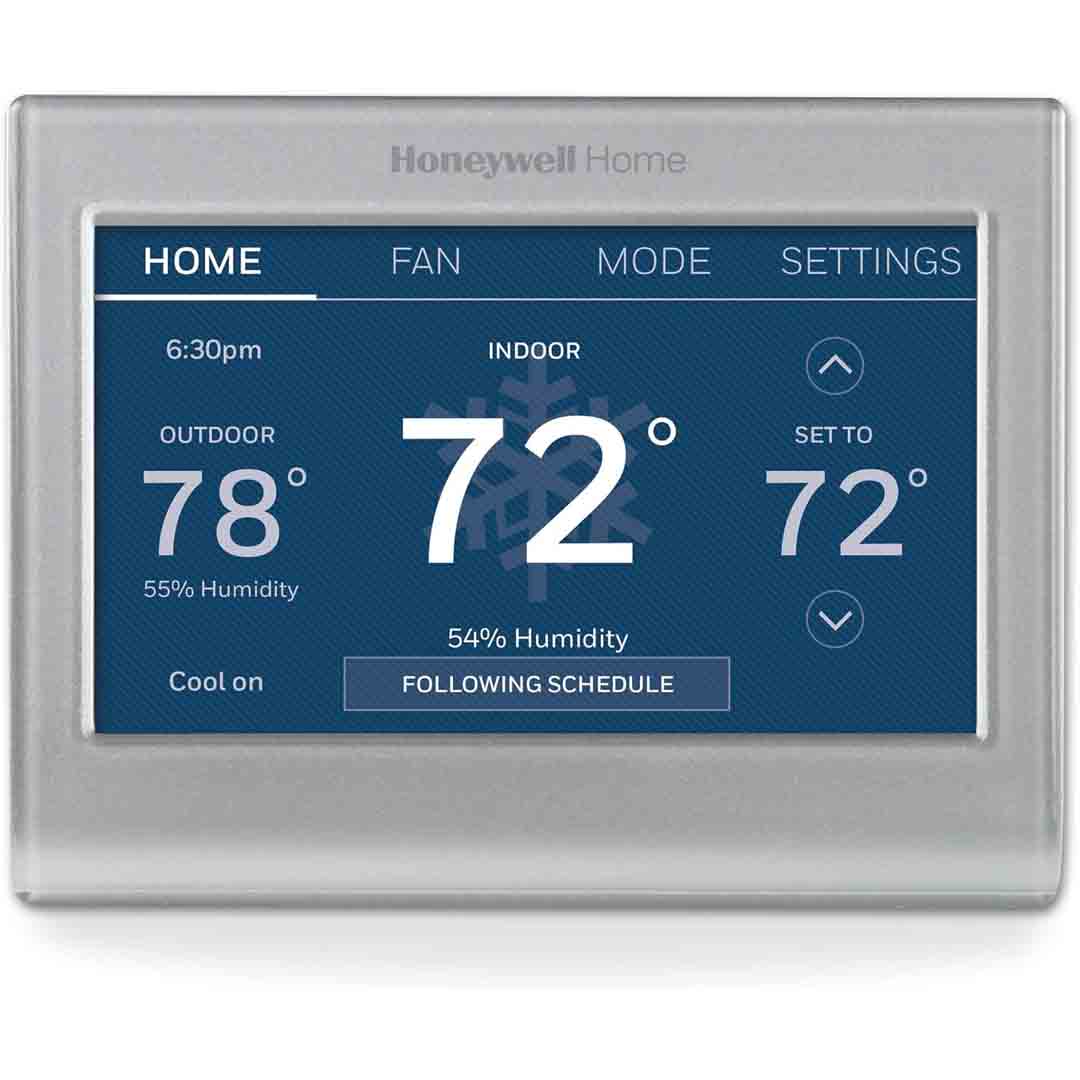
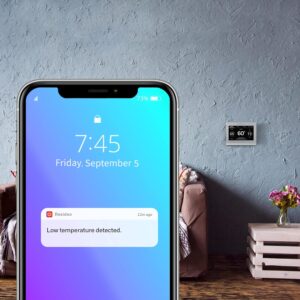
The RTH9585WF1004 provides a stylish, contemporary smart thermostat solution featuring a vivid color touchscreen and Wi-Fi access. You can control the temperature remotely through the Honeywell Home app, monitor live weather conditions, and receive notifications for things like extreme indoor/outdoor temperatures or filter replacement. The touchscreen supports custom color themes, allowing it to complement your home décor, adding a touch of personalization.

In terms of scheduling and efficiency, this thermostat offers 7-day programmable settings, allowing you to assign different temperatures for various times or days. This helps maximize comfort while minimizing energy consumption when full heating or cooling isn’t required. It also holds ENERGY STAR® certification, meeting recognized efficiency standards and including features such as humidity and temperature monitoring and external temperature sensing. Essentially, it functions as a smart system that learns your routines through Smart Response technology, reducing unnecessary energy use.

Regarding installation and system compatibility, ensure your HVAC setup supports this model—it’s designed for 24-volt low-voltage systems such as typical forced air, heat pumps, oil, or gas systems. It is not suitable for 120/240 V line-voltage baseboard heating, so that’s an important consideration before purchasing. Additionally, a C-wire (common wire) is required for full Wi-Fi and smart functionality. For those who travel or own secondary properties, the remote control and flexible scheduling make this thermostat especially convenient, offering comfort and energy savings whether you’re home or away.

Specification

Here are the key specifications for the Honeywell Home RTH9585WF1004 Wi‑Fi Smart Color Thermostat (7‑Day Programmable, Touch Screen, ENERGY STAR®, Alexa‑Ready, Gray) — good to have on hand before installation:

Core Specifications

  • Model: RTH9585WF1004 (also shown as RTH9585WF / RTH9585WF1004/U)

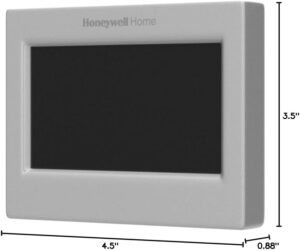
  • Dimensions: 4.5 in (W) × 3.5 in (H) × 0.8 in (D)

  • Power / System Requirements:

    • Requires 24 VAC low‑voltage systems (typical for forced air, heat pump, oil/gas, hydronic) — not compatible with line‑voltage (120/240 V) electric baseboard heat systems.

    • A “C‑wire” (common wire) is required to power the Wi‑Fi features.

Features & Connectivity

  • Wireless network access (2.4 GHz, 802.11b/g/n) allowing remote management via the mobile app.

  • Vibrant, customizable touchscreen display — adjust the screen colors to complement your interior design.

  • 7-day customizable schedule — set different temperatures for each day of the week.

  • Smart response/learning features + alerts:

    • Smart Response technology predicts your heating and cooling requirements.

    • Notifications for filter replacement and extreme indoor/outdoor temperatures

  • ENERGY STAR® Certified: Low standby power of 0.93 W; features demand-response, outdoor temperature sensing, and humidity monitoring.

  • Voice / Smart‑Home Compatibility: Works with Amazon Alexa / Google Assistant / SmartThings (dependent on hub) via app/voice control.

Wiring & System Compatibility Details

  • Compatible with single-stage or dual-stage heating and cooling systems, including heat pumps with electric backup.

  • Terminal ratings: For example, W‑O/B, W2 (Aux/E), Y cooling, Y2 cooling — 20‑30 Vac, 1.0 A max; G (fan) 20‑30 Vac, 0.5 A max.

  • Not compatible with: Millivolt setups (such as older gas fireplaces) or 120/240 V high-voltage electric baseboard systems, unless a proper wiring adapter is installed. 

Key Features

Here are the key features of the Honeywell Home RTH9585WF1004 Wi‑Fi Smart Color Thermostat:

  1. Wi‑Fi Connectivity & Remote Control: This thermostat links to your home Wi-Fi, allowing you to adjust temperature, schedules, and settings from your smartphone or tablet, whether at home or away.

  2. Color Touchscreen Display: Features a vibrant full-color touchscreen that can be personalized (background colors) to complement your décor and ensure easy operation.

  3. 7‑Day Programmable Scheduling: The thermostat allows 7-day programming with adjustable time slots and temperatures, offering flexibility to fit your schedule while conserving energy.

  4. Smart Response Learning Technology: The thermostat adapts to your HVAC system’s patterns (heating/cooling response times) and adjusts automatically to reach your desired temperature on time, instead of turning on at the last moment.

  5. ENERGY STAR® Certified & Energy Saving Features: It complies with ENERGY STAR® guidelines, includes features such as outdoor temperature monitoring and humidity tracking, and supports utility demand-response programs.

  6. Smart Home & Voice Assistant Compatibility: Compatible with voice assistants such as Amazon Alexa and Google Assistant, and integrates with smart home platforms (e.g., SmartThings) for voice or app control.

  7. On‑Screen & App‑Based Alerts/Monitor: It sends notifications for filter replacements, extreme indoor or outdoor temperatures, and offers a user-friendly on-screen menu with app-based diagnostics and support.

  8. Full‑Featured Compatibility (Low‑Voltage Systems): Intended for 24 VAC low-voltage HVAC systems (forced air, heat pumps, oil/gas, hydronic) and requires a C-wire; not suitable for 120/240 V line-voltage baseboard heaters.

How to use the Honeywell Home Wi-Fi Smart Color Thermostat

Here’s a clear step-by-step guide on how to use the Honeywell Home RTH9585WF1004 Wi‑Fi Smart Color Thermostat:

1. Installation & Power On

  • Verify that your HVAC system supports 24 VAC low-voltage operation. A C-wire is necessary for Wi-Fi features.

  • Switch off the power to your HVAC system before wiring.

  • Attach the thermostat wires following the provided wiring diagram.

  • Attach the thermostat to the wall plate and turn the power back on. The touchscreen will light up and show the welcome/setup screen.

2. Connect to Wi-Fi

  • Put on the thermostat touchscreen, select Wi-Fi Setup.

  • Select your home Wi-Fi network and enter your password.

  • Download the Honeywell Home app on your smartphone (iOS or Android).

  • Follow the instructions in the app to connect your thermostat to your account for remote management, scheduling, and notifications.

3. Set Up Schedule

  • Set your desired temperatures throughout the day using the week-long programmable schedule.

  • Each day can be programmed separately, or schedules can be duplicated across multiple days.

  • The thermostat will self-adjust heating and cooling based on your set schedule.

4. Using the Touchscreen

  • Tap the screen to adjust temperature manually anytime.

  • Navigate menus to adjust settings, system modes (Heat, Cool, Auto, Off), fan operation, alerts, and display preferences.

  • Adjust the display color to complement your home décor.

5. Smart Features

  • Smart Response Technology: The thermostat adapts to how long your system takes to reach the desired temperature and optimizes operation to achieve it efficiently.

  • Alerts: Get notifications for filter changes, temperature extremes, and connectivity issues on the touchscreen and through the app.

  • Voice Control: When connected to Alexa, Google Assistant, or SmartThings, you can adjust the temperature using voice commands.

6. Energy Saving Tips

  • Leverage the scheduling function to save energy while you’re away or asleep.

  • Turn on smart notifications to maintain peak system performance and receive maintenance reminders.

  • Use the Honeywell Home app to view energy reports and monitor consumption and savings.

Tips suitable for the Honeywell Home Wi-Fi Smart Color Thermostat

Here are some practical tips to get the most out of your Honeywell Home RTH9585WF1004 Wi‑Fi Smart Color Thermostat:

1. Optimize Your Schedule

  • Leverage the 7-day programmable feature to schedule temperatures according to your daily routine.

  • Reduce heating or cooling when you’re away or asleep to conserve energy, and increase it shortly before returning for comfort.

2. Take Advantage of Smart Response

  • Let the thermostat observe your HVAC system’s patterns. Over several weeks, it will adjust heating and cooling to hit your desired temperature on time.

3. Monitor Energy Usage

  • Monitor energy usage and gain savings insights via the Honeywell Home app.

  • Minor changes to temperature settings can result in significant energy savings.

4. Set Alerts

  • Activate notifications for filter replacements and temperature extremes to safeguard your system and ensure indoor comfort.

  • Monitor the app frequently for alerts to avoid unnecessary strain or reduced efficiency.

5. Use Voice Control

  • Connect the thermostat to Alexa, Google Assistant, or SmartThings for voice-activated control.

  • Voice commands such as “Set living room to 72°F” allow for quicker and easier temperature changes.

6. Maintain the Thermostat

  • Maintain a clean, dust-free touchscreen for precise readings and seamless operation.

  • Periodically verify your Wi-Fi connection to maintain dependable remote access.

7. Customize the Display

  • Change screen colors and brightness to match your home décor and improve visibility.

  • Enable sleep or night mode to dim the display during nighttime hours.

Cleaning Guide

Here’s a safe and effective guide on how to clean your Honeywell Home RTH9585WF1004 Wi‑Fi Smart Color Thermostat:

1. Power Off

  • Power down your HVAC system or set the thermostat to “Off” before cleaning to avoid unintended adjustments.

  • If convenient, detach the thermostat from the wall plate for easier cleaning access.

2. Use a Soft Cloth

  • Clean the screen and body with a soft, lint-free or microfiber cloth.

  • Do not use rough fabrics or scrubbing pads that could leave scratches on the display.

3. Dampen Lightly (Optional)

  • For tougher marks, lightly moisten the cloth with water or 70% isopropyl alcohol.

  • Avoid spraying liquids directly onto the thermostat — excess moisture may harm internal components.

4. Gently Wipe

  • Gently clean the screen and edges using circular motions to lift fingerprints, dust, and grime.

  • Quickly dry the surface with a clean microfiber cloth to avoid streaking.

5. Avoid Harsh Chemicals

  • Avoid using ammonia, bleach, or glass cleaners — they may harm the touchscreen and plastic housing.

6. Reattach & Power On

  • If you removed it, reattach the thermostat securely to the wall plate.

  • Power the HVAC system back on and verify that the thermostat is operating correctly.

What to avoid when using the Honeywell Home Wi-Fi Smart Color Thermostat

Here’s a guide on what to avoid when using the Honeywell Home RTH9585WF1004 Wi‑Fi Smart Color Thermostat to ensure safety, accuracy, and longevity:

1. Avoid Direct Exposure to Moisture

  • Avoid installing the thermostat close to sinks, showers, or other high-humidity areas.

  • Do not spray liquids directly onto the touchscreen — excess moisture may harm the internal circuitry.

2. Avoid Extreme Temperatures

  • Avoid placing the thermostat in direct sunlight or areas with extreme temperatures.

  • Very high or low temperatures can impact sensor precision and overall system efficiency.

3. Avoid Dusty or Dirty Environments

  • Keep the thermostat away from dust, dirt, and grease.

  • Accumulated dust on the display or sensors can interfere with temperature accuracy and touch sensitivity.

4. Avoid Frequent Resetting

  • Avoid resetting the thermostat too often — repeated resets may delete schedules, Wi-Fi details, and system learning data.

5. Avoid Incompatible Systems

  • Avoid installing on 120/240 V line-voltage or millivolt systems unless an appropriate adapter is used.

  • Make sure your heating and cooling system supports 24 VAC low-voltage control.

6. Avoid Blocking the Thermostat

  • Avoid installing the thermostat behind doors, curtains, or furniture.

  • Ensure proper airflow around the thermostat for accurate temperature readings.

7. Avoid Neglecting Updates

  • Keep your thermostat up to date using the Honeywell Home app — updates boost performance, resolve issues, and ensure stable Wi-Fi.

In conclusion, the Honeywell Home RTH9585WF1004 is a smart, energy-efficient thermostat with a customizable color touchscreen, 7-day programmable schedule, and Wi‑Fi/voice assistant compatibility. It enhances comfort, saves energy, and adapts to your lifestyle, making it a reliable and stylish choice for modern homes.

Emerson Sensi Touch Smart Thermostat

The Sensi Touch Smart Thermostat (ST75S – Silver) by Emerson features a sleek, contemporary design with a 4.3-inch color touchscreen for clear and effortless temperature control. It offers a complete 7-day scheduling option, enabling personalized heating and cooling settings for each day. With Wi-Fi connectivity, users can conveniently manage comfort levels through the Sensi app, whether at home or away.

A key advantage of the Sensi Touch is its easy, do-it-yourself installation process. It features illuminated, push-to-connect terminals and a built-in level, making setup and wiring straightforward. The thermostat does, however, require a C-wire (common wire) for consistent power. After installation, it connects seamlessly with Amazon Alexa and other smart home platforms, offering voice control and automated climate management.

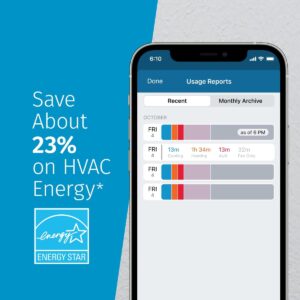
Emerson places a strong emphasis on data privacy across its Sensi product line, assuring users that their personal information will not be shared or sold to third parties. The thermostat also carries an Energy Star certification, confirming that it complies with strict efficiency standards. With effective scheduling and remote access, homeowners can reduce HVAC energy consumption by up to 23%, leading to noticeable cost savings.

Specification

Here are the detailed specifications and features of the Emerson Sensi Touch Smart Thermostat (ST75 / ST75S series), drawn from the manufacturer’s spec sheet, official docs, and independent reviews. 

Model / Series: ST75 / ST75S (US retail version) 

Power / Voltage: 24 VAC — powered via C-wire (common)

C-Wire Requirement: Required (cannot operate without a C-wire) 

Standby Power Consumption: ~ 1.2 W (in standby) 

Communication / Connectivity: Wi-Fi (2.4 GHz, 802.11 b/g/n) 

Display / Interface: Color touch screen, back-lit display, intuitive menus 

Scheduling: 7-day programmable schedule; up to 8 temperature change points per day 

Geofencing: Supported (uses your mobile device’s location to adjust “home/away”) 

Humidity Sensing: Equipped with an internal humidity sensor for real-time readings 

Accessory / External Control: Not compatible with external humidifier or dehumidifier systems 

System Compatibility: Works with: conventional gas / electric / oil systems; heat pumps (with aux/emergency heat); dual-fuel systems; multi-stage heating / cooling (within limits) 

Auto Changeover: Yes — automatic switching between heating and cooling modes (if system supports) 

Smart Alerts & Monitoring: System alerts (e.g. extreme temperatures, HVAC system issues) 

Temperature Limits / Lockout: Ability to configure high / low limits; keypad lockout to prevent others from changing settings 

Energy-Saving / Demand Response: ENERGY STAR certified; Compatible with utility demand response systems and supports OpenADR communication protocols 

Firmware / Updates: Over-the-air updates supported (for new features, bug fixes) — Integrated into smart thermostat architecture 

Operating Modes: Heat, Cool, Off, Auto, Aux / Emergency (for heat pump) 

Local Control / Failover: The thermostat retains and executes its programmed schedule even without Wi-Fi or cloud connectivity 

Operating Temperature Range: (Not always listed explicitly in consumer docs) — Thermostats are generally rated to operate within standard indoor temperature ranges.

Dimensions & Mounting: In reviews: ~ 5.625 in × 3.4 in × ~1.2 in (approx) 

Warranty: 3-year limited warranty (parts) 

Notes & Additional Details

  1. The installation guide specifies that advanced setup, scheduling, notifications, and customization are handled through the Sensi mobile app, while the thermostat’s display is intended for basic operations such as mode changes, temperature adjustment, and fan control. 
  2. The specifications indicate lighted quick-connect terminals that streamline installation, along with HVAC system monitoring and intelligent alert features. 
  3. The unit holds ENERGY STAR certification and appears in the ENERGY STAR registry under model ID ST75S, featuring a standby power consumption of 1.2 W and support for demand response functionality. 
  4. Independent evaluations commend the Sensi Touch for its responsive display, intuitive interface, and consistent performance, while noting the absence of adaptive learning features and limited accessory compatibility, such as humidifier control, as drawbacks. 
  5. Certain reviews (such as those from Consumer Reports) indicate that the thermostat lacks native vacation programming functionality.

Key Features

Here are the key features of the Emerson / Copeland Sensi Touch Smart Thermostat (ST75 series) — what makes it stand out and what functionality you can expect in real usage:

Key Features & Highlights

Color Touchscreen Interface: Features a large, user-friendly color touchscreen with clear navigation and visual status indicators (e.g., background shifts between heating and cooling modes). 

Programmable Schedule (7-day, up to 8 set points/day): Users can configure individual daily temperature schedules for all seven days through the mobile app, with basic adjustments available directly on the thermostat. 

Geofencing / Location-aware Mode: The thermostat uses geofencing to detect your smartphone’s location and automatically adjust temperature settings based on home or away status, either supplementing or replacing schedules. 

Wi-Fi Remote Control (2.4 GHz): Users can adjust temperature settings, switch modes, and monitor system status remotely through the Sensi mobile application. 

Smart Home / Voice Assistant Integration: Compatible with Amazon Alexa, Google Assistant, Apple HomeKit, and additional smart home ecosystems such as Samsung SmartThings. 

Humidity Sensing & Display: Equipped with a built-in humidity sensor that displays real-time indoor humidity, though it does not interface with external humidification or dehumidification systems. 

Smart Alerts / HVAC Monitoring: Generates mobile notifications when the system detects irregular operating conditions such as extreme temperature readings or potential faults. 

Auto Changeover: Automatically transitions between heating and cooling modes as needed, provided the HVAC system supports dual operation.

Backlit / Back-Glow Lighting: The display and surrounding bezel feature a soft backlight for enhanced visibility in low-light conditions. 

Keypad / Configuration Lockout: Provides the option to define upper and lower temperature limits and lock manual controls to restrict unauthorized user adjustments. 

Temperature Offset / Calibration Adjustment: Allows calibration adjustment to compensate for sensor reading deviations from actual room temperature. 

Local Scheduling / Failover Operation: The thermostat retains and executes scheduled programs locally in the event of a Wi-Fi or cloud service interruption. 

ENERGY STAR / Demand Response Support: The ST75 holds ENERGY STAR certification and is compatible with utility demand response protocols, including OpenADR. 

Easy-Click Illuminated Wiring Terminals: The wiring terminals feature LED backlighting and easy-click connectors to streamline installation 

Dual Fuel / Auto Balance Control: Compatible with dual-fuel configurations (heat pump and furnace) and features an internal balance point control that enables automatic system switching without an external temperature sensor. 

Contractor / Service Features: Includes service interval notifications, system alerts, installer branding options, and a dedicated contractor configuration mode for setup and maintenance.

How to use the Emerson Sensi Touch Smart Thermostat

Here is a step-by-step guide on how to use the key functions:

Part 1: Initial Setup and Mobile App Control

  1. Installation and Wi-Fi Connection (Done via App)
  • Download the App: Download the free Sensi app on your iOS or Android smartphone or tablet.
  • Create Account: Create a Sensi account using a valid email address.
  • In-App Guide: The app provides step-by-step instructions for:
    • Wiring: It guides you through installing the unit on your wall (it will confirm you have a C-wire).
    • Wi-Fi Connection: It uses Bluetooth and your phone’s location services to help you connect the thermostat to your home’s 2.4 GHz Wi-Fi network.
  1. Basic Control in the App
  • After setup, the app’s main screen acts as your remote control.
  • Adjust Temperature: Use the up and down arrows to immediately change the target temperature.
  • Change System Mode: Switch between Heat, Cool, Auto, Off, or Aux (for heat pumps with auxiliary heat).
  • Change Fan Mode: Select Auto (fan runs only with heating/cooling) or On (fan runs continuously). Includes a Circulate mode that operates the fan for a programmed percentage of each hour to maintain consistent air circulation.
  1. Advanced Features in the App

| Feature | Purpose | How to Use |

| Flexible Scheduling | Automatically adjusts temperature based on the time of day and day of the week to save energy. | Go to the Schedule tab in the app. Create custom setpoints (time and temperature) for different periods (e.g., Wake, Leave, Return, Sleep) and apply them to groups of days (e.g., M-F, S-S). |

| Geofencing | Automatically switches to your “Away” temperature when you leave home and switches back to “Home” when you return. | Go to the Schedule tab and select Geofencing. It uses your phone’s location to detect when you’re outside a 3-mile radius from home. |

| Smart Alerts & Reports | Monitors your system’s performance and energy use. | Check the Usage Reports for insights into how long your system has run. The app will also send alerts for issues like extreme temperature/humidity or maintenance reminders (e.g., changing your filter). |

| Keypad Lockout | Prevents unauthorized changes from the physical unit. | Access this feature in the Settings menu of the app to lock the touchscreen.

Part 2: Voice Control (Alexa, Google Assistant, HomeKit)

Since the Sensi Touch is Wi-Fi enabled, you can link it to your preferred smart assistant:

  1. Link Accounts: Go into the settings or “Skills/Actions” menu of your Amazon Alexa, Google Home, or Apple Home app. Search for the “Sensi” skill/action and link it to your Sensi account.
  2. Use Commands: You can now use simple voice commands (make sure to use the name you gave your thermostat):
    • “Alexa, set the downstairs thermostat to 72 degrees.”
    • “Hey Google, turn the A/C off.”
    • “Hey Siri, what is the temperature in the living room?”

Part 3: Manual Control (At the Wall Unit)

Even if your Wi-Fi is down, you can always control the unit directly:

  1. Adjust Temperature: Tap the Up ($\boldsymbol{+}$) or Down ($\boldsymbol{-}$) buttons on the touchscreen to immediately change the set temperature.
    • Note: If a schedule is active, this will typically create a temporary hold until the next scheduled setpoint.
  2. Change Mode: Tap the Mode button to cycle through the system modes (Heat, Cool, Auto, Off, etc.).
  3. Access Menu: Tap the Menu button to access advanced settings, fan options, and manual time setup (if Wi-Fi is disabled).

The recommended setup method is to use the Sensi mobile app, which provides guided instructions for installation and Wi-Fi configuration.

Tips suitable for the Emerson Sensi Touch Smart Thermostat

Here are the best tips and tricks to get the most out of your Sensi Touch Smart Thermostat (ST75S-Silver) — focused on comfort, efficiency, and reliability:

1. Optimize Temperature Schedules

  • Set daily routines: Utilize the 7-day programmable scheduling function to customize temperature settings according to your daily routine (e.g., Wake 6:30 AM, Leave 8 AM, Return 6 PM, Sleep 10 PM).

  • Enable Auto mode to allow the thermostat to automatically transition between heating and cooling as temperature conditions require.

  • Avoid frequent manual changes — Allow programmed schedules or geofencing controls to manage temperature settings automatically.

2. Use Geofencing for Smart Savings

  • Activate geofencing functionality within the Sensi mobile app to allow the thermostat to automatically recognize occupancy based on your device’s location.

  • The thermostat automatically transitions to Eco or Away mode when it detects your absence, minimizing energy consumption.

  • Ideal for variable routines, as it automatically adapts without manual input.

3. Keep It Connected

  • Ensure adequate Wi-Fi coverage at the thermostat’s installation location.

  • Keep it away from walls, metal surfaces, or routers that may disrupt its signal.

  • If the Wi-Fi disconnects, the thermostat will keep operating — simply reconnect through the app once it’s back online.

4. Monitor Energy Use

  • Open the Sensi app’s “Usage Reports” to monitor how many hours your system operates daily.

  • Look for patterns — extended run times could signal dirty filters or an inefficient schedule.

  • Apply these insights to optimize comfort and lower your energy costs.

5. Maintain Indoor Air Quality

  • Create filter change reminders in the app (every 1–3 months, based on your filter type).

  • Maintain your filters regularly — clogged filters make your system work overtime.

  • Ensure vents remain open and clear to maintain steady airflow.

6. Place It in the Right Location

  • Keep it away from direct sunlight, drafts, or heat-producing devices like lamps and appliances.

  • Do not position it where airflow is blocked by furniture or drapes, as this may lead to incorrect readings.

  • Install it at eye height (around 5 feet) for optimal sensor performance.

7. Keep Firmware & App Updated

  • Regularly check the Sensi app for firmware or software updates.

  • Updates enhance performance, strengthen connectivity, and may include new features.

  • Occasionally reboot the thermostat (through the app or breaker) if it stops responding.

8. Care for the Touchscreen

  • Wipe gently with a dry microfiber cloth — avoid using liquids or sprays.

  • Do not apply excessive pressure on the screen.

  • Modify brightness and screen timeout settings to help the display last longer.

9. Protect Your Data & Device

  • Use a strong Wi-Fi password and keep your network secure.

  • Turn on two-factor authentication in your Sensi account if the option is available.

  • Keep your app login private — use Household Access to safely share control.

10. Check System Performance

  • Run both heating and cooling modes at least once every season.

  • If the thermostat fails to activate your system properly, check wiring in the app or settings.

  • Enable Smart Alerts to get notifications when temperature or humidity in your home becomes unsafe.

Cleaning Guide

Here’s exactly how to clean your Sensi Touch Smart Thermostat (ST75S-Silver) safely — without damaging the touchscreen or sensors:

1. Power & Safety First

  • Turning off your HVAC isn’t required, but it’s safer when cleaning near wiring or vents.

  • Do not apply liquids directly to the thermostat — moisture may harm its electronics and touchscreen.

2. Clean the Touchscreen Display

What you’ll need:

  • A soft, lint-free microfiber cloth (like for eyeglasses)

  • (Optional) Apply a few drops of distilled water or 70% isopropyl alcohol to the cloth — never directly on the screen.

Steps:

  1. Lightly clean the screen using circular strokes to eliminate fingerprints, dust, or smears.

  2. If necessary, lightly moisten the cloth (avoid soaking it).

  3. Use a dry part of the cloth to wipe again and eliminate streaks.

  4. Do not use paper towels, glass cleaners, or abrasive pads, as they may scratch or damage the surface.

3. Clean Around the Thermostat

  • Employ a soft, dry brush or a vacuum with a brush attachment to clear dust from vents and along wall edges.

  • Maintaining a clean area around the thermostat helps ensure precise temperature and humidity readings.

  • Do not use compressed air on the vents, as it may force dust into the sensors.

4. Things to Avoid

  •  No liquid cleaners (Windex, multipurpose sprays, etc.)

  •  Do not soak cloths or spray directly on the screen

  •  No rough fabrics or paper towels (they cause micro-scratches)

  •  No harsh chemicals like ammonia or bleach

5. Regular Cleaning Routine

  • Clean the screen every 1–2 weeks to avoid buildup.

  • Wipe down the wall area once a month to prevent sensor blockage.

  • Ensure vents close to the thermostat are clear of dust, dirt, and pet hair.

What to avoid when using the Emerson Sensi Touch Smart Thermostat

Here’s a complete list of things to avoid when using your Sensi Touch Smart Thermostat (ST75S-Silver) — to keep it accurate, efficient, and long-lasting :

1. Avoid Installing It in the Wrong Place

  • Avoid installing it near heat sources such as lamps, ovens, or electronics, which may lead to inaccurate readings.

  • Keep the thermostat out of direct sunlight to prevent it from registering a higher temperature than the room’s actual temperature.

  • Avoid placing it behind curtains, furniture, or doors, as obstructed airflow can affect accuracy.

  • Avoid drafty spots, such as near vents or windows, since temperature fluctuations can affect the thermostat.

Best placement: On an interior wall, about 5 feet above the floor, with free air circulation.

2. Avoid Using Without a C-Wire

  • The Sensi Touch requires a C-wire (common wire) for continuous power.

  • Avoid using it without the required component, as it may turn off, disconnect from Wi-Fi, or fail to function properly.

  • If a C-wire isn’t available, use a Power Extender Kit (PEK) or have a technician install one.

3. Avoid Weak or Unstable Wi-Fi

  • Avoid locations with weak Wi-Fi signals.

  • Weak signals can cause disconnections, delayed commands, or missed updates.

  • Use a Wi-Fi booster or move your router to improve signal strength.

4. Avoid Frequent Resets

  • Avoid frequent resets — doing so will erase schedules and learned settings.

  • Reset only when troubleshooting issues or changing ownership.

  • For small issues, restart the thermostat (Menu → About Thermostat → Restart) instead of performing a full reset.

5. Avoid Harsh Cleaning Methods

  • Avoid spraying water, glass cleaner, or disinfectant directly onto the touchscreen.

  • Avoid paper towels or coarse cloths, as they can scratch the screen.

  • Always use a soft, dry microfiber cloth to clean (lightly dampen if needed).

6. Avoid Rapid or Extreme Temperature Changes

  • Avoid making sudden large temperature adjustments (e.g., 75°F → 60°F).

  • This forces your HVAC system to work harder, consumes more energy, and lowers efficiency.

  • Change the temperature in 1–2°F increments, or rely on schedules and geofencing for gradual adjustments.

7. Avoid Ignoring Maintenance

  • Remember to replace or clean your HVAC filters — clogged filters limit airflow and lower efficiency.

  • Pay attention to system alerts — they may signal airflow problems or unusual temperature and humidity changes.

  • Schedule filter reminders and inspect your system each season.

8. Avoid Sharing Your Login

  • Never share your Sensi account password.

  • Use the app’s Household Access feature to securely share thermostat control.

  • This keeps your data safe and avoids unintended changes.

9. Avoid Skipping Updates

  • Don’t skip updates; they fix issues, improve performance, and bring new functionality.

  • Turn on automatic updates in your phone settings or check for updates regularly in the Sensi app.

10. Avoid Power Interruptions

  • Avoid keeping the thermostat without power for extended periods — it could lose calibration or saved settings.

  • If HVAC power needs to be turned off, do so briefly and restore it quickly.

In conclusion, the Sensi Touch Smart Thermostat (ST75S-Silver) is a smart, reliable, and energy-efficient device that offers easy control through its touchscreen, mobile app, and voice assistants. It’s simple to install, protects user privacy, and helps save energy through scheduling and geofencing. While it requires a C-wire and steady Wi-Fi, it delivers comfortable, efficient, and convenient home temperature control with long-term reliability.

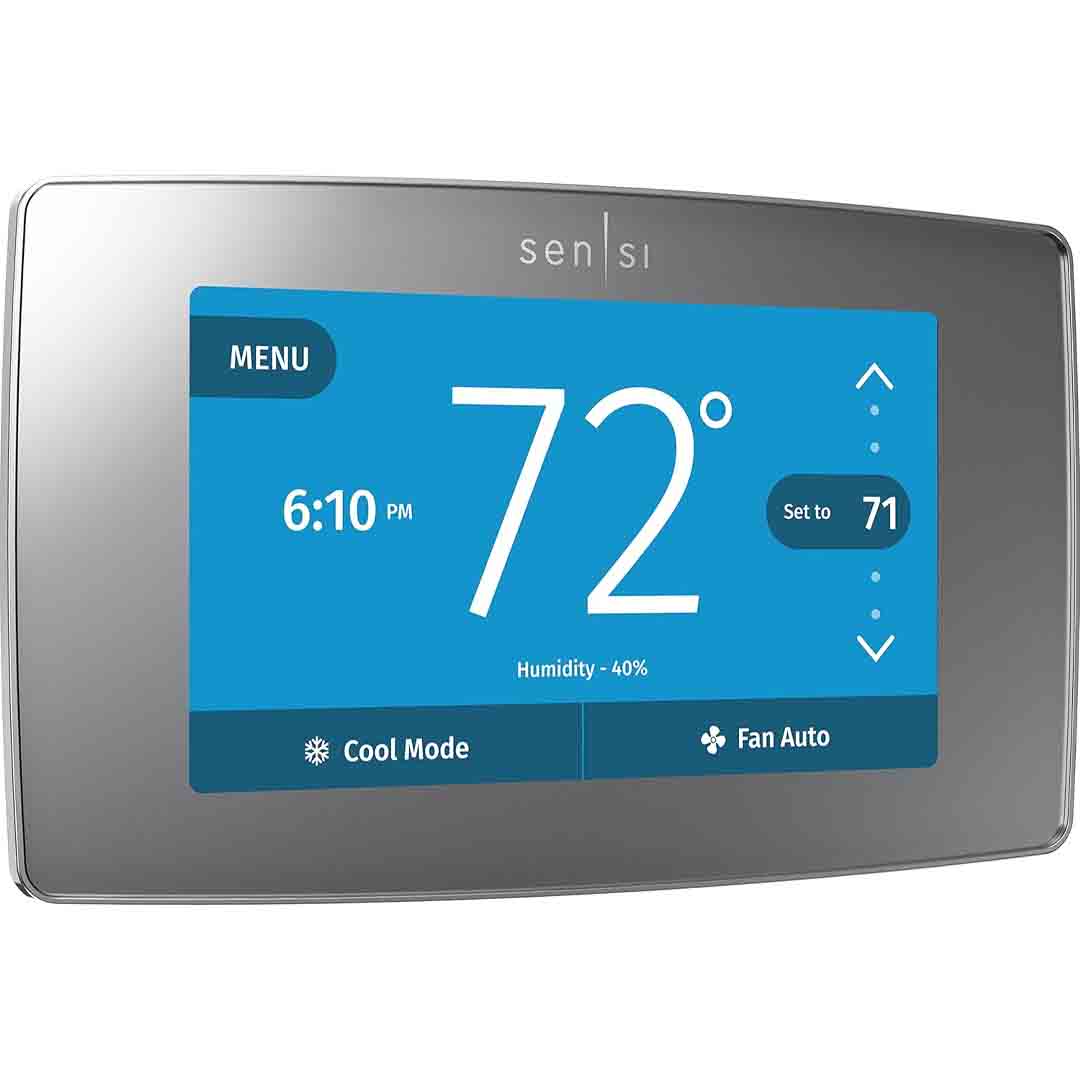
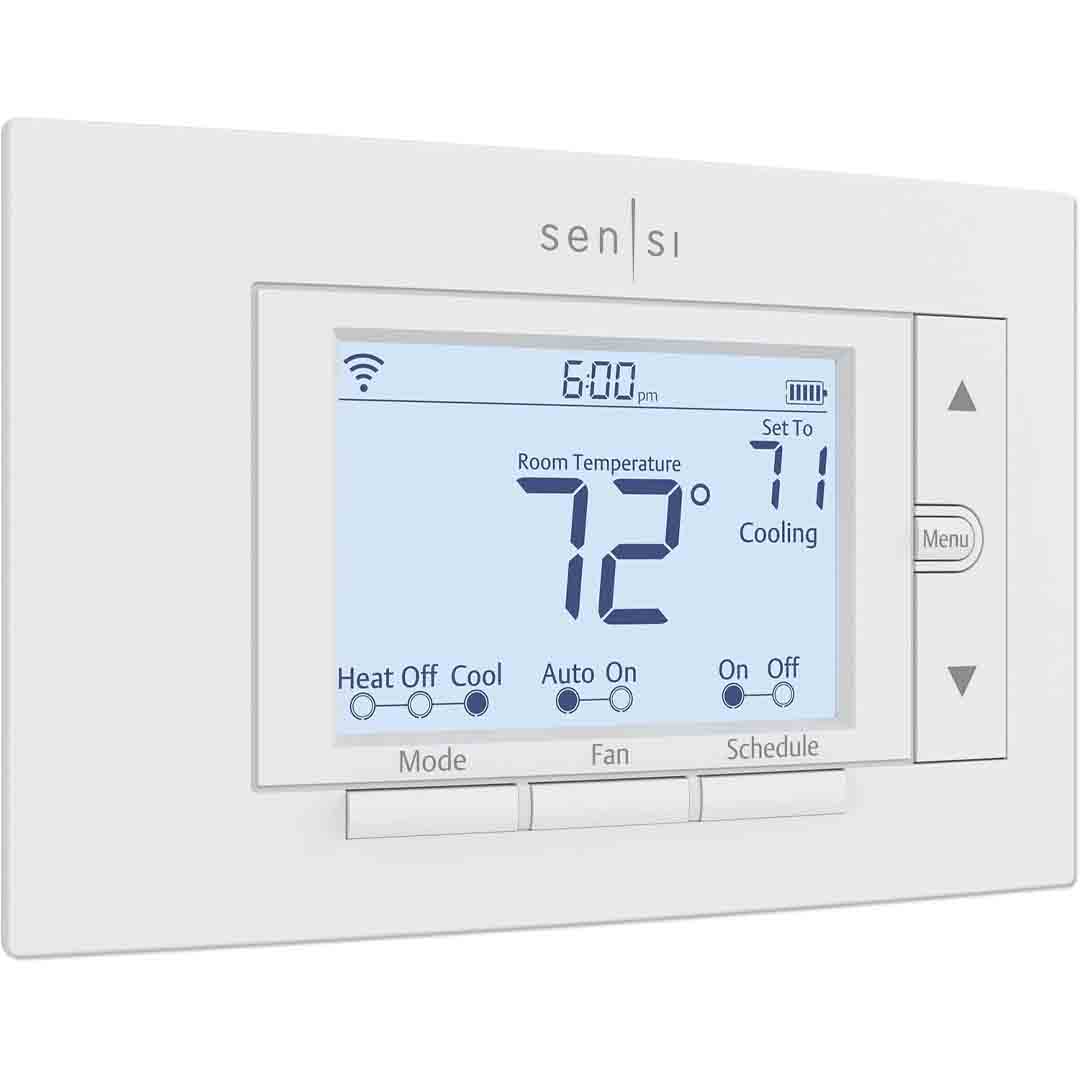
Sensi Smart Thermostat

The Sensi Smart Thermostat ST55 merges cutting-edge innovation with a century of HVAC mastery from Emerson. Crafted to ensure dependable comfort and precision, it unites proven engineering with intelligent home technology for smooth and efficient temperature regulation in any space. Its design integrates effortlessly with existing HVAC systems, providing versatility and peace of mind backed by 100 years of expertise in climate management.

With Wi-Fi capability and an intuitive mobile app, you can remotely manage your home’s climate from anywhere — whether you’re at the office, traveling, or relaxing at home. The thermostat is fully programmable, letting you set personalized schedules that align with your lifestyle for maximum comfort and energy efficiency. It’s also ENERGY STAR® certified, ensuring it meets strict performance standards to help cut energy costs while maintaining comfort. In addition, it works seamlessly with Amazon Alexa, offering simple voice control for hands-free operation.

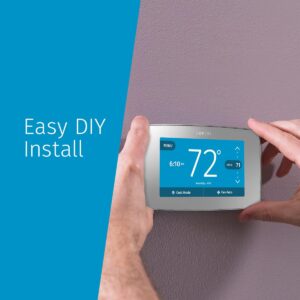
Installing the Sensi Smart Thermostat ST55 is effortless, thanks to its simple DIY setup that requires no special tools or professional assistance for most HVAC systems. The thermostat also places strong emphasis on data protection, keeping your personal information and home details safe and never shared with third parties. Designed with ease of use, security, and intelligent control in mind, the Sensi ST55 makes it simple to manage your home’s comfort, save energy, and enjoy lasting peace of mind.

Specification

Here are the key specifications for the Sensi Smart Thermostat model ST55 (also appearing as ST55U / ST55C) by Emerson:

Electrical & Basic System Compatibility

  • Power: 20-30 VAC, 50/60 Hz; 1.5 Amps maximum per terminal; 2.5 Amps maximum all terminals combined.

  • Wire configurations supported: Most 24 VAC systems (gas, oil, electric furnaces; single-stage heat pump; multi-stage gas/oil/electric; multi-stage heat pump) without a common (“C-wire”) in many cases.

  • For certain systems (heat-only, cool-only, Apple HomeKit compatibility, heat pumps), a C-wire is required.

Physical / Environmental / Display

  • Dimensions: 5.88″ (width) × 3.75″ (height) × 1.00″ (depth)

  • Display range: Room temperature display 32 °F to 99 °F (0 °C to ~37 °C)

  • Set-point range: 45 °F to 99 °F (7 °C to 37 °C)

  • Operating ambient: 32 °F to +105 °F (0 °C to +41 °C)

  • Storage: -29 °C to +65 °C (-20 °F to ~150 °F) non-condensing humidity up to 90%.

Connectivity & Smart Features

  • Communication: Built-in WiFi (2.4 GHz)

  • Works with: Amazon Alexa, Google Assistant, Samsung SmartThings. Apple HomeKit support is included only when C-wire is present.

  • Programmability: Custom 7-day programming, mobile control from anywhere, and location-based automation.

  • Display features: Illuminated display with energy reports, humidity monitoring, and maintenance notifications.

Energy Efficiency & Certification

  • Certified by ENERGY STAR.

  • Standby power consumption: 0.5 W.

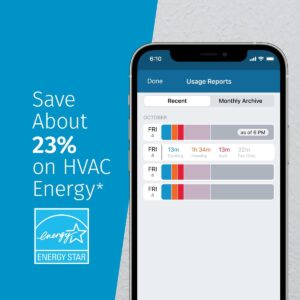
  • Claimed energy savings (by manufacturer): Up to ~23% on HVAC energy usage (actual savings vary depending on equipment, climate, insulation, user behavior).

Miscellaneous / Installation

  • Warranty: 3 years on parts (varies by region) according to vendor listing.

  • Installation: Designed for DIY with step-by-step app guidance; in many homes a C-wire is not required.

  • Additional features: Fan circulating control (user-set % of hour), auto changeover between heat/cool, keypad lockout to prevent unauthorized adjustments.

Key Features

Here are the key features of the Sensi Smart Thermostat (model ST55):

  • Built-in Wi-Fi (2.4 GHz) lets you manage your HVAC system from anywhere using the mobile app.

  • Compatible with leading smart home systems such as Amazon Alexa, Google Assistant, and Samsung SmartThings.

  • Customizable 7-day scheduling lets you set different temperatures for each day and time.

  • Geofencing technology tracks your phone’s location to automatically adjust temperatures when you come and go, helping save energy.

  • Tracks indoor humidity and sends intelligent alerts for temperature extremes, filter changes, and system upkeep.

  • Easy DIY installation: fits the same size as standard thermostats, so no wall repairs or painting needed, and works without a C-wire for most HVAC systems.

  • Strong data-privacy stance: The manufacturer confirms that your personal data is never shared or sold to outside parties.

  • Energy efficiency: ENERGY STAR certified and designed to lower HVAC energy consumption, with potential savings of up to 23% according to the manufacturer.

  • Supports a broad range of heating and cooling setups such as gas, oil, and electric furnaces or heat pumps, with verification recommended for compatibility.

How to use the Sensi Smart Thermostat

Here’s a simple guide on how to use the Sensi Smart Thermostat (ST55) — from setup to everyday operation:

1. Installation and Setup

  1. Download the Sensi App – Download the Sensi Smart Thermostat app, available for both iOS and Android devices.

  2. Create or log in to your Sensi account.

  3. Follow in-app installation steps – Get personalized wiring and installation directions through the app, designed for your exact system type.

  4. Connect to Wi-Fi – During setup, choose your home’s 2.4 GHz Wi-Fi network and enter the password.

  5. Mount and power on – After connecting the wires, snap the thermostat faceplate into place and power up your HVAC system.

  6. After setup, the thermostat automatically connects to your account and shows the main home screen.

2. Programming and Daily Use

  • Set schedules: Set up 7-day heating and cooling schedules directly through the Sensi app or on the thermostat display.

  • Manual control: Change the temperature manually on the thermostat with the arrow buttons or remotely through the mobile app.

  • Geofencing: Enable geofencing in the app to let your thermostat automatically change the temperature as you come and go.

  • Mode selection: Select between Heat, Cool, Auto, or Off modes using the Mode button.

  • Fan control: Choose between Auto, On, or Circulate modes to control how often your fan runs for better air movement.

  • Smart alerts: Get alerts in the app when temperatures or humidity levels are too high or low, or when your filter needs replacing.

3. Smart Features and Voice Control

  • Voice commands: Connect your Sensi thermostat to Alexa, Google Assistant, or SmartThings and use voice commands like:

    • “Alexa, set the thermostat to 72 degrees.”

    • “Hey Google, lower the temperature by 2 degrees.”

  • Monitor energy usage: Check your temperature history in the app to spot ways to save energy.

  • Privacy and security: No data is sold — all information stays protected within your account.

  • Energy efficiency: Turn on the Energy Star mode and allow the thermostat to fine-tune temperatures automatically to conserve energy.

Tips suitable for the Sensi Smart Thermostat

Here are some useful tips to help you get the most out of your Sensi Smart Thermostat (ST55) — for comfort, energy savings, and reliability:

Smart Usage & Energy Savings Tips

  1. Use flexible scheduling: Create custom weekday and weekend schedules in the app to keep your home comfortable when you’re in and save energy when you’re out.

  2. Make gradual changes: Change the temperature gradually by 1–2°F at a time to stay comfortable and save energy.

  3. Enable geofencing: Allow Sensi to automatically change to Away Mode when you leave and return to Home Mode when you come back — saving energy effortlessly.

  4. Turn on energy reports: Check your monthly energy reports in the app to understand how your routines impact your bills.

  5. Use the “Circulate” fan mode: Operate your fan for a few minutes every hour to circulate fresh air evenly across your home.

Maintenance & Reliability Tips

  1. Regularly look for firmware updates in the Sensi app to keep your thermostat running smoothly and efficiently.

  2. Set filter reminders: Rely on the app’s filter reminders to keep your air clean and your system running efficiently.

  3. Avoid disconnecting Wi-Fi for long periods: Staying connected keeps your schedules, remote controls, and location-based features running seamlessly.

  4. Keep sensors clear: Avoid covering the thermostat with furniture or drapes — it needs open airflow to sense the true room temperature.

  5. Lock settings if needed: Enable keypad lock in the app to stop children or visitors from changing the temperature.

Smart Home & Convenience Tips

  1. Use voice control: Connect to Alexa or Google Assistant to control your thermostat with voice commands.

  2. Create routines: Integrate your Sensi thermostat with other smart devices — for instance, let Alexa adjust it to 70°F when you say “Good morning.”

  3. Monitor humidity levels: Let the built-in humidity sensor help keep your home comfortable, especially as seasons change.

  4. Optimize comfort zones: For homes with multiple thermostats or zones, set each one according to the time of day or how rooms are used.

  5. Leverage away mode: Turn on Away mode while traveling to avoid wasting energy on heating or cooling.

Cleaning Guide

Here’s a step-by-step guide on how to clean your Sensi Smart Thermostat (ST55) safely and effectively — without damaging its sensors or screen:

1. Power and Safety First

  • Switch off your HVAC system using the thermostat or circuit breaker before performing any cleaning.

  • This keeps the thermostat from being adjusted and protects against electrical hazards during cleaning.

  • Do not apply water, spray cleaners, or alcohol to the thermostat — liquids can harm the electronics.

2. Clean the Exterior (Screen & Casing)

  1. Take a soft microfiber cloth and lightly moisten it with distilled water or an equal mix of water and isopropyl alcohol.

  2. Lightly clean the screen and plastic casing to remove fingerprints, dust, and smudges.

  3. Wipe dry right away with a clean microfiber cloth to avoid streaks or leftover moisture.

  4. For dust in tight spots or around buttons, gently clean with a soft brush or cotton swab.

3. Clean Around the Sensors and Wall Plate

  • Gently lift the thermostat faceplate — it should detach without much effort.

  • Blow out dust with compressed air or gently brush it away from the temperature and humidity sensors, located in the small vents on the back or sides.

  • Do not touch the sensor parts with your fingers.

  • Wipe the wall behind the thermostat with a dry cloth to keep dust and debris from affecting airflow or temperature readings.

  • Reinstall the faceplate firmly after cleaning and drying.

4. Maintenance Tips

  • Wipe around your thermostat each week to keep dust from accumulating.

  • Keep the thermostat away from candles, humidifiers, or vents, as heat and moisture can affect its accuracy.

  • Do a thorough cleaning every 3–6 months, particularly in dusty or humid areas.

  • Regularly clean or replace HVAC filters — dirty filters restrict airflow and force the thermostat to work harder.

What to avoid when using the Sensi Smart Thermostat

Here are the key things to avoid when using your Sensi Smart Thermostat (ST55) — to prevent damage, ensure accurate performance, and keep your HVAC system running efficiently:

1. Avoid Power and Connection Mistakes

  • Keep your thermostat connected to Wi-Fi — it needs it for app control, schedules, geofencing, and updates.

  • Don’t turn off the power at the breaker suddenly unless needed — it can affect schedules or thermostat settings.

  • Don’t confuse wiring connections — always follow the Sensi app instructions to avoid damaging your thermostat or HVAC system.

  • Make sure to meet “C-wire” requirements if your system needs one, especially for heat pumps or Apple HomeKit setups.

2. Avoid Placement and Environmental Issues

  • Avoid placing the thermostat near heat sources like lamps, TVs, or sunlight, as this can affect temperature accuracy.

  • Don’t place the thermostat behind doors, curtains, or furniture, as restricted airflow can affect accuracy.

  • Keep the thermostat away from damp or humid areas like kitchens or bathrooms to protect the sensors.

  • Keep the thermostat away from dusty or dirty areas, as buildup can interfere with buttons, the display, or sensors.

3. Avoid Misuse and Neglect

  • Avoid resetting the thermostat repeatedly — doing so may erase schedules and learned settings.

  • Don’t change the temperature drastically — big jumps make your HVAC system overwork and use more energy.

  • Pay attention to service notifications and filter changes — ignoring them may compromise performance and comfort.

  • Do not share your login details — use Sensi’s Household Access to let family members control the system safely.

  • Avoid applying strong cleaners or spraying liquids directly on the device — it may harm the screen or internal components.

Pro Tip:

Handle your Sensi thermostat like a smart device — keep it updated, dust-free, and online to ensure smooth operation, accurate readings, and long-term energy savings.

In conclusion,the Sensi Smart Thermostat ST55 combines Emerson’s 100 years of expertise with modern smart home technology for reliable comfort and energy savings. Easy to install, Wi-Fi enabled, and compatible with Alexa and Google Assistant, it offers convenient control and efficient performance. With ENERGY STAR certification, strong data privacy, and smart features like geofencing and scheduling, it’s a dependable, user-friendly choice that makes your home more comfortable, connected, and energy-efficient.

Ecobee Programmable Wifi Smart Thermostat

The ecobee Smart Thermostat Enhanced is an advanced, feature-rich climate control system built to provide comfort and energy savings effortlessly. With integrated radar-based proximity and occupancy detection, it intelligently recognizes when you’re home or away and automatically fine-tunes the temperature for efficiency. Its bright, expanded touchscreen display—50% larger than previous versions—offers easy, intuitive control, while the sleek, minimalist design blends seamlessly into any interior.

Beyond its core functions, this thermostat seamlessly integrates with leading smart home platforms. It’s fully compatible with Amazon Alexa, Google Assistant, and Apple HomeKit / Siri (with the appropriate iOS configuration), allowing users to control temperature settings hands-free or through their preferred smart home app. Powered by the ecobee “eco+” intelligent software suite, it provides adaptive scheduling, humidity balancing, and pre-heating or cooling during off-peak energy periods to maximize efficiency. The device holds ENERGY STAR certification and can reduce annual energy expenses by up to 26% compared to maintaining a constant 72 °F / 22 °C setting.

From a technical and installation standpoint, the ecobee Smart Thermostat Enhanced is compatible with most 24 VAC HVAC systems, including standard furnaces, heat pumps, and boilers. It comes with a Power Extender Kit (PEK), enabling straightforward installation even in homes lacking a common (“C”) wire. The device operates with low power consumption—around 1.6 watts when idle—and is protected by a 3-year limited warranty. Additionally, it provides system alerts for issues like unexpected temperature changes, filter replacement reminders, and supports optional SmartSensors (sold separately) for precise temperature control in hot or cold spots throughout the home.


Specification

Here are key specifications for the ecobee Smart Thermostat Enhanced:

Technical Specifications

  • Power: Hard-wired (24 V AC HVAC systems); includes a Power Extender Kit if a C-wire isn’t present.

  • Compatible HVAC systems: Works with most 24 VAC systems (gas, oil, electric, dual fuel, conventional 2H/2C, heat pump 3H/2C, boilers) per manufacturer.

  • Display: 4″ full-color touchscreen, resolution 540 × 540 pixels.

  • Sensors built-in: temperature, humidity, radar-based occupancy & proximity.

  • Environmental operating range: Temperature −31 °F to 113 °F (≈ -35 °C to 45 °C); Humidity: 5% to 95% RH non-condensing.

  • Power consumption (standby): ~1.39 W (per ENERGY STAR listing)

  • Dimensions: Product: ~103.9 mm × 103.9 mm × 23.9 mm (≈ 4.09″ × 4.09″ × 0.94″)

  • Warranty: 3-year limited warranty.

  • Certification: ENERGY STAR certified.

Feature Highlights

  • Smart features via “eco+” platform: Adapts to your daily routine

  • Remote control via iOS/Android app and compatibility with voice assistants: Amazon Alexa, Google Assistant, Apple HomeKit.

  • Supports optional SmartSensors for individual room temperature detection.

  • Can also serve as a central hub for home monitoring when paired with additional sensors, including motion, door, and window detectors (sensors and subscription required).

Compatibility Considerations

  • Must check wiring: Although a Power Extender Kit is provided, it’s important to confirm your current thermostat wiring and HVAC system compatibility before installation.

  • While compatible with most 24 V HVAC systems, some multi-transformer configurations or atypical wiring arrangements may not be supported or could necessitate additional components. (Refer to user feedback.)

Key Features

Here are the key features of the ecobee Smart Thermostat Enhanced (often just “Smart Thermostat Enhanced”):

Top Features

  1. Smart Energy Savings (eco+)

    • Intelligently analyzes your heating and cooling behavior and self-adjusts to optimize energy efficiency.

    • Certified ENERGY STAR®.

    • Claims up to ~26% annual savings in some situations.

  2. Advanced Occupancy & Sensor Tech

    • Integrated radar-based sensors identify presence and distance, fine-tuning comfort levels and improving energy efficiency.

    • Compatible with optional remote sensors (sold separately) to regulate temperature variations in individual rooms.

    • Adapts settings based on real-time occupancy, not just pre-set schedules.

  3. Full Smart Home & Voice Assistant Integration

    • Works with major smart ecosystems: Amazon Alexa, Google Assistant, Apple HomeKit, SmartThings, IFTTT.

    • Supports mobile app control (iOS/Android), allowing remote access and adjustment from any location.

  4. User Interface & Design

    • Features a 4-inch full-color touchscreen interface with a streamlined, contemporary design.

    • Engineered for simple installation, featuring an included Power Extender Kit (PEK) for systems lacking a common (“C”) wire.

  5. Installation & Compatibility

    • Compatible with many 24 V HVAC systems: conventional furnaces/AC, heat pumps, boilers, etc.

    • Verify your HVAC wiring and system compatibility prior to purchase, particularly if installed outside typical U.S./Canadian configurations.

  6. Additional Smart/Monitoring Features

    • The thermostat can serve as a central hub for home monitoring (when paired with additional sensors), enabling detection of entry, motion, and temperature irregularities.

    • Generates detailed monthly energy usage reports along with efficiency recommendations.

Why These Matter

  • The occupancy and motion-sensing technology allows the thermostat to adapt to actual usage patterns, conserving energy when no one is home.

  • Seamless smart home and voice assistant integration enables hands-free control and enhanced convenience, ideal for users within the Alexa, Google, or Apple ecosystem.

  • The streamlined design and simplified setup (including a Power Extender Kit) make it easier to upgrade from legacy thermostats.

  • Energy efficiency paired with adaptive comfort features—such as pre-heating, pre-cooling, and room prioritization—makes it a functional upgrade, not just a luxury device.

Things to Check

  • Since it relies on advanced sensing and smart integration, it’s essential to verify your HVAC wiring (including the common “C-wire”) and system type for compatibility—particularly important in regions like Nigeria/Lagos, where configurations may vary from North American standards.

  • Although the claimed energy savings (up to ~26%) are achievable under ideal conditions, actual results will vary based on climate, insulation quality, HVAC efficiency, and usage behavior.

  • If you don’t intend to utilize advanced functions such as remote sensors, voice integration, or occupancy detection, the value proposition may be limited compared to a basic programmable thermostat.

How to use the Ecobee Programmable Wifi Smart Thermostat

Here’s a simple, step-by-step guide on how to use the ecobee Smart Thermostat Enhanced — from setup to daily operation:

1. Installation & Setup

What you’ll need:

  • Your HVAC system (24V compatible)

  • Wi-Fi connection

  • Smartphone with the ecobee app (iOS or Android)

  • A screwdriver

Steps:

  1. Disconnect power to the HVAC unit at the main circuit breaker panel.

  2. Detach your old thermostat and note the wire labels (e.g., R, G, Y, W, C).

  3. Install the thermostat baseplate on the wall surface, then connect the HVAC wires to the appropriate labeled terminals.

    • If a common (C) wire isn’t available, install the supplied Power Extender Kit (PEK) within the HVAC control panel.

  4. Connect the thermostat front panel to the wall base, after which the unit should energize.

  5. On-screen, follow the guided installation wizard. It will:

    • Recognize the connected system type

    • Link the device to your wireless network

    • Instructs you to install and pair the ecobee mobile app on your smartphone.

2. App Setup & Remote Control

  1. Open the ecobee app and sign in or create an account.

  2. Add your thermostat using the QR code displayed on the device.

  3. From the app, you can:

    • Control temperature settings from a distance

    • Set heating/cooling schedules.

    • Monitor energy usage.

    • View room temperature and humidity levels.

    • Control temperature settings from anywhere

3. Programming & Daily Use

  • Manual adjustment: Use the thermostat’s touchscreen interface to increase or decrease the temperature setting.

  • Set schedules:

    • Go to Menu → Schedule on the thermostat or app.

    • Create temperature settings for Home, Away, and Sleep modes.

  • Smart features:

    • eco+ automatically optimizes your thermostat schedule for energy efficiency and comfort.

    • Presence sensing reduces energy consumption when spaces are unoccupied.

    • Local weather-based adjustments enable the thermostat to pre-condition your home efficiently.

  • Voice control:

    • Activate compatibility with Alexa, Siri, and Google Assistant.

    • Example commands:

      • “Alexa, set the temperature to 72 degrees.”

      • “Hey Siri, turn off the air conditioning.”

      • “Hey Google, what’s the temperature at home?”

4. Energy Reports & Maintenance

  • Access Home IQ via the app to view comprehensive energy reports and system runtime analytics.

  • Maintain HVAC filter cleanliness on schedule, with reminder notifications provided by the thermostat.

  • Maintain the latest firmware to ensure optimal performance and access to new features.

5. Tips for Best Performance

  • Enable eco+ and let it learn your patterns for 1–2 weeks.

  • Use remote sensors (optional) to manage hot/cold spots.

  • Do not install near direct sunlight or air vents, as this may affect sensor accuracy.

  • Keep microphones enabled to ensure voice command functionality.

Tips suitable for the Ecobee Programmable Wifi Smart Thermostat

Here are some useful tips to help you get the best performance, comfort, and energy savings from your ecobee Smart Thermostat Enhanced:

1. Optimize Energy Savings with eco+

  • Enable “eco+” in the ecobee app — it automatically adjusts heating and cooling based on:

    • Time of day

    • Occupancy patterns

    • Local weather forecasts

    • Local energy consumption levels

  • Configure a comfort band instead of a fixed temperature to allow eco+ to optimize energy use.

  • Allow the thermostat to adapt to your schedule; minimize early adjustments to support accurate learning.

2. Use Smart Home Integration Wisely

  • Link your thermostat with Alexa, Siri, or Google Assistant for hands-free control.

    • Example: “Alexa, set the thermostat to 72 degrees.”

  • Create automation routines, like:

    • “When I say ‘Goodnight,’ lower the temperature to 68°F.”

    • “When I leave home, set to Away mode.”

  • Link your thermostat to HomeKit or IFTTT for programmable actions and routines.

3. Placement & Sensor Tips

  • Ensure the thermostat is placed away from direct sunlight, airflow, or heat-emitting devices to maintain accurate temperature readings.

  • Add ecobee SmartSensors (optional) in rooms that are often too warm or cool.

    • Mount the sensors approximately 5 feet from the floor, ensuring they are not near HVAC vents.

    • These sensors identify room occupancy and assist in regulating temperature across different areas.

4. Set a Smart Schedule

  • Configure Home, Away, and Sleep modes through the thermostat interface or mobile application.

  • Set separate temperature schedules for weekdays and weekends.

  • Make incremental temperature adjustments—even a 1–2°F change can improve energy efficiency over time.

5. Keep It Running Smoothly

  • Regularly monitor the ecobee app for firmware updates, which enhance sensor accuracy and provide new functionality.

  • Clean dust from the thermostat screen occasionally with a soft, dry cloth.

  • When using the PEK, verify all connections are secure within your HVAC control board..

  • Configure filter replacement alerts in the app to ensure optimal air quality and system efficiency.

6. Use Remote Access

  • Control your thermostat from anywhere using the ecobee mobile app.

    • Pre-condition your home’s temperature prior to arrival.

    • Keep an eye on power consumption and moisture levels.

  • Turn on alerts to be notified of low temperatures or sudden humidity changes.

7. For Consistent Comfort

  • Let the thermostat warm or cool your home ahead of your arrival (automatically managed by Eco+)

  • Limit frequent manual adjustments, as they can disrupt the thermostat’s learning.

  • Activate Hold mode only when needed, such as on vacation

Cleaning Guide

Here’s a clear and safe guide on how to clean your ecobee Smart Thermostat Enhanced without damaging it:

1. Power and Safety First

  • Avoid spraying cleaning products straight onto the thermostat; moisture may harm the sensors.

  • Always power down your HVAC system and thermostat before cleaning, either via the circuit breaker or app.

2. Cleaning the Touchscreen

  • Wipe with a gentle, lint-free microfiber cloth, similar to those for glasses or phones.

  • Lightly clean the screen using circular motions to get rid of smudges and fingerprints.

  • If needed, slightly dampen the cloth with:

    • Distilled water, or

    • A 50/50 mix of water and isopropyl alcohol.

  • Never use:

    • Paper towels (they can scratch)

    • Window cleaners or strong chemicals (they can damage the coating)

3. Cleaning the Housing and Frame

  • Wipe the edges and wall plate with a dry or slightly damp microfiber cloth.

  • To remove dust around vents or buttons, use a soft brush or compressed air to clear debris.

  • Don’t apply excessive pressure on the thermostat or screen.

4. Regular Maintenance Tips

  • Wipe down every 2–4 weeks to keep sensors dust-free.

  • Ensure the space around the thermostat is unobstructed; avoid placing furniture, decor, or curtains nearby.

  • Clean the thermostat more frequently if it’s in a dusty or humid spot, such as near vents or the kitchen.

  • Regularly inspect and clean HVAC filters to prevent dust from impacting airflow and sensor performance.

5. What Not to Do

🚫 Don’t use:

  • Bleach, ammonia, or vinegar

  • Aerosol sprays or furniture polish

  • Wet wipes or baby wipes (they leave residue)

What to avoid when using the Ecobee Programmable Wifi Smart Thermostat

knowing what to avoid when using your ecobee Smart Thermostat Enhanced will help you keep it working accurately, safely, and efficiently for years.

Here’s a complete list of things to avoid:

1. Avoid Installing in the Wrong Location

Don’t place the thermostat:

  • In direct sunlight – It can lead to inaccurate temperature readings

  • Near vents, radiators, or windows – Air movement and drafts may interfere with sensor readings.

  • Behind doors, curtains, or furniture – This obstructs airflow and prevents occupancy sensors from working properly.

  • Close to humid areas (kitchen, bathroom) – Too much moisture can damage electronic components.

 Suitable placement: on an interior wall, about 5 feet above the floor, where air flows naturally.

2. Avoid Incorrect Wiring or Power Issues

  • Make sure your HVAC system is 24V compatible before installing.

  • Don’t connect unfamiliar wires; incorrect wiring can harm your thermostat or HVAC system.

  • If your system lacks a C-wire, ensure correct use of the included Power Extender Kit (PEK).

  • Always switch off the circuit breaker before starting installation.

3. Avoid Moisture and Cleaning Mistakes

  • Do not spray any liquids—water, glass cleaner, or otherwise—directly on the thermostat.

  • Do not use paper towels or coarse cloths, as they may scratch the screen.

  • Avoid strong chemicals such as bleach or ammonia cleaners.

  • Keep sensors and vents free of dust and debris to maintain accuracy.

4. Avoid Blocking or Disabling Smart Features

  • Keep the thermostat face uncovered so its motion and occupancy sensors work properly.

  • Keep microphones on and Wi-Fi enabled when using voice assistants like Alexa, Siri, or Google.

  • Keep firmware updates enabled—they can boost energy efficiency and resolve bugs.

  • Don’t turn off “eco+” unless needed for troubleshooting; it helps reduce energy use.

5. Avoid Overriding or Resetting Too Often

  • Avoid frequently adjusting the temperature; it stops the thermostat from learning your patterns.

  • Don’t reset often; it will erase your schedules and settings.

  • Avoid keeping “Hold” mode on for extended periods unless you’re away—it prevents automatic temperature changes.

6. Avoid Ignoring Maintenance

  • Pay attention to filter reminders—clogged filters make your HVAC work harder and raise costs.

  • Don’t operate your system when the HVAC has problems; the thermostat can’t repair mechanical issues.

  • Avoid leaving the thermostat unpowered for long periods; it could lose calibration.

7. Avoid Network & App Issues

  • Keep the thermostat connected to Wi-Fi; disconnecting it may disable app control and remote features.

  • Ensure a strong, stable internet connection—weak signals can disrupt syncing and updates.

  • Keep your ecobee login private; grant access via the app’s Household feature.

Summary:
To keep your ecobee thermostat reliable:

  • Keep it clean, unobstructed, and updated.

  • Install it in a neutral, well-ventilated area.

  • Let it learn and manage your comfort automatically.

In conclusion, the ecobee Smart Thermostat Enhanced is a smart, energy-efficient, and easy-to-use device that helps you save on energy bills while keeping your home comfortable. With features like eco+ learning, voice control, and smart home integration, it offers modern convenience and reliable performance. Overall, it’s a great choice for anyone seeking comfort, control, and efficiency in one smart thermostat.

Google Nest Smart Thermostat for Home

The Google Nest Thermostat in Charcoal is a stylish, ENERGY STAR-rated intelligent thermostat created to improve home comfort while encouraging energy savings. Its modern, minimalist design includes a mirrored glass surface and a 2.4-inch color LCD screen, combining practicality with visual appeal. Compatible with the majority of 24V heating and cooling systems—such as furnaces, air conditioners, boilers, and heat pumps—the Nest Thermostat provides versatile functionality for a wide range of household setups.

Setup is straightforward and can usually be finished in less than 30 minutes using the step-by-step instructions available in the Google Home app. In most homes, the Nest Thermostat functions without a C-wire, making installation easier for many users. However, certain systems—like heating-only, cooling-only, or heat pump configurations—may require a C-wire or another compatible power accessory.

In addition to its sleek design and simple setup, the Nest Thermostat Charcoal delivers sophisticated features focused on energy savings and user convenience. It employs sensors to determine when the house is unoccupied, automatically switching to Eco Temperatures to reduce energy consumption. Homeowners can manage the thermostat remotely through the Google Home app, making adjustments from anywhere. Furthermore, the device monitors your HVAC system, sending notifications if potential problems arise, and offers customizable scheduling to align temperature settings with personal preferences.

Specification

Here’s a detailed overview of the Google Nest Thermostat (Charcoal), model GA02081-US, focusing on its technical specifications:

Dimensions & Weight

  • Diameter: 3.3 inches (84 mm)

  • Depth: 1.07 inches (27.25 mm)

  • Weight: 4.9 oz (139 g)

  • Trim Plate Dimensions:

    • Width: 5.92 inches (150.4 mm)

    • Height: 4.35 inches (110.4 mm)

Display

  • Type: 2.4-inch QVGA IPS liquid crystal display

  • Resolution: 240 x 320 pixels

  • Features: Digital brightness enhancement film and mirrored glass lens

Connectivity

  • Wi-Fi: 802.11b/g/n (2.4 GHz, 5 GHz)

  • Bluetooth: Bluetooth Low Energy

Power & Battery

  • Power Source: Hardwired via HVAC system

  • Battery: Built-in rechargeable lithium-ion battery

  • Voltage Requirement: 20–30V AC

  • Power Consumption: Less than 1 kWh/month

System Compatibility

The Nest Thermostat is designed to work with most 24V heating and cooling systems, including:

  • Furnaces

  • Air conditioners

  • Boilers

  • Heat pumps (with either forced air or radiant delivery)

  • Conventional systems with one stage of heating and cooling and a second stage of either heating or cooling

  • Heat pumps with one stage of heating and cooling and either auxiliary or emergency heat

  • HVAC fans

Smart Features

  • Scheduling: Set up eco-friendly schedules through the Google Home app

  • Geofencing: Modifies temperature according to your location

  • Eco Mode: Automatically shifts to Eco mode to conserve energy when the home is unoccupied

  • HVAC Monitoring: Keeps an eye on heating and cooling performance and provides alerts when irregularities occur

  • Voice Control: Works with Google Assistant and other Matter-certified smart voice assistants

Installation & Wiring

  • Wire Configuration: C-wire, 4-Wire

  • Wire Terminals:

    • C: Common 24V power

    • Y: Cooling

    • W: Heating

    • R: Power

    • G: Fan operation

    • O/B: Heat pump reversing valve

  • Power Source: Hardwired, Battery-powered

  • Battery Size: AAA (2 required)

Key Features

The Google Nest Thermostat (Charcoal, GA02081-US) is a modern smart thermostat designed to enhance home comfort and energy efficiency. Here are its key features:

  • Energy Savings: Self-adjusts to conserve energy while you’re out, potentially cutting heating costs by 10–12% and cooling costs by 15%

  • Remote Control: Control your home’s climate remotely through the Google Home app on your phone

  • Quick Schedule: Effortlessly create efficient temperature routines using the app, adjustable whenever required

  • System Monitoring: Notifies you of HVAC issues so you can monitor your home’s climate system

  • Easy Installation: Built for easy self-installation, usually finished in less than 30 minutes using the Google Home app instructions

  • Compatibility: Compatible with the majority of 24V HVAC systems, such as furnaces, air conditioners, boilers, and heat pumps

  • Voice Control: Supports Google Assistant and all Matter-certified voice platforms for voice-activated operation

How to use the Google Nest Smart Thermostat for Home

Here’s a clear and practical guide on how to use the Google Nest Thermostat (Charcoal), covering setup, daily use, and smart features:

1. Installation & Setup

  1. Turn Off Power: Turn off the breaker before handling your HVAC system to prevent electrical hazards

  2. Remove Old Thermostat: Gently remove your current thermostat, noting which wires are connected to each terminal; photographing them can help as a reference

  3. Mount Nest Base: Secure the Nest base to the wall using the provided screws and trim plate, making sure it is level

  4. Connect Wires: Connect each wire to its matching terminal (R, C, W, Y, G, O/B) and confirm it snaps securely

  5. Attach Display: Attach the Nest display to the base; it will magnetically lock into place

  6. Turn On Power: Turn the breaker back on. The thermostat will turn on and begin the step-by-step setup.

2. Initial Configuration

  • Language & Wi-Fi: Use the on-screen instructions to choose your language and set up Wi-Fi

  • System Type: The Nest thermostat automatically identifies your HVAC system but may prompt you to verify the configuration (heating, cooling, heat pump, etc.)

  • Google Account: Connect the thermostat to your Google account using the Google Home app to enable complete remote control and smart functionality

3. Daily Use

  • Adjust Temperature: Spin the outer dial clockwise to increase heat or counterclockwise to cool down

  • Touch Display: Touch the display to open quick settings such as Home/Away modes, fan operation, and scheduling

  • Set a Schedule: Set up a weekly temperature routine using the Google Home or Nest app to optimize comfort and save energy

4. Smart Features

  • Eco Mode: Self-adjusts heating and cooling when the house is unoccupied

  • Geofencing: Detects your phone’s location to toggle between Home and Away modes automatically

  • Energy Reports: Weekly energy report lets you track usage and reduce costs

  • HVAC Alerts: Delivers alerts when your system requires servicing

  • Voice Control: Control the thermostat with voice commands via Google Assistant: “Hey Google, set it to 72°F.”

5. Maintenance

  • Keep Clean: Clean the display and base using a dry microfiber cloth; do not use liquids

  • Check Wi-Fi: Make sure the thermostat remains connected for full smart features

  • Battery & Power: When running on battery backup or low power, follow the app’s instructions to recharge or modify wiring

Pro Tip: Over time, Nest adapts to your temperature preferences. At first, it might propose minor adjustments to save energy, and the more you use it, the better it optimizes comfort and efficiency.

Tips suitable for the Google Nest Smart Thermostat for Home

Here’s a practical list of tips to get the most out of your Google Nest Thermostat (Charcoal):

Temperature & Scheduling Tips

  1. Set a Consistent Schedule – Set up a weekly schedule in the Google Home app to fit your daily routine; even a 1–2° adjustment can reduce energy usage.

  2. Use Eco Temperatures – Switch your thermostat to Eco mode while you’re out; it lowers heating and cooling to conserve energy.

  3. Avoid Extreme Temperatures – Avoid turning the heat too high or the AC too low—balanced temperatures save energy and keep you comfortable.

Smart Features Tips

  1. Enable Geofencing – Allow the thermostat to sense when you’re away or home and adjust the temperature on its own.

  2. Voice Commands – Control your thermostat hands-free with Google Assistant, for example, “Hey Google, set the temperature to 72°F.”

  3. Check Energy Reports – Weekly reports let you monitor energy habits and find opportunities to save power.

Maintenance & Care Tips

  1. Keep it Clean – Clean the display using a dry microfiber cloth; do not apply liquid cleaners directly.

  2. Check Wi-Fi Connectivity – Make sure your Wi-Fi connection is stable so remote control and smart functions operate smoothly.

  3. Update Firmware – Regularly update your thermostat through the Google Home app to access new features and improvements.

Energy Efficiency Tips

  1. Combine with Smart Home Devices – Connect with smart lights, plugs, and sensors to build an energy-saving home network.

  2. Use Away Modes – If you have more than one thermostat, switch unused rooms to Away or Eco mode to save energy.

  3. Leverage Auto-Schedule – Allow Nest to learn your routine for a week or two so it can adjust temperatures automatically.

Comfort Optimization Tips

  1. Avoid Obstructions – Avoid placing furniture or drapes in front of the thermostat; they can interfere with accurate temperature readings.

  2. Use Multiple Sensors – If your home has multiple zones, Nest Temperature Sensors help balance comfort in each room.

  3. Combine with Humidity Control – Connecting your thermostat to a humidifier or dehumidifier helps keep indoor comfort balanced during extreme weather.

Cleaning Guide

Here’s a step-by-step guide on how to clean your Google Nest Thermostat (Charcoal) safely without damaging it:

Cleaning the Display and Base

  1. Power Off (Optional)

    • It’s not normally necessary to shut down your HVAC system, but you can turn off the breaker if you prefer.

  2. Remove Dust

    • Gently clean the display and Nest base with a soft, dry microfiber cloth.

    • Do not use rough fabrics, paper towels, or abrasives that might damage the surface.

  3. Spot Cleaning

    • To remove fingerprints or smudges, slightly moisten a microfiber cloth with water—do not spray water directly on the thermostat.

    • Wipe the surface gently—avoid applying pressure to the screen.

  4. Avoid Chemicals

    • Do not use:

      • Alcohol, ammonia, bleach, or general household cleaners.

      • Any liquid cleaners directly on the device.

Cleaning the Wires and Terminals (Occasionally)

  1. Turn Off Power – Always shut off the circuit breaker before handling any wiring.

  2. Check Connections – Make sure all wires are firmly attached and clean from dust or corrosion.

  3. Use a Dry Cloth – Clean gently and keep liquids away from the terminals.

Tips for Longevity

  • Clean gently and keep liquids away from the terminals.

  • Keep the space around the thermostat clean and clear to maintain accurate temperature readings.

  • Keep the thermostat out of direct sunlight and away from heat sources, as these can cause dust buildup and screen fading.

Pro Tip: A slightly damp microfiber cloth with water is typically enough—your Nest thermostat requires minimal upkeep.

What to avoid when using the Google Nest Smart Thermostat for Home

Here’s a comprehensive guide on what to avoid when using your Google Nest Thermostat (Charcoal) to ensure it works efficiently and lasts longer:

Temperature & Usage

  1. Avoid Extreme Temperatures – Extreme thermostat settings can overwork your HVAC system and increase energy consumption.

  2. Avoid Frequent Manual Overrides – Frequently changing the temperature by hand can interfere with Nest’s ability to learn your routine.

  3. Avoid Blocking Sensors – Keep furniture, drapes, and décor away from the thermostat to allow proper airflow and accurate temperature readings.

Installation & Power

  1. Avoid Improper Wiring – Keep the thermostat free from obstructions like furniture or drapes to ensure accurate temperature sensing.

  2. Avoid Removing Without Power Off – Never detach the thermostat from its base while power is on—switch off the breaker first.

  3. Avoid Using Without C-Wire if Required – Certain HVAC systems require a C-wire or power adapter; missing it may lead to battery or connection problems.

Cleaning & Maintenance

  1. Avoid Spraying Liquids – Do not spray water or cleaning solutions directly onto the thermostat.

  2. Avoid Abrasive Materials – Avoid using abrasive cloths, paper towels, or harsh chemicals on the display or base.

  3. Avoid Ignoring Firmware Updates – Skipping updates may stop new features or efficiency upgrades from functioning correctly.

Connectivity & Smart Features

  1. Avoid Disconnecting Wi-Fi – Smart functions such as remote access, Eco mode, and alerts depend on a reliable Wi-Fi connection.

  2. Avoid Resetting Frequently – Frequent resets can erase schedules and learning history, requiring the thermostat to start over.

  3. Avoid Blocking Voice Control – When using Google Assistant, don’t mute the mic or cover the thermostat—voice commands won’t register.

Pro Tip: Keep your Nest connected, updated, and in an open space so it can automatically adapt to your habits and improve energy efficiency.

In conclusion, the Google Nest Thermostat is a smart, energy-efficient device that makes home temperature control easy and convenient. With features like Eco mode, geofencing, and remote control via the Google Home app, it helps save energy while keeping your home comfortable. Easy to install, compatible with most HVAC systems, and voice-controlled, it’s a modern, practical choice for any home.

ILIFE A12 Pro Robot Vacuum and Mop Combo

The ILIFE A12 Pro Robot Vacuum and Mop Combo offers an impressive blend of automation and smart technology for modern, busy homes. It comes with a self-emptying base that can store up to around 60 days’ worth of dust and debris, reducing the need for frequent manual maintenance. Equipped with advanced LiDAR navigation, it accurately scans and maps your home, allowing it to create custom room layouts, define restricted areas, and establish no-mop zones for precise, efficient cleaning.

When operating, the A12 Pro performs vacuuming and mopping simultaneously thanks to its integrated 2-in-1 dustbin and water tank, which enables it to sweep, suction, and mop hard floors without changing attachments. Delivering up to 3,000 Pa of suction power, it effectively removes dust, dirt, and pet hair from hard surfaces with minimal effort. You can conveniently manage and schedule cleaning through the mobile app, voice assistants like Alexa or Google, or the included remote control.

Like most robotic vacuums, the A12 Pro performs best on hard flooring and in open areas where it can move freely; its cleaning depth may be less effective on thick or high-pile carpets. It’s also important to note that certain smart and docking features—such as the automatic dust collection system and replaceable dust bags—require access to compatible accessories and operation on the appropriate power supply (e.g., 110V for this model). For those seeking a hands-free, hassle-free cleaning companion for hardwood, tile, or low-pile surfaces, this model is an excellent choice.

Specification

Here are the key specifications for the ILIFE A12 Pro Robot Vacuum & Mop Combo (Self-Emptying Station) as provided by the manufacturer:

Dimensions & physical

  • Robot body: Approx. 315 × 315 × 93 mm.

  • Self-empty station: Approx. 284 × 133 × 253 mm.

  • Dust-bag capacity (station bag): ~2.5 L.

Performance & cleaning features

  • Maximum suction: ~3,000 Pa.

  • Runtime: Up to approx. 140 minutes in standard conditions.

  • 2-in-1 vacuum + mop: Robot has combined dustbin & water-tank capacity 200 mL + 200 mL as per manufacturer.

  • Navigation: LiDAR (LDS) laser navigation + SLAM algorithm for mapping.

  • Smart features: Home mapping, multi-floor support, no-go zones / no-mop zones.

Connectivity, power & compatibility

  • Supports 2.4 GHz WiFi, control via smartphone app (“ILIFEClean”), voice control (Alexa / Google Assistant), and physical remote control.

  • Voltage: Although some product listings mention “for Hard Floors, 110 V” in specific markets, the official user manual (for select regions) specifies an input voltage of 220–240 V~ 50/60 Hz for the charging base.
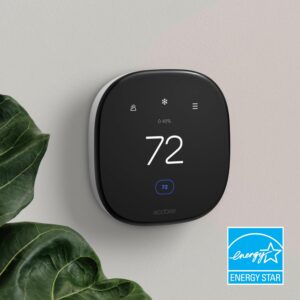
  • Dust-bag autonomy: The self-emptying base includes five disposable dust bags, each designed to last approximately eight weeks, providing up to forty weeks of low-maintenance, hands-free cleaning, depending on usage frequency.

Key Features

Here are some of the key features of the ILIFE A12 Pro Robot Vacuum & Mop Combo — a high-end smart floor-cleaning system designed for hands-free operation:

1. Self-Emptying Base Station

One of the most notable features is the self-emptying base, which automatically transfers dust and debris from the robot’s onboard bin into a large-capacity collection bag after every cleaning cycle. As stated by the manufacturer, the base employs a powerful cyclone suction system (≈13,000 Pa) to thoroughly clear the robot’s dust compartment and includes five 2.5-liter dust bags—each designed to last up to eight weeks, offering roughly forty weeks of maintenance-free operation. This feature is particularly convenient for users who prefer a hands-off cleaning experience and wish to avoid the hassle of frequently emptying the dustbin.
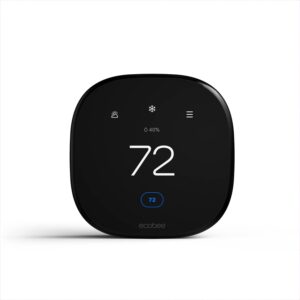
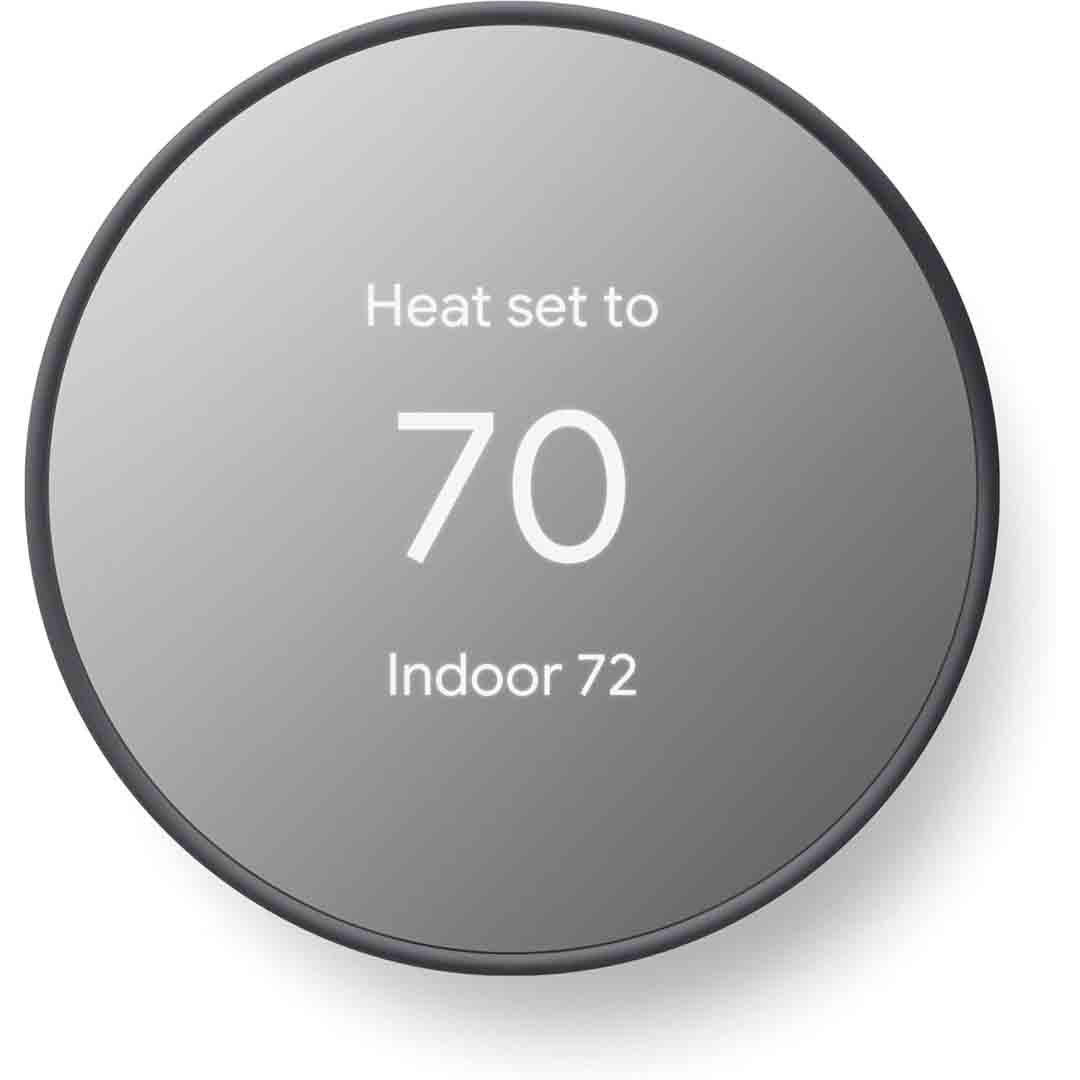
2. LiDAR Navigation & Smart Mapping

The A12 Pro features an advanced LiDAR (LDS) laser navigation system combined with SLAM-based intelligent mapping. It analyzes its surroundings, creates a detailed layout of your home, and strategically plans optimized cleaning routes for greater efficiency. Using the companion mobile app, you can set virtual boundaries like no-go and no-mop zones, assign specific rooms or sections for targeted cleaning, and store multiple floor maps for multi-level homes. This technology makes the robot far smarter and more precise than older models that rely on random movement patterns.

3. Hybrid Vacuum + Mop + Smart Controls

The A12 Pro integrates a 2-in-1 dustbin and water tank system (200 mL each), enabling it to vacuum and mop simultaneously without the need to change attachments or run multiple cleaning cycles. It features 2.4 GHz Wi-Fi connectivity for app-based operation through the ILIFEClean mobile app, as well as voice assistant compatibility with Alexa and Google Assistant, plus a handheld remote control for added convenience. Additionally, it provides several adjustable suction levels, including a maximum power mode of around 3,000 Pa, ideal for deep or heavy-duty cleaning tasks.

How to use the ILIFE A12 Pro Robot Vacuum and Mop Combo

Here’s a simple step-by-step guide on how to use the ILIFE A12 Pro Robot Vacuum and Mop Combo — from setup to daily operation:

1. Setup & Installation

  1. Unpack the robot unit, self-emptying dock, power adapter, side brushes, dust collection bags, mopping pad, and water reservoir.

  2. Assemble the parts: Connect the side brushes to the bottom of the robot and place a dust bag inside the self-emptying station.

  3. Place the charging dock on a level, hard floor, leaving at least 1.5 feet of space on each side and 4 feet of open area in front.

  4. Connect the dock to a power outlet, ensuring the voltage matches your region’s standard (typically 110 V or 220 V).

  5. Set the robot onto the charging base and allow it to fully charge before using it for the first time (this usually takes 4–6 hours).

2. Connect & Map Your Home

  1. Download the “ILIFEClean” app from the App Store or Google Play.

  2. Connect to Wi-Fi (2.4 GHz only) and pair the robot with your smartphone using the in-app instructions.

  3. After connecting, begin the initial cleaning run — the robot will automatically use its LiDAR sensors to scan your home and generate a precise floor map.

  4. In the app, you can now:

    • Set no-go zones and no-mop zones

    • Divide rooms or label areas

    • Save multiple floor maps if you have more than one level

3. Vacuuming & Mopping

  1. Vacuum mode: For vacuum-only cleaning, attach the dustbin and choose a suction mode — quiet, standard, or max (around 3000 Pa).

  2. Mop mode: Fill the water tank (around 200 mL) with clean water, attach the mop cloth, and choose either “mop” or “vacuum + mop” mode in the app.

  3. Automatic emptying: After every cleaning session, the robot returns to its dock and automatically empties debris into the 2.5 L self-emptying bag, which can hold up to about 60 days’ worth of dust.

  4. Control options: You can start, pause, or schedule cleaning using the mobile app, voice commands through Alexa or Google Assistant, or the supplied remote control.

4. Maintenance Tips

  • After mopping, drain the water tank and clean the mop pad regularly.

  • Change the dust bag once it’s full — typically every 6 to 8 weeks.

  • Clean the sensors and brushes once a week to avoid blockages and maintain performance.

  • Update the firmware via the mobile app to gain the latest performance enhancements.

Tips suitable for the ILIFE A12 Pro Robot Vacuum and Mop Combo

Here are some practical tips to get the best performance, longevity, and cleaning results from your ILIFE A12 Pro Robot Vacuum and Mop Combo:

Before Cleaning

  1. Tidy up the area — Clear the floor of small items, cables, socks, and loose rugs that could get caught in the brushes or obstruct the sensors.

  2. Keep the base station clear — Place the self-emptying dock on a flat, level surface with enough open space around it to let the robot dock smoothly.

  3. Check the dust bag — Confirm that a dust bag is securely installed in the self-emptying station before starting each cleaning cycle.

  4. Avoid dark or reflective floors — Dark carpets or glossy black tiles may interfere with the cliff sensors and cause navigation errors.

During Cleaning

  1. Use mapping first — Allow the robot to finish a full mapping cycle before you set up no-go or no-mop zones.

  2. Choose the right mode:

    • Quiet mode for light dust or nighttime cleaning.

    • Standard mode for everyday cleaning.

    • Max mode (≈3000 Pa) for pet hair or heavy dirt.

  3. Adjust water flow in the app when mopping — Use low water or suction levels for laminate and wooden floors, and medium to high settings for tile or stone surfaces.

  4. Monitor the app occasionally — You can monitor cleaning progress, create schedules, and label rooms for more precise cleaning.

After Cleaning & Maintenance

  1. Drain the water tank after every mopping session to avoid mold or unpleasant smells.

  2. Clean the mop pad frequently and allow it to air dry completely.

  3. Wipe the sensors and camera carefully with a dry cloth to keep navigation accurate.

  4. Check the main and side brushes every week, removing any hair or debris to keep suction strong.

  5. Change the filters, brushes, and mop pads as advised — typically every 2–3 months, depending on usage.

  6. Update the firmware via the ILIFEClean app to enhance mapping and navigation accuracy.

Cleaning Guide

Here’s a complete, easy-to-follow guide on how to clean and maintain your ILIFE A12 Pro Robot Vacuum and Mop Combo to keep it performing efficiently and extend its lifespan:

1. Cleaning the Dustbin and Filter

  1. Remove the dustbin — Press the release latch on the robot and remove the dustbin.

  2. Dispose of the collected debris in a trash bin.

  3. Clean the filter — Lightly tap it to shake off dust; for a more thorough clean, rinse it under cold water if it’s the washable type.

  4. Dry completely: Allow it to dry for a minimum of 24 hours before reinstalling — never insert a damp filter.

  5. Place the dustbin back into the robot and ensure it’s firmly seated.

Tip: Clean the filter once a week and replace it every 2–3 months to maintain strong suction.

2. Cleaning the Water Tank and Mop Pad

  1. Remove the 2-in-1 dustbin and water tank from the robot.

  2. Drain any leftover water from the tank after every use to prevent mold formation.

  3. Rinse the tank thoroughly with clean water; avoid using soap or cleaning agents.

  4. Detach the mop cloth and hand-wash it with mild soap, then air dry.

  5. Reinstall the mop pad only after it has fully dried.

Tip: Do not leave water sitting in the tank overnight or keep the robot stored with a damp mop pad attached.

3. Cleaning the Brushes and Wheels

  1. Power off the robot and gently turn it upside down.

  2. Main brush:

    • Click  the locks to detach the brush guard.

    • Remove the main roller brush and clear away any tangled hair or dirt.

    • Use the included cleaning brush or a pair of scissors to trim off any tangled strands.

  3. Side brushes:

    • Carefully remove them and wipe clean with a dry cloth.

    • Replace the brush if the bristles are bent or worn.

  4. Wheels:

    • Clean each wheel with a damp cloth to remove accumulated dirt.

    • Make sure the wheels rotate freely without any blockage.

Tip: Clean the brushes weekly (or more often if you have pets).

4. Cleaning Sensors and Charging Contacts

  1. Wipe all cliff sensors, wall sensors, and the LiDAR dome with a dry microfiber cloth.

  2. Use a dry cloth to clean the charging contacts on both the robot and dock to ensure efficient charging.

  3. Do not apply water or cleaning sprays directly to the sensors.

Tip: Clean sensors every 1–2 weeks to prevent navigation errors.

5. Cleaning the Self-Emptying Station

  1. Switch off the power before cleaning the station.

  2. Inspect the dust bag and replace it when it’s full, typically every 6–8 weeks.

  3. Clean the air inlet and base surface using a dry or lightly dampened cloth.

  4. Do not pour water into the station’s suction port.

Tip: Always use genuine ILIFE dust bags for proper fit and suction efficiency.

What to avoid when using the ILIFE A12 Pro Robot Vacuum and Mop Combo

Here are the most important things to avoid when using your ILIFE A12 Pro Robot Vacuum and Mop Combo — to prevent damage, ensure safety, and keep it running smoothly:

1. Avoid Misuse and Improper Handling

  • Don’t lift or move the robot while it’s cleaning — This may interfere with its LiDAR navigation and affect mapping accuracy.

  • Never submerge The robot, dustbin, or charging dock should not be immersed in water.

  • Avoid using harsh chemicals or cleaners in the water tank — Use solely clean water when mopping.

  • Don’t block the LiDAR sensor (the round top dome) with stickers or covers; this can impact navigation accuracy.

  • Do not use outdoors or on wet surfaces — It is intended for indoor use on dry floors only.

2. Avoid Charging and Power Mistakes

  • Don’t use an incompatible voltage — Ensure you select the correct 110 V or 220 V version according to your region.

  • Do not connect the dock to unstable power sources, such as extension cords or multi-outlet adapters without surge protection.

  • Don’t leave the robot unplugged for long periods — The battery may fully discharge and its lifespan could be reduced.

  • Keep charging contacts dry and clean; Moisture can lead to charging problems or corrosion.

3. Avoid Navigation and Cleaning Obstacles

  • Avoid operating the robot in areas with wires, toys, or clothes, as these can tangle the brushes or obstruct sensors.

  • Stay clear of high thresholds or thick rugs taller than 0.8–1 inch, as the robot may become stuck.

  • Keep the self-emptying base station unobstructed — allow at least 1.5 ft on each side and 4 ft in front.

  • Stay away from dark or glossy floors, as these can confuse the cliff sensors and be mistaken for stairs.

4. Avoid Maintenance Mistakes

  • Never put a wet filter or mop pad back in; always ensure they are fully dry first.

  • Do not force open any parts or alter the robot, as this could void the warranty or lead to malfunction.

  • Do not skip firmware updates in the ILIFEClean app, as they frequently fix bugs and enhance mapping.

  • Do not use the robot with missing or damaged brushes or filters, as this lowers suction and may damage the motor.

In conclusion, the ILIFE A12 Pro Robot Vacuum and Mop Combo is a powerful, hands-free cleaning solution that combines strong suction, smart LiDAR navigation, and a 60-day self-emptying system. It efficiently vacuums and mops hard floors while minimizing maintenance. Ideal for busy households or pet owners, it offers convenience, precision, and reliability — making it a smart investment for effortless home cleaning.

MONSGA Robot Vacuum and Mop Combo

The MONSGA MS1 MAX Robot Vacuum and Mop Combo is a premium cleaning device engineered to handle both hard surfaces and carpets effortlessly. Featuring a robust 5000Pa suction power, it effectively removes dirt, pet hair, and dust particles. Its dual-function design supports vacuuming and mopping, with a 340ml dust container for vacuuming and a mop pad for mopping. The advanced air valve system provides three adjustable water flow levels, allowing precise control and preventing excessive moisture on floors.

Navigation is managed by a 360° LiDAR system, allowing the robot to precisely scan and map your home. This technology enables smart route planning, covering up to 98% of floor space while preventing missed spots or redundant cleaning. Furthermore, the MS1 MAX can save up to five separate floor maps, making it suitable for multi-story homes. Its soft collision sensing protects furniture and pets during operation.

A key highlight of the MS1 MAX is its 3.5L self-emptying base, capable of storing up to two months of debris, reducing maintenance frequency and promoting a cleaner living space. The robot supports multiple control methods: via the Smart Life app, remote control, voice commands through Alexa, Google Assistant, or Siri, and manual button operation. With a battery life of up to 180 minutes, it can cover large areas in a single session. Whether you’re home or away, the MONSGA MS1 MAX delivers a convenient, efficient, and hands-free cleaning experience.

Specification

Here are the detailed specifications for the MONSGA MS1 MAX Robot Vacuum and Mop Combo:

Key Specifications

  • Model: MONSGA MS1 MAX

  • Suction Power: 5000Pa

  • Runtime: Up to 180 minutes

  • Dustbin Capacity:

    • Robot Vacuum: 340ml

    • Self-Emptying Station: 3.5L

  • Navigation: 360° LiDAR with 5-floor mapping

  • Control Methods: App (Smart Life), Remote Control, Voice (Alexa, Google Assistant)

  • Dimensions: 12.6″ x 12.6″ x 3.8″

  • Weight: 5.1 kg

  • Surface Compatibility: Hardwood, Tile, Carpet, Laminate, Luxury Vinyl

  • Special Features:

    • Wet/Dry Mopping

    • No-Go Zones

    • Auto Recharge & Resume

    • Customizable Cleaning Modes

    • Multiple Cleaning Schedules

In the Box

  • MONSGA MS1 MAX Robot Vacuum

  • Self-Emptying Station/Charging Dock

  • Remote Control

  • Dust Bags (3.5L capacity, 2 pre-installed, 3 extra included)

  • Side Brushes

  • Main Brush

  • Mop Pad and Water Tank

  • Power Adapter

Key Features

The MONSGA MS1 MAX Robot Vacuum and Mop Combo is a versatile cleaning device designed to handle both vacuuming and mopping tasks efficiently. Here are its key features:

  • 5000Pa Suction Power: Powered by a robust motor, it efficiently lifts concealed dirt, persistent pet hair, and deeply lodged debris from a variety of surfaces, including carpets, hardwood floors, and tiles.

  • 3.5L Self-Emptying Station: The roomy self-emptying dock collects all debris picked up by the robot while simultaneously recharging it. Its 3.5L extra-large dust container can hold up to two months of dirt and dust, minimizing the need for frequent manual emptying.

  • 360° LiDAR Navigation & 5-Map Support: Employs cutting-edge LiDAR technology for accurate mapping and navigation, enabling the robot to clean several floors and store up to five adjustable maps for personalized cleaning schedules.

  • 180-Minute Runtime: Provides long-lasting battery power, allowing the robot to cover larger areas without the need for frequent recharging.

  • Multiple Control Options: Operable through a smartphone app, remote control, or voice commands via smart assistants such as Alexa and Google Assistant.

  • Vacuum & Mop Functions: Includes both vacuuming and mopping functions, equipped with a 340ml dust container and a next-generation air valve for accurate water flow control, preventing spills or overly wet floors. 

How to use the MONSGA Robot Vacuum and Mop Combo

Here’s a clear, step-by-step guide on how to use the MONSGA Robot Vacuum and Mop Combo (MS1 MAX) effectively:

1. Unboxing & Setup

  • Take out the robot, self-emptying dock, power adapter, mop pads, and other accessories from the packaging.

  • Position the self-emptying dock on a level, stable surface close to a power source. Do not place it on carpet or uneven ground.

  • Plug in the power adapter and switch on the station.

2. Preparing the Robot

  • Lift the robot’s dustbin lid and make sure the dust container is empty.

  • Pour clean water into the water tank (for mopping) only. Avoid adding soap, detergents, or vinegar unless specified in the manual.

  • Fasten the mop pad firmly to the underside of the robot.

3. Charging

  • Set the robot onto the self-emptying dock; it will begin charging automatically.

  • Let it charge completely before the initial use (typically 3–4 hours).

  • After reaching full charge, the robot is prepared for its initial cleaning run.

4. Control Methods

You can operate the robot in multiple ways:

  1. Smartphone App (Smart Life):

    • Link the robot to Wi-Fi by following the instructions in the app.

    • You can plan cleaning sessions, select cleaning modes, and define no-go areas.

  2. Remote Control:

    • Use to start, stop, pause, or manually control the robot.

  3. Voice Control:

    • Works with Alexa and Google Assistant. For example: “Alexa, begin cleaning with the MONSGA robot.”

5. Cleaning Modes

  • Vacuum Only: For carpets or dry floors.

  • Mop Only: For hard floors; ensures controlled water release.

  • Vacuum + Mop: For mixed floor types.

  • Carpet Boost Mode: Automatically boosts suction on carpeted surfaces.

6. After Cleaning

  • The robot will autonomously return to the self-emptying dock to dispose of collected debris.

  • Detach the mop pad and rinse it as necessary.

  • Inspect the dustbin and brushes for hair or debris on a regular basis.

7. Maintenance Tips

  • Wipe the sensors and charging contacts weekly using a dry cloth.

  • Swap out mop pads and dust bags when they become worn.

  • Leave the water tank empty when the robot is not in use to avoid mold or leakage.

Tips suitable for the MONSGA Robot Vacuum and Mop Combo

Here’s a list of practical tips specifically for the MONSGA MS1 MAX Robot Vacuum and Mop Combo to get the best performance and extend its lifespan:

1. Optimal Placement

  • Position the self-emptying dock on a level, steady surface with at least 0.5–1 meter of space around it for smooth docking.

  • Do not place the dock on carpets or uneven surfaces to avoid misalignment.

2. Water & Mopping

  • Fill the water tank with plain water only. Do not add vinegar, soaps, or essential oils unless the instructions allow it.

  • Examine the mop cloth prior to each cleaning session and replace it if heavily soiled to prevent streaks.

3. Suction & Carpet Use

  • Activate Carpet Boost Mode when vacuuming carpets or rugs to enhance suction.

  • Clear small items, cords, or loose rugs that could get caught in the brushes.

4. Maintenance

  • Regularly clear the robot’s dustbin, even with the self-emptying station, to keep suction performance optimal.

  • Wipe the side brushes, main brush, and sensors weekly to avoid blockages and maintain precise navigation.

  • Clean the gold contacts on the robot and dock to maintain proper charging.

5. App & Scheduling

  • Utilize the Smart Life app to schedule cleaning, define no-go zones, and segment rooms for more effective cleaning.

  • Upgrade the robot’s firmware via the app when prompted to enhance navigation and overall performance.

6. Safety Tips

  • Keep children and pets at a safe distance while the robot is running to avoid accidental collisions or disruptions.

  • Avoid picking up or relocating the robot while it’s operating, as this may disrupt its sensors.

  • Do not allow the robot to climb thresholds higher than 0.8–1 inch, as it may become stuck.

7. Long-Term Care

  • Keep the robot in a cool, dry area when it’s not in use.

  • Do not let the battery remain completely drained for extended periods; recharge it periodically when not in use.

Cleaning Guide

Here’s a step-by-step guide to cleaning and maintaining your MONSGA MS1 MAX Robot Vacuum and Mop Combo to ensure it runs efficiently and lasts longer:

1. Turn Off the Robot

  • Always turn off or pause the robot before servicing any parts to prevent accidental movement.

2. Empty the Dustbin

  • Detach the dustbin from the robot (typically located at the back or top).

  • Empty the collected debris into a trash bin.

  • If necessary, rinse the dustbin with water and ensure it’s fully dry before reinstalling.

  • The self-emptying base contains a 3.5L dust bag; inspect and replace it once it’s full.

3. Clean the Brushes

  • Main Brush:

    • Detach the brush from the bottom of the robot.

    • Use the included cleaning tool or scissors to remove hair, threads, or debris tangled around it.

  • Side Brushes:

    • Detach the side brushes and remove any tangled debris.

    • Replace it if it’s bent or damaged.

4. Wipe Sensors and Contacts

  • Use a dry, soft cloth to wipe:

    • Charging contacts on the robot and dock

    • Cliff sensors

    • LiDAR navigation sensor (the top-mounted rotating sensor)

  • This helps maintain proper charging, accurate navigation, and prevents collision issues.

5. Mop & Water Tank

  • Take off the mop cloth, rinse it under clean water, and let it air-dry completely before reuse.

  • Drain the water tank after every mopping session to avoid mold growth or leakage.

  • Wipe the water outlet and inspect it for blockages.

6. Filters

  • Detach the HEPA filter from the dustbin.

  • Lightly tap to shake off dust, or rinse if it’s washable (refer to the manual).

  • Replace the filters every few months for best cleaning efficiency.

7. Reassembly & Storage

  • Reinstall the brushes, dustbin, and mop pad once cleaning is complete.

  • Set the robot back on the self-emptying base to recharge.

  • Store the robot in a cool, dry area when it’s not operating.

What to avoid when using the MONSGA Robot Vacuum and Mop Combo

Here’s a detailed list of things to avoid when using your MONSGA MS1 MAX Robot Vacuum and Mop Combo to ensure safety, optimal performance, and longevity:

1. Avoid Uneven Surfaces

  • Avoid setting the self-emptying base on carpets or uneven ground—it requires a flat, stable surface for proper docking.

  • Do not allow the robot to climb over raised edges above 0.8–1 inch, as it may become stuck.

2. Avoid Liquids & Cleaning Agents

  • Avoid putting cleaning solutions, vinegar, or essential oils into the water tank unless the manual specifically permits it.

  • Do not immerse the robot or docking station in water.

3. Avoid Physical Interference

  • Avoid lifting, pushing, or relocating the robot while it’s operating, as this may disrupt its sensors.

  • Keep kids and pets at a distance while the robot is running to avoid bumps or interference with its sensors.

4. Avoid Charging Mistakes

  • Only use the original charger and dock that came with the robot to prevent battery damage.

  • Do not let the battery remain fully drained for extended periods, as it may reduce its lifespan.

5. Avoid Ignoring Maintenance

  • Avoid allowing brushes, sensors, or the dustbin to become blocked—clean them regularly.

  • Refrain from resetting or erasing maps unless needed, as it will remove your saved room layouts and no-go zones.

6. Avoid Obstructions

  • Clear the floor of small items, wires, and loose rugs to avoid tangles or obstructions.

  • Avoid running the robot in crowded or cluttered spaces where it could get stuck.

7. Avoid Overloading

  • Avoid overloading the dustbin or water tank, as it may weaken suction, cause leakage, or harm the motor.

In conclusion, the MONSGA MS1 MAX is a powerful, smart cleaning solution with 5000Pa suction, self-emptying station, and LiDAR navigation. It efficiently vacuums and mops multiple floors, offers long runtime and app/voice controls, and saves time with minimal effort. Proper use and maintenance ensure reliable performance and long-lasting results, making it a top choice for effortless home cleaning.

Eureka 2 in 1 Robotic Vacuum and Mop Combo Vacuum Cleaner

The Eureka E10s is an innovative hybrid appliance engineered for both vacuuming and mopping, ideal for homes with a mix of flooring surfaces such as tiles, hardwood, and carpets. It boasts a 2-in-1 cleaning system that performs vacuuming and mopping simultaneously, along with a bagless self-emptying dock that stores debris for weeks—eliminating the need for frequent manual emptying. Equipped with LiDAR navigation, it intelligently maps your space, optimizes cleaning routes, and efficiently avoids obstacles.

In terms of performance, Eureka reports a suction power of up to 4,000 Pa, which is impressive for its class and allows the E10s to effectively capture dust, hair, and everyday debris. It also includes an auto-lifting mop pad, which raises automatically when the robot moves over carpets or rugs to prevent moisture transfer. The bagless self-emptying dock can store debris for roughly 45–60 days before requiring manual disposal. Through the Eureka mobile app, users can schedule cleanings, create no-go or no-mop zones, and connect the device with Amazon Alexa or Google Assistant for easy voice control.

Despite its strong positioning in the mid-range segment, the Eureka E10s demonstrates certain operational compromises. While suction performance is commendable, its mopping system is primarily designed for maintenance cleaning, lacking the scrubbing force needed for ingrained stains. Reports indicate that the self-emptying dock may occasionally leave residual debris in the bin, necessitating manual clearing, and that LiDAR navigation can encounter challenges in confined or low-clearance areas. Users seeking rotating mop pads or enhanced obstacle detection may prefer higher-tier alternatives, but as a dual-function cleaner for routine maintenance, the E10s remains a solid performer.

Specification

Here are the key specifications for the Eureka E10s Robot Vacuum (also styled “NER E10s”) — a 2-in-1 vacuum + mop combo with a bagless self-emptying station:

Specifications

  • Suction Power: approximately 4,000 Pa.

  • Runtime (single charge): up to 180 minutes (in ideal/lower power mode).

  • Dustbin (on the robot unit): ~ 0.2 L (200 ml) capacity.

  • Self-emptying dock capacity: ~ 2 L (or “45-60 days” between manual emptying, depending on usage) of debris collected in the base.

  • Filtration: HEPA / sponge filter (manufacturer lists filter type).

  • Navigation & sensors: LiDAR navigation (top-mounted LiDAR sensor) + features like mapping, zone/room cleaning, no-mop/no-go zones, auto-mop lift when on carpet.

  • Mopping: Mop pad with automatic lift when moving onto carpet (to avoid wetting carpet) and multiple mop intensity levels (“Dry / Low / Standard / High”). The water tank for mopping is onboard (not large) ~200 ml.

  • Dimensions & Weight: The robot is ~13.8 in × 13.8 in footprint and about 3.9 in in height. Weight around ~23.6 lb listed by manufacturer.

  • Noise: On highest suction mode approx ~67 dB measured in tests.

  • Suction Modes: Multiple power levels (Gentle, Quiet, Standard, Turbo) according to TechRadar specs.

Notes / Considerations

  • The mopping function is best for routine upkeep rather than deep cleaning, as it uses a modest-sized water tank and a basic mop pad structure.

  • The self-emptying dock uses a bagless design, eliminating the need for disposable bags, though the base container still requires manual emptying once it’s full. The manufacturer estimates a 45–60 day capacity, but real-world results may differ depending on use.

  • Although the LiDAR-based navigation and mapping perform well for its price range, some reviewers observed that its obstacle avoidance and precision in tight corners lag behind higher-end models.

Key Features

Here are the key features of the Eureka E10s robot vacuum and mop combo:

  • Bagless Self-Emptying Base: The E10s includes a self-emptying base station that automatically clears the robot’s dustbin and, importantly, operates without disposable bags. Reviewers praise this as a significant convenience feature, minimizing the need for manual upkeep.

  • 2-in-1 Vacuum & Mop System: The E10s performs vacuuming and mopping simultaneously, with the mop pad attached during operation. Users can adjust the mopping intensity through the app, selecting from Dry, Low, Standard, or High settings.

  • Auto-Lifting Mop Pad: When the robot senses carpeted areas or transitions from hard flooring, the mop pad automatically lifts to prevent moisture from contacting the carpet. This feature is especially useful for homes with mixed flooring types.

  • High Suction (Up to ~4,000 Pa): The E10s delivers up to 4,000 Pa of suction power in turbo mode, an impressive figure for its category that enables effective debris removal from both hard floors and carpets.

  • LiDAR Navigation & Mapping: The robot employs LiDAR (laser-based) navigation to scan and map your home, generate multi-level floor plans, set no-go and no-mop zones, and execute methodical cleaning paths.

  • Carpet Boost & Multi-Floor Support: When operating on carpeted surfaces, the E10s automatically boosts suction power for deeper cleaning. It also supports multiple saved maps for multi-level homes and allows users to set virtual boundaries through the app.

  • App Control + Voice Assistant Integration: The robot can be controlled through a smartphone app, allowing you to set cleaning schedules, modes, and zones. It also offers voice control compatibility with Amazon Alexa and Google Assistant for hands-free operation.

Why These Features Matter

  • The self-emptying, bagless base significantly reduces the need for manual maintenance, unlike models that require frequent bin emptying or dust bag replacements.

  • The 2-in-1 vacuum and mop system provides greater versatility for homes with both hard floors and carpets, delivering a comprehensive clean in a single pass.

  • Automatic mop lifting is a thoughtful design for carpets: This ensures textiles and carpets remain protected, as the robot prevents moisture transfer when transitioning from hard floors to rugs.

  • With 4,000 Pa of suction power, it’s well-suited for daily cleaning tasks and can easily handle moderate debris, not just surface dust.

  • LiDAR-based navigation ensures more precise coverage, minimizes missed spots, and allows you to define restricted areas to keep the robot away from cluttered zones like toys or cables.

  • App and voice control provide added convenience, allowing you to start or schedule cleanings remotely and customize routines based on your home’s layout and needs.

Some Considerations

  • Although 4,000 Pa of suction is impressive for its price range, reviewers note it falls short of high-end models in removing deeply embedded debris.

  • The mopping feature performs well for routine upkeep and light cleaning, but it’s not intended for deep scrubbing or tough, set-in stains.

  • Some users reported that the self-emptying system doesn’t always fully clear the dustbin, meaning occasional manual emptying may still be necessary. 


How to use the Eureka 2 in 1 Robotic Vacuum and Mop Combo Vacuum Cleaner

Here’s a simple, step-by-step guide on how to use the Eureka E10s Robot Vacuum and Mop Combo — from setup to daily cleaning and maintenance:

1. Setup and Charging

  • Unbox and assemble: Unpack the unit completely, ensuring that all protective films and packaging materials are removed from both the robot and the self-emptying base.

  • Position the base station on a level surface close to a power outlet, ensuring at least 1.5 feet of clearance on both sides and 4 feet of open space in front for proper docking.

  • Attach the dust container (bagless bin) to the station and connect it in.

  • Set the robot on the base — It will start charging automatically once docked. Let it reach a full charge—typically within 4 to 6 hours—before initiating the first cleaning cycle.

2. Connect to the App

  • Download the Eureka App (available on iOS and Android).

  • Follow the in-app instructions to connect the robot to your Wi-Fi (ensure your phone is on a 2.4 GHz network, as most robots don’t support 5 GHz).

  • Once connected, the app will let you:

    • View and edit your home map.

    • Set cleaning schedules and zones.

    • Adjust suction power or water flow level.

    • Create no-go and no-mop zones.

    • Access firmware updates and cleaning history.

3. Start Cleaning

  • Start the initial mapping run without enabling the mop function—this allows the LiDAR system to create an accurate layout of your home.

  • Once mapping is complete, you can:

    • Select specific rooms or zones to clean.

    • Choose “Vacuum only,” “Mop only,” or “Vacuum + Mop” modes.

  • The robot automatically raises its mop pad upon detecting carpet, allowing for safe cleaning across mixed flooring types.

  • After completing a cleaning cycle, the robot automatically returns to its base, empties the onboard dustbin into the self-emptying station, and begins recharging.

4. Refilling and Maintenance

  • For mopping: Use only clean water when filling the tank — do not add detergents, vinegar, or cleaning agents unless explicitly approved by Eureka.

  • After cleaning, detach and rinse the mop pad, then let it air-dry.

  • Empty the base’s bagless dust container approximately every 45–60 days, depending on how often the robot is used.

  • Clean sensors and brushes weekly:

    • Wipe LiDAR and cliff sensors gently with a soft, dry cloth.

    • Remove hair or debris from the main brush and side brushes.

    • Clean or replace the filters regularly according to the manufacturer’s recommendations in the manual.

5. Optional: Voice & Smart Controls

  • Link the Eureka App with Alexa or Google Assistant to start or stop cleaning hands-free using voice commands like:

    • “Alexa, start cleaning with Eureka E10s.”

    • “Hey Google, tell Eureka to return to the dock.”

Tips suitable for the Eureka 2 in 1 Robotic Vacuum and Mop Combo Vacuum Cleaner

Here are some useful tips for getting the best results and longer lifespan from your Eureka E10s Robot Vacuum and Mop Combo:

Setup & Navigation Tips

  • Place the base station smartly — Select a flat, open spot with at least 1.5 ft of space on both sides and 4 ft in front to allow the robot to dock smoothly.

  • Let it map your home first — Before starting the first full clean, run a mapping-only cycle without the mop attached to generate an accurate floor layout.

  • Keep floors tidy — Clear away cords, clothing items, and small objects that could interfere with sensors or wrap around the brush.

  • Use proper lighting — LiDAR navigation performs optimally in moderate lighting—avoid pitch-dark rooms or highly reflective surfaces during mapping.

Vacuuming & Mopping Tips

  • Vacuum before mopping for best results — This helps stop dirt from spreading once water is used.

  • Use clean water only in the water tank — Do not add detergents, vinegar, or bleach unless specifically approved in the manual.

  • Adjust mop water flow via the app based on your floor type:

    • Low flow for laminate or sealed wood floors.

    • Standard flow for tile or vinyl floors.

  • Remove the mop pad Use vacuum mode only on carpets to avoid dampness or moisture buildup on rugs.

  • Enable “auto-lifting mop” so the pad lifts automatically when crossing carpets.

Maintenance & Care Tips

  • Clear out the base station’s dustbin every 45–60 days, or more often if you own pets.

  • Clean the main and side brushes once a week to remove hair or debris buildup and keep suction strong.

  • Rinse the mop pad and dustbin after every use, then allow them to air dry completely before putting them back.

  • Carefully wipe the sensors and LiDAR dome with a soft, dry microfiber cloth to ensure accurate navigation.

  • Replace the filters every 2–3 months, or according to the manufacturer’s recommendation, to maintain optimal airflow.

  • Use the app to keep the firmware updated, as updates can enhance mapping accuracy and fix bugs.

Usage & Safety Tips

  • Avoid storing the robot unplugged for long periods — Leave the robot on its dock to maintain a full battery.

  • Do not lift or move the robot mid-cleaning — This may disrupt its sensors and cause it to lose its mapped location.

  • Monitor the robot during the initial runs to spot potential problem areas such as high-pile rugs or door thresholds.

  • Set “no-go” or “no-mop” zones in the app to protect sensitive areas such as pet bowls, cords, or rugs.

  • Run it regularly —Regular, light cleaning sessions work better than infrequent deep cleans.

Cleaning Guide

Here’s a clear, step-by-step guide on how to clean your Eureka E10s Robot Vacuum and Mop Combo — including the robot itself, the mop, and the self-emptying base station:

1. Empty and Clean the Robot Dustbin

Although the E10s features a self-emptying dock, the robot’s dustbin should be cleaned regularly to maintain optimal suction.
Steps:

  1. Take out the dustbin from the robot, typically located at the back or beneath the top cover.

  2. Dispose of any remaining dirt and debris into a trash bin.

  3. Wash the dustbin using warm water.

  4. Let the dustbin air dry fully before putting it back, as moisture could clog filters or harm electronics.

2. Clean the Self-Emptying Base

The E10s comes with a bagless self-emptying base, which requires manual emptying every 45–60 days depending on usage.
Steps:

  1. Disconnect the base from power.

  2. Remove the main dust container from the back or top of the station.

  3. Dispose of all dirt and dust into a trash bag.

  4. Clean the container with a dry or lightly damp cloth, avoiding harsh cleaning agents.

  5. Reinsert the container firmly before reconnecting the base to power.

Tip: Periodically inspect the suction port inside the base and remove any debris with a soft brush or vacuum hose.

3. Clean the Mop Pad and Water Tank

To keep the mopping function efficient and hygienic:

  1. Detach the mop pad from its bracket after every mopping session.

  2. Rinse it well under running water using mild soap, avoiding bleach or harsh detergents.

  3. Allow it to air-dry fully before using it again.

  4. Drain any leftover water from the tank after every use to prevent mold or unpleasant smells.

  5. If residue accumulates in the tank, rinse it with warm water, avoiding any chemical cleaners.

4. Clean the Brushes and Wheels

Hair and debris can tangle around the brushes, reducing performance.
Steps:

  • Main brush: Press the release tab and detach it. Remove any hair or threads, then wipe with a dry cloth.

  • Side brushes: Gently pull out the brushes, clean the bristles, and reinsert them securely.

  • Wheels: Clean the brushes and rotate them by hand to make sure they spin smoothly.

Tip: Perform this weekly if your floors have pet hair or long strands of hair.

5. Clean Filters and Sensors

  • Filters: Gently tap the filter over a trash bin to dislodge dust. Do not wash unless marked “washable.” Replace the filter every 2–3 months to maintain optimal airflow.

  • Sensors & LiDAR dome: Gently clean with a soft, dry microfiber cloth and avoid using wet cloths or sprays.

  • Charging contacts: Clean the gold contacts on both the robot and dock with a dry cloth to maintain proper charging.

6. General Maintenance Tips

  • Always power off or pause the robot before performing any maintenance.

  • Do not immerse the robot or charging station in water.

  • Ensure all components are fully dry before putting them back together.

  • Inspect regularly to ensure all components—brushes, wheels, and filters—are securely attached.

  • Keep the robot in a cool, dry location, avoiding hot or humid areas.

What to avoid when using the Eureka 2 in 1 Robotic Vacuum and Mop Combo Vacuum Cleaner

Here’s a helpful guide on what to avoid when using your Eureka E10s Robot Vacuum and Mop Combo — to keep it running smoothly and extend its lifespan:

1. Avoid Using Harsh or Incompatible Cleaning Agents

  • Avoid pouring detergents, bleach, vinegar, or alcohol into the water tank, as they may damage internal components and block the nozzles.

  • Use only plain water unless the manufacturer specifically allows a gentle cleaning agent.

  • Avoid using oily or soapy water, since it can leave streaks and harm the mop pad.

2. Avoid Wet or Hazardous Environments

  • Avoid running the robot in puddles, bathrooms, or outside — it is not water-resistant.

  • Do not use on wet carpets or moist floors until mopping mode is turned on.

  • Place the charging base away from water, sinks, and direct sunlight.

3. Avoid Interfering During Operation

  • Avoid lifting, moving, or turning the robot during cleaning — it can disrupt LiDAR navigation and cause mapping errors.

  • Do not cover the sensors with stickers, dirt, or ornaments.

  • Keep children and pets away from the robot — playing or riding it may harm the device or create safety hazards.

  • Avoid manually moving or dragging the robot; always control it through the app or onboard buttons.

4. Avoid Poor Maintenance Habits

  • Do not leave the robot disconnected for long stretches, as this can drain the battery and reduce its lifespan.

  • Do not neglect regular cleaning of brushes, filters, and sensors — accumulated dirt can lower suction and disrupt navigation.

  • Avoid reinstalling wet parts (dustbin, filter, mop pad), as moisture can harm the robot’s electronics.

  • Do not allow the self-emptying bin to become too full — empty it at least every 45–60 days, or more often if you have pets.

5. Avoid Using in Unsuitable Areas

  • Avoid placing the robot near loose cords, fringe rugs, or long drapes that might get caught.

  • Do not put the base station on uneven or carpeted surfaces — it requires a flat, stable area to dock properly.

  • Avoid letting the robot cross thresholds or uneven surfaces higher than 0.8–1 inch.

6. Avoid Ignoring App and Firmware Updates

  • Do not ignore firmware prompts in the Eureka App, as updates can fix errors and improve navigation or cleaning efficiency.

  • Do not reset or erase maps unless required — doing so will remove custom room layouts and no-go zones.

In conclusion, the Eureka E10s Robot Vacuum and Mop Combo is a smart, powerful, and low-maintenance cleaning solution ideal for busy homes. With its bagless self-emptying base, auto-lifting mop, and 4000 Pa suction, it offers efficient, hands-free cleaning on both hard floors and carpets. While its mopping is best for light maintenance rather than deep cleaning, proper care and regular maintenance will keep it performing at its best. Overall, it’s a reliable, user-friendly choice for effortless everyday floor cleaning.

Robotic 2 in 1 Robot Vacuum and Mop Combo Vacuum Cleaner

The 2-in-1 Robot Vacuum and Mop Combo has become a popular choice for effortless home cleaning, performing both vacuuming and mopping in one unit. Equipped with WiFi, app, and voice control, it allows you to start, stop, or schedule cleaning sessions directly from your phone or through voice commands. Most models also offer auto-scheduling, enabling you to set daily or weekly cleaning plans so it can tidy up even while you’re away. When the battery runs low, the robot automatically returns to its dock, recharges, and continues cleaning once ready.

A key feature of this robotic cleaner is its two-in-one functionality, combining a dustbin for vacuuming with a water tank for mopping. In vacuum mode, it effectively picks up dust, dirt, and pet hair, while in mop mode, it evenly releases water to wipe and refresh your floors. Certain models come equipped with intelligent sensors or “no-mop zones” that automatically deactivate mopping on carpeted areas. Its slim and compact design allows it to glide smoothly under furniture and into narrow spaces that standard vacuums often can’t reach.

These robotic cleaners are particularly beneficial for homes with hard flooring, mixed surfaces, or pets, where keeping floors free from dust and hair can be a daily struggle. On wood, tile, vinyl, or laminate floors, the mopping feature helps preserve a brighter, spotless finish. For low-pile carpets, the vacuum mode efficiently lifts dirt, debris, and pet hair. With self-charging, app, and voice control, this 2-in-1 cleaner offers a smart, convenient, and time-saving solution for modern households looking to simplify everyday cleaning.

Specification

Here is a specifications for a robot vacuum & mop combo (2-in-1) device with features like vacuuming + mopping, WiFi / app / voice control, scheduling, water tank + dustbin, self-charging, slim design, suitable for hard floors and pet hair:

Cleaning & operation

  • Vacuum suction + mop / wet cleaning in one pass.
  • Dual water tank or combined dustbin + water tank compartments.
  • Dustbin capacity maybe ~200-300 mL (or more depending on model).
  • Water tank capacity might be ~300-350 mL.
  • Capable of mopping hard floors and vacuuming carpets or pet hair; certain models automatically lift the mop or disable mopping when on carpet.

Navigation & intelligence

  • Use LiDAR or distance / light / structured light / camera sensors for mapping, obstacle detection.
  • Multi-level / multi-floor mapping, virtual zones / no-mop zones.
  • Scheduling features via app or voice control (via home assistant).

Power / battery & charging

  • Battery is typically lithium-ion.
  • Runtime can last up to 2–3+ hours (around 200 minutes) on a full charge, depending on the cleaning mode and power settings.
  • When the battery runs low, the robot automatically returns to its charging dock to recharge.

Dimensions / form factor

  • Features a slim profile, allowing it to clean under furniture; many models are around 3.6 inches (≈9 cm) tall.
  • Compact size allows it to navigate easily through tight or low-clearance areas.

Accessories / extras

  • Includes mop pads made of microfiber or soft mop cloth material.
  • Some models feature self-washing and self-drying docking stations that clean and dry the mop pads or automatically refill the water tank.
  • Features an interchangeable dry dustbin or combined mop-and-dust container.

Key features

Here are some key features that are commonly found (or ideal) in a good 2-in-1 Robot Vacuum & Mop Combo with WiFi/App/Voice/Schedule/Self-Charging etc.:

  1. Dual Cleaning Modes (Vacuum + Mop)

    • Vacuum for dry debris: picks up dust, pet hair, crumbs etc.

    • Mop function (wet/damp mop): for wiping away stains, spills, sticky residues.

    • Some models have mop-lifting or mop-retracting to avoid wetting carpets.

  2. Strong Suction + Adjustable Water Flow

    • Powerful motor/suction to handle carpets and dense dirt.

    • Features adjustable or intelligent water flow control to ensure the mop stays at the right moisture level — ideal for hardwood and delicate floors.

  3. Smart Mapping / Navigation / Sensors

    • LiDAR or camera or SLAM-based navigation to map rooms, plan routes, avoid obstacles.

    • Edge & corner detection, cliff sensors to avoid stairs, obstacle detection for cords, pet bowls etc.

  4. App, WiFi & Voice Control

    • Control via a mobile app: start/stop, choose cleaning modes, set schedules, see map of what’s cleaned.

    • Voice assistant support (Alexa, Google Assistant, Siri etc.) for hands-free commands.

  5. Scheduling & Smart Automation

    • Allows users to schedule cleaning sessions — daily, weekly, or by specific rooms.

    • Automatically returns to the charging dock when the battery is low and resumes cleaning from where it stopped once recharged.

  6. Good Dustbin & Water Tank Capacities

    • Comes with a large dustbin capacity, reducing how often you need to empty it.

    • Includes separate clean and dirty water tanks, or at least a large-capacity water tank that supports multiple mopping sessions without frequent refills.

  7. Slim Profile & Build Designed for Accessibility

    • Low-profile design allows the robot to clean easily under furniture, beds, and sofas.

    • Features durable wheels, edge-reaching side brushes, and a wide mop pad for maximum floor coverage.

  8. Filtration & Hygiene Features

    • Uses HEPA or multi-stage filtration systems to capture fine dust, allergens, and pet dander effectively.

    • Premium models feature self-cleaning or self-washing mop pads with auto-drying functionality to help prevent mildew and odors.

  9. Pet-Friendly Features

    • Equipped with anti-tangle brush rolls engineered to minimize hair entanglement and maintain consistent suction performance.

    • Offers stronger suction power or a carpet boost mode for deeper cleaning on rugs and carpets

  10. Safe Operation & Quietness

    • Sensors for drop/stairs, bumpers to avoid damaging furniture.

    • Moderate noise levels ensure cleaning remains quiet and unobtrusive.

How to use the Robotic 2 in 1 Robot Vacuum and Mop Combo Vacuum Cleaner

Here’s a simple step-by-step guide on how to use the Robot Vacuum and Mop Combo (2-in-1) — whether you’re using it for the first time or setting up regular cleaning routines:

1. Initial Setup

  • Unbox and assemble: Remove all packaging materials, and securely connect the side brushes and detachable mop pad before use.

  • Charge fully before first use: Position the robot on the charging dock and connect the dock to a wall outlet. Allow it to charge for 4–6 hours, or until the indicator light confirms a full charge.

  • Download the mobile app: Use your smartphone to scan the QR code in the instruction manual, or manually search for the corresponding app (e.g., Tuya, Roborock, Ecovacs Home) in the App Store or Google Play.

  • Connect to WiFi: Follow the app’s on-screen setup guide to connect the robot to your 2.4 GHz WiFi network. Note that most models are not compatible with 5 GHz networks.

2. Preparing for Cleaning

  • Clear the floor: Pick up cables, toys, clothes, or obstacles that might block the robot.

  • Fill the water tank (for mopping): Use clean, room-temperature water (no bleach or detergent unless specified).

  • Install the mop cloth/pad if you plan to mop.

  • Make sure to empty the dustbin if debris remains from the previous cleaning.

3. Starting a Cleaning Cycle

  • Start cleaning through the mobile app or by pressing the button on the robot.

  • Voice control is available on compatible models—simply say commands like “Alexa, start vacuuming.”

  • Select cleaning mode: Auto, Edge, Spot, or Room-specific (depending on model).

  • When mopping, select the desired water flow setting (low, medium, or high) in the app.

  • The robot autonomously moves around, cleans, and steers clear of obstacles or stairs with its integrated sensors.

4. During and After Cleaning

  • When the battery gets low, the robot goes back to its charging dock on its own.

  • After recharging, the robot continues cleaning from the point it stopped.

  • Once cleaning is complete, remove and empty the dustbin, then wash the mop pad with warm water and gentle soap.

  • Top up or drain the water tank according to your upcoming cleaning session.

  • Periodically clean the sensors and the robot’s bottom using a soft, dry cloth.

Pro Tips

  • Set up automated cleaning schedules via the app—choose daily, weekly, or custom times.

  • Set up “no-go zones” or “virtual barriers” in the app to prevent the robot from entering certain areas.

  • For optimal suction, clean the filter and brushes once a week.

  • Change the filters and mop pads periodically according to the manufacturer’s guidelines.

Tips suitable for the Robotic 2 in 1 Robot Vacuum and Mop Combo Vacuum Cleaner

Here are some useful tips to help you get the best performance and longer lifespan from your Robot Vacuum and Mop Combo (2-in-1):

1. Keep It Clean and Maintained

  • Clear the dustbin every few uses, as a full bin can lower suction performance.

  • After every mopping, rinse the mop pad to prevent unpleasant smells or mold growth.

  • Weekly, clean the filter using a soft brush or by gently tapping out dust; replace it every 2–3 months.

  • Clean the sensors and charging contacts with a dry or lightly damp cloth to maintain precise navigation and efficient charging.

2. Optimize Cleaning Performance

  • Remove small objects and cords from the floor before cleaning to avoid tangles and disruptions.

  • Set up “no-go zones” in the app to block areas you don’t want the robot to clean, such as pet bowls or crowded corners.

  • Choose the right mode: Select Auto mode for overall cleaning, Spot mode for localized messes, and Edge mode for walls and baseboards.

  • Use the app to set suction and water flow according to floor type: low for hardwood, higher for carpets or tough spots.

3. Take Care of the Battery

  • Ensure the robot is fully charged before starting each cleaning session to maintain consistent runtime.

  • Place the charging dock in a well-ventilated area, away from heat, water, or direct sunlight.

  • Do not leave the robot idle with a low battery; recharge it every few weeks to maintain battery health

4. Smart Use of Scheduling & Mapping

  • Program the robot to clean while you’re away to keep your home tidy every day with minimal effort.

  • Store maps for each floor (if multi-map is supported) to speed up cleaning across different rooms.

  • Keep the app and firmware up to date to benefit from enhanced navigation and manufacturer bug fixes.

5. Pet and Home-Friendly Practices

  • Regularly remove pet hair from the rollers and side brushes to avoid tangles.

  • Activate carpet boost mode for rugs or areas heavily covered with pet hair.

  • Do not put detergents or vinegar in the water tank unless specified by the manual—use only plain water to protect internal components.

  • Keep children and pets away while the robot is running to avoid collisions or sensor interference.

Cleaning guide

Here’s a clear, step-by-step guide on how to clean your Robot Vacuum and Mop Combo (2-in-1) to keep it performing efficiently and hygienically:

1. Clean the Dustbin

  • Take out the dustbin from the robot, typically found at the rear or top depending on the model.

  • Dispose of all dirt and debris into a waste bin.

  • Wash the dustbin with water if the instructions permit, and ensure it is fully dry before putting it back.

  • Clean the dustbin area inside the robot using a dry cloth to lift any fine dust.

2. Clean the Water Tank and Mop Pad

  • Carefully remove the water tank and empty any leftover water.

  • Wash it with warm, clean water — avoid using detergents or bleach.

  • Dry the outside with a soft cloth before adding water.

  • Take off the mop pad and wash it well with warm water and gentle soap.

  • Allow the pad to dry fully in the air before reattaching to avoid mildew or odors.

3. Clean the Main Brush and Side Brushes

  • Carefully flip the robot onto its back or side.

  • Detach the main roller brush; many models include clips or latches to simplify this.

  • Use the provided cleaning accessory or scissors to remove tangled hair and debris.

  • If the brush is washable (per the manual), rinse it and allow it to dry fully before putting it back.

  • Clean the side brushes using a damp cloth, and replace them if they are bent or worn.

4. Clean the Filter

  • Lift the dustbin and take out the HEPA or mesh filter.

  • Lightly tap it to shake off dust over a trash bin.

  • If washable, rinse with cold water only, avoiding soap or chemicals.

  • Allow it to air dry for at least 24 hours before reinstalling.

  • Change the filter every 2–3 months to maintain optimal performance.

5. Clean Sensors and Charging Contacts

  • Use a soft, dry microfiber cloth to gently wipe:

    • Cliff sensors (underside)

    • Bumper sensors (front)

    • Charging contacts (both on the robot and dock)

  • Prevent moisture around sensors, as water can lead to malfunction or harm.

6. Routine Cleaning Schedule

  • After every use: Clear out the dustbin and wash the mop pad.

  • Weekly: Clean brushes, filters, and sensors.

  • Monthly: Thoroughly clean the water tank and check the wheels for debris.

What to avoid when using the Robotic 2 in 1 Robot Vacuum and Mop Combo Vacuum Cleaner

Here’s a helpful list of things to avoid when using your Robot Vacuum and Mop Combo (2-in-1) — these precautions will help prevent damage, extend lifespan, and ensure safe operation:

1. Avoid Using Harsh Chemicals

  • Do not pour bleach, ammonia, vinegar, or detergent into the water tank, as they may damage internal components and the mop system.

  • Only use clean water, or approved cleaning solutions if the manufacturer specifies.

2. Don’t Use on Wet or Uneven Surfaces

  • Do not operate the robot on wet floors, thick carpets, or uneven surfaces — it may slip, get stuck, or harm the wheels.

  • Avoid using the device outdoors, on balconies, or in bathrooms with standing water.

3. Avoid Blocking the Charging Dock

  • Ensure there’s at least 3 feet (1 meter) of clear space around the charging base.

  • Avoid placing the robot near stairs, heaters, or under furniture, as it may struggle to locate the charging station.

4. Don’t Let It Fall or Get Stuck

  • Keep doors to staircases or deep-drop areas closed.

  • Set up virtual walls or no-go zones in the app to prevent the robot from entering dangerous areas.

  • Periodically check whether it’s caught on cords, curtains, or long-fringe rugs.

5. Don’t Neglect Maintenance

  • Do not operate the robot with a full dustbin or clogged filters — this can weaken suction and lead to overheating.

  • Avoid letting hair or debris accumulate on the brushes or wheels — it can overwork the motor.

  • Wipe the sensors regularly to help the robot navigate accurately and prevent collisions.

6. Avoid Improper Charging Habits

  • Avoid storing or charging the robot in areas that are humid, hot, or dusty.

  • Don’t leave the robot unplugged for extended periods — the battery may fully discharge and lose capacity.

  • Use only the charger and dock provided with your device.

7. Avoid Misuse

  • Avoid picking up or moving the robot during operation — it may disrupt its sensors.

  • Keep children and pets from riding or playing with the robot.

  • Avoid tampering with or disassembling the robot, as it may lead to malfunction or loss of warranty.

In conclusion, the Robot Vacuum and Mop Combo (2-in-1) offers a convenient, hands-free way to keep your floors clean. With smart controls, strong suction, and mopping capability, it saves time and effort. Regular maintenance, proper use, and avoiding harsh chemicals ensure long-lasting performance. Overall, it’s a reliable, efficient, and modern cleaning solution for any home.

ecozy Portable Countertop Ice Maker

The ecozy Portable Countertop Ice Maker is a compact and effective appliance for anyone who wants ice quickly without depending on a large freezer. Built for convenience, this stylish black machine can generate 9 ice cubes in just 6 minutes, making it ideal for impromptu parties, office settings, or small kitchens. With a 26-pound daily production, it provides a consistent supply of ice for beverages, cocktails, or chilled drinks, offering both speed and capacity in a portable, space-saving design. Its modern, streamlined look sits neatly on countertops, delivering practicality without occupying too much room.

A key feature of the ecozy ice maker is its automatic self-cleaning function, which reduces upkeep and keeps the unit clean and sanitary with minimal effort. The supplied ice bags, scoop, and basket allow for easy handling, storage, and serving of ice without complications. Users can quickly move ice to coolers or beverages, making it perfect for parties, home bars, or everyday use. Its user-friendly controls and LED indicators ensure simple and intuitive operation, even for those new to countertop ice machines.

Strength and practicality are at the heart of the ecozy Portable Countertop Ice Maker. Its compact and lightweight build makes it easy to move between the kitchen, office, or outdoor events, while the rapid ice production ensures a continuous supply during gatherings. Whether entertaining friends, sharing a family meal, or providing ice for workplace beverages, this machine delivers speed, efficiency, and dependability in a sleek design. For anyone looking for an all-in-one ice solution that’s simple to operate, maintain, and transport, the ecozy ice maker is an excellent choice.

Specification

Here are the specifications for the ecozy Portable Countertop Ice Maker (Model: IM-BS260C):

  • Ice Production: Generates 9 bullet-style ice cubes every 6 minutes, delivering up to 26 pounds of ice per day.

  • Dimensions: With measurements of 8.74 inches (depth), 11.57 inches (width), and 11.24 inches (height), it’s compact and ideal for countertop use.

  • Water Tank Capacity: Equipped with a 1.2-liter water tank for convenient refilling.

  • Power Specifications: Runs on 120 watts and 115 volts, using R600a refrigerant for effective cooling.

  • Noise Level: Engineered for quiet operation, similar to the sound of a refrigerator, minimizing noise during use.

  • Included Accessories: Includes ice bags, a scoop, and a basket for convenient ice handling and storage.

  • Self-Cleaning Function: Equipped with an automatic cleaning function to ensure cleanliness and simplify upkeep.

  • Smart Features: Certain ecozy models feature smart app and voice control through Alexa and Google Assistant, enabling remote operation.

This ice maker is perfect for use in kitchens, offices, bars, and during parties, offers a convenient and efficient way to produce ice.

Key features

Here are the key features of the ecozy Portable Countertop Ice Maker (Model IM-BS260C):

Rapid Ice Production

  • Fast Ice Making: Generates 9 bullet-style ice cubes every 6 minutes, providing a fast and steady supply of ice.

  • High Daily Output: Able to generate up to 26.5 pounds of ice within 24 hours, ideal for a variety of environments.

Self-Cleaning Functionality

  • Easy Maintenance: Includes a self-cleaning feature that makes maintenance easy, keeping the unit clean and sanitary.

Included Accessories

  • Comprehensive Package: Includes ice bags, a scoop, and a basket, offering all you need for convenient ice handling and storage.

Compact and Portable Design

  • Space-Saving: Measuring 8.74 × 11.57 × 11.42 inches, it sits neatly on countertops without taking up much room.

  • Portable: Its lightweight construction makes it simple to move, perfect for kitchens, offices, bars, and social gatherings. 

How to use the ecozy Portable Countertop Ice Maker

Here’s a clear step-by-step guide on how to use the ecozy Portable Countertop Ice Maker:

1. Setup

  • Set the ice maker on a level, sturdy surface, keeping it away from direct sunlight and heat..

  • Connect the machine into a standard 115V power outlet.

2. Add Water

  • Lift the top lid and pour clean, cold water into the water tank.

  • Ensure you do not surpass the 1.2-liter maximum level to prevent spills or leaks.

3. Start Ice Production

  • Close the lid and click the power button.

  • Choose your preferred ice cube size (if available), and the machine will produce 9 bullet-style ice cubes in roughly 6 minutes.

4. Collect Ice

  • When the ice is finished, the machine will shut off on its own.

  • Use the included ice scoop and basket to collect ice, and optionally place it in the ice bags for storage.

5. Self-Cleaning

  • For regular upkeep, activate the self-cleaning cycle every few days or as necessary.

  • Just follow the manual instructions, typically by adding water and pressing the clean button.

6. Turn Off

  • Once finished, switch off the machine and unplug it if it won’t be used for a while.

  • Use a soft, damp cloth to clean both the inside and outside of the unit.

Tips suitable for the ecozy Portable Countertop Ice Maker

Here are some practical tips to get the best performance and longevity from your ecozy Portable Countertop Ice Maker:

1. Use Clean, Cold Water

  • For ice that’s clearer and tastes better, use filtered or purified water.

  • Do not use hard or mineral-rich water, as it may lead to scale buildup and lower performance.

2. Do Not Overfill

  • Never exceed the 1.2-liter water tank capacity, as overfilling can cause leaks or slow ice production.

3. Allow Rest Between Cycles

  • Although the machine works quickly, it’s recommended to give it breaks when making large quantities of ice to protect the compressor and maintain consistent performance.

4. Keep It Clean

  • Run the self-cleaning feature frequently to avoid buildup and keep the unit sanitary.

  • Clean the outside using a damp cloth, steering clear of strong chemicals or abrasive materials.

5. Store Ice Properly

  • Store ice in the freezer using the provided ice bags or basket if not used right away, preventing melting and refreezing that can alter texture.

6. Optimal Placement

  • Place the ice maker on a level, sturdy surface, away from sunlight, heat, or heat-producing appliances to maintain optimal ice production.

7. Quiet Operation

  • Although the machine operates quietly, keep it away from light sleepers or areas sensitive to vibration during heavy use.

Cleaning guide

Here’s a clear guide on how to clean the ecozy Portable Countertop Ice Maker safely and effectively:

1. Turn Off and Unplug

  • Turn off and unplug the machine before cleaning to ensure safety.

2. Empty Remaining Ice and Water

  • Take out all ice cubes from the basket and empty any leftover water from the tank.

3. Use Mild Cleaning Solution

  • Mix warm water with mild dish soap, or use a 1:1 solution of water and vinegar to descale.

  • Do not use bleach, ammonia, or abrasive cleaners, as they can harm the machine and alter the ice flavor.

4. Clean the Interior

  • Clean the inside of the water tank and ice tray with a soft sponge or cloth.

  • Focus on corners and edges where buildup may occur.

5. Rinse Thoroughly

  • Once cleaned, rinse the tank and ice tray several times with fresh water to remove soap or vinegar residues.

6. Run Self-Cleaning Function

  • Pour clean water into the tank and run the self-cleaning cycle as instructed in the manual.

  • This removes any leftover impurities from the system.

7. Clean Accessories

  • Clean the supplied ice scoop, basket, and ice bags using warm, soapy water, then rinse and dry completely.

8. Dry and Reassemble

  • Dry the inside and outside surfaces with a clean cloth.

  • Place the basket and ice scoop back into the machine, making it ready for use again.

What to avoid when using the ecozy Portable Countertop Ice Maker

Here’s a list of things to avoid when using the ecozy Portable Countertop Ice Maker to ensure safety, efficiency, and longevity:

1. Overfilling the Water Tank

  • Do not go beyond the 1.2-liter maximum; overfilling may lead to leaks, overflow, or reduced ice output.

2. Using Hard or Contaminated Water

  • Do not use hard, mineral-rich, or contaminated water, as it may lead to scaling, affect ice flavor, and lower efficiency.

3. Placing on Uneven or Hot Surfaces

  • Avoid placing the unit on uneven surfaces or close to heat sources (such as ovens, stoves, or direct sunlight), as this can affect ice production and strain the compressor.

4. Continuous Operation Without Breaks

  • Do not operate the ice maker continuously for extended periods; allow breaks between large batches to safeguard the compressor and prolong its life.

5. Using Harsh Chemicals

  • Do not use bleach, ammonia, or harsh abrasives inside the unit, as they can harm internal parts and affect ice quality.

6. Using Metal Objects Inside

  • Do not use metal tools or sharp objects in the ice tray or water tank, as they may scratch or damage the interior.

7. Ignoring Cleaning

  • Always perform regular cleaning and self-cleaning cycles to prevent residue buildup, which can impact ice quality and machine efficiency.

8. Storing While Wet

  • Do not store the ice maker with water inside; always drain and dry it during extended periods of non-use to prevent mold and odors.

In conclusion, the ecozy Portable Countertop Ice Maker is a fast, reliable, and convenient solution for fresh ice at home, in the office, or at parties. Its compact design, quick ice production, and easy maintenance make it practical and user-friendly, ensuring clear, ready-to-use ice whenever you need it.

Frigidaire Portable Compact Ice Making Machine

The Frigidaire 26 Lbs per Day Portable Compact Ice Maker in black stainless steel is a sleek countertop unit built for home or small-scale use, combining performance, convenience, and modern design. Capable of producing up to 26 pounds (≈11.8 kg) of crystal-clear, bullet-shaped ice each day, it’s ideal for parties, family gatherings, or maintaining a consistent ice supply. Its compact dimensions (about 15″ deep × 11″ wide × 14.5″ high) save valuable counter space, while the elegant black stainless exterior enhances any contemporary kitchen.

In terms of operation, the unit is simple and convenient to use. It starts producing ice within 6 to 7 minutes of activation and includes a digital LED control panel that allows users to select between two cube sizes—small or large—and shows alerts when the basket is full or the reservoir needs more water. The built-in 2.1-quart (≈2.0-liter) water tank feeds the system efficiently, and once ice is formed, it automatically drops into the bin for easy collection with the provided scoop.

In terms of performance, many users praise the Frigidaire ice maker for its quiet operation, steady ice production, and simple maintenance. However, some note that the internal sections, particularly where melted water circulates, can be difficult to clean thoroughly over time. Since the unit lacks built-in freezing insulation or long-term cold storage, ice may gradually melt if left in the basket. Regular use, draining, and cleaning are therefore advised to keep it running efficiently and hygienically.

Specification

Here are the specifications for the Frigidaire 26 Lbs per Day Portable Compact Ice Maker (EFIC117-SS / “Black Stainless / Medium” variant):

Model: EFIC117-SS (“26-lb Compact Countertop Ice Maker”) 

Ice Production (24 h): Up to 26 lbs (≈ 11.8 kg) of bullet-style ice per day 

Water Reservoir Capacity: 2.1 quarts (≈ 2.0 liters) 

Ice Storage / Bin Capacity: Stores a small amount of ice until it’s manually taken out (limited storage capacity).

Ice Sizes: Offers two sizes: small and large 

Rapid Ice Cycle: First batch in about 6–7 minutes 

Noise Level: Runs quietly — under 38 dB in typical operation 

Power / Voltage: ~105 W, 120 V (in U.S. versions) 

Dimensions (H × W × D): ~ 14 ¾ in height × 13 ½ in width × 10 ¼ in depth 

Weight: ~ 18 lbs (≈ 8.2 kg) 

Finish / Exterior: Black stainless / stainless steel style, compact & countertop design 

Controls & Alerts: Digital LED control panel with “bin full” and “add water” alerts 

Drain / Cleaning: Equipped with a drain plug that allows for quick and easy emptying and maintenance. 

Remarks: The ice storage area is not refrigerated

Key features

Here are some of the key features of the Frigidaire 26 Lbs per Day Portable Compact Ice Maker (Black Stainless / Medium):

  • High output & quick ice cycles — Capable of producing up to 26 lbs (≈11.8 kg) of ice in a 24-hour period, with the first batch ready within 6–7 minutes (or around 10 minutes, depending on ambient conditions).

  • Selectable ice sizes & user controls — Features dual ice size settings—small and large—allowing you to customize your ice as desired. An electronic LED control panel with status lights (e.g., “bin full,” “add water”) ensures simple, user-friendly operation.

  • Compact & convenient design — The unit features a 2.1-quart internal water reservoir and a transparent viewing window, allowing you to check ice levels without lifting the lid. Its portable countertop design makes it easy to set up or relocate as needed.

  • Quiet operation & self-management — The unit is reported to operate quietly under normal conditions. When the ice basket is full or water is low, LED indicators alert you to take action.

  • Recycling and cleaning — Since this is a countertop ice maker without heavy insulation, any melted ice drains back into the water reservoir for reuse. Some models or user reviews also mention a drain or cleaning plug for easier upkeep..

How to use the Frigidaire Portable Compact Ice Making Machine

Here’s a simple, step-by-step guide on how to use the Frigidaire 26 Lbs per Day Portable Compact Ice Maker (Black Stainless / Medium) effectively and safely:

Step-by-Step Instructions

  1. Unpack and set up the ice maker
  • Ensure all outer packaging, decals, and surface films are completely removed.

  • Set the unit on a level, steady surface close to a power source.

  • Leave a minimum of 5 inches of space on all sides to allow for adequate airflow.

  • Allow the unit to remain upright for roughly 2 hours before using it to stabilize the refrigerant.
  1. Fill the water reservoir
  • Open the top lid and detach the ice basket.

  • Fill the reservoir with fresh, cold drinking water up to the MAX indicator line (approximately 2.1 quarts / 2 liters).

  • Do not overfill the reservoir or use water hotter than 40 °C (104 °F).

  • Reinsert the ice basket and securely close the lid.
  1. Power on and select ice size
  • Connect the ice maker into a grounded 120 V outlet.

  • Click the Power button — the unit will start its cycle.

  • Use the “Select” button to choose your preferred ice size: Small or Large.

  • The indicator LEDs will turn on to display your selected option.
  1. Wait for ice production
  • The initial batch of bullet-style ice is usually ready in about 6 to 7 minutes.

  • The unit automatically releases the ice into the basket once it’s frozen.

  • You can monitor the ice-making process through the clear viewing window.
  1. Remove and use your ice
  • When the ice bin reaches capacity, the “Ice Full” light turns on and the machine temporarily stops production.

  • Remove ice using the provided scoop.

  • If ice sits in the basket for an extended period, it will slowly melt, and the water is recirculated into the reservoir for the next cycle.
  1. Refill water as needed
  • When the “Add Water” indicator illuminates, stop the machine, refill the reservoir with clean water, and restart the cycle.
  1. Drain and clean after use
  • Unplug the appliance at the end of the day or before putting it away.

  • Remove the bottom drain plug to release any remaining water.

  • Clean the interior using a soft cloth and gentle dish detergent; do not use bleach or abrasive cleaners.

  • Allow the unit to dry completely before covering or storing.

Tips suitable for the Frigidaire Portable Compact Ice Making Machine

Here are some useful tips specifically suited for the Frigidaire 26 Lbs per Day Portable Compact Ice Maker (Black Stainless / Medium) to help you get the best performance, hygiene, and longevity out of your machine:

Performance & Efficiency Tips

  • Whenever possible, use filtered or distilled water to enhance ice clarity and flavor while minimizing mineral deposits in the system.

  • Store or operate the unit in a cool, dry environment, away from sunlight, ovens, or heat-emitting appliances, as high temperatures may reduce ice output.

  • Ensure at least 5 inches (12 cm) of space around the sides and back to promote good airflow and support efficient fan operation.

  • Allow the ice maker to rest occasionally during extended use (every few batches or after 6–8 hours) to extend the compressor’s lifespan.

  • Refrain from frequently opening the lid during operation, as this introduces warm air and reduces ice-making efficiency.

Ice Quality & Usage Tips

  • Select the “Small” ice option for faster production and quick-chilling beverages — ideal for cocktails.

  • Opt for large-sized ice when you want ice that lasts longer and melts slowly in drinks.

  • Be sure to drain any melted ice when the machine won’t be used for some time — standing water may cause odors or bacterial growth.

  • Move the prepared ice to a freezer for longer storage, as the basket doesn’t keep ice frozen.

Cleaning guide

Here’s a step-by-step guide on how to clean the Frigidaire 26 Lbs per Day Portable Compact Ice Maker (Black Stainless / Medium) properly — to keep your ice fresh, the machine hygienic, and performance at its best:

Regular Cleaning (After Each Use or Weekly)

  1. Turn off and unplug the unit
  • Always Unplug the ice maker from the power outlet before cleaning.

  • Allow leftover ice to melt on its own for a few minutes — avoid using heat or sharp objects to break it apart.
  1. Drain remaining water
  • Find the drain plug positioned near the base or rear of the machine.

  • Gently open the drain plug and allow the water to empty into a sink or bowl.

  • Gently tilt the unit if necessary to drain any remaining water.
  1. Clean the interior surfaces
  • Wipe surfaces with a soft cloth or sponge soaked in warm, soapy water.

  • Carefully clean the interior surfaces, ice basket, lid, and water tank.

  • Avoid using bleach, ammonia, strong vinegar solutions, or abrasive cleaners, as they may cause corrosion or residue buildup.
  1. Rinse thoroughly
  • Rinse the interior by wiping it once more with a clean, damp cloth to eliminate any remaining soap.

  • Fully empty the rinse water via the drain plug.
  1. Clean the exterior
  • Clean the exterior using a damp cloth.

  • Use a dry microfiber towel to polish the black stainless-steel surfaces for a smooth, shiny look.

  • Do not immerse the appliance or allow water to enter the vents or control panel.
  1. Dry completely
  • Leave the lid open for at least 1–2 hours to air-dry.

  • Ensure the basket and all components are fully dry before reassembling or storing the ice maker.

Deep Cleaning (Monthly or After Long Storage)

  1. Make a gentle cleaning solution
  • Combine 1 part white vinegar with 10 parts warm water, or use a food-safe ice maker cleaning solution.

  • Fill the water reservoir with this solution up to the MAX mark.

  1. Run a short cycle (without making ice)
  • Connect the appliance to a power source and switch it on.

  • Operate the machine for 10–15 minutes to allow the cleaning solution to flow through the internal tubing.

  • Turn off, disconnect, and drain all the liquid.

  1. Rinse twice with clean water
  • Refill the reservoir with clean water and run a brief cycle to remove leftover vinegar or cleaning solution.

  • Empty completely and ensure all parts are dry before using again.

Extra Tips

  • Clean the appliance prior to first use and after extended periods of non-use.

  • Do not place the basket or scoop in the dishwasher unless the manual indicates it is dishwasher safe.

  • Keep the lid slightly ajar during storage to avoid moisture accumulation and odors.

What to avoid when using the Frigidaire Portable Compact Ice Making Machine

Here’s a list of important things to avoid when using the Frigidaire 26 Lbs per Day Portable Compact Ice Maker (Black Stainless / Medium) — following these precautions will help you keep your ice maker safe, efficient, and long-lasting:

Electrical & Safety Precautions

  • Do not use extension cords or power strips; connect the appliance directly to a grounded wall socket to prevent overheating or voltage fluctuations.

  • Do not use the ice maker near water sources, such as sinks or outdoor areas exposed to rain, as it is not waterproof and may short-circuit.

  • Never submerge any part of the appliance in water or other liquids during cleaning.

  • Do not operate the appliance on a slanted or uneven surface; always keep it upright to safeguard the compressor.

  • Disonnect the unit before cleaning, draining, or moving it.

Operational Mistakes to Avoid

  • Don’t overfill the water reservoir. Do not fill above the MAX line; overfilling may result in overflow or sensor malfunction.

  • Do not open the lid frequently while the unit is running, as this allows warm air in and reduces ice production.

  • Never place ice or other objects directly into the ice basket, as this may damage internal components.

  • Do not fill the reservoir with water hotter than 40 °C (104 °F), as this may damage seals, sensors, or affect ice quality.

  • Do not obstruct the side or rear air vents, as adequate airflow is essential for cooling.

Maintenance & Hygiene Cautions

  • Do not leave melted water or ice in the basket for long periods, as stagnant water can promote bacterial growth, mold, or odors.

  • Do not use bleach, ammonia, or abrasive cleaners inside the appliance; use mild dish soap or a diluted vinegar solution instead.

  • Avoid using hard or high-mineral water, as it can lead to scale buildup and reduce the appliance’s lifespan.

  • Avoid operating the ice maker nonstop for several days; allow periodic rests to prolong compressor life.

  • Do not store the appliance in hot, humid areas or under direct sunlight when not in use.

In conclusion, the Frigidaire 26 Lbs Portable Ice Maker is a compact, efficient, and stylish solution for quick, reliable ice production at home or on the go. It’s easy to use, fast, and delivers up to 26 pounds of fresh ice daily. With proper cleaning, ventilation, and care, it offers long-lasting performance and consistent ice quality — making it a smart, convenient addition to any kitchen or entertainment space.

Igloo Automatic Portable Countertop Ice Maker Machine

The Igloo ICEB26WH 26-Pound Automatic Portable Countertop Ice Maker in white provides a space-saving and effective solution for making ice at home, in workplaces, or on the go. With its modern design measuring 12.2 inches deep, 9 inches wide, and 12.8 inches high, it fits neatly on most countertops. The machine features a 1.5-quart water reservoir capable of producing up to 26 pounds of ice within 24 hours, making it ideal for a variety of environments, including kitchens, recreational vehicles, and home bars.

With a 120-watt power capacity, the Igloo ICEB26WH generates nine bullet-shaped ice cubes every 7 minutes, providing a consistent supply of ice. The device features two ice cube size options—small and large—which can be easily chosen through a user-friendly LED control panel. This panel also includes alerts for low water levels and a full ice basket, ensuring smooth and hassle-free operation.

For upkeep, the Igloo ICEB26WH features an automatic cleaning function that makes maintenance simple, ensuring fresh and hygienic ice with minimal effort. The clear lid lets users observe the ice-making process, while the removable ice basket makes it easy to transfer ice cubes. Despite its compact design, the unit effectively fulfills the ice requirements of small to medium-sized gatherings. Some users, however, have noted that ice cubes may occasionally stick together and the machine may sometimes signal a full ice basket prematurely.

Specification

The Igloo ICEB26WH 26-Pound Automatic Portable Countertop Ice Maker Machine is a compact and efficient appliance designed to meet your ice-making needs at home, in the office, or during outdoor activities.

  • Daily Ice Production: Up to 26 pounds of bullet-shaped ice cubes per day.

  • Ice Cube Sizes: Two sizes—small and large—allowing you to choose based on your preference.

  • Ice Basket Capacity: Stores up to 2 pounds of ice at a time.

  • Water Tank Capacity: 3 quarts, reducing the need for frequent refills.

  • Dimensions: 12.2″ (D) x 9″ (W) x 12.8″ (H), making it suitable for most countertops.

  • Wattage: 26 watts, ensuring energy-efficient operation.

  • Material: Plastic construction for durability and easy cleaning.

  • Control Panel: LED-lit with indicators for water level, ice basket status, and ice size selection.

  • Included Accessories: Detachable ice basket and ice scoop for convenient ice handling.

Pros

  • Efficient Ice Production: Generates up to 26 pounds of ice daily, providing a consistent supply for any event.

  • Compact and Portable: Its streamlined design enables effortless placement and portability, perfect for compact areas and travel.

  • User-Friendly Controls: The LED-illuminated control panel offers clear signals, ensuring easy operation.

  • Versatile Ice Sizes: Provides two ice cube size options to accommodate varying preferences and requirements.

  • Convenient Accessories: Comes with a detachable ice basket and scoop for convenient ice removal.

Cons

  • Limited Ice Storage: The ice basket can store up to 2 pounds of ice, necessitating regular emptying during high-demand use.

  • Potential Durability Concerns: A few users have experienced the machine stopping ice production after extended use.

Key features

The Igloo ICEB26WH 26-Pound Automatic Portable Countertop Ice Maker Machine is designed to provide a convenient and efficient solution for ice production in various settings. Here are its key features:

  • High Ice Production Capacity: Generates up to 26 pounds of bullet-style ice daily, providing a consistent supply for events, get-togethers, or everyday use.

  • Quick Ice Making: Produces 9 ice cubes in just 7 minutes, enabling quick ice refills.

  • Two Ice Cube Sizes: Provides the choice of small or large ice cubes, accommodating various preferences and requirements.

  • User-Friendly Control Panel: Includes an LED-illuminated control panel that signals when to refill water, when the ice basket is full, and enables choosing between small and large ice cubes.

  • Transparent Lid: The transparent lid lets users see the ice-making process, making it easy to monitor ice production.

  • Removable Ice Basket and Scoop: Makes it easier to move ice cubes to storage bins or serving dishes.

  • Water Tank Capacity: Features a 3-quart water reservoir, minimizing the need for frequent refills.

  • Compact Design: With dimensions of 12.2″ deep, 9″ wide, and 12.8″ high, it sits neatly on countertops without taking up much room.

  • Drain Plug: Allows effortless drainage of surplus water, promoting proper upkeep and cleanliness.

How to use the Igloo Automatic Portable Countertop Ice Maker Machine

Here’s a clear step-by-step guide on how to use the Igloo ICEB26WH 26-Pound Automatic Portable Countertop Ice Maker Machine safely and efficiently:

Step 1: Set Up

  1. Position the ice maker on a level, sturdy surface close to an electrical outlet.

  2. Ensure the space is properly ventilated and away from direct sunlight or heat.

  3. Connect the unit to a grounded wall outlet, avoiding the use of extension cords if possible.

Step 2: Fill the Water Tank

  1. Open the transparent lid.

  2. Detach the ice basket.

  3. Fill the water tank with clean, drinkable water, up to a maximum of 3 quarts.

  4. Return the ice basket to its original spot.

Step 3: Power On and Select Ice Size

  1. Click the Power button on the LED control panel.

  2. Select the ice cube size:

    • Small for smaller, faster-melting cubes

    • Large for bigger cubes suitable for drinks or storage

Step 4: Ice Production

  1. The unit begins producing ice automatically.

  2. It generates 9 ice cubes in approximately 7 minutes for the initial batch.

  3. Ice accumulates in the detachable ice basket.

Step 5: Check and Collect Ice

  1. The Full Ice light illuminates when the basket is full.

  2. Lift the lid, take out the basket, and use the provided scoop to move ice into a container.

  3. Shut the lid and continue ice making if additional ice is required.

Step 6: Maintenance During Use

  • When the Add Water light turns on, replenish the tank with fresh water.

  • Refrain from opening the lid often to maintain efficient ice production.

Step 7: Cleaning After Use

  1. Switch off the unit and disconnect it from the power source.

  2. Take out the ice basket and empty any leftover water through the drain plug.

  3. Clean the interior using a soft cloth.

  4. Clean the ice basket and scoop with warm, soapy water, then rinse and pat dry.

Tips for Best Results:

  • Use purified water to produce clearer ice with improved flavor.

  • Avoid leaving ice in the basket for extended periods; move it to a freezer or cooler.

  • Do not operate the machine nonstop for several days; allow it to rest to extend the compressor’s lifespan.

Tips suitable for the Igloo Automatic Portable Countertop Ice Maker Machine

Here are some useful tips designed specifically for the Igloo ICEB26WH to maximize performance and extend the life of your ice maker:

Tips for Optimal Use

  1. Use Clean, Filtered Water

    • Using purified water enhances ice clarity and flavor while minimizing mineral deposits inside the unit.

  2. Don’t Overfill the Water Tank

    • Do not exceed the 3-quart capacity; overfilling may lead to leaks or reduced ice output.

  3. Choose the Right Ice Size

    • Small ice cubes are ideal for fast cooling or mixing drinks.

    • Large ice cubes melt slowly in beverages and are ideal for gatherings.

  4. Monitor Ice Basket Capacity

    • The basket can accommodate up to 2 pounds of ice; be sure to empty it frequently during intensive use to prevent spilling.

  5. Keep the Lid Closed During Operation

    • This helps maintain a consistent internal temperature and accelerates ice making.

  6. Give the Compressor Time to Rest

    • Do not run continuously for over 24–48 hours; allow it to cool for a few hours to prevent damage.

  7. Maintain Proper Ventilation

    • Position the machine at least 4–6 inches from walls or heat sources to ensure adequate airflow.

  8. Clean Regularly

    • Empty and clean the tank, basket, and scoop every 6–8 weeks—or more frequently with hard water—to avoid odors, mold, and mineral deposits.

  9. Use the Drain Plug

    • Always drain all water after use or before storing to prevent stagnation.

  10. Store Properly When Not in Use

    • Keep the unit dry, unplugged, and covered to guard against dust and spills.

  11. Avoid Extreme Conditions

    • Avoid using the unit outdoors in direct sunlight, rain, or when temperatures are below 50°F or above 95°F.


Cleaning guide

Here’s a step-by-step guide on how to clean the Igloo ICEB26WH 26-Pound Automatic Countertop Ice Maker safely and effectively:

Step 1: Turn Off and Unplug

  1. Click the Power button to turn off the machine.

  2. Disconnect it from the wall outlet for safety.

Step 2: Remove Ice and Water

  1. Open the transparent lid.

  2. Take out the ice basket and move the ice to a freezer or storage container.

  3. Use the drain plug to remove any leftover water from the tank.

Step 3: Clean Removable Parts

  1. Clean the ice basket and scoop using warm, soapy water.

  2. Rinse well and dry using a clean towel.

Step 4: Wipe the Interior

  1. Clean with a soft cloth or sponge moistened with warm water and gentle dish soap.

  2. Gently wipe the water tank, inside walls, and lid.

  3. Do not use abrasive cleaners or scrubbing pads, as they may damage the surface.

Step 5: Rinse

  1. Fill the water tank exclusively with fresh water.

  2. Start a brief ice-making cycle (leave the ice inside) to flush out any soap residue.

  3. Throw away the first batch of ice after rinsing.

Step 6: Clean the Exterior

  • Clean the exterior with a damp cloth, then dry to avoid water spots.

Step 7: Regular Maintenance

  • Clean the appliance every 6–8 weeks, or sooner if you detect mineral deposits or odors.

  • Empty the water and dry the unit before long-term storage.

Tips:

  • Use purified or filtered water to minimize mineral buildup.

  • Do not submerge the main unit in water.

  • Inspect the drain plug frequently for blockages.


What to avoid when using the Igloo Automatic Portable Countertop Ice Maker Machine

Here’s a detailed guide on what to avoid when using the Igloo ICEB26WH 26-Pound Automatic Countertop Ice Maker to keep it safe and working efficiently:

  1. Overfilling the Water Tank

    • Keep water below the 3-quart limit; overfilling may lead to leaks, slower ice production, or damage.

  2. Running Continuously for Long Periods

    • Do not run the machine continuously for several days; allow breaks to prevent compressor overheating and excessive wear.

  3. Using Unfiltered or Dirty Water

    • Do not use tap water with high mineral content or stagnant water, as it may lead to cloudy ice, odors, or scale buildup.

  4. Operating Outdoors in Extreme Conditions

    • Do not run the ice maker outdoors in wet conditions, sunlight, or extreme temperatures (below 50°F or above 95°F).

  5. Placing on Uneven Surfaces

    • Do not set the unit on uneven or unstable surfaces, as this may affect ice production and cause spills.

  6. Ignoring Full Ice or Low Water Indicators

    • Stop using the machine when the Full Ice or Add Water lights are on; ignoring them could cause damage.

  7. Using Extension Cords or Power Strips

    • Do not use non-grounded outlets or extension cords; always plug into a properly grounded wall socket.

  8. Opening the Lid Frequently During Operation

    • Refrain from opening or checking frequently during ice production, as it may slow the process.

  9. Using Harsh Chemicals or Abrasives

    • Do not use bleach, ammonia, or harsh cleaners inside the machine; use mild dish soap and warm water only.

  10. Storing Water or Ice for Long Periods Inside

    • Do not leave water or ice in the tank or basket for long periods, as it can cause bacteria or odors.

Pro Tip: Following these tips keeps your Igloo ICEB26WH in good condition, prolongs its life, and ensures fresh, hygienic ice.

In conclusion, the Igloo ICEB26WH is a compact, efficient, and user-friendly countertop ice maker that produces up to 26 pounds of ice daily in two sizes. Its LED controls, removable basket, and transparent lid make operation easy, while proper care ensures long-lasting performance. Ideal for home, office, or small gatherings, it delivers fast, versatile, and portable ice-making without needing a full-size freezer.

EUHOMY Nugget Ice Maker

The EUHOMY Nugget Ice Maker Countertop is crafted for those who love soft, chewable nugget ice on demand. Featuring a sleek black exterior and a built-in handle, this compact, portable appliance blends style with functionality, making it perfect for homes, gatherings, RVs, and outdoor trips. It delivers the first batch of ice in just 6 minutes, so you can enjoy cold, refreshing drinks instantly. The removable top lid enhances convenience for easy cleaning and refilling, while its modern, space-efficient design complements any setting.

Though compact and lightweight, this ice maker delivers remarkable performance, generating up to 34 pounds of nugget ice daily. Each piece maintains the brand’s distinctive chewable texture—soft yet satisfyingly crisp—ideal for smoothies, cocktails, sodas, and more. The integrated ice basket and scoop make serving effortless and tidy, while the high-efficiency compressor ensures rapid ice formation with minimal sound. Whether entertaining friends or preparing for a road trip, the EUHOMY Nugget Ice Maker guarantees a consistent flow of premium-quality ice that enhances every drink.

Cleaning is effortless thanks to the auto-clean feature, which keeps the machine sanitary with a single button press. Detachable components like the top lid and ice basket make thorough maintenance simple and efficient. Built for long-lasting performance and everyday convenience, this EUHOMY model perfectly combines style and practicality, delivering restaurant-grade nugget ice in a compact, travel-friendly design. It’s an excellent choice for anyone who values the comfort of fresh, chewable ice on demand.

Specification

Here are the specifications for the EUHOMY Nugget Ice Maker Countertop (as listed by the manufacturer and retailers):

Model / Series: IM-12S-HM (or comparable countertop nugget ice maker)

Dimensions (L × W × H): 11.61 in × 9.45 in × 12.99 in (approx. 29.5 cm × 24 cm × 33 cm) 

Daily Ice Production / Capacity: Up to 34 lb (≈ 15.4 kg) per 24 hours 

Water Tank Capacity: 1.2 Qt (≈ 1.14 L) 

Ice Basket / Bin Capacity: 1.8 lb (≈ 0.82 kg) detachable basket 

Ice-Making Cycle / Speed: First batch in ~ 6 minutes (typical) 

Power / Wattage: 129 W (some listings incorrectly state lower) 

Noise / Sound Level: < 50 dB (quiet operation) 

Indicators / Alerts; “ICE FULL” and “ADD WATER” lights 

Auto-Cleaning: Self-clean cycle (~ 15 minutes) via “Ice/Clean” button; detachable top cover for deeper cleaning 

Certifications / Safety: ETL certified 

Other Design Features: Integrated handle, scoop compartment, transparent window

Key features

Here are some of the key features of the EUHOMY Nugget Ice Maker Countertop:

  1. Fast Ice Production & High Capacity

    • Produces nugget (chewable) ice in approximately 6 minutes for the initial batch.

    • Generates up to 34 pounds (15.4 kilograms) of ice every 24 hours, perfect for home use, celebrations, or long outings.

  2. Smart & User-Friendly Operation

    • Features ‘ICE FULL’ and ‘ADD WATER’ signals to let you know when the basket is full or the tank needs refilling.

    • Automatic cleaning mode: simply press the “Ice/Clean” button (after adding water), and the unit cleans itself in about 15 minutes.

    • A clear viewing window allows you to check ice production without lifting the lid.

  3. Portable & Practical Design

    • Its compact design and integrated handle make it simple to move between home, RV, or campsite.

    • Detachable lid, removable ice bin, and included scoop make cleaning, serving, and upkeep effortless.

    • Operates at low noise levels—under 50 decibels—and uses roughly 3 kWh of energy daily.

How to use the EUHOMY Nugget Ice Maker

Here’s a step-by-step guide on how to use the EUHOMY Nugget Ice Maker Countertop safely and efficiently:

1. Setup and Preparation

  • Unpack the unit and take out all packaging materials, such as foam or tape from the ice basket.

  • Set the appliance on a level, sturdy surface with proper airflow—keep about 5 inches (13 cm) of clearance on all sides and the rear.

  • Connect the ice maker to a properly grounded electrical outlet (120 V AC).

  • Open the detachable lid and pour clean, filtered water into the tank—stay below the MAX line. Close the cover firmly.

2. Making Ice

  • Click the “ON/OFF” or “ICE” button to start ice production.

  • The unit will start freezing water and deliver the first batch of nugget ice in roughly 6 minutes.

  • When the ‘ICE FULL’ indicator illuminates, take out the ice with the provided basket and scoop.

  • When the ‘ADD WATER’ light turns on, add more water to the tank before resuming operation.

  • Enjoy your soft, chewable nugget ice! Store it in the freezer for later if desired.

3. Cleaning and Maintenance

  • Before first use or after long storage, run the Auto-Clean function:

    1. Fill the tank with clean water.

    2. Hold down the “Ice/Clean” button for roughly 3 seconds to activate the cleaning cycle.

    3. Allow the cleaning cycle (around 15 minutes) to finish, then empty the water.

  • After every use, drain any leftover water and clean the inside with a soft cloth.

  • For a thorough cleaning, detach the top cover, ice basket, and scoop, then wash them with warm, soapy water.

Tips suitable for the EUHOMY Nugget Ice Maker

Here are some useful tips for getting the best performance, longevity, and hygiene from your EUHOMY Nugget Ice Maker Countertop:

Performance & Usage Tips

  1. Use filtered or purified water — This prevents mineral deposits and results in cleaner, fresher-tasting nugget ice.

  2. Keep the machine level — An unlevel surface may lead to shaking, loud operation, or poor water circulation.

  3. Avoid overfilling the tank — Be sure not to exceed the MAX line to avoid leaks or overflow inside the unit.

  4. Allow airflow — Keep at least 5 inches (13 cm) of space around the unit to ensure proper fan ventilation.

  5. Let it rest before first use — After unpacking or moving the unit, allow it to sit for 2–3 hours before powering on so the refrigerant can stabilize.

Safety & Storage Tips

  1. Avoid operating the unit outdoors during rain or in extreme temperatures (under 50°F / 10°C or over 90°F / 32°C).

  2. Unplug the unit before cleaning, emptying, or relocating it.

  3. Do not pour hot water (above 40°C / 104°F) into the tank, as it may harm internal sensors or seals.

  4. Keep only food-safe items near the ice maker; avoid storing any chemicals or detergents close by.

  5. Keep the unit upright during transport; do not tip or turn it upside down if water is inside.

Cleaning guide

Here’s a clear, step-by-step guide on how to clean the EUHOMY Nugget Ice Maker Countertop to keep it performing efficiently and producing hygienic ice:

1. Before You Begin

  • Disconnect the ice maker from the electrical outlet.

  • Take out all leftover ice from the basket and empty the water tank through the side or bottom drain plug (if equipped).

  • Gather a soft cloth, gentle dish detergent, and, if desired, a 1:1 vinegar–water mix for deep cleaning.

2. Use the Auto-Clean Function

  1. Pour clean water into the reservoir until it reaches the MAX line.

  2. Hold down the “Ice/Clean” button for roughly 3 seconds to begin cleaning.

  3. The appliance will self-clean its internal parts for approximately 15 minutes.

  4. Once the cycle finishes, empty all the water.

  5. After cleaning with vinegar, run the cycle again using only fresh water to remove any leftover residue or smell.

3. Manual Deep Cleaning (Monthly or After Long Use)

  1. Detach the top cover, ice basket, and scoop.

  2. Clean the detachable parts with warm, soapy water, rinse well, and allow to air dry.

  3. Wipe the interior with a soft, slightly damp cloth—do not use scouring pads or steel wool.

  4. Carefully wipe the water tank and nearby surfaces to eliminate mineral deposits or slime.

  5. Clean the outside of the machine with a dry or lightly damp cloth to remove dust and fingerprints.

4. After Cleaning

  • Put all components back together after they are fully dry.

  • Reconnect the machine to power, add fresh water, and start one ice cycle.

  • Throw away the first batch of ice because it may have leftover cleaning solution or residue.

What to avoid when using the EUHOMY Nugget Ice Maker

Here are the key things to avoid when using the EUHOMY Nugget Ice Maker Countertop, to keep it safe, efficient, and long-lasting:

1. Avoid Incorrect Water Use

  • Don’t use hot water — Do not pour water hotter than 40 °C (104 °F) into the tank, as it may harm internal sensors and seals.

  • Don’t use unfiltered, hard, or dirty water — Mineral content may lead to scale deposits, block water lines, or affect the flavor of ice.

  • Never add liquids other than water (like juice or soda); Using these may harm the appliance and nullify the warranty.

2. Avoid Improper Operation

  • Don’t open the lid mid-cycle — Hot steam or splashing water can escape, leading to burns or leaks.

  • Don’t overfill the water tank — Never fill past the MAX line to avoid overflow or damage..

  • Avoid moving or tilting the machine while it’s operating or filled with water; Be sure to empty it before moving.

  • Do not block the air vents — Blocked airflow may cause the compressor to overheat and lower efficiency.

3. Avoid Unsafe Handling & Cleaning

  • Never immerse the ice maker in water or any liquid; clean only with a moist cloth.

  • Don’t use abrasive cleaners, bleach, or ammonia — These may damage the surface or leave unsafe residues.

  • Avoid using sharp tools to remove ice buildup inside; Allow it to defrost on its own to prevent component damage.

  • Don’t store water inside the tank for long periods — Standing water may breed bacteria or cause unpleasant odors.

4. Environmental & Power Cautions

  • Avoid using outdoors in rain, direct sunlight, or extreme temperatures.

  • Always disconnect from power before cleaning, emptying, or relocating.

  • Do not use extension cords or power strips; connect directly to a grounded wall outlet.

  • Avoid running nonstop for days; give the unit periodic breaks to prolong compressor life.

In conclusion, the EUHOMY Nugget Ice Maker Countertop is a fast, portable, and easy-to-use appliance that delivers soft, chewable ice in minutes. With its 34 lb daily capacity, quiet operation, and auto-cleaning design, it’s perfect for home, parties, RVs, or camping. Stylish, efficient, and convenient, it’s a great choice for anyone who loves fresh nugget ice anytime, anywhere.

NOVETE Portable Countertop Dishwashers

The NOVETE Portable Countertop Dishwasher (Model TDQR01) provides a compact and efficient cleaning solution ideal for those living in small apartments, dorm rooms, RVs, or boats. Despite its small size (16.9 × 16.8 × 18.1 inches), it accommodates up to four full place settings, including dishes up to 12 inches wide when angled. Its double-layer interior, complete with a dish rack and cutlery basket, ensures optimal organization and space utilization for plates, bowls, cups, and utensils.

One of the dishwasher’s key highlights is its 5-liter integrated water tank, which allows operation without a direct faucet connection in most situations. For extended use, it can also be connected to a tap via the included inlet hose. An automatic water-level indicator ensures accurate filling every time. The unit features five wash programs—Normal, Speed, Soft, Baby Care/Heavy, and Fruit—to suit various cleaning needs. The Baby Care/Heavy mode, reaching about 167°F, is ideal for sanitizing baby bottles or removing stubborn grease.

In addition to washing, the NOVETE dishwasher offers a 3-in-1 functionality, working as a dishwasher, dryer, and storage unit. After each wash cycle (excluding the Fruit mode), a 60-minute hot-air drying process automatically activates. To maintain cleanliness and prevent odors, the unit also provides 72 hours of automatic ventilation, ensuring dishes remain dry and fresh. Its LED touch control panel and transparent dual-layer glass door with interior lighting let you easily monitor the washing progress.

Specification

Here are the key specifications for the NOVETE Portable Countertop Dishwasher (model TDQR01 / Compact version):

General / Physical

  • Dimensions: 16.9 × 16.8 × 18.1 inches (approximately) 
  • Net weight (approximate): ~ 25 lb (≈ 11.3 kg) (per manual) 
  • Capacity: Accommodates up to four complete place settings and fits dishes as large as 12 inches when positioned at an angle. 
  • Interior design: Double-layer rack, cutlery basket, spray arms (upper & lower)

Water, Power & Operation

  • Water supply: 5 L built-in water tank (approx. 1.3 gallons) 
  • Also supports faucet inlet mode via included hose (i.e. direct connection to faucet) 
  • Power / Heating: 950 W (heating + wash) 
  • Temperature (for Baby Care / Heavy mode): up to about 167 °F (≈ 75 °C) for sanitization 
  • Recommended fill-water temperature (< 40 °C / 104 °F) when using the tank mode

Programs, Drying & Features

  • Wash modes (5 programs): Normal, Speed, Soft, Baby Care / Heavy, Fruit 
  • Speed mode: ~ 29 minutes for quick wash 
  • Drying / Air function: After most wash cycles, 60 minutes of hot-air drying kicks in automatically 
  • Storage ventilation: Provides 72 hours of automatic air circulation to maintain freshness and prevent odor buildup while dishes are stored. 
  • LED / Display: LED touch control panel; interior LED lamp; transparent dual-layer glass door to view progress

Key features

Here are the key features of the NOVETE Portable Countertop Dishwasher TDQR01:

  1. Compact Size, Big Capacity 
    • Measures approximately 16.9 × 16.8 × 18.1 inches, making it compatible for tight spaces like apartments, dorms, RVs, boats. 
    • Can hold 4 full place settings, including bowls, cups, small/dinner plates, cutlery; dishes up to 12 inches if angled. 
  2. Two Water Supply Modes & Built-in Tank 
    • Features a 5-liter integrated water tank, allowing operation without the need for a faucet connection. 
    • Also compatible with faucet connection via inlet hose for those who prefer a steady water supply. 
    • Features an automatic water level indicator that ensures the tank is filled accurately every time. 
  3. Multiple Wash Programs & Special Modes 
    • Five wash cycles: Normal, Speed, Soft, Baby Care/Heavy, Fruit. 
    • Baby Care / Heavy mode reaches about 167 °F, good for sanitizing baby bottles, oily or greasy dishes. 
    • Speed wash is fast: gets dishes cleaned in around 29 minutes. 
  4. Drying & Storage Functionality 
    • Features a 3-in-1 function: wash, dry, and storage cabinet mode. 
    • After most washes (except Fruit mode), the dishwasher automatically runs a 60-minute hot-air dry to keep dishes fresh and dry. 
    • Includes a 72-hour automatic ventilation mode that keeps dishes dry and hygienic when stored inside for extended periods.. 
  5. Convenience & Extras 
    • Comes fully equipped: tableware basket, storage rack, cutlery basket, inlet hose, drain hose, fruit basket, pitcher, hose collar. 
    • Dual plus lower & upper spray arms for better cleaning coverage. 
    • Clear dual-layer glass door with built-in LED lighting lets you observe the wash and dry cycles in real time. 
    • LED touch panel with integrated water level indicator for easy and intuitive operation. 

How to use the NOVETE Portable Countertop Dishwashers

Here’s a simple, step-by-step guide on how to use the NOVETE Portable Countertop Dishwasher (TDQR01) — whether you’re using the built-in water tank or connecting it to a faucet:

1. Setup and Preparation

  1. Position the dishwasher on a flat, stable surface close to a power socket and sink for drainage. 
  2. Attach the drain hose to the rear of the dishwasher and position the opposite end in a sink or drainage outlet. 
  3. Choose your water supply method: 
    • Built-in Tank Mode: Use the provided measuring pitcher to fill the 5-liter tank until the water level indicator displays “Full.” 
    • Faucet Connection Mode: Connect the inlet hose to the faucet with the included adapter, then attach the other end to the dishwasher’s rear inlet port.

2. Loading the Dishes

  1. Lift the door open and pull the dish rack out. 
  2. Load dishes properly — bowls, cups, and small plates on the upper layer, dinner plates angled slightly, and utensils in the cutlery basket. 
  3. Do not overload the dishwasher to ensure the spray arms have full rotation during washing. 
  4. Put some dishwasher detergent or a cleaning pod in the soap compartment.

3. Selecting and Running a Program

  1. Connect the dishwasher to a power source and activate it by pressing the Power button on the LED panel. 
  2. Choose your desired wash program: 
    • Normal – Everyday dishwashing (standard mode). 
    • Speed – Quick 29-minute wash. 
    • Soft – For delicate glassware. 
    • Baby Care / Heavy – For baby bottles, oily dishes; sanitizes at ~167 °F (75 °C). 
    • Fruit – Gentle rinse cycle for fruits and vegetables, using the provided basket. 
  3. Press Start / Pause to begin the cycle.

4. Drying and Storing

  • Following most wash cycles (excluding Fruit mode), a 60-minute hot-air drying process begins automatically. 
  • The unit automatically enters a 72-hour air ventilation mode to maintain dryness and prevent odors if dishes remain inside. 
  • After the cycle ends, you may slightly open the door to enhance air circulation if preferred.

5. After Use

  • Empty any leftover water and disconnect the appliance from power. 
  • Use a soft cloth to clean and dry the interior surface. 
  • If the appliance will not be used for an extended period, fully drain the tank and hoses to avoid mold or unpleasant smells. 

Tips suitable for the NOVETE Portable Countertop Dishwashers

Here are some useful tips to help you get the best performance and longevity from your NOVETE Portable Countertop Dishwasher (TDQR01):

Usage & Loading Tips

  1. Remove excess food debris before placing dishes inside; pre-rinsing isn’t required, but keep grease to a minimum. 
  2. Do not overload — Make sure the spray arms can move without obstruction to achieve thorough cleaning. 
  3. Place dishes strategically: 
    • Glasses and small cups on the top rack. 
    • Plates and bowls angled toward the spray arms. 
    • Utensils separated in the cutlery basket. 
  4. Do not place wooden tools, cast-iron pans, or delicate non-stick cookware in the dishwasher. 
  5. Select the Baby Care/Heavy cycle to clean heavily soiled dishes or sterilize baby bottles and accessories.

Performance & Safety Tips

  1. Fill the tank with warm water (below 40°C / 104°F) to improve cleaning performance. 
  2. Make sure the dishwasher is placed on a level surface to prevent shaking or water leakage. 
  3. Never submerge the appliance or its power cords in water or any other liquid. 
  4. Activate the Air-Dry mode or keep the door ajar after each cycle to maintain a fresh, dry interior. 
  5. Run the dishwasher during off-peak times to conserve energy and minimize disturbance. 
  6. Inspect water connections frequently to ensure the inlet and drain hoses are tightly attached and leak-free.

Cleaning guide

Here’s a complete, easy-to-follow guide on how to clean the NOVETE Portable Countertop Dishwasher (TDQR01) to keep it hygienic, odor-free, and running efficiently 👇

1. Before You Start

  • Disconnect the power and allow the dishwasher to cool completely after finishing a cycle. 
  • Clear the dishwasher by taking out all dishes, racks, and utensil holders. 
  • Remove any remaining water from the internal tank and drain hose.

2. Clean the Interior

  1. Clean the interior walls, spray arms, and door gaskets using a soft, damp cloth or sponge. 
  2. Prepare a cleaning solution using warm water and gentle dish soap, or a diluted white vinegar mixture. 
  3. Do not use abrasive pads, steel wool, or strong chemical cleaners, as they may harm the glass door and interior surfaces. 
  4. If you notice limescale buildup, run an empty wash cycle with: 
    • 1 cup of white vinegar placed in a bowl on the bottom rack. 
    • Use the Normal or Heavy mode. 
    • This helps dissolve mineral deposits and remove odors.

3. Clean the Filter and Spray Arms

  1. Detach the bottom rack to access the filter assembly. 
  2. Remove the mesh filter by twisting and lifting, then rinse it well with warm running water. 
  3. Use a gentle brush to dislodge trapped food debris and grease from tight spots. 
  4. Inspect the spray arms for blockages; carefully detach and rinse them under running water if necessary. 
    • Use a toothpick or pin to clear any blocked holes. 
  5. Reattach everything securely before the next use.

4. Clean the Exterior

  1. Clean the control panel and outer surfaces using a soft microfiber cloth. 
  2. Use only a light detergent — avoid ammonia, bleach, or alcohol-based cleaners. 
  3. Use a clean towel to dry the surface and prevent streaks on the glass door.

5. Drying & Odor Prevention

  • Once cleaning is complete, activate the Air-Dry or ventilation cycle to eliminate remaining moisture. 
  • Keep the door ajar for several hours to allow the interior to ventilate. 
  • Periodically drain and dry the 5-liter water tank if the dishwasher isn’t used every day.

Recommended Cleaning Frequency

  • Weekly: Wipe the door seals, drain area, and spray arms. 
  • Monthly: Deep-clean the filter and run a vinegar cycle. 
  • Every 6–8 weeks: Full internal cleaning (vinegar + wipe down + air-dry).

What to avoid when using the NOVETE Portable Countertop Dishwashers

Here’s a clear list of things to avoid when using your NOVETE Portable Countertop Dishwasher (TDQR01) — to protect both the appliance and your dishes:

1. Avoid Improper Use

  1. Avoid overfilling the dishwasher, as too many items can obstruct water circulation and reduce cleaning effectiveness. 
  2. Do not operate the dishwasher without dishes while adding detergent, as it may create excessive foam or leave residue inside. 
  3. Never submerge the appliance, its power cord, or plug in water. Always disconnect from the outlet before cleaning. 
  4. Do not operate the dishwasher outdoors or in wet, unprotected locations where it could be exposed to water. 
  5. Keep the air vents and spray arms clear; avoid placing items that could obstruct their movement.

2. Avoid Using the Wrong Cleaning Agents

  1. Avoid using standard dish soap, hand soap, or liquid detergents; use only dishwasher-safe detergent or pods. 
  2. Do not use bleach, ammonia, or strong chemicals in the dishwasher, as they may harm internal components and gaskets. 
  3. Avoid placing essential oils or vinegar in the detergent compartment; vinegar should only be used in an empty wash cycle. 
  4. Do not use abrasive cleaning agents or scouring pads on the interior, glass door, or control panel to prevent surface damage.

3. Avoid Washing Unsuitable Items

  1. Avoid placing wooden or bamboo utensils and cutting boards in the dishwasher, as heat and moisture can cause warping or cracking. 
  2. Do not place cast iron, carbon steel, or delicate non-stick cookware in the dishwasher, as they may rust or have their coating damaged. 
  3. Avoid positioning aluminum or silver items adjacent to stainless steel, as this may cause discoloration or corrosion. 
  4. Do not load oversized dishes or pans that interfere with spray arm movement or obstruct door closure.

4. Avoid Operation Mistakes

  1. Never run the dishwasher without water; ensure the 5-liter tank is filled or the inlet hose is connected before use. 
  2. Do not fill the built-in tank with water exceeding 40 °C (104 °F), as this may harm sensors or seals. 
  3. Do not open the dishwasher door during a cycle unless essential, as hot water and steam can be released. 
  4. Never move or tilt the dishwasher when it contains water; always drain it first. 
  5. Prevent stagnant water during storage by thoroughly emptying and drying the tank and hoses.

In conclusion, the NOVETE Portable Countertop Dishwasher (TDQR01) is a smart, space-saving solution that combines powerful cleaning with convenience. Its 5L built-in water tank, multiple wash programs, and 3-in-1 wash, dry, and ventilation system make it ideal for small apartments, dorms, and RVs. Compact yet efficient, it delivers excellent performance, easy operation, and hygienic results—perfect for anyone seeking a reliable and portable dishwasher for modern living.

Brio Bottom Loading Water Cooler Dispenser for 5 Gallon Bottles

The Brio Bottom Loading Water Cooler Dispenser is a stylish and contemporary water-dispensing appliance ideal for households, offices, and communal areas. Designed to support 5-gallon water containers, it incorporates a bottom-loading system that removes the hassle of lifting heavy bottles, allowing for quick and mess-free replacements. Its robust stainless steel exterior not only adds a touch of sophistication but also delivers lasting durability, blending effortlessly with modern interior settings.

Featuring three temperature options—hot, room, and cold— the Brio dispenser adapts to every need, whether it’s a soothing cup of tea, a cool drink of water, or a moderate temperature in between. Its LED control panel provides clear, real-time feedback and includes an empty bottle indicator that alerts users when replacement is needed. Designed for ease and efficiency, it guarantees steady, uninterrupted hydration throughout the day.

Safety and cleanliness lie at the heart of Brio’s engineering approach. The dispenser is equipped with a child safety lock on the hot water tap to prevent accidental scalding, ensuring it’s safe for family environments. Its self-cleaning ozone function keeps the internal reservoir hygienic, minimizing the need for frequent manual maintenance. Blending innovation, protection, and elegance, the Brio Bottom Loading Water Cooler provides reliable, worry-free hydration every day.

Specification

Here is a set of typical specifications (approximate / model-dependent) for the Brio Bottom Loading Water Cooler Dispenser (3-temperature, hot/room/cold, stainless steel):

General & Physical

  • Compatible Bottle Sizes: 3-gallon and 5-gallon jugs 
  • Material / Finish: Stainless steel (food grade for hot/ cold reservoirs) 
  • Dimensions (approx): 15.6″ deep × 12.2″ wide × 41.4″ high 
  • Weight (empty unit): ~ 40 to 41 lb (≈ 18.1–18.7 kg)

Performance & Features

  • Temperature Modes: Hot, Room, Cold (tri-temperature) 
  • Hot output: adjustable / steaming hot (exact °C depends on model) 
  • Cold output: chilled (exact °C depends on model) 
  • LED Display: Displays operating modes, system status, and low-water indicators. 
  • Empty Bottle Alert: sensor / indicator to remind when jug is depleted 
  • Child Safety Lock: on hot water spout (often two-step push + lock) 
  • Self-Cleaning / Sanitization: Some versions are equipped with ozone or ultraviolet self-cleaning systems designed to prevent microbial accumulation and eliminate the need for chemical disinfectants. 
  • Drip Tray: detachable drip tray for easy cleaning (typically BPA-free)

Electrical & Operational

  • Power Supply: Corded electric (AC) 
  • Voltage / Frequency: typically 110–120 V, 60 Hz (for U.S. / compatible markets) 
  • Power Consumption: depends on model; when heating or cooling, power draw is higher 
  • Operating Conditions: Designed for indoor operation, placed on a flat and even surface, and maintained within the specified temperature limits.

Key features

Here are some key features of the Brio Bottom Loading Water Cooler Dispenser:

  1. Bottom-Loading Design (No Heavy Lifting)
    The dispenser houses the water bottle within a lower compartment, enabling 3- or 5-gallon jugs to be inserted from the bottom, eliminating the need for overhead lifting. 
  2. Tri-Temperature Dispensing: Hot, Room & Cold
    The unit features triple-temperature functionality, delivering hot, room, or chilled water for different daily needs. 
  3. Child Safety Lock on Hot Spout
    The hot water spout is equipped with a safety lock mechanism that must be disengaged before dispensing, preventing unintentional operation. 
  4. LED / Smart Indicators & Empty Bottle Alert
    The front LED panel displays heating and cooling status indicators and provides an empty-bottle alert when replacement is required. 
  5. Durable Stainless Steel Construction & Steel Reservoirs
    The reservoirs are constructed from stainless steel, ensuring long-term durability, corrosion resistance, and maintained water quality. 
  6. Convenient Dispense Height / Large Spout Clearance
    The design provides ample clearance beneath the spouts, enabling the use of taller vessels such as pitchers and large glasses. 
  7. No Plumbing Required / Standalone Operation
    The self-contained unit operates via a standard electrical outlet and does not require a direct water line, allowing flexible installation. 

How to use the Brio Bottom Loading Water Cooler Dispenser for 5 Gallon Bottles

Here’s a simple step-by-step guide on how to use the Brio Bottom Loading Water Cooler Dispenser:

Setup and Installation

  1. Unbox and Position the Dispenser:
    Position the unit on a level, sturdy surface close to a power source, ensuring adequate rear clearance for ventilation. 
  2. Plug in the Unit:
    Plug the unit’s power cord into a standard 110–120V outlet, avoiding the use of extension cords or power strips. 
  3. Load the Water Bottle (Bottom-Loading): 
    • Open the lower cabinet door. 
    • Detach the bottle cap or seal from your 3- or 5-gallon water jug. 
    • Place the pump tube into the bottle, making sure it is completely immersed. 
    • Insert the bottle into the lower compartment and ensure the door is properly closed.

Dispensing Water

  1. Power On the Heating and Cooling Switches: 
    • The majority of Brio units feature individual rear switches for heating and cooling functions. 
    • Activate the switches and allow a few minutes for the water to attain the selected temperature. 
  2. Select the Water Temperature: 
    • Press or push the lever/button under the desired spout: 
      • 🔴 Hot Water Spout (has a child safety lock—press the safety button before pushing the lever). 
      • Room Temperature Spout 
      • 🔵 Cold Water Spout 
  3. Fill Your Cup or Bottle:
    Position your cup, bottle, or container beneath the spout and press to dispense the required volume.

Maintenance & Care

  1. Replace the Bottle When Empty:
    The LED panel indicates when the bottle is empty. Open the cabinet, remove the depleted jug, and install a new one following the same procedure. 
  2. Regular Cleaning: 
    • Disconnect the unit before cleaning. 
    • Clean the exterior using a soft, moist cloth. 
    • Periodically detach and clean the drip tray. 
    • On units with ozone or UV self-cleaning, initiate the cleaning cycle following the instructions, typically via the LED interface. 
  3. Safety Reminders: 
    • Always confirm that the hot water safety lock is activated when the unit is idle, particularly in the presence of children. 
    • Do not operate the unit while tilted, underwater, or in damp conditions. 
    • Keep the unit connected to power to maintain steady heating and cooling operation.

Tips suitable for the Brio Bottom Loading Water Cooler Dispenser for 5 Gallon Bottles

Here are some useful tips to help you get the best performance, safety, and longevity from your Brio Bottom Loading Water Cooler Dispenser:

Usage Tips

  1. Use Only Sealed, Compatible Bottles:
    Always use 3- or 5-gallon bottles intended for bottom-loading dispensers. Do not use damaged or unsealed containers, as they may lead to leaks or contamination. 
  2. Prime the Pump Tube Properly:
    When placing the pump tube into the bottle, make sure it is completely submerged and air-free to ensure consistent water flow. 
  3. Allow Cooling and Heating Time:
    Once the dispenser is powered on, allow 15–20 minutes for the hot and cold reservoirs to reach their ideal operating temperatures before initial use. 
  4. Keep the Door Closed:
    Always ensure the bottom cabinet door is completely closed after installing the bottle to maintain optimal cooling performance and a tidy exterior.

Cleaning & Maintenance Tips

  1. Activate Self-Cleaning Regularly (if equipped):
    Activate the self-cleaning UV or ozone cycle weekly to sanitize the internal reservoirs and reduce bacterial growth. 
  2. Wipe Exterior and Spouts Weekly:
    Wipe the stainless steel surfaces and spouts with a soft, damp cloth, avoiding abrasive cleaners or harsh chemicals. 
  3. Empty and Clean the Drip Tray:
    Regularly detach and rinse the drip tray to avoid mold growth, odors, or spillage. 
  4. Unplug Before Deep Cleaning:
    Always unplug the unit before cleaning internal parts or draining remaining water.

Safety & Efficiency Tips

  1. Engage the Child Safety Lock:
    Always ensure the hot water safety lock remains engaged to avoid accidental burns, particularly in households with children. 
  2. Avoid Overheating or Freezing Conditions:
    Keep the dispenser away from heat sources such as stoves, ovens, or direct sunlight, and avoid locations where water may freeze. 
  3. Check the LED Indicators:
    Monitor the empty-bottle alert and other LED indicators to maintain uninterrupted operation and prevent air from entering the pump line. 
  4. Use During Off-Peak Hours (Optional):
    In office or communal settings, operating the heating and cooling cycles during off-peak hours helps conserve energy.

Cleaning guide

Here’s a complete step-by-step guide on how to clean the Brio Bottom Loading Water Cooler Dispenser safely and effectively:

1. Preparation

  1. Turn Off and Unplug the Dispenser:
    Always unplug the unit before cleaning to avoid electrical risks. 
  2. Remove the Water Bottle:
    Open the bottom cabinet, remove the empty water jug, and place it aside. 
  3. Drain the Water Reservoirs:
    Position a container beneath each spout and activate the levers to empty any residual water from the hot, room, and cold lines. For models with a rear drain plug, remove it to release remaining water.

2. Cleaning the Exterior & Drip Tray

  1. Wipe the Outer Surfaces:
    Wipe the stainless steel exterior and control panel with a soft, damp cloth using mild soap and water. Avoid abrasive materials or harsh chemicals that could harm the finish. 
  2. Clean the Drip Tray:
    Detach the drip tray, clean it with warm soapy water, rinse well, and allow it to dry fully before placing it back.

3. Cleaning the Internal Reservoirs (Manual Cleaning)

  1. Mix a Cleaning Solution:
    Mix 1 tablespoon of baking soda or white vinegar into 1 gallon of warm water to naturally clean and sanitize the reservoirs. 
  2. Pour the Solution Into the Reservoir:
    Disconnect the pump tube from the water bottle and place it into the cleaning solution. Activate the dispenser briefly to circulate the solution through the internal reservoirs. 
  3. Let It Sit:
    Let the cleaning solution remain in the system for 15–20 minutes to effectively sanitize the internal tanks. 
  4. Drain the Solution:
    Empty the unit by using the dispensing spouts or the rear drain plug to fully release the solution. 
  5. Rinse Thoroughly:
    Fill the bottle or another container with fresh water and cycle it through the dispenser 2–3 times to flush out any remaining vinegar or baking soda residue.

4. Using the Self-Cleaning Function (if equipped)

  1. Activate the Self-Cleaning Mode:
    Hold down the “Self-Cleaning” or “Ozone” button (as applicable to your model). The unit will automatically sterilize internal components using ozone or UV technology. 
  2. Wait for the Cycle to Complete:
    The cleaning cycle usually lasts 30–40 minutes. Avoid dispensing water or opening the cabinet while it’s running.

5. Reassemble and Restart

  1. Reinstall All Components:
    Reinstall the drip tray and reattach the pump tube securely. 
  2. Load a Fresh Water Bottle:
    Place the pump tube into a sealed, clean 3- or 5-gallon bottle, load it into the cabinet, and securely close the door. 
  3. Plug In and Turn On:
    Plug the dispenser back in and activate the heating and cooling switches.

Extra Tips

  • Service the dispenser every 6–8 weeks to maintain optimal performance and sanitation. 
  • Only use food-grade cleaning products; do not use bleach or ammonia. 
  • If any unpleasant smell or taste is noticed, repeat the rinse cycle using fresh water.

What to avoid when using the Brio Bottom Loading Water Cooler Dispenser for 5 Gallon Bottles

Here are the things to avoid when using the Brio Bottom Loading Water Cooler Dispenser to ensure safety, hygiene, and long-lasting performance:

1. Avoid Improper Setup

  •  Don’t place it on an uneven or unstable surface: This may result in shaking, rattling, or even spills and leaks. 
  •  Don’t block the ventilation area: Proper cooling requires airflow around the back and sides; leave at least 4 inches of space. 
  •  Don’t install near heat sources: Do not position it near heat sources or direct sunlight, which may reduce effectiveness and increase energy consumption.

2. Avoid Using the Wrong Water or Containers

  • Don’t use damaged or unsealed bottles: Damaged or unsealed bottles can leak or let contaminants enter the system. 
  • Don’t use non-compatible containers: Use only 3- or 5-gallon bottles made for bottom-loading dispensers. 
  • Don’t use tap or unfiltered water in the bottle: This can cause mineral deposits, unpleasant smells, or bacterial growth.

3. Avoid Electrical Hazards

  • Don’t immerse the dispenser in water: The appliance has electrical parts—wipe only with a damp cloth. 
  • Don’t plug it into an overloaded outlet or extension cord: Always connect directly to a grounded wall socket. 
  • Don’t operate it with wet hands: This may cause electric shock.

4. Avoid Safety Risks

  • Don’t disable the child safety lock: It’s designed to protect against accidental burns from the hot water spout. 
  • Don’t dispense hot water near children: Always watch children when they are nearby. 
  • Don’t tilt or move the dispenser when it’s filled with water: This may result in internal leaks or damage.

5. Avoid Poor Maintenance Habits

  • Don’t neglect cleaning: Wipe down every 6–8 weeks; increase frequency in damp conditions to prevent bacteria and mold. 
  • Don’t skip rinsing after cleaning with vinegar or baking soda: Residue may affect the flavor of your water. 
  • Don’t ignore warning lights or unusual noises: These could indicate low water, air in the pump line, or a maintenance problem.

6. Avoid Long-Term Neglect

  • Don’t leave water in the bottle for extended periods: Always change old water to keep it fresh. 
  • Don’t turn off the cooling system for long periods while water is inside: Warm water left standing may grow bacteria or produce odors. 
  • Don’t leave the unit unused for months without draining: Drain and clean before storing for an extended period.

In conclusion, the Brio Bottom Loading Water Cooler Dispenser offers a convenient, safe, and stylish way to enjoy hot, cold, or room-temperature water. Its bottom-loading design, stainless steel build, and smart features—like the child safety lock and self-cleaning function—make it both user-friendly and hygienic. Overall, it’s a reliable and efficient choice for clean, refreshing water in any home or office.

Hermitlux Countertop Dishwasher

The Hermitlux HMX-DW03 Countertop Dishwasher is a compact and high-performing appliance designed for small living areas such as apartments, dorms, RVs, and boats. With approximate dimensions of 16.85 inches (W) x 16.73 inches (D) x 18.03 inches (H), it provides a 4-place setting capacity, fitting plates up to 12 inches in diameter when arranged at an angle. The unit boasts a modern glass front and operates at a low noise level of 50 dB, delivering a quiet and efficient washing experience.

Featuring a built-in 5-liter water tank, the Hermitlux dishwasher offers two water supply options: tank mode, for immediate operation once filled, and faucet mode, which connects via the water inlet hose. This versatility makes it suitable for areas lacking direct plumbing. The dishwasher includes five wash cycles—Standard, Quick, Eco, Strong, and Fruit—to meet diverse cleaning requirements. Dual high-pressure spray arms deliver comprehensive washing, while the hot-air drying function ensures hygiene and helps prevent unpleasant odors.

Easy-to-use operation is provided through a top-mounted touch control panel and a clear glass door, enabling users to keep an eye on the washing cycle. Its compact and portable design makes it an ideal choice for anyone looking for an efficient, space-saving dishwasher. The unit also includes essential accessories such as a cutlery basket, inlet and drain hoses, and a user manual, offering a ready-to-use complete setup.

Specification

Here’s a detailed specification overview of the Hermitlux HMX-DW03 Countertop Dishwasher:

  • Model: HMX-DW03
  • Dimensions: 16.85″ (W) x 16.73″ (D) x 18.03″ (H)
  • Weight: Approximately 26.4 lbs (12 kg)
  • Water Tank Capacity: 5 liters
  • Place Setting Capacity: 4 place settings (fits up to 12″ dishes loaded at an angle)
  • Washing Programs:
    • Standard
    • Quick
    • Eco
    • Strong
    • Fruit
  • Drying Function: High-temperature drying with PTC hot wind
  • Control Panel: Touch-sensitive full panel
  • Water Supply Modes:
    • Built-in 5L water tank
    • Faucet connection via inlet hose
  • Noise Level: Approximately 60 dB
  • Energy Efficiency Class: F
  • Annual Energy Consumption: Approximately 175 kWh/year
  • Certifications: EPREL Certification

Included Accessories

  • Storage rack
  • Cutlery basket
  • Fruit basket
  • Cup holder
  • Inlet hose
  • Drain hose
  • Funnel
  • User manual

Key features

Here are the key features of the Hermitlux HMX-DW03 Countertop Dishwasher:

  • 5 Versatile Washing Programs: Select from Standard, Fast, Eco, Heavy, and Fruit cycles to accommodate different cleaning requirements.
  • Dual Water Supply Options:
    • Built-in 5L Water Tank: Perfect for locations lacking plumbing; just top up the tank for instant operation.
    • Faucet Connection: Attach to your kitchen tap for a steady water flow.
  • Compact Design: Measuring 16.85″ wide, 16.73″ deep, and 18.03″ high, it sits comfortably on counters, making it suitable for small living spaces.
  • 4 Place-Setting Capacity: Holds dishes up to 10.25″ in diameter when positioned at an angle, ideal for small families.
  • Efficient Cleaning Performance: Equipped with dual powerful spray arms for thorough washing, ensuring streak-free results.
  • Dry Mode: After finishing a wash, switch on the drying mode to circulate warm air for up to 73 hours, ensuring dishes remain dry and odorless.

How to use the Hermitlux Countertop Dishwasher

Here’s a clear guide on how to use the Hermitlux HMX-DW03 Countertop Dishwasher safely and efficiently:

1. Initial Setup

  1. Place the Dishwasher: Place the appliance on a flat, sturdy countertop close to an electrical outlet.
  2. Water Connection Options:
    • Using the Built-in Tank: Lift the top lid and fill the 5-liter tank with clean water using the provided funnel.
    • Using Faucet Connection: Connect the inlet hose to your kitchen tap, making sure it is firmly secured
  3. Drain Hose: Ensure the drain hose is correctly positioned toward a sink or drain.
  4. Plug In: Plug the dishwasher into a properly grounded power outlet.

2. Loading Dishes

  1. Lift the glass door and arrange dishes at a slight angle to promote water flow.
  2. Place utensils in the cutlery basket and small delicate items in the fruit basket.
  3. Do not exceed the maximum capacity—holds up to 4 place settings with plates up to 12 inches.

3. Adding Detergent

  1. Lift the detergent compartment, typically located inside the door.
  2. Pour in the suggested quantity of dishwasher detergent.
  3. Close the compartment securely.

4. Selecting a Program

  1. Operate the top-mounted touch control panel.
  2. Select one of the 5 washing programs based on your needs:
    • Standard, Quick, Eco, Strong, or Fruit Wash.
  3. Set a timer if needed.

5. Starting the Wash

  1. Click the Start/Pause button.
  2. The dishwasher will fill, spray, wash, rinse, and (if selected) dry automatically.
  3. Observe the washing process via the transparent door as needed.

6. After the Cycle

  1. Gently open the door; contents may be hot.
  2. Take out the dishes and set them on a drying rack if additional drying is required.
  3. Empty any remaining water from the tank or hoses to avoid odors or mold formation.

7. Cleaning & Maintenance

  1. Regularly clean the interior using a damp cloth.
  2. Rinse or clean the filters every few wash cycles.
  3. Do not let water sit in the tank for extended periods.

Tips suitable for the Hermitlux Countertop Dishwasher

Here are some practical tips for using the Hermitlux HMX-DW03 Countertop Dishwasher effectively and safely:

Usage Tips

  1. Pre-Rinse Dishes
    • Remove large food scraps before loading to avoid clogging the spray arms and improve cleaning performance.
  2. Use the Right Detergent
    • Use only detergents made for dishwashers (powder, gel, or tablets). Do not use regular dish soap, as it may produce too much foam and harm the appliance.
  3. Load Dishes Strategically
    • Position bigger plates toward the back and smaller items at the front.
    • Tilt dishes slightly to improve water flow and enhance cleaning efficiency.
    • Make sure nothing obstructs the spray arms.
  4. Maximize Water Tank Efficiency
    • Top up the 5-liter tank fully before beginning a cycle when using tank mode.
    • When using a faucet connection, ensure proper water flow and prevent bends in the inlet hose.
  5. Select the Appropriate Wash Program
    • Rapid cycle for lightly dirty dishes.
    • Intensive cycle for pots, pans, and heavily soiled items.
    • Gentle wash for delicate fruits and small items.
  6. Drying Tips
    • Activate the integrated drying feature for optimal results.
    • If dishes remain damp, open the glass door slightly after the cycle to let extra air circulate.
  7. Regular Cleaning & Maintenance
    • Drain and wipe the water tank after every cycle to avoid odors and mold growth.
    • Wash the filter and spray arms every week to ensure peak performance.
    • Clean the inside and outside surfaces with a soft cloth to keep them spotless and streak-free.
  8. Avoid Overloading & Improper Items
    • Wash only up to the maximum capacity of 4 place settings.
    • Do not wash wooden utensils, non-stick pans, or oversized items that may obstruct the spray arms.
  9. Energy & Noise Efficiency
    • Operate the dishwasher during non-peak hours to reduce energy consumption.
    • Maintain a clear space around the dishwasher on the countertop to reduce noise vibrations.

Cleaning guide

Here’s a detailed guide on how to clean the Hermitlux HMX-DW03 Countertop Dishwasher to keep it running efficiently and hygienically:

1. Daily or After-Use Cleaning

  1. Turn Off & Unplug: Ensure the appliance is disconnected from power prior to cleaning.
  2. Empty Water: Empty leftover water from the tank and hoses to avoid mold and unpleasant smells.
  3. Wipe Interior: Clean interior surfaces with a soft, slightly damp cloth or sponge, steering clear of harsh cleaners that may scratch stainless steel.
  4. Clean the Door & Glass Panel: Clean the glass door using a soft, gentle cloth to eliminate water marks and soap residue.

2. Cleaning the Filters

  1. Locate the Filter: Usually at the bottom of the dishwasher.
  2. Remove the Filter: Remove by twisting or lifting as directed in the manual.
  3. Rinse Thoroughly: Rinse under running water to clear away food debris and grease.
  4. Reinstall: Ensure the filter is properly seated before starting the next cycle.

3. Cleaning the Spray Arms

  1. Remove Spray Arms: Carefully remove or twist off the upper and lower spray arms.
  2. Check for Blockages: Clean the holes with a small brush or toothpick to remove any buildup.
  3. Rinse & Reinstall: Wash the spray arms under running water, then firmly reinstall them in the dishwasher.

4. Deep Cleaning (Monthly or as Needed)

  1. Vinegar Rinse: Add white vinegar to the tank or a dishwasher-safe container and run a brief hot cycle to eliminate limescale and mineral buildup.
  2. Baking Soda Rinse (Optional): Apply a thin layer of baking soda to the bottom and run a brief cycle to remove odors.

5. Exterior Cleaning

  • Clean the outside surfaces using a damp cloth and gentle detergent.
  • Do not use strong chemicals, steel wool, or rough scrubbers to protect surfaces from scratches.

6. Extra Tips

  • Never submerge the dishwasher in water.
  • Do not leave water in the tank after use.
  • Inspect hoses frequently for blockages or leaks.

What to avoid when using the Hermitlux Countertop Dishwasher

Here’s a clear list of things to avoid when using the Hermitlux HMX-DW03 Countertop Dishwasher to keep it safe, efficient, and long-lasting:

  1. Overloading the Dishwasher
    • Do not load more than 4 place settings.
    • Do not arrange dishes or items so they obstruct the spray arms.
  2. Using Non-Dishwasher-Safe Items
    • Avoid cleaning wooden utensils, cutting boards, or items with fragile coatings.
    • Avoid placing cookware that can warp or be damaged by high heat, such as non-stick or cast iron.
  3. Using Regular Dish Soap
    • Use exclusively detergents made for dishwashers, whether powder, gel, or tablets.
    • Ordinary dishwashing liquid may produce too much foam and harm the appliance.
  4. Ignoring Water Tank Maintenance
    • Avoid leaving water in the tank for long periods to prevent mold, odors, or bacteria.
  5. Neglecting Filter & Spray Arm Cleaning
    • Always clean filters and spray arms regularly; clogs can lower performance and harm the pump.
  6. Blocking the Spray Arms
    • Avoid placing tall or misaligned dishes that block spray arm movement.
  7. Exposing the Dishwasher to Moisture Outdoors
    • Avoid operating the dishwasher outdoors or in wet areas unless it is moisture-protected.
  8. Ignoring Strange Noises or Error Codes
    • Pay attention to unusual noises, leaks, or error codes, as they may signal blockages or water problems.
  9. Improper Cleaning Practices
    • Do not use strong chemicals, rough scrubbers, or steel wool on any surfaces.
    • Do not submerge the dishwasher in water.
  10. Incorrect Installation
    • Ensure the inlet and drain hoses are correctly connected before using the dishwasher.
    • Make sure the appliance rests on a level, secure surface to avoid movement and leaks.

In conclusion, the Hermitlux HMX-DW03 Countertop Dishwasher is a compact, efficient, and user-friendly appliance ideal for small kitchens or apartments. With 5 washing programs, dual water options, and a drying function, it handles daily dishwashing effectively. Its space-saving design, quiet operation, and easy-to-use controls make it a practical and reliable choice for convenient, modern dish cleaning.

COMFEE’ Portable Mini Dishwasher Countertop

The COMFEE’ Portable Mini Dishwasher Countertop is a sleek and efficient cleaning appliance tailored for contemporary living environments like apartments, dormitories, and RVs. Featuring a 5-liter integrated water reservoir, it delivers genuine mobility and independence, requiring no plumbing connections or fixed installation. Simply fill the tank and begin washing—perfect for spaces where standard dishwashers aren’t feasible. Despite its compact form, this mini unit handles a range of dishware, from plates and cups to cutlery, offering the same ease and performance as full-sized models.

Featuring six multi-functional wash modes—from Normal and Rapid to Steam and Glass—the COMFEE’ Portable Dishwasher delivers powerful performance in every cycle. Its dual 360° rotating spray arms ensure intense, deep cleaning coverage, effortlessly dissolving grease and food residues. The high-temperature 162℉ sanitizing wash provides crystal-clean, bacteria-free dishes, ideal for families and small households. To complete the process, the air-dry technology removes lingering moisture, leaving your dishes fresh, spotless, and ready to serve.

Engineered for performance and convenience, the COMFEE’ Portable Mini Dishwasher blends advanced technology with a compact, space-efficient design. It’s eco-friendly and energy-saving, consuming far less water than traditional handwashing while maintaining whisper-quiet operation—perfect for tight or shared spaces. The user-friendly control panel and see-through viewing window make it easy and enjoyable to use, letting you watch the cleaning cycle in progress. Ideal for RVs, small apartments, or office kitchens, it delivers the perfect mix of power, mobility, and modern practicality, revolutionizing daily dish care.

Specification

Here are some likely / marketed specifications for the COMFEE’ Portable Mini Dishwasher Countertop (5 L built-in tank version), based on manufacturer and retail sources. (Note: actual specs may vary slightly by model variant.)

Technical Specifications & Physical Dimensions

  • Model: often listed under variants like CDC17P0ABB / CDC17P0AWB (5 L tank models)
  • Dimensions (approximate): 16.5 × 17.1 × 17.1 inches (W × D × H) in some smaller “mini” configurations
  • Weight: ~ 30.8 lbs (≈ 13.98 kg) in one of the compact model listings
  • Capacity: holds about 2 place settings (or suitable for small households, RVs, apartments) in some versions of the 5 L tank models
  • Water tank / water consumption: 5 L built-in water tank; some marketing claims water consumption as low as 6 L per cycle for larger variants (but the 5 L tank implies a lower throughput)
  • Rated Power / Electrical: typically in the 1,170 – 1,380 W range (for related COMFEE dishwasher models)
  • Wash Temperature / High-Temp: capability to reach ~ 192 °F (≈ 89 °C) in some high-temperature sanitary / intensive cycles
  • Spray / Cleaning System: 360° dual spray arms or “complete / full rotating” spray nozzles (multiple nozzles) to cover all angles

Features, Cycles, & Safety / Usability

  • Wash Programs: multi-program support (e.g. Normal, Heavy, ECO, Glass, Baby-Care, Rapid / Speed, Rinse, etc.) in different model variants
  • Drying / Air Dry: built-in “air-dry” or extra-dry functionality to reduce residual moisture after washing
  • Leak / Overflow Protection: Equipped with smart leak prevention technology, select models detect and halt overflow instantly, keeping your space clean and dry.
  • Glass / Delicate Protection: “complete glass protection” is mentioned in some product listings, likely meaning gentler cycles or lower spray pressure for delicate glassware
  • No Hookup / Installation: Built for easy setup with no plumbing required; just add water to the internal tank and start cleaning (or optionally hook to faucet if adapters are available)
  • Versatility & Loading: Handles a variety of dishware, and some versions can fit as many as 70 pieces or full-size plates~ 10 inches in diameter (in related larger models) 

Key Features

Here are some of the key features of the COMFEE’ Portable Mini Dishwasher Countertop (5 L built-in tank) model:

1. Fully portable, no permanent hookup required

  • It features a 5-liter integrated water reservoir, allowing manual filling without the need for a fixed plumbing line.
  • Alternatively, it can be connected to a faucet using the provided hoses and adapters, offering flexible installation options.
  • Its space-saving, ultra-compact design fits neatly on any countertop, making it ideal for apartments, dorm rooms, RVs, and other small spaces..

2. Advanced washing, sanitizing & drying capabilities

  • Provides six distinct wash cycles, such as Normal, Rapid, Steam, Fruit, and Glass, along with an Air Refresh or extra-dry mode that helps minimize moisture and eliminate odors.
  • The hygienic high-temperature cycle heats water up to 162°F during rinsing and nearly 192°F in certain programs, effectively eliminating bacteria and ensuring thorough sanitation, ideal for baby bottles and heavily soiled dishes.
  • Featuring 360° dynamic spray technology, this dishwasher targets every corner and surface, providing a powerful, all-around wash for spotless results.

3. Efficiency, convenience & usability perks

  • It consumes approximately 5 liters of water per cycle, significantly less than manual washing, offering exceptional water efficiency for smaller dish loads.
  • Features a transparent viewing window that allows you to check the cleaning process without interrupting the cycle or opening the door.
  • Includes specialized programs such as a gentle glass-care cycle for fragile dishware and a fruit wash mode for safely rinsing fresh produce, with certain settings operating without detergent.
  • The Air Refresh / Air-Dry function effectively removes leftover moisture and ventilates the interior, helping to prevent mold growth and unpleasant odors.

How to use the COMFEE’ Portable Mini Dishwasher Countertop 

Here’s a clear, step-by-step guide on how to use the COMFEE’ Portable Mini Dishwasher Countertop with 5L Built-in Water Tank:

1. Setup and Preparation

  • Placement: Place the dishwasher on a level, sturdy surface close to a power outlet to ensure safe and efficient operation.
  • Power connection: Connect the dishwasher to a standard electrical outlet, ensuring the voltage matches the specifications listed on the appliance label.
  • Water source:
    • Option 1 – Using the built-in tank: Add approximately 5 liters of fresh water into the upper water inlet using the supplied measuring cup or jug, filling until the level indicator reads “Full.”
    • Option 2 – Faucet connection: Alternatively, you can connect the inlet hose to a faucet with the supplied adapter, then attach the drain hose to the rear outlet and position its end inside a sink or container.

2. Loading and Adding Detergent

  • Load dishes: Organize dishes, cups, and utensils carefully within the rack, ensuring proper spacing to allow unobstructed water flow for optimal cleaning.
  • Detergent: Place an appropriate amount of dishwasher detergent or a detergent tablet into the designated dispenser, reducing the quantity for lighter or smaller loads.
  • Optional: Fill the rinse-aid reservoir (if available) to enhance drying performance and minimize water spotting on glassware and dishes.
  • Close the door firmly before selecting a cycle.

3. Selecting a Program and Starting

  • Power On: Press the Power button.
  • Program Selection: Use the control panel to choose a desired wash cycle:
    • Normal – everyday dishes
    • Rapid – lightly soiled items (fastest cycle)
    • Steam / Baby Care – deep-cleaning with high-temperature sanitizing
    • Glass – delicate glassware
    • Fruit – quick rinse for fruits and vegetables
    • Air Dry / Auto Dry – for drying and refreshing the interior
  • Start the Cycle: Press the Start/Pause button. The machine will begin filling and washing automatically.

4. During and After Washing

  • Observe the washing process through the transparent viewing window (if equipped). Refrain from opening the door during operation to preserve temperature and spray pressure.
  • After the wash cycle completes, the air-dry feature automatically engages (if chosen) to eliminate leftover moisture from the dishes.
  • When the cycle finishes, allow a few minutes before opening the door to let the steam settle and avoid sudden heat release.
  • Take out the dishes gently and empty any remaining water from the drain hose or built-in tank once the cycle is complete.

Tips suitable for the COMFEE’ Portable Mini Dishwasher Countertop 

Here are some useful tips to get the best performance, longevity, and convenience from your COMFEE’ Portable Mini Dishwasher Countertop with 5L Built-in Water Tank:

1. Loading & Preparation Tips

  • Wipe or scrape off leftover food before placing dishes inside—prewashing isn’t required, but removing chunks prevents blockage.
  • Avoid overcrowding the rack—make sure water can move freely around each dish to achieve optimal cleaning results.
  • Arrange bigger dishes, such as plates, along the edges and smaller items, like cups or bowls, toward the middle to improve water spray reach.
  • Tilt dishes slightly downward so water can run off easily during the rinsing and drying process.
  • Inspect the spray arms before starting to make sure they rotate smoothly and aren’t obstructed by dishes or cutlery.

2. Operation & Maintenance Tips

  • Use the right detergent: Use detergent formulated for dishwashers, such as approved powders or tablets. Do not use regular dish soap, as it creates too many bubbles and may cause overflow.
  • Measure detergent according to how many dishes you’re washing and how dirty they are. Excess detergent may cause film buildup, while too little can weaken cleaning results.
  • Rinse and clean the bottom filter often to avoid debris buildup and keep water circulating smoothly.
  • Empty any leftover water after every wash, particularly when using the built-in tank, to prevent standing water and unpleasant smells.
  • Run an empty wash with vinegar or a dishwasher cleaning solution every few weeks to freshen the interior and dissolve limescale buildup.

3. Efficiency & Longevity Tips

  • Activate the Air-Dry feature or keep the door ajar after washing to allow moisture to escape and stop mold from forming.
  • If your tap water is hard, fill the tank with distilled or filtered water to minimize limescale on the spray arms and interior surfaces.
  • Do not place wooden, cast-iron, or fragile plastic items that aren’t marked as dishwasher-safe inside the unit.
  • Before starting a cycle, verify that the 5L water tank is full—low water levels can lead to poor washing performance.
  • Run the dishwasher during off-peak times when electricity demand is lower to cut energy costs and minimize disturbance in compact areas such as apartments or RVs.

Cleaning Guide

Here’s a simple step-by-step guide on how to clean the COMFEE’ Portable Mini Dishwasher Countertop with 5L Built-in Water Tank, ensuring it stays hygienic, efficient, and long-lasting:

1. Cleaning After Each Use

  • Disconnect the appliance from the power source before cleaning to prevent electrical hazards.
  • Empty any leftover water from the tank and hoses after every wash to avoid stagnant water and unpleasant smells.
  • Gently wipe the interior, focusing on door frames, seals, and walls, with a moist soft cloth to remove splashes and dampness.
  • Keep the door ajar after cleaning to allow natural airflow and let the interior dry.

2. Cleaning the Filter and Spray Arms (Weekly or Biweekly)

  • Take out the lower rack to reach the filter assembly.
  • Rotate and pull out the filter mesh along with the main filter from the dishwasher base.
  • Wash both filters under running water with a soft brush or sponge to clear away food debris and grease.
  • Inspect the top and bottom spray arms for blocked nozzles, and carefully clear any obstructions with a toothpick or thin wire.
  • Put the filters back in place and make sure the spray arms can spin freely before starting the next cycle.

3. Deep Cleaning the Interior (Monthly)

  • Operate a vacant wash cycle with a cup of white vinegar on the top rack or at the bottom to eliminate grease, soap buildup, and odors.
  • Once the vinegar cycle is complete, start a brief cycle with baking soda sprinkled on the bottom to eliminate odors and refresh the interior.
  • Do not use bleach, strong chemicals, or abrasive cleaning agents, as they may harm the stainless steel and plastic components.
  • Clean the control panel and exterior using a soft, damp cloth with mild detergent; avoid alcohol or solvent cleaners.

4. Maintaining the Water Tank and Hoses

  • Occasionally clean the 5L water tank by filling it with warm water and a small amount of vinegar, then emptying it fully.
  • Make sure the inlet and drain hoses are free from obstructions or kinks, and flush with warm water when required.
  • When using the dishwasher only occasionally, fully drain the tank and hoses before storing to prevent bacterial buildup.

What to avoid when using the COMFEE’ Portable Mini Dishwasher Countertop 

Here are the things to avoid when using the COMFEE’ Portable Mini Dishwasher Countertop with 5L Built-in Water Tank, to help you protect the appliance, extend its lifespan, and ensure safety:

1. Avoid Incorrect Detergents and Additives

  • Do not use standard dish soap, hand soap, or laundry detergent, as they produce too much foam and may overflow, causing damage.
  • Do not combine different detergent types (liquid, powder, or tablets) in a single cycle, as this may leave residue or reduce cleaning efficiency.
  • Avoid bleach, ammonia, and harsh chemicals—they may damage internal components and spoil the surface finish.

2. Avoid Washing Improper Items

  • Avoid washing wooden utensils, cutting boards, or bamboo items, as water can lead to warping and cracking.
  • Do not place cast iron, carbon steel, or nonstick cookware in the dishwasher unless marked dishwasher-safe, as spray and heat may damage the coating.
  • Avoid washing fine crystal, gold- or silver-rimmed glassware, or insulated mugs, as they may tarnish or get damaged.
  • Do not stack or overload dishes, as this can obstruct the spray arms and reduce cleaning efficiency.

3. Avoid Misuse During Operation

  • Never operate the dishwasher when empty; this can overheat the pump and damage the appliance.
  • Do not fill the 5L tank past the marked level, as this may lead to leaks or sensor errors.
  • Never open the dishwasher door while a cycle is running, particularly during high-heat or drying stages, as escaping steam can cause burns.
  • Do not position the unit close to heat sources or in direct sunlight, as this can cause plastic parts to warp.
  • Avoid operating the appliance outdoors or in wet conditions unless it is moisture-protected.

4. Avoid Neglecting Maintenance

  • Remember to clean the filters periodically, as blocked filters can lower water flow and reduce cleaning efficiency.
  • Do not leave water in the tank for extended periods; always drain and dry it after use to prevent mold and odors.
  • Do not disregard strange sounds or error messages, as they may signal blockages or water supply problems.

In conclusion, the COMFEE’ Portable Mini Dishwasher is a compact, efficient, and user-friendly appliance that delivers powerful cleaning in small spaces. Its 5L built-in water tank, high-temperature sanitizing, and multiple wash programs make it ideal for apartments, RVs, and small kitchens. With proper care and maintenance, it offers long-lasting performance, water savings, and modern convenience—making dishwashing simple, hygienic, and hassle-free.

Sensi Smart Thermostat

The Sensi Smart Thermostat ST55 merges more than a century of HVAC experience with cutting-edge smart-home innovation to provide accurate and convenient temperature management. Crafted for both comfort and energy efficiency, this thermostat enables homeowners to control heating and cooling remotely through the Sensi mobile application. Its programmable capabilities allow users to create daily or weekly routines, maintaining a comfortable environment while maximizing energy savings. Equipped with Wi-Fi, the ST55 integrates effortlessly with smart home systems, allowing control via smartphone, tablet, or voice-activated assistants.

Hassle-free installation is a major feature of the Sensi ST55. This thermostat is designed for easy DIY setup, offering clear guidance and compatibility with most HVAC systems. Homeowners can take advantage of intuitive wiring diagrams and an accessible interface that keeps the learning process simple. In addition to convenience, the thermostat is Energy Star rated, allowing users to lower energy costs while supporting eco-friendly practices. Its design demonstrates Sensi’s dedication to dependability and long-lasting performance, built on decades of HVAC expertise.

Data security and smart-home compatibility are also at the heart of the Sensi experience. The ST55 integrates smoothly with Amazon Alexa, allowing voice-activated control for seamless comfort adjustments. Sensi prioritizes user privacy, keeping personal information protected while still providing tailored insights and energy reports. Via the mobile app, homeowners can monitor system performance, receive maintenance notifications, and make instant adjustments, offering full control over indoor climate management. In summary, the Sensi Smart Thermostat ST55 combines convenience, energy savings, and secure smart-home functionality in a dependable, easy-to-use device.

Specifications

The Sensi Smart Thermostat ST55 is a Wi-Fi-capable, ENERGY STAR®-rated device engineered for simple setup and effective home temperature management. Produced by Copeland, a company boasting more than a century of HVAC experience, the ST55 merges advanced smart functionality with dependable performance.

Key Specifications:

  • Dimensions: 5.88″ W x 3.75″ H x 1.00″ D
  • Display: 5″ LED screen
  • Temperature Range: 50°F to 99°F (set-point), 32°F to 99°F (display)
  • Operating Ambient: 32°F to 105°F (0°C to 41°C)
  • Humidity Range: 90% non-condensing max
  • Electrical Rating: 20 to 30 VAC, 50/60 Hz
  • Compatibility: Compatible with the majority of heating and cooling systems; some setups may require a common wire (C-wire).
  • Warranty: 3-year limited warranty

Features:

  • Wi-Fi Connectivity: Enables remote management through the Sensi mobile app, supporting both iOS and Android devices.
  • Voice Control: Works with Amazon Alexa for hands-free operation.
  • Programmable Scheduling: Provides a 7-day customizable schedule to maximize energy efficiency.
  • Geofencing: Modifies temperature according to your location to reduce energy use.
  • Smart Maintenance Alerts: Offers notifications for HVAC maintenance and filter replacement.
  • Privacy Protection: Sensi never shares your personal data with third parties.

The Sensi ST55 is built for simple DIY setup, featuring clear, step-by-step guidance and requiring no common wire in most setups. Its modern design and intuitive interface make it an ideal option for homeowners looking to improve comfort while saving energy.

Key Features

The Sensi Smart Thermostat ST55 combines cutting-edge functionality with an intuitive design, making it an excellent option for homeowners looking for comfort, energy savings, and control.

Easy DIY Installation

Engineered for easy setup, the ST55 usually doesn’t need a common wire (C-wire) in most configurations. The provided step-by-step instructions, along with mobile app support, make installation simple and convenient, with many homeowners finishing the process in less than 30 minutes.

Smart Connectivity & Voice Control

Equipped with integrated Wi-Fi, the ST55 enables remote management through the Sensi mobile app, supporting both iOS and Android devices. It also connects effortlessly with leading smart home systems—such as Amazon Alexa, Google Assistant, Apple HomeKit, Samsung SmartThings, and Wink—allowing for voice control and automated routines.

7-Day Scheduling & Geofencing

The thermostat offers customizable 7-day programming, letting you define temperature settings for every day of the week. Its geofencing feature senses your location and automatically adjusts the temperature when you leave or return home, promoting both comfort and energy efficiency.

Energy Efficiency & Smart Alerts

As an ENERGY STAR®-rated device, the ST55 can lower HVAC energy usage by around 23%. It provides intelligent notifications, such as reminders for filter changes and system performance alerts, helping keep your HVAC system operating efficiently.

Privacy Protection

Sensi places a strong emphasis on user privacy, guaranteeing that your personal data is never shared with third parties, offering reassurance while delivering smart-home features.

Blending user-friendliness, advanced smart capabilities, and energy-saving performance, the Sensi Smart Thermostat ST55 is a dependable option for contemporary home temperature management.

How to use the Sensi Smart Thermostat

Here’s a clear guide on how to use the Sensi Smart Thermostat ST55:

1. Power On and Connect

Once the thermostat is installed and your HVAC system is correctly wired, turn on the device. The display will illuminate and walk you through the initial setup process. Link the thermostat to your home Wi-Fi network via the Sensi mobile app (compatible with iOS and Android). This connection allows for remote management, scheduling, and compatibility with voice assistants such as Amazon Alexa.

2. Set Temperature and Schedule

You can control the temperature manually via the thermostat’s touchscreen or through the mobile app. For added convenience, set up 7-day programmable schedules to automatically adjust temperatures for each day of the week. Geofencing can also be enabled in the app to modify settings based on your location, maintaining energy efficiency when you’re away and comfort when you return.

3. Monitor and Maintain

Via the Sensi app, you can track your HVAC system’s performance, receive maintenance notifications (such as filter replacement reminders), and access energy usage reports. The thermostat can alert you if temperatures become abnormal or if your system requires service. Additionally, compatible voice assistants allow for hands-free temperature adjustments.

4. Optional Features

  • Remote Access: Control heating and cooling on the go via the app. 
  • Energy Saving: Monitor and improve energy consumption. 
  • Integration: Connect with other smart home devices for automated control.

This blend of manual operation, mobile app control, and intelligent features keeps your home comfortable, energy-efficient, and simple to manage.

Tips suitable for the Sensi Smart Thermostat

Here are practical tips for getting the most out of the Sensi Smart Thermostat ST55:

  1. Optimize Placement: Mount the thermostat on an indoor wall, avoiding direct sunlight, air drafts, or heat sources such as radiators to ensure precise temperature readings. 
  2. Use the App Regularly: Use the Sensi mobile app to track energy consumption, control settings from anywhere, and create schedules that fit your routine. 
  3. Enable Geofencing: Activate geofencing to adjust heating and cooling based on your whereabouts, reducing energy use while the house is empty. 
  4. Schedule Wisely: Use the weekly scheduling function to reduce unnecessary energy consumption while sleeping or away from home. 
  5. Check Compatibility: Make sure your HVAC system works with the thermostat, and properly install a C-wire if required to avoid connection issues. 
  6. Voice Commands: Connect with Amazon Alexa, Google Assistant, or other compatible platforms for voice-activated control and ease of use. 
  7. Regular Maintenance: Follow reminders for routine filter changes and system checks to ensure optimal HVAC performance and reliable thermostat readings. 
  8. Avoid Overheating or Overcooling: Avoid depending only on manual controls—leverage programmable schedules and smart functions to keep comfort consistent while saving energy. 
  9. Firmware Updates: Update the thermostat firmware via the Sensi app to enhance performance, security, and access to new features. 
  10. Privacy Considerations: Rest assured that your personal information remains private—Sensi does not share or sell it; use the app responsibly and avoid sharing your password.

Cleaning guide

Here’s a clear guide on how to clean the Sensi Smart Thermostat ST55:

1. Power Off (Optional but Recommended)

Although the thermostat can be wiped while on, turning it off avoids unintended touchscreen actions during cleaning.

2. Use a Soft, Dry Cloth

  • Carefully wipe the exterior with a dry, gentle microfiber cloth. 
  • This helps eliminate dust, fingerprints, and minor smudges without damaging the screen or casing.

3. For Slightly Stubborn Smudges

  • Moisten a microfiber cloth slightly with plain water (avoid soaking). 
  • Gently wipe the surface, then immediately dry it with a clean, dry cloth.

4. Avoid Harsh Chemicals

  • Avoid using bleach, ammonia, alcohol, or harsh cleaners, as they may harm the screen or plastic housing. 
  • Never immerse the thermostat in water or spray liquids directly on it.

5. Routine Maintenance

  • Light dusting from time to time is usually adequate for maintenance. 
  • Keep the display and edges clean from dust to maintain proper function and clear visibility.

This approach cleans the thermostat safely without harming the electronics or display.

What to avoid when using the Sensi Smart Thermostat

Here’s a list of things to avoid when using the Sensi Smart Thermostat ST55 to ensure proper function and longevity:

  1. Direct Sunlight or Heat Sources: Do not position the thermostat near sunlight, lamps, or heat sources, as this may affect temperature accuracy. 
  2. Drafty or Blocked Locations: Avoid placing the thermostat near vents, fans, drafty windows, or behind furniture, as this can disrupt airflow and affect temperature accuracy. 
  3. Excessive Distance from HVAC System: Ensure the thermostat stays within the correct range of your system wiring; avoid lengthy or makeshift extensions that may reduce performance. 
  4. Harsh Cleaning Agents: Avoid bleach, ammonia, alcohol, and abrasive cleaning agents, and never immerse the thermostat in water. 
  5. Rough Handling: Avoid dropping, hitting, or applying excessive force to the device—the casing and internal electronics are delicate. 
  6. Unnecessary Opening: Only open the battery compartment when changing the CR2 battery; do not interfere with the internal components. 
  7. Exceed Sensor Limits: When using multiple Sensi sensors, do not connect more than the supported quantity to avoid setup issues. 
  8. Over-reliance on Manual Adjustments: Excessive use of manual adjustments can disrupt scheduled programs and geofencing energy-saving functions. 
  9. Ignoring Alerts: Do not ignore low-battery warnings or system alerts, as this may compromise performance and delay maintenance. 
  10. Poor Wi-Fi Connection: Do not place the thermostat in spots with poor Wi-Fi reception, which may limit app control and smart features.

In conclusion, the Sensi Smart Thermostat ST55 is a reliable, easy-to-use device that combines smart-home features, energy efficiency, and DIY-friendly installation. It offers Wi-Fi control, programmable schedules, geofencing, and voice integration while prioritizing data privacy. Overall, it provides homeowners with comfort, convenience, and efficient HVAC management in a sleek, dependable package.

Google Nest Temperature Sensor 3 Count Pack

The Google Nest Temperature Sensor (3-pack) is a collection of cordless climate detectors built to function seamlessly with supported Nest thermostats like the Nest Learning Thermostat (3rd or 4th generation) and Nest Thermostat E. Unlike the thermostat’s integrated sensor, each of these satellite units can be positioned in frequently used spaces (such as bedrooms or living rooms), ensuring heating or cooling is adjusted to where comfort is most important.

Setup is simple: once the sensor is added to your Google Home or Nest app profile, you position it at about chest level (to avoid distorted readings from hot air near the ceiling or cool drafts near the floor) and within Bluetooth reach of the thermostat (up to around 50 feet, though walls or obstacles may shorten this). The unit runs on a CR2 lithium battery and typically lasts up to three years before replacement is needed. After installation, you can program which sensor your thermostat should follow at different times, or even combine readings from several sensors to optimize system performance.

The advantage of the Nest sensors lies in maintaining more even comfort levels and potentially enhancing HVAC efficiency. For homes where heating and cooling are inconsistent (for instance, bedrooms running too warm upstairs or distant areas lagging behind the thermostat), these sensors help smooth out those imbalances by giving the system a clearer picture of the room’s true climate. 

Specifications

Here are the key specifications and technical details for the Google Nest Temperature Sensor (as commonly sold — note that a 3-pack just bundles three units with the same specs):

Technical Specifications

  • Dimensions: ~ 1.9 in (diameter) × 0.8 in (height) (≈ 50 mm × 22 mm)
  • Weight: ~ 1.6 oz (≈ 45 g)
  • Operating (Ambient) Temperature Range: 32 °F to 104 °F (0 °C to 40 °C) (indoor use only)
  • Power / Battery: One CR2 3 V lithium battery (included); typical battery life up to 2 years under normal use
  • Wireless / Connectivity: Bluetooth Low Energy (BLE), with effective communication range up to about 50 ft (≈ 15 m) in perfect conditions (walls, obstacles, interference can reduce this)
  • Accuracy: Measurement accuracy of approximately ±1.5% (for the temperature range)

Compatibility & Functional Limits

  • Compatible Thermostats: Nest Learning Thermostat (3rd & 4th generation) and Nest Thermostat E
  • Sensor Support / Limits: You can connect as many as six sensors to one supported Nest thermostat. In houses with multiple thermostats (separate “zones”), as many as 18 sensors can be installed altogether.
  • Scheduling / Control: Through the Google Home or Nest app, you can set a timetable for which sensor the thermostat relies on at various times of day.
  • Other Limits / Notes:
    • The sensor tracks temperature alone (it does not detect humidity or movement).
    • If the sensor stops transmitting (for example, due to dead battery or being out of range), the thermostat will revert to its internal sensor.
    • Made for indoor applications only and not certified for outdoor or rugged exposure.
    • The battery compartment can be opened (for instance, by twisting) to swap the cell, and the app will notify you when the battery is low. 

Key Features

Here are some key features of the Google Nest Temperature Sensor (3-pack):

  1. Remote temperature sensing & control
    The sensor lets you position temperature checkpoints in frequently used rooms instead of depending only on the thermostat’s integrated sensor. The thermostat can be set to follow that sensor’s reading rather than its own when you choose. You may also schedule which sensor—or room—directs the thermostat at various times of the day.
  2. Wireless & long battery life
    Each sensor pairs with the Nest thermostat using Bluetooth Low Energy (BLE), offering an effective range of about 50 feet (≈15 m) in open conditions, though barriers like walls may shorten it. Powered by a CR2 3V lithium battery (included), the sensor generally lasts up to 2 years—or as long as 3 years in newer models—with regular use.
  3. Multi-sensor support & flexible scheduling
    Each Nest thermostat supports a maximum of six linked sensors. This setup gives you options: you can schedule control from a preferred sensor or merge readings from multiple sensors. The newer generation introduces the ability to smooth out comfort levels by averaging inputs from more than one sensor.

How to use the Google Nest Temperature Sensor 3 Count Pack

Here’s a clear guide on how to use the Google Nest Temperature Sensor (3-pack) with your compatible Nest thermostat:

1. Set up and pair the sensor

  • Open the Google Home app (or Nest app if still supported in your region).
  • In the app, go to Add > Set up device > Nest Temperature Sensor.
  • Proceed with the guided steps to capture the QR code from the rear of the sensor or input the pairing code manually.
  • The app will notify you once the sensor successfully links to your thermostat.

2. Place the sensor in the right location

  • Select the space where you’d like more precise temperature control (e.g., bedroom, nursery, lounge).
  • Place the sensor around chest level on a table, shelf, or wall—keep it away from floors, ceilings, or vents.
  • Keep the device within BLE reach, typically up to 50 feet in open areas, but reduced when obstructions are present.
  • Keep it away from direct sun, drafts, or nearby heat/cooling sources that may distort the temperature reading.

3. Control how the thermostat uses it

  • In the app, go to your thermostat > Settings > Sensors.
  • Select the sensor to control the thermostat immediately, or set up a timetable (e.g., bedroom at night, living room by day).
  • If you’re using more than one sensor, you can combine their readings to create an average for steadier comfort.
  • The thermostat will regulate heating or cooling automatically according to the temperature reported by the active sensor.


Tips suitable for the Google Nest Temperature Sensor 3 Count Pack

Here are some practical tips for getting the best performance out of your Google Nest Temperature Sensor (3-pack):

Placement Tips

  • Keep it at chest height: It delivers a more realistic sense of comfort, reflecting what occupants feel rather than the heat rising overhead or the chill near the ground.
  • Avoid drafts and heat sources: Avoid positioning the sensor close to vents, heaters, radiators, windows, or direct sun, as this may produce inaccurate readings.
  • Choose high-use rooms: Place sensors in the rooms where comfort is most important, like the bedroom at night or the living room during daytime hours.

Usage & Scheduling Tips

  • Create a daily schedule: Through the app, direct your thermostat to follow the bedroom sensor for nighttime hours and the living room sensor during the daytime. This maintains comfort and energy savings.
  • Use averaging (if supported): If you’re running more than one sensor, you can turn on averaging so the thermostat evens out temperature swings across the house.
  • Test and adjust: Test various sensor positions for a few days. If a room doesn’t feel right, shift the device slightly until you discover the ideal spot.

Maintenance Tips

  • Check battery life: Each sensor is powered by a CR2 battery, usually lasting 2–3 years. The app will notify you when it’s low, so replace it quickly.
  • Stay in range: If the sensor frequently loses connection, try placing it nearer to the thermostat or adjusting its position to strengthen Bluetooth reception.
  • Clean gently: Clean the outside with a gentle, dry cloth to keep dust from impacting operation. Do not use liquids or sprays.

Cleaning guide

Here’s how to safely clean your Google Nest Temperature Sensor without damaging it:

Step-by-Step Cleaning

  1. Turn off your HVAC system (optional but recommended): This prevents the thermostat from reacting to changing readings while you move or adjust the sensor.
  2. Remove the sensor from its spot: Carefully lift it from the shelf, wall, or tabletop.
  3. Wipe the exterior: Wipe with a soft, dry microfiber cloth to clear dust and fingerprints. This is generally sufficient for routine upkeep.
  4. For stubborn dirt: Moisten the cloth lightly with water (do not saturate). Wipe gently and dry right away with a clean, dry cloth.
  5. Check the battery cover: If dust accumulates around the battery cover, clean gently. Only open the cover when changing the battery.

Important Don’ts

  • Avoid strong cleaning agents such as bleach, ammonia, or alcohol, as they may harm the casing.
  • Avoid abrasive materials like scouring pads or paper towels, as they can scratch the surface.
  • Avoid submerging the sensor in water or spraying liquids directly on it.

Light dust removal occasionally is all that’s needed to keep the sensor functioning well.
 

What to avoid when using the Google Nest Temperature Sensor 3 Count Pack

Here are the main things you should avoid when using the Google Nest Temperature Sensor (3-pack):

Placement & Environment

  • Keep the sensor away from direct sun or heat sources like lamps, radiators, or heaters, as they may produce inaccurate high readings.
  • Keep the sensor away from vents, fans, or drafty windows, as airflow can distort temperature readings.
  • Do not place the sensor outdoors or in moist locations—it’s designed for indoor use only and not built to withstand weather.
  • Keep the sensor out of corners or behind furniture, as restricted airflow may affect measurement accuracy.

Handling & Maintenance

  • Avoid dropping, hitting, or pressing the sensor forcefully—its delicate casing and electronics may be damaged.
  • Avoid opening the sensor unnecessarily—only access the battery cover when changing the CR2 battery.
  • Do not use strong chemicals, scrubbing pads, or submerge in water—simply wipe with a dry or lightly damp microfiber cloth.
  • Do not overlook low-battery alerts; a depleted sensor won’t report temperature, so the thermostat defaults to its built-in sensor.

Connectivity & Use

  • Do not place the sensor too far away; its Bluetooth range is roughly 50 ft under ideal conditions, less if blocked by walls or devices.
  • Do not exceed the sensor limit for a single thermostat—it supports up to 6 sensors, and adding more may cause setup issues.
  • Don’t anticipate additional functions—the Nest Sensor provides temperature data only, not humidity or occupancy sensing.

In conclusion, the Google Nest Temperature Sensor (3-pack) is a convenient add-on for Nest thermostats that improves comfort by measuring temperatures in the rooms that matter most. It’s easy to install, battery-powered, and works wirelessly, making it simple to manage multiple rooms. While it only measures temperature (not humidity or motion), it’s ideal for fixing hot and cold spots and gives you more precise, room-by-room control of your home’s climate.

Honeywell Wi-Fi 7-Day Programmable Thermostat

The Honeywell RTH6580WF Wi-Fi 7-Day Programmable Thermostat is an intuitive and cost-effective smart thermostat designed to deliver accurate temperature regulation and smooth integration into contemporary smart home systems. Equipped with a large, easily readable digital screen and real-time clock, it enables users to schedule up to four time slots per day for each day of the week, providing personalized comfort throughout the week. The thermostat offers temperature precision within ±1°F, ensuring consistent and dependable climate control.

A key highlight of the RTH6580WF is its Wi-Fi capability, which provides remote control through the Honeywell Home app for iOS and Android devices. This feature allows users to modify settings, track energy consumption, and receive notifications for temperature changes or connectivity issues from virtually anywhere. Additionally, the thermostat works with major smart home systems, including Amazon Alexa, Google Assistant, and Samsung SmartThings, enabling voice commands and seamless integration with existing smart home setups.

Installation is simple, although a C-wire (common wire) is necessary for power. The thermostat is compatible with most 24V HVAC systems, including forced air, hydronic, heat pump, oil, gas, and electric systems, but it is not suitable for millivolt systems or 120/240V setups such as baseboard heaters. Users have commended the RTH6580WF for its user-friendly design, dependable performance, and the convenience of remote operation, making it an excellent choice for those seeking an affordable yet feature-packed smart thermostat.

Specification

Here are the detailed specifications for the Honeywell RTH6580WF Wi-Fi 7-Day Programmable Thermostat:

Dimensions

  • Height: 3.5 inches (89 mm)
  • Width: 5.75 inches (146 mm)
  • Depth: 1.5 inches (38 mm)
  • Color: Premier White®

Power & Connectivity

  • Power Source: 24V (requires a common wire, C-wire)
  • Wi-Fi: 802.11b/g/n (2.4 GHz only)
  • Standby Power: 0.04W

Compatibility

  • Heating Systems: Up to 3 Heat / 2 Cool Heat Pump Systems
  • Cooling Systems: Up to 2 Heat / 2 Cool Conventional Systems
  • Not Compatible With: Millivolt systems (e.g., gas fireplaces) and 120/240V systems (e.g., baseboard electric heat)

Smart Features

  • Mobile App: Available for iOS and Android devices
  • Voice Control: Compatible with Amazon Alexa, Google Assistant, IFTTT, and Apple HomeKit
  • Smart Response: Adapts to your heating and cooling patterns to guarantee your home attains the set temperature precisely when needed.
  • Auto Changeover: Seamlessly alternates between heating and cooling to keep your desired temperature.
  • Weather Forecast: Check local weather conditions via the app or online portal.
  • Alerts: Receive reminders for filter maintenance and unexpected temperature changes.

Display & Controls

  • Type: LCD Screen
  • Backlit: Yes
  • Information Displayed: Indoor temperature, time, fan status, Wi-Fi status
  • Control Type: Touchscreen

Included in the Box

  • Thermostat
  • Wallplate (attached to thermostat)
  • Screws and anchors
  • Quick Start Guide
  • Thermostat ID Card
  • Wire Labels
  • User Guide
  • Quick Reference Card

Warranty

  • Duration: 1 Year

Key features 

Here are the key features of the Honeywell RTH6580WF Wi-Fi 7-Day Programmable Thermostat:

  1. Wi-Fi Connectivity
    • Connects to your home Wi-Fi (2.4 GHz only).
    • Manage your thermostat from anywhere using the Honeywell Home app on iOS and Android.
  2. 7-Day Programmable Scheduling
    • Supports up to four programmable periods each day.
    • Personalize daily schedules to maximize comfort and save energy.
  3. Smart Response Technology
    • Adapt to your system’s heating and cooling patterns.
    • Guarantee your home attains the set temperature exactly when needed.
  4. Auto Changeover
    • Effortlessly changes between heating and cooling as needed.
    • Keeps your home comfortable without the need for manual changes.
  5. Voice Control Compatibility
    • Compatible with Amazon Alexa, Google Assistant, and additional smart home systems.
    • Allows voice-controlled temperature adjustments.
  6. Energy Star Certified
    • Engineered to save energy and cut utility costs.
  7. Large Backlit Display
    • High-visibility LCD display
    • Displays temperature, time, fan status, and Wi-Fi connectivity.
  8. Alerts & Notifications
    • Notifies you when it’s time to change filters or if temperatures vary unexpectedly.
    • Keep updated to ensure optimal performance and system longevity.
  9. Easy Installation
    • Supports most 24V heating and cooling systems (needs C-wire).
    • Wallplate, screws, anchors, and wire labels included.
  10. Mobile App Control
    • Control the temperature remotely.
    • Check schedules, monitor energy consumption, and get notifications.


How to use the Honeywell Wi-Fi 7-Day Programmable Thermostat

Here’s a clear guide on how to use the Honeywell RTH6580WF Wi-Fi 7-Day Programmable Thermostat:

1. Initial Setup

  • Power On: The thermostat turns on automatically once installed.
  • Connect to Wi-Fi: Connect to your home Wi-Fi via the touchscreen by selecting the network and entering the password. Supports 2.4 GHz networks only.
  • Set Date & Time: The thermostat guides you to enter the correct date and time for precise scheduling.

2. Programming Your Schedule

  • 7-Day Schedule: Schedule each day separately with up to 4 time blocks (Wake, Leave, Return, Sleep).
  • Adjust Temperature: Choose the temperature for each time period, and the thermostat will automatically toggle between heating and cooling.
  • Smart Response: The thermostat learns your home’s heating and cooling patterns and pre-adjusts to reach desired temperatures on time.

3. Manual Temperature Control

  • Touchscreen Adjustment: Use the touchscreen arrows to raise or lower the temperature manually.
  • Temporary Overrides: Adjusting the temperature manually doesn’t overwrite your schedule; programmed settings take over at the next period.

4. Using the Mobile App

  • Download App: Available on iOS and Android.
  • Remote Control: Control temperature, check schedules, and get notifications remotely.
  • Notifications: Get notifications for filter replacements and irregular temperature changes.

5. Voice Control

  • Set Up Voice Assistants: Pair your thermostat with Alexa, Google Assistant, or supported smart home platforms.
  • Hands-Free Control: Adjust temperature and monitor status with voice control.

6. Additional Tips

  • Auto Changeover: Turn on this feature to let the thermostat alternate between heating and cooling automatically.
  • Energy Savings: Lower your thermostat remotely or via schedule to cut energy costs when not home.
  • Maintenance Alerts: Monitor filter and system notifications to maintain HVAC efficiency.

Tips suitable for the Honeywell Wi-Fi 7-Day Programmable Thermostat

Here are some practical tips for using and maintaining the Honeywell RTH6580WF Wi-Fi 7-Day Programmable Thermostat effectively:

1. Ensure Proper Installation

  • Ensure your system includes a C-wire, or use an adapter if required.
  • Install the thermostat on an inside wall, avoiding direct sunlight, drafts, windows, and heat sources for precise readings.

2. Optimize Your Schedule

  • Program a 7-day schedule tailored to your routine for optimal energy savings.
  • Schedule four daily periods—Wake, Leave, Return, Sleep—to save energy when the house is empty.
  • Use Smart Response Technology to let the thermostat learn your HVAC system’s schedule.

3. Use Mobile & Voice Control

  • Download the Honeywell Home app to control your thermostat, manage schedules, and track energy usage.
  • Connect with Amazon Alexa or Google Assistant for hands-free operation.

4. Monitor Energy Usage

  • Monitor the app frequently to track energy usage patterns.
  • Modify schedules or temperature settings to reduce energy costs while maintaining comfort.

5. Maintenance & Alerts

  • Monitor alerts for filter changes and temperature irregularities.
  • Maintain a clean thermostat by gently wiping the touchscreen with a dry or lightly damp cloth.

6. Troubleshooting Tips

  • In case of Wi-Fi disconnection, reboot the thermostat or check your network router.
  • If there are schedule problems, reset it in the app and set up the periods again.
  • Make sure all wiring is properly secured if the thermostat is not powering.


Cleaning guide

Here’s a simple and safe guide on how to clean the Honeywell RTH6580WF Wi-Fi 7-Day Programmable Thermostat:

1. Power Off (Optional but Recommended)

  • Although the thermostat uses low voltage, it’s best to shut off the HVAC or cut power at the breaker before cleaning.

2. Use a Soft Cloth

  • A microfiber or soft cloth works best.
  • Do not use paper towels or coarse cloths, as they may scratch the screen.

3. Lightly Damp Cloth

  • If required, slightly dampen the cloth.
  • Avoid spraying water or cleaning solutions directly on the thermostat.

4. Gentle Wiping

  • Gently clean the touchscreen and exterior to remove dust, fingerprints, and smudges.
  • Do not apply excessive pressure on the touchscreen.

5. Avoid Harsh Chemicals

  • Avoid ammonia, bleach, or harsh cleaners, as they may harm the touchscreen and plastic casing.

6. Dry Thoroughly

  • Once wiped, dry the surface with a cloth to remove leftover moisture.
  • Make sure water does not enter the wiring or vents.

7. Optional: Clean Around Wallplate

  • Dust may collect along the wallplate edges; gently remove it with a soft brush or cotton swab.

Tip: Wipe your thermostat every 1–2 months or whenever dust appears. A clean screen ensures clear visibility and smooth touchscreen operation.


What to avoid when using the Honeywell Wi-Fi 7-Day Programmable Thermostat

Here’s a clear list of things to avoid when using the Honeywell RTH6580WF Wi-Fi 7-Day Programmable Thermostat to ensure safety, proper function, and longevity:

1. Avoid Direct Sunlight & Heat Sources

  • Avoid installing the thermostat in direct sunlight or near lamps, ovens, or air vents.
  • Too much heat may lead to incorrect temperature readings.

2. Avoid Moisture Exposure

  • Avoid spraying water or cleaning solutions directly on the thermostat.
  • Do not install the thermostat in damp spaces or close to sinks, bathrooms, or humidifiers.

3. Avoid Physical Damage

  • Avoid applying excessive pressure or using sharp items on the touchscreen.
  • Do not drop the thermostat or knock it into walls when installing.

4. Avoid Incorrect Wiring

  • Avoid installing unless a C-wire or compatible adapter is available.
  • Ensure all wiring is secure and covered to prevent malfunctions or electrical risks.

5. Avoid 5 GHz Wi-Fi Networks

  • The thermostat only supports 2.4 GHz Wi-Fi.
  • The thermostat cannot connect to 5 GHz networks.

6. Avoid Ignoring System Alerts

  • Always pay attention to filter reminders and abnormal temperature warnings.
  • Skipping regular upkeep may lower efficiency or harm the HVAC unit.

7. Avoid Frequent Manual Overrides

  • Refrain from repeatedly bypassing the preset schedule, as it may weaken energy-saving performance and Smart Response accuracy.

8. Avoid Harsh Chemicals When Cleaning

  • Avoid cleaning the screen or housing with harsh chemicals like bleach or ammonia.

Tip: Handle the thermostat with care, use programmed schedules, and keep it correctly installed for dependable performance and precise readings.

In conclusion, the Honeywell RTH6580WF Wi-Fi 7-Day Programmable Thermostat is an easy-to-use, energy-efficient thermostat that combines 7-day scheduling, Smart Response learning, Wi-Fi control, and voice assistant compatibility. Its intuitive touchscreen, mobile app, and alerts make managing your home’s heating and cooling convenient, while proper installation and maintenance ensure reliable performance for years.

Elite Gourmet Countertop Single Cast Iron Burner, 1000 Watts Electric Hot Plate

The Elite Gourmet ESB-301BF# Countertop Single Cast Iron Burner is a space-saving and effective option for anyone requiring an additional cooking surface in a compact kitchen, dormitory, or workplace. Equipped with a 1000-watt cast iron heating plate, it warms up rapidly and consistently, delivering dependable performance for daily cooking needs. Its single-burner configuration ensures portability and easy storage, while the sturdy black finish provides a sleek, contemporary appearance for any countertop.

This electric burner comes with variable temperature settings, enabling accurate heat control for simmering, boiling, or sautéing. The power-on indicator light lets you know when the unit is active, providing an extra safety measure during operation. Its straightforward control knob with easy-to-read markings makes it simple to use for cooks of any experience level, whether making quick dishes or maintaining food warmth.

Care and upkeep are simple due to the smooth cast iron surface, which prevents food from sticking and can be easily wiped clean after cooking. Compared to traditional stovetops, this burner demands minimal maintenance while still providing reliable and even cooking performance. Lightweight and adaptable, the Elite Gourmet ESB-301BF# is perfect for compact kitchens, travel, or as a handy supplemental cooking appliance.

Specifications

Here are the detailed specifications for the Elite Gourmet ESB-301BF Countertop Single Cast Iron Burner:

  • Model: ESB-301BF
  • Brand: Elite Gourmet
  • Material: Aluminum base with a 6.4-inch nonstick cast iron flat heating plate
  • Color: Black
  • Dimensions: 9″ (L) x 9″ (W) x 3.25″ (H)
  • Weight: Approximately 3.5 lbs
  • Power: 1000 watts
  • Voltage: 120V AC
  • Temperature Control: Adjustable knob with settings: Off, 1, 2, 3, 4, 5, and MAX
  • Heating Element: Single flat cast iron burner
  • Safety Features: Power indicator light, non-skid rubber feet, cool-touch base
  • Cleaning: Clean using a slightly wet cloth or soft sponge; do not submerge in water.
  • Certifications: Complies with ERAC standards for 220–240V, 50–60Hz, 1250–1500W

Features

  • Portable Design: Perfect for compact kitchens, dormitories, workspaces, or on-the-go use.
  • Versatile Cooking: Compatible with a range of cookware, such as stainless steel, aluminum, and copper.
  • Quick Heating: Warms quickly while maintaining even heat.
  • Safety First: Features a power-on light and anti-slip feet for secure placement.

Key features

Here are the key features of the Elite Gourmet ESB-301BF Countertop Single Cast Iron Burner:

  • Powerful 1000W Heating: Provides fast and even heating, ideal for a variety of cooking needs.
  • Adjustable Temperature Control: Provides adjustable settings from Off to MAX, enabling accurate temperature control for various cooking tasks.
  • Durable Cast Iron Plate: Equipped with a 6.4-inch nonstick flat cast iron plate, providing uniform heat and simple cleaning.
  • Safety Features: Includes a power-on indicator and non-slip rubber feet for stable operation.
  • Compact and Portable Design: Perfect for compact kitchens, dormitories, offices, or as an extra cooking station for events.
  • Easy to Clean: The nonstick finish allows for effortless cleaning; use a lightly dampened cloth or non-scratch sponge.

These attributes make the Elite Gourmet ESB-301BF a flexible and dependable option for many cooking settings.


How to use the Elite Gourmet Countertop Single Cast Iron Burner, 1000 Watts Electric Hot Plate

Here’s a clear, step-by-step guide on how to use the Elite Gourmet ESB-301BF Countertop Single Cast Iron Burner safely and effectively:

  1. Placement & Setup
    • Position the burner on a flat, stable, and heatproof countertop.
    • Make sure air vents are unobstructed—keep the sides and back clear.
    • Connect the appliance to a standard 120V AC power outlet.
  2. Preparing for Cooking
    • Make sure the burner is free of debris and completely dry.
    • Position a pan with a flat base on the cast iron plate.
      • Compatible cookware: stainless steel, aluminum, copper (with flat bottom).
      • Incompatible with induction-only cookware.
  3. Turning On & Adjusting Temperature
    • Adjust the temperature knob clockwise from Off to the preferred setting:
      • Low / Medium / High / MAX depending on cooking needs.
    • The power-on light will illuminate to indicate the burner is operating.
  4. Cooking
    • Let the burner warm for one to two minutes before starting to cook.
    • Mix or turn food as required to ensure even cooking.
    • Turn the temperature dial higher or lower as needed.
  5. Finishing Up
    • Rotate the temperature dial to the Off position.
    • Disconnect the appliance from the power outlet.
    • Allow the burner to fully cool before handling or cleaning.
  6. Cleaning
    • Clean the cast iron surface using a damp cloth or sponge.
    • Do not use abrasive cleaners or immerse the unit in water.
    • Ensure it is fully dry before putting it away.

Safety Tips

  • Always stay with the burner while it is operating.
  • Do not place near flammable objects.
  • Avoid direct contact with the hot surface; it becomes extremely hot.
  • Do not allow the cord to come into contact with hot parts.
  • Use a heat-resistant mat or trivet to protect surfaces from hot pans.

Tips suitable for the Elite Gourmet Countertop Single Cast Iron Burner, 1000 Watts Electric Hot Plate

Here’s a list of practical tips specifically for the Elite Gourmet ESB-301BF Single Cast Iron Burner to get the best performance and extend its lifespan:

Tips for Optimal Use

  1. Preheat Gradually
    • Begin cooking on a low or medium setting and slowly raise the temperature. This prevents sudden temperature changes and promotes uniform heating of the cast iron surface.
  2. Use Flat-Bottomed Cookware
    • For optimal performance, choose flat-bottomed cookware that fully contacts the cast iron plate; warped or irregular pans may heat inconsistently.
  3. Avoid Overloading the Burner
    • Use cookware of moderate weight. Very heavy pots may stress the non-slip feet and compromise stability.
  4. Clean After Every Use
    • Clean the plate with a damp cloth or sponge after it has cooled. Do not use abrasive pads to avoid scratches.
  5. Use the Right Temperature
    • Adjust the temperature according to what you’re cooking. Use high heat for boiling or searing, and medium to low for simmering or gentle cooking.
  6. Allow Proper Cooling
    • Allow the burner to fully cool before cleaning or putting it away. Handling it while hot may cause burns.
  7. Keep Air Vents Clear
    • Make sure the vents are unobstructed to allow proper airflow, which avoids overheating and extends the unit’s lifespan.
  8. Store Safely
    • Keep the burner in a dry, secure spot, and avoid tightly wrapping or pinching the power cord.
  9. Avoid Water Contact with Electrical Parts
    • Do not submerge the burner in water; clean only the plate with a damp cloth.
  10. Regular Light Maintenance
    • From time to time, lightly rub a small amount of vegetable oil onto the cast iron if it appears dry or shows minor rust.

Cleaning guide

Here’s a detailed guide on how to clean the Elite Gourmet ESB-301BF Countertop Single Cast Iron Burner safely and effectively:

Cleaning the Burner

  1. Unplug and Cool Down
    • Always disconnect the burner from the electrical outlet.
    • Let the cast iron surface fully cool before cleaning to prevent burns.
  2. Wipe the Surface
    • Clean the cooking surface with a damp cloth or soft, non-scratch sponge.
    • Do not use steel wool, scouring pads, or strong chemicals—they may scratch the cast iron or ruin the nonstick surface.
  3. Remove Stubborn Residue
    • For stubborn food residue, use a cloth dampened with warm water and gentle dish soap.
    • Lightly scrub the spot until it is clean.
  4. Dry Thoroughly
    • Wipe the plate dry with a soft cloth or paper towel.
    • Do not store the burner when damp, as water can lead to rust or electrical problems.
  5. Clean the Base (Optional)
    • Clean the exterior base with a damp cloth as necessary.
    • Keep water away from the electrical parts and power cord.
  6. Optional Maintenance
    • From time to time, gently apply a small amount of vegetable oil to the cast iron to protect its surface and prevent rust.

Safety Notes

  • Do not submerge the burner in water.
  • Do not use strong chemicals, bleach, or abrasive scrubbers.
  • Make sure the burner is fully dry before connecting it to power or putting it away.

What to avoid when using the Elite Gourmet Countertop Single Cast Iron Burner, 1000 Watts Electric Hot Plate

Here’s a detailed list of things to avoid when using the Elite Gourmet ESB-301BF Countertop Single Cast Iron Burner to ensure safety and prolong its lifespan:

  1. Do Not Leave Unattended
    • Do not leave the burner unattended, particularly on high heat, as it may cause a fire.
  2. Avoid Placing on Unstable Surfaces
    • Never operate the burner on unstable, slick, or combustible surfaces. Always use a flat, heat-safe countertop.
  3. Don’t Use Induction-Only Cookware
    • The cast iron surface is compatible with standard flat-bottom pans. Aluminum, glass, or copper pans lacking a magnetic base might not heat evenly.
  4. Avoid Overheating Empty Pans
    • Always place a pan on the burner before turning it on. Heating an empty plate can harm both the cookware and the unit.
  5. Do Not Press or Strike the Controls
    • Do not press or strike the temperature knob hard, as it may damage the controls.
  6. Avoid Blocking Air Vents
    • Make sure air can flow freely through the vents to avoid overheating.
  7. Do Not Immerse in Water
    • Do not immerse the burner in water; clean only with a damp cloth.
  8. Avoid Using Abrasive Cleaners
    • Abrasive scrubbers, steel wool, and strong chemicals may damage the cast iron or nonstick coating.
  9. Don’t Wrap the Cord Tightly
    • Store the power cord loosely; sharp bends or pinching can damage its insulation.
  10. Avoid Touching Hot Surfaces
    • The cast iron surface becomes very hot—always use oven mitts or heat-resistant tools when handling cookware.

In conclusion, the Elite Gourmet ESB-301BF is a portable, reliable, and easy-to-use single-burner hot plate. Its 1000W cast iron plate and adjustable temperature control provide consistent cooking, while its durable, easy-to-clean design ensures convenience and safety. Ideal for small kitchens, dorms, or travel, it offers great value and versatility for everyday cooking.

Elite Gourmet EDB-302BF Countertop Double Cast Iron Burner

The Elite Gourmet EDB-302BF Countertop Double Cast Iron Burner is a multi-purpose, space-saving cooking appliance ideal for different environments such as compact kitchens, student dorms, workspaces, and outdoor use. Featuring two flat cast iron heating plates—measuring 6.5 inches and 6 inches—this portable electric cooktop delivers 1,500 watts of total power for fast, even heating. Its dual adjustable heat dials let users choose Low, Medium, or High settings, making it suitable for everything from gentle simmering to rapid boiling.

Protection and ease of use are central to the design of the EDB-302BF. It includes twin power indicator lamps that light up whenever the burners are active, giving users a clear signal. The slip-resistant feet add stability during cooking, lowering the chance of mishaps. Meanwhile, the smooth cast iron plates distribute heat evenly and allow for hassle-free cleaning with just a damp cloth or gentle sponge.

Although the Elite Gourmet EDB-302BF delivers many advantages, a few customers have noted questions about the longevity of the smaller burner as well as surface discoloration after repeated use. Even so, most owners value its lightweight build, user-friendly operation, and effective heating performance. Thanks to its slim profile and dependable design, the EDB-302BF proves to be a useful complement in any kitchen, supplying an extra cooking element when required.

Specification

Here are the detailed specifications for the Elite Gourmet EDB-302BF Countertop Double Cast Iron Burner:

  • Model: EDB-302BF
  • Brand: Elite Gourmet
  • Product Dimensions: 16.5″ (W) x 9″ (L) x 3″ (H)
  • Weight: Approximately 5.77 lbs
  • Material: Aluminum base with cast iron burners
  • Burner Sizes: 6.5″ (large) and 5″ (small)
  • Total Wattage: 1500W (combined)
  • Voltage: 120V
  • Power Source: Electric
  • Controls: Dual manual knobs with Low, Medium, and High settings
  • Burner Type: Sealed cast iron
  • Safety Features: Dual power indicator lights, non-skid feet
  • Cleaning: Smooth cast iron surfaces, simple to wipe down with a moist cloth or gentle sponge
  • Warranty: Limited 1-year warranty
  • California Prop 65 Warning: Includes substances recognized by the State of California as capable of causing cancer, birth defects, or other reproductive issues.

This compact electric burner is perfect for apartments, dormitories, workplaces, or on-the-go use, delivering consistent results and simple upkeep.


Key features

The Elite Gourmet EDB-302BF Portable Countertop Burner provides a mix of convenience, energy efficiency, and multifunctionality. Here are its key features:

  • Dual Cast Iron Burners: Fitted with a 6.5-inch and a 5-inch flat cast iron plate, offering plenty of room to cook different meals at once.
  • Adjustable Temperature Controls: Each heating plate is controlled by an individual adjustable dial with Low, Medium, and High options, enabling accurate temperature regulation for diverse recipes.
  • Power Indicator Lights: Two warning lights alert users when the heating elements are engaged, ensuring safer operation.
  • Non-Stick Cast Iron Plates: The cooktop plates feature a non-stick finish and can be wiped clean with a moist cloth or gentle sponge, delivering uniform heating and hassle-free upkeep.
  • Compact and Portable Design: Measuring about 16.5″ wide, 9″ long, and 3″ high, it’s compact enough for convenient storage and portability, perfect for tight areas or on-the-go use.
  • Safety Features: Designed with rubberized feet to maintain a secure grip on countertops.
  • Versatile Cookware Compatibility: Suitable for a wide range of pots and pans, including those made from stainless steel, aluminum, cast iron, and copper.

How to use the Elite Gourmet EDB-302BF Countertop Double Cast Iron Burner

Here’s a clear guide on how to use the Elite Gourmet EDB-302BF Countertop Double Cast Iron Burner safely and effectively:

1. Setup

  • Set the hot plate on a level, sturdy, and heatproof surface.
  • Make sure there is adequate space around the appliance, keeping it away from walls and combustible materials.
  • Connect the burner into a 120V standard outlet.

2. Preparing for Cooking

  • Ensure the cast iron burners are thoroughly cleaned and dried.
  • Position level-bottomed pots or pans on the burners.
  • Avoid placing pots or pans smaller than the burner size to prevent uneven cooking.

3. Operating the Burners

  • Turn the temperature knobs to the desired setting:
    • Low: Low heat or slow cooking
    • Medium: regular cooking
    • High: boiling or searing
  • The indicator lamps illuminate when the burners are in operation.
  • Let the burners warm for several minutes until they reach the chosen setting.

4. During Cooking

  • Mix or check your food periodically as required.
  • Never operate the appliance without supervision.
  • Do not touch the heating plates directly—they become extremely hot.
  • Ensure kids and pets are kept at a safe distance while the unit is running.

5. After Cooking

  • Rotate the heat control dials to the “off” setting.
  • Disconnect the appliance and let it cool down fully before wiping or washing.

6. Cleaning

  • Clean the cast iron surfaces using a moist cloth or soft sponge.
  • Never submerge the whole appliance in water.
  • Do not use abrasive cleaners or metal scouring pads to protect the surface.

Following this routine guarantees safe operation, effective performance, and extends the lifespan of your burner.


Tips suitable for the Elite Gourmet EDB-302BF Countertop Double Cast Iron Burner

Here are some practical tips to get the best performance and longest life from your Elite Gourmet EDB-302BF Double Cast Iron Burner:

Cooking & Heat Control

  • Warm up the burners for several minutes before adding food—cast iron takes time to heat but retains it effectively.
  • Use the Low, Medium, and High settings wisely:
    • Low: keep food warm or simmer sauces.
    • Medium: most cooking tasks like sautéing or frying.
    • High: boiling water or searing meats.
  • Keep in mind that cast iron holds heat, so food continues to cook briefly after lowering the temperature.

Cookware Selection

  • Choose flat-based cookware that rests evenly on the plates for optimal heating.
  • Compatible with cookware made of stainless steel, cast iron, aluminum, and copper.
  • Do not use cookware that is too large or bent, as it may heat unevenly.
  • Use cookware that fits the burner—place larger pans on the 6.5-inch plate and smaller ones on the 5-inch plate.

Safety & Maintenance

  • Operate the appliance only on a sturdy, heatproof surface with proper airflow.
  • Never leave the unit unsupervised, particularly when set to high heat.
  • Always wear oven mitts or grip handles when lifting hot pans.
  • Allow the burners to cool down fully prior to cleaning.
  • Clean surfaces using a moist cloth or soft sponge—do not use strong chemicals or submerge in water.
  • Keep the unit in a dry place to avoid rusting of the cast iron plates.

Extra Tips

  • Ideal for compact kitchens, dorm rooms, RV travel, or campsites with power—lightweight yet strong.
  • When preparing several dishes, begin with the larger plate for quicker heating, then use the smaller plate to maintain warmth.
  • To extend the unit’s lifespan, do not operate both burners on High for extended periods, as this uses maximum power.

Cleaning guide

Here’s a simple step-by-step guide on how to clean the Elite Gourmet EDB-302BF Double Cast Iron Burner safely and effectively:

Step 1: Unplug & Cool Down

  • Rotate both control dials to the OFF position.
  • Disconnect the appliance from the power outlet.
  • Let the burners fully cool before cleaning, as cast iron holds heat for some time.

Step 2: Wipe the Burners

  • Clean the cast iron surfaces with a moist cloth or soft, non-scratch sponge.
  • For tough stains, moisten the cloth with warm water and a small amount of mild dish detergent.
  • Never submerge the appliance or pour water directly onto the hot plates.

Step 3: Clean the Housing

  • Clean the black outer casing using a soft, slightly damp cloth.
  • Immediately towel dry to avoid streaks or rust formation.

Step 4: Deal with Stuck Food or Spills

  • For stuck-on food, warm the burner slightly and then gently wipe with a damp cloth—heat helps loosen residue.
  • Do not use steel wool, abrasive pads, or strong chemicals—they may scratch and harm the surface.

Step 5: Finish Up

  • After cleaning, ensure the burners are fully dry before putting them away.
  • Keep the unit in a dry, cool location to avoid rust formation.

Extra Tip: From time to time, apply a small amount of vegetable oil to the cast iron plates—similar to seasoning cookware—to preserve the finish and prevent rust during infrequent use.


What to avoid when using the Elite Gourmet EDB-302BF Countertop Double Cast Iron Burner

Understanding the dos and don’ts for the Elite Gourmet EDB-302BF ensures safe operation and long-lasting performance. Here are the main things to avoid:

During Setup & Use

  • Avoid putting the burner on unstable, uneven, or combustible surfaces such as unprotected wooden tables, plastic, or near curtains.
  • Ensure the vents and airflow paths remain unobstructed—keep space around the unit.
  • Avoid outdoor extension cords or low-capacity power strips; connect straight to a suitable outlet.

With Cookware

  • Do not use pans that are too large or misshapen; they may wobble and heat irregularly.
  • Avoid glass, ceramic, or thin aluminum cookware unless the base is flat and sturdy.
  • Avoid using pans that are smaller than the burners—they can let heat escape and harm surfaces.

Cooking & Heat Safety

  • Never leave the burner unsupervised, particularly when set to High.
  • Avoid overfilling pots—spills can harm the hot plate and make cleaning difficult.
  • Avoid touching the cast iron plates with your bare hands when hot.
  • Avoid operating both burners at High for extended periods—it can overwork the unit.

Cleaning & Maintenance

  • Do not submerge the burner in water or rinse it under running water.
  • Do not use scouring pads, steel wool, or strong chemicals that may damage the cast iron surface.
  • Avoid storing the appliance while wet—moisture can lead to rust.
  • Keep the power cord loosely wrapped; do not pinch or tightly coil it.

In conclusion, the Elite Gourmet EDB-302BF Double Cast Iron Burner is a compact, portable, and reliable hot plate that delivers steady heat, easy cleaning, and versatile use for small kitchens, dorms, RVs, or as an extra cooking surface. With proper care and the right cookware, it’s a safe, durable, and budget-friendly option for everyday or backup cooking.

Duxtop 1800W Portable Induction Cooktop Countertop Burner

The Duxtop 1800W Portable Induction Cooktop Countertop Burner, Gold 8100MC/BT-180G3 combines cost-effectiveness and practicality, making it a favored option for anyone looking for efficient cooking solutions. Designed to run on a standard 120V, 15-amp outlet, it works seamlessly with most home electrical setups. The cooktop features 10 temperature settings from 140°F to 460°F and 10 power levels ranging from 200 to 1800 watts, offering flexibility for a wide range of cooking tasks. Its digital interface includes a built-in countdown timer adjustable in 1-minute increments up to 170 minutes, enabling accurate control over cooking times.

Protection and ease of use are central to the design of the Duxtop 8100MC. Its auto-pan detection automatically powers off the unit after 60 seconds if no compatible cookware is present, helping to conserve energy and avoid potential risks. The cooktop also features a diagnostic error alert system along with low and high voltage warnings, further promoting user safety. The polished gold finish adds a stylish touch while making maintenance simple, as the glass surface stays cool, allowing spills and messes to be wiped away with ease.
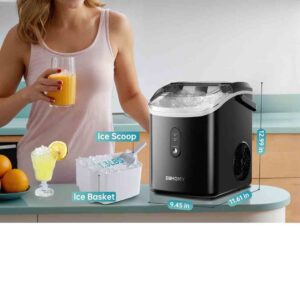
Weighing around 5.8 pounds, the Duxtop 8100MC is light and easily portable, making it ideal for small kitchens, dormitories, or as an extra burner for larger meals. Its compact form doesn’t sacrifice functionality, comfortably accommodating cookware up to 25 pounds with bases between 4 and 8 inches in diameter. Although it doesn’t include advanced functions such as a boil or keep-warm setting, its simple operation and dependable performance make it a practical and budget-conscious choice for those in need of an induction cooktop.

Specifications

Here’s a detailed overview of the Duxtop 1800W Portable Induction Cooktop Countertop Burner, Gold 8100MC/BT-180G3:

Specifications

  • Power Output: 1800 watts
  • Voltage: 120V, 15 amp electrical outlet (standard in North American homes)
  • Temperature Range: 10 settings from 140°F to 460°F
  • Power Levels: 10 settings from 200W to 1800W
  • Timer: Integrated countdown timer configurable in 1-minute steps up to 170 minutes
  • Safety Features: Automatic pan sensing (powers down after 60 seconds if no pan is detected), error alert system, and voltage protection indicators
  • Design: Sleek gold finish with a digital control panel
  • Dimensions: 13″ W x 11.5″ D x 2.5″ H
  • Weight: Approximately 6.5 lbs
  • Cookware Compatibility: Compatible only with induction-ready cookware that has a magnetic bottom and at least a 5-inch base

Performance & Usability

  • Cooking Control: Provides accurate adjustment of heat and power settings, allowing versatility for different cooking methods.
  • Portability: Slim and portable design makes it simple to store and move, perfect for small kitchens, dormitories, or RVs.
  • Cookware Compatibility: Compatible only with induction-ready cookware featuring a magnetic bottom and a base of at least 5 inches.
  • Ease of Cleaning: The smooth glass surface stays cool, avoiding burnt-on food, and wipes clean effortlessly.

Considerations

  • Cookware Size: Make sure your induction-ready cookware has a base between 5 and 8 inches to sit properly on the cooktop.
  • Lack of Additional Features: This unit lacks advanced functions such as a “boil” or “keep-warm” setting, which are found on some premium models.

Key features

The Duxtop 1800W Portable Induction Cooktop, Gold 8100MC/BT-180G3 combines accuracy, safety, and portability, making it ideal for a variety of cooking settings. Here are its key features:

  • Power & Temperature Control: Provides 10 power settings (200W–1800W) and 10 temperature levels (140°F–460°F), enabling accurate control for a variety of cooking tasks.
  • Digital Timer: Features an integrated countdown timer adjustable in 1-minute steps up to 170 minutes, allowing for precise timed cooking.
  • Safety Features: Features automatic pan detection that powers down after 60 seconds without a pan, along with error alerts and voltage warning indicators, promoting safe use.
  • Energy Efficiency: Uses induction-based heating for quicker cooking and reduced energy consumption.
  • Easy Cleaning: Its flat glass surface stays cool to the touch, preventing food from sticking and making cleanup simple.
  • Portability: Slim and portable design makes storage and transport simple, perfect for small kitchens, dormitories, or RVs.
  • Cookware Compatibility: Needs pans with a magnetic base that are induction-capable and measure no less than 5 inches in diameter.

How to use the Duxtop 1800W Portable Induction Cooktop Countertop Burner

Here’s a clear guide on how to use the Duxtop 1800W Portable Induction Cooktop Countertop Burner, Gold 8100MC/BT-180G3:

1. Set Up

  • Position the induction burner on a flat, sturdy, and heat-resistant countertop.
  • Connect the cooktop to a 120V, 15-amp electrical outlet (typical in North America).
  • Make sure the unit has sufficient space around it for proper ventilation (leave at least 2–4 inches from walls or objects).

2. Choose Compatible Cookware

  • Use pots and pans that are induction-compatible with a flat magnetic base.
  • For optimal heat distribution, cookware should have a base ranging from 5 to 8 inches.
  • Do not use warped or uneven pans, as they might fail to activate the induction sensor.

3. Turn On and Adjust Settings

  1. Push the Power button to switch on the cooktop.
  2. Choose Power Level (200W–1800W) or Temperature Setting (140°F–460°F) depending on your cooking needs.
  3. Use the plus and minus controls to raise or lower heat or wattage.

4. Set Timer (Optional)

  • Tap the Timer button.
  • Change in 1-minute increments, up to a total of 170 minutes.
  • The cooktop powers off automatically once the timer counts down to zero.

5. Cooking

  • Position your cookware in the middle of the cooking area.
  • The cooktop senses the pan and starts heating automatically.
  • If the cooktop does not sense any cookware, it will automatically turn off after 60 seconds.

6. Safety Notes

  • Avoid touching the surface right after cooking—while cooler than conventional stoves, heat from the pan may still transfer.
  • Ensure the cooktop stays dry and prevent liquids from spilling onto the control panel.
  • Check the diagnostic alerts to help resolve issues; for instance, “E0” signals that no cookware is detected.

7. After Use

  • Switch off the cooktop and disconnect it from the power source.
  • Let the surface cool down.
  • Clean the glass surface using a damp cloth; avoid abrasive cleaners.

Tips suitable for the Duxtop 1800W Portable Induction Cooktop Countertop Burner

Here are some practical tips to get the best performance and longevity from your Duxtop 1800W Portable Induction Cooktop, Gold 8100MC/BT-180G3:

1. Use the Right Cookware

  • Always use pots and pans that are induction-ready with a flat magnetic bottom.
  • Do not use pans with bent or uneven bottoms, as they may not distribute heat properly or activate the induction sensor.
  • Cast iron, stainless steel, and certain layered cookware perform best.

2. Preheat Properly

  • Allow the cooktop 30–60 seconds to reach the chosen temperature before placing food on it.
  • This promotes uniform cooking and prevents uneven hot spots.

3. Optimize Power and Temperature

  • Select a lower power setting for simmering or delicate cooking.
  • Select a higher power setting for boiling, searing, or stir-frying.
  • Try various settings to discover the ideal heat for your favorite recipes.

4. Avoid Overloading

  • Avoid using cookware that exceeds the size of the cooking zone.
  • Maintain a clear area around the cooktop to avoid spills or overheating.

5. Keep it Clean

  • Clean up spills right away to avoid burned-on residue.
  • Clean with a soft, damp cloth and avoid harsh scrubbers or chemical cleaners.
  • Do not submerge the cooktop in water.

6. Safety First

  • Do not leave the induction burner unattended during cooking.
  • Keep kids and pets at a safe distance while the cooktop is in use.
  • Utilize the timer feature to ensure accurate and safe cooking, particularly for longer durations.

7. Storage and Portability

  • Keep the unit in a cool, dry location when not in use.
  • The portable, lightweight design allows for easy relocation, ideal for dorm rooms, RVs, or compact kitchens.

Cleaning guide

Here’s a safe and effective cleaning guide for your Duxtop 1800W Portable Induction Cooktop, Gold 8100MC/BT-180G3:

1. Turn Off and Unplug

  • Make sure the cooktop is switched off and disconnected from the power source.
  • Let the cooktop and cookware cool fully before cleaning.

2. Remove Loose Debris

  • Use a dry, soft cloth or paper towel to remove crumbs and loose food debris.
  • Do not use metal utensils on the surface, as they can scratch the glass.

3. Clean the Glass Surface

  • Clean the cooking surface with a soft, damp cloth or sponge and gentle dish soap.
  • For tough stains, leave a soapy cloth on the area for 1–2 minutes before wiping.
  • Do not use abrasive sponges or scouring powders, as they may scratch the cooktop surface.

4. Dry Thoroughly

  • Wipe away moisture with a soft, dry cloth.
  • Make sure the control panel and power cord are completely dry.

5. Clean the Underside (Optional)

  • Ensure the vent and underside are clear of dust and debris.
  • Clean vents with a soft-bristled brush or compressed air to preserve airflow.

6. Avoid

  • Submerging the cooktop in water
  • Strong chemicals, bleach, or scouring agents
  • Allowing cookware with moisture to remain on the surface

Tip: Clean the cooktop after each use to prevent residue and preserve its polished gold finish.

What to avoid when using the Duxtop 1800W Portable Induction Cooktop Countertop Burner

Here’s a clear list of things to avoid when using the Duxtop 1800W Portable Induction Cooktop, Gold 8100MC/BT-180G3 to ensure safety and longevity:

1. Incompatible Cookware

  • Do not use cookware that isn’t induction-ready, such as aluminum, copper, or non-magnetic glass.
  • Do not use warped, uneven, or overly large cookware that cannot rest flat on the cooktop.

2. Overheating and Empty Cooking

  • Do not operate the cooktop without placing a pan on the heating zone. Although the auto-pan detection will shut it off, repeated attempts may strain the unit.
  • Refrain from heating empty pots or pans, which can cause damage to both the cooktop and cookware.

3. Water and Liquids

  • Avoid submerging the cooktop in water.
  • Keep liquids away from the control panel, power cord, and vents.
  • Always dry the bottom of cookware before placing it on the cooktop.

4. Abrasive Cleaning Tools

  • Do not use steel wool, abrasive pads, or strong chemicals, as they may harm the surface.

5. Blocking Vents

  • Make sure nothing blocks the air vents during operation.
  • Keep the cooktop away from walls or objects that restrict ventilation.

6. Unattended Cooking

  • Never leave the cooktop unattended during operation, particularly at high temperatures or for extended cooking.

7. Physical Damage

  • Do not let heavy items fall on the glass surface.
  • Avoid hitting or pressing the control panel with excessive force.

In conclusion, the Duxtop 1800W Portable Induction Cooktop is a compact, efficient, and safe cooking solution, offering precise temperature and power control, a built-in timer, and easy cleaning. Ideal for small kitchens, dorms, or RVs, it requires induction-compatible cookware and careful handling to maintain performance. Overall, it delivers reliable, fast, and convenient countertop cooking in a sleek gold design.

Philips Sonicare ProtectiveClean 5300 Rechargeable Electric Toothbrush

The Philips Sonicare ProtectiveClean 5300 (HX6423/34) is a versatile electric toothbrush crafted to deliver powerful plaque removal while providing gentle protection for the gums. It uses Sonicare’s advanced sonic cleaning technology (up to 62,000 brush strokes per minute) to loosen and sweep away plaque, and is said to enhance gum health by up to 100% compared to a manual toothbrush. A key protective feature is the integrated pressure sensor: when excessive force is applied, the handle delivers a soft vibration as a reminder, helping to safeguard enamel and gum tissue.

In terms of flexibility, the 5300 provides three brushing modes — Clean (for daily cleaning), White (to reduce surface discoloration), and Gum Care (a milder setting with a gentle massage) — making it suitable for a range of oral health needs. To support a structured brushing routine, it includes a SmartTimer that guarantees the recommended 2-minute duration, along with a QuadPacer that cues every 30 seconds to shift areas of the mouth. It also integrates BrushSync technology, which monitors brush head wear and notifies you with a light and tone when replacement is needed.

The HX6423/34 bundle comes with two extra brush heads and a durable travel case, while its design accommodates universal voltage (110–220 V) for ease of use abroad. A single charge delivers up to two weeks of brushing with typical twice-daily use, making it highly travel-friendly without requiring frequent recharging. Many users regard it as a dependable mid-range toothbrush, offering essential functions like the timer, QuadPacer, and pressure sensor in a sturdy design without stepping into the high-cost premium bracket.

Specification

Here are the key specifications for the Philips Sonicare ProtectiveClean 5300 (Model HX6423/34):

Technical / Power / Battery

  • Voltage: 110 – 220 V (universal)
  • Battery type: Rechargeable Lithium-ion
  • Operating time (full to empty): Up to 2 weeks (based on two uses per day)

Cleaning / Performance / Features

  • Brushing speed: up to ~62,000 brush movements per minute
  • Cleaning modes: 3 modes — Clean, White, Gum Care
  • Timers: SmartTimer (2-minute full brushing) + QuadPacer (30-second intervals for mouth quadrants)
  • Pressure sensor / feedback: The handle gives a soft shake to caution against over-brushing pressure.
  • BrushSync / replacement reminder: Monitors brush head wear and signals replacement with a light and sound alert.

Design / Accessories / Other Details

  • Color / finish: Black
  • Handle design: Slim ergonomic style, click-on brush heads
  • Items included:
     • 1 handle (ProtectiveClean 5300)
     • 1 × G2 Optimal Gum Care brush head + 2 × W2 / Optimal White brush heads
     • 1 travel case
     • 1 charger / charging base
  • Warranty: 2-year limited warranty


Key features

Here are the key features of the Philips Sonicare ProtectiveClean 5300 (HX6423/34):

  • Pressure sensor / feedback — The brush handle gives a soft vibration when excessive force is used, helping to shield gums and enamel from damage caused by over-brushing.
  • Three cleaning modes — Clean (for everyday brushing), White (to reduce surface discoloration), and Gum Care (a mild mode with gentle gum massage).
  • Smart timers — Features a SmartTimer to guarantee the dentist-recommended 2-minute brushing, along with a QuadPacer that beeps every 30 seconds to guide you to the next section of your mouth.
  • BrushSync / replacement reminder —The handle and brush head interact through a built-in chip to track usage, with a light and sound alert when it’s time for a replacement.
  • High speed sonic action — Delivers up to 62,000 strokes per minute, combining pulsating and sweeping motions for thorough plaque removal.
  • Improved gum health & whitening — Reported to enhance gum health by as much as 100% compared to a manual toothbrush, while the White mode (with the W2 head) helps lift surface stains in roughly one week.
  • Safe on dental work / gentle design — Compatible with braces, crowns, veneers, fillings, and similar dental work.
  • Long battery life & travel usage — Runs for as long as 2 weeks per full charge (with standard twice-daily brushing) and comes with a travel case for easy carrying.
  • Universal voltage — Compatible with 110–220 V, allowing worldwide use while on the go.

How to use the Philips Sonicare ProtectiveClean 5300 Rechargeable Electric Toothbrush

Here’s a clear, step-by-step guide on how to use the Philips Sonicare ProtectiveClean 5300 (HX6423/34):

  1. Preparing the toothbrush
  • Fit one of the supplied Sonicare brush heads onto the handle with a firm push until locked in place.
  • Moisten the bristles and place a pea-sized dab of toothpaste on them..
  • Position the brush head on your teeth at a gentle 45° tilt toward the gumline.
  1. Brushing process
  • Turn on the toothbrush by pressing the power button.
  • Select a brushing mode (Clean, White, or Gum Care) by pressing the mode button before starting.
  • Move the brush head softly across teeth and gums. Avoid scrubbing — allow the sonic action and bristles to handle the cleaning.
  • Follow the QuadPacer (30-second reminders) to change mouth quadrants, and brush until the SmartTimer ends at 2 minutes, marking a full session.
  • If the handle changes vibration while brushing, it’s the pressure sensor signaling you to lighten your brushing force.
  1. After brushing
  • Switch off the handle and detach the brush head.
  • Rinse the brush head well under running water and allow it to dry naturally.
  • Clean the handle using a moistened cloth, then dry it fully before docking it on the charger.
  • Keep the brush in its travel case while away from home, and place it on the charging base when required (one charge provides up to 2 weeks of use).


Tips suitable for the Philips Sonicare ProtectiveClean 5300 Rechargeable Electric Toothbrush

Here are some useful tips for getting the best results from your Philips Sonicare ProtectiveClean 5300:

  • Replace brush heads regularly: Follow the BrushSync replacement alert — usually every 3 months, or earlier if the bristles look worn. New bristles provide optimal cleaning.
  • Let the brush do the work: Use gentle pressure and move the toothbrush gradually over your teeth and gums. Excess force may lessen cleaning and activate the pressure sensor.
  • Follow the timers: Rely on the QuadPacer to guide you through each of the four mouth sections, and brush until the SmartTimer completes 2 minutes for full coverage.
  • Select the right mode: Select “Clean” for routine brushing, “White” to minimize surface discoloration, and “Gum Care” for a softer clean or gum massage.
  • Keep the handle dry: After use, dry the handle before docking it on the charger to avoid moisture damage and prolong its life.
  • Travel smart: Store the toothbrush and brush heads in the provided travel case for hygiene on the go. Fully charge beforehand, as the battery runs up to 2 weeks.
  • Safe with dental work: This toothbrush can be used with braces, crowns, fillings, and veneers, though softer modes are recommended for sensitive spots.

Cleaning guide

Here’s a simple guide on how to clean and care for your Philips Sonicare ProtectiveClean 5300 so it stays hygienic and lasts longer:

  1. After each use
  • Detach the brush head and rinse it well under warm tap water.
  • Rinse the top of the handle (connection point) to clear away toothpaste residue.
  • Remove excess moisture and allow both parts to dry naturally in a standing position.
  1. Daily / routine cleaning
  • Clean the handle using a soft, moistened cloth. Do not immerse or allow water into the charging port.
  • Ensure the handle is completely dry before returning it to the charger.
  1. Weekly deep cleaning
  • Immerse the brush head in a solution of water and gentle antibacterial mouthwash (or denture cleaner) for 5 minutes, then rinse well.
  • Inspect the charging base and travel case for residue or dampness, and clean them with a moist cloth.
  1. Long-term care
  • Change the brush head every 3 months, or sooner if BrushSync signals.
  • Keep the charger and toothbrush handle clear of puddles or standing water to prevent electrical hazards.
  • Keep the toothbrush in the supplied travel case when idle, especially while traveling, to maintain cleanliness and protection.

What to avoid when using the Philips Sonicare ProtectiveClean 5300 Rechargeable Electric Toothbrush

Here are some important things to avoid when using the Philips Sonicare ProtectiveClean 5300:

  • Don’t press too hard: Applying too much force can damage enamel and gums. The pressure sensor alerts you when pressure is excessive.
  • Avoid scrubbing motions: Let the brush do the work with its sonic action; scrubbing manually can reduce results and harm gums.
  • Don’t use worn or frayed brush heads: Worn bristles are less effective and can scratch teeth. Replace every 3 months or when BrushSync signals.
  • Keep liquids away from the charger: Never submerge the handle, charger, or travel case, and keep the base away from moisture.
  • Don’t use abrasive cleaners: Strong chemicals, bleach, or abrasive pads may harm the toothbrush and case.
  • Avoid skipping timer cycles: Brushing for less than the recommended time or skipping the QuadPacer intervals lowers cleaning effectiveness.
  • Don’t store wet in the travel case: Make sure both the brush head and handle are fully dry prior to storage to avoid mold growth.

In conclusion, the Philips Sonicare ProtectiveClean 5300 is a well-rounded electric toothbrush that combines effective cleaning with gentle care. Its multiple modes, timers, and pressure sensor support healthier brushing habits, while BrushSync, long battery life, and a travel case add convenience. With proper use and care, it delivers cleaner teeth, healthier gums, and a brighter smile in a reliable, travel-friendly design.

Philips Sonicare 4100 Rechargeable Electric Toothbrush

The Aquasonic Black Series Ultra Whitening Toothbrush is an innovative electric toothbrush that delivers a professional-quality clean at home. Approved by the ADA, it utilizes advanced sonic technology and a robust 40,000 VPM motor to effectively eliminate plaque, stains, and surface discoloration. Its stylish black design, combined with ergonomic handling, ensures comfort and precision while brushing every section of the mouth.

This toothbrush includes 8 replaceable brush heads and a travel case, making it perfect for everyday use and travel. It features four modes—clean, soft, massage, and whitening—so you can customize your brushing routine according to your oral care needs. The integrated smart timer ensures a full two-minute brush, with a 30-second interval alert to evenly cover all areas of the mouth.

The ease of use and functionality are further improved with wireless charging, removing the need for cords while keeping your toothbrush charged. Built for longevity and hygiene, the brush heads can be easily replaced to maintain maximum cleaning performance. Overall, the Aquasonic Black Series Ultra Whitening Toothbrush combines high performance, personalization, and convenience, making it an ideal choice for anyone seeking a healthier, brighter smile.


Specifications

Here are the detailed specifications for the Aquasonic Black Series Ultra Whitening Toothbrush:

Technical Specifications

  • Motor Speed: Generates 40,000 vibrations every minute for effective sonic plaque removal.
  • Brushing Modes: Four brushing settings—Clean, Soft, Whiten, and Massage—designed to meet different oral care requirements.
  • Smart Timer: Includes a 2-minute smart timer with 30-second reminders to ensure even coverage of all mouth quadrants.
  • Battery Life: Provides up to 4 weeks of use on a single charge (assuming two 2-minute brushing sessions per day).
  • Charging: Includes a rapid wireless charger for convenient power-ups.
  • Water Resistance: Rated IPX7, offering complete water resistance for shower use.
  • Handle Design: Sleek, ultra-slim, lightweight, and ergonomic black satin finish.
  • Bristles: Crafted by DuPont for superior quality and long-lasting durability.
  • Warranty: 1-year limited warranty.

What’s Included

  • 1x Aquasonic Black Series Smart Toothbrush
  • 1x Wireless charging base
  • 8x DuPont brush heads (each lasting 3–4 months)
  • 1x Travel case
  • 1x Warranty card
  • 1x User manual

Additional Features

  • ADA Acceptance:Endorsed by the American Dental Association for effective plaque control and gum health.
  • Travel-Friendly: Its slim design and extended battery life make it perfect for travel.
  • Value for Money: Comes with 8 brush heads, providing more than 2 years of use, plus a travel case.

Key features

Here are the key features of the Aquasonic Black Series Ultra Whitening Toothbrush:

  • 40,000 Vibrations Per Minute (VPM):Powered by a robust motor generating 40,000 vibrations per minute, it efficiently removes plaque and supports gum health.
  • Four Brushing Modes:
    • Clean: Regular mode for everyday plaque control.
    • Soft: Soft mode for delicate teeth and gums.
    • Whiten: Engineered to reduce surface stains and enhance tooth whiteness.
    • Massage: Provides gentle pulsations to softly massage and stimulate gums.
  • Smart Timers:
    • 30-Second Notification Timer: 30-second interval reminders to guide you to the next mouth quadrant.
    • 2-Minute Auto Timer: Turns off automatically after 2 minutes, signaling the end of the recommended brushing time.
  • Wireless Charging: Features ultra-quick wireless charging, eliminating the need for conventional USB charging.
  • Long Battery Life: Delivers up to four weeks of use on one full charge, perfect for on-the-go convenience.
  • Sleek Design: Equipped with a slim, ergonomic, and waterproof black satin handle for a stylish feel. 

How to use the Philips Sonicare 4100 Rechargeable Electric Toothbrush

Here’s a clear, step-by-step guide on how to use the Aquasonic Black Series Ultra Whitening Toothbrush:

  1. Charge the Toothbrush
    • Set the toothbrush onto the wireless charging dock until it reaches full power.
    • Maintains power for up to four weeks on a single charge.
  2. Attach a Brush Head
    • Select a DuPont brush head from the set and firmly snap it onto the handle.
    • Ensure it snaps securely into position for correct use.
  3. Apply Toothpaste
    • Apply a small, pea-sized dab of your favorite toothpaste to the brush.
  4. Select Brushing Mode
    • Press the power button to switch on the toothbrush.
    • Choose from the four modes:
      • Clean – for daily use
      • Soft – for sensitive teeth and gums
      • Whiten – to help remove surface stains
      • Massage – for gentle gum stimulation
  5. Brush Your Teeth
    • Place the brush so it meets the gums at a 45° angle.
    • Glide the brush gently across each tooth, allowing the vibrations to clean.
    • Use the 30-second timer to move through each quadrant: top right, top left, bottom left, bottom right.
  6. Rinse
    • Once the 2-minute timer ends, detach the brush head and rinse it thoroughly under running water.
    • Also rinse your mouth.
  7. Dry and Store
    • Dry the handle before returning it to the charging base or travel case.

Tip: To achieve the best results, brush two times a day and change brush heads every three months, or earlier if the bristles wear out.

Tips suitable for the Philips Sonicare 4100 Rechargeable Electric Toothbrush

Here are some helpful tips for using the Aquasonic Black Series Ultra Whitening Toothbrush effectively and safely:

Tips for Optimal Use

  1. Brush Gently
    • Allow the toothbrush to clean naturally—don’t apply too much pressure, which can harm enamel and gums.
  2. Follow the Timer
    • Follow the 2-minute timer and 30-second quadrant alerts for complete and balanced brushing.
  3. Select the Right Mode
    • Use the Clean mode daily, Soft for sensitive teeth, Whiten occasionally to prevent sensitivity, and Massage to boost gum circulation.
  4. Keep the Handle Dry
    • Even though the handle is waterproof, don’t submerge the base or leave it wet on the charger to prolong its life.
  5. Replace Brush Heads Regularly
    • Replace brush heads every three months, or earlier if bristles wear out, to maximize plaque removal.
  6. Travel Smart
    • Keep your toothbrush and brush heads safe on the go with the included travel case.
  7. Maintain Battery Life
    • Charge completely before first use and top up only as necessary to prolong battery life.
  8. Rinse After Brushing
    • After each use, rinse the brush head and handle to maintain cleanliness.

Cleaning guide

Here’s a clear guide on how to clean your Aquasonic Black Series Ultra Whitening Toothbrush to keep it hygienic and in good working order:

  1. Rinse After Each Use
    • Detach the brush head and wash it thoroughly under running water to clear toothpaste and residue.
    • Clean the handle with a damp cloth, making sure not to soak the base or handle.
  2. Deep Clean the Brush Head Weekly
    • Immerse the brush head in a water-and-mild-antibacterial-mouthwash solution for a few minutes.
    • Rinse well under running water afterward.
  3. Clean the Handle and Charging Base
    • Clean the handle and charging base using a soft, damp cloth.
    • Keep water out of the charging port and electronic par
  4. Dry Properly
    • Let the brush head dry naturally while standing upright.
    • Ensure the handle is fully dry before returning it to the charging base or travel case.
  5. Replace Brush Heads Regularly
    • Even with regular cleaning, replace brush heads every three months, or sooner if bristles wear out.

Tip: To maintain extra cleanliness, alternate between two brush heads, letting each dry completely before its next use.


What to avoid when using the Philips Sonicare 4100 Rechargeable Electric Toothbrush

Here’s a list of things to avoid when using the Aquasonic Black Series Ultra Whitening Toothbrush to ensure safety, effectiveness, and longevity:

  1. Do Not Press Too Hard
    • Avoid applying too much pressure, which can damage enamel and gums; let the vibrations clean for you.
  2. Avoid Using Damaged or Worn Brush Heads
    • Worn bristles clean less effectively and may irritate gums—replace brush heads every three months or earlier.
  3. Do Not Submerge the Handle
    • While the handle is waterproof for brushing, immersing it in water may damage its electronics or charger.
  4. Avoid Using Non-Compatible Brush Heads
    • Only attach DuPont-designed heads for this toothbrush; other heads could affect fit and performance.
  5. Limit Whitening Mode if Sensitive
    • Using the whitening mode too often can increase sensitivity—limit to a few times per week as needed.
  6. Do Not Leave Wet on Charger
    • Always dry the handle before docking on the wireless charging base to avoid damage and extend longevity.
  7. Avoid Short or Skipped Brushing
    • Brushing under 2 minutes or missing any quadrant can leave plaque and decrease cleaning efficiency.

In conclusion, the Aquasonic Black Series Ultra Whitening Toothbrush is a feature-rich, ADA-accepted electric toothbrush that offers powerful cleaning with 40,000 vibrations per minute, four brushing modes, a smart timer, and wireless charging. Its long battery life, included brush heads, and travel case make it convenient for daily use and travel. Proper use and maintenance help achieve a healthier, brighter smile, making it an excellent choice for effective at-home oral care.

Oral-B Pro 1000 Rechargeable Electric Toothbrush

The Oral-B Pro 1000 in white is a dependable mid-tier powered toothbrush built to deliver a deeper clean than a traditional manual brush. It employs the brand’s 3D cleaning technology, which combines oscillation, rotation, and pulsation, enabling the round CrossAction head (with bristles set at roughly 16°) to reach between teeth and around the gumline more efficiently. This provides up to 300% better plaque removal along the gumline compared with a standard manual toothbrush.

A useful element is the pressure sensor: if you press too firmly, the brush senses the extra force and reduces or halts pulsations to shield your gums from harm. It also includes integrated timers—a brief pulse every 30 seconds to prompt you to shift to another section of your mouth, and a complete 2-minute countdown to help you brush for the dentist-advised duration.

From a practical standpoint, the battery runtime is adequate but not outstanding. A full charge provides around 7–10 days of brushing if used twice daily for two minutes. Recharging requires several hours, often close to 20–22 hours for a complete cycle. Some reviewers point out that the noise level is higher than that of quieter or more advanced models. Still, considering its reasonable price and essential features (pressure sensor, timer, and replaceable brush heads), the Pro 1000 strikes a solid balance between performance and value.

Specifications

Here are the specifications for the Oral-B Pro 1000 Rechargeable Electric Toothbrush (White / CrossAction variant), Some specs depend on version (older vs newer), since Oral-B seems to have introduced variants with extra modes, etc.

Technical Specifications

Model / Part Number: Pro 1000 (often model D16.513.1U for certain colour/market) 

Color(s) Available: White, Black, Pink, Green (white is very common) 

Brush Head Type: Round “CrossAction” head (angled bristles ~16°) 

Bristle Material: Nylon 

Number of Brush Heads Included: 1 (usually CrossAction) 

Cleaning/Brush Modes: 1 mode (Daily Clean) in some versions; newer versions include up to 3 modes (Daily Clean, Sensitive, Whitening) 

Cleaning Action: 3D Cleaning Action: oscillation + rotation + pulsation 

Timer Features: Built-in 2-minute timer with 30-second interval reminders to signal when to switch mouth sections 

Pressure Sensor: Yes — senses excessive pressure and slows or halts pulsations (though in some models the alert isn’t very noticeable).

Battery Type: NiMH (Nickel-Metal Hydride), built in / rechargeable 

Battery Life: Generally lasts 7–10 days on a full charge (based on two 2-minute sessions per day in testing). 

Charging Time: Around 12 hours for full recharge (varies by version) 

Size / Dimensions: With head: ~23.2 cm height; Without head: ~19.5 cm; Width ~2.5 cm; Thickness ~2.9 cm 

Weight: Approximately 123 g with head; ~118 g without head 

Sound / Noise Level: Measured around ~73-75 dB during operation in reviews. 

Warranty: ~2 years limited manufacturer warranty 

Included Items: The handle, charger base / stand, one brush head 

Certifications / Safety: Approved by the ADA in some areas; not designed for use by kids younger than 3.

Key features

Here are the key features of the Oral-B Pro 1000 Rechargeable Electric Toothbrush (White / CrossAction version), based on manufacturer specs and credible reviews:

  1. 3D Cleaning Action
    The brush head moves in oscillating, rotating, and pulsating motions to clean more thoroughly, particularly along the gumline.
  2. CrossAction Brush Head
    The supplied brush head features bristles set at roughly 16°, allowing better reach between teeth.
  3. Plaque Removal Performance
    Advertises: clears up to 300% more plaque around the gumline than a standard manual brush.
  4. Pressure Sensor
    When excessive pressure is applied, the sensor cuts back or halts pulsations to safeguard gums.
  5. Timers
    • Built-in 2-minute timer to promote dentist-recommended brushing duration.
    • Quadrant / Interval timer: Delivers a brief pulse every 30 seconds to cue you to change brushing areas (upper left, upper right, lower left, lower right).
  6. Battery & Charging
    The battery provides around 7 days of use (based on twice-daily, 2-minute sessions). A regular charger is included.
  7. Modes (in some versions)
    Certain models feature three brushing modes: Daily Clean, Whitening, and Sensitive.Note: other variants may only offer a single mode (Daily Clean).
  8. Compatible Brush Heads
    Compatible with multiple Oral-B brush head styles (CrossAction, Precision Clean, Sensitive, 3D White, etc.).
  9. Warranty / Brand
    Supported by Oral-B, the world’s #1 dentist-recommended brand. Warranty coverage is about 2 years, varying by region.
  10. Durability & Designed for Everyday Use
    Designed for everyday use, with interchangeable brush heads (swap about every 3 months).

How to use the Oral-B Pro 1000 Rechargeable Electric Toothbrush

Here’s a step-by-step guide on how to use the Oral-B Pro 1000 Rechargeable Electric Toothbrush safely and effectively:

  1. Charge Before First Use
    • Set the toothbrush handle onto the charging stand and let it reach a full charge (about 12 hours suggested).
    • One full charge usually provides around 7 days of use with twice-daily brushing.
  2. Attach the Brush Head
    • Attach the brush head (e.g., CrossAction) securely to the handle until you hear a click.
    • Ensure it’s firmly attached before powering on.
  3. Apply Toothpaste
    • Moisten the bristles lightly with water.
    • Apply a pea-sized dab of fluoride toothpaste onto the brush head.
  4. Position the Brush
    • Position the brush head against your teeth before switching it on to prevent splatter.
    • Position the brush head at a gentle 45° angle toward the gumline.
  5. Turn On & Brush
    • Press the power button once to turn it on.
    • Slowly move the brush across each tooth, holding for a few seconds on outer, inner, and chewing surfaces.
    • Avoid scrubbing—allow the oscillating/pulsating action to handle the cleaning.
  6. Follow the Timer
    • The integrated 2-minute timer makes sure you brush for the right amount of time.
    • Every 30 seconds, the toothbrush gives a short pause to indicate it’s time to switch to the next section of your mouth.
  7. Watch Pressure
    • When excessive force is applied, the pressure sensor cuts or lessens pulsations.
    • Lighten your pressure to prevent gum damage.
  8. Turn Off & Rinse
    • After the 2-minute cycle, switch off the toothbrush.
    • Swish your mouth with water, then clean the brush head under the tap.
    • Dry the handle thoroughly before placing it back on the charger or standing it upright.

Extra Tips:

  • Change the brush head roughly every 3 months, or earlier if the bristles wear out.
  • Ensure the charger and handle base remain dry; do not expose them to water.
  • Move the brush in soft circular motions when transitioning from a manual toothbrush until accustomed.

Tips suitable for the Oral-B Pro 1000 Rechargeable Electric Toothbrush

Here are some useful tips for getting the best results and keeping your Oral-B Pro 1000 Rechargeable Electric Toothbrush in top condition:

Tips for Using the Oral-B Pro 1000

  1. Let the Brush Do the Work
    • Avoid scrubbing as you would with a manual brush.
    • Slowly move the brush head along each tooth, letting the rotating and oscillating action do the work.
  2. Follow the Quadrant Timer
    • Whenever the brush vibrates every 30 seconds, switch to the next quadrant.
    • This guarantees balanced cleaning across all four sections of your mouth.
  3. Replace Brush Heads Regularly
    • Replace the brush head approximately every 3 months, or earlier if bristles show wear.
    • Bristles that are worn down clean less efficiently and can irritate the gums.
  4. Use the Right Brush Head
    • Works with a variety of Oral-B brush heads, including CrossAction, Sensitive Clean, 3D White, and FlossAction..
    • Choose the brush head that fits your needs—e.g., Sensitive Clean for delicate gums.
  5. Don’t Over-Brush
    • Applying too much pressure lessens cleaning effectiveness and may lead to gum recession.
    • Rely on the pressure sensor; if the brush slows or stops, ease your pressure.
  6. Keep It Charged
    • One full charge provides roughly 7 days of use (2x 2-minute sessions daily).
    • Many people keep it on the charging stand for easy access, but avoid excessive contact with water.
  7. Dry After Use
    • Hold the brush head under running water to rinse after every use.
    • Keep the handle wiped and place the charger somewhere dry to prevent damage from water or residue.
  8. Travel Smart
    • Before traveling, ensure the brush is fully charged; a single charge typically lasts around 7 days.
    • Use a travel case when carrying the brush in a bag to safeguard the head.

Cleaning guide

Here’s a simple cleaning and maintenance guide for the Oral-B Pro 1000 Rechargeable Electric Toothbrush so it stays hygienic and lasts longer:

  1. After Every Use
    • Switch off the toothbrush and take it out of your mouth before rinsing.
    • Clean the brush head thoroughly with running water to eliminate toothpaste and particles.
    • Remove extra water and allow the brush to dry standing upright.
  2. Cleaning the Handle
    • Clean the handle with a soft, slightly damp cloth after use to remove toothpaste traces.
    • Do not submerge the handle; it is water-resistant but not fully waterproof.
    • Wipe the handle base dry before returning it to the charger.
  3. Charging Base Care
    • Disconnect the charger from the power source before cleaning.
    • Clean with a moist cloth to remove dust or residue.
    • Store the base in a dry place and prevent direct contact with water to protect the electronics.
  4. Deeper Cleaning (Weekly)
    • Detach the brush head from the handle.
    • Place the brush head in warm water with a few drops of mild antibacterial mouthwash for roughly 15 minutes.
    • Wash thoroughly and allow to dry before putting it back on.
  5. Brush Head Replacement
    • Change the brush head roughly every 3 months, or earlier if bristles are worn.
    • Old bristles are less effective at removing plaque and can irritate the gumline.
  6. Storage Tips
    • Keep the brush standing in a ventilated area to allow bristles to dry and reduce bacterial buildup.
    • When on the go, cover the brush head with a cap or store in a travel case to keep it clean.

What to avoid when using the Oral-B Pro 1000 Rechargeable Electric Toothbrush

Here’s a clear list of what to avoid when using the Oral-B Pro 1000 Rechargeable Electric Toothbrush to keep it safe, effective, and long-lasting:

  1. Don’t Press Too Hard
    • Do not press too hard; excessive force can harm gums, erode enamel, and lower cleaning performance.
    • Rely on the pressure sensor—it slows or stops pulsations if you press too hard.
  2. Don’t Scrub Like a Manual Brush
    • The brush’s oscillating and rotating motions handle the cleaning.
    • Harsh brushing may irritate gums and wear out bristles faster.
  3. Don’t Use Non-Compatible Brush Heads
    • Use only replacement heads designed for this model, such as CrossAction, Sensitive Clean, or 3D White.
    • Heads that are not designed for this model may not attach firmly and could lower performance.
  4. Don’t Leave Toothpaste Residue
    • Wash the brush head and handle under running water after every use.
    • Hardened toothpaste residue can reduce cleanliness and damage the brush’s moving components.
  5. Don’t Submerge the Handle or Charger
    • The handle can resist splashes but should not be fully submerged.
    • Keep the charger away from water to prevent damage or safety risks.
  6. Don’t Skip Head Replacement
    • A worn or frayed brush head cleans less effectively and removes less plaque.
    • Change every three months, or earlier if needed.
  7. Don’t Overcharge or Store Wet
    • While the handle can remain on the charger, don’t leave it wet on the base.
    • Always dry the handle before docking to increase longevity.
  8. Don’t Ignore the Timer
    • Brushing under 2 minutes or neglecting sections may leave plaque on teeth.
    • Use the 30-second timer to guide brushing for each quadrant.

In conclusion, the Oral-B Pro 1000 is a simple yet effective electric toothbrush that improves cleaning compared to manual brushing. Its 3D action, built-in timer, and pressure sensor make it easy to use while protecting teeth and gums. Affordable and reliable, it’s a great everyday choice for maintaining good oral hygiene.

Aquasonic Black Series Ultra Whitening Toothbrush

The Aquasonic Black Series Ultra Whitening Toothbrush is a high-end electric toothbrush crafted for individuals seeking professional-grade oral care at home. ADA approved, it blends cutting-edge sonic technology with convenient features for superior dental hygiene. Boasting 40,000 vibrations per minute (VPM), it effectively eliminates plaque, reaches difficult areas, and supports healthier gums. Its stylish black finish offers a modern look and comfortable grip, enhancing the daily brushing routine.

Fitted with 8 brush heads and a convenient travel case, the Aquasonic Black Series is ideal for families or those who travel often. It includes four brushing modes — Clean, Sensitive, Massage, and Whitening — so users can tailor their oral care routine. The integrated smart timer ensures you brush for the recommended two minutes, pausing every 30 seconds to signal a switch to a new section of your mouth. Together, these features deliver a thorough, consistent, and gentle cleaning experience.

Convenience is a standout feature of the Aquasonic Black Series. Its wireless charging dock enables hassle-free charging without tangled cords, and a full battery can last for several weeks depending on usage. The included travel case makes it perfect for trips, keeping the toothbrush clean and protected. With its blend of power, versatility, and smart design, the Aquasonic Black Series Ultra Whitening Toothbrush offers a premium brushing experience that rivals professional dental care while remaining easy to use at home or while traveling.

Specification

Here are the key specifications of the Aquasonic Black Series Ultra Whitening Toothbrush:

Key Specifications:

  • Motor & Performance: Powered by a high-performance motor generating 40,000 vibrations per minute (VPM), the toothbrush provides a deep, comprehensive clean.
  • Brushing Modes: Includes four distinct brushing settings: Clean, Soft, Whiten, and Massage, allowing customization for a variety of dental needs.
  • Brush Heads: Includes 8 DuPont-designed brush heads, providing long-lasting performance and efficient plaque removal.
  • Battery & Charging: Powered by a durable lithium-ion battery that holds a charge for up to 4 weeks, with fast, wireless recharging for convenience.
  • Design & Durability: Designed with an ultra-slim, ergonomic, and lightweight body featuring an IPX7 waterproof handle, ideal for bathroom or wet-area use.
  • Smart Timer: Includes a smart vibrating timer that helps users follow the dentist-recommended two-minute brushing routine.
  • Travel Case: Comes with a personalized travel case, perfect for those on the go.

Key features

The Aquasonic Black Series Ultra Whitening Toothbrush is a feature-rich electric toothbrush designed to enhance your oral hygiene routine. Here are its key features:

  • 40,000 VPM Motor: Produces 40,000 VPM, ensuring a comprehensive and effective brushing experience.
  • 4 Brushing Modes: Features Clean, Soft, Whitening, and Massage modes, designed to address different oral care requirements.
  • Smart Timer: Equipped with a two-minute smart timer and 30-second alerts, ensuring complete coverage of all mouth quadrants.
  • ADA Accepted: Certified by the American Dental Association for promoting healthy gums and thorough plaque removal.
  • Wireless Charging: Features ultra-fast wireless charging for effortless power-ups.
  • Waterproof Design: IPX7 waterproof rating ensures safe use in the shower.
  • Long Battery Life: One full charge can power the toothbrush for up to 4 weeks with standard use (2 minutes, twice a day).
  • 8 DuPont Brush Heads & Travel Case Included: Includes 8 DuPont-designed brush heads, each with a 3–4 month lifespan, along with a custom BPA-free hard-shell travel case. 

Travel-Friendly Design

With its slim, lightweight, and waterproof build, plus the included travel case, it’s perfect for travel and on-the-go use.

How to use the Aquasonic Black Series Ultra Whitening Toothbrush

Here’s a clear guide on how to use the Aquasonic Black Series Ultra Whitening Toothbrush for optimal results:

1. Charge the Toothbrush

  • Set the toothbrush on the wireless charging dock until it reaches full charge.
  • One full charge can power the toothbrush for up to 4 weeks with standard use (2 minutes, twice daily).

2. Attach a Brush Head

  • Choose one of the included DuPont brush heads.
  • Attach it firmly to the toothbrush handle.
  • Change the brush head every 3–4 months, or earlier if the bristles show wear.

3. Apply Toothpaste

  • Squeeze a pea-sized dab of your favorite toothpaste onto the brush head.

4. Select Brushing Mode

  • Activate the toothbrush by pressing the power button.
  • Choose one of the 4 modes:
    • Clean – everyday brushing
    • Soft – gentle on gums
    • Whitening – For eliminating surface discoloration
    • Massage – stimulates gums

5. Brush Properly

  • Position the brush at a 45-degree angle against your teeth and gums.
  • Glide the brush gently over each tooth; avoid scrubbing, letting the vibrations handle the cleaning.
  • The smart timer helps you brush for 2 minutes, pausing every 30 seconds to change quadrants.

6. Rinse

  • Rinse your mouth and clean the brush head thoroughly after use.
  • Keep the toothbrush upright or in its travel case when not in use.

7. Travel Tips

  • Store the toothbrush and spare brush heads in the included travel case for protection.
  • Make sure the toothbrush is completely dry before storing to prolong its lifespan.

Tips suitable for the Aquasonic Black Series Ultra Whitening Toothbrush

Here are some tips specifically for the Aquasonic Black Series Ultra Whitening Toothbrush to get the best results and prolong its life:

1. Use the Right Mode

  • Clean mode is ideal for everyday brushing.
  • Whitening mode is recommended a few times weekly to target surface stains.
  • Soft mode is perfect for sensitive gums.
  • The Massage setting promotes gum health by improving circulation.

2. Don’t Press Too Hard

  • Let the 40,000 VPM motor do the work.
  • Applying too much pressure can fray the bristles and cause gum irritation.

3. Replace Brush Heads Regularly

  • Replace brush heads every 3–4 months, or earlier if bristles show wear.
  • Brushing with worn bristles decreases cleaning effectiveness.

4. Keep It Charged

  • Fully charge the device before initial use.
  • One full charge provides up to 4 weeks of use; avoid frequent complete discharges.

5. Clean & Dry

  • Thoroughly rinse the brush head and handle after every use.
  • Keep the toothbrush upright or in its travel case to avoid water buildup.

6. Use the Smart Timer

  • Adhere to the 2-minute timer and 30-second interval signals for balanced brushing across all quadrants.

7. Travel-Friendly Use

  • The travel case safeguards the toothbrush while traveling.
  • Ensure it’s completely dry before packing to prevent mold or damage.

8. Pair with Good Oral Care

  • Floss every day and rinse with mouthwash for comprehensive oral care.
  • Brush your teeth two times daily for best results.

Cleaning guide

Here’s a detailed guide on how to clean the Aquasonic Black Series Ultra Whitening Toothbrush to keep it hygienic and in good working condition:

1. After Every Use

  • Wash the brush head thoroughly under running water to clear toothpaste and debris.
  • Lightly rinse the handle if it becomes wet (waterproof, but keep the charging port dry).

2. Remove and Clean the Brush Head

  • Remove the brush head from the handle.
  • Clean the base and bristles separately under running water.
  • For enhanced cleaning, soak the brush head in a water and mouthwash solution for a few minutes once a week.

3. Clean the Handle

  • Clean the toothbrush handle using a damp cloth.
  • Do not immerse the handle in water for extended periods, despite its IPX7 waterproof rating.

4. Clean the Charging Base

  • Disconnect the wireless charging base before cleaning.
  • Use a damp cloth to clean off dust, toothpaste, or water residue.
  • Make sure it is fully dry before reconnecting to power.

5. Dry Properly

  • Remove excess water from the brush head and handle by shaking.
  • Keep the toothbrush upright or in the provided travel case, ensuring it’s dry to avoid mold or bacteria.

6. Replace Brush Heads Regularly

  • Replace brush heads every 3–4 months, or earlier if the bristles become worn.
  • Worn or dirty brush heads decrease brushing efficiency.

What to avoid when using the Aquasonic Black Series Ultra Whitening Toothbrush

Here’s a list of things to avoid when using the Aquasonic Black Series Ultra Whitening Toothbrush to keep it safe, effective, and long-lasting:

1. Avoid Pressing Too Hard

  • Let the 40,000 VPM vibrations do the cleaning.
  • Applying too much pressure can harm gums, fray bristles, and lower cleaning efficiency.

2. Avoid Using Damaged or Worn Brush Heads

  • Worn or bent bristles reduce cleaning efficiency and may irritate gums.
  • Change brush heads every 3–4 months, or earlier if necessary.

3. Avoid Submerging the Handle

  • Although the handle is IPX7 waterproof, avoid prolonged submersion in water.
  • Do not place it in a dishwasher or soak it in cleaning liquids.

4. Avoid Harsh Chemicals

  • Avoid using bleach, alcohol, or harsh cleaners on the brush head or handle.
  • A gentle soap and water or mouthwash is enough.

5. Avoid Charging Near Water

  • Place the wireless charging base away from sinks or damp areas.
  • Exposure to water can harm the base or pose a safety risk.

6. Avoid Using Non-Compatible Brush Heads

  • Use only DuPont brush heads made for this model.
  • Other brush heads might not fit properly and could reduce performance.

7. Avoid Overuse of Whitening Mode

  • Whitening mode is stronger; using it too often may lead to sensitivity.
  • Use only a few times weekly if your teeth are sensitive.

8. Avoid Ignoring the Smart Timer

  • Brushing for under 2 minutes or missing quadrants decreases cleaning effectiveness.

In conclusion, the Aquasonic Black Series Ultra Whitening Toothbrush is a powerful, ADA-approved electric toothbrush with multiple modes, a smart timer, and wireless charging. With included brush heads and a travel case, it delivers effective daily oral care, convenience, and long-lasting performance, making it an excellent choice for home or travel use.

Wireless Anti-Theft Video Doorbell Mount Compatible with Ring/Blin

The Anti-Theft Video Doorbell Bracket is a safe and practical option created for tenants and homeowners who wish to safeguard their smart doorbells without drilling or permanent fixtures. Designed to work with Ring and Blink Video Doorbell versions 1, 2, 3, 3 Plus, 4, and the 2020 model, this holder delivers a versatile fit that improves both protection and steadiness. Its stylish black finish integrates smoothly with most door frames, offering a subtle yet durable setup that preserves the appearance of your entrance.

Among its most prominent qualities is the theft-resistant latch, which secures your doorbell tightly and reduces the risk of interference or theft. Unlike traditional brackets, this mount operates without permanent hardware or wall impact, making it a smart choice for rental properties, condos, or users preferring a non-invasive option. The mount further ensures the doorbell stays balanced and properly adjusted, so the camera consistently provides the best range for recording, detecting motion, and enabling two-way conversations.

For greater flexibility, the bracket comes with an adjustable angle wedge, enabling users to fine-tune the viewing position to match their doorway. Whether you need to angle the camera slightly left, right, upward, or downward, this function guarantees your video doorbell captures the clearest perspective of guests and surrounding activity. Sturdy, simple to set up, and designed for popular Ring and Blink units, this theft-resistant mount is a valuable addition for improving both the security and performance of your smart home entrance.

Specifications

Here is an overview of the technical specifications for the Anti-Theft Video Doorbell Mount (Adjustable No-Drill Bracket) compatible with Ring and Blink devices. While some features can vary by brand, I’ll outline the general / published information to help you verify.


Feature Detail

Compatibility: Ring & Blink Video Doorbells — models 1, 2, 3, 3 Plus, 4, and newer releases (2020, 2023) are mentioned. 

Material: Combination of ABS plastic + metal components. 

Color: Black (At times offered with variations, presented in polished or satin surfaces.). 

Door Thickness Supported Typical range: ~1.18 inches to ~2.20 inches (≈ 30 mm to 56 mm). One variant says slightly lower — about 0.9 in to 2.3 in. 

Door Gap Requirement: At least ~0.06 inches (~1.5 mm) gap between door and frame is required in some descriptions to fit the clamp properly. 

Weight: Around 12 ounces (~340 g) for some models. 

Product Dimensions: About 6.45 × 3.00 × 1.57 inches (Length × width × depth). 

Installation / Mounting Type: Drill-free setup: relies on a clamp or bracket that grips the door edge, sometimes supported by non-structural screws or fillers, but never requires boring holes through the door. 

Special Features: Engineered to prevent interference with motion detection or the two-way audio function of the doorbell. Certain versions incorporate tilt brackets or wedge inserts to reposition the device, giving a clearer field of vision. This feature is frequently offered in comparable mounts, even if not highlighted in every product description.

Limitations / Warnings: This mount is only compatible with inward-opening doors and is not intended for outward-swing models. It is also not advised for use with reinforced security doors. Installation requires adequate clearance and proper door thickness for a secure fit.

Included Components At minimum: the bracket/mount, screws/fixing parts, sometimes “filling cotton” (to help fill door gap / cushion clamp). 

Weight of Item: ~0.75 pounds (~340 g).

Key Features

Here are the key features of that Anti-Theft No-Drill Mount/Wedge Adapter for Ring/Blink style video doorbells:

  1. Anti-Theft Design
    • A guard that surrounds the doorbell to prevent removal.
    • Adjustable fastening clips that press firmly against the door.
  2. No-Drill Installation
    • Created to attach directly to the door, requiring no new holes. Perfect for lease properties or restricted settings.
    • Makes use of brackets, clips, adhesives, and inserts to ensure a snug fit on the door.
  3. Adjustability
    • Fits a range of door thicknesses (typically 0.6–2.3 inches on most models).
    • Allows customization of the doorbell’s outward extension through an adjustable slider.
    • May feature angle-mount wedges to position the doorbell for an improved field of view.
  4. Compatability
    • Works with different generations of Ring doorbells (1 through 4) and Blink devices.
    • Dimensional limits: doorbell must not exceed ~2.55″ W × ~5.11″ H × ~1.14″ D (for one model).
  5. Material & Durability
    • Commonly constructed from ABS plastic with metal components in the bracket or clip for added durability.
    • Engineered to keep the motion sensors and camera lens unobstructed by the bracket or housing.
  6. Suitability / Limitations
    • Compatible only with inward-opening doors, not outward-opening.
    • Certain versions are unsuitable for “security doors” such as reinforced metal, barred, mesh, or specialty designs.
    • Requires adequate clearance between the door and frame for the clamp to secure correctly.
  7. Extras / Package Contents
    • Most sets come complete with all necessary parts: housing or bracket, screws or padding, clips, and occasionally wedge inserts.
    • Installation instructions included. 

How to use the Wireless Anti-Theft Video Doorbell Mount Compatible with Ring/Blin

Here’s a simple step-by-step guide on how to use the Anti-Theft No-Drill Video Doorbell Mount with your Ring or Blink doorbell:

  1. Check Door & Doorbell Fit
    • Measure your door thickness (should be within ~0.6 to 2.3 inches).
    • Make sure the doorbell aligns with the mounting measurements. (usually ≤ 2.55″ W × 5.11″ H × 1.14″ D).
    • Ensure the door opens to the inside and that there’s at least ~1.5 mm clearance at the frame.
  2. Assemble the Mount
    • Remove the anti-theft bracket, wedge adapter (if provided), and any filler pads or cotton inserts.
    • Place the doorbell into the mounting cradle, ensuring the camera, sensor, and mic remain unobstructed.
    • If necessary, attach the wedge adapter to tilt the doorbell for improved coverage.
  3. Attach to Door
    • Open the door and position the mount over its edge, ideally at eye height or just above.
    • Tighten the clamp or slider so it grips securely to the door’s thickness.
    • Place the included filler pads to prevent wobbling or door scratches.
  4. Secure in Place
    • Tighten the integrated clip or pressure screws (they press against the door without drilling to secure the bracket).
    • Ensure the mount stays secure and cannot be lifted or shifted once the door is closed.
  5. Power & Test the Doorbell
    • Power the doorbell by installing batteries or connecting it per standard setup.
    • Check the video stream, motion sensing, and two-way audio to ensure everything is clear.
    • Modify the wedge angle or move the mount if the camera’s view is suboptimal.
  6. Lock & Use Daily
    • Shut the door: closing it locks the mount in place, preventing removal without reopening.
    • After this, your Ring/Blink doorbell operates as usual.

Tips:

  • Avoid over-tightening the clamp, as excessive force can damage or mark the door.
  • Do not push the doorbell into the mount if it feels tight.
  • Regularly inspect the mount to make sure it remains secure.

Tips suitable for the Wireless Anti-Theft Video Doorbell Mount Compatible with Ring/Blin

Here are some practical tips to help you get the best use and long life out of your Anti-Theft No-Drill Video Doorbell Mount:

Installation Tips

  • Measure first: Verify your door’s thickness (0.6–2.3 in) and the doorbell dimensions before installing to ensure a proper fit.
  • Clean the surface: Clean the door edge before mounting to ensure a secure hold and prevent scratches.
  • Check door swing: Compatible only with inward-swinging doors; not suitable for outward-opening or reinforced security doors.
  • Use padding: If provided, insert foam or filler pads to secure the mount and prevent damage to the door.

Usage Tips

  • Test the angle: Use the included wedge, if available, to adjust the camera for better coverage of people and packages.
  • Check sensors: Ensure the bracket doesn’t obstruct the motion sensors, microphone, or camera lens.
  • Lock security: Once the door is closed, pull lightly on the mount to ensure it is securely locked.
  • Avoid force: Avoid forcing the doorbell into the mount, as this may damage both the device and bracket

Maintenance Tips

  • Inspect regularly: Check regularly that the clamp hasn’t shifted or loosened over time.
  • Weather care: For outdoor exposure, clean the surface from time to time to avoid buildup of dust or water.
  • Avoid harsh cleaners: Clean with a damp cloth only; avoid harsh chemicals or high-pressure water.
  • Reposition when needed: Easily uninstall and reinstall when moving or painting; no drill marks remain.

Cleaning guide

Here’s a safe and simple guide on how to clean your Anti-Theft No-Drill Video Doorbell Mount so it stays in good shape without damaging the material or your doorbell:

Step-by-Step Cleaning

  1. Turn Off or Remove the Doorbell
    • If you can, turn off or remove your Ring/Blink doorbell before cleaning to prevent accidental button presses or sensor interference.
  2. Dust First
    • Wipe the mount with a soft, dry microfiber cloth to remove dust, cobwebs, or loose debris.
    • In narrow areas, a soft brush (e.g., makeup or small paintbrush) cleans effectively.
  3. Wipe with Mild Solution
    • Moisten a cloth using warm water and a small amount of mild dish soap.
    • Gently clean the surface with a lightly moistened cloth, not a wet one.
  4. Rinse & Dry
    • Rinse off soap by wiping again with a clean, lightly damp cloth using only water.
    • Complete cleaning by drying with a soft, lint-free cloth to avoid water marks.
  5. Polish & Re-Check
    • For mounts with plastic components, a dry microfiber cloth can quickly restore their shine.
    • Verify that the clamp or wedge remains securely fastened after cleaning.

What to avoid while using the Wireless Anti-Theft Video Doorbell Mount Compatible with Ring/Blin

Here are the main things you should avoid when using your Anti-Theft No-Drill Video Doorbell Mount so it stays secure and doesn’t get damaged:

  1. Forcing the fit
    • Avoid forcing the doorbell into the mount if it’s tight, as this may crack the holder or damage the device.
  2. Overtightening
    • Do not overtighten screws or clamps; too much force may dent, scratch, or break the bracket.
  3. Wrong door type
    • Not suitable for outward-opening, sliding, or heavy security/metal doors; the mount won’t secure and may be damaged.
  4. Ignoring door thickness limits
    • If the door thickness falls outside the recommended range (typically 0.6–2.3 in), the mount may not hold securely.
  5. Leaving the anti-theft key unsecured (if your model uses one)
    • Store it securely to prevent unauthorized removal of your doorbell.
  6. Blocking sensors
    • Do not block the camera, microphone, or motion sensors with the mount; it may reduce performance.
  7. Exposing to harsh cleaning methods
    • Do not use strong sprays, harsh chemicals, or abrasive pads, as they may damage the mount and device.
  8. Skipping periodic checks
    • Inspect the mount from time to time to ensure clamps remain tight and video remains aligned.

In conclusion, the Anti-Theft No-Drill Video Doorbell Mount offers a secure, renter-friendly way to install and protect Ring or Blink doorbells. It combines easy, drill-free setup with anti-theft protection and adjustable angles, making it ideal for apartments or inward-opening doors. While not as robust as permanent mounts, it provides a reliable balance of security, flexibility, and convenience.

Ring Doorbell Mount, Anti-Theft Video Doorbell Mount for Ring/Blink Camera Doorbell

The Ring Doorbell Mount is a practical and robust accessory created to improve the protection and performance of your Ring or Blink Video Doorbell. Made from premium materials, this theft-resistant mount keeps your device firmly in place while discouraging tampering or unauthorized removal. Its streamlined, low-profile design integrates smoothly with both home and commercial environments, making it a perfect addition for households, apartments, or businesses aiming to combine security with style.

Designed for adjustability, the mount enables accurate positioning of your doorbell camera to achieve the best possible viewing angles. Whether you need a broader view of your doorway or want to remove blind spots, the bracket’s versatile design ensures you capture exactly what matters. Installation is simple, with sturdy fittings that keep the camera securely in place without interfering with the device’s sensors, microphone, or video functions.

More than just security and ease, the Ring Doorbell Mount delivers durable dependability. Its robust construction resists outdoor conditions like rain, heat, and sun exposure, ensuring consistent performance over time. Ideal for apartment residents, homeowners, and business owners, this mount safeguards your device while boosting the efficiency of your smart home or commercial security setup.

Specification

Here are the key specifications for the Ring Doorbell Mount, an anti-theft, no-drill adjustable camera bracket compatible with Ring and Blink Video Doorbells:

Compatibility & Design

  • Compatible Devices: Supports Ring Video Doorbell (2024 Release), Battery Doorbell Plus, Pro (2020 Release), and Blink Video Doorbell.
  • Mounting Type: Drill-free, door-attached design.
  • Material: Long-lasting ABS plastic paired with stainless steel
  • Dimensions: Fits doors ranging from 0.6″ to 2.3″ in thickness with a minimum 0.06″ frame gap
  • Installation: Simple installation using the provided screws and thumb screw—tool-free

Security & Protection

  • Anti-Theft Features: Constructed to prevent theft or unwanted removal of the doorbell
  • Sensor Accessibility: Oversized protective casing that keeps the motion sensor clear
  • Audio Clarity: Accurately positioned audio openings for crisp two-way communication

Included Accessories

  • 1x Anti-theft video doorbell mount
  • 1x Protective cover
  • 1x Doorbell replacement key
  • 1x Set of double-head screwdriver and screws
  • 3x Sponge (for 2024 Ring models)
  • 1x Silicone mat

Great for anyone seeking a no-drill installation, this mount keeps your doorbell safely in place. Its customizable positioning enhances the viewing angles and effectiveness of your Ring or Blink Video Doorbell

Key features

The Ring Doorbell Mount is a drill-free, renter-friendly anti-theft solution for safely mounting Ring and Blink video doorbells. Key features include:

  • No-Drill Installation: Quickly installs on inward-swinging doors 0.78″–2.0″ thick with a minimum 0.06″ gap. The mount secures the doorbell with sponge pads and screws without harming the door, perfect for apartments or rental homes.
  • Anti-Theft Design: Crafted from durable ABS plastic and stainless steel, the mount delivers all-around 360° security, helping prevent theft and keeping the doorbell firmly in place.
  • Wide Compatibility: Works with a wide range of Ring and Blink video doorbells, including Ring (1st–4th generation, 2020–2021 releases, Pro and Pro 2) and the Blink 2021 Video Doorbell. Supports doorbells up to 5.9″ × 2.75″ × 1.57″.
  • Easy Setup: Includes all required hardware—screws, a screwdriver, and sponge pads—for easy installation. No extra tools needed.

This mount is perfect for anyone looking for a safe, drill-free installation, ideal for renters or shared living spaces.

How to use the Ring Doorbell Mount, Anti-Theft Video Doorbell Mount for Ring/Blink Camera Doorbell

Here’s a clear step-by-step guide on how to use the Ring Doorbell Mount for Ring or Blink video doorbells:

Step 1: Prepare the Mount

  • Open the package and organize all contents: anti-theft mount, screws, sponge pads, silicone mat, and screwdriver.
  • Determine your door’s thickness and make sure it fits within the mount’s supported range (usually 0.78″–2.0″).

Step 2: Attach the Mount to the Door

  • Position the sponge or silicone pads along the mount’s interior edges to avoid damaging the door.
  • Place the mount on the door and adjust the doorbell camera to the desired direction.
  • Install the screws and turn gently with the included screwdriver, keeping the mount stable but avoiding over-tightening.

Step 3: Secure the Doorbell

  • Fit your Ring or Blink doorbell into the mount so it locks in snugly.
  • Ensure the motion sensor, microphone, and camera of the doorbell are clear and unobstructed.
  • Use the included anti-theft key to secure the doorbell in place for extra protection, if necessary.

Step 4: Adjust & Test

  • Tilt or rotate the mount to achieve the best camera viewing angle.
  • Press the doorbell and view the live feed to confirm correct positioning.

Step 5: Final Check

  • Ensure the mount is firmly attached and stable.
  • Check that nothing interferes with the doorbell’s sound, video, or motion sensing.

Tips suitable for the Ring Doorbell Mount, Anti-Theft Video Doorbell Mount for Ring/Blink Camera Doorbell

Here are some practical tips for using the Ring Doorbell Mount effectively:

1. Choose the Right Position

  • Install the doorbell at eye level, approximately 48–52 inches from the floor, for the best camera view.
  • Keep the camera away from direct sunlight or reflective surfaces that may affect image clarity.
  • Ensure the motion sensor is clear of walls, plants, or decorative objects.

2. Secure Installation

  • Always secure the mount with the supplied screws and pads to keep it stable and protect the door.
  • Secure the screws until the mount is stable—avoid over-tightening to prevent damage.
  • Regularly check that the mount is stable, especially following heavy gusts or bumps.

3. Optimize Camera Angle

  • Adjust the mount to achieve a broad, clear view of your doorway.
  • Check the doorbell’s motion detection after setup to make sure it covers the desired area without triggering false alarms.

4. Maintenance & Care

  • Clean the mount with a damp cloth to remove dust and prevent scratches on your doorbell.
  • Do not use strong chemicals or solvents that could damage the ABS plastic or surface finish.
  • For exterior installations, check screws from time to time for corrosion or wear and swap them if needed.

5. Anti-Theft Awareness

  • Store the anti-theft key securely so it’s available when you need to remove the doorbell.
  • For added protection, use a visible security camera sticker alongside the mount to discourage tampering.

Cleaning guide

Here’s a safe and effective guide on how to clean your Ring Doorbell Mount:

1. Gather Cleaning Supplies

  • Soft microfiber or lint-free cloth
  • Light soap or dish detergent
  • Warm water
  • Small soft brush (optional, for crevices)
  • Dry cloth

2. Power Off the Doorbell

  • Detach the doorbell from the mount, or temporarily power it down through the app to prevent false alerts.

3. Clean the Mount

  • Combine a little mild soap with warm water.
  • Moisten a cloth lightly and gently clean the mount’s surface.
  • Clean small crevices and grooves using a soft brush or cotton swab.

4. Rinse & Dry

  • Use a damp, clean cloth to wipe away soap residue.
  • Wipe the mount completely with a soft cloth to avoid water damage or rust on screws.

5. Reinstall & Test

  • After the mount is completely dry, reinstall the doorbell and make sure it is firmly seated.
  • Ensure the camera, sensors, and audio are clear and functioning correctly.

Pro Tip: Avoid using aggressive cleaners, harsh chemicals, or high-pressure sprays, as they may harm the ABS plastic or its protective layer.

What to avoid when using the Ring Doorbell Mount, Anti-Theft Video Doorbell Mount for Ring/Blink Camera Doorbell

Here’s a clear list of things to avoid when using the Ring Doorbell Mount to ensure safety, longevity, and optimal performance:

1. Avoid Improper Installation

  • Avoid installing the bracket on uneven or damaged surfaces, as it may reduce stability.
  • Do not omit the supplied screws or pads, as improper installation can lead to the doorbell becoming loose or vulnerable.

2. Avoid Obstructing the Camera

  • Avoid mounting where foliage, décor, or structural elements obstruct the doorbell’s camera, motion sensor, or microphone.
  • Do not point the camera toward direct sunlight or reflective glare, as it can reduce video clarity.

3. Avoid Harsh Weather Exposure

  • Avoid leaving the mount or doorbell unprotected in harsh weather, as extended exposure to rain, snow, or sun can decrease durability.
  • Do not clean with strong chemicals or pressurized water.

4. Avoid Forcing the Doorbell

  • Do not force the doorbell into the mount; improper fitting can damage both the device and bracket.
  • Avoid over-tightening screws, which can crack the mount or harm the door.

5. Avoid Neglecting Security

  • Keep the anti-theft key safe and out of reach from others.
  • Regularly inspect the mount, as a loose fit can affect security and camera positioning.

In conclusion, the Ring Doorbell Mount is a durable, anti-theft accessory that secures your Ring or Blink video doorbell while allowing adjustable camera angles. Its no-drill, renter-friendly design ensures easy installation without damaging doors. Built to withstand daily use and outdoor elements, it enhances smart home security and provides peace of mind for homeowners, renters, and businesses alike.

Wireless Video Doorbell Mount for Ring/Blink

The Wireless Video Doorbell Holder for Ring/Blink is an innovative add-on crafted to deliver extra protection and ease for households. Suitable for Ring 4, 3, 2, and 1 versions, this bracket guarantees a firm and reliable placement of your video doorbell without requiring screws or lasting alterations. Its polished black coating matches most house exteriors, blending naturally while keeping the unit firmly secured. Whether you reside in a flat, lease, or home where drilling isn’t possible, this drill-free mount provides a convenient and tenant-friendly choice.

Engineered for long-lasting strength, the mount is equipped with a dual-screw locking mechanism that boosts steadiness and minimizes the chances of theft or interference. In contrast to adhesive-mounted alternatives, this structure keeps your video doorbell tightly fastened, even with daily use or exposure to the elements. The security-focused design offers reassurance, safeguarding your investment in smart home protection. It’s an ideal option for homeowners who want to reinforce doorbell security while retaining simple access for charging or repositioning.

Setup is fast and hassle-free, with no need for expert equipment or technical assistance. Just slide your Ring or Blink video doorbell into the bracket and lock it in using the twin screws for a stable grip. The practical design also makes removal simple whenever needed, allowing you to move or upgrade your device without causing damage. This holder delivers the perfect mix of style, security, and practicality, making it an essential add-on for enhancing your home’s protection system.

Specifications

  • Product Type: Wireless Video Doorbell Mount (Camera Holder)
  • Compatibility: Ring Video Doorbell 4/3/2/1, Blink doorbells
  • Installation Method: Drill-free setup with dual-screw fastening
  • Color: Black
  • Material: Long-lasting ABS polymer with reinforced build
  • Mounting Style: Anti-theft camera holder (doorbell not included)
  • Dimensions: Approx. 5.9 x 3.1 x 1.6 inches (may vary slightly by model fit)
  • Weight: Lightweight, approx. 6–8 ounces
  • Package Includes: 1 x Video Doorbell Mount, installation screws, user guide
  • Special Features: Tamper-proof design, ideal for tenants, simple to install and detach

Key features

Here are the  Key Features of the Wireless Video Doorbell Mount:

  • Universal Compatibility: Crafted to accommodate Ring Doorbell versions 4/3/2/1 and Blink devices for flexible compatibility.
  • No-Drill Installation: Ideal for tenants or anyone avoiding wall damage; quick setup with no tools or lasting changes.
  • Anti-Theft Design: Fitted with a dual-screw fastening mechanism that firmly holds the doorbell and deters theft or interference.
  • Durable Build: Crafted from premium ABS plastic that endures outdoor elements while keeping a stylish, contemporary look.
  • Easy Access: Enables easy mounting and detachment of the doorbell for recharging or relocation when required.
  • Stylish Finish: Sleek black finish integrates smoothly with most doorbell units and façades for a polished, modern appearance.

How to use the Wireless Video Doorbell Mount for Ring/Blink

Here’s a clear step by step guide on how to use the Wireless Video Doorbell Mount:

  1. Prepare the Mount: Open the package and confirm that all components (holder, screws, and manual) are present and prepared.
  2. Insert the Doorbell: Insert your Ring or Blink video doorbell (models 4/3/2/1) into the bracket until it sits securely.
  3. Secure with Screws: Tighten the dual-screw fastening system to secure the doorbell firmly, eliminating shakes and deterring theft or interference.
  4. Position the Mount: Position the mount on your chosen surface (wall, frame, or doorway panel) without drilling, then tilt it to ensure the camera covers your entry clearly.
  5. Tighten and Check: Make sure the screws are fully fastened and the doorbell is stable. Check the video stream to verify correct positioning
  6. Easy Removal: To recharge or move your device, just unscrew slightly, remove the doorbell, and reattach once prepared.

Tips suitable for the Wireless Video Doorbell Mount for Ring/Blink

Here are some Tips for Best Results for the Wireless Video Doorbell Mount:

  • Choose a Stable Surface: Set the mount on a level, sturdy surface to keep your doorbell properly aligned and steady.
  • Check Wi-Fi Signal: Place the mount where Wi-Fi signal strength is strong to ensure smooth, uninterrupted performance.
  • Avoid Over-Tightening: Fasten the dual screws tightly, yet not excessively, as too much pressure could damage the mount or doorbell.
  • Test the View Angle: Once installed, review the live stream to ensure the camera frames the intended area, and realign if needed.
  • Keep It Clean: Gently clean the mount from time to time with a soft, dry cloth to stop dust accumulation and keep the lens unobstructed.
  • Remove for Charging: For battery-operated doorbells, don’t forget to detach the unit with the screw mechanism whenever charging is required.
  • Protect from Extreme Weather: Even with its durability, do not position the mount under constant rain or direct heat to preserve longevity.

Cleaning guide

Here’s a clear guide on how to clean the Wireless Video Doorbell Mount:

  1. Power Off and Remove: For battery-operated models, power down or detach the doorbell before cleaning to avoid unintentional activation or moisture contact.
  2. Dust the Surface: Clean the mount and nearby surfaces with a gentle, dry microfiber cloth to remove dust, dirt, and particles.
  3. Spot Clean: For stubborn stains, lightly moisten the cloth with water or gentle soap and wipe cautiously, keeping moisture minimal.
  4. Dry Thoroughly: After wiping, follow up with a dry fabric to clear any dampness and prevent residue or water exposure.
  5. Avoid Harsh Chemicals: Avoid using bleach, harsh chemicals, or abrasive agents, as they can damage or fade the ABS plastic.

What to avoid when using the Wireless Video Doorbell Mount for Ring/Blink

Here’s what to avoid when using the Wireless Video Doorbell Mount:

  • Do Not Drill: This mount is intended for tool-free use; do not drill into it or the surface, as this could weaken the design and negate its function.
  • Avoid Over-Tightening Screws: Excessive tightening of the double screws can damage the plastic and make detaching the doorbell harder.
  • Keep Away from Harsh Chemicals: Do not use bleach, alcohol, or harsh scrubbing agents, as they may harm the surface and reduce durability.
  • Do Not Force the Doorbell: Pushing the doorbell into a misaligned mount may damage the device or crack the holder. Always fit it carefully and evenly.
  • Avoid Extreme Conditions: Extended exposure to strong sunlight, heavy rainfall, or extreme temperatures can gradually weaken the mount.
  • Don’t Leave Loose: Make sure the mount and screws are tightly fastened; a loose setup may cause the doorbell to wobble, altering camera angles.
  • Avoid Blocking Sensors: When installing, avoid placing the mount in a way that blocks the camera, microphone, or motion detectors.

In conclusion, the Wireless Video Doorbell Mount is a durable, no-drill, and renter-friendly solution that securely holds Ring or Blink doorbells in place. With its anti-theft double screw design, sleek black finish, and easy installation, it offers convenience, protection, and long-lasting reliability for enhancing home security.

Oster Cordless Electric Wine Bottle Opener with Foil Cutter, Silver

The Oster Silver Cordless Wine Opener with Foil Cutter blends practicality and elegant design, making it an excellent option for wine lovers. Its wireless operation enables smooth cork extraction at the press of a button, removing the hassle of manual twisting. With the ability to open up to 30 bottles per charge, it’s perfect for parties or everyday enjoyment.

Built for comfort, the opener comes with an ergonomic soft-grip handle for a firm, secure hold. The foil cutter makes seal removal quick and effortless, enhancing the overall wine-opening process. Its compact charging base ensures it’s always ready to go, while the silver design adds sophistication to any kitchen or bar area.

Although the Oster opener is highly user-friendly and well-designed, some users mention that its performance may decline as the battery weakens, especially with harder corks. The included foil cutter can also find it challenging to cut through thicker seals. Still, for those looking for a dependable and elegant wine accessory, the Oster Cordless Electric Wine Bottle Opener remains an excellent choice.

Specification

Here are the specifications for the Oster Cordless Electric Wine Bottle Opener with Foil Cutter, Silver:

  • Model: FPSTBW8207-S-AMZ
  • Material: Plastic
  • Color: Silver (Brushed Finish)
  • Dimensions: 14.96 inches (L) x 5.51 inches (W)
  • Weight: 1 pound (approximately 0.45 kg)
  • Battery Life: Can handle as many as 30 bottles on a single charge
  • Charging Time: 6–8 hours for initial charge
  • Voltage: UL approved for 110–120V
  • Features:
    • Cord-free with rechargeable battery
    • One-touch operation
    • Seal remover for effortless foil cutting
    • Comfortable, non-slip handle
    • Stylish and refined appearance
    • Power base supplied

This electric wine opener is designed for ease of use, making it a convenient tool for wine enthusiasts. Its ergonomic design and efficient performance make it a popular choice for both casual and frequent wine drinkers

Key features 

The Oster Silver Cordless Electric Wine Opener, featuring a foil cutter, is designed to make opening bottles quick and easy. Key highlights include:

  • Cordless Operation: Opens bottles instantly via an easy push-button system
  • Battery Life: Supports opening as many as 30 bottles on one charge (6–8 hours)
  • Foil Cutter Included: Fast and easy seal removal for effortless wine enjoyment
  • Ergonomic Design: Equipped with a soft-touch grip for comfortable use
  • Sleek Aesthetic: The polished silver design adds a refined touch to your collection
  • UL Approved: Compatible with 110–120V power sources

This electric wine opener blends practical performance with elegant design, making it a must-have for wine lovers.

How to use the Oster Cordless Electric Wine Bottle Opener with Foil Cutter, Silver

Here’s a clear step-by-step guide on how to use the Oster Cordless Electric Wine Bottle Opener with Foil Cutter (Silver):

1. Charge the Opener

  • Charge the wine opener completely before using it for the first time.
  • Capable of opening up to 30 bottles per full charge
  • Charge the device using the included base or connect to a standard 110–120V outlet

2. Remove the Foil

  • Use the supplied foil cutter from the package
  • Position it on the bottle neck and apply gentle pressure
  • Rotate around the bottle neck to fully cut the foil, then lift off the top

3. Open the Wine Bottle

  • Position the wine opener upright on the bottle’s top
  • Hold down the button to drive the corkscrew into the cork
  • The cork is removed automatically in moments
  • Let go of the button when the cork is completely extracted

4. Remove the Cork from the Opener

  • Use the reverse button, if provided, to release the cork from the corkscrew
  • Certain models let you remove the cork by hand when necessary

5. Enjoy

  • Serve your wine and savor it!
  • After using, return the opener to its charging base to keep it charged and ready

Tips for best results:

  • Always hold the opener vertically during operation
  • Ensure the device is fully charged before opening several bottles, particularly older or stubborn corks
  • Do not twist or force the opener; it’s built for easy, smooth cork extraction

Tips suitable for the Oster Cordless Electric Wine Bottle Opener with Foil Cutter, Silver

Here are some practical tips for using the Oster Cordless Electric Wine Bottle Opener effectively and safely:

1. Keep It Charged

  • Charge the opener completely before using it for the first time
  • Fully charged, the opener can handle up to 30 bottles, perfect for entertaining

2. Use the Foil Cutter Properly

  • Always utilize the supplied foil cutter for neat seal removal
  • This keeps the corkscrew steady and allows for effortless cork extraction

3. Hold the Opener Upright

  • Hold the opener upright on the bottle during use
  • Angling the opener can result in the cork breaking or getting stuck

4. Avoid Overuse on Weak Batteries

  • When the battery is low, the opener might have difficulty with older or tough corks
  • Recharge immediately after several uses to ensure optimal performance

5. Clean & Store Properly

  • Clean the opener with a dry, soft cloth after each use
  • Keep in a dry, cool location, away from heat and moisture to preserve the battery and finish

6. Handle Corks with Care

  • Should the cork break or crumble, carefully clear out the pieces before trying again
  • Do not apply excessive force, as it may harm the corkscrew mechanism

7. Ideal for Hosting

  • Stay prepared for effortless wine service by keeping it within reach
  • Operates quietly and smoothly, making it ideal for entertaining without awkward cork moments

Cleaning guide

Here’s a clear guide on how to clean the Oster Cordless Electric Wine Bottle Opener with Foil Cutter (Silver):

1. Unplug or Remove from Charger

  • Ensure the opener is unplugged before cleaning
  • For safety, keep water away from all electrical parts

2. Wipe the Exterior

  • Clean the opener’s body with a soft, slightly damp cloth
  • Do not use harsh scrubbing pads or sponges that may damage the silver finish

3. Clean the Foil Cutter

  • Clean the foil cutter with a damp cloth, or rinse it under water when necessary
  • Thoroughly dry before storage to avoid rusting

4. Remove Cork Debris

  • Inspect the corkscrew spiral for lodged cork fragments
  • Use a dry cloth or soft brush to remove leftover particles

5. Avoid Submerging in Water

  • Do not submerge the opener in water or place in a dishwasher
  • The motor and battery may suffer irreversible damage

6. Storage

  • Keep in a cool, dry spot, ideally on the charging base, so it’s ready for next use

What to avoid when using the Oster Cordless Electric Wine Bottle Opener with Foil Cutter, Silver

Here’s a list of things to avoid when using the Oster Cordless Electric Wine Bottle Opener with Foil Cutter (Silver):

1. Don’t Submerge in Water

  • Do not submerge the opener in water or clean it in a dishwasher
  • Water can cause damage to the electrical components and battery

2. Don’t Use on Non-Wine Bottles

  • Use the opener exclusively with standard wine bottles
  • Trying to open non-wine bottles may damage or bend the corkscrew

3. Avoid Twisting or Forcing

  • Allow the opener to remove the cork—avoid twisting or forcing it
  • Applying force could harm the cork or the device’s mechanism

4. Don’t Use When Battery is Low

  • Removing aged or hard corks with low power may overwork the motor
  • Fully charge the opener to ensure peak performance

5. Avoid Dropping or Hitting

  • Impact from drops or knocks can harm the internal gears or casing

6. Keep Away from Heat

  • Keep away from ovens, stoves, and direct sunlight
  • High temperatures may harm the battery and tarnish the silver finish

In conclusion, the Oster Cordless Electric Wine Bottle Opener offers effortless, one-touch cork removal with a sleek design and included foil cutter. Ideal for home use, entertaining, or gifting, it makes wine service easy, stylish, and reliable.


Beneno Wine Opener

The Beneno Wine Opener is a stylish and functional tool designed for wine lovers who appreciate both form and utility. Crafted from durable zinc alloy, this premium wing corkscrew offers long-lasting strength and resistance to rust, ensuring it remains a reliable part of your kitchen or bar set for years. Its sharp spiral effortlessly penetrates corks, while the upgraded design minimizes breakage or crumbling, making it easy to enjoy your favorite wines without the hassle of stuck or damaged corks. With its polished finish and solid build, the Beneno opener brings a touch of sophistication to any occasion.

A key feature of this wine opener is its ergonomic, slip-resistant wing handle, offering a secure and comfortable hold. Unlike conventional corkscrews that can strain your wrist, the winged mechanism requires minimal effort to extract corks. Just twist the top, press the wings down, and the cork pops out effortlessly. This intuitive design makes it ideal for both experienced wine lovers and beginners seeking an easy, stress-free experience. The handle also guarantees safety and comfort, even with prolonged use.

Beyond serving as a reliable wine opener, the Beneno corkscrew also functions as a versatile bottle opener, making it convenient for opening beer, soda, and other capped beverages. Its multifunctional design makes it an ideal all-in-one bar accessory for parties, family gatherings, or casual nights at home. Compact and portable, it stores easily in a kitchen drawer, bar cart, or picnic bag, ready to go wherever you need it. With its blend of functionality, durability, and upgraded design, the Beneno Wine Opener is essential for anyone who appreciates style, efficiency, and convenience in their bar tools.

Specifications

Here’s a detailed specification of the Beneno Wine Opener – Zinc Alloy Premium Wing Corkscrew:

Product Specifications

  • Material: 100% Zinc Alloy
  • Color: Silver (also available in other colors)
  • Finish: Alloy
  • Dimensions: 7.55 inches (L) x 1.57 inches (W)
  • Weight: Approximately 8.96 ounces (0.56 pounds)
  • Brand: Beneno
  • Model Number: 1O3SR
  • UPC: 793513100052
  • Item Form: Wing Corkscrew
  • Recommended Use: Wine Bottles
  • Country of Manufacture: China

Design & Features

  • All-in-One Design: Features an integrated bottle opener, compatible with corks and capped bottles
  • Mechanical Gear Mechanism: Keeps the screw aligned, avoiding slippage and allowing effortless cork extraction
  • Sharp-Edged Screw: Reduces cork crumbling for a smooth, debris-free pour
  • Ergonomic Non-Slip Wing Handle: Offers an ergonomic hold, minimizing hand fatigue

What’s Included

  • 1 x Beneno Wine Opener: Zinc Alloy Premium Wing Corkscrew

Key features

Here are the key features of the Beneno Zinc Alloy Premium Wing Corkscrew:

  1. Durable Zinc Alloy Construction
    • Made from pure zinc alloy, this corkscrew delivers superior strength and rust resistance for reliable, long-lasting use.
  2. All-in-One Design
    • This versatile wing corkscrew comes with an integrated bottle opener, perfect for both corked and capped drinks.
  3. Mechanical Gear Mechanism
    • The built-in gear mechanism maintains screw alignment, avoiding slips and enabling seamless operation.
  4. Sharp-Edged Screw
    • The pointed screw reduces cork crumbling, allowing for smooth, debris-free extraction.
  5. Ergonomic Non-Slip Wing Handle
    • Built with a non-slip, ergonomic wing handle, it delivers a comfortable grip and lessens wrist and hand strain.
  6. Lifetime Assurance
    • BENENO comes with a lifetime guarantee, ensuring a replacement or refund for any defects.

How to use the Beneno Wine Opener

Here’s a clear, step-by-step guide on how to use the Beneno Zinc Alloy Premium Wing Corkscrew:

How to Use

  1. Prepare the Bottle
    • Detach any foil or capsule encasing the cork.
    • Ensure the bottle is placed on a level, secure surface.
  2. Position the Corkscrew
    • Position the pointed screw (worm) in the center of the cork.
    • Make sure the wings are lowered on both sides of the corkscrew.
  3. Insert the Screw
    • Grip the bottle securely with one hand.
    • Rotate the top knob clockwise with your free hand to insert the screw into the cork.
    • Keep turning until the wings are completely lifted.
  4. Lift the Cork
    • Push both wings down at the same time.
    • The mechanical gears lift the cork smoothly from the bottle.
  5. Remove the Cork from the Screw
    • Grip the cork and rotate the knob counterclockwise to free it from the screw.
    • Your wine is ready to enjoy.

Tips for Best Use

  • Ensure the screw is always centered on the cork to avoid cracking.
  • Do not rotate the bottle; turn the screw instead.
  • For aged or delicate corks, twist the screw in gradually to prevent breakage.

Tips suitable for the Beneno Wine Opener

Here are some practical tips for using the Beneno Zinc Alloy Premium Wing Corkscrew to get the best results and prolong its lifespan:

Tips for Best Use

  1. Center the Screw Properly
    • Ensure the corkscrew’s worm is centered on the cork to avoid cracking or crumbling.
  2. Use Steady Pressure
    • Turn the knob slowly without applying excessive pressure; the gear system ensures smooth cork removal.
  3. Press Wings Evenly
    • When removing the cork, push both wings down at the same time for a smooth extraction. Uneven force may bend or break the cork.
  4. Keep it Clean
    • After use, clean the corkscrew with a soft cloth to remove residue or stains. Do not immerse in water to preserve the zinc alloy finish.
  5. Avoid Twisting the Bottle
    • Turn only the corkscrew when opening or closing the bottle; rotating the bottle may cause spills or break the cork.
  6. Handle Older Corks Gently
    • For delicate or older corks, twist the screw in slowly and evenly to prevent crumbling and achieve a smooth removal.
  7. Store Safely
    • Keep the corkscrew in a dry location to avoid rust and protect the sharp screw.
  8. Use the Bottle Opener Feature
    • Use the built-in bottle opener for beer or soda bottles to prevent damage to the corkscrew.

Cleaning guide

Here’s a clear guide on how to clean the Beneno Zinc Alloy Premium Wing Corkscrew safely and effectively:

How to Clean

  1. Wipe After Each Use
    • Wipe the corkscrew’s worm, wings, and handle with a soft, slightly damp cloth to remove any wine marks.
    • Prevents discoloration and gummy buildup.
  2. Avoid Soaking in Water
    • Do not soak the corkscrew; extended contact with water can damage its zinc alloy and gears.
  3. Use Mild Soap if Needed
    • Use a mild dish soap solution to carefully remove tough stains.
    • Thoroughly rinse the cloth and clean the corkscrew with it.
  4. Dry Immediately
    • Wipe dry with a cloth after cleaning to remove any remaining moisture.
    • Make sure the screw and wings are fully dry before putting them away.
  5. Lubricate Occasionally (Optional)
    • If the wings or gears are stiff, apply a small amount of food-safe mineral oil to ensure smooth function.

Pro Tip: Routine cleaning maintains the corkscrew’s appearance, smooth operation, and durability.

What to avoid when using the Beneno Wine Opener

Here’s a list of things to avoid when using the Beneno Zinc Alloy Premium Wing Corkscrew to ensure safety and preserve the tool:

  1. Don’t Force the Screw
    • Forcing the screw can damage the cork or the corkscrew. Always rotate smoothly and rely on the mechanical gears.
  2. Avoid Twisting the Bottle
    • Turn only the corkscrew while opening or closing the bottle; rotating the bottle may lead to spills or cork damage.
  3. Do Not Use on Damaged Corks
    • For cracked, dry, or brittle corks, handle carefully or use a dedicated cork puller. Forcing it may result in cork fragments in the wine.
  4. Avoid Submerging in Water
    • The corkscrew’s zinc alloy and gears should stay dry; soaking can cause corrosion or mechanical issues.
  5. Do Not Drop or Bang
    • Dropping it risks harming the wings, mechanical parts, or handle, which can impair performance.
  6. Avoid Using for Non-Bottle Items
    • Use the corkscrew exclusively for wine bottles and the built-in opener for capped bottles. Other uses may damage the tool.
  7. Keep Away from Heat
    • Do not place near heat sources; excessive temperatures can damage the finish and reduce zinc alloy strength.

In conclusion, the Beneno Zinc Alloy Premium Wing Corkscrew is a durable, ergonomic, and multifunctional tool that makes opening wine and beer bottles easy and reliable. With proper care, it delivers smooth performance and longevity, making it a practical and stylish addition to any kitchen or bar.

Secura Electric Wine Opener

The Secura Electric Wine Opener is a stylish, stainless steel automated cork remover crafted to make uncorking wine bottles simple and refined. With its contemporary appearance and compact build, it brings both practicality and elegance to any kitchen or bar. Powered by a robust motor, this device extracts corks within seconds at the touch of a button, removing the struggle of traditional openers. Its stainless steel body ensures longevity, while the clear casing around the corkscrew provides a sophisticated look and lets you view the uncorking process.

A key highlight of this wine opener is its built-in rechargeable battery, which can uncork up to 30 bottles per full charge. It is paired with a charging dock that not only recharges the unit but also acts as a tidy storage stand. The package also includes a handy foil cutter, allowing users to slice away seals smoothly before cork removal. This blend of convenience and smart design makes it perfect for casual wine drinkers as well as for entertaining guests.

In addition to its practical features, the Secura Electric Wine Opener delivers easy, intuitive operation that suits both newcomers and experienced wine lovers. It’s particularly beneficial for individuals who find traditional corkscrews difficult due to limited grip or hand strength. Whether enjoyed at home, in a professional setting, or presented as a stylish gift, this opener combines convenience, speed, and contemporary design. Its dependable functionality and rechargeable build ensure it’s always prepared to make opening wine bottles effortless and enjoyable.

Specification


Here are the specifications of the Secura Electric Wine Opener:

  • Brand: Secura
  • Product Type: Electric Wine Bottle Opener
  • Material: Stainless steel housing with transparent shell around corkscrew mechanism
  • Power Source: Rechargeable battery (charging base included)
  • Battery Capacity: Opens up to 30 bottles on a single charge
  • Operation: One-touch button for cork removal
  • Accessories: Foil cutter included
  • Design: Sleek, modern look; compact for easy storage
  • Dimensions: Approximately 12 inches tall (varies slightly by model)
  • Weight: Lightweight and portable
  • Color: Stainless steel finish (with black accents)

Key features

Here are the key features of the Secura Electric Wine Opener:

  • Effortless Operation: Uncorks bottles instantly with a single button press.
  • Rechargeable Design: Integrated battery powers through 30 bottles on one charge.
  • Elegant Build: Long-lasting steel construction with a chic, streamlined appearance.
  • Transparent Corkscrew Shell: View the uncorking in action for elegance and confidence.
  • Convenient Foil Cutter: Effortlessly cuts foil before opening.
  • Compact Charging Base: Serves as both charger and stands for neat storage.
  • User-Friendly: Great choice for first-time users, light wine drinkers, or people with reduced hand strength.
  • Versatile Use: Perfect for everyday home enjoyment, social gatherings, professional settings, or gifting.

How to use the Secura Electric Wine Opener

Here’s a step by Step guide on how to use the Secura Electric Wine Opener:

How to Use:

  1. Charge the Opener: Position the opener on the charging station to recharge completely prior to use. Once charged, it can handle up to 30 bottles.
  2. Remove the Foil: With the provided foil tool, cut and remove the seal. Position it on the top, squeeze, and turn gently for an even cut.
  3. Position the Opener: Keep the wine bottle stable on a level surface. Position the Secura opener directly above the cork, aligned in the center.
  4. Extract the Cork: Press the bottom button to start the corkscrew. It will drive into the cork and extract it automatically.
  5. Release the Cork: After extraction, press the top button to eject the cork from the screw.
  6. Enjoy Your Wine: The bottle is opened and prepared for serving.

Tips suitable for the Secura Electric Wine Opener

  • Keep It Fully Charged: To ensure peak efficiency, keep the opener charged often, particularly ahead of parties or occasions.
  • Use the Foil Cutter First: Be sure to strip the foil neatly before operating to avoid harming the corkscrew.
  • Hold the Bottle Steady: Set the bottle on a level, sturdy surface before opening to prevent messes.
  • Avoid Forcing the Opener: Allow the opener to function on its own—no extra force required.
  • Clean Carefully: Clean the outer surface with a moist cloth; do not immerse in water.
  • Gift-Worthy: Think about gifting it alongside a fine bottle of wine for an elegant, useful present.
  • Pair with Wine Accessories: Pairs perfectly with aerators, stoppers, and decanters to elevate wine enjoyment.
  • Use for Any Occasion: Well-suited to dinner events, informal nights, or outdoor occasions where convenience is essential.

Cleaning guide

Here’s a guideline on how to clean the Secura Electric Wine Opener:

  1. Unplug and Power Off: Ensure the device is powered down and detached from the charger before wiping.
  2. Exterior Cleaning: Clean the stainless steel body and clear cover using a gentle damp cloth to eliminate smudges, dust, or buildup.
  3. Avoid Water Immersion: Do not immerse the opener in water or rinse it, as this may harm the motor and battery.
  4. Foil Cutter Care: Wash the foil cutter with warm water or clean using a damp cloth, then dry completely before putting away.
  5. Corkscrew Maintenance: If debris collects on the corkscrew, lightly sweep it away with a dry, soft brush.
  6. Dry and Store: Make sure every part is completely dry before returning the opener to its charging base or storing it.

What to avoid when using the Secura Electric Wine Opener

  • Do Not Submerge in Water: Keep the opener out of water or liquids to prevent motor and battery damage.
  • Don’t Force the Corkscrew: If the cork resists, avoid forcing or twisting—allow the opener to handle it.
  • Avoid Using on Broken Corks: Works optimally on undamaged corks; cracked or brittle corks may block the mechanism.
  • Do Not Overcharge: Unplug the opener from its charging stand after a full charge to preserve battery health.
  • Keep Away from Children: As an electrical unit with moving parts, keep it securely away from children.
  • Don’t Use on Non-Wine Bottles: Made for standard wine bottles only; do not use on plastic, twist-top, or irregular bottles.
  • Avoid Rough Handling: Impact from drops or knocks may harm the casing or reduce performance.

In conclusion, the Secura Electric Wine Opener offers effortless, one-touch cork removal with a sleek stainless steel design. Rechargeable and easy to use, it’s perfect for everyday wine enjoyment, entertaining, or gifting.

AeroPress Original Coffee and Espresso-style Maker

The AeroPress Original Coffee and Espresso Maker is a flexible, travel-friendly coffee brewer loved by coffee aficionados around the globe. Its unique 3-in-1 brewing system lets you craft American-style coffee, espresso-like shots, and cold brew—all with one press in less than a minute. This fast, full-immersion technique delivers a robust, well-rounded taste with low bitterness, distinguishing it from conventional methods such as French press or drip brewing.

Built for use at home or on the go, the AeroPress is portable, lightweight, and made from BPA-free materials, ensuring durability and simple cleaning. Its fine microfilters remove sediment, producing a smooth, grit-free cup of coffee unlike the residue left by traditional French presses. The included tools—a scoop, stir stick, and paper filters—improve the brewing process, providing accurate measurements and reliable results.

Whether you’re an experienced barista or a casual coffee enthusiast, the AeroPress delivers a simple and enjoyable brewing experience. Its budget-friendly price, user-friendliness, and consistent ability to produce premium coffee make it an excellent option for anyone looking for a manual coffee maker without sacrificing flavor or convenience.

Specification

Here are the detailed specifications for the AeroPress Original Coffee and Espresso-style Maker:

Dimensions & Weight

  • Height: Approximately 10 inches (25.4 cm) 
  • Width: Approximately 4.25 inches (10.8 cm) 
  • Depth: Approximately 4 inches (10.2 cm) 
  • Weight: Approximately 0.4 pounds (180 grams) 
  • Capacity: Produces up to 10 oz (296 ml) of coffee per press

Materials & Build

  • Construction: Constructed from sturdy, food-safe polypropylene 
  • Safety: BPA-free and phthalate-free 
  • Dishwasher-Safe: Top-rack only 
  • Manufacturing: Designed in the U.S.A.

Brewing Capabilities

  • Brewing Methods: 
    • American-style coffee 
    • Espresso-style shots 
    • Cold brew 
  • Brewing Time: Approximately 1 minute 
  • Filter Type: Comes with paper microfilters 
  • Grind Size: Suitable for fine and medium-fine coffee grounds 
  • Usage: Perfect for individual servings

Included Components

  • Main Chamber 
  • Plunger with Silicone Seal 
  • Filter Cap 
  • Stirring Paddle 
  • Measuring Scoop 
  • 350 Microfilters (approximately one-year supply)

Portability & Travel

  • Compact Design: Compact and travel-friendly 
  • Durability: Durable and impact-resistant, ideal for adventures and travel 
  • Ease of Cleaning: Rinse quickly under tap water—no brushes or additional tools needed

Key features

The AeroPress Original Coffee and Espresso-style Maker is a manual coffee brewer celebrated for its versatility, speed, and portability. Here are its key features:

  • 3-in-1 Brewing Method: Merges features of French press, espresso, and pour-over methods to produce a full-bodied, flavorful coffee.
  • Rapid Brewing: Prepares coffee in less than a minute, perfect for fast brewing. 
  • Versatile Brewing Options: Able to prepare drip coffee, espresso-style drinks, and cold brew. 
  • Compact and Portable: Compact, easy-to-clean design, perfect for travel, camping, or everyday use. 
  • Microfilter System: Uses paper or metal microfilters to deliver a clean, grit-free cup. 
  • Durable Construction: Constructed from BPA-free, phthalate-free, food-safe polypropylene. 
  • Easy Cleanup: Engineered for easy cleanup, requiring no brushes or additional parts.

How to use the AeroPress Original Coffee and Espresso-style Maker

Here’s a clear guide on how to use the AeroPress Original Coffee and Espresso-style Maker:

1. Prepare Your Equipment

  • Connect the chamber with the plunger. 
  • Put a paper microfilter in the filter cap and flush with hot water to remove any paper taste and preheat the coffee maker. 
  • Twist the filter cap onto the chamber.

2. Add Coffee Grounds

  • Measure coffee with the provided scoop: 
    • Standard cup: 1–2 scoops (about 14–18 g) of medium-fine coffee. 
  • Add the coffee to the chamber.

3. Add Hot Water

  • Heat water to 175–185°F (80–85°C) for best results. 
  • Add water to the chamber up to the desired mark.: 
    • American-style coffee: Fill to the top. 
    • Espresso-style shot: Fill halfway. 
  • Mix the coffee and water with the provided stirrer for around 10 seconds to promote even extraction.

4. Attach Plunger & Press

  • Carefully place the plunger into the chamber. 
  • Press the coffee through the filter into your cup using steady, controlled pressure. 
  • Press for 20–30 seconds to achieve the best flavor. 
  • Stop applying pressure once the hissing sound occurs, showing extraction is complete.

5. Enjoy & Clean

  • Take off the filter cap, discard the used coffee grounds, and rinse the chamber and plunger. 
  • Optional: Wash using mild soap and warm water, or place on the top rack of the dishwasher.

Tips for Best Results

  • Adjust brew time and grind size to achieve your desired flavor and strength. 
  • Prepare cold brew by adding cold water and steeping for a few minutes. 
  • The AeroPress is compact and ideal for travel, camping, or the office.

Tips and recipes suitable for the AeroPress Original Coffee and Espresso-style Maker

Here’s a set of tips and recipes to get the most out of your AeroPress Original Coffee and Espresso-style Maker:

Tips for Best Use

  1. Water Temperature: Use 175–185°F (80–85°C) for a balanced cup; Using hotter water may draw out bitter flavors. 
  2. Grind Size: 
    • Medium-fine for standard AeroPress coffee. 
    • Fine for espresso-style shots. 
    • Coarser for cold brew. 
  3. Coffee-to-Water Ratio: Begin with 1 scoop (≈7 g) per 4 oz of water and adjust to taste. 
  4. Stirring: Stir for 10 seconds after adding water to ensure even extraction. 
  5. Pressing Technique: Press slowly and steadily; stopping too soon yields weak coffee, while pressing too fast may over-extract. 
  6. Experiment with Methods: Experiment with both standard (upright) and inverted (plunger-down) techniques to explore different flavors. 
  7. Preheat Your Cup: Preheat your mug by pouring in some hot water before brewin 
  8. Clean Immediately: Empty coffee grounds and rinse at once to prevent stains and buildup.

Popular AeroPress Recipes

1. Classic AeroPress Coffee

  • Coffee: 2 scoops (≈14 g) medium-fine 
  • Water: 200 ml at 175–185°F 
  • Method: Standard brewing, stir 10 sec, press slowly 
  • Result: Smooth, rich cup similar to pour-over

2. Espresso-style Shot

  • Coffee: 2–3 scoops (≈14–18 g) fine grind 
  • Water: 50–60 ml near boiling 
  • Method: Using the inverted method is recommended; stir and press gently. 
  • Result: Bold, concentrated coffee shot, perfect for lattes or americanos.

3. Iced Coffee / Cold Brew

  • Coffee: 3 scoops (≈21 g) medium grind 
  • Water: 150 ml cold water 
  • Method: Mix well, steep for 10–15 minutes, and then press. 
  • Serve: Serve over ice for a refreshing cold brew.

4. Café Latte / Cappuccino

  • Brew an espresso-style shot (see above) 
  • Froth milk with a milk frother or by shaking in a jar. 
  • Add milk to brewed espresso for a creamy latte or cappuccino.

5. AeroPress “Inverted” Method for Bold Coffee

  • Position the plunger at the bottom and place the chamber on top. 
  • Pour in coffee and water, then stir. 
  • Let steep for 1–2 minutes, then invert and press. 
  • Delivers a richer, full-bodied coffee with lower acidity. 

Cleaning guide

Here’s a detailed guide on how to clean your AeroPress Original Coffee and Espresso-style Maker:

Daily Cleaning (After Each Use)

  1. Remove the Filter Cap 
    • Remove the cap from the chamber. 
  2. Dispose of Coffee Grounds 
    • Gently press the plunger to release the coffee “puck” into compost or trash. 
  3. Rinse Components 
    • Wash the chamber, plunger, and cap with warm water. 
    • Clean the plunger’s rubber seal to remove leftover residue. 
  4. Optional Soap Wash 
    • Use light dish soap if desired. 
    • Do not use strong detergents or bleach, as they may harm the plastic. 
  5. Dry 
    • Allow all parts to air dry or wipe them with a clean cloth. 
    • Store fully assembled or in separate parts, as you prefer.

Deep Cleaning (Weekly or Bi-Weekly)

  1. Disassemble Completely 
    • Detach the plunger, chamber, filter cap, and rubber seal where possible. 
  2. Soak Components 
    • Immerse in warm water with gentle dish soap for 10–15 minutes. 
  3. Scrub Gently 
    • Clean with a soft brush or sponge to remove coffee oils and residue. 
    • Do not use abrasive pads, as they may scratch the plastic. 
  4. Rinse Thoroughly 
    • Make sure no soap remains, as it can impact the taste of your coffee. 
  5. Optional Descale 
    • For hard water, soak components in a 1:4 vinegar-to-water solution for 15 minutes to remove mineral deposits. 
    • Rinse well afterward.

Cleaning Tips

  • Filters: Paper filters are disposable, while metal filters can be rinsed or washed with soap. 
  • Plunger Seal: Do not apply too much force, as it can warp the silicone seal. 
  • Dishwasher: Safe for the top rack of the dishwasher, though hand washing extends longevity. 
  • Travel-Friendly: Easy to clean with just a rinse, the AeroPress is perfect for work or outdoor trips.

What to avoid when using the AeroPress Original Coffee and Espresso-style Maker

Here’s a concise guide on what to avoid when using your AeroPress Original Coffee and Espresso-style Maker to ensure safety, durability, and great-tasting coffee:

  1. Do Not Use Boiling Water 
    • Using water above 205°F (96°C) may burn the coffee and deform the plastic. 
  2. Avoid Overfilling the Chamber 
    • Overfilling past the max line may lead to spills and harder pressing. 
  3. Do Not Press Too Hard or Fast 
    • Applying too much force may harm the plunger or rubber seal and cause leaks. 
    • Applying pressure too quickly may lead to over-extracted, bitter coffee. 
  4. Avoid Using Extremely Fine or Unusual Grinds 
    • Using an extremely fine espresso grind may block the microfilter and make pressing hard. 
  5. Do Not Submerge the Main Chamber in Water 
    • Only detachable parts (chamber, plunger, filter cap) should be rinsed or cleaned. 
    • Avoid exposing the rubber seal to harsh chemicals or long periods of soaking. 
  6. Avoid Harsh Cleaning Chemicals 
    • Avoid bleach, rough pads, and strong detergents; use mild soap or a vinegar solution. 
  7. Don’t Neglect Proper Assembly 
    • Make sure the filter cap is tightly screwed on and the plunger properly aligned to prevent leaks. 
  8. Keep Away from Direct Heat Sources 
    • Do not position near heat sources like stoves, ovens, or microwaves to prevent warping. 
  9. Avoid Using Damaged Parts 
    • Replace the plunger, chamber, or filter cap immediately if cracked or warped.

Following these steps ensures your AeroPress remains safe, functional, and continues brewing flavorful coffee

In conclusion, the AeroPress Original is a versatile, portable, and easy-to-use coffee maker that brews smooth, rich coffee quickly. Its durable, BPA-free construction, simple cleanup, and adaptable brewing methods—from American-style coffee to espresso-style shots and cold brew—make it ideal for home, office, or travel. With consistent results and the ability to customize your brew, it’s a reliable choice for both beginners and coffee enthusiasts.

Keurig K-Classic Single Serve K-Cup Pod Coffee Maker

The Keurig K-Classic Coffee Machine in black emphasizes straightforward operation and user-friendliness. With three brewing capacities—6, 8, and 10 ounces— you can select your desired intensity or portion. The interface is intuitive: place in a pod, choose your size, and the unit handles the process automatically.

One of its most practical elements is the 48-oz removable reservoir, which saves you from constant refilling. It can provide around six or more cups before running low, depending on your chosen brew size. Positioned on the side, the tank detaches easily for quick and tidy refills.

The K-Classic also comes with several user-friendly touches: an auto shut-off mode (after roughly two hours of idling) helps conserve power. Alert lights signal when the tank needs refilling or when descaling is required. Plus, the detachable drip tray allows space for taller travel mugs.

Specifications

Here are the detailed specifications for the Keurig K-Classic / K-50 / K-55 single-serve K-Cup pod coffee maker (black):

Technical / Physical Specs

Spec Value
Model Number(s) K-Classic, also known as K-50 or K-55 depending on region.
Color Black
Dimensions About 13.3 in height × 10.1 in width × 9.75-9.8 in depth.
Weight Approximately 10.6 lb
Capacity (Water Reservoir) 48 ounces (≈ 1.42 liters), detachable tank.

Functional / Performance Specs

Feature Details
Brew Sizes 3 preset sizes: 6 oz, 8 oz, 10 oz.
Brew Time Less than a minute once warmed up, though the first brew (from a cold start) takes longer while the water heats.
Auto-Off / Power-Saving Yes — it powers down automatically after about two hours of non-use.
Pod Compatibility Compatible with regular K-Cup pods and also accepts the My K-Cup reusable filter for brewing your own grounds.
Water Filtration Yes — the reservoir comes with built-in water filters.
Drip Tray Detachable drip tray — accommodates travel mugs up to about 7.1″ tall when removed.

Electrical / Power Specs

Spec Value
Voltage 120 V (standard for USA)
Wattage / Power Draw Approximately 1500 watts

Other Important Info

  • Warranty: Includes a 1-year limited warranty.
  • Maintenance Features: Periodic cleaning and descaling are necessary, along with filter replacement; indicator lights signal when to refill or descale.
  • Material: Mostly plastic body and parts.

Key features

Here are the key features of the Keurig K-Classic Single Serve K-Cup Pod Coffee Maker (48oz reservoir, 3 brew sizes, black):

  1. Three Brew Sizes
    Select from 6-, 8-, or 10-ounce servings; the smallest size produces a stronger taste, and larger cups brew milder.
  2. Large Removable Water Reservoir
    Features a detachable 48-ounce reservoir, allowing you to brew around six or more cups before refilling.
  3. Compatibility with All K-Cups / Reusable Pod Option
    Compatible with all regular K-Cup pods from any brand, plus supports the reusable My K-Cup filter for using your own grounds.
  4. Simple Button Controls
    Operation is easy — insert a pod, pick a brew size, and push the button. Minimal controls make it user-friendly.
  5. Auto-Off / Energy Saving
    The brewer powers down automatically after roughly two hours of non-use, saving energy.
  6. Descaling/ Maintenance Alerts
    Notifies you when descaling is required to eliminate mineral accumulation. Regular care keeps it operating properly.
  7. Travel Mug Compatibility
    The drip tray can be detached, allowing space for travel mugs up to about 7.1 inches tall beneath the spout.
  8. Fast Brewing
    Once preheated, it delivers a cup in less than a minute.

How to use the Keurig K-Classic Single Serve K-Cup Pod Coffee Maker

Here’s a simple step-by-step guide on how to use the Keurig K-Classic Single Serve K-Cup Pod Coffee Maker:

Step 1: Setup

  1. Position the machine on a level, steady surface close to an electrical socket.
  2. Detach the 48-oz water reservoir, rinse it thoroughly, refill with fresh water, and secure it back in place.
  3. Connect the brewer to the power outlet.

Step 2: Preheat

  1. Turn on the machine by pressing the Power button.
  2. Allow the water to warm — the heating indicator will light up, and it may take several minutes (especially after first plugging in).

Step 3: Brew Your Coffee

  1. Raise the handle and insert a K-Cup pod into the holder.
    • (Optional: If brewing with your own grounds, fill a reusable “My K-Cup” pod and place it in the holder.)
  2. Push the handle down to shut the pod chamber.
  3. Position a mug on the drip tray, or detach the tray to make room for a travel mug.
  4. Choose the brew size you want by pressing the 6, 8, or 10 oz button.
  5. Brewing will begin automatically and generally finishes in less than a minute.

Step 4: After Brewing

  1. Gently take out your mug; the coffee will be hot.
  2. Raise the handle and remove the used K-Cup pod (careful, it may still be hot).
  3. When finished, allow the brewer to shut off automatically after 2 hours, or press the power button to turn it off manually.

 Tips:

  • To make a stronger cup, select the 6 oz brew size.
  • Clean and descale every 3–6 months to maintain performance.
  • Always check that the reservoir contains enough water before brewing (never let it run dry).

Tips and recipes suitable for the Keurig K-Classic Single Serve K-Cup Pod Coffee Maker

Here are some useful tips and simple recipes you can try with the Keurig K-Classic Single Serve Coffee Maker:

Tips for Best Results

  1. Choose the right brew size – Select 6 oz for a stronger brew, or 10 oz for a milder cup.
  2. Preheat your mug – Run a hot water cycle into your cup before brewing to help keep coffee hotter longer.
  3. Use a reusable pod – The “My K-Cup” allows you to brew with your own ground coffee for a fresher taste and reduced waste.
  4. Filtered water matters – Quality water means better flavor. If your tap water is hard, switch to bottled or filtered.
  5. Don’t neglect cleaning – Perform descaling every 3–6 months and regularly rinse removable parts to prevent buildup.
  6. Experiment with flavors – K-Cups are available in a wide range of flavors — coffee, tea, hot cocoa, and cider. Experiment with different brands for variety.
  7. Stronger flavor hack – Brew a 6 oz cup over ice or as a concentrated base for iced and specialty beverages.

Easy Recipes You Can Make

1. Keurig Café Mocha

  • Brew a hot chocolate pod (or cocoa mix with hot water from Keurig).
  • Brew a strong 6 oz coffee pod directly into the same mug.
  • Blend together and add whipped cream on top for a creamy mocha.

2. Vanilla Iced Coffee

  • Fill a tall glass with ice.
  • Brew a 6 oz strong coffee over the ice.
  • Add 1–2 tbsp vanilla syrup and a splash of milk or cream.
  • Mix and serve chilled.

3. Caramel Latte (Quick Version)

  • Brew a 6 oz strong coffee pod.
  • Stir in 1–2 tbsp caramel syrup.
  • Add frothed milk on top (either froth with a frother or shake heated milk in a jar).
  • Optional: sprinkle caramel on top.

4. Tea Latte

  • Brew a tea pod (chai or English breakfast works well).
  • Heat and froth the milk separately.
  • Combine equal amounts of tea and milk, then sweeten with honey or sugar as desired.

5. Iced Lemon Tea Refresher

  • Brew a lemon or black tea pod over ice.
  • Include a lemon slice and a teaspoon of honey.
  • Mix thoroughly and serve chilled.

Cleaning guide

Here’s a clear guide on how to clean the Keurig K-Classic Single Serve Coffee Maker to keep it working well and tasting fresh:

Daily / After Each Use

  1. Empty Used Pod – Raise the handle and remove the used K-Cup.
  2. Wipe Exterior – Clean the housing with a soft, damp cloth.
  3. Rinse Drip Tray – Remove the drip tray and wash it with warm, soapy water. Rinse thoroughly and dry before putting it back.
  4. Rinse Reservoir (Optional) – If the brewer won’t be used for a while, remove the water and let the reservoir air dry.

Weekly Cleaning

  1. Wash Removable Parts
    • Detach the water tank, lid, and drip tray.
    • Wash them in warm, soapy water.
    • Rinse well and allow to dry.
    • Keep them out of the dishwasher.
  2. Clean Pod Holder
    • Detach the K-Cup holder and funnel (they snap apart).
    • Clean with warm, soapy water, rinse thoroughly, and dry.
    • Carefully use a paperclip or needle to remove any coffee grounds from the small exit needle.

Descaling (Every 3–6 Months)

Descaling removes calcium/mineral deposits from inside the brewer.

  1. Prepare Solution
    • Pour equal parts white vinegar and water into the reservoir, or use a Keurig descaling solution.
  2. Run a Brew Cycle
    • Position your large mug on the drip tray.
    • Run multiple brew cycles without a pod until the reservoir is almost empty, discarding each cup.
  3. Let Sit
    • Let the machine sit with the vinegar solution for around 30 minutes.
  4. Rinse
    • Wash the reservoir thoroughly and fill it with fresh water.
    • Perform multiple cycles using only water, discarding each cup, until the vinegar is gone.

What to avoid when using the Keurig K-Classic Single Serve K-Cup Pod Coffee Maker

Here are the main things you should avoid when using the Keurig K-Classic Single Serve Coffee Maker to keep it safe, clean, and long-lasting:

  1. Running it without water
    • Always check that the water reservoir is filled before brewing. Running it empty may harm the heating element.
  2. Using harsh cleaners
    • Do not use bleach, harsh scrubbing pads, or strong chemicals on the reservoir, drip tray, or exterior. Use mild soap and water instead.
  3. Neglecting descaling
    • Mineral deposits from hard water can block the brewer and reduce its lifespan. Descale every 3–6 months.
  4. Leaving water in the tank for too long
    • Stagnant water may alter flavor and cause mold. For short-term storage, empty and rinse the reservoir.
  5. Forcing the handle
    • Do not force the handle down when inserting a K-Cup, as this can bend or damage the puncture needle.
  6. Touching hot parts
    • Do not touch the top needle or inside the pod chamber right after brewing — it may be extremely hot.
  7. Placing near heat sources
    • Place the machine away from stoves, ovens, and direct sunlight to prevent plastic warping.
  8. Using non-compatible pods
    • Use only standard K-Cups or the official My K-Cup reusable filter. Non-standard pods may jam or leak.
  9. Submerging the machine
    • Do not submerge the brewer’s main body or base in water. Only removable parts like the reservoir, drip tray, and pod holder are safe to wash.
  10. Ignoring the auto-off
  • Don’t depend only on the auto shut-off; it’s safer to manually turn off the machine when finished.

In conclusion, the Keurig K-Classic is a simple, reliable coffee maker designed for convenience. With its 48-oz reservoir, three brew sizes, and easy one-button controls, it delivers quick, consistent cups of coffee. It’s an ideal choice for anyone who wants a no-fuss, everyday brewer without extra features.

BLACK+DECKER 12-Cup Digital Coffee Maker

The BLACK+DECKER 12-Cup Digital Coffee Maker (CM1160B) is an affordable machine built for ease of use and dependable performance. Costing roughly $40, it includes features usually seen in premium models, making it a favorite among coffee lovers looking for quality without hassle.

Equipped with a 12-cup Duralife™ glass carafe marked for accurate measurement and an ergonomic handle, this coffee maker makes pouring simple. The QuickTouch™ controls enable 24-hour programmable brewing, so coffee is ready whenever you want. Additional features include the Sneak-A-Cup™ system, which allows pouring during brewing without spills, and a 2-hour auto-off function for safety.

Although the BLACK+DECKER 12-Cup Digital Coffee Maker provides reliable performance, some users report that the coffee can taste a bit bitter, particularly with pre-ground beans. Nonetheless, for anyone looking for a simple, no-nonsense brewing experience, this model represents great value.

Specification

Here are the detailed specifications for the BLACK+DECKER 12-Cup Digital Coffee Maker (Model CM1160B):

General Specifications

  • Model Number: CM1160B 
  • Type: Programmable drip coffee maker 
  • Dimensions: 8.25″ (D) x 12.25″ (W) x 11″ (H) 
  • Weight: Approximately 4.5 lbs (2.04 kg) 
  • Color: Black 
  • Material: Durable plastic body with stainless steel trim 
  • Voltage: 120V 
  • Wattage: 975W 
  • Control Type: Soft-touch button interface 
  • Warranty: 2-year limited

Brewing Features

  • Brew Capacity: Up to 12 cups (approximately 60 oz or 1.8 liters) 
  • Carafe: 12-cup Duralife™ glass pot with measurement indicators and comfortable handle 
  • Brew Basket: Detachable, dishwasher-safe brew basket; fits standard basket-style paper filters 
  • Water Reservoir: Easy-to-read front water indicator for accurate measurement 
  • Brew Start Timer: 24-hour programmable brewing function 
  • Sneak-A-Cup™ Feature: Briefly stops brewing so you can pour a cup during the cycle 
  • Keep Warm Plate: Nonstick hot plate maintains optimal coffee temperature 
  • Auto Shutoff: Automatic shutoff after 2 hours to prevent hazards

Additional Information

  • Safety Features: cETLus safety listing 
  • Cleaning: The carafe and brew basket can be placed on the top rack of a dishwasher, though hand washing is advised for longer life. 
  • Descaling: Regular descaling with a vinegar-and-water mix is advised to keep the coffee maker performing optimally. 
  • Included Accessories: Instruction manual

This coffee maker is ideal for those who want a simple, dependable brewing experience with key features at a budget-friendly cost.

Key features

Here are the key features of the BLACK+DECKER 12-Cup Digital Coffee Maker (Model CM1160B):

  • QuickTouch™ Programming: Quickly set the 24-hour auto brew function so you can enjoy freshly brewed coffee each morning. 
  • Sneak-A-Cup™ Technology: Enables mid-brew pouring without spills by briefly pausing the coffee flow. 
  • Digital Controls with Rubberized Feel: Oversized soft-touch buttons give complete control over the coffee maker, while the clear display shows the clock, brew schedule, and settings. 
  • 2-Hour Auto Shutoff: To ensure safety and convenience, the coffee maker powers off automatically after two hours of idle time. 
  • Removable Brew Basket: The removable, dishwasher-safe brew basket works with standard basket-style paper filters, simplifying cleanup. 
  • Duralife™ Glass Carafe: The durable 12-cup carafe features measurement lines for precise filling and a user-friendly handle for effortless pouring. 
  • Water-Level Indicator: The clear water window allows accurate filling, avoiding spills or insufficient water. 
  • Cord Storage: Helps maintain a clutter-free countertop by neatly storing extra cord.

These combined features make the BLACK+DECKER 12-Cup Digital Coffee Maker an accessible and reliable choice for those seeking both convenience and great coffee

How to use the BLACK+DECKER 12-Cup Digital Coffee Maker

Here’s a step-by-step guide on how to use the BLACK+DECKER 12-Cup Digital Coffee Maker (CM1160B) effectively:

1. Prepare the Coffee Maker

  • Set the coffee maker on a level, secure surface close to an electrical outlet. 
  • Lift the top lid and make sure the removable brew basket and carafe are correctly positioned. 
  • Ensure the water reservoir is empty and free of residue.

2. Add Water

  • Add water to the reservoir, using the front water window to ensure accurate measurement. 
  • Always use fresh, cold water for superior taste. Measurement lines indicate up to 12 cups.

3. Add Coffee Grounds

  • Insert a basket-type paper filter or the removable brew basket into the brew basket slot. 
  • Fill the basket with your preferred amount of coffee, generally 1–2 tablespoons per cup.

4. Set Brew Options

  • Connect the coffee maker to power and operate the QuickTouch™ digital controls to choose: 
    • Brewing duration (manual or 24-hour programmable auto brew) 
    • Brew strength (if desired) 
  • To use the auto-brew feature, press the program button and select your preferred start time.

5. Start Brewing

  • Tap on the brew button to begin.
    Serve coffee using the ergonomic Duralife™ glass carafe.
  • With Sneak-A-Cup™, you can safely serve a cup while brewing is in progress. 
  • After brewing finishes, the warming plate keeps coffee hot for up to 2 hours before turning off automatically.

6. Serve and Clean

  • Pour coffee from the ergonomic Duralife™ glass carafe. 
  • After brewing, remove the carafe and brew basket for cleaning, and wipe the machine’s exterior with a moist cloth. 
  • Regularly descale with a vinegar-and-water mixture to keep the coffee maker working efficiently.

Tips and recipes suitable for the BLACK+DECKER 12-Cup Digital Coffee Maker

Here’s a list of tips and coffee recipes tailored for the BLACK+DECKER 12-Cup Digital Coffee Maker (CM1160B):

Tips for Best Brewing

  1. Use Fresh, Cold Water – For the best flavor, always use filtered or cold tap water. Avoid distilled water, which may result in a bland taste. 
  2. Measure Coffee Grounds Accurately – Typically, use 1–2 tablespoons of coffee for every 6 oz of water, adjusting according to preference. 
  3. Clean Regularly – Clean the carafe and brew basket after every use, and perform monthly descaling with a vinegar-water mixture to avoid mineral deposits. 
  4. Use the Sneak-A-Cup™ Feature Wisely – Serving coffee during the brew may shorten brewing time slightly, so do so only when needed. 
  5. Keep Hot Plate Usage Minimal – Keeping coffee on the hot plate too long may result in a burnt taste. If not served right away, transfer it to a thermal carafe. 
  6. Program Auto-Brew – Set the 24-hour timer so you can wake up to a hot, freshly brewed pot of coffee each day.

Simple Coffee Recipes

  1. Classic Black Coffee 
    • Make coffee to your desired strength with 1–2 tablespoons per cup, and serve it hot. 
  2. Iced Coffee 
    • Make extra-strong coffee by filling the full 12-cup carafe. 
    • Allow the coffee to cool a bit, serve over ice, and add milk or sweetener to taste. 
  3. Vanilla Latte 
    • Brew a full pot of coffee. 
    • Warm milk (or plant-based milk) in a separate cup and stir in 1 teaspoon of vanilla syrup per serving. 
    • Add coffee to the milk mixture and mix well. 
  4. Mocha Coffee 
    • Brew coffee as usual. 
    • Stir 1 tbsp cocoa powder and 1–2 tsp sugar into hot coffee until fully dissolved, then add frothed milk on top if you like. 
  5. Cinnamon-Spiced Coffee 
    • Mix ½ teaspoon of cinnamon into the coffee grounds prior to brewing. 
    • Brew as usual and savor a rich, aromatic cup.

Cleaning guide

Here’s a step-by-step guide on how to clean the BLACK+DECKER 12-Cup Digital Coffee Maker (CM1160B) to keep it working efficiently and ensure your coffee tastes fresh:

Daily Cleaning

  1. Turn Off and Unplug – Always ensure the coffee maker is powered off and disconnected from the outlet before cleaning. 
  2. Remove Carafe and Brew Basket – Remove the Duralife™ glass carafe and the removable brew basket. 
  3. Wash Removable Parts – Wash the carafe and brew basket in warm, soapy water, or place them on the dishwasher’s top rack. Rinse well. 
  4. Wipe Exterior – Wipe the exterior of the coffee maker with a damp cloth. Never immerse the main unit in water.

Weekly or Monthly Cleaning (Descaling)

  1. Prepare Vinegar Solution – Combine equal amounts of white vinegar and water to fill the reservoir. 
  2. Run Brew Cycle – Run a brew cycle without coffee grounds, letting the vinegar solution pass through the coffee maker. 
  3. Pause Mid-Cycle – Optionally, allow the solution to remain in the carafe for 15–20 minutes to help break down mineral buildup. 
  4. Rinse Cycle – Once the vinegar cycle is complete, run 2–3 cycles with plain water to remove vinegar residue and odor.

Additional Tips

  • Avoid Abrasive Cleaners – Avoid bleach, strong chemicals, or abrasive pads, as they may harm the carafe or brew basket. 
  • Clean Water Window – Clean the water-level window to ensure clear and precise readings. 
  • Check for Build-Up – Periodic descaling prevents blockages, maintains optimal coffee taste, and increases the appliance’s lifespan.

What to avoid when using the BLACK+DECKER 12-Cup Digital Coffee Maker

Here’s a clear guide on what to avoid when using the BLACK+DECKER 12-Cup Digital Coffee Maker (CM1160B) to ensure safety, prevent damage, and keep your coffee tasting great:

1. Avoid Overfilling

  • Avoid filling the water reservoir above the max line, as this may lead to spills or overflow while brewing. 
  • Likewise, using excessive coffee grounds may cause blockages or produce bitter-tasting coffee

2. Avoid Using Damaged Parts or Cords

  • Do not operate the coffee maker if the power cord is worn or damaged, or if the carafe or brew basket has cracks. 
  • Always change broken or worn parts immediately to prevent electric shock or harm.

3. Avoid Submerging the Main Unit

  • Never immerse the coffee maker’s base or digital controls in water. 
  • Only detachable components, such as the carafe and brew basket, can be safely washed.

4. Avoid Extreme Heat or Open Flames

  • Do not position the coffee maker near heat-producing appliances, since high temperatures can deform or harm plastic components.

5. Avoid Leaving Coffee on the Hot Plate Too Long

  • Although the warming plate preserves heat, letting coffee sit for extended periods may result in a burnt or bitter flavor. 
  • For extended warmth, transfer your coffee to an insulated carafe.

6. Avoid Using Harsh Chemicals

  • Avoid using bleach, harsh scrubbing pads, or strong cleaning agents on the carafe or brew basket. 
  • Rely on mild detergent or a vinegar solution when descaling.

7. Avoid Brewing Without Water

  • Always ensure the reservoir contains water before starting a brew cycle, or the heating element may be damaged.

By following these steps, your BLACK+DECKER coffee maker remains safe, well-maintained, and fully functional, delivering great-tasting coffee every time.

In conclusion, the BLACK+DECKER 12-Cup Digital Coffee Maker (CM1160B) is a reliable, user-friendly, and affordable appliance. Its programmable features, Sneak-A-Cup™ function, and keep-hot plate offer convenience, while the removable carafe and washable brew basket simplify cleaning. Overall, it delivers consistent, everyday coffee with ease, making it an excellent choice for a practical and hassle-free brewing experience.

Cuisinart 14-Cup Coffee Maker

The Cuisinart DCC-3200NAS “PerfectTemp” 14-Cup Programmable Coffee Maker is built to give you enhanced command over your brewing process. This high-capacity drip brewer features a 14-cup glass carafe with a sleek stainless-steel accent handle, while its hot plate offers three adjustable heat settings (Low, Medium, High) to maintain your coffee at the ideal drinking temperature without scorching it.

A key advantage of this machine is its programmability and versatility. You can schedule it to brew up to 24 hours in advance, ensuring a fresh pot when you wake up or arrive home. For smaller servings, the “1-4 cup” mode adjusts the process to maintain full flavor and prevent weak results. Those who enjoy a stronger cup can choose the “Bold” setting, while the regular mode delivers a balanced brew. With Brew Pause, you can pour a cup mid-cycle without waiting for the entire batch.

When it comes to care and convenience, this model is equipped with practical additions such as a permanent gold-tone filter, sparing you from buying disposables, and a charcoal filter that improves water quality by removing odors or off-flavors. A built-in cleaning/descaling program keeps the brewer running smoothly. You can also set auto shutoff anywhere between 0–4 hours. Should the power go out, the machine remembers its previous cycle and preferences. It’s supported by a 3-year limited warranty.

Specifications


Here are the full specifications for the Cuisinart DCC-3200NAS 14-Cup Programmable PerfectTemp Coffee Maker:

Physical and Power Specs

Dimensions: 7.75 in (L) × 9 in (W) × 14 in (H)

Unit Weight: ~ 9.2 lbs (≈ 4.2 kg)

Power / Wattage: ~ 1100 watts

Color / Finish: Stainless Steel, glass carafe with stainless accents

Performance & Capacity

Brew Capacity: 14 cups (standard “cup” ≈ 5 oz)

Water Reservoir / Water Level Indicator: Built-in water reservoir featuring a transparent water-level indicator; includes a charcoal filter that improves taste and removes odors.

Functional Features

Programmable / Timer: 24-hour programmable brew timer (“Auto-On”) feature

Brew Strength Control: Regular or Bold brew options

1-4 Cup Setting: Customized setting for brewing fewer cups without sacrificing taste

Carafe Temperature/Warming Plate: Adjustable warming plate / “carafe temp” settings: Low / Medium / High to keep the coffee hot after brewing

Brew Pause: Enables mid-brew carafe removal for quick serving, then continues brewing.

Gold-Tone Filter & Charcoal Water Filter: Equipped with a permanent gold filter plus a charcoal filter to improve water quality.

Self-Clean / Descaling Alert: Includes a self-cleaning cycle with alert light for descaling.

Auto-Off: Programmable auto-off timer adjustable from 0–4 hours post-brew.

Power-Loss Recovery: Memory function restores previous settings and brew stage after power outage.

Warranty & Other Details

Included Accessories: Reusable gold-tone filter; integrated charcoal water filter; glass carafe with cover.

Warranty : 3-year limited warranty

Key features

Here are some of the key features of the Cuisinart DCC-3200NAS 14-Cup PerfecTemp Programmable Coffee Maker:

  • Hotter-Coffee Technology — Engineered to brew at higher-than-normal heat levels while maintaining taste, ensuring a hotter cup without bitterness. 
  • Brew-Strength Control — Gives you the option of Regular or Bold strength to match your taste preference. 
  • 24-Hour Programmability & Auto-Start — Set brewing to start anytime within 24 hours, ensuring a fresh pot on your schedule. 
  • 1-4 Cup Setting — Dedicated setting that fine-tunes extraction for small batches, preserving full flavor in fewer cups.. 
  • Adjustable Carafe Temperature — The heating plate beneath the carafe offers Low, Medium, and High levels to maintain coffee temperature without burning it. 
  • Brew Pause™ Feature — Pause-brew function allows you to grab a cup mid-cycle, then continue brewing cleanly. 
  • Gold-Tone Permanent Filter & Charcoal Water Filter — Includes a reusable coffee filter to cut down on waste and expenses, along with a charcoal filter for better-tasting water. 
  • Auto-Off & Power Loss Memory — Programmable auto shut-off lets you choose a 0–4 hour window after brewing, while memory recall restores settings and brew stage after a power loss. 
  • Self-Clean / Decalcification Alert — Features a self-clean program with alert light/tone to signal when descaling is needed for optimal taste and performance. 
  • User Interface & Alerts — Illuminated LCD display, optional completion alert tone, plus indicator lights for descaling and system status.

How to use the Cuisinart 14-Cup Coffee Maker

Here’s a simple step-by-step guide on how to use the Cuisinart DCC-3200NAS 14-Cup PerfecTemp Programmable Coffee Maker:

1. Setup & Preparation

  1. Position the coffee maker on a flat surface and plug it in. 
  2. Lift the top cover and pour water into the reservoir, checking the water window for accuracy. 
  3. After soaking for a few minutes, insert the charcoal filter into the reservoir holder (optional). 
  4. Position the permanent gold filter in the brew basket, or opt for a disposable paper filter.

2. Brewing Coffee

  1. Add measured coffee grounds to the filter, using roughly one level tablespoon per cup. 
  2. Close the lid securely. 
  3. Put the glass carafe in place on the warming plate, ensuring the lid is on. 
  4. Start the brew cycle instantly by pressing the BREW button. 
    • Press the 1–4 Cup control to brew between one and four cups with balanced taste. 
    • Choose Bold strength by pressing the Brew Strength Control, or keep the default for Regular. 
  5. To pour a cup mid-cycle, gently remove the carafe; Brew Pause™ will stop brewing until it’s replaced.

3. Programming & Other Functions

  • Auto-On (Delay Brew): 
    1. Activate Program mode and set your desired start time using the Hour/Minute buttons. 
    2. Tap Auto-On to confirm—the coffeemaker will automatically brew when scheduled. 
  • Carafe Temperature:
    Use the Carafe Temp button to choose Low, Medium, or High heat for the warming plate. 
  • Auto-Off:
    Adjust the Auto-Off setting (0–4 hours) to power down the machine after brewing. 
  • Cleaning:
    Press the Self Clean button as soon as the clean light appears, then descale with vinegar per instructions. 

Tips and recipes suitable for the Cuisinart 14-Cup Coffee Maker

Here are some tips and recipes to get the most out of your Cuisinart DCC-3200NAS 14-Cup PerfecTemp Coffee Maker:

Tips for Best Brewing

  • Use fresh, filtered water: A charcoal filter is provided, though using fresh, high-quality water greatly improves flavor. 
  • Measure correctly: Standard brewing calls for 1–2 tbsp of grounds per 5-oz serving, but tweak for bolder or lighter flavor. 
  • Grind size matters: Choose a medium grind for drip coffee; finer grounds can block the filter, while coarser ones weaken flavor. 
  • Pre-warm the carafe: Pre-warm the glass carafe with a small amount of hot water to maintain coffee temperature. 
  • Use the Bold setting sparingly: Ideal for dark coffee or stronger brews, though it may over-extract lighter roasts. 
  • Don’t let coffee sit too long: Although the carafe heat is adjustable, coffee tastes best within 30 to 60 minutes of brewing.

Coffee Recipes You Can Make

1. Classic Iced Coffee

  • Brew 6 cups on Bold for stronger flavor. 
  • Allow to cool briefly, then serve over a tall glass of ice. 
  • Top with milk, cream, or flavored syrup (like vanilla or caramel).

2. Café au Lait (French Style)

  • Brew a small batch (1–4 cup setting for best flavor). 
  • Warm equal amounts of milk and froth gently using a frother or stovetop. 
  • Blend coffee and heated milk in a 1:1 ratio to create a smooth, rich drink.

3. Mocha Treat

  • Brew a cup of strong coffee (Bold setting). 
  • In a mug, blend 1 tablespoon cocoa powder, 1 teaspoon sugar, and some hot milk until well combined. 
  • Pour in brewed coffee, mix thoroughly, and add a dollop of whipped cream on top.

4. Vanilla Cinnamon Coffee

  • Stir ½ teaspoon of ground cinnamon and a drop of vanilla extract into your grounds prior to brewing. 
  • Brew normally to enjoy a fragrant, subtly spiced cup. 

Cleaning guide

Here’s a clear guide on how to clean and maintain the Cuisinart DCC-3200NAS 14-Cup PerfecTemp Coffee Maker:

Daily Cleaning (After Each Use)

  1. Switch off the coffee maker and disconnect it from the power source. 
  2. Dispose of used coffee grounds and remove the reusable or paper filter. 
  3. Clean the carafe, filter basket, and gold-tone filter using warm, soapy water; rinse well. 
    • Can be washed on the top rack of a dishwasher, though hand-washing extends their lifespan. 
  4. Clean the exterior and warming plate using a soft, slightly damp cloth. 
    • Do not use harsh scrubbing pads or strong chemicals; they may harm the surface.

Weekly / Regular Cleaning

  • Check and clean the charcoal filter; swap it out about every 60 days or 60 brewing cycles. 
  • Clean the water tank with a damp cloth; do not immerse the coffee maker in water.

Deep Cleaning / Descaling (Every 1–3 Months)

Over time, calcium buildup (scale) from water can affect performance. Use the Self Clean feature:

  1. Pour a mixture of one part white vinegar and two parts water into the reservoir. 
  2. Tap the Clean button to start the coffee maker’s dedicated cleaning cycle. 
  3. After the cleaning cycle ends, flush the machine with 2–3 cycles of fresh water to eliminate vinegar flavor. 
  4. Once the machine is fully descaled, the “Clean” indicator will switch off.

Extra Care Tips

  • Use only fresh, cold water; filtered water helps prevent mineral buildup.. 
  • Do not immerse the coffee maker or carafe lid in water. 
  • Change the charcoal filter routinely to maintain fresh coffee flavor.


What to avoid when using the Cuisinart 14-Cup Coffee Maker

Here are some important things to avoid when using the Cuisinart DCC-3200NAS 14-Cup PerfecTemp Coffee Maker:

Brewing & Usage

  • Don’t overfill the water reservoir — Filling above the maximum mark may lead to spills and mess. 
  • Don’t use instant coffee or finely ground espresso powder in the filter — It can block the filter and cause spilling. 
  • Don’t remove the carafe lid during brewing unless using Brew Pause; as it can cause spills. 
  • Never operate the coffee maker empty; it may harm the heating element. 
  • Avoid moving the coffeemaker mid-brew to prevent scalding liquid from spilling.

Cleaning & Maintenance

  • Do not submerge the machine in water—clean the exterior with a moist cloth. 
  • Avoid strong cleaners, bleach, or scrubbing pads on the carafe, warming plate, or exterior. 
  • Regular descaling is essential; mineral deposits can lower performance and alter flavor. 
  • Regularly replace the charcoal filter to prevent unwanted flavors in your coffee.

Safety Precautions

  • Avoid touching the hot warming plate; wait until it cools before cleaning. 
  • Never use frayed or damaged cords; replace them right away. 
  • Avoid placing the coffee maker close to stoves or ovens where high heat could harm it. 
  • Do not let kids operate the coffee maker without supervision—steam and hot water are hazardous.

In conclusion, the Cuisinart DCC-3200NAS 14-Cup PerfecTemp Coffee Maker combines large capacity with customizable features like brew strength control, a 1–4 cup option, and programmable settings for ultimate convenience. Its self-cleaning function, water filtration, and durable stainless-steel design make it easy to maintain while delivering consistently great coffee. A reliable choice for both daily use and entertaining, it’s built to suit any coffee lover’s needs.

Hamilton Beach 2-Way 12 Cup Programmable Drip Coffee Maker

The Hamilton Beach 2-Way 12 Cup Programmable Coffee Brewer & Single-Serve Machine (model 49980R) provides flexible brewing choices to accommodate different coffee-drinking habits. It includes two separate brew functions: one designed for a full 12-cup carafe and another for preparing a single serving or travel mug with ground coffee. This dual-purpose design removes the need for K-Cup® pods, supporting both affordability and eco-conscious use. The supplied mesh scoop makes adding coffee grounds straightforward and tidy.

Crafted for user ease, the coffee brewer includes a programmable timer, enabling coffee to be ready in the morning when set the night before. Other highlights are a 2-hour auto shutoff for added safety, a pause-and-serve function that allows pouring during the brew cycle without mess, and a conveniently accessible water tank. Its stylish black finish with metallic highlights brings a contemporary flair to any kitchen surface.

Although the Hamilton Beach 49980R stands out for flexibility and user-friendliness, a few customers have mentioned that the brew strength may not match that of premium coffee makers. Still, for buyers looking for an economical model that maintains dependable performance, this machine delivers strong value. Its simple layout, paired with the capacity to prepare both individual servings and full carafes, makes it a sensible solution for homes with diverse coffee preferences.

Specification

Here’s a detailed overview of the Hamilton Beach 2-Way 12 Cup Programmable Drip Coffee Maker & Single Serve Machine (Model 49980R):

  • Model: 49980R 
  • Dimensions: 13.9 inches (H) x 12.2 inches (W) x 11.1 inches (D) 
  • Weight: 7.4 pounds 
  • Color: Black with stainless steel accents 
  • Material: Stainless steel exterior 
  • Water Reservoir Capacity: 
    • Single Serve Side: Up to 14 oz. (approximately 410 ml) 
    • Carafe Side: Up to 60 oz. (approximately 1.8 liters) 
  • Power: 950 watts 
  • Voltage: 100–120V 
  • Wattage: 950 watts 
  • Included Accessories: 
    • 12-cup glass carafe 
    • Single-serve mesh scoop 
    • Permanent filter 
    • Brew basket 
  • Not Included: Travel mug

Brewing Features

  • Dual Brewing Options: 
    • Single Serve: Prepare up to 14 ounces straight into a mug or travel tumbler with ground coffee (not designed for K-Cup® pod use). 
    • Carafe Side: Brew as many as 12 servings into the supplied glass carafe with rich, ground coffee. 
  • Brew Strength Selector: Select either standard or strong brew intensity to match your flavor preferences. 
  • Programmable Timer: Program the coffee machine to begin brewing at a designated time so your coffee is prepared when you wake. 
  • Auto Pause & Serve: Enables you to serve a cup during the brewing cycle without drips, offering added convenience when pressed for time. 
  • 2-Hour Automatic Shutoff: The brewer powers down automatically after two hours to promote safety and conserve energy.

Maintenance & Usability

  • Easy-Fill Water Reservoirs: With separate reservoirs for single cups and full pots, topping up with water is quick and easy. 
  • Removable Drip Tray: Enables simple cleaning while fitting a range of cup sizes. 
  • Permanent Filter: Removes the requirement for paper filters, cutting down on waste and recurring expenses. 
  • Mesh Scoop: Provided to simplify measuring and adding ground coffee.

 Important Notes

  • Not Compatible with K-Cup® Pods: Designed for fresh ground coffee, this brewer skips K-Cup® pods for a more eco-friendly, cost-saving experience. 
  • Travel Mug Not Included: Although the single-serve function fits travel mugs, a mug is not supplied with the machine. 
  • Single-Side Brewing: The brewer operates on either the single-serve or carafe side, though not at the same time.

Key features

Here’s a concise overview of the Hamilton Beach 2-Way 12-Cup Programmable Drip Coffee Maker & Single Serve Machine (Model 49980R):

  • Dual Brewing Options: Prepare a single serving (up to 14 ounces) or an entire 12-cup carafe with your preferred ground coffee. 
  • Programmable Timer: Program the brewer to begin brewing as much as 24 hours ahead, guaranteeing a fresh pot when you wake. 
  • Brew Strength Selector: Select either mild or strong brewing intensity to match your flavor preferences. 
  • Auto Pause & Pour: Enables you to serve a cup during the brewing process without drips, offering convenience when time is limited. 
  • 2-Hour Automatic Shutoff: The machine powers down on its own after two hours to enhance safety and conserve energy. 
  • Easy-to-Fill Water Reservoirs: Individual water tanks for single-serve and carafe brewing simplify the filling process. 
  • Mesh Scoop Included: You’ll get a mesh scoop that makes it easy to measure and fill your coffee grounds.

How to use the Hamilton Beach 2-Way 12 Cup Programmable Drip Coffee Maker

Here’s a clear step-by-step guide on how to use the Hamilton Beach 2-Way 12-Cup Programmable Drip Coffee Maker & Single Serve Machine (49980R):

1. Setting Up

  1. Position the coffeemaker on a level, sturdy surface close to a power outlet. 
  2. Plug in the machine. 
  3. Ensure that both the single-serve and carafe water tanks are emptied before initial operation.

2. Filling Water

  • Single Serve: Add up to 14 ounces of water to the single-serve reservoir. 
  • Carafe: Fill the carafe reservoir with up to 12 cups (60 oz.) of water. 
  • Tip: Whenever possible, utilize filtered water to enhance flavor and minimize mineral deposits.

3. Adding Coffee

  • Single Serve: Scoop your ground coffee into the single-serve basket using the included mesh spoon. Don’t use K-Cup® pods with this brewer. 
  • Carafe: Place ground coffee into the carafe brew basket with the permanent filter. 
  • Tip: Modify the quantity of coffee grounds according to your preferred brew strength.

4. Selecting Settings

  1. Operate the brew strength control to select either Regular or Bold. 
  2. If preferred, utilize the programmable timer to schedule brewing up to 24 hours ahead. 
  3. To start brewing right away, press the Brew button.

5. Brewing

  • Single Serve: Set your cup or travel mug onto the drip tray and press the Brew button. 
  • Carafe: Position the glass carafe on the warming plate and press the Brew button. 
  • Auto Pause & Pour:The carafe can be lifted, or coffee poured mid-brew, as the brewing cycle will pause automatically.

6. After Brewing

  1. The coffeemaker automatically powers down after two hours. 
  2. Carefully take out your carafe or mug. 
  3. Dispose of the used coffee grounds and rinse the brew basket.

7. Cleaning & Maintenance

  • Clean the carafe, brew basket, and mesh scoop using warm, soapy water. 
  • Clean the exterior surface with a damp cloth. 
  • Descale the machine regularly to eliminate mineral deposits and maintain peak performance.

Tips and recipes suitable for the Hamilton Beach 2-Way 12 Cup Programmable Drip Coffee Maker

The Hamilton Beach 2-Way 12-Cup Programmable Drip Coffee Maker & Single Serve Machine (49980R) gives you flexibility to brew just one cup or a whole pot, so you can experiment with both everyday tips and creative recipes.

Tips for Best Use

  1. Use Freshly Ground Coffee – Grinding coffee beans immediately before brewing significantly enhances flavor. 
  2. Adjust Strength with the Selector – Select the Bold setting to achieve a stronger flavor profile, particularly with dark roasts. 
  3. Pre-Warm Your Mug or Carafe – Pre-rinse with hot water before brewing to maintain higher coffee temperature. 
  4. Filtered Water = Better Taste – It minimizes limescale buildup and enhances flavor. 
  5. Batch Brewing Tip – When brewing a full carafe, use 1–2 tablespoons of ground coffee per 6 oz. of water, adjusting to taste. 
  6. Travel Mug Brewing – Detach the drip tray on the single-serve side to fit taller mugs. 
  7. Flavor Add-Ins – Sprinkle a small amount of cinnamon or nutmeg into the coffee grounds for a delicate spice note.

Simple Recipes to Try

1. Iced Coffee

  • Prepare a Bold single serving (approximately 8–10 oz.) directly into a tall glass filled with ice. 
  • Add sweetness using simple syrup, as sugar dissolves more efficiently than granules. 
  • Pour in milk or cream to make your iced coffee taste like it came from a café.

2. Vanilla Cinnamon Brew

  • Mix ½ teaspoon of ground cinnamon and a few drops of vanilla extract into the coffee grounds prior to brewing. 
  • Complements medium-roast coffees, perfect for a warm morning beverage.

3. Café Mocha (Single Serve)

  • Brew a strong single cup (8 oz.). 
  • Mix 1 tablespoon cocoa powder (or hot chocolate mix) and 1 tablespoon sugar. 
  • Add a layer of steamed milk or a swirl of whipped cream on top.

4. Caramel Coffee Pot

  • For a full 12-cup brew, incorporate 2–3 tablespoons of caramel sauce into the carafe prior to brewing. 
  • Mix thoroughly after brewing, then serve with cream.

5. Cold Brew Hack (Overnight)

  • Put about 1 cup of coarse coffee grounds into the carafe basket. 
  • Pour 4–6 cups of cold water into the reservoir and allow the coffee to steep overnight in the refrigerator, without powering on the machine. 
  • The next morning, strain the coffee and savor a smooth, mild, low-acid cold brew.

Cleaning guide

Here’s a clear guide on how to clean the Hamilton Beach 2-Way 12-Cup Programmable Drip Coffee Maker & Single Serve Machine (49980R):

Daily Cleaning (After Each Use)

  1. Turn Off & Unplug – Always disconnect before cleaning. 
  2. Remove Used Grounds – Remove and dispose of the used coffee grounds from both the single-serve and carafe brew baskets. 
  3. Wash Removable Parts – Wash the carafe, lid, brew baskets, mesh scoop, and drip tray with warm, soapy water, then rinse thoroughly. 
  4. Wipe Exterior – Clean the exterior of the machine with a damp cloth. Do not submerge in water. 
  5. Dry & Reassemble – Allow all components to dry completely before reassembling.

Deep Cleaning (Weekly or As Needed)

  • For daily use, clean the water reservoirs and carafe thoroughly once a week to prevent coffee oil accumulation. 
  • Clean the mesh scoop and brew baskets with a soft-bristled brush.

Descaling (Every 1–3 Months)

Minerals from water can build up inside and affect performance. To descale:

  1. Mix Solution – Mix one part white vinegar with two parts water (approximately 2 cups vinegar and 4 cups water for the carafe side). 
  2. Run a Brew Cycle 
    • Pour the cleaning solution into the carafe reservoir and initiate a brewing cycle. 
    • About halfway through, turn off your coffee maker and let it sit for half an hour. 
    • Turn the coffee maker back on to finish the cycle. 
  3. Rinse – Run 2–3 complete brewing cycles using only fresh water to eliminate the vinegar flavor. 
  4. Repeat for Single-Serve Side – Combine 1 cup of vinegar with 2 cups of water in the single-serve reservoir and brew into a large mug. Follow by running two cycles with fresh water to rinse.

What to avoid when using the Hamilton Beach 2-Way 12 Cup Programmable Drip Coffee Maker

Here’s a list of what to avoid when using the Hamilton Beach 2-Way 12-Cup Programmable Drip Coffee Maker & Single Serve Machine (49980R):

  1. Avoid Using K-Cup® Pods

    • This coffee maker does not support K-Cup® or capsule pods; it is designed for ground coffee only. 
  2. Don’t Brew Without Water

    • Operating the machine without water can harm the heating element. Always verify the reservoir level before brewing. 
  3. Don’t Overfill the Reservoirs

    • Fill both the single-serve and carafe reservoirs only up to the indicated MAX line to avoid spills and leaks. 
  4. Avoid Very Fine Grounds

    • Very fine espresso-style grounds can block the filters and lead to overflow. For optimal performance, use medium-ground coffee. 
  5. Don’t Leave Coffee Sitting for Too Long

    • The warming plate turns off automatically after 2 hours. Leaving coffee on it longer may cause a burnt flavor and residue buildup. 
  6. Don’t Block Vents

    • Ensure that air can circulate freely around the machine while brewing to avoid overheating. 
  7. Don’t Use Harsh Cleaners

    • Do not use bleach, harsh chemicals, or abrasive scrubbers, as they may damage the carafe, housing, and internal parts. 
  8. Avoid Brewing Both Sides at Once

    • The coffee maker is built to brew from either the single-serve or carafe side, but not both at the same time. 
  9. Don’t Skip Descaling

    • Mineral deposits from hard water can impair performance and shorten the coffee maker’s lifespan. Regularly descale using a vinegar solution. 
  10. Don’t Place in Dishwasher
  • The carafe and removable components may be washed by hand, but the main coffee maker must never be submerged or placed in a dishwasher.

In conclusion, the Hamilton Beach 2-Way 12-Cup Programmable Coffee Maker (49980R) is a reliable and versatile machine that lets you brew a single cup or a full pot with ease. With convenient features like a programmable timer, brew strength control, and auto shutoff, it’s practical for daily use. Perfect for households or offices, it delivers flexibility and value for coffee lovers who prefer ground coffee.

Ninja Specialty Coffee Maker

The Ninja Specialty Coffee Maker CM401 is a multifunctional drip brewer engineered to suit a wide range of coffee tastes. It features four brewing options—Classic, Rich, Over Ice, and Specialty Brew—giving drinkers the flexibility to enjoy everything from a smooth, balanced coffee to a concentrated shot perfect for cappuccinos and lattes. With six serving capacities, from single cup and XL single cup to travel mug, XL travel mug, half carafe, and full carafe, the CM401 is suitable for both solo use and group occasions.

A key highlight of the Ninja CM401 is its retractable frother, allowing users to whip milk into a creamy foam for specialty beverages. However, the frother does not warm the milk, so preheating is required for hot drinks. The machine is also equipped with a detachable water reservoir, simplifying both refilling and maintenance. In addition, the CM401 features a reusable filter, removing the need for disposable paper filters and cutting down on waste.

From a design perspective, the Ninja CM401 balances practicality with a modern appearance. Its compact footprint allows it to fit neatly on most countertops, while the straightforward control panel makes operation effortless. Although it doesn’t generate the high pressure of a traditional espresso machine, the Specialty Brew function creates a concentrated coffee that, when paired with frothed milk, replicates espresso-style beverages. In sum, the Ninja CM401 is a dependable option for anyone seeking a versatile and easy-to-use coffee maker that produces quality results without unnecessary complexity.

Specifications

Here are the detailed specifications for the Ninja Specialty Coffee Maker CM401:

 Dimensions & Weight

  • Dimensions: 12″ (Depth) x 8.75″ (Width) x 15.04″ (Height) 
  • Weight: 9.24 lbs (4.19 kg) 
  • Material: Stainless steel and BPA-free plastic

Power & Voltage

  • Wattage: 1550 watts 
  • Voltage: 110V 
  • Power Source: Corded electric

Brewing Features

  • Brew Styles: 
    • Classic 
    • Rich 
    • Over Ice 
    • Specialty 
  • Brew Sizes: 
    • Cup (9.5 oz) 
    • XL Cup (11.5 oz) 
    • Travel Mug (14 oz) 
    • Multi-Serve Travel Mug (18 oz) 
    • Half Carafe (5 cups) 
    • Full Carafe (10 cups) 
  • No Pods Required: Suitable for ground coffee 
  • Built-in Frother: Foldable frother for hot or cold milk 
  • Removable Water Reservoir: 50 oz capacity 
  • Permanent Filter: Gold-colored reusable filter 
  • Delay Brew: Adjustable start time 
  • Intelligent Warming Plate: Customizable temperature controls

 Care & Maintenance

  • Dishwasher-Safe Parts: Water tank, filter holder, milk frother head, scoop, and carafe 
  • Cleaning: Routine descaling advised to preserve performance

 Included Components

  • Ninja Specialty Coffee Maker CM401 
  • Glass Carafe (10 cups) 
  • Gold-tone Permanent Filter 
  • Ninja Smart Scoop 
  • Fold-away Milk Frother 
  • Recipe Inspiration Guide 
  • Quick Start Guide

Key features

The Ninja Specialty Coffee Maker CM401 is a versatile drip coffee machine designed to brew a variety of coffee styles, from traditional hot brews to specialty drinks like lattes and iced coffee. Here are its key features:

Brew Styles & Sizes

  • 4 Brew Styles: 
    • Classic Brew: Even and pure extraction 
    • Rich Brew: More intense flavor. 
    • Over Ice: Brews straight onto ice for iced coffee with full strength 
    • Specialty Brew: Strongly concentrated coffee, perfect for lattes and cappuccinos 
  • 6 Brew Sizes: 
    • Cup (9.5 oz) 
    • XL Cup (11.5 oz) 
    • Travel Mug (14 oz) 
    • XL Travel Mug (18 oz) 
    • Half Carafe (5 cups) 
    • Full Carafe (10 cups)

 Built-in Frother

  • A retractable milk frother for hot or cold milk, allowing preparation of café-style beverages

 Eco-Friendly Design

  • No pods required; Suitable with ground coffee. 
  • Comes with a gold-tone permanent filter, removing the need for paper filters

 Included Components

  • Ninja Specialty Coffee Maker CM401 
  • Glass Carafe (10 cups) 
  • Gold-tone Permanent Filter 
  • Ninja Smart Scoop 
  • Fold-away Milk Frother 
  • Recipe Inspiration Guide 
  • Quick Start Guide

How to use the Ninja Specialty Coffee Maker

Here’s a clear guide on how to use the Ninja Specialty Coffee Maker CM401 effectively:

1. Setup

  • Position the coffee maker on a level, steady surface close to an electrical outlet. 
  • Detach the water tank, rinse it with clean water, and refill to the required level. 
  • Make sure the permanent filter is placed in the brew basket. Add your chosen ground coffee (a medium grind is suggested). 
  • Shut the lid firmly.

2. Select Brew Size & Style

  • Brew Sizes: Cup, XL Cup, Travel Mug, XL Travel Mug, Half Carafe (5 cups), or Full Carafe (10 cups). 
  • Brew Styles: 
    • Classic Brew: Balanced, everyday coffee. 
    • Rich Brew: More intense flavor. 
    • Over Ice: For iced coffee (brew straight onto ice). 
    • Specialty Brew: Strong coffee concentrate, perfect for lattes or cappuccinos 
  • Operate the control panel to select your desired size and brew style.

3. Brewing

  • Press the Brew button. The unit will begin the pre-infusion cycle to evenly wet the grounds. 
  • Wait for the brewing process to finish before taking out the carafe or cup.

4. Using the Frother

  • Open the fold-away frother. 
  • Pour milk (hot or cold) into the frother cup. 
  • Press the frother button to begin frothing. 
  • Connect the frother spout to pour milk foam into your coffee for lattes or cappuccinos.

5. Serving

  • Gently take out your mug, travel cup, or carafe. 
  • For iced coffee, brew directly over ice to avoid dilution.

6. After Use

  • Switch off the machine and disconnect it. 
  • Discard the used coffee grounds and wash the permanent filter. 
  • Wash the water reservoir, carafe, and frother. Place dishwasher-safe components in the dishwasher.

Tips

  • Consistently fill with fresh, filtered water to ensure optimal flavor and minimize scale buildup. 
  • Let the machine preheat if it hasn’t been operated recently. 
  • When brewing several cups, pause 30–60 seconds between cycles to prevent overheating.

Tips and recipes suitable for the Ninja Specialty Coffee Maker

Here’s a comprehensive guide with tips and recipes for the Ninja Specialty Coffee Maker CM401 to get the most out of it:

Tips for Best Performance

  1. Use Fresh, Filtered Water – Enhances taste and minimizes scale deposits. 
  2. Proper Coffee Grind – A medium grind is ideal; overly fine grounds can block the filter, while overly coarse ones may brew weakly. 
  3. Preheat the Carafe or Mug – Preheat your mug or carafe with hot water before brewing to maintain coffee temperature. 
  4. Clean Regularly – Clean the permanent filter and reservoir with fresh water after use; descale quarterly to biannually. 
  5. Brew Over Ice Correctly – Select the “Over Ice” mode and add plenty of ice to avoid diluted coffee. 
  6. Frother Use – Cold milk froths in a different way than hot milk; test to discover your ideal texture. 
  7. Customize Brew Strength – Select Classic, Rich, or Specialty Brew according to your preference.

 Simple Coffee Recipes

1. Classic Hot Coffee

  • Brew Style: Classic 
  • Brew Size: Cup or XL Cup 
  • Instructions: Brew as usual; enjoy black or add sugar/milk to taste.

2. Iced Coffee

  • Brew Style: Over Ice 
  • Brew Size: Travel Mug or XL Travel Mug 
  • Instructions: Add ice to a travel mug, choose the “Over Ice” setting, brew coffee over the ice, stir, and drink.

3. Latte

  • Brew Style: Specialty Brew 
  • Brew Size: Cup or Travel Mug 
  • Frother: Hot milk froth 
  • Instructions: Prepare a strong coffee concentrate, froth milk with the fold-away frother, pour the milk into the coffee, then finish with foam.

4. Cappuccino

  • Brew Style: Specialty Brew 
  • Brew Size: Cup 
  • Frother: Hot milk froth 
  • Instructions: Make concentrated coffee, froth milk until light and airy, pour in half the milk, and finish with foam. Add cocoa or cinnamon if preferred.

5. Mocha

  • Brew Style: Specialty Brew 
  • Brew Size: Cup 
  • Ingredients: 1 tbsp cocoa powder or chocolate syrup, brewed coffee, frothed milk 
  • Instructions: Blend cocoa into coffee, froth the milk, mix together, and finish with whipped cream.

6. Vanilla Iced Latte

  • Brew Style: Over Ice 
  • Brew Size: Travel Mug 
  • Ingredients: 1–2 tsp vanilla syrup, ice, milk 
  • Instructions: Brew hot coffee directly onto ice, sweeten with syrup, pour in milk, stir, and enjoy cold.

These tips and drink guides enhance the multifunctionality of the Ninja CM401, fitting everything from a speedy morning brew to an iced pick-me-up or a gourmet-style drink.

Cleaning guide

Here’s a complete guide on how to clean the Ninja Specialty Coffee Maker CM401 to keep it running smoothly and tasting great:

Daily Cleaning

  1. Turn Off and Unplug – Always make sure the coffee machine is switched off and unplugged prior to cleaning. 
  2. Remove Used Coffee Grounds – Remove the reusable filter, empty the coffee grounds, and rinse it with warm water. 
  3. Rinse the Brew Basket & Carafe – Clean using warm, soapy water, or load into the dishwasher (both the glass carafe and filter are dishwasher-safe). 
  4. Empty & Rinse Water Reservoir – Detach the water tank, rinse with warm water, and top up for the next use. 
  5. Wipe Exterior – Wipe the outside of the machine with a damp cloth; do not use harsh cleaners.

Weekly or Biweekly Cleaning

  1. Deep Clean Frother – Remove the frother and rinse all detachable components well. For leftover milk, wash with warm, soapy water. 
  2. Clean Control Panel & Lid – Clean with a damp cloth, taking care not to immerse electrical components.

Descaling (Every 3–6 Months)

Gradually, minerals in water may accumulate. Regular descaling keeps the machine working at its best:

  1. Prepare Descaling Solution – Combine water and white vinegar in equal proportions. 
  2. Fill Reservoir – Add the mixture to the water reservoir. 
  3. Run Brew Cycle – Choose the full carafe setting and start a brew cycle without adding coffee. Pause halfway, let it rest for 30 minutes, then continue. 
  4. Rinse Thoroughly – Brew 2–3 full carafes of fresh water to eliminate any remaining vinegar flavor.

Maintaining the CM401 helps extend its life and guarantees each cup of coffee remains fresh and flavorful.

What to avoid when using the Ninja Specialty Coffee Maker

Here’s a clear list of what to avoid when using the Ninja Specialty Coffee Maker CM401 to ensure safety, longevity, and the best coffee quality:

General Safety

  1. Do Not Immerse in Water – Do not immerse the machine in water or any liquid; only detachable components such as the carafe or frother should be cleaned. 
  2. Avoid Abrasive Cleaners – Harsh cleaners such as bleach or scouring pads may harm the machine’s surface and internal parts. 
  3. Keep Away from Heat Sources – Keep the coffee maker away from stovetops and ovens. 
  4. Unplug Before Cleaning or Maintenance – Always switch off and disconnect from power before taking apart or cleaning.

Brewing Tips

  1. Avoid Overfilling the Reservoir – Only fill up to the max line to avoid spilling or overflowing. 
  2. Don’t Use Coffee Pods – The CM401 is made to brew ground coffee exclusively; using pods may cause jams. 
  3. Wait Between Brews – When making several cups, wait 30–60 seconds between brews to prevent overheating. 
  4. Avoid Extremely Fine Coffee Grounds – Extremely fine coffee, such as espresso grind, can block the filter; a medium grind works best.

Frother Guidelines

  1. Do Not Froth Non-Dairy Liquids With High Fat or Sugar – Certain rich creams or sweetened milk may harm the frother. 
  2. Avoid Overfilling the Frother – Fill only up to the maximum mark to avoid spilling.

Water Recommendations

  1. Avoid Hard Water When Possible – Hard water can create limescale and affect the machine’s efficiency—use filtered water when possible. 
  2. Don’t Leave Water in Reservoir Long-Term – Prolonged stagnant water may compromise taste and promote scaling.

Following these instructions helps maintain the Ninja CM401’s safety, cleanliness, and optimal function, ensuring great coffee every time.

In conclusion, the Ninja CM401 is a versatile and easy-to-use coffee maker that brews a variety of drinks—from hot coffee to iced beverages and specialty lattes—thanks to its multiple brew sizes, styles, and built-in frother. Its removable reservoir, dishwasher-safe parts, and simple controls make daily use and cleaning convenient. While it doesn’t use pods or make cold brew, it delivers rich, flavorful coffee at home, perfect for coffee lovers seeking flexibility and café-quality drinks.

Keurig K-Elite Single Serve K-Cup Pod Coffee Maker

The Keurig K-Elite showcases a refined brushed-silver exterior with delicate metallic highlights, bringing a contemporary flair to any kitchen space. It provides broad personalization through Strength and Temperature Control settings—letting you enhance richness or fine-tune the heat between roughly 187 °F and 192 °F. This careful accuracy ensures that whether you’re after a robust, espresso-style kick or a gentler, hotter cup, the brewer adapts to your taste.

Offering five cup sizes ranging from 4 to 12 oz, the K-Elite provides adaptable serving options for everything from tea and hot chocolate to a quick espresso-like shot. Its specialized Iced Coffee button is designed to brew hot coffee directly over ice, producing refreshing chilled drinks. On top of that, the Hot Water on Demand feature proves handy for instant foods like oatmeal or soup—making the machine far more versatile than a standard coffee maker.

The K-Elite goes beyond coffee making, offering programmable Auto On and Auto Off settings so your machine is ready when you are—and powers down to conserve energy. Practical features enhance everyday use, from its large 75-oz removable reservoir that handles several brews at once, to its Descale Reminder that keeps performance at its best. Add in quiet brewing and a removable drip tray for travel mugs, and you’ve got a brewer that truly adapts to modern living.

Specifications

Here are the detailed specifications for the Keurig K-Elite Single Serve K-Cup Pod Coffee Maker in Brushed Silver:

Physical & Power Specs

  • Dimensions: approximately 13.1 in (H) × 9.9 in (W) × 12.7 in (D)

  • Weight: ~8 lb

  • Voltage: 120 V (operates on standard household power supply)

  • Wattage: ~1500 W (as listed on Amazon)

Water & Brew Performance

  • Water Reservoir: Detachable 75-oz reservoir, providing up to eight cups before topping off.

  • Brew Sizes: Offers five choices—4, 6, 8, 10, or 12 oz

  • Brewing Speed: Usually under one minute; Tom’s Guide measured as fast as ~34 seconds per cup

Brewing Features & Controls

  • Strength Control: Bold Brew setting for a richer taste

  • Temperature Control: Settable within approximately 187 °F to 192 °F

  • Iced Coffee Setting: Dispenses hot coffee straight onto ice to create chilled drinks

  • Hot Water On Demand: Delivers heated water for instant meals and drinks

Convenience & Maintenance

  • Programmable Functions: Features programmable Auto On/Off with automatic shut-off about 2 hours after brewing

  • Removable Drip Tray: Fits travel mugs up to about 7.2″ high; detachable for simple cleaning

  • Water Filtration: Compatible with a reusable filter handle (included)

  • Descale Alert: Notifies you when internal scale requires cleaning

  • BPA-Free Materials: Built using BPA-free plastic parts

Key features

Here are the standout key features of the Keurig K-Elite Single Serve K-Cup Pod Coffee Maker (Brushed Silver):

Beverage Customization & Brewing Options

  • Five Brew Size Selections (4–12 oz): Prepare multiple beverages—coffee, tea, cocoa, or iced drinks—with adjustable cup sizes.

  • Strong Brew Mode: Enhances taste for a stronger brew by boosting extraction.

  • Temperature Control: Lets you set the brewing temperature to your liking—ideal for sensitive teas or iced beverages.

  • One-Touch Iced Beverage Button: Brews hot coffee directly over ice with a single touch, delivering a flavorful iced beverage.

Convenience & Programmability

  • Programmable Auto On/Off: Program your machine to start brewing ahead of time; it powers down automatically after roughly two hours to conserve energy.

  • Hot Water on Demand: Delivers boiling water instantly for quick meals and beverages.

  • Large Removable 75 oz Water Reservoir: Holds enough water for up to eight cups before refilling, simplifying your morning.

Why It Stands Out According to Experts

  • Best Overall Choice (Allrecipes): The K-Elite received this recognition thanks to its adjustable brewing, multiple cup sizes, hot water function, and generous reservoir.

  • Top Flavor Performer (Tom’s Guide): Recognized for delivering top-notch flavor with adjustable temperature and cup sizes among Keurig models.

How to use the Keurig K-Elite Single Serve K-Cup Pod Coffee Maker

Here’s a step-by-step guide on how to use the Keurig K-Elite Single Serve Coffee Maker (Brushed Silver). I’ll keep it clear and practical, based on the official user manual and brewing best practices:

1. Setup & Preparation

  1. Unpack & Rinse – Take off all packaging. Wash the detachable water tank and refill with fresh water.

  2. Power On – Connect the brewer to power and press the Power button. The heater will start warming, which may take a few minutes initially.

  3. Optional Water Filter Setup – When using the supplied water filter handle, submerge the charcoal filter in water for 5 minutes, rinse, and place it in the reservoir.

2. Brewing a Cup

  1. Fill Reservoir – Make sure the 75 oz reservoir has enough water.

  2. Insert Pod – Raise the handle, insert a K-Cup® pod into the holder, and push the handle down fully.

  3. Select Brew Size – Select your cup size (4, 6, 8, 10, or 12 oz) by pressing the appropriate button.

  4. Customize

    • Select Strong Brew to boost flavor intensity.

    • Change the temperature to make your coffee hotter or milder.

    • Press the Iced Button when brewing coffee over ice.

  5. Brew – Tap the brew button; brewing starts instantly and finishes in less than a minute.

3. Other Functions & Care

  • Hot Water on Demand – Close the handle without inserting a pod, press the Hot Water button, and choose your size. Ideal for tea, oatmeal, or instant soup.

  • Auto On/Off – Set the machine to turn on automatically in the morning and shut off after a period of inactivity to conserve energy.

  • Travel Mug Use – Detach the drip tray to fit mugs up to ~7.2″ tall.

  • Maintenance – Clean the outside of the machine regularly, empty the drip tray when it fills, and follow the descale alert to remove internal mineral deposits.

Tips and recipes suitable for the Keurig K-Elite Single Serve K-Cup Pod Coffee Maker

Here are some tips and simple recipes that work especially well with the Keurig K-Elite thanks to its strong brew setting, temperature control, and iced coffee button:

Tips for Better Brewing

  • Press the Strong Brew button when using light roasts or flavored pods to enhance body and avoid a thin taste.

  • Set the temperature a bit lower (187–188 °F) for delicate teas, or higher (191–192 °F) for stronger coffee.

  • Use the Iced button to brew coffee directly over ice, ensuring full flavor even as the ice melts.

  • Use reusable filters (My K-Cup®) to brew fresh-ground coffee; medium grind works best.

  • Warm your cup by running a hot water cycle before brewing to keep coffee hotter longer.

Recipe Ideas

  1. Iced Vanilla Latte

    • Brew 6 oz of a strong K-Cup straight into a tall glass filled with ice.

    • Add ½ cup cold milk and 1–2 tsp vanilla syrup.

    • Stir and top with whipped cream for café-style flavor.

  2. Mocha Coffee

    • Brew an 8 oz cup on Strong setting.

    • Stir in 1 tbsp cocoa powder (or chocolate syrup) and a splash of milk.

    • Optional: drizzle with cinnamon or chocolate shavings.

  3. Caramel Iced Coffee

    • Brew 6 oz over ice using the Iced button.

    • Mix in 2 tsp caramel syrup and ¼ cup half-and-half.

    • Drizzle extra caramel on top.

Beyond Coffee

  • Hot Tea: Insert a tea K-Cup or pour hot water over your tea bag, reducing temperature to prevent bitterness.

  • Instant Oatmeal / Soup: Press the Hot Water on Demand button for instant hot water for breakfast or light meals.

  • Herbal Iced Tea: Brew a bold herbal tea K-Cup over ice, then mix in lemon and honey.

Cleaning guide

Here’s a clear guide on how to clean and maintain your Keurig K-Elite Single Serve Coffee Maker so it keeps running smoothly and brewing great-tasting coffee:

Daily / After Each Use

  1. Empty Used Pod: Raise the handle and take out the K-Cup® pod once brewing is finished.

  2. Rinse the Pod Holder: Remove the K-Cup holder and funnel, wash with warm water, and air dry.

  3. Drip Tray: Take out the drip tray, clean with warm soapy water, and wipe the surface below.

  4. Wipe Exterior: Wipe the brushed silver exterior with a soft, damp cloth. Do not use harsh or abrasive cleaners.

Weekly

  1. Water Reservoir & Lid: Detach, wash with warm soap and water, rinse thoroughly, and let dry. Keep out of the dishwasher.

  2. Water Filter (if installed): Change the charcoal filter every two months or after roughly 60 water refills.

  3. Needle Maintenance: The needles that puncture the K-Cup may become blocked.

    • Switch off the brewer.

    • Gently clear blockages using a straightened paper clip or the Keurig Needle Cleaning Tool.

    • Brew a cycle without a pod to rinse the machine.

Every 3–6 Months: Descaling

Mineral buildup (scale) can affect taste and flow. The K-Elite has a Descale Reminder that alerts you when it’s time.

Steps:

  1. Empty Reservoir: Take out the water filter and empty the reservoir.

  2. Fill with Descaling Solution: Pour in a full bottle of Keurig Descaling Solution, or use a 1:1 mixture of white vinegar and water.

  3. Run Brew Cycles: Position a large mug and run multiple pod-free brew cycles until most of the water is used.

  4. Rinse: Fill the reservoir with clean water and run a minimum of 12 brew cycles to rinse completely.

Extra Care

  • Travel Mug Brewing: Detach the drip tray and rinse regularly when using high mugs.

  • Storage: When storing the machine for extended periods, fully empty the reservoir, perform a thorough cleaning, and store in a dry environment.

  • Avoid: Do not submerge the machine in water or use bleach/strong chemicals, as this may harm internal parts.

What to avoid when using the Keurig K-Elite Single Serve K-Cup Pod Coffee Maker

Here are the key things you should avoid when using the Keurig K-Elite Single Serve Coffee Maker to keep it safe, long-lasting, and brewing great coffee:

Usage Mistakes to Avoid

  • Avoid harsh cleaners such as bleach, strong chemicals, or abrasive pads on the exterior or water tank, as they can harm the finish and internal components.

  • Do not submerge the brewer or put it in a dishwasher. Wash only removable parts like the reservoir, drip tray, and pod holder.

  • Avoid applying excessive force when lifting or lowering the handle; the piercing needles are fragile and can bend or become blocked.

  • Do not operate the brewer without water in the tank; this can damage the heating system.

Brewing & Operation

  • Do not use mugs that are too tall to fit under the spout unless the drip tray is removed; tilting them may spill coffee or damage the machine.

  • Do not reuse standard K-Cups—they can clog the piercing needles. For reusable brewing, try My K-Cup® filters.

  • Avoid letting water sit for multiple days; stale water may affect flavor and cause residue. Refill the reservoir daily when possible.

  • Do not cover or block the vents while the machine is running.

Maintenance & Longevity

  • Don’t ignore the descale reminder—Mineral deposits from hard water can decrease performance and shorten the machine’s lifespan.

  • Use filtered water whenever possible; unfiltered hard water can cause scale buildup and affect flavor.

  • Don’t pull the plug immediately after brewing—Hold for a few seconds so internal pressure can stabilize.

  • Avoid rough handling—Handle the K-Elite carefully—gentle use of the lid and handle, along with routine cleaning, helps it last longer.

In conclusion, the Keurig K-Elite is a premium single-serve coffee maker that combines style, speed, and versatility. With its strong brew and temperature controls, iced coffee setting, large reservoir, and smart programmability, it delivers consistently great coffee while fitting seamlessly into daily routines. It’s an excellent choice for anyone who wants convenience without sacrificing customization.

Keurig K-Mini Single Serve K-Cup Pod Coffee Maker

The Keurig K-Mini Single Serve K-Cup Pod Coffee Maker offers a streamlined and practical brewing experience, designed for environments where space is at a premium. With a profile under 5 inches wide, it fits neatly in apartments, dorm rooms, or office nooks. Despite its minimalist form, it provides reliable functionality through its one-cup reservoir—simply add water, insert a K-Cup pod, and brew a fresh, flavorful cup in no time.

This brewer delivers customizable options with cup sizes ranging between 6 and 12 ounces, suiting a variety of coffee preferences. It supports all standard K-Cup pods and accommodates the My K-Cup Universal Reusable Filter for those who prefer their own grounds. The removable drip tray enhances usability, permitting travel mugs up to 7 inches in height.

Built for convenience, the K-Mini comes with integrated cord storage to keep counters neat and make storage or transport simple. Its energy-saving auto-off function shuts the machine down 90 seconds after brewing, reducing power use. Offered in a range of matte colors, the Keurig K-Mini blends style with function, making it a favorite for those wanting a dependable, space-conscious coffee maker.

Specifications

Here are the detailed specifications for the Keurig K-Mini Single Serve K-Cup Pod Coffee Maker:

 Dimensions & Weight

  • Height: 12.1 inches (30.73 cm)

  • Width: 4.5 inches (11.43 cm)

  • Depth: 11.3 inches (28.70 cm)

  • Weight: 4.6 pounds (2.09 kg)

 Power & Capacity

  • Wattage: 1425 watts

  • Voltage: 120 volts

  • Water Reservoir: Designed for individual cups; must be manually replenished prior to every brew.

 Brewing Features

  • Compatible Pods: K-Cup pods and reusable K-Cup pods

  • Brew Sizes: 6 oz, 8 oz, 10 oz, and 12 oz

  • Brew Time: Approximately 2 minutes per cup

  • Automatic Shut-Off: Automatically powers on after 90 seconds of standby.

 Design & Additional Features

  • Material: Plastic exterior with a matte finish

  • Color Options: Available in Black, Oasis, and Studio Grey

  • Cord Storage: Built-in to maintain tidy counters.

  • Removable Drip Tray: Enables compatibility with travel mugs.

  • Operation Mode: User-controlled; no built-in scheduling features.

Key features

Here are the standout key features of the Keurig K-Mini Single Serve K-Cup Pod Coffee Maker (6–12 oz brew size, Black):

Key Features at a Glance

  1. Ultra-Compact Design – “Fits Anywhere”
  • The most streamlined Keurig model so far—measuring under 5 inches across—suited for limited spaces including dormitories, petite kitchens, and office desktops.
  1. Adjustable Brew Sizes (6–12 oz)
  • Allows you to brew between 6 and 12 oz by filling with your chosen water amount.
  1. One-Cup Reservoir
  • Needs fresh water every time—no large reservoir. Simply add, brew, and enjoy again.
  1. Fast & Fresh Brewing
  • Delivers a steaming cup in under two minutes, ensuring rich taste with speed and precision.
  1. Cord Storage for Clutter-Free Counters
  • An integrated cord wrap keeps counters tidy and simplifies transport.
  1. Travel Mug Friendly
  • The detachable drip tray fits travel mugs up to 7 inches and collects spills.
  1. Energy-Smart Auto-Off
  • Powers down automatically 90 seconds post-brew, promoting energy efficiency.
  1. K-Cup Pod Compatibility
  • Compatible with standard K-Cup pods and the reusable My K-Cup filter (sold separately), letting you brew coffee, tea, cocoa, or iced drinks.
  1. Easy Maintenance & Cleaning
  • Wipe-down cleaning is enough; the detachable drip tray can be washed apart.
  1. Efficient Power Usage
  • Draws approximately 1470 watts while heating and tapers to 10–15 watts in standby, offering a balance of strength and efficiency.

Extra Insight: K-Mini Versus K-Mini Plus

While your focus is on the K-Mini, it’s helpful to contrast it with the K-Mini Plus variant:

  • K-Mini Plus adds several enhancements not found in the K-Mini:

    • A detachable water reservoir

    • Built-in pod storage

    • A “Strong” brew button for bolder coffee

    • A deluxe metallic coating

How to use the Keurig K-Mini Single Serve K-Cup Pod Coffee Maker

Here’s a simple step-by-step guide on how to use the Keurig K-Mini Single Serve K-Cup Pod Coffee Maker:

 Step 1: Prepare the Brewer

  • Connect the K-Mini to power and set it on a level, sturdy surface.

  • Ensure the drip tray is properly positioned (or take it out to fit a taller travel mug).

 Step 2: Add Water

  • Lift the lid and add fresh water to the one-cup reservoir.

  • However much water you add (6 to 12 oz) decides how big your coffee will be.

  • Don’t fill beyond the maximum line.

 Step 3: Insert a K-Cup Pod

  • Raise the handle to access the pod holder.

  • Position a K-Cup pod inside.

  • Push the handle down to pierce the pod.

 Step 4: Start Brewing

  • Position your mug on the drip tray.

  • Gently press the “K” button on top to begin brewing.

  • Brewing starts once the water heats, in about 2 minutes.

 Step 5: Finish & Auto-Off

  • Once brewing finishes, coffee flows straight into your mug.

  • The unit powers down on its own 90 seconds after brewing to conserve energy.

 Tips for Best Results

  • Brew with filtered water for improved flavor and reduced scaling.

  • Wash the drip tray and pod holder frequently.

  • Perform descaling every 3–6 months to maintain peak performance.

  • If you’re using a reusable My K-Cup, add your preferred ground coffee (medium grind) and place it in like a regular pod.

Tips and recipes suitable for the Keurig K-Mini Single Serve K-Cup Pod Coffee Maker

here are some tips and easy recipes that work well with the Keurig K-Mini Single Serve Coffee Maker:

Pro Tips for Better Brewing

  1. Use Fresh Water Each Time – With its one-cup reservoir design, the K-Mini should be refilled with filtered water before every cycle to ensure pure flavor.

  2. Choose the Right Brew Size – For a richer brew, select 6–8 ounces of water; for a gentler taste, choose 10–12 ounces.

  3. Preheat Your Mug – Just run hot water through (no pod) to warm up your mug and give the machine a quick rinse.

  4. Go Reusable – Use a reusable My K-Cup with your favorite grounds to cut costs and minimize waste.

  5. Experiment with Pod Varieties – In addition to coffee, the brewer supports cocoa, tea, cider, and even iced beverages with compatible K-Cups.

  6. Travel Mug Friendly – Detach the drip tray to accommodate a 7-inch travel mug, ideal for busy mornings.

  7. Keep It Clean – Clean the exterior often and descale every 3–6 months to keep it running smoothly.

Easy Recipes for Your K-Mini

  1. Vanilla Iced Coffee
  • Brew an 8 oz medium roast K-Cup directly over a tall glass filled with ice.

  • Add 1–2 tsp vanilla syrup and a splash of milk or cream.

  • Mix and savor a café-inspired iced coffee at home.
  1. Mocha Delight
  • Brew a dark roast K-Cup (6 oz).

  • Stir in 1 tbsp cocoa powder (or hot chocolate mix) and sugar to taste.

  • Add whipped cream and a little sprinkle of chocolate on top.
  1. Honey Cinnamon Latte
  • Brew an 8-ounce portion of breakfast blend or light roast K-Cup coffee.

  • Add 1 tsp honey and a dash of ground cinnamon.

  • Mix thoroughly and finish with steamed or frothed milk..
  1. Iced Caramel Coffee
  • Brew a 6 oz strong K-Cup over ice.

  • Add 1 tbsp caramel syrup and cold milk to taste.

  • Stir and serve chilled.
  1. Hot Apple Cider (Pod Alternative)
  • Brew with an Apple Cider K-Cup if you have one, or simply use hot water.

  • Mix in ½ cup apple juice concentrate and a teaspoon of cinnamon for a cozy cider flavor.

Cleaning guide

Here’s a step-by-step guide to cleaning your Keurig K-Mini Single Serve Coffee Maker so it stays fresh, safe, and long-lasting:

 Daily / After Each Use

  1. Empty the Drip Tray

    • Remove it, empty the contents, and wash with warm, soapy water.

    • Dry before reinserting.

  2. Rinse the Pod Holder

    • Lift the handle, take out the K-Cup holder, and rinse under fresh water.

    • Watch out for the sharp needle inside.

  3. Wipe the Exterior

    • Wipe the machine’s exterior with a soft, moistened cloth.

    • Do not use harsh cleaners or submerge in water.

Weekly

  1. Wash the Removable Parts

    • Clean the drip tray and K-Cup holder using warm water and gentle dish soap.

    • Rinse well and dry completely.

  2. Run a Fresh Water Brew

    • Add water to the reservoir—do not insert a pod.

    • Brew a round with water to clean out remnants.

 Deep Cleaning / Descaling (Every 3–6 Months)

Mineral deposits (scale) from water can build up inside. Descaling prevents clogs and keeps brewing consistent.

  1. Prepare the Solution

    • Descale with Keurig’s solution (recommended) or equal parts white vinegar and water.

  2. Run a Cleaning Brew

    • Pour the solution into the reservoir.

    • Set a large mug under the spout and start a cycle with no pod.

    • Continue brewing until the tank runs dry.

  3. Rinse the Machine

    • Refill with fresh water.

    • Keep brewing with water alone until no vinegar or descaler smell lingers.

With consistent cleaning and descaling, your K-Mini stays reliable for long-lasting fresh brews.

What to avoid when using the Keurig K-Mini Single Serve K-Cup Pod Coffee Maker

Knowing what not to do with the Keurig K-Mini will help you avoid damage and keep it brewing smoothly.

Things to Avoid When Using the K-Mini

  1. Don’t Leave Water Sitting in the Reservoir

    • As the K-Mini works on a single-cup fill, use fresh water for every brew. Stagnant water may harm taste and cause residue.

  2. Don’t Use Oversized Mugs

    • Do not use cups over 7″ tall (unless the drip tray is taken out). Larger mugs may not fit and could spill.

  3. Don’t Brew Without Water

    • Operating without water may harm the heating element—be sure to fill with the proper amount before brewing.

  4. Don’t Force the Handle

    • Insert the K-Cup and lower the handle slowly until pierced—do not force, as this may damage the needle.

  5. Don’t Use Non-Compatible Pods

    • Use only K-Cup pods or the reusable My K-Cup filter—improperly fitting off-brand pods can clog or damage the needle.

  6. Don’t Neglect Cleaning

    • Skipping pod holder rinsing or neglecting descaling every 3–6 months can cause clogs, weak coffee, and off-flavors.

  7. Don’t Brew Back-to-Back Without Cooling

    • When making more than one cup, pause 30–60 seconds between brews to prevent overheating.

  8. Don’t Submerge the Brewer

    • Do not submerge the machine. Wipe with a damp cloth and wash only the removable parts.

  9. Don’t Use Harsh Cleaners

    • Harsh cleaners like bleach or abrasive pads may harm the finish and internal components.

  10. Don’t Ignore Mineral-Rich Water Issues
  • Scale forms faster with hard water. Switch to filtered water to prolong the machine’s lifespan.

In conclusion, the Keurig K-Mini is a compact, user-friendly coffee maker that delivers quick, fresh single-serve cups in sizes from 6 to 12 oz. With its slim design, cord storage, and auto shut-off, it’s ideal for small spaces and everyday convenience. A simple, reliable choice for coffee lovers who want quality brewing without the bulk.

Breville Barista Express Espresso Machine

Designed with a modern brushed stainless steel finish, the Breville Barista Express (BES870XL) combines elegance with long-lasting durability. Its compact design conceals a full espresso-making system: an integrated conical burr grinder with 16 grind settings, a 54 mm stainless steel portafilter, and a range of thoughtfully included accessories such as a dosing tool, tamper, multiple filter baskets, and a steam wand. This machine perfectly balances style and practicality, making it a striking addition to any kitchen counter.

Featuring Breville’s “4 Keys” system—dose-controlled grinding, optimized pressure with low-pressure pre-infusion and a 15-bar pump, precise PID temperature regulation, and manual microfoam steaming—this espresso machine enables home users to craft café-quality beverages. The built-in grinder ensures freshly ground beans for each shot, while PID technology maintains water around 200 °F for consistent and balanced extraction. Together, these features offer an ideal blend of control and convenience, suited to both novices and seasoned coffee enthusiasts.

Well-respected for both performance and affordability, the Barista Express has retained its popularity even more than a decade after launch. Users commend its steam wand for producing silky microfoam ideal for latte art, as well as its straightforward programming for shot volume and extraction control. Although some owners later move to separate grinders for greater precision, this machine remains a trusted, space-saving choice. With routine upkeep—such as descaling, backflushing, and cleaning—it can deliver excellent espresso reliably for five to ten years or longer.

Specifications

Here are the key specifications for the Breville Barista Express Espresso Machine BES870XL (Brushed Stainless Steel), sourced from official and reputable product listings:

General Dimensions & Build

  • Dimensions (W × D × H): approximately 12.5″ × 13.8″ × 15.9″, or in metric roughly 31 cm × 35 cm × 40 cm. 
  • Weight: around 22.1 lb (approx. 10 kg). 
  • Construction: The exterior blends stainless steel and plastic, showcasing a brushed stainless steel casing.

Performance & Heating

  • Wattage: 1600 W, operating at 120 V. 
  • Heating System: Employs a Thermocoil heating element combined with PID temperature regulation, keeping water at precise brewing temperatures (approximately 200 °F). 
  • Warm-Up Time: The machine reaches brewing readiness in roughly 1 minute.

Extraction & Pump

  • Pressure System: Utilizes a 15-bar Italian pump, starting with soft pre-infusion and transitioning to stable 9-bar extraction. 
  • Features a front-mounted pressure gauge for monitoring extraction in real time.

Grinder & Dosing

  • Built-in Grinder: Built-in conical burr grinder with 16 adjustable settings and dose control, providing freshly ground coffee straight into the portafilter. 
  • Bean Hopper Capacity: Stores approximately 8 oz (230 g) of coffee beans. 
  • Dosing Features: Comes with a Razor Dose Trimming Tool and Dosing Funnel™ for accurate, mess-free dosing into the portafilter.

Portafilter & Filter Baskets

  • Portafilter Size: 54 mm, Crafted from stainless steel and compatible with single- and double-wall filter baskets (1-cup and 2-cup options). 
  • Filter Basket Capacity: 1-cup basket holds 8–11 g, 2-cup basket holds 16–19 g.

Water & Steaming Features

  • Water Reservoir: capacity of approximately 67 oz (2 L), detachable for easy refilling. 
  • Steam Wand: Steam wand with manual operation, perfect for microfoam and latte art; 360° swivel allows versatile positioning. 
  • Features a hot water outlet for preparing Americanos or tea.

Additional Features & Accessories

  • Auto Features: 
    • Pre-brewing/Aroma feature 
    • Adjustable shot volumes for single and double servings, with manual override option. 
    • Automatic shut-off, without an auto-start feature.
  • Other Features: 
    • Cup warmer on top of the machine. 
    • Solenoid valve flushes the group head after extraction, enhancing cleanliness and ease of maintenance.
  • Accessories Included: 
    • Dosing Funnel™ attachment 
    • Razor Dose Trimming Tool 
    • 54 mm stainless steel portafilter 
    • Single & dual wall 1-cup and 2-cup filter baskets 
    • Coffee scoop 
    • Integrated tamper 
    • Stainless steel milk jug 
    • Cleaning disc, tablets, brush, Allen key 
    • Water filter and holder.
  • Warranty: Usually comes with a 1-year limited warranty

Key Features

Here are the key features of the Breville Barista Express Espresso Machine BES870XL (Brushed Stainless Steel), crafted to deliver café-quality espresso within a compact, intuitive package:

1. The Signature “4-Keys” Trio of Excellence

Designed around Breville’s renowned “4-keys” formula, this machine seamlessly combines:

  • Dose-managed grinding via an integrated conical burr grinder (16 settings), delivering fresh, accurate grinds on demand. 
  • Ideal extraction pressure, starting with low-pressure pre-infusion and followed by high-pressure (up to 9 bar) brewing using a 15-bar Italian pump. 
  • Accurate temperature regulation using PID technology and a Thermocoil heater for consistent brewing heat. 
  • Steam capable of producing microfoam, thanks to a 360° swivel wand for perfect milk texturing and latte art.

2. All-In-One, User-Friendly Design

  • Integrated conical burr grinder with dose control, allowing fresh grinding straight into the portafilter—no separate grinder required. 
  • Volumetric control: Select pre-set 1-cup or 2-cup shots—or manually override for custom espresso. 
  • Hands-free portafilter holder: Automatically adjusts grind dose according to the chosen filter size, simplifying the brewing process. 
  • Large, removable water reservoir Holds approximately 67 oz and includes a carbon resin water filter for clean water and convenient refills. 
  • Dedicated hot water spout: Perfect for Americano or tea prep. 
  • Front-mounted pressure gauge Allows you to track extraction pressure in real time.

3. Built for Performance, Durability & Convenience

  • 54 mm stainless-steel, commercial-style portafilter, fits single- and double-wall baskets—supports up to 19 g for milk-based beverages. 
  • Rapid warm-up in approximately 30 seconds, courtesy of the Thermocoil heater. 
  • User-friendly interface with buttons and knobs—ideal for beginners—yet provides advanced control for seasoned users. 
  • Sturdy stainless-steel body ensures lasting quality and dependable operation. 
  • Includes a complete accessory set: Razor dose trimming tool, dosing funnel, magnetic tamper, metal milk jug, cleaning brushes, disc/tablets, and water filter with holder. 

How to use the Breville Barista Express Espresso Machine

Here’s a clear, step-by-step guide on how to use the Breville Barista Express BES870XL (Brushed Stainless Steel) to pull espresso shots and steam milk:

1. Setup and Preparation

  1. Fill the water tank – Detach the 67 oz reservoir, refill with fresh filtered water, and replace it. 
  2. Add coffee beans – Load the hopper with your choice of espresso beans. 
  3. Pre-heat the machine – Turn the machine on and let the Thermocoil system and portafilter heat for 5–10 minutes. For optimal results, run a blank hot-water shot to preheat the portafilter. 
  4. Choose your filter basket – Choose single- or double-wall baskets based on your coffee type—pressurized for pre-ground, non-pressurized for freshly ground beans.

2. Grinding, Dosing, and Tamping

  1. Select grind size – Set the conical burr grinder (16 levels) around 5–6, then adjust according to flavor and extraction time. 
  2. Grind directly into the portafilter – Secure the portafilter in the grinder cradle and press to start grinding. Turn the grind amount dial to increase or decrease coffee quantity. 
  3. Trim and level – Utilize the included Razor dose-trimming tool to maintain consistent coffee volume. 
  4. Tamp firmly and evenly – Employ the built-in or handheld tamper, applying about 30 lbs of pressure for an even, level coffee puck.

3. Pulling the Shot & Steaming Milk

  1. Insert portafilter – Secure it tightly into the group head. 
  2. Select your shot – Select the 1-cup or 2-cup button (volumetric control), or use manual mode to end the shot when desired. 
    • Target a 25–30 second extraction, producing a golden, velvety crema. 
  3. Steam milk (optional) 
    • Flush the steam wand for a moment before submerging it into cold milk. 
    • Place the wand tip slightly below the surface to draw in air, then move it lower to steam and texture. 
    • Stop steaming at ~150–155 °F (65–68 °C). 
  4. Clean up – Flush the steam wand once more, wipe it with a damp cloth, and drain the drip tray.

Quick Tips for Best Results:

  • Ensure beans are freshly ground each time before making espresso. 
  • Modify grind fineness, coffee dose, and tamping force if your espresso tastes sour (under-extracted) or bitter (over-extracted). 
  • Whole milk yields the most reliable microfoam, though plant-based options can be frothed with practice. 
  • Clean and backflush the group head on a routine basis for durability.

Tips and recipes suitable for the Breville Barista Express Espresso Machine

The Breville Barista Express BES870XL isn’t just for espresso shots—it’s versatile enough for a wide range of coffee drinks. Here are some tips to get the most out of it, followed by recipes you can try:

Tips for Best Results

  • Dial in your grind – A grind that’s too coarse leads to a quick, sour shot; too fine results in a slow, bitter one—adjust in small steps. 
  • Purge the group head – Do a short water purge ahead of brewing to ensure consistent temperature. 
  • Warm your cups – Preheat your cup using the built-in warmer or by rinsing with hot water. 
  • Use fresh beans – For best taste, choose whole beans roasted no more than 2–3 weeks ago. 
  • Steam milk last – Pull the espresso shot before steaming milk to preserve the crema. 
  • Practice milk texturing – For proper latte art, achieve a sheen similar to wet paint with fine, bubble-free foam.

Classic Recipes to Make

1. Espresso (Single or Double Shot)

  • Grind 8–11 g (single) or 16–19 g (double). 
  • Extract for 25–30 seconds. 
  • Sip it on its own or use as the foundation for specialty drinks.

2. Americano

  • Extract a double shot of espresso. 
  • Add 6–8 oz of hot water using the machine’s spout. 
  • Mellow and gentler compared to pure espresso.

3. Cappuccino

  • Pull a double shot. 
  • Steam ~4 oz milk until thick, velvety foam forms. 
  • Pour over espresso, aiming for 1/3 espresso, 1/3 steamed milk, 1/3 foam.

4. Latte

  • Pull a double shot. 
  • Steam 6–8 oz milk to silky microfoam. 
  • Pour slowly for a creamy, balanced drink. Add latte art if you like.

5. Flat White

  • Pull a double ristretto (short, concentrated shot). 
  • Steam 4 oz milk with thin microfoam. 
  • Create a smooth, creamy drink that carries a strong coffee flavor.

Creative Recipes

  • Mocha: Prepare a latte, mixing 1–2 tsp of cocoa powder or chocolate syrup into the espresso before steaming in milk. 
  • Iced Latte: Pull a double espresso over ice, pour in cold milk, and sweeten to taste. 
  • Affogato: Serve a fresh espresso shot over a scoop of vanilla ice cream. 

Cleaning guide

cleaning and maintenance are essential to keeping the Breville Barista Express BES870XL working like new and ensuring your espresso tastes fresh every time. Here’s a full breakdown:

Daily Cleaning (After Each Use)

  1. Purge the group head – Rinse with hot water for a few seconds both before and after extraction. 
  2. Clean the portafilter & basket – Discard used coffee grounds, rinse with hot water, and let dry. 
  3. Wipe the steam wand – After frothing, release steam for 2 seconds, then clean with a damp cloth. 
  4. Empty the drip tray – When the “Empty Me!” sign appears, clear contents, rinse, and dry. 
  5. Wipe the exterior – Wipe with a damp cloth to maintain the brushed stainless steel’s like-new appearance.

Weekly Cleaning

  1. Backflush the machine 
    • Place the cleaning disc in the portafilter, drop in a Breville cleaning tablet, and secure it in the group head. 
    • Start the machine’s cleaning program following the manual instructions. 
    • Backflush once more using only water to rinse thoroughly. 
  2. Clean the grinder 
    • Sweep away remaining coffee grounds from the burrs and chute with a brush. 
    • Remove remaining beans and wipe the hopper dry.

Monthly / As Needed

  1. Run a descaling cycle every 1–3 months, adjusting for water hardness: 
    • Clean with Breville’s descaling solution or another approved descaler. 
    • Refill the water reservoir, then start the descaling program as outlined in the manual. 
    • Flush the system well with clean water afterward. 
  2. Change the water filter in the reservoir every 2–3 months. 
  3. For a thorough clean, detach the steam wand tip and immerse in hot water to clear deposits.

Pro Tips

  • Avoid using vinegar, as it may harm the internal parts. 
  • Use filtered water at all times to prevent buildup and ensure better flavor. 
  • Maintain a regular cleaning routine (daily, weekly, monthly) to extend the machine’s lifespan. 
  • If espresso tastes bitter or unusual, inspect for old grounds lodged in the grinder or a soiled group head.

What to avoid when using the Breville Barista Express Espresso Machine

Knowing what not to do is just as important as knowing how to use the Breville Barista Express BES870XL properly. Here are the key things to avoid when using the machine:

What to Avoid with Beans & Grinding

  • Stay away from flavored or oil-coated coffee, as it can block the grinder and cause buildup. 
  • Don’t use pre-ground coffee in the standard baskets—it loses freshness fast and won’t yield proper extraction. 
  • Don’t operate the grinder empty for extended times, as this may damage the burrs.

What to Avoid with Brewing & Milk

  • Avoid packing the portafilter too full—it hinders even tamping and may harm the group head gasket. 
  • Refrain from crooked tamping, as it produces channeling and weak shots. 
  • Avoid leaving spent coffee grounds in the portafilter—they can mold and spoil flavor. 
  • Don’t allow milk to dry on the steam wand—it crusts over and blocks the nozzle. Always wipe and purge right after use.

What to Avoid with Cleaning & Maintenance

  • Avoid vinegar, bleach, or strong cleaners—they may damage the machine’s internals. Use Breville tablets or approved descalers instead. 
  • Do not immerse the machine or any electrical components in water. 
  • Don’t ignore the “Clean Me” or “Empty Me!” alerts—postponing cleaning may lead to scale or spills. 
  • Always replace the water filter on schedule; old filters become less effective and let minerals build up.

Other Precautions

  • Never let water remain in the tank for days—always refill with fresh, filtered water. 
  • Don’t use cups too tall for the spout—tilting the portafilter to accommodate them can harm the group head. 
  • Avoid pulling the portafilter right after extraction—allow a few seconds for pressure to release safely.

Rule of Thumb: Handle it as a precision espresso device—careful use, routine cleaning, and quality beans ensure long-lasting performance.

In conclusion, the Breville Barista Express BES870XL is a versatile, durable, and user-friendly espresso machine that delivers café-quality coffee at home. It strikes the perfect balance between control and convenience, making it ideal for both beginners and coffee enthusiasts. With proper care, it’s a long-lasting investment for anyone looking to elevate their daily coffee experience.

H2ofloss® Dental Water Flosser for Teeth Cleaning with 13 Multifunctional Tips&800ml Capacity

The H2ofloss® HF-9 Dental Water Flosser is a multi-functional oral hygiene device crafted to enhance everyday dental care routines. Featuring 13 versatile tips, it accommodates a broad spectrum of oral care requirements, from regular flossing and orthodontic cleaning to gum pocket maintenance and tongue hygiene. Its large 800ml water tank enables prolonged operation without constant refilling, making it ideal for multiple users or comprehensive cleaning sessions. The professional countertop design provides stability and easy access while offering a sleek, bathroom-friendly aesthetic that complements any décor.

This water flosser employs a strong yet gentle stream to eliminate plaque, food particles, and bacteria from spots that conventional brushing and flossing often overlook. Its adjustable pressure levels cater to sensitive gums as well as more intensive cleaning, offering a personalized experience for each user. Despite its high-performance pump, the unit runs quietly, allowing for a peaceful routine without the loud noise typical of many water flossers. Users enjoy a blend of comfort, efficiency, and versatility, whether maintaining gum health, cleaning around orthodontic appliances, or reaching difficult-to-access areas

Upkeep and ease of use are straightforward with the HF-9 model. The removable water tank and versatile tips are simple to clean, helping to prevent bacterial accumulation and maintain long-lasting hygiene. The user-friendly controls make it easy to swap tips and adjust water pressure smoothly, while the compact countertop design keeps the device accessible yet unobtrusive. In summary, the H2ofloss® HF-9 Dental Water Flosser offers a complete solution for oral care, combining professional-level performance with practical features for everyday use.

Specifications

Here are the detailed specifications for the H2ofloss® HF-9 Dental Water Flosser, designed for comprehensive oral care:

Specifications

  • Water Tank Capacity: 800 ml (detachable for easy cleaning and refilling)

  • Pressure Settings: 6 adjustable levels, ranging from 5 to 110 PSI

  • Pulse Frequency: Up to 1,200 pulses per minute

  • Noise Level: Approximately 55 decibels, supporting a calm and quiet routine

  • Dimensions: 8.4 x 6.5 x 10.2 inches

  • Weight: 4.14 lbs

Included Tips

The HF-9 comes with 13 multifunctional tips, including:

  • 4 Standard Jet Tips

  • 2 Tongue Cleaning Tips

  • 2 Orthodontic Tips

  • 2 Periodontal Tips

  • 2 Nasal Tips

  • 1 Storage Compartment

Design Features

  • Ergonomic Handle: Built to provide ergonomic handling and effortless operation

  • Magnetic Tip Storage: Keeps tips organized and accessible on the flosser

  • Waterproof Design: Guarantees secure and sturdy operation

  • Whisper-Quiet Operation: Operates quietly at approximately 55 dB

Additional Features

  • Versatile Use: Ideal for users with orthodontic appliances, dental implants, crowns, or gum pockets.

  • Multiple Pressure Settings: Enables adjustable water pressure to suit various cleaning requirements

  • Easy Maintenance: Detachable reservoir for easy cleaning and refilling

Key features

Here are the key features of the H2ofloss® HF-9 Dental Water Flosser:

  • High-Pressure Water Jet: Provides a strong water jet that efficiently eliminates plaque, debris, and bacteria for a deeper clean than conventional flossing.

  • Large 800ml Water Tank: Provides a large reservoir for full-mouth cleaning without constant refilling

  • Adjustable Pressure Settings: Offers six adjustable pressure settings from 5 to 110 PSI for a personalized flossing routine.

  • High Pulse Frequency: Features up to 1,200 water pulses per minute for deeper, more effective cleaning.

  • Quiet Operation: Crafted to maintain a sound level near 55 dB for quiet, comfortable operation.

  • Ergonomic Handle: Features an ergonomic handle with pressure adjustment and a pause button for user convenience.

  • Versatile Tip Selection: Equipped with 13 multifunctional tips, such as standard, tongue, orthodontic, periodontal, and nasal, for comprehensive oral hygiene

  • Magnetic Tip Storage: Includes a magnetic storage area for tips, ensuring they remain tidy and within easy reach.

  • Waterproof Design: Guarantees safe and robust functionality, designed for use in bathroom conditions.

  • Professional Countertop Model: Engineered for home settings, offering professional-level dental care


How to use the H2ofloss® Dental Water Flosser for Teeth Cleaning with 13 Multifunctional Tips&800ml Capacity

Here’s a clear guide on how to use the H2ofloss® HF-9 Dental Water Flosser effectively:

Step-by-Step Instructions

  1. Set Up the Flosser

    • Set the HF-9 on a firm countertop close to the sink

    • Detach the water tank, fill with warm water, and reattach it securely to the unit

    • Connect the device to a power outlet and switch it on

  2. Select a Tip

    • Select the tip that suits your purpose (e.g., standard jet for everyday cleaning, orthodontic for braces, periodontal for gum pockets, or tongue cleaner for fresh breath)

    • Attach the tip firmly to the handle until it locks in place

  3. Adjust Water Pressure

    • Begin with the gentlest pressure level if you are a beginner or have delicate gums.

    • Increase the pressure gradually as you get accustomed; the HF-9 provides six adjustable levels.

  4. Position the Tip

    • Tilt forward over the sink to prevent water from splashing

    • Position the tip along the gumline at a 45-degree angle inside your mouth

  5. Start Flossing

    • Switch on the water

    • Navigate the tip along the gums, stopping briefly between teeth for thorough cleaning

    • Ensure you clean both the front and rear surfaces of all teeth, including molars

  6. Clean Tongue and Other Areas

    • If preferred, attach the tongue or nasal tip and follow a gentle motion

  7. Finish and Clean

    • Switch off the device and detach the tip.

    • Pour out any leftover water from the reservoir

    • Wash the tip and reservoir with warm water and allow to air dry

Tips for Best Results

  • Floss once a day, preferably at night, to maintain healthy gums

  • For added hygiene, optionally mix a small amount of mouthwash into the water tank (dilute if necessary)

  • Change tips every 3–6 months to ensure optimal cleaning performance

  • Regularly wash the tank and handle to avoid bacterial growth

Tips suitable for the H2ofloss® Dental Water Flosser for Teeth Cleaning with 13 Multifunctional Tips&800ml Capacity

Here’s a detailed breakdown of the tips suitable for the H2ofloss® HF-9 Dental Water Flosser and their uses:

1. Standard Jet Tips

  • Purpose: Routine tooth cleaning and tartar removal.

  • Use: Perfect for daily flossing for general use.

  • Quantity: Usually comes with 4.

2. Orthodontic Tips

  • Purpose: Created for effective cleaning around braces, retainers, and similar devices.

  • Use: Thoroughly cleans around braces, wires, and aligners safely.

  • Quantity: Typically 2 included.

3. Periodontal Tips

  • Purpose: Reaches gum pockets and delicate areas.

  • Use: Aids in lowering gingivitis and promoting healthy gums by softly washing away bacteria and plaque from gum pockets.

  • Quantity: Usually 2 included.

4. Tongue Cleaning Tips

  • Purpose: Clears bacteria and debris from the tongue’s surface.

  • Use: Aids in freshening breath and enhancing overall oral care.

  • Quantity: Typically 2 included.

5. Nasal Irrigation Tips

  • Purpose: Suitable for sinus rinsing or nasal cleaning.

  • Use: Offers gentle irrigation to help clear congested sinuses.

  • Quantity: Usually 2 included.

6. Storage Compartment

  • Maintains tips neat, clean, and within easy reach.

Tip Replacement Reminder: Switch tips regularly—every 3–6 months or sooner if damaged or pressure weakens—for superior cleaning.


Cleaning guide

Here’s a thorough guide on how to clean the H2ofloss® HF-9 Dental Water Flosser to keep it hygienic and functioning properly:

Daily Cleaning

  1. Empty the Water Tank

    • Drain the tank completely after each session to reduce bacterial risk.

  2. Rinse the Tank

    • Clean the tank completely using lukewarm water.

    • Do not clean the tank with boiling water or bleach, as this may cause damage.

  3. Rinse the Tip

    • Detach the tip and wash it under flowing water to clear away residue.

Weekly Cleaning

  1. Deep Clean the Water Tank

    • Combine 1 part white vinegar with 2 parts warm water.

    • Add water to the midpoint of the tank and let the flosser run for half to one minute.

    • Allow the mixture to remain in the reservoir for 5–10 minutes before rinsing well with fresh water.

  2. Clean the Tips

    • Immerse detachable tips in warm water mixed with gentle dish soap for several minutes.

    • Rinse thoroughly and allow to dry naturally before storage.

Monthly Maintenance

  1. Descale the Unit

    • Flush the internal lines with a diluted vinegar solution to eliminate deposits.

  2. Check for Blockages

    • Make sure the nozzle and handle stay clean to support maximum efficiency.

  3. Inspect Tips

    • Change cracked or weakened tips to ensure proper cleaning.

Storage Tips

  • Keep the flosser in a cool, dry place with good airflow.

  • Store tips in the magnetic holder to maintain cleanliness.

  • Ensure the flosser is switched off and unplugged when not operating.

 Pro Tip: Consistent cleaning maintains hygiene and extends the HF-9’s lifespan, ensuring top efficiency.

What to avoid when using the H2ofloss® Dental Water Flosser for Teeth Cleaning with 13 Multifunctional Tips&800ml Capacity

Here’s a guide on what to avoid when using the H2ofloss® HF-9 Dental Water Flosser to ensure safety and maintain its performance:

1. Avoid Using Hot or Boiling Water

  • Ensure you use warm or room-temperature water at all times.

  • High-temperature water may harm the reservoir, gaskets, and inner mechanisms.

2. Don’t Use Harsh Chemicals

  • Do not use bleach, harsh chemicals, or abrasive agents in the reservoir or on tips.

  • Use only gentle soap or diluted vinegar mixtures for cleaning.

3. Avoid Directing the Jet at Sensitive Areas

  • Do not direct the water jet toward eyes, ears, or delicate areas.

  • Direct the nozzle toward the gumline at a 45° angle for optimal results.

4. Don’t Skip Tip Replacement

  • Damaged tips reduce performance and can collect bacteria.

  • Change tips every 3–6 months, or earlier if water flow decreases or the tip shows wear.

5. Avoid Overfilling the Tank

  • Overfilling the reservoir may lead to leaks or improper operation.

  • Ensure the water level marker is checked before operating.

6. Avoid Using on Severe Dental Conditions Without Advice

  • People with advanced gum problems, recent dental procedures, or oral injuries should seek dental advice prior to using.

  • Be careful when cleaning around braces, implants, or crowns, and always choose the proper tip.

7. Don’t Ignore Maintenance

  • Neglecting to clean the tank, handle, and tips may result in bacterial growth and blocked nozzles.

  • Regular upkeep ensures the device remains safe and efficient.

 Pro Tip: Handle your HF-9 as a delicate dental tool. Careful use, routine cleaning, and mindful operation will extend its life and maximize performance.

In conclusion, the H2ofloss HF-9 Dental Water Flosser is a versatile and user-friendly device that effectively cleans teeth, gums, and braces with its 13 multifunctional tips and adjustable water pressure. Its quiet operation, large water tank, and ergonomic design make daily oral care easy and convenient. Regular use promotes healthier gums, removes plaque efficiently, and supports long-term dental hygiene at home.

Oralfree Water Flosser Teeth Pick

The Waterpik Aquarius Water Flosser WP-662 is a high-quality dental hygiene system engineered to deliver exceptional cleaning for teeth, gums, orthodontic appliances, and overall oral health. Endorsed by the American Dental Association (ADA), it employs a strong yet soothing pulsating water jet to dislodge plaque and food particles often missed by regular brushing and string floss. Featuring modern technology and a stylish black finish, the WP-662 combines efficiency, elegance, and convenience, making it a worthwhile tool for everyday oral care.

This unit features 10 adjustable pressure levels, enabling users to personalize the water flow according to their sensitivity and oral care needs—whether opting for a gentle rinse for delicate gums or a more forceful stream for intensive cleaning. With seven interchangeable tips included, it offers excellent adaptability, making it suitable for shared use within families and addressing diverse dental conditions such as braces, periodontal treatment areas, and plaque control around implants. Its streamlined design delivers a complete clean in about a minute a day, promoting healthier gums and enhanced oral hygiene.

Ease of use is another standout benefit of the Waterpik Aquarius WP-662. It comes with a built-in on/off switch on the handle for effortless operation, a 90-second capacity tank for continuous flossing, and a dedicated tip storage case to keep accessories neatly organized. Clinically demonstrated to be up to 50% more effective than standard string floss, this device is perfect for anyone who wants professional-level cleaning at home. From managing braces and implants to maintaining strong gums and a brighter smile, the WP-662 combines high performance with modern, user-friendly design.

Specifications

Here’s a detailed Specifications breakdown for the Waterpik Aquarius Water Flosser WP-662 (Black):

Core Features

  • Pressure Settings: Provides 10 customizable pressure settings, spanning roughly 10 to 100 psi, making it ideal for both sensitive gum massage and intensive plaque elimination.

  • Water Reservoir: Capable of containing 22 ounces (650 mL) of water, this design provides over 90 seconds of continual use—about three times the duration of many competing models.

  • Flossing Modes: Features two operating modes—Floss Mode for thorough plaque elimination and Hydro-Pulse Massage Mode for improved gum circulation.

Timer & Convenience

  • Built-in Timer: A built-in one-minute timer with a 30-second interval guide helps guarantee balanced cleaning of both the upper and lower arches.

  • Control: Water pressure can be instantly paused or resumed using the integrated on/off switch on the handle.

Design & Accessories

  • Tips Included: Includes 7 tips—4 Classic/Precision (JT-100E), 1 Plaque Seeker (PS-100E), 1 Orthodontic (OD-100E), and 1 Pik Pocket (PP-100E)—designed to serve various users and oral care requirements.

  • Rotating Handle: Equipped with a 360° swivel tip handle, allowing effortless access to hard-to-reach areas, including back teeth.

  • LED Panel: Features an LED display that clearly shows modes and settings for effortless monitoring.

Technical & Warranty

  • Power: Designed for 120 VAC, 60 Hz, compatible exclusively with North American electrical standards.

  • Warranty: Comes with a three-year limited warranty.

Performance

  • Efficacy: Clinically demonstrated to be as much as 2× more effective than conventional string floss for eliminating bacterial plaque, enhancing gum health, and clearing up to 99.9% of plaque-causing bacteria from treated areas.

Key Features

Here are the key features of the Waterpik Aquarius Water Flosser WP-662 (Black), crafted into three well-organized paragraphs:

Main Functionality & Performance

The WP-662 provides next-level water flossing performance with its PrecisionPulse™ technology, blending rhythmic pulsations and customizable water pressure to effectively break up plaque—removing as much as 99.9% of plaque-causing bacteria in treated zones. Clinical studies confirm it to be up to 2× more effective than string floss for gum health, and up to 3× more effective around braces when used with the orthodontic tip, making it an excellent choice for individuals with implants, crowns, bridges, or orthodontics.

Customization & User Convenience

The WP-662 gives you full control with 10 adjustable pressure levels (around 10–100 PSI), covering everything from delicate gum massage to intensive plaque removal. Two operation modes—Floss Mode and Hydro-Pulse Massage Mode—provide deep cleaning alongside soothing gum stimulation. A built-in 1-minute timer with a 30-second interval guide ensures even coverage of both arches, helping you achieve a complete and efficient oral care routine.

Design & Practical Features

The WP-662 comes with seven interchangeable tips designed to meet the needs of various users and dental conditions (Classic, Plaque Seeker, Orthodontic, Pik Pocket). Its generous 22-oz (651 ml) removable reservoir provides over 90 seconds of continuous flossing and is safe for the top rack of a dishwasher, making refilling and cleaning effortless. A 360° rotating tip handle ensures access to every part of the mouth, including hard-to-reach molars. Added conveniences such as the handle’s on/off water control slider, LED display, and a compact countertop-friendly build make it easy to use daily. It also carries the ADA Seal of Acceptance, includes a 3-year limited warranty, and is produced by the #1 dentist-recommended brand for water flossers.

How to use the Oralfree Water Flosser Teeth Pick

Here’s a step-by-step guide on how to use the Waterpik Aquarius Water Flosser WP-662 for the best results:

1. Setup and Preparation

  • Fill the Reservoir: Detach the 22-oz (650 ml) reservoir, fill it with warm water (since cold water may irritate sensitive teeth and gums), and reattach it to the unit.

  • Select a Tip: Select the appropriate tip for your needs—for example, the Classic Jet Tip for everyday cleaning, the Orthodontic Tip for braces, the Plaque Seeker for crowns or implants, or the Pik Pocket Tip for periodontal pockets. Push it securely into the handle until you hear it click.

  • Adjust the Pressure Dial: Adjust the pressure control dial on the unit to your preferred level—new users are advised to begin at a lower range (2–4) and slowly increase as comfort improves.

2. Flossing Process

  • Lean Over the Sink: Position the flosser tip inside your mouth, gently close your lips to minimize splatter, and bend over the sink.

  • Start the Flow: Move the handle’s on/off switch to begin water flow, letting the stream drain naturally from your mouth into the sink.

  • Guide Along the Gumline: Direct the tip at a right angle to the gumline. Move it gently along the teeth and gums, pausing at each space. For braces or dental appliances, pay special attention to cleaning around wires and brackets.

  • Follow the Timer: The integrated 1-minute timer with a 30-second interval guide ensures balanced cleaning of both upper and lower arches.

3. Finishing Up

  • Turn Off Water Flow: Turn off the water with the handle switch before taking the tip out of your mouth to prevent splatter.

  • Empty the Reservoir: Empty the reservoir after every use to maintain cleanliness.

  • Clean the Tip: Push the release button to detach the tip, rinse it with warm water, and place it back in the storage holder.

  • Optional Gum Massage: Activate Hydro-Pulse Massage Mode for 30–60 seconds to lightly stimulate and boost gum circulation.

Pro Tip: For optimal results, operate your Waterpik once daily after brushing. Those with braces, implants, or gum pockets may find twice-daily use more beneficial.

Tips suitable for the Oralfree Water Flosser Teeth Pick

Here’s a clear breakdown of the tips that come with (and are suitable for) the Waterpik Aquarius WP-662—each designed for different users and dental needs:

1. Classic Jet Tip (JT-100E)

  • Best For: Routine use—daily cleansing between teeth and around the gumline.

  • Effectiveness: Scientifically validated to eliminate plaque and support healthier gums.

  • Who Should Use: Ideal for individuals with no special dental appliances seeking a thorough everyday clean.

2. Plaque Seeker® Tip (PS-100E)

  • Best For: Implants, crowns, bridges, and other dental restorations.

  • Effectiveness: Equipped with three small clusters of bristles designed to brush away persistent plaque from difficult-to-access spots.

  • Who Should Use: Individuals with restorative dental work such as crowns, bridges, veneers, or implants.

3. Orthodontic Tip (OD-100E)

  • Best For: Braces and orthodontic appliances.

  • Effectiveness: Designed with a slim brush end to dislodge food particles and plaque near brackets and orthodontic hardware.

  • Who Should Use: Teens or adults wearing braces or other orthodontic gear.

4. Pik Pocket™ Tip (PP-100E)

  • Best For: Gum pockets and root furcations

  • Effectiveness: Offers mild, low-pressure cleaning that reaches under the gums.

  • Who Should Use: Individuals with periodontal disease, gum pockets, or professional recommendations for subgingival care.

5. Toothbrush Tip (TB-100E) (compatible, though not always included)

  • Best For: Brushing and water flossing at the same time.

  • Effectiveness: Allows simultaneous brushing and water-powered rinsing to clear away particles.

  • Who Should Use: People who prefer a single routine that merges brushing with water flossing.

6. Tongue Cleaner Tip (TC-100E) (compatible, though not always included)

  • Best For: Promoting fresher breath and lowering tongue-surface bacteria.

  • Effectiveness: Cleanses the tongue surface, washing away sulfur-producing microbes.

  • Who Should Use: Individuals aiming to reduce bad breath and enhance overall oral freshness.

✅ The WP-662 includes 7 tips total:

  • 3 × Classic Jet Tips

  • 1 × Plaque Seeker Tip

  • 1 × Orthodontic Tip

  • 1 × Pik Pocket Tip

  • 1 × Extra Classic or specialty tip (depending on packaging)

Cleaning guide

Here’s a step-by-step guide on how to clean and maintain the Waterpik Aquarius WP-662 to keep it hygienic and working at peak performance:

1. Daily Cleaning (After Each Use)

  • Empty the Reservoir: Always empty the 22-oz (650 ml) reservoir after use to avoid bacterial buildup.

  • Rinse the Reservoir: Rinse briefly under warm water and allow it to dry naturally.

  • Clean the Tip: Press the release button to remove the tip, rinse it with warm water, and allow it to air-dry before placing it in the storage holder.

2. Weekly Cleaning

  • Reservoir & Reservoir Valve: Clean the reservoir using gentle dish soap and warm water; it can also go on the top rack of the dishwasher. Remember to take out and rinse the small rubber valve at the base.

  • Handle & Exterior: Clean the handle, base, and cord with a gentle, damp cloth. Do not use abrasive cleaners or immerse the unit in water.

  • Flosser Tips: Immerse the tips in a solution of 2 parts water and 1 part white vinegar or hydrogen peroxide for 5–7 minutes, then rinse well.

3. Monthly / Deep Cleaning

  • Internal System:

    • Top up the reservoir with a mixture of 1:2 white vinegar to warm water.

    • Operate the flosser using half of the prepared solution.

    • Allow the device to rest for 20 minutes.

    • Completely rinse by running a full tank of warm, clean water through the system.

  • Mineral Deposits: For those in hard water regions, this helps avoid mineral deposits forming in the pump and tubing.

  • Replace Tips Regularly:

    • Classic Jet Tips → every 6 months

    • Orthodontic & Plaque Seeker Tips → every 3 months

    • Pik Pocket Tip → every 3 months

Pro Tips for Longevity

  • Do not use boiling water, bleach, or abrasive cleaners (they can damage the unit).

  • Place the Waterpik standing upright to allow excess water to drain.

  • If the unit hasn’t been used for some time, flush a full tank of warm water through it before starting.

What to avoid when using the Oralfree Water Flosser Teeth Pick

Here’s a guide to help you know what to avoid when using the Waterpik Aquarius WP-662 safely and to extend its lifespan:

1. Improper Water Choices

  • ❌ Do not use hot or boiling water, as excessive heat may deform the reservoir and harm internal components.

  • ❌ Do not use bleach, strong chemicals, or abrasive cleaners in the reservoir, as they can damage the unit and are unsafe for oral health.

  • ✅ Use only lukewarm tap water; a dentist-approved mouth rinse may be added if preferred.

2. Incorrect Usage Habits

  • ❌ Avoid high pressure initially, as it may irritate delicate gums. Beginners should begin at a low setting (2–4).

  • ❌ Do not flush water into periodontal pockets or surgical sites unless your dental professional instructs you to.

  • ❌ Avoid sharing tips without sanitizing them first, as this can transfer bacteria. Each user should have a personal tip.

  • ❌ Avoid keeping your mouth fully open during flossing, as this can splash water. Slightly close your lips and lean over the sink.

3. Neglecting Maintenance

  • ❌ Always empty the reservoir after use, as standing water can promote bacterial and mold growth.

  • ❌ Replace tips regularly—worn tips become less effective. Change them every 3–6 months depending on the type.

  • ❌ Do not skip routine maintenance; without flushing and descaling, minerals and bacteria can accumulate.

Golden Rule: Handle the Waterpik as you would a medical-grade instrument—use gentle water pressure, handle carefully, and clean regularly to maintain hygiene and longevity.

In conclusion, the Waterpik Aquarius WP-662 is an ADA-approved, versatile, and highly effective water flosser. With multiple pressure settings, flossing modes, and interchangeable tips, it delivers a deep clean that’s easier and more effective than string floss. Convenient features like a large reservoir, timer, and ergonomic design make it user-friendly, while its proven performance supports healthier gums and overall oral hygiene. It’s a smart choice for anyone looking to elevate their daily dental care routine.

Voice Activated Wi-Fi Smart Alexa-enabled Coffee Maker

Picture this: you’re still in bed, barely conscious, and instead of stumbling to the kitchen, you simply say, “Alexa, start my coffee.” Within minutes, the rich aroma of freshly brewed coffee fills your home. This isn’t science fiction anymore; it’s the reality of voice activated Wi-Fi smart coffee makers that work seamlessly with Alexa. But with so many options flooding the market, how do you choose the right one?

After testing multiple models and analyzing hundreds of user reviews, I’m here to guide you through everything you need to know about these game-changing appliances that are transforming morning routines across the globe.


Smart coffee maker

What Makes a Coffee Maker “Smart” and Voice-Activated?

A voice activated Wi-Fi smart coffee maker goes beyond traditional brewing. These innovative machines connect to your home’s Wi-Fi network, allowing you to control them through smartphone apps and voice assistants like Alexa. The magic happens when you can start brewing, adjust strength, schedule automatic brewing, and even receive notifications when your coffee is ready, all without touching the machine.

The integration with Alexa takes convenience to another level. These certified devices meet Amazon’s high standards for responsiveness, reliability and functionality, ensuring your voice commands work consistently every time.


smart coffee maker

Top Features That Matter Most

Voice Command Capabilities

The best voice activated coffee makers respond to natural language commands. You can say things like “Alexa, brew a strong cup” or “Alexa, start the coffee maker in 10 minutes.” This hands-free operation is perfect for busy mornings or when you’re entertaining guests.

Wi-Fi Connectivity and App Control

WiFi connectivity and smart apps allow you to program your brew for specific times, making it possible to wake up to freshly brewed coffee. The apps typically offer features like:

  • Remote brewing activation
  • Strength adjustment settings
  • Temperature control
  • Brewing schedule customization
  • Maintenance reminders

Brewing Versatility

Modern smart coffee makers often offer multiple brewing options. Some models provide three ways to brew: single cup with K-Cup pods, single cup with ground coffee, or full 12-cup carafe brewing. This versatility means one machine can satisfy different preferences in your household.


coffee maker

Hamilton Beach FlexBrew Trio: Our Top Pick

The Hamilton Beach Smart FlexBrew Trio stands out as the most practical choice for most households. You can control this coffee maker with voice commands via an Alexa smart speaker or Alexa app, making it incredibly user-friendly.

What We Love:

  • Three brewing modes: K-Cup pods, ground coffee single-serve, and full 12-cup carafe
  • Fast brewing: Single cups ready in approximately 90 seconds
  • Alexa integration: Seamless voice control for all functions
  • Programmable features: Schedule brewing up to 24 hours in advance
  • Auto shut-off: A Safety feature that turns off the machine automatically

Real User Feedback:

Users consistently praise its versatility and convenience. However, some have reported issues with the K-Cup function after extended use. While the machine offers versatility and ease of use, some users experienced K-cup function failures after about four months. Despite this concern, many customers consider it a reliable choice for daily use.
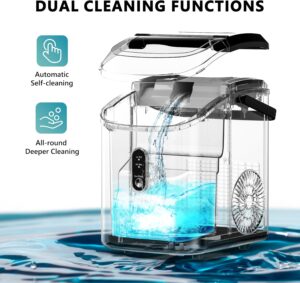
Price Point:

Typically priced between $120-160, it offers excellent value considering its smart features and brewing flexibility.

 

Alternative Smart Coffee Makers Worth Considering

Atomi Smart Coffee Maker

This budget-friendly option provides solid smart features without breaking the bank. It includes WiFi connectivity, a free app, and compatibility with both Alexa and Google Assistant. While it may not have all the premium features of higher-end models, it delivers reliable performance for basic smart brewing needs.

Smarter Coffee Machine

The Smarter Coffee machine offers two different modes, ‘filter’ and ‘grinder’, with customizable strength settings to achieve a flawless brew. This British-designed machine focuses on precision and quality, making it ideal for coffee enthusiasts who want more control over their brewing process.

What to Look for When Buying

Compatibility Requirements

Before purchasing, ensure your home setup supports the coffee maker’s requirements:

  • Wi-Fi Network: Strong signal in your kitchen area
  • Alexa Device: Echo speaker or Alexa app on your smartphone
  • Counter Space: Smart coffee makers tend to be larger than traditional models

Essential Smart Features

  • Voice recognition accuracy: Look for models with high responsiveness rates
  • App functionality: Intuitive interface with scheduling and strength controls
  • Maintenance alerts: Notifications for cleaning and filter replacement
  • Security updates: Regular firmware updates for Wi-Fi security

Brewing Quality vs. Smart Features

Don’t let technology overshadow coffee quality. The best smart coffee makers balance innovation with excellent brewing fundamentals like proper water temperature, optimal extraction time, and even saturation of coffee grounds.

Installation and Setup Process

Setting up your voice activated coffee maker is typically straightforward. Most models follow this process:

  1. Download the manufacturer’s app
  2. Connect the coffee maker to your Wi-Fi network
  3. Link the app to your Alexa account
  4. Test voice commands to ensure proper functionality

The entire setup usually takes 10-15 minutes, and most manufacturers provide step-by-step video tutorials.

Maintenance and Long-term Value

Smart coffee makers require the same basic maintenance as traditional models, plus occasional app updates. Regular descaling, filter replacement, and cleaning are essential for optimal performance. The convenience factor often justifies the higher initial cost, especially for households with busy schedules.

Cost Considerations and Value Analysis

Voice activated smart coffee makers typically cost 30-50% more than comparable traditional models. However, the convenience, energy efficiency through scheduled brewing, and reduced waste from precise brewing can offset this premium over time.

Consider these factors when evaluating value:

  • Daily usage frequency: Heavy users benefit most from smart features
  • Household size: Larger families appreciate programmable multiple brewing options
  • Lifestyle fit: Busy professionals and tech enthusiasts see the greatest convenience benefits

Voice activated Wi-Fi smart coffee makers represent more than just technological novelty. They’re solving real problems: simplifying busy mornings, ensuring consistent coffee quality, and adding convenience to daily routines. While they’re not essential for everyone, they’re particularly valuable for tech-savvy households, busy professionals, and anyone who values convenience.

The Hamilton Beach FlexBrew Trio emerges as our top recommendation due to its balance of features, reliability, and price point. However, your specific needs, budget, and brewing preferences should guide your final decision.

Ready to upgrade your morning routine? Start by evaluating your current coffee habits and identifying which smart features would add the most value to your daily life. The perfect cup of coffee might just be a voice command away.

Check out our Products
FOLLOW US ON INSTAGRAM