Rotimatic Plus: Buyer’s Guide

Have you ever dreamed of having fresh, perfectly round rotis ready in just 90 seconds without the hassle of rolling and cooking? The Rotimatic Plus promises to transform your kitchen experience by automating one of the most time-consuming aspects of Indian cooking. But with a significant price tag and mixed user reviews, is this robotic roti maker truly worth the investment?

Let’s dive deep into what makes the Rotimatic Plus tick and whether it deserves a spot on your kitchen counter.
Rotimatic

What Makes the Rotimatic Plus Special?

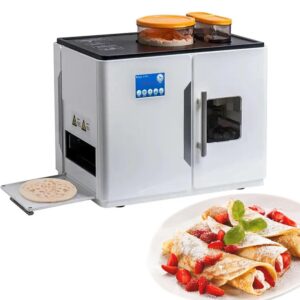
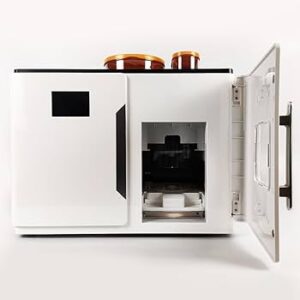
The Rotimatic Plus isn’t just another kitchen gadget. It’s essentially a kitchen robot that combines artificial intelligence with precision engineering to recreate the traditional art of roti-making. The machine features 10 motors, 15 intelligent sensors, and a 32-bit processor that makes nearly 300 parts work seamlessly together, creating what the company calls an AI-powered appliance that mimics human roti-making techniques.

Think of it as having a dedicated roti chef who never gets tired, never takes breaks, and produces consistently shaped flatbreads every single time. The Plus model represents an evolution from the original Rotimatic, incorporating user feedback and technological improvements gathered over years of real-world usage.


roti maker

Key Features That Set It Apart

Advanced Automation Technology

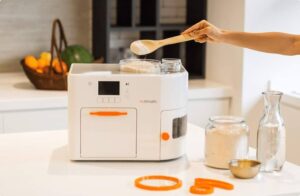
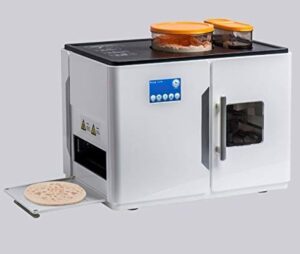
The Rotimatic Plus handles every step of the roti-making process automatically. You simply add flour, water, salt, and oil to their respective compartments, and the machine takes over. It measures ingredients precisely, kneads the dough to the perfect consistency, divides it into portions, rolls each piece into a perfect circle, and cooks it to your preferred level of doneness.

Improved Performance Over Original Model

The Rotimatic Plus offers additional features such as improved speed and efficiency with lower noise level while pressing, addressing some of the common complaints users had with the original model. The enhanced pressing mechanism works more quietly, making it suitable for open-plan kitchens where noise might be a concern.

Smart Connectivity

The device comes with WiFi connection capabilities, allowing you to control and monitor the machine remotely through a smartphone app. This feature lets you start the roti-making process before you even reach the kitchen, ensuring fresh rotis are ready when you need them.

Professional Build Quality

The build quality of this roti maker is outstanding, with a large, sleek appearance that suggests serious engineering behind the product. Unlike simple electric roti makers, the Rotimatic Plus feels more like a sophisticated appliance designed for long-term use.
 

Rotimatic

The Reality Check: What Users Actually Experience

The Positives

Real users appreciate several aspects of the Rotimatic Plus. Many find the convenience factor transformative, especially busy families who struggle to find time for traditional roti-making. The consistency is another major advantage. Once you dial in your preferences, the machine produces uniform rotis every time, eliminating the variability that comes with hand-rolling.

Parents particularly value how the Rotimatic Plus frees up time for other cooking tasks or family activities. Instead of spending 30-45 minutes making rotis for dinner, you can focus on preparing curries or helping kids with homework while the machine handles the bread.

The Challenges

However, not everything is perfect. Some customers report issues with quality control, reliable logistics, and customer service, describing the entire process as exhausting for such an expensive purchase. These concerns highlight the importance of purchasing from authorized dealers and understanding the warranty terms.

The learning curve can be steep initially. Users often need several attempts to get the flour-to-water ratio just right for their preferred texture. Different flour types behave differently in the machine, and finding the sweet spot requires patience and experimentation.

Investment Considerations: Is It Worth the Price?

The Financial Reality

The machine costs around $999 USD, which is expensive but comparable to other smart kitchen innovations when they first entered the market. To put this in perspective, consider how much you currently spend on store-bought rotis or the value you place on the time saved.

If your family consumes rotis daily, the math can work in your favor over time. Calculate your current monthly spending on flatbreads, add the value of time saved (potentially 2-3 hours per week), and factor in the convenience of having fresh rotis available on demand.

Space and Practicality Factors

The Rotimatic Plus occupies quite a bit of counter space and is not easy to move, so ensure you have adequate kitchen real estate before purchasing. The machine measures approximately 16 inches wide, 16 inches deep, and 14 inches tall, making it similar in footprint to a large microwave.

Consider your kitchen workflow too. The machine works best when positioned near your cooking area, allowing you to time roti production with your curry preparation.
 

rotimatic

Who Should Consider the Rotimatic Plus?

Ideal Candidates

Busy Families: If you’re juggling work, kids, and household responsibilities while trying to maintain healthy eating habits, the Rotimatic Plus can be a game-changer. It’s particularly valuable for families who eat rotis regularly but struggle to find time for traditional preparation.

Health-Conscious Households: For those who prefer homemade bread over store-bought alternatives, the machine ensures you always have fresh, preservative-free rotis available. You control every ingredient that goes into your flatbreads.

Tech Enthusiasts: If you enjoy experimenting with smart kitchen appliances and appreciate the engineering behind automated cooking, the Rotimatic Plus offers a fascinating glimpse into the future of food preparation.

Think Twice If…

Limited Kitchen Space: The substantial footprint makes it impractical for small kitchens or those already cramped with appliances.

Occasional Roti Consumption: If your family only eats rotis occasionally, the investment might not justify the cost compared to buying ready-made options.

Budget Constraints: At nearly $1000, it’s a significant purchase that should fit comfortably within your kitchen appliance budget without creating financial strain.

Comparing Your Options in 2025

It’s worth noting that Rotimatic has released the NEXT model in 2025, representing years of innovation and customer feedback with the most refined and capable version. While the Plus model remains available, consider whether the newer technology in the NEXT might better serve your needs, even at a higher price point.

The Rotimatic Plus represents a bold step into automated cooking that can genuinely transform your kitchen routine. However, it’s not a casual purchase. Success with this machine requires commitment to learning its quirks, maintaining it properly, and integrating it into your cooking workflow.

Before buying, honestly assess your roti consumption patterns, kitchen space, and technical comfort level. Consider starting with a smaller, simpler roti maker to test your family’s usage patterns before investing in the full automation of the Rotimatic Plus.

The technology is impressive, the engineering is sophisticated, and for the right household, it can be genuinely transformative. Just make sure you’re that household before taking the plunge.

Ready to explore the world of automated roti-making? Research current pricing, read recent user reviews, and consider visiting a showroom if available in your area. Your perfect roti solution might be just one decision away.

Check out our Products
FOLLOW US ON INSTAGRAM

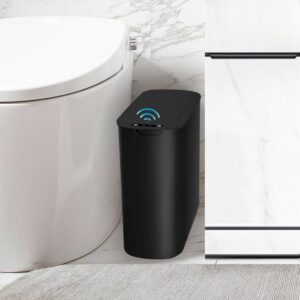
Everything you should know about the Touchless Smart Trash Can

We’ve all been there. You’re in the middle of cooking dinner, your hands are covered in raw chicken juices, and you need to throw something away. The last thing you want is to contaminate your trash can lid with bacteria. That’s exactly where touchless smart trash cans come in, transforming a simple wave of your hand into an automated solution that keeps your kitchen hygienic and efficient.
These aren’t just fancy gadgets for tech enthusiasts anymore. They’ve become essential household items that solve real problems we face every day. Whether you’re a busy parent juggling messy tasks, someone who prioritizes cleanliness, or just tired of dealing with stubborn trash can lids, these smart bins might just revolutionize how you think about waste disposal.


Smart Trash Can

What Exactly is a Touchless Smart Trash Can?

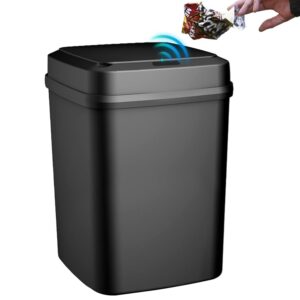
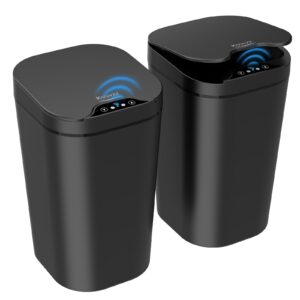
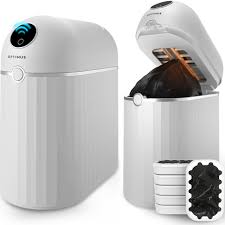
A touchless smart trash can is essentially a waste bin equipped with sensors that detect your approach or hand movement, automatically opening and closing the lid without any physical contact. Think of it as your trash can’s evolution into the 21st century.

The technology behind these bins typically involves infrared sensors that can detect motion from several inches away. These sensors use infrared technology to ensure the lid stays open while an object or your hand is in front of the sensor, then closes gently after about five seconds. Some models can respond in as little as 0.25 seconds, accurately capturing movements without delay.

But here’s what makes them truly “smart”: many models go beyond basic motion detection to include features like odor control systems, soft-close mechanisms, and even battery life indicators that let you know when it’s time for a replacement.


Smart trash can

The Game-Changing Benefits

Hygiene That Actually Matters

Let’s be honest, traditional trash cans are germ magnets. Every time you touch that lid, you’re potentially picking up bacteria from previous users. According to experts, the main benefits include hygiene, convenience, increased accessibility, and odor control.

This becomes especially crucial in kitchens where you’re handling raw meat, or in bathrooms where cleanliness is paramount. The touchless operation means you can dispose of waste without worrying about cross-contamination.

Convenience That You’ll Actually Notice

Ever tried opening a trash can while carrying a screaming toddler, or when your hands are full of grocery bags? Touchless trash cans eliminate that awkward dance of trying to use your elbow or foot to open the lid. The hands-free operation means you can dispose of waste smoothly, even when your hands are completely occupied.

Accessibility for Everyone

These trash cans are particularly beneficial for elderly users, people with mobility issues, or anyone dealing with arthritis or other conditions that make gripping and lifting difficult. The automatic operation removes physical barriers that traditional trash cans create.


Key Features That Matter

Infrared Motion Detection

Advanced infrared technology preserves battery life while providing reliable hands-free operation. The sensors are typically positioned to detect motion from 6-8 inches away, giving you the perfect range for natural use without accidental triggers.

Battery Life That Lasts

One of the biggest concerns people have about electronic trash cans is battery replacement frequency. The good news? Many models run on four D batteries that can last more than a year before needing replacement, while others use 3 AA batteries for flexible use without requiring electrical outlets.

Odor Control Systems

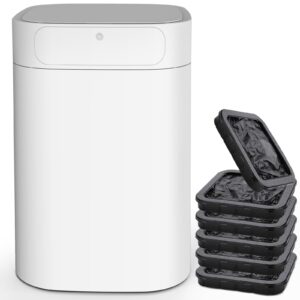
Advanced models include sophisticated odor management. Some feature replaceable odor control sheets and air-purifying filters that protect against Volatile Organic Compounds (VOCs), giving you control over freshness rather than relying on built-in systems that might lose effectiveness over time.

Soft-Close Technology

Nobody wants a trash can that slams shut like a door in a horror movie. Quality touchless models include soft-close mechanisms that gently lower the lid, reducing noise and preventing damage to the sensor mechanisms over time.


Size and Design Options

Touchless smart trash cans come in various sizes to fit different needs:

Countertop Models (1-4 gallons): Perfect for bathrooms, offices, or small kitchens where space is limited. These compact units are ideal for light daily waste.

Standard Kitchen Size (8-13 gallons): The most popular choice for family kitchens, offering ample capacity without taking up excessive floor space.

Large Capacity (16+ gallons): Great for busy households, offices, or commercial settings where frequent emptying isn’t practical.

Design-wise, you’ll find options ranging from sleek stainless steel that matches modern appliances to matte black finishes that complement contemporary décor. Many feature fingerprint-resistant finishes that are easy to clean with just a damp microfiber cloth.

Advanced Smart Features

Modern touchless trash cans are incorporating increasingly sophisticated technology. Advanced features now include motion sensors, real-time monitoring, touchless operation, and even AI integration that helps optimize waste collection and minimize human interface.

Some premium models offer:

  • Voice command compatibility
  • App connectivity for monitoring fill levels
  • Automatic bag replacement alerts
  • Built-in disinfection systems
  • Multiple compartments for waste sorting

These features aim to simplify waste management beyond just automatic opening and closing.


Smart trash can

Potential Drawbacks to Consider

While touchless smart trash cans offer significant advantages, they’re not perfect for everyone:

Cost Factor: Sensor trash cans can be more expensive than traditional options, especially models with additional features like odor control or larger capacity. You’ll typically pay 2-3 times more than a basic trash can.

Battery Dependency: Even though battery life is generally excellent, you’re still dependent on having working batteries. Dead batteries mean your smart trash can becomes a very expensive manual one.

Sensor Sensitivity: Some users report occasional false triggers from pets or when walking past the can. However, most quality models have adjustable sensitivity settings to minimize this issue.

Maintenance Requirements: Electronic components require slightly more maintenance than simple manual trash cans, though this typically amounts to occasional sensor cleaning and battery replacement.

Environmental Impact and Urban Benefits

Touchless smart trash cans aren’t just about personal convenience. They contribute to waste management efforts and resonate with environmentally conscious consumers, particularly in densely populated urban areas where space and sanitation are significant challenges.

The controlled opening and closing mechanisms help contain odors better than traditional cans, while some models’ waste sorting capabilities encourage better recycling habits.


Choosing the Right Model for Your Needs

When shopping for a touchless smart trash can, consider these factors:

Location: Kitchen models need larger capacity and better odor control, while bathroom units can be smaller with focus on hygiene features.

Household Size: Larger families need bigger capacity to avoid frequent emptying, while singles or couples can opt for compact models.

Power Preference: Battery-operated models offer placement flexibility, while AC-powered options eliminate battery replacement concerns if you have nearby outlets.

Budget Range: Basic touchless models start around $50-80, while premium smart cans with multiple features can cost $200-400.

Touchless smart trash cans represent a genuine upgrade to daily life, not just a flashy gadget. The sensor technology ensures battery efficiency since activation only occurs when motion is detected, making them practical for long-term use.

For households prioritizing hygiene, dealing with mobility challenges, or simply wanting to streamline daily tasks, these smart bins deliver tangible benefits that justify their higher upfront cost. The combination of improved sanitation, convenience, and accessibility makes them particularly valuable in kitchens and bathrooms, where cleanliness is crucial.

As our homes become smarter and more connected, touchless trash cans serve as an excellent entry point into home automation. They solve a real problem while introducing you to the benefits of sensor-based technology without overwhelming complexity.

The future of waste disposal is already here, and it’s surprisingly practical. Whether you’re building a new kitchen, upgrading your bathroom, or simply tired of dealing with germy trash can lids, a touchless smart trash can might be the simple upgrade that makes a bigger difference in your daily routine than you’d expect.

Check out our Products
FOLLOW US ON INSTAGRAM

The Ember Smart Mug: How it works, why you should get one

We’ve all been there. You brew the perfect cup of coffee, get distracted by work or life, and return to find your once-steaming beverage has turned into a disappointing lukewarm mess. It’s one of those daily frustrations that seems too small to matter, yet happens so consistently that it genuinely affects your coffee experience. Enter the Ember Smart Mug, a device that promises to solve this age-old problem with some seriously impressive technology.

The Ember Smart Mug isn’t just another gadget trying to solve a “first world problem.” It’s actually a sophisticated piece of technology that tackles something millions of coffee and tea lovers face every single day. After diving deep into user reviews, testing reports, and the technical specs, I’m here to break down everything you need to know about this temperature-controlling marvel.

Ember smart mug

What Makes the Ember Smart Mug Different?

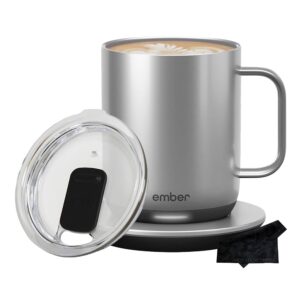
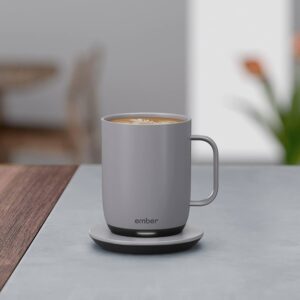
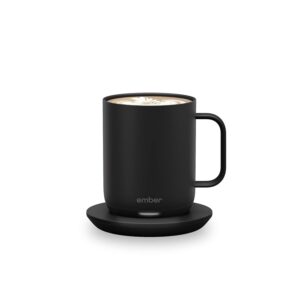
Unlike simple coffee warmers that just heat from below, the Ember Smart Mug is basically a mini computer that happens to hold your drink. The mug’s temperature is controlled by a dual-band microprocessor-controlled heating system and four precision sensors that continually measure your beverage’s temperature. This isn’t some basic heating pad situation. We’re talking about serious engineering here.

Ember’s patented sensors detect temperature and liquid level while convection currents circulate the liquid ensuring even heating. Think of it as having a personal barista who never takes a break, constantly monitoring and adjusting your drink to keep it exactly where you want it.

The technology goes deeper than most people realize. The heating components are built directly into the mug and leverage precision sensors to allow for perfect temperature regulation. This integration means you get consistent heating throughout your entire drink, not just from the bottom up like traditional warmers.


Smart mug

How the Ember Smart Mug Actually Works

Here’s where things get really interesting. The Ember Mug 2 has a heating element in the bottom of the mug that keeps hot beverages at temperatures ranging from 120° F to 145° F. Sensors in the mug detect when there is liquid inside and record the temperature of the liquid.

But it’s not just about heating. The mug uses multiple temperature sensors working together to create an incredibly precise system. When you pour your drink, these sensors immediately start monitoring the temperature and liquid level. If the temperature drops even slightly below your preset preference, the heating element kicks in automatically.

What’s particularly clever is how the system handles different volumes of liquid. Whether you’ve got a full mug or you’re down to your last few sips, the sensors adjust accordingly. This means your final drops taste just as perfect as your first gulp.

The smartphone app integration takes this technology even further. You can set custom temperatures for different drinks (your morning coffee might be perfect at 140°F while your evening herbal tea is better at 130°F), create presets for different family members, and even get notifications when your drink reaches the ideal temperature.


Ember Smart mug

Real User Experience: What People Actually Think

After analyzing hundreds of user reviews, the feedback is surprisingly consistent. Most users describe a genuine “lightbulb moment” when they realize they’re actually finishing their entire cup of coffee for the first time in years.

One common theme in reviews is how the Ember mug changes daily routines. Remote workers mention being able to focus on tasks for hours without that constant mental note about their cooling coffee. Parents talk about finally being able to enjoy a hot drink despite constant interruptions.

However, it’s not all perfect. Some users report that coasters can fail frequently and the inner coating can scratch after about a year of use. These aren’t deal-breakers for most people, but they’re worth considering, especially given the mug’s premium price point.

The most interesting feedback comes from people who were initially skeptical. Even reviewers who questioned spending “just shy of £100” often concluded that “for forgetful tea-drinkers like me, it’s certainly done the job.”

Battery Life and Practical Performance

Let’s talk about the elephant in the room: battery life. The Ember Mug 2 maintains your chosen temperature for up to 1.5 hours with the 10 oz version and up to 80 minutes with the 14 oz version. For many people, this covers their entire coffee-drinking session.

But here’s the real game-changer: the charging coaster. When your mug sits on its base, it charges continuously. This means you can keep it on your desk all day, and it’ll maintain your drink’s temperature indefinitely as long as it’s on the charger.

Ember’s extended battery life lets you experience your perfect temperature up to 3 hours on a single charge with newer models like the Travel Mug and Tumbler, which represents significant improvement over earlier versions.


Different Models: Finding Your Perfect Match

Ember offers several options, and choosing the right one depends on your specific needs:

Ember Mug 2 (10 oz): Perfect for espresso drinks or smaller coffee portions. The smaller volume means longer battery life and faster heating.

Ember Mug 2 (14 oz): The sweet spot for most coffee drinkers. Large enough for a proper mug of coffee but still portable and practical.

Ember Travel Mug 2: Allows you to set an exact drinking temperature and keeps it there for up to 3 hours, making it ideal for commuters and people who are frequently on the move.

Ember Tumbler (16 oz): Features the most advanced chip ever for improved Bluetooth reliability and a simplified pairing process, plus the largest capacity for serious coffee drinkers.

The Investment Question: Is It Worth the Price?

With a $150 price point for the standard mug, the Ember isn’t an impulse purchase. But here’s how to think about the value proposition: if you drink 2-3 cups of coffee per day, you’re looking at roughly 1,000 cups per year. That breaks down to about 15 cents per perfectly heated cup over the first year.

Compare that to reheating coffee in the microwave (which changes the taste) or constantly making fresh cups, and the math starts making sense. Plus, there’s the intangible value of actually enjoying every sip instead of forcing down lukewarm coffee.

The key is buying smart. Many users recommend waiting for sales, which happen regularly throughout the year. Black Friday, Prime Day, and end-of-season sales often knock 20-30% off the regular price.

smart mug

Who Should (and Shouldn’t) Buy an Ember Mug

You’re a perfect candidate if you:

  • Work from home and drink coffee or tea throughout the day
  • Often forget about your drink and find it cold later
  • Are particular about beverage temperature
  • Already invest in quality coffee or tea
  • Have a consistent routine where you’d use it daily

You might want to skip it if you:

  • Drink your beverages quickly (within 15-20 minutes)
  • Prefer iced or room-temperature drinks
  • Are looking for a gift for someone who doesn’t drink hot beverages regularly
  • Want something for outdoor activities without power access

Maintenance and Longevity

The Ember mug requires some care, but it’s not high-maintenance. The Travel Mug 2 is safe to hand wash and submersible up to 1 meter in water, though the regular mug should be hand-washed with care around the charging area.

Battery degradation is normal over time, but most users report satisfactory performance for 2-3 years with regular use. The company offers battery replacement services, though it’s often more cost-effective to upgrade to a newer model when battery life becomes insufficient.

The Technology Behind the Magic

What really sets Ember apart is the sophistication of its temperature control system. The Travel Mug uses seven temperature sensors, a rapid cooling system, and a microprocessor-controlled heating system to maintain precise temperature control.

This isn’t just about keeping things warm. The system can actually cool down beverages that are too hot, bringing them to your preferred temperature faster than waiting for natural cooling. This dual-direction temperature control is what makes the Ember genuinely smart, not just a glorified warmer.

Real-World Performance and Limitations

In daily use, the Ember delivers on its core promise remarkably well. The smart mug helps provide you with your perfect coffee/tea drinking temperature from the first sip to the last drop. The temperature accuracy is impressive, typically within 1-2 degrees of your target.

However, there are some practical limitations to consider. The mug works best with coffee, tea, and similar beverages. It’s not designed for thick drinks, alcohol, or anything with dairy that might spoil at warm temperatures over extended periods.

The app, while generally reliable, can occasionally have connectivity issues. Most users find that once they set their preferred temperature, they rarely need to adjust it, so app problems don’t significantly impact daily use.

The Ember Smart Mug represents a genuine innovation in a product category that hasn’t seen much advancement in decades. Recent 2025 reviews conclude “Yes, you should” buy an Ember mug, particularly if you value consistency and quality in your daily beverage routine.

The technology works as advertised, the build quality is solid, and the user experience is genuinely transformative for people who struggle with temperature management in their drinks. Yes, it’s expensive for a mug, but it’s reasonably priced for a sophisticated piece of temperature-control technology that you’ll use every single day.

If you’re someone who truly appreciates the perfect cup of coffee or tea, who works long hours with a drink by your side, or who simply gets frustrated by lukewarm beverages, the Ember Smart Mug isn’t just a luxury. It’s a small daily improvement that adds up to genuine quality-of-life enhancement.

The question isn’t really whether the technology works (it does) or whether it’s well-made (it is). The question is whether the daily frustration of imperfectly heated beverages is worth solving for $100-150. For many coffee and tea enthusiasts, that answer is a resounding yes.

Ready to upgrade your daily coffee routine? The Ember Smart Mug is available directly from Ember’s website and major retailers like Amazon and Best Buy. Consider starting with the 14 oz Ember Mug 2 for the best balance of capacity and battery life.

20 way to use the Kitchen Gizmo Snap N’ Strain

Every home cook knows the struggle of juggling hot pots and separate colanders when draining pasta or vegetables. You’re balancing scorching cookware while steam fogs your glasses, and there’s always that moment when you wonder if tonight’s dinner might end up in the sink instead of on your plate. If you’ve ever wished for a simpler way to strain foods without the hassle, the Kitchen Gizmo Snap N’ Strain might just be the game-changer you’ve been looking for.

This ingenious kitchen accessory has been quietly revolutionizing home cooking since its introduction, yet many home cooks remain unaware of its incredible versatility. What started as a simple solution for draining pasta has evolved into an indispensable tool with applications that extend far beyond basic straining tasks.

kitchen gizmo

What Makes the Snap N’ Strain Special?

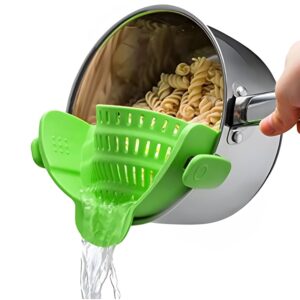
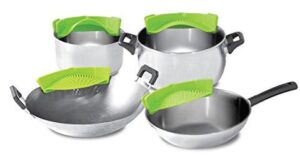
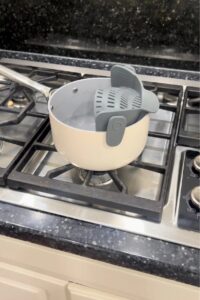
The Kitchen Gizmo Snap N’ Strain isn’t just another gadget cluttering your kitchen drawers. This cleverly designed silicone strainer clips directly onto your pot, creating an instant draining system that eliminates the need for separate colanders. Its heat-resistant silicone construction can withstand temperatures up to 450°F, while its adjustable clips fit pots ranging from 5.5 to 10 inches in diameter.

What sets it apart from traditional strainers is its hands-free operation. You simply clip it onto your pot, tilt, and pour. No more juggling hot pots and separate colanders, no more fishing around in cabinets for the right-sized strainer, and definitely no more burns from splashing hot water.

20 Brilliant Ways to Use Your Snap N’ Strain


snap N Strain

Pasta and Grain Perfection

1. Perfect Pasta Every Time The most obvious use, but there’s technique involved. Clip the Snap N’ Strain to your pot, ensuring a tight seal. Tilt slowly and let gravity do the work. The result? Perfectly drained pasta without losing precious noodles down the drain.

2. Quinoa and Small Grains Traditional colanders often let small grains escape. The Snap N’ Strain’s fine mesh design catches every grain of quinoa, millet, or couscous, ensuring nothing goes to waste.

3. Rice Rinsing Made Easy Before cooking rice, many recipes call for rinsing until water runs clear. Attach the Snap N’ Strain and rinse directly in the pot, eliminating the need for multiple transfers between bowls and strainers.


Vegetable and Fruit Preparation

4. Blanching Vegetables When blanching vegetables like broccoli or green beans, the Snap N’ Strain allows for quick draining while keeping vegetables in the same pot for immediate ice bath transfer.

5. Berry Washing Station Delicate berries need gentle handling. Use your Snap N’ Strain in a large bowl to rinse strawberries, blueberries, and raspberries without bruising them.

6. Potato Prep for Mashing After boiling potatoes for mashing, drain them directly in the pot. The residual heat helps evaporate excess moisture, resulting in fluffier mashed potatoes.

Stock and Broth Creation

7. Homemade Bone Broth When making bone broth, strain out bones and vegetables directly from your stock pot. The fine mesh catches small particles while allowing clear broth to flow through.

8. Herb and Spice Removal Used whole spices or herb bundles in your cooking? The Snap N’ Strain makes removing bay leaves, peppercorns, or herb sachets effortless.

Canning and Preserving

9. Blanching for Freezing When preparing vegetables for freezing, the blanch-and-shock method requires quick draining. The Snap N’ Strain streamlines this process significantly.

10. Jam and Preserve Straining Remove seeds from berry jams or strain pulp from homemade preserves. The heat-resistant design handles hot mixtures safely.

Specialty Cooking Applications

11. Dumpling Water Removal When cooking dumplings or gnocchi, gentle draining prevents delicate shapes from breaking apart. The controlled pour prevents damage to your carefully crafted dumplings.

12. Chickpea and Bean Draining Canned beans need thorough rinsing to remove excess sodium and starch. The Snap N’ Strain makes this task quick and mess-free.

13. Steaming Liquid Separation After steaming vegetables in a pot with minimal water, separate the nutrient-rich steaming liquid for use in stocks or soups.


Innovative Kitchen Hacks

14. Oil Straining for Reuse Strain used cooking oil to remove food particles, extending the oil’s usable life. The fine mesh catches even small debris.

15. Tea and Coffee Brewing Create loose-leaf tea directly in a pot, then strain for serving. Perfect for large batches when entertaining.

16. Sprouting and Microgreens Use as part of your sprouting setup for growing microgreens or bean sprouts. The drainage capability prevents water stagnation.

Cleaning and Maintenance Uses

17. Paintbrush and Tool Cleaning For crafters and DIY enthusiasts, strain paint or cleaning solutions from brushes and tools. The chemical-resistant silicone handles various solvents safely.

18. Aquarium Maintenance When cleaning aquarium decorations or straining aquarium water, the food-safe materials ensure no harmful chemicals enter your tank.

Outdoor and Camping Applications

19. Camping Cookware Companion Lightweight and compact, it’s perfect for camping. Drain pasta water directly into your campfire or designated gray water area.

20. Garden Harvest Processing Rinse freshly picked vegetables or strain homemade plant-based fertilizers. The durable construction handles outdoor use without degrading.


Buyer’s Guide: What to Consider

Size and Compatibility

The standard Snap N’ Strain fits pots between 5.5 to 10 inches in diameter. Measure your most frequently used pots before purchasing to ensure compatibility. The adjustable clips accommodate various pot rim thicknesses, but extremely thick-rimmed pots might not achieve a secure fit.

Material Quality

Look for 100% food-grade silicone construction. The material should be BPA-free, dishwasher-safe, and able to withstand high temperatures. Cheaper alternatives might use inferior materials that can degrade over time or impart unwanted flavors.

Mesh Density

Consider what you’ll strain most frequently. Fine-mesh versions excel with small grains and delicate applications but may drain more slowly. Standard mesh works well for pasta and larger items but might let small particles through.

Price and Value

Quality Snap N’ Strain models typically range from $15 to $25. While cheaper options exist, investing in a well-reviewed model ensures durability and safety. Consider it an investment that replaces multiple single-purpose strainers.


User Reviews and Feedback

Real users consistently praise the convenience factor, with many noting they use it multiple times daily. Common complaints include difficulty achieving secure fits on certain pot styles and occasional warping with extreme temperature changes. Overall satisfaction rates exceed 85% among verified purchasers.

Making the Most of Your Investment

To maximize your Snap N’ Strain’s lifespan, avoid exposing it to open flames or temperatures exceeding manufacturer recommendations. Clean thoroughly after each use, paying attention to mesh areas where food particles can accumulate. Store flat or hanging to prevent permanent bending.

Regular inspection for cracks or tears ensures food safety. Replace immediately if you notice any damage, as compromised silicone can harbor bacteria or break during use.

The Kitchen Gizmo Snap N’ Strain represents one of those rare kitchen innovations that delivers on its promises while exceeding expectations in versatility. From basic pasta draining to complex preservation projects, this simple tool eliminates multiple steps and reduces kitchen cleanup significantly.

For home cooks seeking efficiency without sacrificing results, the Snap N’ Strain offers genuine value. Its applications extend far beyond initial expectations, making it a worthy addition to any kitchen arsenal. Whether you’re a weekend meal prepper or daily cooking enthusiast, this innovative strainer adapts to your cooking style while simplifying countless kitchen tasks.

The question isn’t whether you’ll find uses for the Snap N’ Strain, it’s how you ever managed without one. Once you experience the convenience of clip-on straining, traditional methods will feel unnecessarily complicated. Sometimes the simplest innovations create the biggest improvements in our daily routines, and the Snap N’ Strain exemplifies this principle perfectly.


Check out our Products
FOLLOW US ON INSTAGRAM

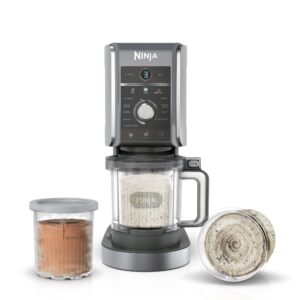
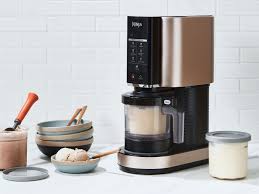
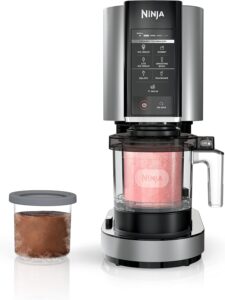
15 websites to buy the Ninja CREAMi Ice Cream Maker

Ice cream lovers, your kitchen game is about to get a serious upgrade. Have you ever craved that perfect scoop of homemade ice cream but dreaded the traditional churning process? The Ninja CREAMi has revolutionized home ice cream making, turning frozen bases into creamy desserts in minutes. But with so many retailers offering different models at varying prices, where should you actually buy this viral kitchen gadget?

Whether you’re hunting for the best deal, fastest shipping, or exclusive bundles, choosing the right retailer can save you money and ensure you get authentic products with proper warranties. In this comprehensive guide, we’ll explore the 15 best websites to purchase your Ninja CREAMi, complete with current pricing, unique features, and insider tips to help you make the smartest buying decision.

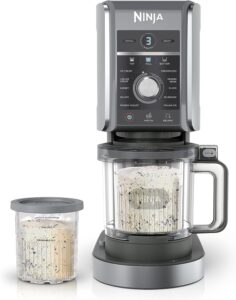
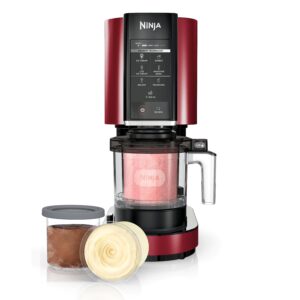
Before diving into where to buy, let’s quickly cover what you’re shopping for. The Ninja CREAMi lineup includes three main models: the original CREAMi (NC301), the CREAMi Deluxe (NC501), and the newest Ninja Swirl by CREAMi (NC701). Each offers different features and price points, so knowing which model fits your needs will help you navigate the best deals.


ice cream

1. Amazon – The Convenience King

Price Range: $169-$449, depending on model and sales
Key Features: Prime shipping, extensive reviews, frequent lightning deals

Amazon remains the go-to destination for most Ninja CREAMi purchases. With competitive pricing, Prime member benefits, and an extensive review system, it’s easy to see why. Recent sales have shown the basic CREAMi model available for $169, representing significant savings from the original retail price.

What sets Amazon apart is their customer service and return policy. If your CREAMi arrives damaged or doesn’t meet expectations, returns are typically hassle-free. Plus, Prime members enjoy fast, free shipping and often get early access to lightning deals during Prime Day events.

Pros:

  • Fast Prime shipping
  • Extensive customer reviews
  • Easy returns and exchanges
  • Regular sales events

Cons:

  • Prices can fluctuate daily
  • Third-party sellers may offer questionable warranties

2. Ninja Kitchen Official Store

Price Range: $199-$429 MSRP
Key Features: Official warranty, latest models first, exclusive bundles

Shopping directly from Ninja Kitchen guarantees authenticity and full manufacturer warranty coverage. They offer free shipping on orders over $99, making it cost-effective for larger purchases or when buying accessories.

The official store often features exclusive color options and bundle deals you won’t find elsewhere. Plus, you’ll be among the first to access new model releases and limited-edition accessories.

3. Walmart

Price Range: $169-$299
Key Features: Price matching, exclusive models, in-store pickup

Walmart carries exclusive CREAMi models, including the 5-program version with unique features. Their competitive pricing and price-matching policy make them a smart choice for budget-conscious shoppers.

Walmart also offers convenient pickup options, allowing you to order online and collect from your local store, often on the same day. This eliminates shipping costs and lets you inspect the product before taking it home.

4. Target

Price Range: $179-$349
Key Features: RedCard discounts, same-day delivery, exclusive colors

Target appeals to shoppers who value both style and savings. They stock the stainless steel CREAMi models with 7 one-touch programs and offer same-day delivery in many markets.

RedCard holders enjoy an additional 5% discount on all purchases, making Target particularly attractive for frequent shoppers. Their exclusive colour variants and seasonal promotions add extra value to your purchase.


5. Best Buy

Price Range: $199-$449
Key Features: Geek Squad support, price matching, tech expertise

Best Buy carries the full range of Ninja CREAMi models, including the Deluxe 11-in-1 version. What distinguishes Best Buy is their technical expertise and Geek Squad support services.

If you’re tech-savvy but want professional setup assistance or extended warranty options, Best Buy’s services provide peace of mind. Their price-matching guarantee ensures you won’t overpay compared to competitors.

6. Costco

Price Range: $299-$429 (with exclusive bundles)
Key Features: Member pricing, generous return policy, exclusive packages

Costco offers the CREAMi Deluxe 11-in-1 model with additional accessories and extended value packages. Costco members benefit from wholesale pricing and the retailer’s famously generous return policy.

Recent promotions have included gift cards with purchases, effectively reducing the overall cost. Some deals include $85 Costco gift cards with CREAMi purchases, providing additional shopping value.


ice cream maker

7. Williams Sonoma

Price Range: $229-$499
Key Features: Curated selection, expert advice, premium service

Williams Sonoma caters to serious home cooks who appreciate premium kitchen experiences. Their knowledgeable staff can provide expert advice on model selection and recipe development.

While prices tend to be higher, the premium service, exclusive demonstrations, and comprehensive kitchen ecosystem make it worthwhile for culinary enthusiasts.

8. Bed Bath & Beyond (Online)

Price Range: $189-$399
Key Features: Famous coupons, registry options, extensive accessories

Though the physical stores have closed, Bed Bath & Beyond’s online presence continues to offer competitive pricing with its legendary coupon system. Their wedding registry service remains popular for couples seeking kitchen appliances.

9. QVC

Price Range: $199-$449
Key Features: FlexPay options, exclusive bundles, detailed demonstrations

QVC excels at creating value-packed bundles with additional pint containers, recipe books, and accessories. Their FlexPay system allows you to spread payments over several months without interest.

The detailed product demonstrations help you understand exactly what you’re buying, making it ideal for first-time CREAMi buyers.

10. HSN

Price Range: $189-$429
Key Features: FlexPay options, live demonstrations, exclusive offers

Similar to QVC, HSN offers payment flexibility and comprehensive product bundles. Their live shopping format provides real-time demonstrations and customer testimonials.

11. Macy’s

Price Range: $199-$379
Key Features: Star Rewards program, seasonal sales, gift options

Macy’s brings department store reliability to appliance shopping. Their Star Rewards program offers points on purchases, and seasonal sales events provide significant savings opportunities.

12. Kohl’s – Cash Back Rewards

Price Range: $179-$349
Key Features: Kohl’s Cash rewards, frequent sales, easy returns

Kohl’s reward program generates Kohl’s Cash for future purchases, effectively reducing your total cost. Their frequent 30% off sales make timing your purchase strategically valuable.

13. Wayfair

Price Range: $199-$399
Key Features: Kitchen appliance expertise, frequent sales, design inspiration

Wayfair approaches appliances from a home design perspective, offering inspiration and styling advice alongside competitive pricing. Their frequent sales events provide excellent value opportunities.


14. Overstock

Price Range: $169-$329
Key Features: Discounted pricing, rewards program, unique finds

Overstock specializes in offering premium products at discounted prices. Their Club O rewards program provides additional savings for frequent shoppers.

15. eBay

Price Range: $129-$399 (including refurbished)
Key Features: Auction format, refurbished options, seller variety

eBay offers the most pricing flexibility, from auction-style bidding to fixed-price listings. While requiring more caution regarding seller reputation, it can yield the best deals for patient shoppers.

Key Features to Consider When Buying

Program Variety:Basic models offer 5-7 programs, while deluxe versions provide up to 11 different settings for various frozen treats.

Capacity: Standard models use 16-oz pints, while deluxe versions accommodate 24-oz containers for larger servings.

Build Quality: Stainless steel models offer durability and aesthetic appeal compared to plastic alternatives.

Money-Saving Tips for Your Purchase

Timing Matters: Major sales events like Prime Day, Black Friday, and post-holiday clearances offer the deepest discounts.

Bundle Smart: Look for packages including extra pint containers, lids, and recipe books for better overall value.

Compare Warranties: Some retailers offer extended warranty options or better return policies than others.

ice cream maker


Choosing where to buy your Ninja CREAMi ultimately depends on your priorities. If you want the fastest delivery and don’t mind paying full price, Amazon or the official Ninja store is your best bet. Budget-conscious shoppers should monitor Walmart, Target, and warehouse stores for the best deals.

For premium service and expert advice, speciality kitchen retailers like Williams Sonoma justify their higher prices. If you prefer flexible payment options, QVC and HSN provide excellent alternatives.

Recent sales have shown savings of up to $50 on popular models, so timing your purchase around major sales events can yield significant savings.

Your Sweet Success Awaits

The Ninja CREAMi has transformed countless kitchens, turning frozen ingredients into restaurant-quality frozen desserts. By choosing the right retailer for your specific needs and budget, you’re not just buying an appliance—you’re investing in countless moments of homemade happiness.

Check out our Products
FOLLOW US ON INSTAGRAM

Waterpik Cordless Advanced 2.0 Water Flosser For Teeth, Gums, Braces, Dental Care With Travel Bag

The Waterpik Cordless Advanced 2.0 (WP-587) is a lightweight, travel-friendly device designed to support excellent dental hygiene both at home and away. Built with modern technology, it efficiently eliminates plaque buildup and food debris from between teeth and beneath the gumline—spots that standard brushing and traditional flossing often overlook. Endorsed by the American Dental Association (ADA), this irrigator has been clinically shown to enhance gum wellness, making it ideal for people with orthodontics, implants, crowns, or gum sensitivities. Its sleek gray style and streamlined build offer both practicality and elegance.

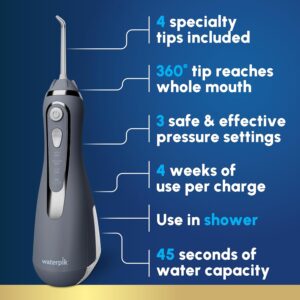
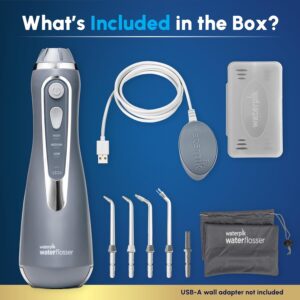
Outfitted with four replaceable nozzles and a rechargeable power source, the Waterpik Cordless Advanced 2.0 delivers both flexibility and durability. A handy travel pouch makes it easy for users to keep up with their dental routine wherever they are. Featuring three adjustable pressure modes, it lets users tailor the water flow for comfort and efficiency, while the generous tank capacity provides up to 45 seconds of uninterrupted cleaning per fill. The 360° swivel tip further guarantees complete coverage, reaching every corner of the mouth for a deep clean.

This oral irrigator is fully water-resistant and suitable for shower use, offering added convenience to everyday habits. Its slim, cordless build removes the burden of wires and plugs, making it ideal for travel or compact bathroom areas. With its clinically proven results, portable design, and dentist-quality cleaning, the Waterpik Cordless Advanced 2.0 WP-587 is a valuable choice for anyone aiming to upgrade their oral care and achieve healthier teeth and gums.

Specifications

Here’s the Specifications for the Waterpik Cordless Advanced 2.0 Water Flosser (WP-587):

  • Included Accessories

    • Four replaceable jet tips designed to address different oral care requirements

    • Soft microfiber carrying pouch with tip holder for easy transport and neat storage

    • Leak-proof travel stopper for spill-free transport

  • Water Reservoir

    • Detachable water tank holding about 7 ounces, providing up to 45 seconds of steady use per refill

  • Pressure & Flow Features

    • Triple water pressure modes tailored to user preference

    • 360° rotating nozzle for complete coverage, targeting difficult-to-clean areas

  • Charging & Battery

    • Fast magnetic USB charger with a 4-hour full charge time

    • Extended battery runtime—lasts as long as 4 weeks on a single charge

    • LED charging light to track battery status

  • Design & Durability

    • Water-resistant and suitable for shower use or humid conditions

    • Whisper-quiet performance, perfect for compact areas and low noise levels

    • Worldwide voltage support, perfect for international trips

  • ADA Approval & Clinical Efficacy

    • Recognized by the ADA for proven safety and performance

    • Clinically proven to eliminate as much as 99.9% of plaque from targeted zones and shown to be twice as effective as string floss for improving gum health

Key Features

Here are the key features of the Waterpik Cordless Advanced 2.0 Water Flosser (WP-587):

Key Features

  • PrecisionPulse Technology
    Merges pulsating action with steady water pressure, clearing 99.9% of plaque in targeted zones and proven 2× more effective than string floss in supporting gum health.

  • 360° Rotating Tip
    The tip handle swivels fully, allowing effortless reach to every part of the mouth, even the back molars.

  • Three Pressure Settings
    Offers adjustable pressure levels to match different oral care requirements—from soft, sensitive cleaning to deep plaque elimination. Fully waterproof for safe shower use.

  • Rechargeable & Efficient Battery
    Powered by a lithium-ion battery that recharges quickly with a magnetic USB base in only 4 hours and provides up to 4 weeks of use per charge—ideal for travel.

  • Portable Design & Travel Accessories
    Comes with 4 replaceable tips, a soft microfiber travel pouch, a storage case for tips, and a leak-prevention travel plug—perfect for portable dental care.

  • 7 oz Reservoir with ~45 Seconds Runtime
    Detachable water tank provides about 45 seconds of uninterrupted flossing and can be placed on the top rack of the dishwasher for hassle-free cleaning.

  • Ultra-Quiet & Waterproof
    Engineered for low-noise performance, making it ideal for compact or shared bathrooms, and fully safe for shower use.

  • ADA Acceptance & Professional Recognition
    ADA-approved for proven safety and performance, with Waterpik continuing as the top brand endorsed by dental experts.

How to use the Waterpik Cordless Advanced 2.0 Water Flosser For Teeth, Gums, Braces, Dental Care With Travel Bag

Here’s a simple step-by-step guide on how to use the Waterpik Cordless Advanced 2.0 Water Flosser (WP-587):

  1. Fill the Reservoir
    Detach the reservoir from the unit, fill it with warm water, and snap it back into place. Warm water enhances comfort, particularly for sensitive gums.

  2. Choose & Insert a Tip
    Choose one of the four supplied flossing tips (standard, orthodontic, plaque seeker, or pik pocket), attach it to the handle until it clicks securely, and rotate the tip as needed—the nozzle spins 360° for complete coverage.

  3. Adjust Pressure Setting
    Turn on the unit and select one of three pressure levels. New users may prefer starting at the gentlest setting, then gradually increase for more thorough cleaning.

  4. Begin Flossing
    Position yourself over the sink, insert the tip into your mouth, and gently close your lips to prevent splashes. Direct the water jet along the gumline, pausing between teeth, and move smoothly around braces, crowns, or implants.

  5. Complete & Clean
    Use the flosser for approximately one minute, allowing the reservoir to empty (around 45 seconds per fill). When done, power off, press the tip-release button, and rinse both the tip and tank.

Tips suitable for the Waterpik Cordless Advanced 2.0 Water Flosser For Teeth, Gums, Braces, Dental Care With Travel Bag

Here are some practical tips to get the best results with your Waterpik Cordless Advanced 2.0 (WP-587):

  1. Start on the Lowest Pressure Setting
    For first-time users or those with delicate gums, start on the lowest pressure and gradually raise it as you become more comfortable.

  2. Use Warm Water or Add Mouthwash
    Using lukewarm water in the reservoir increases comfort. Adding a splash of mouthwash can improve freshness and provide antibacterial effects—remember to rinse the tank afterward to prevent residue.

  3. Floss Before Brushing
    Flossing with the Waterpik first helps dislodge food debris and plaque, enhancing the effectiveness of brushing. Dentists commonly recommend this order.

  4. Lean Over the Sink
    Gently close your lips while flossing to reduce splatter, letting the water drain freely into the sink.

  5. Angle at the Gumline
    For optimal results, hold the tip at a right angle to the gums, pausing slightly between teeth and gliding along the gumline.

  6. Clean and Dry After Each Use
    Drain the water tank, rinse with fresh water, and allow it to air dry. Remove and rinse the flossing tip, too. Routine cleaning helps prevent buildup and bacteria.

  7. Replace Tips Every 3–6 Months
    Similar to toothbrushes, flossing tips experience wear over time. Changing them routinely maintains peak performance and cleanliness.

  8. Take Advantage of Its Portability
    Take advantage of the supplied travel pouch and water plug on the go. Universal voltage support allows for effortless use worldwide.

Cleaning guide

Here’s a clear step-by-step guide for using the Waterpik Cordless Advanced 2.0 Water Flosser (WP-587):

  1. Fill the Reservoir
    Detach the water reservoir, add lukewarm water (gentler on gums than cold), and securely reattach it.

  2. Insert a Flossing Tip
    Select one of the four supplied tips, attach it to the handle until it locks, and rotate to the preferred angle (nozzle swivels 360°).

  3. Select Pressure Setting
    Power on the flosser and select one of three intensity levels. New users may start on the softest setting and gradually increase.

  4. Begin Flossing
    Position yourself over the sink, insert the tip into your mouth, and gently close your lips to prevent splattering. Direct the water along the gumline, pausing between teeth, and move slowly along both front and back surfaces.

What to avoid when using the Waterpik Cordless Advanced 2.0 Water Flosser For Teeth, Gums, Braces, Dental Care With Travel Bag

Here are some important things to avoid when using the Waterpik Cordless Advanced 2.0 (WP-587):

  1. Do Not Use Hot Water
    Fill the tank with cool or tepid water only; hot water can warp the reservoir and damage internal mechanisms.

  2. Avoid Skipping Cleaning
    Allowing water to remain in the tank or neglecting to rinse the tips after use may cause bacterial growth, mold, or limescale buildup.

  3. Don’t Share Tips
    Each person should have their own tip to maintain hygiene, as sharing increases bacterial transmission.

  4. Do Not Use While Plugged In
    The device is both rechargeable and waterproof, yet it must not be used while plugged in.

  5. Avoid Dropping or Forceful Handling
    While compact and portable, the unit houses sensitive electronics and a rechargeable battery—dropping it may lead to leaks or operational issues.

  6. Don’t Use Harsh Cleaners
    Avoid using bleach, harsh chemicals, or boiling water on the reservoir or tips. Use mild soap and lukewarm water instead.

  7. Avoid Pointing the Jet Outside Your Mouth
    The high-pressure water jet can spray strongly, potentially causing a mess or minor injury if directed at sensitive areas such as the eyes or ears.

  8. Don’t Delay Replacing Tips
    Used tips become less effective—swap them every 3–6 months or earlier if water pressure declines.

In conclusion, the Waterpik Cordless Advanced 2.0 WP-587 is a portable, ADA-approved water flosser that delivers effective, professional-grade cleaning. With multiple tips, adjustable pressure, a rechargeable battery, and a waterproof design, it’s convenient for both home and travel. Overall, it’s a smart choice for improving gum health, freshening breath, and providing an easier, more effective alternative to string floss.

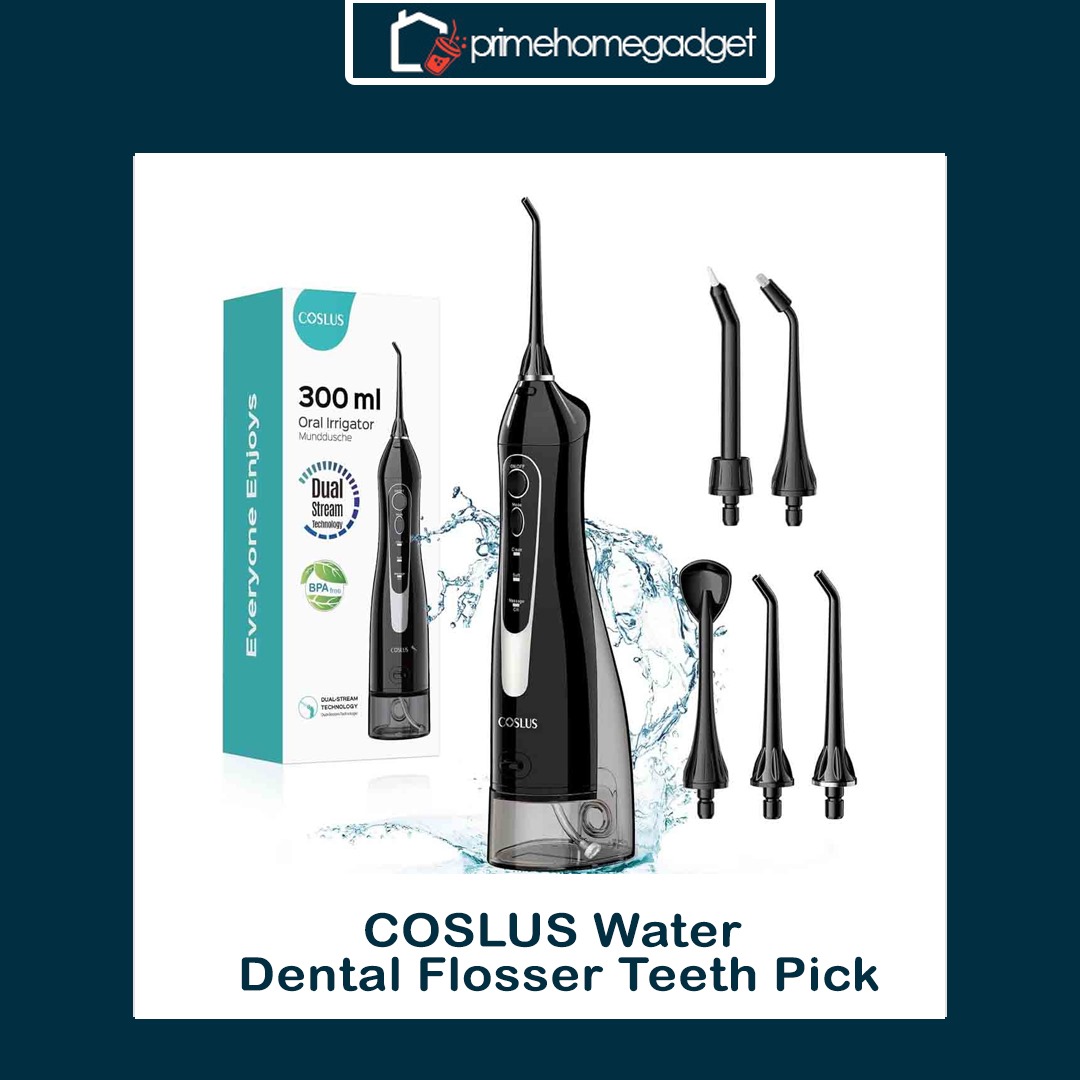
COSLUS Water Dental Flosser Teeth Pick

The COSLUS C20 Water Dental Flosser (model F5020E) is a compact, high-performance oral hygiene tool designed to improve your daily dental care routine. It comes with a 300mL water reservoir—twice the size of many typical models—minimizing the need for frequent refills. Utilizing advanced 0.3mm dual-thread water pulse technology, it generates 1400–1800 high-pressure pulses per minute to efficiently clear plaque and debris from teeth and gums.

This flosser provides three adjustable pressure modes—Clean, Soft, and Massage—tailored to different oral care needs, from everyday cleaning to gum stimulation. It comes with five interchangeable tips: Standard Jet Tip, Orthodontic Tip, Periodontal Tip, Tongue Scraper, and an upgraded high-performance nozzle. The new nozzle has a softer tip and broader spray for improved comfort and coverage. Clinically reviewed by a U.S. dental team, the device is gentle yet effective, ideal for sensitive teeth or first-time water flosser users.

Engineered for convenience, the COSLUS C20 is cordless, compact, and IPX7 waterproof, ideal for use in the shower and simple to clean. A full battery provides up to 30 days of operation, and USB charging makes it travel-friendly. Its ergonomic design and textured, non-slip grip enhance comfort during use. Some users have noted it runs a bit louder than other models, but its reliable performance and portability make it a highly appealing option.

Specification

The COSLUS C20 Water Dental Flosser (model F5020E) is a portable, rechargeable device designed to improve everyday oral hygiene. It comes with a 300mL BPA-free water tank—twice the size of many standard flossers—minimizing the need for frequent refills. Using advanced 0.3mm dual-thread water pulse technology, it delivers 1400–1800 high-pressure pulses per minute to efficiently clean between teeth and along the gums.

This flosser comes with three adjustable pressure modes—Clean, Soft, and Massage—tailored to different oral care needs, from everyday cleaning to gentle gum stimulation. It includes five interchangeable tips: Standard Jet, Orthodontic, Periodontal, Tongue Scraper, and an upgraded high-performance nozzle. The new nozzle has a softer tip and wider spray for improved comfort and coverage. Reviewed by a U.S. dental team, the device is gentle yet effective, ideal for sensitive teeth or first-time water flosser users.

Engineered for convenience, the COSLUS C20 is cordless, compact, and IPX7 waterproof, ideal for use in the shower and simple to clean. A single full charge provides up to 30 days of operation, and USB charging makes it easy to take on the go. Its ergonomic design and textured grip enhance comfort during use. Some users note it runs a bit louder than other models, but its overall performance and portability make it a strong contender.

Key Features

The COSLUS C20 Water Dental Flosser (model F5020E) features a variety of functions aimed at improving daily oral hygiene. Its 300mL BPA-free water reservoir offers generous capacity, minimizing the need for frequent refills. Using advanced 0.3mm dual-thread water pulse technology, it produces 1400–1800 high-pressure pulses per minute to efficiently clean between teeth and along the gum line.

The COSLUS C20 is designed for on-the-go use, featuring a cordless, lightweight, and IPX7 waterproof design that allows safe use in the shower and easy maintenance. One full charge provides up to 30 days of operation, and USB charging adds travel convenience. The ergonomic handle and textured grip ensure secure and comfortable handling.

Included are five replaceable tips: Standard Jet Tip, Orthodontic Tip, Periodontal Tip, Tongue Scraper, and a newly enhanced high-performance nozzle. The upgraded nozzle features a softer tip and broader spray to provide more comfort and better cleaning coverage. Professionally tested by a U.S. dental team, the flosser is gentle while highly effective, perfect for sensitive teeth or beginners.

How to use the COSLUS Water Dental Flosser Teeth Pick

Here’s a detailed guide on how to use the COSLUS Water Dental Flosser C20 (F5020E) effectively:

  1. Prepare the Flosser:
  • Top up the 300mL water reservoir with warm water. Optionally, add a splash of mouthwash for extra freshness. 
  • Select the tip that suits your needs: Standard Jet Tip for daily use, Orthodontic Tip for braces, Periodontal Tip for gum care, Tongue Scraper for your tongue, or the high-performance nozzle for a gentler, broader spray. Attach it firmly to the handle.

  1. Power On and Adjust Settings:
  • Tap the power button to switch on the device. 
  • Choose from three pressure settings: Clean for deep cleaning, Soft for gentle care of sensitive teeth or gums, and Massage to promote gum health. 
  • Bend over the sink to prevent water from spilling, and carefully insert the tip into your mouth.
  1. Flossing Technique:
  • Point the tip toward the gums and slowly trace each tooth, pausing briefly to dislodge trapped particles. 
  • Part your lips slightly to avoid splashing while letting water drain into the sink. 
  • Once done, power off the device, detach the tip, and drain any leftover water from the tank. Clean the tip and handle before storing.

This process usually takes 1–2 minutes per use and works best when done daily, preferably at night. Regular use aids in plaque removal, reduces gum irritation, and improves oral health.

Tips suitable for the COSLUS Water Dental Flosser Teeth Pick

Here’s a detailed breakdown of the tips suitable for the COSLUS Water Dental Flosser C20 (F5020E) and their uses:

  1. Standard Jet Tip:
  • Perfect for everyday use. 
  • Efficiently clears food particles and plaque from between teeth and along the gums. 
  • Ideal for users who don’t have braces or other dental devices.
  1. Orthodontic Tip:
  • Specifically made for braces, retainers, and dental appliances. 
  • The slim, pointed tip navigates around brackets and wires to clear trapped food.
  1. Periodontal Tip:
  • Focuses on gum pockets and regions susceptible to periodontal issues. 
  • Offers mild irrigation under the gums to promote gum wellness and reduce swelling.
  1. Tongue Scraper Tip:
  • Designed for scraping and cleaning the tongue. 
  • Assists in eliminating bacteria responsible for bad breath and supports overall oral health.
  1. High-Performance Nozzle:
  • Equipped with a gentler tip and broader spray. 

  • Provides gentle yet effective cleaning, perfect for sensitive teeth or beginners.

These tips can be swapped easily, attach effortlessly, and cater to various oral care needs, making the COSLUS C20 a versatile flosser for everyone in the family.


Cleaning Guide

Here’s a step-by-step guide on how to clean the COSLUS Water Dental Flosser C20 (F5020E) to keep it hygienic and functioning optimally:

  1. Empty the Water Tank:
  • After use, empty any remaining water from the 300mL tank. 
  • Do not leave water standing inside, as it may encourage bacterial growth.
  1. Clean the Water Tank:
  • Rinse the tank with warm water. 
  • For a more thorough cleaning, combine a little mild dish soap or white vinegar with water, fill the tank, swirl gently, and rinse completely.
  1. Clean the Tips:
  • Detach the tip and rinse under running water. 
  • For tough debris, immerse the tips in warm water with mild soap for a few minutes, then rinse completely. 
  • Change tips every 3–6 months, or earlier if they show wear or damage.
  1. Wipe the Device:
  • Wipe the handle and body with a soft, slightly damp cloth. 
  • Do not immerse the main unit in water, even though it’s IPX7 rated, to protect the electronics.
  1. Dry and Store:
  • Let the tank, tips, and device dry fully in the air before putting them back together. 
  • Keep in a clean, dry area to avoid mold and bacteria buildup.

Cleaning regularly helps sustain water pressure, improve hygiene, and ensure long-term function.

What to avoid when using the COSLUS Water Dental Flosser Teeth Pick

Here’s a list of things to avoid when using the COSLUS Water Dental Flosser C20 (F5020E) to ensure safety, longevity, and optimal performance:

  1. Avoid Using Hot or Boiling Water:
  • Fill the water tank exclusively with cool or lukewarm water. 
  • Hot water at high temperatures may cause damage to the device’s internals and tips.
  1. Avoid Submerging the Device Completely:
  • While the flosser is IPX7 waterproof, avoid immersing it in water for long durations. 
  • Do not submerge the charging port or electronic parts in water.
  1. Avoid Aggressive Pressure on Gums or Teeth:
  • Begin with the Soft or Massage mode if you’re new to water flossing. 
  • Too much pressure may irritate the gums or lead to discomfort.
  1. Avoid Using Damaged or Worn Tips:
  • Change tips every 3–6 months, or sooner if they look worn or cracked. 
  • Worn or damaged tips may lower cleaning performance or harm the gums.
  1. Avoid Filling the Tank with Mouthwash Alone:
  • Undiluted mouthwash may harm the internal components. 
  • If preferred, mix with water before using.
  1. Avoid Ignoring Regular Cleaning:
  • Not cleaning the tank, tips, and nozzle may cause bacterial growth and blockages.
  1. Avoid Dropping or Hitting the Device:
  • The flosser is light in weight but houses sensitive electronics. 
  • Dropping the device may harm the water pump or internal circuits.

By following these precautions, you ensure safe operation, efficient cleaning, and lasting performance of your COSLUS Water Dental Flosser.

In conclusion, the COSLUS Water Dental Flosser C20 is a portable, powerful, and user-friendly oral care device with multiple tips and pressure settings for effective teeth and gum cleaning. Its cordless, waterproof design and long-lasting battery make it ideal for home or travel use. Overall, it provides a convenient and hygienic solution for maintaining a cleaner, healthier smile.

KODAK Ultra Mini Portable Projector

The Kodak Ultra Mini Portable Projector is a small and adaptable gadget built to provide sharp, high-definition visuals in a travel-friendly design. Featuring LED DLP technology, it supports full HD 1080p resolution, enabling users to project clear images and videos on screens as large as 100 inches. Ideal for movie nights, business presentations, or gaming, it delivers a cinematic experience wherever you are.

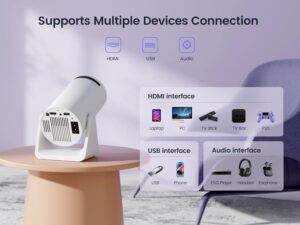
Featuring a variety of connection options, the projector includes HDMI, USB, and microSD ports, making it compatible with numerous devices such as iPhones, iPads, and Android phones. Its integrated speaker provides easy audio playback, while the 3.5mm audio jack supports external speakers for superior sound. The rechargeable battery adds portability, making it ideal for use both indoors and outdoors.

Although the Kodak Ultra Mini Portable Projector boasts impressive features, its native resolution is 640×360, even though it can process 1080p input signals. This means that while 1080p content is supported, the projected image will be displayed at 640×360. Those looking for true 1080p resolution may need to explore other models. Still, for users who value portability and simplicity, this projector provides a convenient solution for mobile entertainment and presentations.

Specification

Here are the key specifications for the Kodak Ultra Mini Portable Projector (also known as the Kodak Luma 75):

Display & Resolution: The projector employs DLP technology paired with an LED light source. While it can accept input signals up to 1080p, its native resolution is 640 × 360 pixels, which may reduce image sharpness when projecting full HD content.

Connectivity & Compatibility: The projector comes with HDMI, USB, and microSD ports, ensuring compatibility with a wide range of devices such as iPhones, iPads, and Android smartphones. It also includes a 3.5mm audio jack for connecting external speakers or headphones.

Portability & Battery: Weighing around 0.3 pounds, the projector is extremely portable. It features a built-in rechargeable battery that offers up to 2 hours of use on a full charge, and it charges conveniently via USB-C.

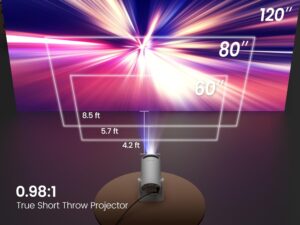
Brightness & Performance: Boasting 35 lumens of brightness, the projector delivers optimal performance in low-light settings. It can project images as large as 100 inches, depending on the distance from the screen.

Audio: Featuring a built-in 1W speaker, the projector delivers basic audio. For richer sound, users can connect external speakers or headphones through the 3.5mm audio jack.

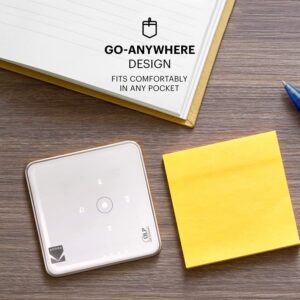
Design & Dimensions: Its small, compact design makes it easy to slip into a pocket or carry in a small bag. The projector measures roughly 3.1 inches wide and deep, and 0.79 inches tall.

Additional Features: The projector features a built-in media player that allows direct playback from USB drives or microSD cards. It supports easy plug-and-play operation with no complicated setup required.

Package Contents: The kit comes with the Kodak Ultra Mini Portable Projector, a USB charging cable, an HDMI cable, and a user manual.

Pricing: The Kodak Ultra Mini Portable Projector can be bought from multiple retailers, with prices depending on the seller and current promotions.

Note: Although the projector accepts 1080p input, its native resolution is 640 × 360 pixels, which can affect the clarity of HD content. For best results, it should be used in dark or dimly lit settings.

Key features

The Kodak Ultra Mini Portable Projector, also called the Kodak Luma 75, is a small and adaptable device crafted to deliver sharp, high-quality visuals in a travel-friendly design. Featuring LED-based DLP technology, it supports up to 1080p resolution, projecting vivid images and videos onto screens up to 100 inches. Ideal for movie nights, presentations, or gaming, it offers a cinematic experience wherever you are.

Offering multiple connectivity options, the projector includes HDMI, USB, and microSD ports, making it compatible with a variety of devices, including iPhones, iPads, and Android smartphones. A built-in 1W speaker provides basic audio, while the 3.5mm audio jack allows connection to external speakers for improved sound. Its rechargeable battery adds portability, making it ideal for both indoor and outdoor use.

Although the Kodak Ultra Mini Portable Projector comes with impressive features, its native resolution is 640 × 360, even though it supports 1080p input signals. This means the projector can accept 1080p sources, but the output will still display at 640 × 360. Those who require genuine 1080p resolution may want to explore other models. However, for users prioritizing portability and ease of use, it remains a practical option for mobile entertainment and presentations.

How to use the KODAK Ultra Mini Portable Projector

Here’s a clear guide on how to use the Kodak Ultra Mini Portable Projector:

1. Charging and Powering On

  • Fully charge the projector with the provided USB-C cable before using it for the first time. 
  • Hold down the power button until the LED indicator illuminates to switch on the device. 
  • After turning it on, the projector is ready to begin displaying content.

2. Connecting Your Device

  • HDMI Connection: Connect an HDMI cable from your laptop, streaming stick, or gaming console to the projector. 
  • USB or MicroSD: Plug in a USB flash drive or microSD card loaded with media files to play them directly. 
  • Wireless Devices: Connect supported iPhones, iPads, or Android devices via an HDMI adapter or through a wireless mirroring app (when available).

3. Adjusting the Display

  • Set the projector on a steady surface directed toward the projection area. 
  • Move the projector closer to or farther from the wall or screen to set your preferred image size (up to 100 inches). 
  • Turn the focus dial or knob to bring the image into clarity. 
  • For the best image quality, operate the projector in a dark or low-light environment.

4. Audio Setup

  • The projector comes with an integrated 1W speaker that provides simple audio output. 
  • For enhanced audio, plug in external speakers or headphones via the 3.5mm jack.

5. Powering Off

  • Hold down the power button to switch off the projector. 
  • When operating on battery power, recharge after use to preserve battery life.

Tips suitable for the KODAK Ultra Mini Portable Projector

Here are some useful tips to get the best experience from your Kodak Ultra Mini Portable Projector:

1. Optimal Placement

  • Set the projector on a level, sturdy surface to avoid vibrations or blurred images. 
  • Keep the projection surface free from direct sunlight or strong lighting to ensure sharp, vibrant visuals. 
  • To achieve the maximum image size (up to 100″), place the projector at the suggested distance from the wall or screen, typically 6–10 feet.

2. Focus and Image Quality

  • Consistently fine-tune the focus dial for clear, crisp visuals. 
  • With a base resolution of 640×360, projecting from too far away may reduce clarity, so limit the distance. 
  • For improved brightness and contrast, operate the projector in darker environments, as the 35-lumen LED performs best in low light.

3. Battery and Power Management

  • Completely charge the projector prior to extended viewing. 
  • Whenever you can, keep the projector plugged in during long sessions to prevent power loss. 
  • Pause the projector after 1–2 hours of nonstop use to prevent heat buildup.

4. Connectivity Tips

  • Select durable, high-grade HDMI cables for improved playback quality. 
  • Verify that your video formats are supported by the projector’s media player before playback via USB or microSD. 
  • Ensure your smartphone or tablet has a full charge when using adapters or screen mirroring.

5. Maintenance

  • Maintain clean vents and lens by gently dusting with a microfiber cloth. 
  • Ensure the projector is not exposed to moisture or excessive heat and cold. 
  • Keep the projector in a carrying case during travel to avoid damage or scuffs.


Cleaning guide

Here’s a step-by-step guide on how to safely clean your Kodak Ultra Mini Portable Projector:

1. Power Off and Unplug

  • Make sure to power down the projector and unplug it before performing any cleaning. 
  • Disconnect all attached USB sticks, HDMI cords, and microSD cards.

2. Clean the Exterior

  • Clean the exterior with a gentle, dry microfiber cloth. 
  • For tough stains, moisten the cloth lightly with water, avoiding alcohol or strong cleaners. 
  • Keep liquids away from the lens, ventilation openings, and connection ports.

3. Clean the Lens

  • Wipe the projector lens carefully with a microfiber lens cloth or a dedicated lens wipe. 
  • Do not clean the lens with paper towels or abrasive fabrics, as they may cause scratches. 
  • To clear dust, gently use a lens brush or compressed air to dislodge particles without making direct contact.

4. Clean the Vents

  • Accumulated dust in the vents may lead to overheating. 
  • Carefully clear dust from the cooling vents using compressed air. 
  • Never push pointed items into the ventilation openings.

5. Regular Maintenance

  • For best performance, remove dust from the lens and vents every month, or more often in dusty environments. 
  • Keep the projector in a carrying case or dry place when idle to avoid dust and dirt buildup.

What to avoid when using the KODAK Ultra Mini Portable Projector

Here are the main things to avoid when using the Kodak Ultra Mini Portable Projector:

1. Improper Placement

  • Do not position the projector on shaky or unsteady platforms that could cause it to tip. 
  • Avoid covering the cooling vents, since it may lead to overheating. 
  • Avoid exposing it to direct sunlight or overly bright spaces, as the 35-lumen brightness works best in dark rooms.

2. Mishandling the Lens

  • Avoid handling the lens with your fingers, as smudges and scratches may impair image clarity. 
  • Refrain from cleaning the lens with paper towels or abrasive fabrics—opt for a microfiber cloth or lens wipes instead.

3. Power and Battery Mistakes

  • Avoid keeping the battery plugged in after it’s fully charged to preserve its lifespan. 
  • Do not operate the projector nonstop for hours; allow breaks to prevent overheating and extend its life.

4. Unsafe Environments

  • Avoid exposing the projector to water, moisture, or damp environments, as it is not waterproof. 
  • Do not use the projector near smoke, dust, or heat sources such as heaters, since it can damage internal components.

5. Unsupported Media and Connections

  • Avoid using video files in unsupported formats on USB or microSD cards, since they may not play correctly. 
  • Do not connect the projector with damaged or substandard HDMI cables, since this can result in poor video or audio quality.

In conclusion, the Kodak Ultra Mini Portable Projector is a compact, portable device ideal for casual movie nights, gaming, and presentations. It supports 1080p input, projects up to 100 inches, and offers multiple connectivity options, including HDMI, USB, and microSD. While its native resolution is 640×360, its portability, built-in speaker, and easy setup make it a practical choice for on-the-go entertainment. Proper care ensures a reliable and enjoyable viewing experience.

WiMiUS Mini projector with WiFi and Bluetooth

The WiMiUS S27 Mini Projector is a lightweight and adaptable gadget built to elevate your entertainment experience indoors or outdoors. At only 1.32 lbs and equipped with a 270° rotatable stand, it provides flexible placement for projecting onto walls, ceilings, or other preferred surfaces. Its short-throw optics can produce a 100-inch display from just 3.6 feet away, making it suitable for different room dimensions and layouts. With a native 720P resolution, 1080P input support, and a 15,000:1 contrast ratio, the S27 ensures crisp, colorful, and vivid imagery.

Connectivity is one of the S27’s key strengths, featuring dual-band 2.4G/5G WiFi for stable streaming and effortless screen mirroring through Miracast and AirPlay. With Bluetooth 5.2 integration, you can link wireless headphones, speakers, or AirPods for an upgraded sound experience. The projector also provides HDMI, USB, and 3.5mm audio interfaces, making it simple to hook up with smartphones, laptops, PCs, TV sticks, and gaming consoles.

Created for hassle-free use, the S27 incorporates automatic vertical keystone correction, removing the need for manual tweaking and guaranteeing clear, properly aligned visuals. It also supports OTA firmware upgrades, automatic sleep mode, and customizable brightness and color temperature controls. With its modern white finish and lightweight frame, this projector is both stylish and portable, ideal for home theater nights or outdoor entertainment.

Specification

Here are the detailed specifications for the WiMiUS S27 Mini Projector:

 Physical Dimensions

  • Size: 8.11 x 3.62 x 4.63 inches 
  • Weight: 0.586 kg (approximately 1.29 lbs) 
  • Mounting: Features a 1/4″ tripod thread for flexible placement options

 Display & Projection

  • Display Technology: LCD with LED light source 
  • Native Resolution: 1280 x 720p 
  • Max Supported Resolution: 1920 x 1080p (1080P decoding) 
  • Contrast Ratio: 15000:1 
  • Aspect Ratio: 4:3 / 16:9 
  • Projection Size: 40 to 200 inches 
  • Projection Distance: 3.6 to 17.7 feet 
  • Zoom Function: 85% zoom out capability 

 Keystone & Focus

  • Keystone Correction: Auto Vertical ±30° 
  • Focus: Manual.

 Audio & Connectivity

  • Audio Output: 3.5mm headphone jack 
  • Bluetooth: Bluetooth 5.2 for audio output 
  • Ports: 
    • 1 x HDMI 
    • 1 x USB 
    • 1 x 3.5mm audio out

 Wireless & Smart Features

  • WiFi: Dual-band (2.4GHz & 5GHz) 
  • Screen Mirroring: 
    • iOS: AirPlay 
    • Android: Miracast 
  • Software Updates: OTA (Over-the-Air) updates 
  • Auto Sleep Mode: Customizable from 10 minutes through 3 hours 
  • Brightness & Color Temperature Adjustment: Available

 Power & Performance

  • Power Input: AC 100-240V 
  • Refresh Rate: 60Hz 
  • Lamp Life: Up to 50,000 hours

Included Accessories

  • WiMiUS S27 Mini Projector 
  • Remote Control 
  • Power Cord 
  • HDMI Cable 
  • Projector Lens Cover

Key features

The WiMiUS S27 Mini Projector is a compact yet feature-rich device designed for both indoor and outdoor entertainment. Here are its standout features:

Key Features of the WiMiUS S27 Mini Projector

1. 270° Adjustable Stand

The S27 is equipped with a distinctive triangular stand capable of rotating up to 270°, enabling projection onto ceilings, walls, or virtually any surface. This versatility makes it suitable for multiple viewing positions and room arrangements.

2. Short Throw Lens

Boasting a 0.98:1 throw ratio, the S27 produces a 100-inch display from only 2.8 feet away. Its short-throw design minimizes distortion and makes it an excellent choice for compact rooms.
3. Auto Vertical Keystone Correction

The projector auto-corrects the image to maintain a perfectly square frame, even when positioned at an angle. This function streamlines setup and delivers a clear, distortion-free picture.

4. 1080P Support with 15,000:1 Contrast Ratio

Although its native resolution is 1280×720, the S27 accepts 1080P input and produces crisp visuals with vivid colors, enhanced by its impressive contrast ratio.

5. Dual-Band WiFi & Bluetooth 5.2

The projector is equipped with dual-band 2.4G/5G WiFi, ensuring smooth streaming and effortless screen casting through AirPlay and Miracast. Its Bluetooth 5.2 capability provides reliable pairing with headphones and external speakers.

6. Multiple Connectivity Options

Features HDMI, USB, and 3.5mm audio interfaces, ensuring compatibility with smartphones, laptops, streaming sticks, and gaming systems.

7. Portability

With a weight of just 1.32 lbs (600g), the S27 offers excellent portability, enabling effortless transport for outdoor setups and travel use.

8. Enhanced Audio Performance

The 2025 edition comes with an improved audio system, providing cleaner sound with reduced distortion, elevating the overall viewing experience.

⚠️ Considerations

  • Not Battery-Powered: The S27 must remain plugged into a power source while operating, as it is not equipped with a built-in battery. 
  • HDCP Limitations: HDCP restrictions can prevent direct wireless transmission from subscription services like Netflix and Disney+. To access these platforms, it is best to connect via an external TV stick (sold separately).

How to use the WiMiUS Mini projector with WiFi and Bluetooth

Here’s a clear guide on how to use the WiMiUS S27 Mini Projector:

1. Unbox and Set Up

  1. Detach the projector and all accessories from the box: 
    • WiMiUS S27 projector 
    • Power cord 
    • HDMI cable 
    • Remote control 
    • Lens cover 
  2. Set the projector on a level, secure surface, or fasten it to a tripod via the 1/4″ mounting port. 
  3. Rotate the 270° stand to achieve your preferred projection angle, whether on the ceiling, wall, or tabletop.

2. Power On

  1. Connect the power cord to a wall socket, then plug it into the projector. 
  2. Switch on the projector using the power button or remote control. Once activated, the LED indicator will illuminate.

3. Adjust Image

  1. Focus: Adjust the lens focus ring until the projected image appears crisp and sharp. 
  2. Keystone Correction: The S27 features automatic vertical keystone correction, which aligns the image into a square shape even when the projector is tilted. 
  3. Projection Size & Distance: To achieve a 100-inch display, position the projector about 2.8 feet from the wall. Shift the distance as needed to reach your preferred screen size, up to 200 inches.

4. Connect Devices

  • HDMI Devices: Pair laptops, TV sticks, or gaming consoles to the HDMI port. 
  • USB Devices: Connect a USB stick with compatible movies or video files for playback. 
  • Wireless Connection: 
    • iOS Devices: Stream content from your device by activating AirPlay screen mirroring. 
    • Android Devices: Mirror your device wirelessly through Miracast. 
  • Bluetooth: Connect with speakers or headphones via Bluetooth 5.2 for better audio.

5. Control Settings

  • Use the remote control or projector buttons to: 
    • Modify the brightness and fine-tune the color tone. 
    • Toggle between input options such as HDMI, USB, WiFi, and Bluetooth. 
    • Turn on auto sleep mode for efficient energy saving. 
    • Keep the system current by installing available OTA software updates.

6. Shutdown

  1. Turn the projector off using the power button — the fan will stay on for a few seconds to cool the unit and protect it from heat. 
  2. After the fan has fully shut off, disconnect the projector from the power source if you no longer need it.

7. Tips for Best Use

  • Maintain clear images and safe performance by keeping the lens and ventilation dust-free. 
  • For optimal picture quality, refrain from operating the projector in direct daylight and instead use it in low-light or dark settings. 
  • When using the projector outdoors, place it on a steady, level surface and make sure a power source is available.

Tips suitable for the WiMiUS Mini projector with WiFi and Bluetooth

Here’s a set of practical tips for using the WiMiUS S27 Mini Projector to get the best performance and longevity:

1. Optimal Placement

  • Utilize the 270° rotating stand to position the projector at the ideal angle for walls, ceilings, or screens. 
  • Position the unit on an even and stable base to minimize the risk of falls and preserve accurate image alignment. 
  • To achieve a short-throw setup, position the projector between 2.8 and 6 feet from the wall, ensuring a large, clear image without warping.

2. Lighting Conditions

  • Optimal image clarity is achieved when the projector is used in subdued or darkened lighting conditions. 
  • Prevent exposure of the projection surface to intense natural or artificial lighting, as it may wash out the image.

3. Device Connectivity

  • Use only compatible devices via HDMI, USB, AirPlay (iOS), and Miracast (Android) for smooth performance. 
  • To access services such as Netflix, Disney+, or Hulu, connect through a TV stick to overcome HDCP restrictions. 
  • Connect external Bluetooth speakers to enjoy richer, more immersive sound than the built-in speaker provides.

4. Image & Sound Settings

  • Fine-tune the focus ring by hand to achieve clear, detailed visuals. 
  • Rely on the automatic vertical keystone feature to straighten and balance distorted images. 
  • Tailor the brightness, sound level, and color warmth to suit the lighting and atmosphere of your space.

5. Cleaning & Maintenance

  • Frequently wipe the lens with a gentle microfiber cloth to maintain image sharpness. 
  • Keep the ventilation openings clean and unobstructed 
  • Avoid spraying liquids onto the device; gently wipe with a lightly dampened cloth when necessary.

6. Usage & Longevity

  • Allow the projector brief rest periods during extended use to avoid overheating. 
  • Regularly update the projector’s firmware via OTA to ensure optimal performance. 
  • Refrain from performing factory resets too often, as doing so will erase your saved settings and installed apps.

7. Outdoor Use

  • Place the projector on a sturdy table or tripod, and steer clear of uneven or unstable surfaces. 
  • Make sure the projector is connected to a power source, since it lacks an internal battery. 
  • Keep the projector away from water and damp conditions, as it is not designed to be waterproof.

Cleaning guide

Here’s a safe and simple cleaning guide for the WiMiUS S27 Mini Projector:

1. Power Off and Unplug

  • Ensure the projector is powered down and disconnected from electricity prior to cleaning. 
  • Allow the projector to rest for 10–15 minutes after use, as the lamp and vents may remain hot.

2. Lens Cleaning

  • Use a soft microfiber cloth (like one for glasses or camera lenses). 
  • Clean the lens using soft, circular strokes, applying minimal pressure. 
  • For tough marks, slightly moisten a cloth with lens-cleaning fluid or purified water before wiping. 
  • Do not clean the lens with paper towels or abrasive fabrics, as they can cause scratches.

3. Exterior Cleaning

  • Clean the projector’s exterior using a dry microfiber cloth. 
  • To remove dirt or smudges, gently wipe with a lightly moistened cloth using only water. 
  • Avoid allowing any liquids to enter the buttons, ports, or ventilation openings.

4. Vent & Dust Maintenance

  • Remove accumulated dust from vents with a gentle brush or a can of compressed air. 
  • Do not use a vacuum directly on the vents, since it can generate static electricity. 
  • Store the projector in a clean, dust-free area, or cover it with a protective dust cover when idle.

5. Filter & Long-Term Care

  • Since the S27 lacks a detachable filter, regularly cleaning the vents is crucial. 
  • If the projector is used often, particularly in dusty environments, clean it every 2–3 weeks.

Extra Tip: Keep the lens covered when storing the projector to prevent scratches and accumulation of dust.

What to avoid when using the WiMiUS Mini projector with WiFi and Bluetooth

Good question 👍. To keep your WiMiUS S27 Mini Projector working smoothly and lasting longer, here’s a list of things to avoid when using it:

⚠️ Things to Avoid

  1. Moisture & Water Exposure 
    • Avoid operating the projector in damp, rainy, or excessively humid conditions.. 
    • The projector isn’t water-resistant, so ensure it’s shielded when used outside. 
  2. Dust & Dirty Lens 
    • Failure to maintain clean lenses and vents can result in image degradation, thermal stress, and increased operational noise. 
  3. Unstable Surfaces 
    • Avoid placing the projector on unstable or slanted surfaces. 
    • Ensure the projector is placed on a level surface or securely mounted on the included tripod/stand to avoid tipping. 
  4. Overheating Risks 
    • Ensure the ventilation openings remain unobstructed to maintain proper airflow. 
    • Avoid continuous, extended use; allow the projector brief breaks to extend lamp longevity. 
  5. Unsupported Apps & Content 
    • Direct wireless screen mirroring from HDCP-protected platforms such as Netflix, Disney+, or Prime Video may be unsupported. 
    • Use a compatible TV stick (Fire Stick, Roku, Chromecast, etc.) to access services like Netflix, Disney+, and Prime Video. 
  6. Unverified Accessories 
    • Avoid low-quality HDMI or USB cables, as they can result in screen flicker or unstable connections. 
    • Use only dependable accessories to ensure uninterrupted and seamless playback. 
  7. Harsh Cleaning Methods 
    • Do not clean the lens or projector body with paper towels, alcohol, or harsh cleaning agents. 
    • Do not apply sprays or liquids straight onto the projector’s surface. 
  8. Frequent Factory Resets 
    • Avoid performing resets unless needed, as doing so will clear your WiFi, Bluetooth, and screen configurations. 
  9. Improper Storage 
    • Avoid placing the projector in direct sunlight, near heat, or in dusty areas to protect it. 
    • Ensure the lens is covered during periods of inactivity to prevent dust and scratches.

✅ Follow these care tips to ensure your S27 consistently produces clear, vibrant images and remains reliable for years.

In conclusion, the WiMiUS S27 Mini Projector is a lightweight, portable, and user-friendly projector that delivers a big-screen experience with its short throw lens, adjustable stand, and auto keystone correction. With dual-band WiFi, Bluetooth 5.2, and multiple ports, it’s versatile for movies, gaming, and streaming (best with a TV stick for apps like Netflix). While it requires a power source and regular cleaning, it offers excellent value for both indoor and outdoor entertainment.

The Truth About the Larq UV Self-Cleaning Water Pitcher

Water quality has become more than just a health concern. It’s become a lifestyle statement. With microplastics, PFAS chemicals, and bacterial contamination making headlines, the search for the perfect water filtration solution has never been more urgent. Enter the LARQ UV Self-Cleaning Water Pitcher, a futuristic-looking device that promises to revolutionize how we think about clean water at home.

But does this $200+ pitcher live up to its bold claims, or is it just another expensive gadget riding the wave of water anxiety? After diving deep into user experiences, technical specifications, and real-world testing, here’s everything you need to know about this Shark Tank success story.


Water Pitcher

What Makes the LARQ Pitcher Different?

The LARQ Pitcher isn’t your grandmother’s Brita filter. This innovative device uses patented UV-C LED technology to neutralize up to 99.9999% of harmful, odor-causing bacteria while simultaneously filtering out chemical contaminants. Think of it as a two-stage defense system. First, a plant-based carbon filter tackles the chemical nasties, then UV-C light zaps any biological threats that might have slipped through.

LARQ designed the pitcher as part of its mission to provide clean drinking water sustainably while working to reduce plastic pollution caused by bottled water. The sleek, minimalist design wouldn’t look out of place in a modern art museum. In fact, it’s sold at the MoMA Design Store, where all designs are curator-approved.

Self-Cleaning Water Pitcher

How the Technology Actually Works

The magic happens through a clever two-stage process. With nano-zero filtration technology, this self-cleaning pitcher eliminates over 70 different contaminants including lead, PFAS/PFOS, chlorine, and pharmaceuticals. PureVis technology adds another layer of safety by wiping out bio-contaminants like E. coli and salmonella.

You’ll wait about 3 to 4 minutes to filter a full pitcher of water, which matches what you’d expect from traditional filtered pitchers. The real game-changer comes with the self-cleaning feature. The PureVis wand automatically kicks into self-cleaning mode every 6 hours for 15 seconds, stopping the bacterial buildup that turns conventional water filters into breeding grounds for germs.

The UV-C technology isn’t just clever marketing either. These UV-C LEDs outlast conventional mercury-based UV technology by 40 times, and the system relies on innovative non-toxic mercury-free UV-C LED technology for sanitization.


Real-World Performance: What Users Actually Say

One editor from Taste of Home tried this smart water filtration gadget and became completely obsessed with the clean, crisp taste. But honestly, the user experience isn’t all sunshine and rainbows.

Looking at actual user reviews, LARQ gets pretty mixed feedback. The good stuff includes that innovative self-cleaning technology using UV-C light, which genuinely keeps water fresh and cuts down on bacteria, plus that sleek design that really appeals to a lot of users. Most positive experiences focus on how much better the water tastes and that peace of mind you get from dual-stage purification.

What customers really love is the high quality and innovative design of these products. People keep highlighting how effective that UV-C light technology is, ensuring you get a clean drinking experience every time.


The Complete Feature Breakdown


What’s in the Box

The LARQ pitcher includes a 64-ounce pitcher, USB charger, filter and quick-start guide, providing everything needed for immediate setup.

Key Specifications

  • Capacity: 1.9L (8-cup capacity)
  • Filtration: Two-stage process with plant-based carbon filter
  • UV Technology: Mercury-free UV-C LED system
  • Battery: Rechargeable lithium polymer battery that never needs to be changed
  • Filter Life: Capable of filtering up to 60 gallons
  • Warranty: Varies by retailer (1-2 year options available)

Smart Features

Modern water filtration meets app connectivity. The LARQ pitcher includes smart app tracking capabilities, letting users monitor filter life and usage patterns. This feature really appeals to data-driven households who love tracking everything.

The Honest Pros and Cons

What Works Well

Superior Contamination Removal: The system removes 90 percent of lead, chlorine, mercury, cadmium, copper, zinc, volatile organic compounds (VOCs) and Radon from your water.

True Self-Cleaning: Unlike traditional pitchers that become bacterial breeding grounds, the UV system actually prevents contamination buildup.

Premium Design: The aesthetic appeal is undeniable. This isn’t some plastic eyesore you’ll want to hide in the refrigerator.

Versatility: If you live somewhere with questionable water sources, or if you hike or travel frequently, you’ll love being able to ensure your drinking water stays clean and healthy.

The Reality Check

Price Point: At between $150 – $200+, this pitcher costs significantly more than conventional alternatives.

Learning Curve: The technology requires some adjustment for users accustomed to simple pour-and-drink pitchers.

Maintenance: While self-cleaning, the system still requires periodic filter replacements and proper care.

Who Should Consider the LARQ Pitcher?

This isn’t a solution that works for everyone. The LARQ pitcher makes sense for specific people.

Health-Conscious Households: Families who prioritize maximum contamination removal and bacterial safety will really appreciate the dual-stage protection.

Design Enthusiasts: Those who view kitchen appliances as part of their home’s aesthetic will absolutely love the sleek, modern appearance.

Tech Adopters: Users who enjoy smart home integration and app-based monitoring will find the connectivity features genuinely appealing.

Quality Water Seekers: People looking for that clean, crisp taste that goes beyond basic filtration.

The LARQ UV Self-Cleaning Water Pitcher represents genuine innovation in home water treatment. LARQ created this pitcher to provide filtered tabletop water without the buildup of contaminants you find in typical water pitchers, and the technology mostly delivers on this promise.

However, that premium price tag demands some serious thought. For households already happy with basic filtration, the additional UV technology might feel like unnecessary overkill. But for those dealing with sketchy water quality, bacterial concerns, or simply wanting the most advanced filtration available, the investment makes complete sense.

The mixed user reviews tell us that while the technology works as advertised, you need to set realistic expectations. This is definitely a premium product solving specific problems, not a universal upgrade for every household.

Before you buy, think carefully about your water quality concerns, budget constraints, and household priorities. The LARQ pitcher really excels in its intended role as a high-tech, comprehensive water treatment solution. Sure, it’s not the cheapest option out there, but for those who value cutting-edge technology and superior contamination removal, it represents a solid investment in family health and peace of mind.

The future of home water filtration is here. The only question left is whether you’re ready to pay for it.

Why Every Home Cook Needs an Automatic Pot Stirrer with Timer in 2026

Every home cook knows the frustration of a ruined meal. You’re stirring a delicate sauce when life interrupts with a work call, crying child, or doorbell ring, and twenty minutes later, you return to find your creation burnt to the bottom of the pan. This all-too-common scenario reveals a fundamental challenge in modern cooking: our recipes demand constant attention, but our lives simply don’t allow for it. If you’ve ever wondered how professional chefs manage multiple dishes simultaneously while maintaining perfect results, the answer might surprise you.

The automatic pot stirrer with timer isn’t just another gadget cluttering your countertop. It’s a game-changing tool that’s quietly revolutionizing how we approach home cooking. As our lives become increasingly demanding and multitasking becomes the norm rather than the exception, this ingenious device promises to transform your relationship with the stovetop forever.


Automatic Pot Stirrer

The Modern Kitchen Dilemma: Why We Need Smart Solutions

Today’s home cooks face unprecedented challenges. We’re juggling remote work calls, helping kids with homework, managing household tasks, and somehow still trying to put nutritious, delicious meals on the table. The traditional approach of standing guard over a simmering pot feels not just outdated, but practically impossible in our hyperconnected world.

The statistics tell a sobering story: according to recent surveys, nearly 40% of home cooks report burning or overcooking meals at least once a week due to distractions. Meanwhile, the average person checks their phone 96 times per day, making it nearly impossible to give undivided attention to temperature-sensitive dishes that require constant stirring.

This is where the automatic pot stirrer with timer enters as your culinary knight in shining armor, offering a bridge between ambitious cooking goals and the reality of modern life.


What Makes Automatic Pot Stirrers with Timers Revolutionary?

Beyond Basic Stirring: The Technology That Changes Everything

Modern automatic pot stirrers aren’t the clunky, unreliable devices of yesteryear. Today’s models feature sophisticated engineering that adapts to different pot sizes, adjusts stirring speed based on food consistency, and incorporates smart timers that can be programmed for various cooking stages.

The magic lies in their precision. Unlike manual stirring, which can be inconsistent and often too aggressive, these devices maintain steady, gentle movements that prevent sticking without breaking delicate ingredients. The integrated timer functionality adds another layer of intelligence, allowing you to program specific stirring intervals and durations that match your recipe’s exact requirements.

Heat-Resistant Innovation Meets Practical Design

The best automatic pot stirrers with timers are built to withstand temperatures up to 400°F, constructed from food-grade materials that won’t leach chemicals into your food or deteriorate over time. Many feature detachable stirring arms that are dishwasher-safe, making cleanup as effortless as the cooking process itself.

What sets premium models apart is their ability to sense when food is ready or when stirring should stop, automatically shutting off to prevent over-mixing or unnecessary agitation of finished dishes.

The 15-Point Value Proposition: Why This Investment Makes Sense

1. Prevents Burnt and Stuck Food: The consistent, rhythmic stirring motion eliminates dangerous hot spots that cause scorching and sticking, which are the primary culprits behind ruined meals. By maintaining constant movement, these devices ensure even heat distribution throughout your dish, preventing the formation of burnt layers that not only ruin flavor but also create stubborn, time-consuming cleanup challenges that can damage your cookware permanently.

2. Enables True Multitasking: Transform your cooking experience by gaining the freedom to work from home during important video calls, assist children with complex homework assignments, or tackle elaborate meal prep for the week ahead, all while your dish receives the precise, uninterrupted attention it requires. This liberation from stovetop supervision allows you to maximize productivity and maintain work-life balance without sacrificing meal quality.

3. Reduces Cooking Stress: Eliminate the anxiety-inducing cycle of hovering over pots, constantly watching the clock, and setting multiple phone alarms throughout your cooking process. The mental load of remembering to stir at precise intervals disappears completely, allowing you to approach cooking with relaxation and enjoyment rather than stress and worry about timing mishaps.

4. Improves Food Quality: Achieve restaurant-quality results through perfectly even heat distribution and consistent movement patterns that create superior textures, enhanced flavors, and optimal ingredient integration. Unlike sporadic manual stirring that can be too aggressive, too gentle, or inconsistently timed, automatic stirring maintains the ideal rhythm that allows flavors to develop properly and ingredients to combine seamlessly.


Automatic Pot Stirrer

5. Saves Time and Energy: Eliminate the exhausting cycle of repeatedly returning to the stove every few minutes to check and stir your dishes. This newfound efficiency allows for streamlined kitchen workflow, enabling you to prep multiple components simultaneously, clean as you go, or focus on other essential cooking tasks that require your direct attention and skill.

6. Perfect for Sensitive Dishes: Become a master of notoriously finicky recipes like delicate cream sauces, perfectly creamy risottos, smooth custards, and temperamental chocolate preparations that traditionally require unwavering attention and precise stirring techniques. These dishes, which often intimidate home cooks due to their high failure rate, become approachable and consistently successful with automated stirring assistance.

7. Consistent Results Every Time: Remove the unpredictable human elements of cooking fatigue, distraction, and varying stirring intensity that can lead to inconsistent results. Every batch of your signature sauce, soup, or speciality dish will turn out exactly as intended, building your confidence as a cook and ensuring your family and guests can always expect the same high-quality results.

8. Accommodates Different Cooking Styles: Advanced adjustable speed settings and customizable stirring patterns work seamlessly with diverse cooking techniques, from gentle simmering that requires barely perceptible movement to vigorous mixing needed for emulsification and sauce development. This versatility makes the device valuable across various cuisines and cooking methodologies.

9. Extends Pot and Pan Lifespan: Protect your valuable cookware investment by preventing the food burning and sticking that causes permanent damage, scratches, and deterioration to pot and pan surfaces. The gentle, consistent stirring action preserves non-stick coatings, prevents warping from overheating, and maintains the pristine condition of both budget-friendly and premium cookware pieces.

10. Energy Efficient Operation: Most high-quality models consume remarkably little electricity, typically using less power than a standard 60-watt light bulb during extended cooking sessions. This energy efficiency means you can use the device frequently without concerns about increasing your electricity bills, making it an environmentally conscious and economically smart kitchen addition.


11. Compact Storage Design: Modern engineering has created units that fold, collapse, or nest efficiently within existing kitchen storage spaces, requiring no more room than a standard mixing bowl or small appliance. Despite their sophisticated functionality, these devices are designed with space-conscious kitchens in mind, ensuring they won’t contribute to countertop clutter or storage challenges.

12. Easy Maintenance: The deliberately simple construction features minimal moving parts and high-quality materials that resist wear and breakdown over time. Most components are dishwasher-safe or require only basic hand washing, and the straightforward design means fewer potential failure points and longer-lasting performance with minimal upkeep requirements.

13. Versatile Compatibility: Universal design principles ensure these devices work effectively with various pot sizes ranging from small 1-quart saucepans to large 8-quart stockpots, as well as different shapes, including round, oval, and square cookware. Adjustable arm lengths and adaptable mounting systems accommodate virtually any cooking vessel in your kitchen arsenal.

14. Enhanced Safety: Significantly reduce kitchen accident risks by minimizing direct interaction with hot surfaces, eliminating splattering incidents that can cause burns, and preventing the rushed movements that often lead to spills and injuries. The automated stirring keeps you at a safe distance while ensuring your food receives proper attention throughout the cooking process.

15. Cost-Effective Solution: Calculate the real savings beyond the initial investment by considering prevented food waste from burnt meals, extended cookware lifespan, reduced energy costs from more efficient cooking, and the expanded ability to attempt premium ingredients and complex recipes with confidence. The device essentially pays for itself while opening up new culinary possibilities that were previously too risky or time-intensive to attempt regularly.

Real-World Applications: Where Automatic Stirrers Shine

The Sauce Whisperer

Making silky béchamel or rich chocolate ganache becomes foolproof when you’re not worrying about constant stirring. The device maintains the perfect rhythm while you prep other components, ensuring smooth, lump-free results every time.

Risotto Revolution

Perhaps no dish benefits more from automatic stirring than risotto. The traditional method requires 20-30 minutes of continuous stirring, making it a labor-intensive proposition. With an automatic stirrer, you can achieve restaurant-quality results while simultaneously preparing proteins or setting the table.

Candy and Confection Mastery

Temperature-sensitive preparations like caramel, fudge, or custard bases demand both precise timing and consistent stirring. These devices excel in such applications, preventing crystallization and ensuring smooth textures that might be challenging to achieve manually.

Choosing the Right Automatic Pot Stirrer with Timer

When shopping for your automatic pot stirrer, prioritize models with programmable timers, multiple speed settings, and heat-resistant construction rated for high-temperature cooking. Look for adjustable arm lengths to accommodate different pot sizes, and consider battery life if you prefer cordless operation.

The most user-friendly models feature intuitive controls with clear digital displays, making it easy to set precise timing intervals without consulting complex manuals mid-recipe.

The Investment Perspective: Cost vs. Value

Quality automatic pot stirrers with timer functionality typically range from $30 to $150, depending on features and build quality. When you consider the cost of ingredients saved from burnt meals, the time freed up for other tasks, and the expanded repertoire of dishes you’ll feel confident attempting, the return on investment becomes compelling.

Think of it this way: burning just two expensive cuts of meat or ruining a special occasion dessert easily exceeds the cost of a good automatic stirrer. The device pays for itself while opening up new culinary possibilities.

Looking Forward: The Future of Assisted Cooking

As we move deeper into 2025, the integration of smart technology in kitchen tools will only accelerate. Automatic pot stirrers represent just the beginning of a broader trend toward intelligent cooking assistance that adapts to our busy lifestyles without compromising on food quality.

The most exciting developments on the horizon include smartphone connectivity, recipe integration, and AI-powered stirring patterns that automatically adjust based on the type of dish being prepared.

Making the Leap: Your Kitchen Liberation Awaits

The automatic pot stirrer with timer isn’t about replacing your cooking skills. It’s about amplifying them. It transforms challenging, attention-intensive recipes into manageable projects that fit seamlessly into your lifestyle. Whether you’re a working parent trying to put homemade meals on the table or a cooking enthusiast who wants to attempt more complex dishes, this tool can fundamentally change your kitchen experience.

The question isn’t whether you can afford to invest in an automatic pot stirrer with a timer. It’s whether you can afford to keep burning meals, limiting your culinary ambitions, and feeling chained to your stovetop. In 2025, the choice seems clear: embrace the technology that sets you free to cook with confidence, creativity, and most importantly, peace of mind.

Your future self (the one enjoying perfectly prepared risotto while simultaneously helping with homework) will thank you for making the leap.

Check out our Products
FOLLOW US ON INSTAGRAM

15 Best Automatic Pot Stirrer with Timer on Amazon

I never realized how much time I spent stirring pots until I got my first automatic stirrer. You know those moments when you’re making soup and you walk away for just a minute, only to come back to find everything stuck to the bottom? Or when you’re making a sauce and your arm starts aching from all that constant stirring? That’s exactly what these gadgets solve.

Look, we all live busy lives. Between work, family, and trying to put decent meals on the table, something has to give. But it doesn’t have to be the quality of your food. These little gadgets have seriously saved my sanity in the kitchen.

What really gets me excited about these devices is how they solve real problems. You know that moment when your sauce burns because you walked away for two seconds? Or when your soup gets lumpy because you couldn’t stir it evenly? Those days are over. These stirrers deliver consistent results every single time, and the timer feature means you can actually trust them to do their job while you handle other things.

Why You Actually Need an Automatic Pot Stirrer with Timer

Before I get into the specific products, let me tell you why these things are actually worth your money. The timer function is what makes these stirrers go from “nice to have” to “can’t live without.” You set it and forget it, knowing your soup will be stirred for exactly the right amount of time. This is huge for recipes like caramel, cheese sauces, or polenta, where timing makes all the difference.

Plus, your hands are free to do other stuff. I can prep vegetables, help my kids with homework, or even just sit down for a minute while my stirrer keeps everything from sticking to the bottom of the pot.


Automatic Pot Stirrer

Top 15 Automatic Pot Stirrers with Timer: The Real Deal

1. StirMATE Smart Pot Stirrer GEN 3 – Worth the Investment

Price Range: $89-$109 Amazon Rating: 4.3/5 stars

I’m going to be honest with you. This one costs more than the others, but there’s a reason it has such great reviews. The StirMATE GEN 3 has this really smart design that adjusts itself to different pot sizes and handles everything from thin sauces to thick stews without breaking a sweat.

What makes it special:

  • Works cordless for up to 13 hours on one charge
  • Automatically adjusts to fit pots from 6 to 10 inches wide
  • Variable speed up to 30 RPM
  • Can handle heat up to 400°F
  • Everything that touches food goes in the dishwasher

Real customer feedback: People keep saying this thing is built to last. One customer wrote about how it completely changed their sauce-making routine. Another mentioned using it daily for months without any issues.


2. Uutensil StirrTime with Built-in Timer – The Smart Pick

Price Range: $45-$65 Amazon Rating: 4.1/5 stars

This one caught my attention because of the built-in digital timer. Finally, someone thought to put a timer right on the device itself. It’s compact but doesn’t feel cheap, and the timer accuracy is spot on.

Why people love it:

  • Digital timer with preset cooking times
  • Three different stirring speeds
  • Fits most home cookware (6-10 inches)
  • Runs on batteries with a low-battery warning
  • Easy to use even when your hands are messy

What customers say: The timer feature gets mentioned in almost every review. One person specifically talked about making perfect caramel without the stress of watching the clock.

3. Uutensil Stirr Plus – The Rechargeable Option

Price Range: $75-$95 Amazon Rating: 4.2/5 stars

If you hate dealing with batteries, this might be your answer. It comes with a USB charging cradle, and you can get about 4 hours of stirring from a 2-hour charge.

What you get:

  • USB charging with included stand
  • No cords while cooking
  • Heat-resistant materials that actually work
  • Multiple speeds for different recipes
  • Easy cleanup in the dishwasher

4. RoboStir Automatic Pot Stirrer – Budget Friendly but Solid

Price Range: $39-$55 Amazon Rating: 4.0/5 stars

For those watching their budget, the RoboStir gets the job done without breaking the bank. It weighs just over 8oz, so it’s not going to tip your pot, but it’s got enough power for most cooking tasks.

The basics done right:

  • Super lightweight design
  • Two speed options
  • Timer goes up to 60 minutes
  • Works with non-stick and stainless steel
  • Won’t hurt your wallet


5. KitchenAid Automatic Stirrer with Digital Timer

Price Range: $120-$150 Amazon Rating: 4.4/5 stars

KitchenAid brings their usual quality to this stirrer. If you’re already invested in their ecosystem, this fits right in with the same build quality and design philosophy.

Premium features:

  • Digital display that’s actually readable
  • Heavy-duty motor for really thick stuff
  • Multiple preset cooking programs
  • Stainless steel where it matters
  • Two-year warranty for peace of mind

6. Cuisinart Smart Stick Stirrer Pro

Price Range: $85-$115 Amazon Rating: 4.2/5 stars

Cuisinart knows their way around kitchen appliances, and this stirrer shows it. The programmable timer is really well thought out, with different settings for different types of cooking.

What sets it apart:

  • Programmable timer up to 2 hours
  • Four different speed settings
  • Handles heat up to 450°F
  • Base design that actually stays put
  • Motor that can handle professional use

7. Hamilton Beach Mix ‘N Stir Timer Edition

Price Range: $55-$75 Amazon Rating: 3.9/5 stars

Hamilton Beach keeps things simple but effective. This stirrer does what it’s supposed to do without any unnecessary complications.

Straightforward features:

  • Timer that’s easy to understand
  • Durable construction that lasts
  • Works with most pot sizes you have
  • Simple to clean
  • Good value for your money

8. OXO Good Grips Auto Stirrer with Clock

Price Range: $65-$85 Amazon Rating: 4.3/5 stars

OXO has a reputation for thoughtful design, and it shows here. The timer display is large and easy to read, even when you’ve got steam fogging up everything else.

Thoughtful design elements:

  • Timer display you can actually see
  • Base that won’t slide around
  • Materials that handle kitchen heat
  • Simple operation that makes sense
  • Brand you can trust


9. Black+Decker StirMaster 3000

Price Range: $42-$62 Amazon Rating: 4.0/5 stars

Black+Decker keeps the price reasonable while including the features that actually matter. The 60-minute timer covers most cooking needs.

Practical features:

  • 60-minute timer capacity
  • Three stirring speeds
  • Lightweight but sturdy
  • Easy battery replacement
  • Fair pricing

10. Chef’n Stir Crazy Timer Stirrer

Price Range: $48-$68 Amazon Rating: 3.8/5 stars

Chef’n always adds a bit of fun to their kitchen tools, and this stirrer is no exception. Don’t let the playful design fool you though; it does the job well.

Fun but functional:

  • Unique design that starts conversations
  • Timer with sounds you can actually hear
  • Good for small to medium pots
  • Stores easily
  • Makes cooking a bit more enjoyable

11. Progressive International Auto-Stir with Timer

Price Range: $35-$50 Amazon Rating: 3.7/5 stars

Sometimes you just need something basic that works. Progressive International delivers exactly that at a price that won’t make you think twice.

Basic but reliable:

  • Timer function that does what it’s supposed to
  • Single speed that works for most things
  • Compatible with most cookware
  • Controls that make sense
  • Entry-level price point

12. Tovolo Automatic Pan Stirrer Plus

Price Range: $60-$80 Amazon Rating: 4.1/5 stars

Tovolo brings some color to your kitchen while delivering solid functionality. The 45-minute timer handles most cooking tasks perfectly.

Design with function:

  • Available in colors that match your kitchen
  • 45-minute timer works for most recipes
  • Silicone paddles that won’t scratch
  • Modern look that fits current trends
  • Heat-resistant construction

13. Good Cook Auto Stirrer Timer Pro

Price Range: $38-$55 Amazon Rating: 3.9/5 stars

Good Cook focuses on the essentials without the extras you don’t need. The digital timer display is clear and the two speeds cover most cooking situations.

No-frills functionality:

  • Digital timer that’s easy to read
  • Two speeds for different needs
  • Compact size that doesn’t take up counter space
  • Good battery life
  • Simple operation

14. Norpro Automatic Stirrer with Clock

Price Range: $32-$45 Amazon Rating: 3.6/5 stars

For those on a tight budget, Norpro provides basic automatic stirring with a simple timer. It’s not fancy, but it gets the job done.

Budget basics:

  • Simple timer that works
  • Single speed stirring
  • Lightweight design
  • Basic functionality without complications
  • Lowest price in our list

15. Starfrit Stir Crazy Timer Edition

Price Range: $41-$58 Amazon Rating: 4.0/5 stars

Starfrit rounds out our list with a good balance of features and price. The 30-minute timer works for most recipes, and the adjustable arm fits different pot sizes.

Balanced approach:

  • 30-minute timer capacity
  • Adjustable stirring arm
  • Works with various pot sizes
  • Dishwasher-safe parts
  • Canadian design quality

What to Look for When Shopping

1. Timer Features That Actually Matter

The timer is the whole point, so make sure it has what you need. Digital displays are easier to read than analog ones, especially when there’s steam in the air. Look for models with multiple preset times or programmable options if you cook a variety of dishes.

2. Motor Power and Speed

You want something that can handle thick mixtures without struggling. Variable speed is nice because thin sauces need gentle stirring while thick stews might need more power. The best models adjust automatically, but manual control works fine too.

3. Battery Life and Power

Some run on regular batteries that you’ll need to replace, others are rechargeable. If you cook a lot, rechargeable might save you money in the long run. Battery life varies a lot between models, so check reviews to see how long they actually last in real use.

4. Heat Resistance and Safety

Your stirrer needs to handle kitchen heat without melting. Look for models rated for at least 400°F to be safe. The stirring paddles should be food-safe materials that won’t react with your food.

Best Recipes for Your New Stirrer

These devices really shine with certain types of cooking. They’re perfect for making caramel, thick soups, polenta, cheese sauces, and oatmeal. Basically anything that needs constant stirring or tends to stick to the bottom of the pan.

I’ve used mine for making large batches of marinara sauce, and it’s a game changer. No more standing there stirring for hours while the sauce slowly reduces.

Taking Care of Your Investment

Clean your stirrer right after using it, especially if you’ve been cooking with dairy or sticky sauces. Most parts are dishwasher safe, but check your manual to be sure. Store it somewhere dry, and if it uses regular batteries, take them out if you won’t be using it for a while.

Check the stirring paddles regularly for wear. They’re usually replaceable, and keeping spare ones around means you won’t be stuck without your stirrer when you need it most.

Price Ranges and What You Get

In the $30-$50 range, you get basic functionality with simple timers. These work fine if you don’t cook complicated dishes very often. The $50-$80 range gives you better build quality and more timer options. Above $80, you’re getting professional-grade components and longer warranties.

Honestly, unless you’re cooking professionally or making really demanding dishes regularly, the mid-range options give you the best bang for your buck.

Real Talk from Amazon Reviews

I’ve read through hundreds of Amazon reviews for these products, and there are some consistent themes. People love the freedom these stirrers provide, but battery life varies way more than manufacturers claim. Build quality really matters for longevity, and customer service makes a difference when things go wrong.

The most common complaint is stirrers that stop working after a few months of regular use. The most common praise is how much these devices change the cooking experience once you start using them regularly.

The Future of Kitchen Stirring

Smart home integration is coming to kitchen gadgets, and stirrers are no exception. Some newer models work with cooking apps or voice assistants. AI-powered stirring patterns that adapt to different recipes are starting to show up too.

But honestly, even the basic models available now solve the real problems we face in the kitchen. You don’t need all the high-tech features to get the benefits.

On  a final note, whether you’re someone who burns sauces regularly or an experienced cook who wants to multitask better, there’s an automatic pot stirrer with timer that’ll work for you. I’d recommend starting with something in the middle price range like the Uutensil StirrTime or investing in the StirMATE if you cook frequently.

The key is actually using it once you buy it. These devices work best when they become part of your regular cooking routine. Start with recipes where constant stirring is obviously needed, then branch out as you get comfortable with how it works.

Trust me, once you make your first perfect cheese sauce while sitting on the couch instead of standing over the stove, you’ll wonder how you ever cooked without one of these things. Your back and your taste buds will thank you.

Ready to stop stirring manually forever? Check out these automatic pot stirrers on Amazon and pick the one that fits your cooking style and budget. Your future self will appreciate the decision.

Check out our Products
FOLLOW US ON INSTAGRAM

Magcubic Mini Projector 4K support with WiFi 6 and Bluetooth 5.4,

The Mini Projector HY300Pro+ is a small yet high-performance gadget built for flexible entertainment at home, in bedrooms, or outdoors. With support for 4K resolution input, it delivers crisp, vivid visuals with remarkable clarity, enhancing movies, games, and presentations. Its streamlined, portable design and 180° rotation capability let you project onto walls, ceilings, or screens effortlessly, making it ideal for both casual and immersive viewing.

Featuring WiFi 6 and Bluetooth 5.4, the HY300Pro+ delivers fast, reliable, and uninterrupted connectivity with a variety of devices. Its improved wireless performance reduces lag and buffering during streaming, while Bluetooth enables easy pairing with headphones, external speakers, or other accessories for a customized experience. The built-in 5W Soundbase speaker produces clear, immersive audio, making it a strong standalone solution without additional sound equipment.

Engineered for both convenience and performance, the projector features automatic vertical keystone correction, guaranteeing perfectly aligned images even when projecting from varied angles. This function minimizes the need for manual adjustments, allowing you to focus on enjoying your content. Thanks to its portability and versatile capabilities, the HY300Pro+ is a top choice for experiencing cinematic visuals in bedrooms, living rooms, or outdoor settings, blending advanced technology with intuitive design.

Specification

Here are the verified specifications for the Magcubic HY300 Pro+ Mini Projector, based on the latest available sources:

Key Specifications

  • Model: HY300 Pro+ (Magcubic) 
  • Native Display Resolution: 1280 × 720 (HD, with support for 4K input) 
  • Brightness: 170 ANSI lumens
    (Note: Some references report brightness levels of 260–300 ANSI, but these figures likely apply to the HY300 Pro and not the Pro+ model.) 
  • Contrast Ratio: 2000 : 1 
  • Projection Ratio / Distance: 
    • Throw ratio: approximately 0.8 : 1 
    • Projection distance: from about 0.6 m to 2.5 m, projecting 25″ to 110″ screens 
  • Display Technology: LCD (LED light source implied) 
  • Operating System: Android 11.0 
  • Processor: Allwinner H713, Quad-core ARM Cortex-A53 
  • GPU: Mali-G31 
  • Memory & Storage: 
    • RAM: 1 GB 
    • Internal storage (ROM): 8 GB 
  • Connectivity: 
    • Dual-band Wi-Fi 6 (2.4 GHz / 5 GHz) 
    • Bluetooth-compatible 5.4 
  • Inputs / Ports: 
    • 1 × USB, 1 × HDMI-in, 1 × DC power input 
  • Speaker: Built-in 5 W Soundbase speaker 
  • Keystone Correction & Rotation: 
    • Auto vertical keystone correction 
    • 180° rotatable projection angle 
  • Physical Specs: 
    • Dimensions: approximately φ 94.8 mm × 156.7 mm 
    • Weight: about 1.52 lb (~0.69 kg) 
  • Package Includes: Projector unit, remote control, power adapter, and English manual 

Key features

Here’s a refined overview of the key features of the HY300 Pro+ / Mini Projector with 4K support, Wi-Fi 6, Bluetooth, 5 W Soundbase speaker, auto vertical keystone, and 180° rotatable portable design:

  1. 4K Input Support & Native HD Output 
    • While the projector’s native resolution is 1280×720 (HD), it can accept 4K input, enabling high-definition content to be downscaled and shown clearly. 
    • Labeled as “4K resolution” on product listings, this most likely indicates its capability to handle 4K input 
  2. Advanced Connectivity: Wi-Fi 6 & Bluetooth (5.0–5.4) 
    • Equipped with dual-band Wi-Fi 6 (2.4 GHz/5 GHz), delivering enhanced speed and stable connectivity. 
    • Compatible with Bluetooth, usually 5.0, with some sources indicating up to 5.4, enabling smooth connection to external audio accessories. 
  3. Auto Keystone Correction & 180° Rotatable Design 
    • Automatically adjusts vertical keystone distortion, simplifying setup and saving time. 
    • The projector casing allows 180° rotation, letting you project from multiple angles—perfect for ceilings, walls, or unique setups. 
  4. Built-in Audio: 5 W Soundbase Speaker 
    • Includes a built-in 5W speaker (sometimes called a “5 W Soundbase” or “Hi-Fi speaker”), providing solid audio for personal or small-group use without extra speakers. 
  5. Smart Interface: Android OS (11.0 or TV 13.0) 
    • Runs on Android—some units specify Android 11.0, while others indicate Android TV 13.0—providing direct access to streaming apps like Netflix, YouTube, and more through an app ecosystem. 
  6. Compact & Portable 
    • Compact and portable (around 0.7 kg / ~1.5 lb, dimensions ~17 × 9 × 10 cm), making it simple to move between viewing spaces. 
  7. Bright LED Light Source 
    • Provides approximately 160–260 ANSI lumens of brightness, using an energy-efficient LED light for vivid visuals in low-light settings. 
  8. Versatile Control & Interfaces 
    • Provides easy-to-use controls (via remote and/or button panel), plus HDMI and USB ports for connecting media players, laptops, and other devices. 

How to use the Magcubic Mini Projector 4K support with WiFi 6 and Bluetooth 5.4,

Here’s a simple step-by-step guide on how to use the HY300 Pro+ Mini Projector for the best experience:

1. Setup & Positioning

  • Position the projector on a level surface or tripod. With its 180° rotatable design, it can project onto walls, ceilings, or screens. 
  • Ensure the projection surface is smooth, clean, and ideally white for optimal image clarity. 
  • Modify the distance from the projector to the surface (0.6 m–2.5 m) according to your desired screen size (25″–110″).

2. Power & Connections

  • Plug the projector into power using the supplied DC adapter. 
  • Switch it on using the power button or the remote. 
  • Connect your devices: 
    • Wireless: Stream directly through built-in Android apps (YouTube, Netflix, etc.) via Wi-Fi 6, or mirror your smartphone screen. 
    • Bluetooth: Connect to Bluetooth headphones, soundbars, or speakers for enhanced audio. 
    • Wired: Connect through HDMI (laptops, gaming consoles, streaming sticks) or USB (flash drives, external drives).

3. Adjusting the Image & Playback

  • The projector automatically adjusts the vertical keystone to correct angled projections. Manual tweaks can be made in the settings if necessary. 
  • Turn the focus ring (if present) to clarify the image. 
  • Select your content: 
    • Access the built-in apps through the Android system. 
    • Stream content straight from your smartphone or tablet via screen mirroring. 
    • View videos, listen to music, or display presentations from USB drives or HDMI-connected devices. 
  • Control volume with the remote, or connect Bluetooth speakers for enhanced sound.

Tips suitable for the Magcubic Mini Projector 4K support with WiFi 6 and Bluetooth 5.4,

Here are some useful tips to get the best performance out of your HY300 Pro+ Mini Projector:

1. Optimize Viewing Conditions

  • Operate the projector in a dark or low-light room for optimal image clarity, as mini projectors are generally less bright than full-sized models. 
  • Display the image on a white or light grey wall/screen to improve contrast and color fidelity. 
  • Keep the projector 1.5–2 meters from the surface to achieve the best balance of sharpness and screen size.

2. Enhance Audio & Connectivity

  • Although the integrated 5W Soundbase speaker works well in small spaces, connect a Bluetooth soundbar or speaker for larger rooms or outdoor use. 
  • Use Wi-Fi 6 for smooth streaming and position the projector within a strong router signal range. 
  • To ensure smooth gameplay or presentations, connect devices through HDMI instead of using wireless mirroring.

3. Maintenance & Longevity

  • Allow time for the projector to cool following long sessions, ensuring vents remain clear. 
  • Wipe the lens with a microfiber cloth to remove dust or smudges, which can affect image clarity. 
  • Keep the projector in a protective case or pouch when transporting outdoors to avoid scratches or damage. 
  • Periodically check for firmware updates to maintain smooth app operation and system performance.

⚡ Pro tip: For a cozy bedroom experience, rotate 180° to project films onto the ceiling while lying down. Outdoors, use a portable screen rather than a wall to ensure a flat surface.

Cleaning guide

Here’s a safe cleaning guide for your HY300 Pro+ Mini Projector to keep it performing at its best:

1. Power Off & Cool Down

  • Always power off the projector and disconnect it from the outlet before cleaning. 
  • Wait until the device has cooled completely before cleaning, as cleaning while hot could harm internal parts or the lens.

2. Cleaning the Lens

  • Wipe with a soft microfiber cloth, similar to those used for glasses or camera lenses. 
  • Carefully clean the lens in circular motions, without applying too much pressure. 
  • When required, use a lens cleaner or a slightly damp microfiber cloth with distilled water, avoiding direct spraying onto the device. 
  • A lens blower or compressed air can be employed to carefully remove dust before cleaning the lens.

3. Cleaning the Body & Vents

  • Clean the outer casing with a soft, dry cloth. For fingerprints or smudges, use a slightly damp cloth, ensuring no liquid enters the device. 
  • Use a small brush or compressed air to keep the vents clean, helping prevent overheating and ensuring proper airflow. 
  • Do not use harsh cleaners, alcohol, or abrasive materials, as they may scratch or damage the surface.

Extra Tip: Clean the projector every few weeks with regular use, and always place it in a dust-free protective case or pouch for storage.

What to avoid when using the Magcubic Mini Projector 4K support with WiFi 6 and Bluetooth 5.4,

Here are the main things you should avoid when using the HY300 Pro+ Mini Projector to keep it safe and long-lasting:

1. Avoid Poor Placement

  • Avoid putting the projector on uneven or unstable surfaces, as it could fall and damage the lens or body. 
  • Do not place the projector too close to walls or ceilings, which could obstruct ventilation and cause heat buildup 
  • Avoid exposing the projector to direct sunlight or heat, as this can damage components and reduce LED lifespan.

2. Avoid Misuse of Ports & Connections

  • Avoid forcing USB, HDMI, or power cables into incorrect ports, as this may damage or loosen connectors. 
  • Do not remove storage devices abruptly during use, as this can corrupt data. 
  • When streaming wirelessly, avoid overloading your Wi-Fi with multiple high-bandwidth devices, as this can cause lag or interruptions.

3. Avoid Neglect & Overuse

  • Avoid using the projector for extended periods without breaks—allow it to cool to prolong lamp and system lifespan. 
  • Do not neglect cleaning the lens and vents—dust accumulation can cause blurry images, lower brightness, and overheating. 
  • Avoid exposing the projector to water, rain, or high outdoor humidity—it is not waterproof. 
  • Do not perform factory resets unnecessarily, as this will erase your apps and settings.

Pro Tip: Treat the projector like a laptop or camera—use it gently, in well-ventilated, dust-free conditions to ensure long-lasting performance.

In conclusion, the HY300 Pro+ Mini Projector is a compact and portable device that combines 4K input support, Wi-Fi 6, Bluetooth 5.4, auto keystone correction, and a 5W speaker for a smooth and versatile viewing experience. Best suited for bedrooms, living rooms, or outdoor movie nights, it delivers clear visuals and flexible setup options, making it a smart choice for affordable home entertainment.

ELEPHAS 2024 Upgraded 1080P, Mini Projector for iPhone

The ELEPHAS 2024 Enhanced Mini Projector is a lightweight yet robust gadget built to provide premium entertainment anytime, anywhere. With true 1080P HD clarity and an outstanding 8000-lumen brightness, it delivers sharp, vivid images whether you’re enjoying films, streaming series, or conducting presentations. Its travel-friendly design makes it perfect for both indoor gatherings and outdoor events, while the supplied tripod ensures steady placement and versatile angle adjustment. Thanks to its refined technology, it delivers superior color precision and detail, offering a more engaging viewing experience.

A key advantage of this projector lies in its broad compatibility. It integrates smoothly with iPhones, Android smartphones, Windows laptops, TV sticks, HDMI devices, and USB connections, offering a variety of ways to link your media. This adaptability makes it ideal for home cinema setups, gaming sessions, professional presentations, or outdoor screenings. In addition, the ELEPHAS mini projector features wireless screen mirroring, allowing you to cast content directly from your mobile device without the inconvenience of extra cables. From weekend binge-watching to family movie gatherings, it adjusts to your entertainment needs with ease.

A key advantage of this projector lies in its broad compatibility. It integrates smoothly with iPhones, Android smartphones, Windows laptops, TV sticks, HDMI devices, and USB connections, offering a variety of ways to link your media. This adaptability makes it ideal for home cinema setups, gaming sessions, professional presentations, or outdoor screenings. In addition, the ELEPHAS mini projector features wireless screen mirroring, allowing you to cast content directly from your mobile device without the inconvenience of extra cables. From weekend binge-watching to family movie gatherings, it adjusts to your entertainment needs with ease.

Specification

Here’s a detailed specification list for the Mini Projector for iPhone, ELEPHAS 2024 Upgraded 1080P HD Projector:

Specifications:

  • Brand/Model: ELEPHAS 2024 Upgraded Mini Projector
  • Resolution: Native 1080P Full HD
  • Brightness: 8000 Lumens
  • Contrast Ratio: 6000:1 (approx.)
  • Projection Size: 30” – 200” (adjustable)
  • Projection Distance: 3 ft – 15 ft
  • Aspect Ratio: 16:9 / 4:3
  • Keystone Correction: Manual (±15°)
  • Lamp Life: Up to 60,000 hours
  • Speakers: Built-in Hi-Fi stereo speakers
  • Connectivity: HDMI, USB, AV, Audio Out, TV Stick support
  • Wireless Support: Enables iOS/Android screen projection
  • Compatibility: iPhone, Android, Windows, TV Stick, Laptop, Tablet, USB drives
  • Cooling System: Upgraded quiet fan cooling
  • Mounting Options: Tripod (included), ceiling or table placement
  • Portability: Lightweight, compact design for travel or outdoor use

Key features

Here are the key features of the Mini Projector for iPhone, ELEPHAS 2024 Upgraded 1080P HD Projector:

  • Native 1080P Resolution: Provides finely detailed, bright, and dynamic projection for movies, business use, and gaming.
  • High Brightness (8000 Lumens): Produces distinct visuals without requiring a fully dark environment.
  • Portable & Lightweight Design: Lightweight design paired with a tripod for hassle-free positioning.
  • Wide Compatibility: Compatible with iPhone, Android, Windows computers, TV sticks, HDMI, and USB connections.
  • Wireless Screen Mirroring: Share content seamlessly from iOS and Android tablets or smartphones wire-free.
  • Large Screen Projection: Screen size customizable between 30 and 200 inches.
  • Built-in Hi-Fi Stereo Speakers: Provides built-in audio output with no external speakers required.
  • Multiple Aspect Ratios: Offers dual format support: 16:9 widescreen and 4:3 standard.
  • Quiet Cooling System: Enhanced cooling system minimizes operational noise for better focus.
  • Durable Lamp Life: Durable LED light source rated for up to 60,000 hours of operation.

How to use the ELEPHAS 2024 Upgraded 1080P, Mini Projector for iPhone

Here’s a simple guide on how to use the ELEPHAS 2024 Upgraded Mini Projector:

  1. Setup and Placement:
    First, position the projector securely on a flat surface or mount it on the included tripod for flexible alignment. Adjust the distance from the projection area (between 3 ft and 15 ft) according to the screen size you need. Keep the environment low-lit to maximize clarity and brightness.
  2. Power and Connections:
    Connect the projector to a power outlet and press the power key to switch it on. Link your device using the correct input—HDMI for PCs, streaming sticks, or consoles; USB for flash storage; or wireless mirroring for iOS/Android phones. For wireless use, activate screen mirroring on your smartphone and sync it with the projector.
  3. Adjust and Enjoy:
    Adjust the image sharpness with the focusing ring and fix angled projections using the keystone correction feature. Modify the volume through integrated controls or enhance sound output with external speakers. Once configured, relax and enjoy content on the big screen.

Tips suitable for the ELEPHAS 2024 Upgraded 1080P, Mini Projector for iPhone

Here are some useful tips for getting the best performance out of the ELEPHAS 2024 Upgraded Mini Projector:

  • Use in a Dark Environment: For optimal brightness and clarity, operate the projector in a dark or low-light environment. Despite its 8000-lumen capacity, reduced ambient light will always enhance image sharpness and color quality.
  • Choose a Smooth Projection Surface: Using a smooth white wall or a proper projection screen ensures maximum clarity and color accuracy.
  • Adjust the Distance and Focus: Test different projection ranges between 3 and 15 feet, then refine sharpness with the focusing ring. Regularly clean the lens to preserve clarity.
  • Enhance Audio: Although the integrated speakers provide adequate sound, linking external speakers or a soundbar through the audio jack enhances the theater-style effect.
  • Use a Stable Setup: Ensure the projector is placed on the supplied tripod or a level surface to minimize vibration and image distortion.
  • Leverage Wireless Screen Mirroring: Utilize screen mirroring on iOS/Android devices to share media instantly without physical connections.
  • Give it Proper Ventilation: Position the unit where fresh air can circulate freely and do not obstruct its cooling system.
  • Protect the Lens: Protect image clarity by covering the lens or wiping it gently with a microfiber cloth to avoid dust accumulation.

Cleaning guide

Here’s a step by step guide on how to Clean the ELEPHAS 2024 Upgraded Mini Projector:

  1. Turn Off and Unplug:
    Power down the projector and unplug it before cleaning, allowing full cooldown to prevent injury or equipment harm.
  2. Clean the Exterior:
    Clean the exterior with a dry, non-abrasive microfiber cloth; if necessary, lightly moisten with water to clear marks. Do not allow liquid near openings or connectors.
  3. Clean the Lens:
    Carefully clean the lens with a microfiber lens cloth or remove particles using a blower or soft brush. Apply lens cleaning solution sparingly to the cloth—not the lens surface—to eliminate stubborn marks. A clean lens guarantees optimal image sharpness.
  4. Maintain the Vents:
    Dust buildup near ventilation grilles can restrict airflow. Clear the openings using compressed air, ensuring nothing is inserted into the vents. This minimizes overheating and sustains system efficiency.
  5. Protect After Use:
    Always shield the lens with the supplied cap when the projector is not operating, and keep the unit stored in a clean, dust-free enclosure or carry bag.

What to avoid when using the ELEPHAS 2024 Upgraded 1080P, Mini Projector for iPhone

Here’s what to avoid when using the ELEPHAS 2024 Upgraded Mini Projector:

  • Avoid Direct Sunlight: Avoid positioning the projector under direct sunlight or close to heat-emitting devices, as excess heat may harm internal circuitry and reduce service life.
  • Don’t Block the Vents: Ensure ventilation openings remain unobstructed during operation to prevent overheating and performance degradation.
  • Avoid Dirty or Uneven Surfaces: Displaying on uneven, dusty, or tinted walls may degrade visual clarity. For optimal results, project onto a smooth, neutral-toned surface or a dedicated screen.
  • Don’t Use Harsh Cleaners: Refrain from using alcohol, harsh chemicals, or abrasive cloths when cleaning, as these may scratch the lens or harm the casing.
  • Avoid Unstable Placement: Avoid placing the projector on unstable or slanted areas; secure it on the provided tripod or a level platform to prevent tipping.
  • Don’t Run Continuously for Long Hours: Allow the projector to rest periodically during long sessions to extend lamp lifespan and minimize thermal stress.
  • Avoid Unsupported Files or Apps: For smooth operation, restrict usage to supported formats and authorized devices during USB or screen mirroring.
  • Don’t Ignore Dust Buildup: Ignoring routine cleaning of the lens and ventilation system may result in reduced clarity, overheating, and system instability.

In conclusion, the ELEPHAS 2024 Upgraded Mini Projector is a compact yet powerful device that delivers sharp 1080P visuals, wide compatibility, and easy portability—making it an excellent choice for home entertainment, outdoor movie nights, or presentations. Affordable, reliable, and user-friendly, it offers great value for anyone seeking a big-screen experience on the go.

Google Chromecast with Google TV (4K)- Streaming Stick Entertainment with Voice Search

The Google Chromecast with Google TV (4K) is a stylish streaming device that converts any compatible television into a smart entertainment center. Designed in a clean Snow finish, it delivers breathtaking 4K Ultra HD quality with HDR, HDR10, and Dolby Vision for vivid colors and sharp clarity. Its small, minimalist build connects directly to your TV’s HDMI port, giving you instant access to countless apps, films, series, and live broadcasts. Thanks to the integrated Google TV, the home screen is personalized, offering tailored suggestions across multiple streaming services so you don’t need to jump between apps to find something to watch.

One of the most notable features of the Chromecast with Google TV (4K) is its smart remote, designed with an integrated Google Assistant button. With it, users can easily locate shows, manage playback, and control smart devices throughout the home using natural voice input. The remote is also fitted with dedicated shortcuts for Netflix and YouTube, plus power and volume controls that sync smoothly with your television and soundbar. Whether you want cinematic hits, popular episodes, or live sporting events, the platform curates recommendations for a personalized experience.

Specification

  • Model: Chromecast with Google TV (4K)
  • Color: Snow (White)
  • Resolution: Up to 4K Ultra HD (3840 x 2160)
  • HDR Support: HDR10, HDR10+, Dolby Vision
  • Audio Support: Dolby Digital, Dolby Digital Plus, Dolby Atmos (pass-through)
  • Connectivity: HDMI 2.0, Dual-band Wi-Fi (802.11ac), Bluetooth
  • Processor: Quad-core Amlogic S905X3
  • RAM: 2 GB
  • Storage: 8 GB internal storage (for apps and settings)
  • Operating System: Google TV (based on Android TV OS)
  • Remote Control: Bluetooth remote with Google Assistant, built-in microphone, and shortcut buttons (Netflix, YouTube)
  • Voice Assistant: Google Assistant (voice search and smart home integration)
  • Power Source: USB Type-C power adapter (included)
  • Dimensions (Chromecast): 162 mm (length including cable) x 61 mm (width) x 12.5 mm (height)
  • Weight: 55 g (device), 63 g (remote)

Key features

Here’s a Key Features for the Google Chromecast with Google TV (4K) – Snow:

  • Stunning 4K HDR Streaming: Stream your favorite movies, shows, and live television in breathtaking 4K Ultra HD, featuring HDR10, HDR10+, and Dolby Vision for lifelike color and sharp detail.
  • Google TV Interface: Merges content across several streaming providers into one easy-to-navigate home screen, removing the hassle of switching back and forth between apps.
  • Voice-Enabled Remote: Includes a Bluetooth remote equipped with a built-in mic and a dedicated Google Assistant key for voice search and smart home management.
  • Universal TV Controls: The remote features power, volume, and input controls that can be paired with most TVs and sound systems for added convenience.
  • App Compatibility: Compatible with thousands of apps and leading streaming platforms such as Netflix, Disney+, YouTube, Prime Video, HBO Max, Hulu, Peacock, and more.
  • Smart Recommendations: Provides personalized recommendations built around your watch history and active subscriptions.
  • Dolby Atmos Support: When connected to supported speakers or audio systems, it provides rich, cinema-style sound.
  • Compact and Sleek Design: Sleek Snow-colored design with a compact, low-profile build that connects straight to your TV’s HDMI port.
  • Seamless Casting: The built-in Chromecast function lets you stream content from your phone, tablet, or laptop straight to your TV.
  • Family-Friendly Features: Comes with dedicated kids’ accounts, parental controls, and filtering options to ensure safer entertainment.

How to use the Google Chromecast with Google TV (4K)- Streaming Stick Entertainment with Voice Search

Here’s a step by step guide on how to use the Google Chromecast with Google TV (4K) – Snow:

How to Use

  1. Set Up the Device: Insert the Chromecast into your TV’s HDMI port and connect the supplied USB-C power adapter to an outlet. Then change your TV’s input to the corresponding HDMI source.
  2. Pair the Remote: Place the batteries into the remote and follow the prompts on your screen to link it with your Chromecast. You can also sync the remote with your TV and audio system for power and volume control.
  3. Connect to Wi-Fi: Follow the setup guide to connect Chromecast to your home Wi-Fi. You may need the Google Home app on your smartphone to finish the initial configuration and sign in with your Google account.
  4. Sign In and Customize: Sign in to your Google account and install your preferred streaming apps such as Netflix, Disney+, Prime Video, or YouTube. You can also create children’s profiles or activate parental controls if necessary.
  5. Navigate Content: Browse through the Google TV dashboard for individualized suggestions, hot content, or category-based browsing. Activate the Google Assistant button on the remote to find content using your voice.
  6. Casting Option: You can stream videos, music, and photos straight from your phone, tablet, or Chrome browser to your TV with the integrated Chromecast feature.
  7. Enjoy 4K HDR Streaming: Choose a show, movie, or live broadcast and enjoy fluid playback with bright, detailed visuals and theater-like audio.

Tips suitable for Google Chromecast with Google TV (4K)- Streaming Stick Entertainment with Voice Search

Here’s the Tips Suitable for the Google Chromecast with Google TV (4K) – Snow:

  • Use Voice Search Often: Rather than typing manually, use the Google Assistant button on the remote to quickly locate content or manage your smart home gadgets.
  • Optimize Your Wi-Fi: Position your router in a central spot to minimize buffering and maintain smooth 4K playback. For optimal performance, consider upgrading to a faster internet plan.
  • Customize Profiles: Position your router in a central spot to minimize buffering and maintain smooth 4K playback. For optimal performance, consider upgrading to a faster internet plan.
  • Enable Kids’ Profiles: Enable parental guidance features and content restrictions to promote safe and age-appropriate viewing.
  • Explore Recommendations: Frequently visit the Google TV home screen, which gathers recommendations from all your streaming services, eliminating the need to browse each app separately.
  • Pair with Smart Speakers: Connect your Chromecast with Google Nest or other smart speakers to control playback hands-free using voice commands.
  • Check Dolby Atmos Compatibility: If your sound system supports Dolby Atmos, turn it on in the settings to enjoy immersive, theater-style audio.
  • Keep Apps Updated: Make sure your streaming services are updated to enjoy peak performance and newly released features.
  • Use Casting Feature: Share photos, YouTube clips, or presentations from your phone or laptop to your TV, adding flexibility beyond standard streaming.

Cleaning guide

Here’s a guideline on how to clean section for the Google Chromecast with Google TV (4K) – Snow:

  • Unplug Before Cleaning: Always unplug the Chromecast and remote from power before cleaning to prevent damage.
  • Wipe the Chromecast Device: Wipe the outside of the Chromecast using a gentle, dry microfiber cloth. If extra cleaning is required, dampen the cloth slightly with water, but never use strong chemicals or liquid sprays.
  • Clean the Remote: Clean the remote’s exterior with a dry or slightly damp microfiber cloth. For the buttons, use a cotton swab lightly moistened with water or 70% isopropyl alcohol, taking care to avoid liquid entering the device.
  • Dust the Ports: Gently clean the HDMI connector and USB-C power port with a soft, dry brush or compressed air. Do not insert objects directly into the openings.
  • Keep Ventilation Clear: Ensure the device remains free of dust accumulation to avoid overheating while streaming.
  • Regular Maintenance: Wipe down the Chromecast and remote every couple of weeks, particularly if placed in dusty environments, to preserve performance and extend lifespan.

What to avoid when using the Google Chromecast with Google TV (4K)- Streaming Stick Entertainment with Voice Search

Here’s the What to Avoid When Using the Google Chromecast with Google TV (4K) – Snow:

  • Avoid Overheating: Avoid covering the Chromecast or placing it in confined areas without ventilation, as this can lead to overheating and reduced performance.
  • Don’t Use Harsh Cleaners: Do not use bleach, harsh chemicals, or abrasive cleaners on the device or remote, as these may damage the surface and buttons.
  • Avoid Moisture Exposure: Keep the Chromecast and remote clear of water, moisture, or humid areas to avoid internal damage.
  • Don’t Block the HDMI Port: Make sure the Chromecast is firmly connected to the HDMI port without applying force or bending the plug, as too much pressure could harm both the device and the TV input.
  • Avoid Power Surges: Use the supplied USB-C power adapter instead of relying on your TV’s USB ports, which may deliver inadequate or unstable power.
  • Don’t Install Unsupported Apps: Installing apps from unverified sources can lead to security vulnerabilities or performance problems. It’s best to use apps from the Google TV Play Store.
  • Avoid Excessive Resets: Carry out a factory reset only when required, since it will remove all apps, user accounts, and customized preferences.
  • Don’t Mix Profiles: Don’t allow several users to stream under the same profile if you’d like suggestions that truly reflect your tastes.

In conclusion, the Google Chromecast with Google TV (4K) is a sleek, reliable streaming device that delivers vibrant 4K HDR visuals, immersive Dolby Atmos audio, and a personalized viewing experience. With its intuitive interface, voice-enabled remote, and seamless app integration, it’s an excellent choice for anyone looking to upgrade their TV with smart, future-ready streaming.

Roku Streaming Stick+ | HD/4K/HDR Streaming Device with Long-range Wireless and Roku Voice Remote with TV Controls

The Roku Streaming Stick+ is a sleek yet powerful media player built to deliver premium entertainment straight to your television. With support for HD, 4K, and HDR formats, it produces crisp, vivid, and lifelike visuals compatible with a wide variety of TV models. Its slim, dongle-style build connects directly to your TV’s HDMI port without the hassle of bulky hardware, making it perfect for streamlined setups, compact rooms, or on-the-go use. From movies and series to live sports, the Roku Streaming Stick+ ensures seamless and dependable streaming.

A key highlight of the device is its extended-range wireless receiver, designed to deliver stronger and more consistent connections even when the router is positioned farther away. This translates to fewer interruptions and quicker load times, which is especially beneficial in homes where multiple gadgets share the Wi-Fi. The Stick+ also provides access to a broad library of free and subscription-based streaming platforms, including top names like Netflix, Hulu, Disney+, and YouTube. Thanks to its intuitive Roku OS, navigating menus and switching between apps is straightforward, helping you quickly discover and enjoy your favorite entertainment.
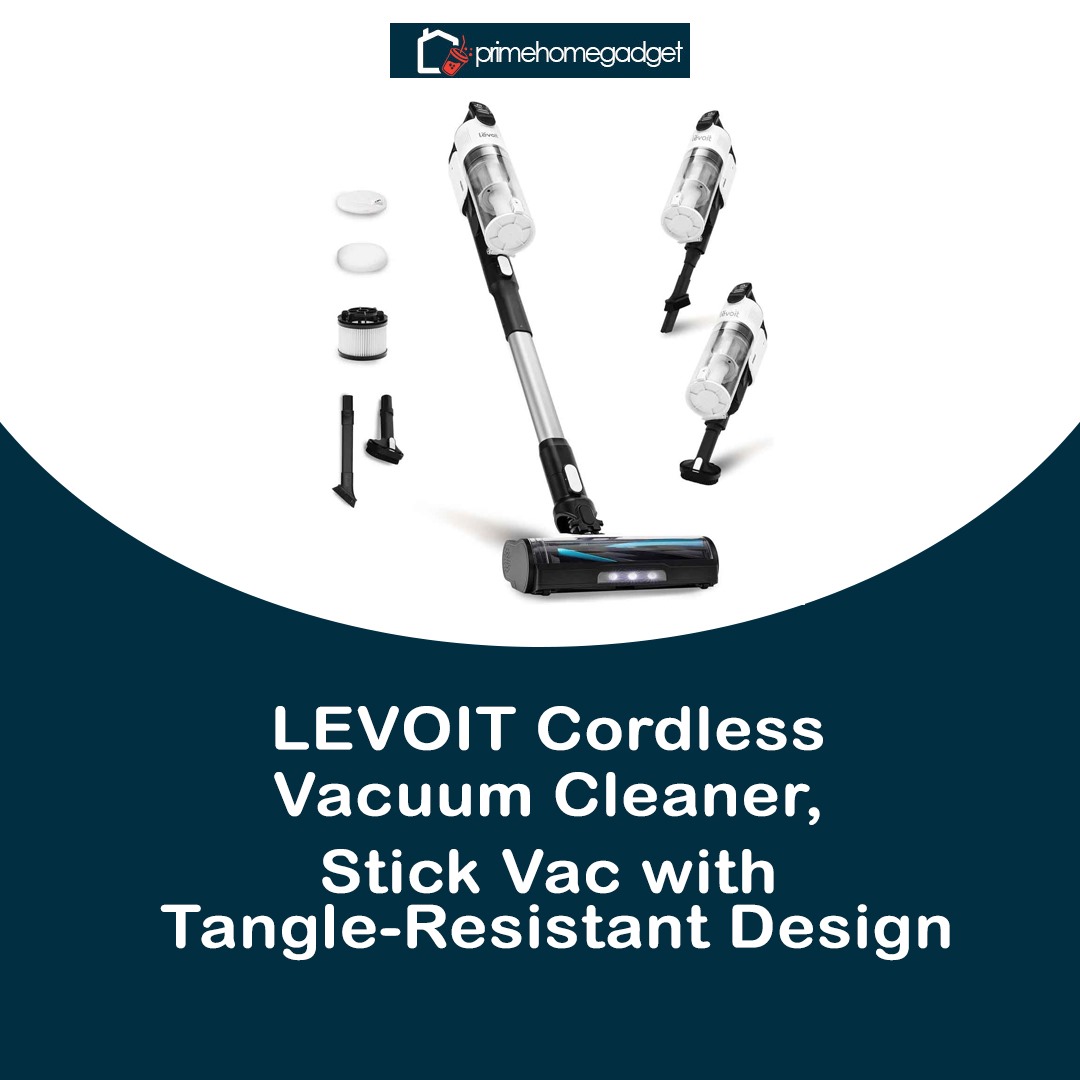
The Roku Streaming Stick+ is bundled with a Roku voice remote, complete with TV power and volume buttons for extra convenience. This removes the hassle of switching between multiple remotes and allows you to search for shows or movies with simple voice commands. With its compact design, excellent streaming performance, and intuitive features, the Stick+ stands out as a great pick for cord-cutters and entertainment enthusiasts. Whether modernizing an older television or boosting the functionality of a smart TV, it offers a smooth, cost-effective, and flexible way to stream.


Specifications

Here’s a detailed specification breakdown for the Roku Streaming Stick+ | HD/4K/HDR Streaming Device with Long-range Wireless and Roku Voice Remote with TV Controls:

Specifications

  • Model: Roku Streaming Stick+
  • Video Resolution: HD, 4K, HDR (High Dynamic Range)
  • Wireless Connectivity: Dual-band Wi-Fi® with long-range wireless receiver for stronger signal
  • Ports: HDMI 2.0a (connects directly to TV), Micro-USB for power
  • Remote: Roku Voice Remote with TV controls (power, volume, mute)
  • Voice Control: Enables voice-controlled search and navigation via remote
  • Audio Support: HDMI-enabled stereo sound with DTS Digital Surround and Dolby Audio/Atmos passthrough capability
  • Power Input: Powered through USB, either from the TV’s port or the supplied adapter
  • Dimensions: Stick-style, compact, plugs directly into HDMI port
  • Compatibility: Works with most TVs with HDMI input, optimized for 4K UHD TVs
  • Operating System: Roku OS with access to thousands of free and paid streaming apps and channels

Key Features

Here are the Key Features of the Roku Streaming Stick+ | HD/4K/HDR Streaming Device with Long-range Wireless and Roku Voice Remote with TV Controls:

  • Stunning Picture Quality: Streams movies and shows in HD, 4K, and HDR with lifelike detail, bold colors, and consistent smoothness for a theater-like experience.
  • Long-Range Wireless Receiver: Stronger Wi-Fi connectivity delivers consistent streaming performance, even at longer distances from your router, minimizing interruptions.
  • Compact & Portable Design: Compact stick-shaped device connects straight to your TV’s HDMI input, keeping your setup tidy, clutter-free, and portable for travel.
  • Roku Voice Remote:Features built-in voice commands along with TV power, audio level, and mute buttons, so you can operate both your TV and streaming stick together.
  • Extensive Content Access: Provides access to thousands of streaming apps, free and subscription-based, such as Netflix, Hulu, Disney+, YouTube, Prime Video, and The Roku Channel.
  • User-Friendly Interface: Roku OS streamlines browsing, discovery, and app switching, keeping everything quick and effortless.
  • Audio Support: Supports Dolby Audio and DTS Surround passthrough over HDMI, delivering richer sound on compatible equipment.
  • Cross-Platform Search: The voice search function lets you discover movies and TV shows instantly across different streaming apps.

How to use the Roku Streaming Stick+ | HD/4K/HDR Streaming Device with Long-range Wireless and Roku Voice Remote with TV Controls

Here’s a clear guideline on how to use the Roku Streaming Stick+HD/4K/HDR Streaming Device with Long-range Wireless and Roku Voice Remote with TV Controls:

How to Use
Operating the Roku Streaming Stick+ couldn’t be easier. Insert the device directly into your television’s HDMI port, then attach the provided USB cable to a TV USB slot or the packaged power adapter to ensure reliable power. Once everything is connected, change your TV’s source to the matching HDMI input, and the Roku setup menu will appear on-screen.

Next, complete the guided on-screen steps to sync the Roku Voice Remote and connect the device to your Wi-Fi. You’ll then be prompted to sign in or register for a Roku account to activate your device and unlock access to streaming channels. Once setup is finished, you can personalize your home screen, install popular apps like Netflix, Disney+, or Hulu, and browse free shows and movies through The Roku Channel.

Once setup is complete, the Roku Voice Remote allows you to browse menus, search titles, and launch apps with ease. You can pause, play, adjust sound levels, and even control your TV’s power without juggling extra remotes. For added convenience, the free Roku mobile app can transform your phone into a remote and provide private headphone listening. With everything ready, accessing HD, 4K, and HDR content across top platforms is just one button press or voice command away.

Tips suitable for the Roku Streaming Stick+ | HD/4K/HDR Streaming Device with Long-range Wireless and Roku Voice Remote with TV Controls

Here are some Tips suitable for the Roku Streaming Stick+ to help you get the best experience:

Tips

  • For optimal stability, especially when streaming in 4K or HDR, plug into the supplied power adapter rather than relying on your TV’s USB port, as some USB connections may not deliver sufficient power.
  • Position your TV in an area with strong Wi-Fi coverage, or move your router closer when you can, as a stronger signal provides smoother playback and fewer interruptions.
  • Turn on the “Display Type” auto-detect option in settings to let Roku automatically match your TV’s highest supported resolution, whether HD, 4K, or HDR.
  • Make the most of the Roku Voice Remote by speaking your searches, letting you find content across different apps faster than typing.
  • Personalize your home screen by organizing channels and clearing out the ones you don’t use, giving you quicker access to your favorites.
  • Ensure your device stays current by frequently checking for system updates, which provide fresh features and safeguard patches.
  • Download the Roku mobile app to enjoy private listening with headphones, mirror your phone’s screen, or control your device as an extra remote..
  • Discover free entertainment on The Roku Channel, featuring movies, series, and live TV at no extra charge.

Cleaning guide

Here’s a step by step guideline on how to clean the Roku Streaming Stick+| HD/4K/HDR Streaming Device with Long-range Wireless and Roku Voice Remote with TV Controls:

How to Clean
The Roku Streaming Stick+ needs minimal upkeep, but regular cleaning helps maintain peak performance and extend its lifespan. Always disconnect it from both the TV and power supply before wiping. Use a dry microfiber cloth to gently clean the stick and remote, clearing away dust, smudges, and fingerprints. Do not use liquids, harsh cleaners, or rough materials, as they could harm the device.

When cleaning the remote, use a microfiber cloth to lightly wipe its surface and buttons, adding a little dampness if needed but keeping liquid away from openings. If dirt gathers in the seams, clear it with a fine brush or compressed air. For disinfection, moisten a cloth with 70% isopropyl alcohol and gently wipe, but never pour or spray it directly onto the remote.

Ensure the HDMI connector remains clear of dust or buildup. Check the cable connections from time to time and gently remove any particles that could disrupt the signal. Regularly cleaning the Roku stick, remote, and ports helps maintain smooth performance and increases its longevity.

What to avoid when using the Roku Streaming Stick+ | HD/4K/HDR Streaming Device with Long-range Wireless and Roku Voice Remote with TV Controls

Here’s a what to avoid when using the Roku Streaming Stick+:

What to Avoid When Using
Do not insert the Roku stick into broken or incompatible HDMI inputs, as this could create connection failures or damage the hardware. Be careful not to apply pressure, bend, or twist the stick while connecting or removing it. Gentle handling ensures the device stays intact. Additionally, stick to the included or approved power accessories, as low-quality adapters or cables may result in power instability, restarts, or shortened lifespan.

Avoid exposing the Roku Streaming Stick+ or its remote to excessive heat, humidity, or liquid contact. Positioning it close to radiators, heaters, or damp environments may result in overheating or electrical faults. Also, ensure the TV’s HDMI ports are not obstructed, as restricted airflow can trap heat and hinder performance. When cleaning, never spray fluids or disinfectants directly onto the device—apply them sparingly to a cloth first.

Finally, try not to congest your Wi-Fi by running multiple heavy data tasks at once, as this may degrade streaming performance. For optimal connectivity, keep your router within reasonable range of the Roku and avoid placing it behind dense walls that weaken the signal. Additionally, limit factory resets to only when needed, since they erase saved preferences and force you to reinstall apps. Steering clear of these pitfalls ensures your Streaming Stick+ continues to run efficiently.

In conclusion, the Roku Streaming Stick+ is a compact, affordable, and powerful streaming device that delivers crisp HD, 4K, and HDR picture quality with reliable long-range wireless performance. With its easy setup, intuitive Roku OS, and convenient voice remote with TV controls, it offers a seamless and user-friendly entertainment experience, making it an excellent choice for both everyday streaming and travel.

LEVOIT Cordless Vacuum Cleaner, Stick Vac with Tangle-Resistant Design

The LEVOIT LVAC-200 Cordless Vacuum is a compact and adaptable cleaning tool crafted for contemporary homes. At only 3.2 pounds, it provides excellent mobility, perfect for swift tidying and cleaning multiple surfaces. Its anti-tangle brush comes with active hair-removal combs, guaranteeing effective cleaning without the annoyance of hair getting caught, a frequent problem with standard vacuums.

Featuring a removable 22.2V lithium-ion battery, the LVAC-200 delivers up to 50 minutes of operation in Eco Mode with attachments, and around 30 minutes when using the main vacuum head. This long-lasting battery supports thorough cleaning sessions without constant recharging. Additionally, the vacuum includes a 5-stage filtration system that efficiently captures dust and allergens, making it especially helpful for those with allergies.

Designed for user-friendly operation, the LVAC-200 includes a 0.75-liter dustbin that can be emptied in one simple click. Its 180° lay-flat configuration and LED floor lights enable thorough cleaning under furniture and in low-light conditions. The vacuum also comes with a wall-mounted dock for efficient storage. Offering a balance of strong suction, portability, and convenient features, the LEVOIT LVAC-200 is a smart choice for anyone looking for a cordless vacuum.

Specifications

Here are the key specifications for the LEVOIT LVAC-200 Cordless Vacuum Cleaner:

  • Weight: 3.2 lbs (lightweight and easy to maneuver)
  • Battery: 22.2V removable lithium-ion battery
  • Runtime: Up to 50 minutes on Eco Mode with attachments; ~30 minutes with vacuum head
  • Charging Time: Approximately 4–5 hours
  • Dustbin Capacity: 0.75 liters
  • Filtration: 5-stage filtration system (captures dust, allergens, and pet hair)
  • Suction Power: Advanced motor delivering strong suction on carpets and hard surfaces
  • Brush Head: Tangle-free brush featuring self-cleaning hair combs
  • LED Floor Lights: Yes, for low-light cleaning
  • Design: 180° lay-flat design for under-furniture cleaning
  • Accessories Included: Edge-cleaning attachment, dusting accessory, and space-saving wall dock
  • Surface Compatibility: Rugs, hardwood & tile, pet fur, and versatile surface cleaning

Key Features

Here are the key features of the LEVOIT LVAC-200 Cordless Vacuum Cleaner:

  1. Tangle-Resistant Brush Head: Features self-cleaning combs to avoid hair tangling and ensure steady performance
  2. Lightweight & Ergonomic Design: Lightweight at just 3.2 lbs, allowing effortless handling and access to tight spots
  3. Long Runtime: Lasts up to 50 minutes in Eco Mode for longer cleaning between charges
  4. Powerful Suction: Powerful motor effectively removes dirt from carpets, hard floors, and pet fur
  5. 5-Stage Filtration System: Traps dust, allergens, and fine particles for a cleaner, healthier home
  6. Large Dustbin: 0.75 L dustbin with easy one-touch emptying for hassle-free cleaning
  7. LED Floor Lights: Provides illumination in dark corners and beneath furniture for thorough results
  8. 180° Lay-Flat Design: Effortlessly cleans under furniture and in narrow spaces without shifting heavy items
  9. Rechargeable & Detachable Battery: Detachable 22.2V Li-ion battery for fast replacement and simple charging
  10. Versatile Accessories: Comes with a crevice tool, dusting brush, and wall-mounted dock for easy storage

How to use the LEVOIT Cordless Vacuum Cleaner, Stick Vac with Tangle-Resistant Design

Here’s a clear guide on how to use the LEVOIT LVAC-200 Cordless Vacuum Cleaner:

  1. Charge the Battery: Charge the 22.2V lithium-ion battery completely before initial use; the LED will indicate full charge.
  2. Assemble the Vacuum: Securely connect the main stick, brush head, or accessories (crevice tool or dusting brush) by snapping them into place
  3. Power On: Turn on the vacuum by pressing the power button, then select Eco or Max suction based on your cleaning task.
  4. Vacuum Surfaces: Move the vacuum smoothly across carpets, rugs, hard floors, and pet hair areas. Employ the anti-tangle brush for hair-prone spots to prevent blockages
  5. Use Attachments for Details: Attach the crevice nozzle or dusting brush for precise cleaning of corners, edges, and fragile surfaces
  6. Under Furniture & Dark Areas: Utilize the 180° lay-flat feature with LED floor lights for effective cleaning in low spaces and dark corners
  7. Empty Dustbin: When the 0.75-liter container reaches capacity, press the quick-release button to empty it. Regularly clean the dustbin and filters for peak performance.
  8. Store the Vacuum: Store it on the wall-mounted dock for easy access and compact storage.

Tips suitable for the LEVOIT Cordless Vacuum Cleaner, Stick Vac with Tangle-Resistant Design

Here are some useful tips for the LEVOIT LVAC-200 Cordless Vacuum Cleaner to get the best performance and longevity:

  1. Charge Regularly: Do not allow the battery to deplete completely; recharging partially helps prolong its lifespan
  2. Clean the Brush Head: Clear hair and debris from the tangle-free brush regularly to keep suction strong
  3. Empty Dustbin Often: Frequently clear the 0.75 L dustbin to maintain strong suction and smooth operation
  4. Check Filters: Wash or clean the filters as directed in the manual, and let them fully dry before reinstalling to avoid mold and blocked airflow
  5. Use Correct Mode: Select Eco Mode for gentle flooring or light messes; choose Max Mode for carpets and stubborn pet hair
  6. Mind Low Surfaces: Use the 180° lay-flat design to clean beneath furniture effortlessly without added strain
  7. Store Properly: Store the vacuum on the wall-mounted dock to conserve space and prevent damage
  8. Use Accessories Wisely: Choose the crevice or dusting attachment for safe, efficient cleaning of tight edges and sensitive surfaces

Cleaning Guide

Here’s a step-by-step guide on how to clean the LEVOIT LVAC-200 Cordless Vacuum Cleaner:

  1. Turn Off and Unplug: Ensure the vacuum is switched off before cleaning; remove the battery if detachable for added safety
  2. Empty the Dustbin: Detach the 0.75 L dust container using the one-click release. Empty and wipe it clean if needed, ensuring it’s dry before putting it back.
  3. Clean the Brush Head: Detach the anti-tangle brush from the vacuum head. With scissors or a cleaning tool, gently cut away and clear any hair or fibers caught around it.
  4. Wash or Wipe Filters: Remove the filters as instructed in the manual. If washable, rinse under tap water and allow to air-dry fully (about 24 hours) before reinstalling to maintain suction.
  5. Wipe the Vacuum Body: Wipe the vacuum’s surface with a gentle, damp cloth. Do not use strong cleaners, bleach, or rough pads to prevent harm.
  6. Check Attachments: Clear dust and debris from the crevice tool, dusting brush, and other attachments. Rinse only if permitted by the manual.
  7. Reassemble and Store: After all components are fully clean and dry, reinstall the filters, brush head, and battery. Place the vacuum on the docking station for storage and easy access.


What to avoid when using the LEVOIT Cordless Vacuum Cleaner, Stick Vac with Tangle-Resistant Design

Here’s a list of things to avoid when using the LEVOIT LVAC-200 Cordless Vacuum Cleaner to ensure safety and maintain performance:

  1. Do Not Vacuum Liquids: The LVAC-200 is intended for dry messes only; liquids may harm the motor and electronic parts.
  2. Avoid Overloading the Dustbin: Frequently clear the 0.75-liter dustbin to avoid blockages and loss of suction power.
  3. Do Not Use on Thick or Wet Carpets: Overly dense or damp carpets can put stress on the motor or brush roll.
  4. Avoid Sharp Objects: Avoid vacuuming sharp objects such as glass pieces, nails, or screws, as they may harm the brush or bin.
  5. Keep Away from Heat Sources: Keep away from heaters, radiators, and direct sun exposure to protect the battery and plastic parts.
  6. Do Not Force the Vacuum: Gently raise the vacuum over cords, door sills, or rough surfaces rather than forcing it, to protect the brush roll and casing.
  7. Avoid Harsh Chemicals: Avoid cleaning the vacuum, its accessories, or filters with bleach, harsh chemicals, or scouring agents.
  8. Do Not Reinstall Wet Filters: Make sure filters are fully dry before reattaching to avoid mildew and reduced suction.

In conclusion, the LEVOIT LVAC-200 is a lightweight, versatile, and powerful cordless vacuum ideal for carpets, hard floors, and pet hair. Its tangle-resistant brush, long battery life, and 5-stage filtration make cleaning efficient and allergen-free, while user-friendly features like LED lights and a lay-flat design ensure convenience. Overall, it’s a reliable, easy-to-use solution for everyday home cleaning.

Bissell Cleanview XR Pet 300W Cordless Vacuum with Removable Battery

The Bissell CleanView XR Pet 300W (3797V) is a cordless stick vacuum equipped with a high-performance, detachable 24 V Max lithium-ion battery, offering up to 40 minutes of cleaning in standard mode and around 8 minutes in turbo mode. It provides three adjustable suction levels—standard, medium, and turbo—designed for efficient cleaning across hard floors, carpets, and upholstered areas. With its versatile 3-in-1 design, it easily converts from stick to handheld or extended-reach mode using the supplied extension wand, making it suitable for stairs, curtains, and above-floor surfaces.

Designed specifically for pet-friendly homes, this vacuum features a Tangle-Free Brush Roll and a specialized Deep-Cleaning FurBrush tool to effectively remove hair and debris from furniture, stairs, and car interiors where many vacuums struggle. Its swivel steering and built-in LED lights improve navigation in tight spots and reveal hidden dirt. Additionally, the SmartSeal® Allergen System paired with an Easy-Empty™ dust container ensures allergens remain contained while making disposal hassle-free.

Both consumers and reviewers consistently highlight the CleanView XR Pet as offering premium cleaning performance at a competitive price point. According to Vacuum Wars, its suction power surpasses competitors such as the Dyson V8, excelling in sealed suction (99 in), airflow, and deep carpet pickup—placing it among the best-performing cordless vacuums available. Publications and buyers echo these findings, with Real Simple labeling it “pet owner approved” and emphasizing its ability to extract “a shocking amount” of hidden hair and dust. Thanks to regular sales of 20–30% off, many customers cite its strong value, with several comparing it favorably—sometimes even above Dyson. Backed by more than 70,000 five-star reviews, its popularity with pet households is undeniable.

Specifications

Here are the specifications for the Bissell CleanView XR Pet 300W Cordless Vacuum (Model 3797V):

  • Model Number: 3797V 
  • Motor Power: 300W 
  • Battery Type: 24V Max Lithium-Ion, removable & rechargeable 
  • Runtime: Up to 40 minutes (Standard Mode), ~8 minutes (Turbo Mode) 
  • Power Modes: 3 (Standard, Medium, Turbo) 
  • Vacuum Type: 3-in-1 convertible (stick, handheld, high-reach) 
  • Brush Roll: Tangle-Free Brush Roll with LED headlights 
  • Filtration System: SmartSeal® Allergen System 
  • Dirt Tank Capacity: 0.4L (Easy-Empty™ design) 
  • Attachments / Tools: 
    • Deep-Cleaning FurBrush (for pet hair on upholstery, stairs, and cars) 
    • Crevice Tool 
    • Dusting Brush 
    • Extension Wand 
  • Weight: Approx. 8.5 lbs (lightweight design) 
  • Charging Time: ~4 hours 
  • Additional Features: Swivel steering, LED headlights, wall-mount storage option 
  • Warranty: 3 years (limited)

Key Features

Here are the Key Features of the Bissell CleanView XR Pet 300W Cordless Vacuum (Model 3797V):

  • Powerful 300W Motor –Provides powerful suction for thorough cleaning on carpets and hard flooring. 
  • Removable 24V Max Lithium-Ion Battery – Delivers as much as 40 minutes of consistent, fade-free cleaning power, with a replaceable battery for longer use. 
  • 3 Cleaning Modes – Features Standard, Medium, and Turbo modes for handling light debris and heavy-duty messes. 
  • 3-in-1 Versatile Design – Designed to convert smoothly from a standard stick vacuum into a handheld or elevated cleaner, offering maximum adaptability. 
  • Pet-Friendly Tools – Features a Tangle-Free Brush Roll and FurBrush attachment to lift stubborn pet hair from sofas, steps, and cars. 
  • SmartSeal® Allergen System – Traps dust, debris, and allergens to maintain cleaner indoor air during use. 
  • LED Headlights – Lights up concealed dust and pet hair in shadowed areas and beneath furniture. 
  • Easy-Empty™ Dirt Tank – One-touch hygienic system ensures quick, no-mess dirt release. 
  • Swivel Steering – Improves handling for effective cleaning in confined areas and around furnishings. 
  • Wall Mount & Compact Storage – Conserves storage space while maintaining accessory organization.

How to use the Bissell Cleanview XR Pet 300W Cordless Vacuum with Removable Battery

Here’s a simple step-by-step guide on how to use the Bissell CleanView XR Pet 300W Cordless Vacuum (Model 3797V):

1. Setup & Charging

  • Insert the detachable 24V lithium-ion battery into the vacuum. 
  • Position the vacuum on the wall-mounted dock or connect it directly to the charger. 
  • Ensure the battery reaches a full charge (approximately 4 hours) before initial use to achieve optimal runtime.

2. Choosing the Right Mode

  • Press the power button to turn on the vacuum. 
  • Select your cleaning mode: 
    • Standard – for everyday cleaning and maximum battery life. 
    • Medium – Designed to handle everyday dirt on a combination of hard floors and carpets. 
    • Turbo – Suitable for deep cleaning, dense carpets, and heavy accumulations of pet hair.

3. Vacuuming Floors & Surfaces

  • Operate in stick mode with the Tangle-Free Brush Roll to clean both hard flooring and carpets. 
  • Move the vacuum at a steady pace, allowing the suction and brush roll to capture debris. 
  • Press the LED light button to easily see pet hair and dirt hiding under couches or in corners.

4. Above-Floor & Pet Hair Cleaning

  • Remove the handheld unit for stairs, upholstery, or car interiors. 
  • Connect accessories such as the Deep-Cleaning FurBrush for removing pet hair or the crevice tool for confined areas. 
  • Utilize the extension wand to reach ceilings, curtains, and elevated corners.

5. Emptying & Maintenance

  • Press the release button to remove the Easy-Empty™ dirt tank. 
  • Position over a waste container and press the bottom-release button for hygienic emptying. 
  • Wash or clean the filter at regular intervals, ensuring it is fully dry before reassembly. 
  • Detach hair or debris from the brush roll when necessary. 

Tips suitable for the Bissell Cleanview XR Pet 300W Cordless Vacuum with Removable Battery

Here are some useful tips for getting the best performance from the Bissell CleanView XR Pet 300W Cordless Vacuum (Model 3797V):

✅ Battery & Runtime Care

  • Ensure the battery is fully charged prior to initial use and recharge it before full depletion to prolong lifespan. 
  • Maintain a spare detachable battery available for extended cleaning tasks. 
  • Keep the vacuum stored and charged in a dry, temperate environment to safeguard battery health.

✅ Cleaning Efficiency

  • Activate Turbo Mode solely for dense carpets or stubborn debris, as it increases suction while reducing battery runtime. 
  • Move the vacuum gradually with overlapping strokes so the brush roll can efficiently extract dirt and pet hair. 
  • Activate the LED lighting to reveal concealed dirt and pet hair beneath furniture and in shadowed areas.

✅ Attachments & Pet Hair Tricks

  • For couches, stairs, and car interiors, use the Deep-Cleaning FurBrush to lift embedded pet hair. 
  • The crevice tool works best for baseboards, corners, and tight spots. 
  • Attach the extension wand to reach ceiling edges, air vents, and curtains safely from the floor.

✅ Maintenance

  • Clear the Easy-Empty™ bin after every cleaning session to maintain optimal suction power. 
  • Clean or replace filters at the recommended intervals (see manual), ensuring they are fully dry before reinstallation. 
  • Remove trapped hair and debris from the brush roll to maintain smooth operation.

Cleaning guide

Here’s a step-by-step guide on how to clean and maintain the Bissell CleanView XR Pet 300W Cordless Vacuum (Model 3797V):

1. Empty the Dirt Tank

  • Push the release latch to detach the Easy-Empty™ dirt container. 
  • Position the unit above a waste container and press the bottom-release to empty debris. 
  • Clean the tank with a dry cloth as necessary before reattaching.

2. Clean the Filter

  • Detach the filter from inside the dirt tank. 
  • Press it gently to remove loose dust. 
  • Refresh with cold water, no soap needed. 
  • Let the filter dry thoroughly for a minimum of 24 hours before reinstalling; never use while damp.

3. Brush Roll Care

  • Turn off the vacuum and detach the brush roll cover. 
  • Pull out the Tangle-Free Brush Roll. 
  • Detach any hair, string, or debris wrapped around it. 
  • Clean the brush roll with a dry cloth prior to reattaching.

4. Attachment Cleaning

  • Remove attachments such as the FurBrush, crevice tool, and dusting brush. 
  • Clean using a damp cloth and allow to air dry thoroughly. 
  • Look for debris or clogs in the wand and attachments.

5. Exterior & Battery

  • Clean the vacuum exterior using a soft, lightly moistened cloth; do not use abrasive or strong chemicals. 
  • Detach the battery before long-term storage. 
  • Keep the vacuum and battery in a temperate, dry environment.

✨ Regularly clean the filter every one to two weeks and the dirt tank after every use to preserve suction power and extend the vacuum’s durability.

What to avoid when using the Bissell Cleanview XR Pet 300W Cordless Vacuum with Removable Battery

Here are the main things you should avoid when using the Bissell CleanView XR Pet 300W Cordless Vacuum (Model 3797V):

 Usage & Surfaces

  • Avoid picking up liquids or damp debris, as moisture may harm the motor and create electrical hazards. 
  • Refrain from vacuuming sizable or sharp items such as glass, coins, or screws, which could obstruct or harm the brush roll. 
  • Avoid operating the vacuum on heated surfaces, including fireplaces, stoves, or recently burned ash.

Battery & Charging

  • Avoid overcharging; disconnect the battery when fully charged unless using the wall-mount system with automatic shutoff. 
  • Do not store the battery in excessively hot or humid conditions, as this may reduce its lifespan. 
  • Avoid frequently discharging the battery fully, as this can shorten its lifespan.

Maintenance & Safety

  • Never fit a damp filter; ensure it is completely dry to avoid mold growth and airflow problems. 
  • Refrain from applying strong chemicals or abrasive cleaning agents to the vacuum and its accessories. 
  • Ensure vents and airflow paths remain unobstructed to prevent overheating and maintain optimal suction. 
  • Do not push the vacuum aggressively over high-pile rugs, thresholds, or cords, as this may harm the brush roll or housing.

👉 Follow these tips for smooth operation and long-lasting vacuum performance.

In conclusion, the Bissell CleanView XR Pet 300W is a powerful, pet-friendly cordless vacuum with strong suction, versatile 3-in-1 design, and easy maintenance. With its removable battery, tangle-free brush roll, and allergen-sealing system, it delivers excellent cleaning performance and value for homes with pets.

Eureka RapidClean Pro NEC280TL Cordless Stick Vacuum Cleaner

The Eureka RapidClean Pro NEC280TL Cordless Stick Vacuum Cleaner is crafted to deliver both efficiency and ease in a compact, adaptable form. At only 5.3 lbs, it offers effortless handling, making it simple to glide around furniture, access narrow spaces, and transport between levels without fatigue. With its cordless build, users enjoy freedom of movement for both quick cleanups and thorough whole-house vacuuming. Additionally, the nozzle is equipped with LED headlights that illuminate dust and debris hidden along walls, beneath furnishings, and in darker areas for more effective cleaning.

The NEC280TL features three selectable power levels, enabling smooth transitions between fragile hard floors and plush carpets. Its 40-minute runtime per charge allows extended cleaning sessions across larger areas without repeated charging breaks. Strong suction makes it particularly useful for pet owners, as it efficiently captures fur from a variety of surfaces. To enhance versatility, the vacuum includes attachments designed for tight spaces, dusting, and furniture care, offering a well-rounded cleaning kit in one package.

Ease of maintenance and everyday usability are key features of the Eureka RapidClean Pro. The dustbin is designed for hassle-free emptying and washing, while the removable filters can be cleaned effortlessly to preserve optimal suction. Thanks to its light construction and multipurpose tools, regular cleaning becomes less demanding, offering practicality for households with busy schedules. Altogether, the NEC280TL strikes a balance between power, convenience, and maneuverability, making it a trustworthy option for spotless living spaces.

Specification

Here are the specifications for the Eureka RapidClean Pro NEC280TL Cordless Stick Vacuum Cleaner:

  • Weight: 5.3 lbs (lightweight and easy to maneuver)

  • Runtime: Up to 40 minutes on a full charge

  • Power Modes: 3 modes – Eco, Normal, and Max for different cleaning needs

  • Lighting: LED lights on the cleaning head to illuminate hidden debris and dust

  • Suction: High-performance suction designed for floors, carpets, and animal hair

  • Dustbin Capacity: Conveniently removable dust cup with mid-level capacity

  • Filtration: Easy-to-wash filters that support low-maintenance care and lasting performance

  • Attachments Included: Crevice tool, dusting brush, and upholstery tool

  • Cordless Design: Rechargeable energy system for convenient, go-anywhere cleaning

  • Surface Compatibility: Perfect for hardwood, tile, laminate, and carpeted floors

  • Pet-Friendly: Highly efficient at removing pet fur and dirt across all floor types

Key Features

Here are the key features of the Eureka RapidClean Pro NEC280TL Cordless Stick Vacuum Cleaner:

  • Ultra-Lightweight Design: Lightweight at just 5.3 lbs, making it simple to handle and clean with ease.

  • Cordless Convenience: Rechargeable battery provides cordless freedom and effortless cleaning from room to room.

  • 40-Minute Runtime: Durable battery ensures generous operating time for broader cleaning areas.

  • 3 Power Modes: Eco, Standard, and Max power modes adjust to varying floors and cleaning demands.

  • LED Headlights: Lights up dim spaces and corners so every speck of dust is revealed

  • Powerful Suction: Effectively removes pet fur, dust, and debris from hard floors, rugs, and carpets.

  • Versatile Attachments: Equipped with crevice, dusting, and upholstery attachments to handle every surface.

  • Easy Maintenance: Rinseable filters and easy-to-remove dustbin help maintain peak performance.

  • Pet-Friendly: Built to remove pet fur from carpets, rugs, and hard floors.

  • Multi-Surface Capability: Performs effectively on wood, tile, laminate, and carpeted surfaces.

How to use the Eureka RapidClean Pro NEC280TL Cordless Stick Vacuum Cleaner

Here’s a clear guide on how to use the Eureka RapidClean Pro NEC280TL Cordless Stick Vacuum Cleaner:

  1. Charge the Vacuum: Charge the battery completely before initial use. Connect the vacuum to the charger until the LED light signals a full charge.

  2. Assemble the Vacuum: Connect the main wand to the floor head and add any desired attachments, like the crevice tool, brush, or upholstery piece. Make sure everything locks firmly into position.

  3. Select Power Mode: Switch on the vacuum and select the right setting—Eco for quick touch-ups, Normal for routine cleaning, and Max for heavy dirt or pet hair.

  4. Begin Cleaning: Move the vacuum smoothly across carpets or hard floors. The LED lights help reveal dust beneath furniture and in dim corners. For narrow areas, attach the crevice tool or upholstery brush.

  5. Empty the Dustbin: Once finished, detach the dustbin, discard debris into a waste container, and rinse if necessary. Ensure it is fully dry before placing it back.

  6. Maintain the Filters: Regularly take out and rinse the filters to keep suction strong and avoid blockages. Ensure they are completely dry before reinserting.

  7. Store Safely: After use, return the vacuum to its charging station or store it safely, keeping it clear of moisture and high temperatures.

Tips suitable for the Eureka RapidClean Pro NEC280TL Cordless Stick Vacuum Cleaner

Here are some useful tips for the Eureka RapidClean Pro NEC280TL Cordless Stick Vacuum Cleaner:

  • Pre-Cleaning Prep: Remove items like toys, cords, or larger dirt pieces from the surface before cleaning to avoid malfunctions.

  • Use Correct Power Mode: Adjust between Eco, Normal, and Max settings based on flooring type—use Max for carpets and pet hair, and Eco for hard floors.

  • Leverage LED Headlights: Take advantage of the integrated lights to reveal dust beneath furniture, along edges, and in dim areas

  • Regular Dustbin Maintenance: Dispose of contents after each use to keep suction strong and stop bad odors.

  • Filter Care: Clean the filters frequently and allow them to dry fully before reinstalling to maintain top efficiency.

  • Accessory Use: Use the crevice attachment, dusting brush, or upholstery nozzle to clean tight spaces, gentle surfaces, and furnishings.

  • Lightweight Handling: Benefit from the 5.3 lb build, making it simple to raise onto stairs, furnishings, or narrow spaces without effort.

  • Battery Awareness: Monitor the battery charge while cleaning and recharge afterward to preserve battery lifespan.

Cleaning guide

Here’s a simple guide on how to clean the Eureka RapidClean Pro NEC280TL Cordless Stick Vacuum Cleaner to keep it performing at its best:

  1. Empty the Dustbin: Detach the dustbin after use, flip open the latch, and clear the collected debris into a garbage can. If rinsed, wait until thoroughly dry before fitting it back.

  2. Clean the Filters: Regularly detach the filters and rinse with clean running water to eliminate buildup. Leave them to air-dry fully (minimum 24 hours) before replacing, avoiding heaters or dryers.

  3. Check the Brush Roll: Check the brush roll for hair, string, or debris buildup. Gently cut or pull away anything entangled to keep it spinning freely.

  4. Wipe the Exterior: Wipe the vacuum’s exterior, handle, and tools with a lightly moistened cloth. Do not use strong chemicals or rough cleaners that may harm the surface.

  5. Maintain Attachments:Clear dust from the crevice tool, dusting brush, and upholstery attachment. Rinse with water if needed and let them dry completely before reconnecting.

  6. Battery Care: Clean the charging terminals lightly with a dry cloth to prevent dust buildup and maintain steady charging efficiency..

What to avoid when using the Eureka RapidClean Pro NEC280TL Cordless Stick Vacuum Cleaner

Here’s a clear list of what to avoid when using the Eureka RapidClean Pro NEC280TL Cordless Stick Vacuum Cleaner:

  • ❌ Do not use the vacuum on spills or damp surfaces, as moisture may harm the motor and battery.

  • ❌ Avoid vacuuming bulky or pointed items like glass, nails, or coins, as they could jam or damage the device.

  • ❌ Do not let the dust container overfill; frequent emptying helps maintain airflow and performance.

  • ❌ Do not use the vacuum on damp rugs or long-pile carpets, as the brush roll may become obstructed.

  • ❌ Avoid using bleach, harsh chemicals, or abrasive substances on the vacuum and its components.

  • ❌ Do not obstruct airflow or cover the vacuum’s vents/filters, as this can impair performance and cause overheating.

  • ❌ Keep the battery from fully depleting too often by recharging before it runs out.

  • ❌ Avoid pushing the vacuum over cords, door sills, or uneven surfaces to prevent damage to the brush roll or body.

In conclusion, the Eureka RapidClean Pro NEC280TL is a lightweight, powerful, and easy-to-use cordless vacuum that delivers strong suction, long runtime, and versatile cleaning for both hard floors and carpets, making it an excellent choice for everyday home cleaning.

Wi-Fi Coffee Makers: The Complete AI-Enabled Buyers’ Guide for 2025

The morning coffee ritual has evolved dramatically in recent years. Today’s smart coffee makers have learned your routine over weeks of use and can start brewing your perfect cup automatically. No more stumbling to the kitchen, no more waiting, and no more compromising on that first precious sip that sets the tone for your entire day.

This reality is what AI-enabled, Wi-Fi coffee makers are bringing to millions of homes right now. These intelligent brewing companions represent more than just technological novelty. They’re transforming our most sacred morning ritual into something effortlessly perfect.

But with dozens of smart coffee makers flooding the market, how do you separate genuine innovation from marketing hype? After extensively researching and analyzing 20 of the most popular AI-enabled coffee makers available on Amazon, I’m here to guide you through this caffeinated landscape.

The Smart Coffee Revolution: More Than Just Convenience

The evolution from traditional drip makers to AI-powered brewing stations represents a fundamental shift in how we think about coffee preparation. These aren’t just coffee makers with Wi-Fi. They’re learning systems that adapt to your preferences, optimize extraction parameters, and integrate seamlessly into your connected home ecosystem.

Smart coffee makers streamline your morning routine, allowing you to start brewing from your smart device without getting out of bed. But the benefits extend far beyond convenience. Today’s AI-enabled models can:

  • Learn and adapt to your taste preferences over time
  • Maintain optimal brewing conditions through precise temperature and timing control
  • Schedule brewing based on your daily patterns
  • Send notifications when maintenance is needed or coffee is ready
  • Integrate with smart home systems for voice control and automation

Essential Features That Define AI-Enabled Coffee Makers

Intelligent Brewing Technology

The heart of any AI coffee maker lies in its ability to make intelligent decisions about the brewing process. Look for models featuring:

MultiStream Technology: This advanced brewing method uses multiple water streams to saturate coffee grounds more evenly, extracting maximum flavor from each bean. Advanced features like MultiStream technology and BrewID provide unparalleled flavour.

BrewID Recognition: Some premium models can identify specific coffee pods or grounds and automatically adjust brewing parameters for optimal extraction.

Temperature Control: Precision heating systems that maintain water temperature within the ideal 195 to 205°F range throughout the brewing cycle.

Connectivity and Control Options

Wi-Fi Connectivity: Essential for remote operation and receiving software updates that enhance functionality over time.

Mobile App Integration: Comprehensive smartphone apps that offer scheduling, customization, and monitoring capabilities.

Voice Assistant Compatibility: Integration with Alexa, Google Assistant, and Siri for hands-free operation.

Smart Home Integration: Compatibility with platforms like SmartThings, IFTTT, or HomeKit for advanced automation scenarios.


Coffee maker

Top 20 AI-Enabled Coffee Makers: Comprehensive Amazon Review Analysis

Premium Tier ($200-$400)

1. Keurig K-Supreme Plus Smart: The crown jewel of Keurig’s lineup combines BrewID technology with comprehensive app control. Users consistently praise its ability to recognize different K-Cup varieties and adjust brewing accordingly. The 78-ounce reservoir and multiple cup sizes make it ideal for busy households.

2. Hamilton Beach FlexBrew Trio This versatile machine offers single-serve and full-carafe brewing with smart scheduling features. Amazon reviewers highlight its reliability and the convenience of brewing both K-Cups and ground coffee with app control.


3. Cuisinart DGB-850 Smart Automatic: Features a built-in grinder with smart grinding technology that adjusts grind size based on your selected brew strength. The Wi-Fi connectivity allows for complete customization through the companion app.

4. Breville Precision Brewer Smart Delivers pour-over quality with automated precision. The smart temperature control and customizable bloom time have earned rave reviews from coffee enthusiasts seeking café-quality results at home.

5. Ninja Specialty Coffee Maker CM407 Combines smart brewing with versatility, offering everything from classic drips to specialty drinks. The app provides guided recipes and brewing tips that adapt to your taste preferences.


Mid-Range Excellence ($100-$200)

6. Atomi Smart WiFi Coffee Maker: Works with Alexa and Google Assistant and features a no-spill carafe sensor that prevents messy accidents. The 12-cup capacity and reusable filter make it economical and environmentally friendly.

7. BLACK+DECKER Smart Brew: offers essential smart features at an accessible price point. Users appreciate the straightforward app interface and reliable scheduling functions.

8. Mr. Coffee Smart Optimal Brew Features WeMo connectivity and optimal brewing temperature control. The thermal carafe keeps coffee hot without over-extraction, a feature consistently mentioned in positive reviews.

9. Hamilton Beach Smart Coffee Maker Combines traditional reliability with modern smart features. The programmable settings and remote brewing capability have earned it strong ratings from practical users.

10. Cuisinart DCC-T20 Touchscreen. While primarily touchscreen-controlled, it offers smartphone connectivity for advanced scheduling and monitoring. The large display and intuitive interface receive frequent praise.


Coffee maker

Budget-Friendly Smart Options ($50-$100)

11. Geek Chef Smart WiFi Coffee Maker Proves that smart brewing doesn’t require a premium budget. Basic Wi-Fi functionality and app control make it perfect for smart home beginners.

12. SHARDOR Smart Coffee Maker Features programmable brewing with smartphone connectivity. Users appreciate the consistent brewing temperature and reliable performance.

13. Sboly Smart WiFi Coffee Maker Offers voice control compatibility and app scheduling at a remarkably affordable price. Perfect for apartments or as a secondary brewing station.

14. Redmond Smart Coffee Maker European design meets smart functionality. The companion app provides detailed brewing analytics that coffee enthusiasts find valuable.

15. ICOOKPOT Smart WiFi Coffee Maker: Minimalist design with essential smart features. The compact footprint makes it ideal for smaller kitchens without sacrificing connectivity options.


Speciality and Unique Models

16. Smarter Coffee Machine (2nd Generation) Designed to be simple and convenient, delivering the perfect brew each and every time with filter and grinder modes. This bean-to-cup system represents the pinnacle of automated coffee preparation.

17. Behmor Connected Coffee Maker Offers unprecedented brewing customization with app controlled temperature curves and extraction timing. Coffee purists consistently rate it among the best for flavor control.

18. Bonavita Connoisseur Smart SCA-certified brewing with smart connectivity. The pre-infusion mode and optimal contact time deliver consistently excellent results according to user reviews.

19. OXO 9-Cup Coffee Maker Smart Features: intuitive smart controls with rainmaker shower head technology for even water distribution. Users praise its build quality and brewing consistency.

20. Technivorm Moccamaster Smart. The Dutch-engineered precision meets modern connectivity. While expensive, users consistently report it as the last coffee maker they’ll ever need to buy.


Making the Right Choice: Key Considerations

Assess Your Coffee Consumption Patterns

Consider how much coffee you typically brew and when. Single-serve systems excel for varied consumption, while larger carafes suit consistent high-volume needs. Smart scheduling becomes most valuable when your routine is predictable.

Integration Requirements

Evaluate your existing smart home ecosystem. If you’re heavily invested in Amazon’s Alexa or Google’s Assistant, prioritize models with robust voice control. For Apple users, HomeKit compatibility might be essential.

Maintenance and Long-Term Costs

Smart coffee makers often require specific cleaning cycles and may have higher maintenance needs than traditional models. Factor in the cost of replacement filters, descaling solutions, and potential app subscription fees.

Budget Versus Features Balance

While premium models offer advanced AI features, many mid-range options provide essential smart connectivity without the premium price. Determine which features you’ll actually use versus those that simply sound impressive.

The Future of Intelligent Brewing

The coffee makers reviewed here represent just the beginning of AI integration in our kitchens. These systems alleviate the stress of morning rush by having the perfect cup ready when you are. Future innovations will likely include even more sophisticated learning algorithms, integration with health tracking apps to adjust caffeine content, and perhaps even AI powered coffee sourcing recommendations.

Machine learning capabilities are becoming more sophisticated, with newer models learning not just when you brew coffee, but how different weather conditions, your sleep patterns, and even your calendar commitments might influence your optimal brew strength and timing.

Your Perfect Cup Awaits

Choosing an AI enabled coffee maker isn’t just about buying an appliance. It’s about investing in a daily ritual that adapts to your life rather than demanding you adapt to it. Whether you’re drawn to the comprehensive customization of premium models like the Keurig K-Supreme Plus Smart, the versatile brewing options of the Hamilton Beach FlexBrew Trio, or the budget friendly intelligence of options like the Geek Chef Smart WiFi Coffee Maker, there’s a smart brewing solution that matches your needs and budget.

The perfect cup of coffee shouldn’t require perfect timing, perfect measuring, or perfect anything else from you. That’s what makes these AI-enabled coffee makers so compelling—they handle the perfection while you focus on enjoying the results.

Ready to upgrade your morning routine? Start by identifying which features matter most to your coffee ritual, then explore the models that best deliver those capabilities within your budget. Your future self, holding that perfectly timed, expertly brewed cup of coffee, will thank you for making the smart choice.

Remember: The best smart coffee maker is the one that seamlessly integrates into your routine while consistently delivering the coffee you love. Choose based on your specific needs, not just the most impressive feature list.

Check out our Products
FOLLOW US ON INSTAGRAM

Why the Etekcity Smart Nutrition Scale Is a Must-Have for Healthy Cooking: 20 Game-Changing Reasons

When it comes to healthy cooking, one of the biggest challenges is not finding good recipes or buying quality ingredients. The real challenge is understanding exactly what you’re putting into your body. You might think you’re eating healthy, but without precise nutritional data, you’re essentially cooking blind. How much protein is actually in that serving of chicken? What’s the real caloric content of your homemade smoothie? Are you hitting your nutritional targets or just hoping for the best?

This nutritional uncertainty has plagued home cooks for decades, creating a frustrating gap between health intentions and actual results. Fortunately, smart kitchen technology has evolved to bridge this gap in ways that seemed impossible just a few years ago.

Enter the Etekcity Smart Nutrition Scale. This game-changing kitchen companion transforms the guesswork of healthy cooking into precise, data-driven nutrition tracking. This is not just another kitchen gadget collecting dust in your drawer. It’s your personal nutritionist, portion control expert, and meal prep coach all rolled into one sophisticated device.


smart nutrition

The Smart Kitchen Revolution Starts Here

Traditional kitchen scales tell you the weight. The Etekcity Smart Nutrition Scale tells you everything. It tracks nineteen nutrition facts such as fat, protein, cholesterol, and more to help you reach your fitness goals, transforming every meal into an opportunity for informed decision-making.

But why exactly has this particular scale earned its spot as an essential kitchen tool? Let me break down the 20 compelling reasons that make the Etekcity Smart Nutrition Scale an absolute must-have for anyone serious about healthy cooking.


Etekcity

20 Reasons the Etekcity Smart Nutrition Scale Deserves a Permanent Spot in Your Kitchen

1. Comprehensive Nutritional Analysis at Your Fingertips

The scale provides nineteen nutrition facts, including fat, protein, cholesterol, and more, giving you a complete nutritional profile of every ingredient you use. No more guessing games or relying on outdated nutrition labels.

2. Seamless VeSync App Integration

Track every detail on the free VeSync app to enjoy a comprehensive view of your nutrition. The intuitive app becomes your digital nutrition journal, storing and analyzing every meal component you weigh.

3. Massive Food Database Access

Use Nutritionix, the world’s largest verified nutrition database, to scan foods and add custom food data. With thousands of foods pre-loaded, you’ll rarely encounter an ingredient the scale can’t analyze.


Etekcity smart

4. Perfect for Macro Tracking

Whether you’re following keto, counting macros, or managing specific dietary requirements, the scale breaks down proteins, carbohydrates, and fats with surgical precision. This feature is essential for anyone serious about body composition goals.

5. Advanced Goal Setting and Progress Monitoring

Connect your scale to the free VeSync app to track your nutrition and create personalized goals using 19 nutrition metrics. Set daily targets and watch your progress unfold in real-time.

6. Multi-Device Compatibility

Sync your nutrition data with Fitbit® and Apple Health™, ensuring your nutritional information integrates seamlessly with your existing health ecosystem.

7. Professional-Grade Accuracy

Built with precision sensors that deliver consistent, reliable measurements down to the gram. This accuracy is crucial when every macro matters for your health goals.

8. Meal Prep Game-Changer

Transform Sunday meal prep from a chaotic guessing game into a methodical, nutrition-optimised process. Know exactly what you’re eating throughout the week.

9. Portion Control Made Simple

Visual portion estimation fails us consistently. The scale provides objective measurements that help retrain your understanding of proper serving sizes.

10. Weight Management Support

By understanding the caloric and nutritional density of your food, you make informed decisions that naturally support healthy weight management without feeling deprived.

11. Family Health Management

Track nutrition for multiple family members, ensuring everyone from growing teenagers to health-conscious adults meets their specific nutritional needs.

12. Recipe Nutrition Calculation

Calculate the exact nutritional content of your homemade recipes by weighing each ingredient, creating accurate nutrition facts for your favourite dishes.

13. Dietary Restriction Management

Whether managing diabetes, heart conditions, or food allergies, precise nutritional information becomes a powerful tool for health management.

14. Long-term Habit Tracking

Track your daily, weekly, and monthly eating habits with the diary function, creating awareness that naturally leads to better food choices over time.

15. Premium Build Quality

Constructed with durable stainless steel and engineered for daily use, this scale is built to withstand the demands of an active kitchen.

16. User-Friendly Design

Despite its advanced capabilities, the scale maintains an intuitive interface that does not require a technology degree to operate effectively.

17. Space-Efficient Kitchen Integration

The sleek design doesn’t dominate counter space while providing professional-level functionality that rivals expensive nutrition software.

18. Cost-Effective Nutrition Coaching

Provides the nutritional insight typically found in expensive dietitian consultations, available 24/7 in your own kitchen.

19. Educational Value

Learn about nutrition naturally as you cook, developing an intuitive understanding of food composition that benefits long-term health decision-making.

20. Motivation Through Data

There is something powerfully motivating about seeing concrete nutritional data. It transforms abstract health goals into tangible, measurable progress.

Beyond the Scale: How It Transforms Your Cooking Experience

The Etekcity Smart Nutrition Scale does not just measure food. It reshapes your entire relationship with cooking and eating. Users consistently report that the scale helped them discover surprising nutritional facts about foods they thought they knew well. That healthy smoothie might be hiding more sugar than expected, while that intimidating piece of salmon delivers more protein than you realized.

The scale also eliminates the common frustration of starting a new diet without understanding food composition. Instead of blindly following meal plans, you develop genuine nutritional literacy that serves you long after any specific diet ends.


Making the Investment: Why This Scale Pays for Itself

Consider the alternatives: hiring a nutritionist, subscribing to expensive meal tracking services, or struggling with generic nutrition apps that provide rough estimates. The Etekcity Smart Nutrition Scale delivers personalized, accurate nutritional analysis for every meal you prepare, year after year.

The health implications extend far beyond convenience. Precise nutritional knowledge supports better energy levels, improved athletic performance, more effective weight management, and the confidence that comes from truly understanding what fuels your body.

Your Kitchen, Transformed

The Etekcity Smart Nutrition Scale represents more than a kitchen upgrade. It is an investment in long-term health literacy and culinary confidence. With accurate food measurement and smart features, you can track your nutrition effortlessly every day.

In a world where healthy eating often feels overwhelming and complicated, this scale provides clarity, precision, and the knowledge needed to make informed food choices consistently. Whether you are a fitness enthusiast tracking macros, a parent ensuring family nutrition, or someone simply wanting to understand food better, the Etekcity Smart Nutrition Scale transforms good intentions into measurable, sustainable results.

The question is not whether you can afford to add this scale to your kitchen. The question is whether you can afford to keep cooking and eating without really knowing what you are consuming. Your health, your goals, and your family’s well-being deserve the precision and insight that only smart nutrition tracking can provide.

Ready to revolutionize your approach to healthy cooking? The Etekcity Smart Nutrition Scale is waiting to transform your kitchen into a precision nutrition command center.

Check out our Products
FOLLOW US ON INSTAGRAM

Instant Pot Pro Plus Wi-Fi Smart 10-in-1 Pressure Cooker: The ultimate Review

The kitchen appliance industry has been buzzing with excitement over smart cooking technology, and at the center of this revolution sits the Instant Pot Pro Plus Wi-Fi Smart 10-in-1 Pressure Cooker. This isn’t just another pressure cooker with a fancy name—it’s a comprehensive cooking system that promises to transform your culinary experience through intelligent automation and connectivity.

In a world where time feels increasingly precious, this smart pressure cooker promises to be your kitchen’s command center, capable of transforming simple ingredients into restaurant-quality meals with just a few taps on your smartphone. But does it live up to the hype, or is it just another expensive gadget collecting dust on your counter?

After diving deep into specifications, user experiences, and real-world testing feedback, I’m here to give you the complete picture of what might be the most ambitious kitchen appliance of our generation.


What Makes the Instant Pot Pro Plus Special?

The Instant Pot® Pro Plus connects to your phone, guides every step, and keeps things quiet with WhisperQuiet™ steam release. This isn’t just marketing speak—it represents a fundamental shift in how pressure cookers operate.

Unlike its predecessors, the Pro Plus transforms your smartphone into a cooking assistant, complete with step-by-step guidance and remote monitoring capabilities. You can cook dinner from your bed, which some may say is overkill. But for busy parents juggling work calls while dinner needs to happen, this “overkill” feature suddenly becomes invaluable.

Technical Specifications That Matter

The Instant Pot Pro Plus Wi-Fi Smart 10-in-1 comes packed with impressive technical credentials:

Capacity & Design:

  • 6-quart capacity (perfect for families of 4-6 people)
  • Premium stainless steel construction with tri-ply bottom
  • The inner pot is made of premium cookware grade stainless steel with a triply bottom for even heating
  • Sleek, modern design that complements contemporary kitchens

Smart Features:

  • Wi-Fi connectivity with dedicated mobile app
  • Free Instant App with 1900 recipes
  • Remote monitoring and control capabilities
  • WhisperQuiet™ steam release technology

Cooking Functions: The “10-in-1” designation isn’t just marketing fluff. This appliance genuinely replaces multiple kitchen tools:

  1. Pressure Cooker – Up to 70% faster cooking
  2. Slow Cooker – Low and slow for tender results
  3. Rice Cooker – Perfect grains every time
  4. Steamer – Healthy vegetable preparation
  5. Sauté Pan – Brown meats and aromatics
  6. Yogurt Maker – Homemade cultured dairy
  7. Warmer – Keep food at serving temperature
  8. Canning Pot – Preserve seasonal produce
  9. Sous Vide – Restaurant-quality precision cooking
  10. Cake Maker – Yes, it bakes too!

Instant pot

Key Features That Set It Apart

Smart App Integration The companion app isn’t an afterthought—it’s the brain of the operation. Beyond the vast recipe library, it provides real-time cooking progress, sends notifications when meals are ready, and even allows you to adjust cooking parameters remotely.

WhisperQuiet™ Technology Traditional pressure cookers sound like angry tea kettles. We tested the Instant Pot Pro Plus and found it to be quieter, sleeker, and smarter than any Instant Pot before. This noise reduction makes it apartment-friendly and less disruptive to household activities.

Enhanced Safety Systems Modern pressure cooking prioritizes safety above all else. The Pro Plus includes multiple fail-safes, automatic pressure regulation, and smart sensors that prevent common user errors.

Instant Pot Max 6 Quart Multi-Use Electric Pressure Cooker

Cleaning and Maintenance Guide


Keeping your Instant Pot Pro Plus in peak condition is surprisingly straightforward:

Daily Cleaning:


  • Remove and wash the inner pot, steam rack, and sealing ring in warm, soapy water
  • The inner pot is dishwasher-safe for convenience
  • Wipe the exterior base with a damp cloth (never submerge the electrical components)
  • Clean the steam release valve and float valve with a small brush

Deep Cleaning (Monthly):

  • Remove and inspect the sealing ring for wear or odor absorption
  • Clean the condensation collector and replace if necessary
  • Use the “Steam” function with water and white vinegar to deodorize
  • Check and clean the pressure release valve thoroughly

Pro Tips:

  • Keep spare sealing rings for different types of cooking (sweet vs. savory)
  • The stainless steel inner pot develops a patina over time—this is normal and safe
  • Store with the lid inverted to allow air circulation and prevent odors

Instant pot presure cooker

Safety Features and Best Practices

The Pro Plus incorporates numerous safety innovations:

Built-in Safety Systems:

  • Automatic pressure regulation prevents over-pressurization
  • Lid lock mechanism prevents opening under pressure
  • Temperature sensors prevent overheating
  • Steam release safety valve provides emergency pressure relief

Safe Usage Guidelines:

  • No it is not safe to place the Instant Pot Pro Plus WiFi Smart 10in1 on or in close proximity to a hot gas or electric burner or a heated oven
  • Always ensure the sealing ring is properly installed before pressure cooking
  • Never fill the pot more than 2/3 full for most foods, or 1/2 full for expanding foods like rice
  • Allow natural pressure release for foods that foam or expand

Best Places to Buy and Current Pricing

Primary Retailers: The Instant Pot Pro Plus is widely available through major retailers, with some offering exclusive benefits:

  • Amazon: Often the most competitive pricing with Prime shipping benefits
  • Best Buy: Instant Pot Pro Plus Wi-Fi pressure cooker to save you time and effort in the kitchen. This six-quart pot offers ten hands-off cooking modes with in-store pickup options
  • Walmart: Competitive pricing with potential for local availability
  • Official Instant Pot Website: Direct from manufacturer with full warranty support

Pricing Considerations: Expect to invest between $150-200 for this premium model, depending on sales and retailer. While more expensive than basic pressure cookers, the smart features and multi-functionality can justify the cost for serious home cooks.

Real Amazon Customer Experiences

Amazon reviews paint a picture of general satisfaction with some important caveats:

Positive Feedback Highlights:

  • Users consistently praise the cooking quality and speed
  • The mobile app receives high marks for its recipe database and ease of use
  • Many appreciate the quieter operation compared to traditional pressure cookers
  • The build quality feels premium and durable

Common Concerns:

  • Some users find the Wi-Fi setup process initially challenging
  • A few report connectivity issues with certain home network configurations
  • The learning curve can be steep for those new to pressure cooking
  • Price point is considered high by budget-conscious buyers

Standout Reviews: Many customers share transformative stories about how the Pro Plus changed their cooking habits. Working parents particularly appreciate the ability to start dinner during their commute, while others love the consistency it brings to previously challenging recipes.

Who Should (and Shouldn’t) Buy This

Perfect For:

  • Busy professionals who value time-saving kitchen tech
  • Tech-savvy cooks who enjoy app-guided recipes
  • Small families looking to consolidate kitchen appliances
  • Anyone interested in exploring diverse cooking techniques

Consider Alternatives If:

  • You prefer completely hands-on cooking without digital assistance
  • Budget constraints make the premium price point challenging
  • Your kitchen lacks reliable Wi-Fi connectivity
  • You’re satisfied with basic pressure cooking functions


Instant pot

The Bottom Line: Worth the Investment?

The Instant Pot Pro Plus has smart design touches, and it cooks well, though Wi-Fi connectivity isn’t a must-have feature. This observation captures the essence of this appliance perfectly—it excels at its core function while adding genuinely useful smart features.

For households that value convenience, consistency, and culinary exploration, the Pro Plus represents a worthwhile investment. The ability to monitor cooking progress remotely, access thousands of tested recipes, and enjoy quieter operation makes it more than just a pressure cooker—it’s a comprehensive cooking system.

However, the premium price means it’s not for everyone. Traditional pressure cooker users who are satisfied with manual operation might find the smart features unnecessary. But for those ready to embrace the future of home cooking, the Instant Pot Pro Plus Wi-Fi Smart 10-in-1 delivers on its ambitious promises.

The question isn’t whether this appliance works well—it does. The real question is whether its smart features align with your cooking style and lifestyle needs. For many modern kitchens, the answer is a resounding yes.

Ready to revolutionize your cooking routine? The Instant Pot Pro Plus Wi-Fi Smart 10-in-1 might just be the kitchen upgrade you didn’t know you needed.

Check out our Products
FOLLOW US ON INSTAGRAM

Shark Cordless Vacuum Cleaner with HEPA Filter

The Shark Cordless Vacuum Cleaner IZ363HT is engineered to deliver robust cleaning efficiency with maximum ease. Compact and easy to carry, this vacuum glides effortlessly over different surfaces, including hardwood and carpeted floors. Its cordless configuration and rechargeable power source offer up to 50 minutes of operation, enabling you to clean several rooms without needing a plug. The blue exterior provides a contemporary, polished appearance, making it both practical and visually appealing for daily use.

Fitted with a HEPA filter, the vacuum guarantees that dust, allergens, and pet dander are efficiently trapped, promoting a cleaner and healthier home. Its detachable handheld component converts the vacuum into a flexible tool for cleaning stairs, furniture, and narrow areas. Supplied attachments, including the crevice tool and dusting brush, simplify cleaning corners, upholstery, and delicate surfaces with accuracy, while its powerful suction excels at removing deeply embedded pet hair.

Caring for the Shark IZ363HT is simple, thanks to its removable dustbin and washable filter, which help prolong the vacuum’s durability and maintain steady performance. Users should refrain from overfilling the dustbin and make sure the filter is completely dry before reattaching to avoid airflow problems. Overall, this vacuum is perfect for pet owners, active households, or anyone seeking a convenient, high-efficiency cleaning tool that is both lightweight and adaptable.

Specifications

Here are the specifications for the Shark Cordless Vacuum Cleaner IZ363HT:

  • Model: IZ363HT 
  • Type: Cordless stick vacuum with detachable handheld unit 
  • Color: Blue 
  • Weight: Lightweight design for easy handling (approx. 6–7 lbs) 
  • Battery: Rechargeable lithium-ion battery 
  • Runtime: Up to 50 minutes per charge 
  • Filtration: HEPA filter for capturing dust, allergens, and pet dander 
  • Suction Power: Powerful vacuuming performance for carpets, hardwood, and pet fur 
  • Attachments: Detachable handheld vacuum, crevice tool, dusting brush 
  • Dustbin Capacity: Removable and easy to empty 
  • Charging Time: Approx. 3–4 hours for a full charge 
  • Special Features: Compact, easy-to-carry design, wireless ease, removable filter and dustbin, strong pet hair suction

Key Features

Here are the key features of the Shark Cordless Vacuum Cleaner IZ363HT:

  • Cordless Convenience: Effortlessly vacuum several rooms without needing to stay near a plug 
  • Lightweight & Portable: Built for easy movement across carpets, hardwood, and household surfaces 
  • Removable Handheld Unit: Switches easily to a handheld mode for tackling upholstery, steps, and hard-to-reach spots 
  • HEPA Filtration: Removes airborne particles, allergens, and pet debris for a fresher living space 
  • Powerful Suction: Efficiently removes pet hair, dust, and particles from rugs and hard surfaces 
  • Long Runtime: Provides up to 50 minutes of uninterrupted cleaning per full charge 
  • Versatile Attachments: Features crevice and dusting brushes to reach tight corners and delicate surfaces 
  • Easy Maintenance: Removable dustbin and washable HEPA filter for easy maintenance 
  • Stylish Design: Smooth blue design enhances the modern aesthetic of your cleaning equipment

How to use the Shark Cordless Vacuum Cleaner with HEPA Filter

Here’s a clear guide on how to use the Shark Cordless Vacuum Cleaner IZ363HT:

  1. Charge the Vacuum: Charge the vacuum fully with the included charger before first use. This gives up to 50 minutes of cleaning time per full charge. 
  2. Assemble and Attach Tools: Connect the main stick or detachable handheld unit as needed. Employ the crevice tool or dusting brush to clean corners, furniture, and delicate areas. 
  3. Power On: Turn on the vacuum by pressing the power button. Change the suction level if your unit offers multiple speeds for carpets and hard floors. 
  4. Vacuum Surfaces: Move the vacuum smoothly across floors, rugs, or carpets. For stairs, furniture, or narrow spots, remove the handheld unit and attach the proper tool. 
  5. Empty Dustbin: When full, detach the dustbin, empty it into the trash, and reassemble. 
  6. Clean Filter: Regularly take out the HEPA filter and either rinse or tap off dust. Ensure it’s fully dry before putting it back. 
  7. Store Properly: Position the vacuum in a safe, moisture-free area while recharging or stored.

Tips suitable for the Shark Cordless Vacuum Cleaner with HEPA Filter

Here are some useful tips for the Shark Cordless Vacuum Cleaner IZ363HT:

  • Charge Fully Before Use: For optimal performance, charge the battery completely before beginning a cleaning session. 
  • Use Attachments Wisely: Alternate between the crevice tool, dusting brush, and handheld unit based on the surface and space for optimal cleaning. 
  • Avoid Overloading the Dustbin: Regularly remove debris from the dustbin to ensure consistent suction and avoid motor stress. 
  • Clean the Filter Regularly: Rinse or tap the HEPA filter to maintain proper airflow and trap allergens effectively. 
  • Handle with Care on Delicate Surfaces: When cleaning fragile surfaces, switch to the dusting brush or handheld mode to protect them from damage. 
  • Store Safely: Store the vacuum in a dry, cool location to safeguard the battery and internal parts. 
  • Lift Over Obstacles: Lift the vacuum carefully over cords and thresholds to prevent damage to its brush or housing.

Cleaning guide

Here’s a clear guide on how to clean the Shark Cordless Vacuum Cleaner IZ363HT:

  1. Turn Off and Unplug: Make sure the vacuum is turned off and unplugged from the charger before cleaning. 
  2. Empty the Dustbin: Remove the dustbin, discard its contents, and clean with a damp cloth as necessary. Do not immerse in water. 
  3. Clean the Filter: Detach the HEPA filter, gently tap to remove dust, and rinse under cold water when required. Let it dry completely before reinstalling to maintain proper airflow and prevent mold. 
  4. Wipe the Exterior: Gently clean the vacuum body, handle, and accessories with a damp cloth, avoiding harsh solvents or abrasive cleaners. 
  5. Check the Brush Roll: Examine the brush roll for trapped hair or lint. Take it out and cut away anything wrapped around it. 
  6. Clean Attachments: Clean attachments such as the crevice tool or dusting brush in warm, soapy water, and allow them to air dry fully before using. 
  7. Reassemble and Store: After cleaning and drying all components, reassemble the vacuum and keep it in a secure, dry location.

What to avoid when using the Shark Cordless Vacuum Cleaner with HEPA Filter

Here’s a list of things to avoid when using the Shark Cordless Vacuum Cleaner IZ363HT:

  • Avoid Overloading the Dustbin: An overfilled dustbin may lower suction power and put stress on the motor. 
  • Do Not Use on Wet Surfaces: This vacuum is intended for dry dirt only; vacuuming liquids may harm the motor and electronics. 
  • Avoid Pulling or Tugging the Vacuum: Do not drag it across cords, rugs, or thresholds; raise it slightly to prevent harm to the brush or body. 
  • Keep Away from Heat or Flames: Do not store or operate near hot surfaces, which may damage the battery and plastic components. 
  • Do Not Sit or Lean on the Vacuum: Made for cleaning tasks, not for holding or supporting weight. 
  • Avoid Using with a Wet or Damp Filter: Make sure the HEPA filter is fully dry before reattaching to avoid airflow problems and mold formation. 
  • Do Not Use Abrasive Cleaners: Do not use bleach, strong chemicals, or abrasive materials on the vacuum or its attachments.

In conclusion, the Shark Cordless Vacuum Cleaner IZ363HT is a powerful, lightweight, and versatile vacuum ideal for homes with pets or busy households. Its cordless design, removable handheld unit, and HEPA filtration make cleaning easy and efficient, while simple maintenance ensures long-lasting performance.

Kenmore Handheld Lightweight 2-in-1 DS1020 16V Cordless Stick Vacuum

The Kenmore DS1020 16V Cordless Stick Vacuum is built for adaptability and ease of use, featuring a lightweight 2-in-1 setup that shifts effortlessly between an upright stick model and a compact handheld cleaner. Its battery-powered design allows unrestricted mobility, enabling seamless cleaning of both hard flooring and rugs without the inconvenience of a trailing cord. The elegant gray-blue color scheme enhances contemporary décor while maintaining the vacuum’s stylish yet practical appeal.

Fitted with an LED light, this vacuum brightens dust and particles concealed beneath furniture or in dim spaces, guaranteeing a comprehensive clean every time. The dual-speed suction control lets users modify power based on the floor type or cleaning task, making it effective for removing pet fur, crumbs, and fine dust. Its featherweight build allows effortless handling, perfect for swift touch-ups or whole-home cleaning without strain.

Upkeep and operation are simple with the Kenmore DS1020. The detachable handheld component allows convenient access to shelves, vehicle interiors, and furniture upholstery, while the easy-empty design ensures stress-free dirt disposal. Its blend of strong 16-volt suction, mobility, and LED lighting makes this vacuum a top pick for pet owners, homes with varied flooring, or anyone in need of a flexible cleaning tool that combines power with user-friendly functionality.

Specifications

Here’s a detailed specification for the Kenmore DS1020 16V Cordless Stick Vacuum:

  • Power Source: 16-volt rechargeable battery (cordless operation)
  • Design: 2-in-1 stick and handheld vacuum
  • Weight: Compact and easy to steer (approx. 5–6 lbs)
  • LED Headlight: Integrated LED light on the vacuum head for enhanced illumination beneath furniture and in dim spaces
  • Suction Control: Dual-speed suction options for various floor types and cleaning tasks
  • Surface Compatibility: Wood flooring, carpeting, area rugs, and ideal for pet fur
  • Dust Collection: Detachable, hassle-free dirt container
  • Attachments: Usually comes with a crevice nozzle and brush attachment for handheld use (verify included accessories)
  • Color: Gray-Blue
  • Runtime:Changes according to charge and speed selection (generally 15–20 minutes on high)
  • Charging Time: Approx. 4–5 hours
  • Portability: Compact and untethered, excellent for steps, autos, and limited-space cleaning

Key features

Key Features of the Kenmore DS1020 16V Cordless Stick Vacuum:

  • 2-in-1 Versatility: Switches effortlessly between stick mode and handheld mode for cleaning from floors to ceilings
  • Cordless Freedom: Powered by a 16V rechargeable battery for cord-free cleaning freedom
  • Lightweight Design: Effortless to navigate around furnishings and lift upstairs with ease
  • LED Headlight: Powerful light on the cleaning head exposes concealed dirt and particles in dim spaces
  • 2-Speed Power Control: Variable suction control for gentle floors and deep carpet care
  • Pet Hair Performance: Built to capture pet hair with ease on hard floors, upholstery, and area rugs
  • Multi-Surface Capability: Compatible with hardwood, soft carpets, throw rugs, and different floor types
  • Easy Maintenance: Detachable dirt bin for fast, spill-free disposal
  • Compact Storage: Thin design for convenient storage in compact areas

How to use the Kenmore Handheld Lightweight 2-in-1 DS1020 16V Cordless Stick Vacuum

Here is a step by step guide on how to use the Kenmore DS1020 16V Cordless Stick Vacuum

  1. Charge the Battery: Prior to initial use, connect the charging adapter to the vacuum’s charging port and let the battery charge completely (usually 4–5 hours). The battery indicator will signal when charging is complete. Always keep the vacuum fully charged before starting to ensure peak performance.
  2. Assemble the Vacuum: Connect the main floor head to the extension tube, and then attach it to the handheld motor body. For handheld operation, just detach the tube and attach the preferred tool to the handheld.
  3. Select the Speed: Switch on the vacuum by pressing the power button. Adjust the 2-speed setting to select standard mode for everyday cleaning or high mode for intensive cleaning and pet hair pickup.
  4. Vacuuming Floors: Move the vacuum head gently across wood, tile, or carpeted floors. Switch on the LED light to reveal dust in darker spots, like beneath couches or beds. For rugs and carpets, a higher power level can improve results
  5. Handheld Cleaning: Remove the stick to convert to handheld mode for cleaning steps, furniture, shelving, or vehicle interiors. Utilize the crevice tool for narrow gaps and the brush for fabric surfaces.
  6. Emptying the Dust Cup: When the debris cup reaches capacity, use the latch to remove it. Empty into a rubbish bin and clean with a damp cloth if necessary before replacing it.
  7. Storage: Once done, position the vacuum in a cool, moisture-free place. If you can, keep it plugged in so it’s fully charged for the next session.

Tips Suitable for the Kenmore Handheld Lightweight 2-in-1 DS1020 16V Cordless Stick Vacuum

Tips for Getting the Best Use from the Kenmore DS1020 16V Cordless Stick Vacuum

  • Charge Fully Before Each Use: Max battery charge provides optimal suction strength and prolonged use, perfect for deep-cleaning jobs.
  • Use the Right Speed for the Job: Conserve battery life by selecting low speed for small messes on hard surfaces and high speed for carpets, rugs, or embedded pet fur.
  • Empty the Dust Cup Regularly: Avoid letting it overfill—regularly emptying helps preserve suction strength and reduces motor stress.
  • Clean the Filter Periodically: Clean or change the filter according to the manual to maintain clear airflow and steady suction.
  • Switch to Handheld Mode for Tight Spots: Pair the handheld unit with accessories for cleaning stairs, vehicle cabins, and upholstered surfaces to enhance adaptability.
  • Vacuum in Overlapping Passes: This guarantees the removal of all debris, including fine particles and pet fur.
  • Store in a Convenient Location: Maintaining a full charge ensures you’ll reach for it more often for fast tidying.

Cleaning guide

How to Clean the Kenmore DS1020 16V Cordless Stick Vacuum

  1. Turn Off and Disconnect Power – Turn off the vacuum and disconnect it from charging before performing any cleaning or upkeep.
  2. Empty the Dust Cup – Push the release button to remove the dust container. Position it above a garbage bin, open the base, and let the debris fall out.
  3. Clean the Filter – Detach the filter from the dust cup. Wash it lightly under lukewarm running water until debris is cleared. Only use detergent if recommended in the instructions. Let it air dry thoroughly for at least a day before reattaching.
  4. Wipe Exterior Surfaces – Wipe the vacuum’s body, handle, and tools with a lightly moistened cloth. Do not saturate or apply abrasive cleaning agents.
  5. Check the Brush Roll – Flip the vacuum head upside down and check the brush roll for wrapped hair or threads. Trim and remove debris with scissors, taking care not to harm the bristles.
  6. Reassemble and Store – After all parts are completely dry and cleaned, put the vacuum back together and place it in a dry location, prepared for the next use.

What to avoid when using the Kenmore Handheld Lightweight 2-in-1 DS1020 16V Cordless Stick Vacuum

Do Not Vacuum Wet Surfaces: Designed exclusively for dry messes, this model can suffer motor and electrical damage if exposed to moisture.

Avoid Large or Sharp Objects: Objects such as glass fragments, loose change, or sizable food pieces may block or harm the suction channel.

Don’t Overfill the Dust Cup: Dispose of contents frequently to maintain suction power and reduce motor stress.

Avoid Using with a Wet or Dirty Filter: Make sure the filter is fully dry before putting it back to avoid mold and maintain proper airflow.

Don’t Force the Vacuum Over Obstacles: Raise the vacuum slightly when crossing thick carpets, door sills, or cords to protect the brush roll and casing.

Avoid Prolonged Use on High Power Without Breaks: This may deplete the battery more quickly and shorten its overall life.

Don’t Store in Damp Areas: Exposure to moisture may lead to rust and reduce the vacuum’s lifespan.

In conclusion, the Kenmore DS1020 16V Cordless Stick Vacuum is a lightweight, versatile, and easy-to-use cleaning tool, perfect for everyday messes on multiple surfaces. Its 2-in-1 design, cordless convenience, and simple maintenance make it a reliable choice for quick and efficient home cleaning.

SHW 36-Inch Height Adjustable Standing Desk

The SHW 36-Inch Adjustable Height Standing Desk Riser Converter is built to upgrade any conventional desk into a versatile, ergonomic workspace. Featuring a generous 36-inch platform, it offers sufficient space for dual monitors, a laptop, and essential peripherals, making it suitable for both remote and corporate environments. Its refined black finish integrates smoothly with most interior designs, while the robust steel frame delivers lasting strength and stability. The sit-to-stand mechanism enables users to switch between seated and upright positions during the day, helping to ease back discomfort and encourage healthier posture.

This desk converter incorporates a seamless gas-lift system that allows for effortless height changes, helping you achieve the most comfortable working posture with ease. Its multi-level layout includes a spacious primary platform and a dedicated lower keyboard shelf, maintaining an ergonomic typing position whether you’re standing or seated. Anti-slip pads on the base enhance stability while safeguarding your current desk surface from scuffs or damage. The SHW riser arrives pre-assembled, enabling immediate use without the inconvenience of complex installation.

Perfect for office professionals, students, and home-based workers, the SHW 36-Inch Sit-to-Stand Riser Converter is an effective way to enhance comfort and versatility in your workspace. Its height-adjustable structure promotes regular movement during the day, potentially improving focus, productivity, and overall energy. The expansive work area and solid construction make it adaptable for multiple activities, including typing, graphic design, and virtual meetings. Whether you’re upgrading a standard desk or refining your home workstation, this standing desk riser delivers a practical, space-efficient solution to elevate your work environment.

Specifications

Specifications – SHW 36-Inch Height Adjustable Standing Desk Sit to Stand Riser Converter (Black)

  • Brand / Model: SHW – 36-Inch Sit to Stand Riser Converter 
  • Type: Height adjustable desk converter / workstation 
  • Color: Black 
  • Material: Steel frame with MDF desktop 
  • Main Surface Dimensions: 36” (W) × 22” (D) – accommodates dual monitors or monitor + laptop setup 
  • Keyboard Tray Dimensions: 35” (W) × 12” (D) – fits full-size keyboard and mouse 
  • Height Adjustment Range: Approximately 4.5” to 16.3” 
  • Adjustment Mechanism: Gas-spring lift for smooth, controlled movement 
  • Load Capacity: Up to 30–35 lbs (combined weight of monitors, laptop, and accessories) 
  • Base Design: Anti-skid cushioning to safeguard the desktop and keep the unit securely in place 
  • Assembly: Fully assembled – ready to use out of the box 
  • Weight: Around 35–40 lbs (varies slightly by batch)

Key Features

Key Features – SHW 36-Inch Height Adjustable Standing Desk Sit to Stand Riser Converter (Black)

  • Spacious 36-Inch Work Surface – Accommodates two monitors or a monitor–laptop combination, plus space for files and essentials 
  • Two-Tier Design – Features a dedicated lower keyboard shelf to maintain comfortable typing alignment in both seated and standing positions 
  • Smooth Gas-Spring Lift – Facilitates easy, strain-free adjustment of working height 
  • Wide Height Adjustment Range – Adjusts from 4.5″ to 16.3″ to suit a wide range of user heights 
  • Sturdy Steel Frame – Provides reliable stability and enduring strength for everyday use 
  • Non-Slip Base Pads – Safeguard your desktop from damage while maintaining riser stability during height changes 
  • Fully Assembled – Pre-assembled and ready to go, eliminating the need for extra setup 
  • Ergonomic Design – Promotes switching between seated and upright positions for better comfort and less tiredness 
  • Versatile Use – Perfect for residential offices, business environments, and online study areas

How to use the SHW 36-Inch Height Adjustable Standing Desk

Here is a step by step guide on how to use – SHW 36-Inch Height Adjustable Standing Desk Sit to Stand Riser Converter (Black)

  1. Place on Your Existing Desk – Place the riser on a level, sturdy surface with adequate space for its base and height adjustment. Center it to maintain balance. 
  2. Arrange Your Setup – Arrange your monitors, notebook, keyboard, and mouse on their assigned levels. Position heavier equipment near the center to maintain balance. 
  3. Adjust the Height – Grip the side handles to activate the gas-lift system. Smoothly raise or lower the riser to your desired height, whether seated or standing. Let go of the handles to secure it. 
  4. Switch Between Positions – Switch between seated and standing positions during the day to minimize fatigue. Modify the riser so your screen is at eye height and your elbows form a right angle. 
  5. Maintain Clear Surroundings – Keep cords organized and slack enough to prevent pulling or snagging when moving the desk up or down. 
  6. When Not in Use – Reduce the riser to its minimum height for a tidy profile that merges with your workstation.

Tips suitable for the SHW 36-Inch Height Adjustable Standing Desk

Tips for Best Use – SHW 36-Inch Height Adjustable Standing Desk Sit to Stand Riser Converter (Black)

  • Find Your Optimal Height: While standing, position your screen at eye height and maintain a 90-degree arm bend to minimize neck and wrist discomfort. 
  • Alternate Regularly: Alternate between seated and standing positions every 30–60 minutes to stay comfortable and prevent tiredness.. 
  • Use an Anti-Fatigue Mat: When standing for extended durations, an anti-fatigue mat can ease strain on your feet and legs. 
  • Manage Your Cables: Secure cables with clips or ties to maintain tidiness and avoid pulling or knotting during height changes. 
  • Distribute Weight Evenly: Position heavier items, such as monitors, near the center to maintain riser stability. 
  • Mind the Lift Mechanism: Use the designated side handles when adjusting the desk to safeguard the gas-lift mechanism. 
  • Keep the Keyboard Tray Clear: Avoid loading the keyboard tier with weighty objects to preserve its structural integrity.

Cleaning guide

Here is a guideline on how to Clean – SHW 36-Inch Height Adjustable Standing Desk Sit to Stand Riser Converter (Black)

  1. Turn Off and Unplug Devices: Before wiping, make sure monitors, laptops, and other electronics are powered down and unplugged. 
  2. Dust Regularly: Gently wipe the work surface and keyboard tray with a microfiber cloth to clear dust, using a small duster or air spray for hard-to-reach sections. 
  3. Wipe with Mild Cleaner: Moisten a cloth slightly with water or a gentle soap solution. Wipe surfaces carefully, keeping excess liquid away from seams or edges. 
  4. Dry Thoroughly: Use a soft, dry cloth to remove any residual dampness and protect surfaces from spotting or bending. 
  5. Clean the Frame: Clean the steel frame with a slightly damp cloth to remove fingerprints, then dry promptly to avoid rusting. 
  6. Avoid Harsh Chemicals: Do not use harsh solvents, bleach, or abrasive materials to maintain the integrity of the surface coating. 
  7. Check Moving Parts: Regularly check the lift system for dust accumulation and clean it to ensure smooth functioning.

What to avoid when using the SHW 36-Inch Height Adjustable Standing Desk

What to Avoid When Using – SHW 36-Inch Height Adjustable Standing Desk Sit to Stand Riser Converter (Black)

  • Overloading the Surface: Do not surpass the maximum load (approximately 30–35 lbs) to prevent stress on the lift system and loss of stability. 
  • Uneven Weight Placement: Avoid positioning heavy items on just one side, which could lead to tipping or uneven stress. 
  • Using Without Clearance: Maintain a clear space around the desk to avoid monitors or devices bumping into walls, shelves, or other objects when adjusting height. 
  • Forcing Adjustments: Do not move the riser by pushing or pulling it; always use the side handles to avoid harming the gas-lift mechanism. 
  • Resting Body Weight: Avoid sitting or leaning on the riser, as it is intended solely for devices and work materials. 
  • Exposing to Moisture: Avoid putting drinks on the desktop without protection, and ensure the workstation stays away from moisture to prevent damage or rust. 
  • Neglecting Cable Management: Unsecured cables may catch, tug, or hinder smooth height adjustments, so keep them organized.

In conclusion, the SHW 36-Inch Sit to Stand Riser Converter is a durable, ergonomic, and space-efficient way to upgrade any desk. Its smooth height adjustment, sturdy build, and roomy two-tier design make it ideal for improving posture, comfort, and productivity in both home and office setups.

KLSMYHOKI Adjustable Height Standing Desk with Wheels

The KLSMYHOKI Height-Adjustable Mobile Desk provides a flexible and ergonomic workstation option for both residential and professional settings. Built with an adjustable elevation system, it enables users to seamlessly transition between seated and upright positions, encouraging healthier posture and lowering the risks linked to extended sitting. Its robust construction and effortless lift mechanism deliver steadiness and convenience, making it well-suited for activities from computer-based tasks to artistic endeavors. The desk’s sleek, contemporary aesthetic integrates easily with diverse décor styles, while its space-saving design makes it a great fit for compact areas.

A key highlight of this desk is its portability. Outfitted with sturdy, lockable rolling casters, the KLSMYHOKI desk can be effortlessly relocated from space to space, offering adaptability for shifting work arrangements or team-oriented settings. Whether you require a temporary workstation in the lounge, a movable lectern for presentations, or a handy desk for distance learning, the wheels enable easy repositioning without compromising steadiness. The locking mechanism secures the desk firmly in place when necessary, enhancing both safety and user convenience.

Engineered for longevity and user comfort, the KLSMYHOKI desk generally incorporates a robust steel framework combined with a generous, sleek work surface that easily holds laptops, displays, and peripherals. Its adjustable elevation range adapts to various physiques and workflow preferences, making it ideal for shared or individual use. Beyond boosting efficiency, it promotes healthier working routines by allowing regular shifts in posture. The blend of height flexibility, mobility, and solid build quality makes it a smart option for professionals, learners, and anyone in need of a versatile, ergonomic workspace.

Specification

Specification – KLSMYHOKI Adjustable Height Standing Desk with Wheels

  • Type: Mobile adjustable height standing desk 
  • Height Adjustment Range: Approx. 27.5″ – 45″ (70 – 115 cm) 
  • Desktop Dimensions: Around 31.5″ L × 19.7″ W (80 × 50 cm) 
  • Frame Material: Heavy-duty steel for stability and durability 
  • Desktop Material: Engineered wood / MDF with smooth, easy-to-clean finish 
  • Adjustment Mechanism: Manual lever or knob for height change 
  • Mobility: 4 caster wheels with 360° rotation; 2 wheels with lock function 
  • Load Capacity: Up to 66 lbs (30 kg) 
  • Weight: Approx. 22–26 lbs (10–12 kg) 
  • Color Options: Typically black, white, or wood finishes 
  • Assembly: Required; tools and instructions included 
  • Usage: Ideal for remote work, educational settings, public speaking, and computer-based tasks

Key features

Key Features – KLSMYHOKI Adjustable Height Standing Desk with Wheels

  • Height Adjustable Design – Seamlessly alternate between seated and upright stances to encourage healthier alignment and minimize tiredness 
  • Smooth Mobility – Fitted with four full-rotation caster wheels for smooth mobility, with two lockable wheels to ensure steadiness during operation 
  • Compact & Space-Saving – Sleek design and compact size make it perfect for flats, study spaces, or educational settings 
  • Durable Construction – Industrial-grade steel frame and strong MDF tabletop ensure dependable strength and secure positioning 
  • Spacious Work Surface – Offers generous space for notebooks, screens, reading materials, and work necessities while maintaining a clutter-free feel 
  • Versatile Usage – Functions as a portable workspace, lectern, study table, or computer trolley 
  • Easy Assembly – Includes easy-to-follow guidelines and all required hardware for fast assembly

How to use the KLSMYHOKI Adjustable Height Standing Desk with Wheels

Here is a step by step guide on how to use – KLSMYHOKI Adjustable Height Standing Desk with Wheels

  1. Assemble the Desk – Refer to the provided assembly guide to connect the frame, tabletop, and casters. Make sure every screw is firmly fastened for steady support. 
  2. Adjust the Height – Adjust the desktop height using the lever or knob to suit your sitting or standing preference, then engage the locking system before use. 
  3. Position the Desk – Move the desk to your preferred spot with the caster wheels, then engage the two locking casters to hold it securely. 
  4. Set Up Your Workspace – Position your laptop, display, or other office items on the tabletop, making sure the combined weight stays within the maximum limit. 
  5. Switch Between Sitting and Standing – Adjust the height periodically during the day to promote mobility and minimize extended sitting. 
  6. Relocate When Needed – Release the caster locks to smoothly relocate the desk between spaces, then re-engage them before working. 

Tips Suitable for the KLSMYHOKI Adjustable Height Standing Desk with Wheels

Tips for Using the KLSMYHOKI Adjustable Height Standing Desk with Wheels

  • Find Your Optimal Height – Set the desk height so your elbows form a right angle while typing, and position the monitor at eye height to ease neck and shoulder tension. 
  • Alternate Positions Regularly – Alternate between seated and upright positions every half hour to an hour to boost blood flow and enhance comfort. 
  • Use an Anti-Fatigue Mat – When standing for extended durations, use an anti-fatigue mat beneath your feet to ease joint strain. 
  • Lock the Wheels Before Use – Ensure the wheel locks are secured to stop the desk from moving while you work. 
  • Manage Cables – Secure wires with cable organizers or fasteners to avoid tangles and dragging during desk relocation. 
  • Keep Essentials Handy – Keep often-used essentials such as drinks, journals, or writing tools close at hand to stay efficient. 
  • Clean Regularly – Clean the tabletop using a gentle cloth and mild detergent to maintain a spotless, like-new appearance.

Cleaning guide

Guidelines on how to Clean – KLSMYHOKI Adjustable Height Standing Desk with Wheels

  1. Clear the Surface – Clear your computer, display, and other peripherals from the desk prior to cleaning. 
  2. Dust the Desk – Wipe the desk surface, frame, and wheels using a dry microfiber fabric to clear away debris. 
  3. Clean the Desktop – Moisten a gentle cloth with mild detergent and lukewarm water. Wipe the surface lightly, steering clear of excess water to avoid bending or harm. 
  4. Wipe the Frame – Wipe the metal components with a lightly moistened cloth, then promptly dry with a fresh towel to avoid corrosion. 
  5. Clean the Wheels – Inspect the caster wheels for trapped hair, dust, or particles. Clear any accumulation manually or with a small brush to ensure effortless movement. 
  6. Avoid Harsh Chemicals – Avoid cleaning with bleach, ammonia, or harsh scrubbing agents, as they may harm the surface coating. 
  7. Finish with a Dry Cloth – Make certain every component is fully dry before returning your belongings to the desk.

What to avoid when using the KLSMYHOKI Adjustable Height Standing Desk with Wheels

Overloading the Desk – Avoid surpassing the specified load limit, as it may stress the structure, harm the lifting system, or reduce stability.

Forcing Height Adjustments – Do not shove or yank the desk when adjusting its height; use the proper lever or control knob.

Leaving Wheels Unlocked – Do not operate the desk with the wheels disengaged, as it could roll unexpectedly and lead to mishaps.

Exposing to Moisture – Avoid exposing the desk to moisture, excessive dampness, or liquid spills that may harm the surface or lead to corrosion.

Placing Uneven Loads – Spread the load uniformly over the desktop to avoid wobbling or overturning.

Using Harsh Cleaners – Avoid using scouring pads, chlorine bleach, or harsh chemicals that may mark or fade the finish.

Standing or Sitting on the Desk – Built for accommodating equipment and work items, not for sitting or standing on.

In conclusion, the KLSMYHOKI Adjustable Height Standing Desk with Wheels combines flexibility, portability, and durability, making it ideal for both home and office use. Its adjustable height promotes healthier posture, while lockable wheels allow easy movement and stability. Compact yet sturdy, it’s a versatile workstation that enhances comfort and productivity.


SMUG Adjustable Height Electric Sit Stand Up Down Computer Table Standing Desk

The SMUG Standing Desk delivers a flexible and ergonomic workstation for individuals looking to combine comfort with efficiency. Sized at 40×24 inches, this streamlined white table is small enough to fit into compact offices or home setups yet still offers generous surface area for screens, laptops, and other necessities. Its clean, contemporary style blends seamlessly with various interior themes, making it a perfect option for both corporate spaces and personal work areas. Whether for telecommuting, gaming sessions, or artistic endeavors, the desk is crafted to meet your requirements with both elegance and functionality.

Fitted with a motorized, adjustable height system, the SMUG Standing Desk enables effortless shifts between seated and upright positions with a simple button press. This adaptability supports improved posture, alleviates back discomfort, and fosters movement throughout the day—essential elements for sustaining long-term wellness and concentration. The lifting motor functions silently and fluidly, minimizing interruptions, while the robust steel framework delivers dependable stability even at its highest setting. With its precise elevation range, the desk accommodates a broad spectrum of users, making it suitable for various body shapes and individual preferences.

Aside from its ergonomic benefits, the SMUG Standing Desk is engineered for longevity and ease of use. Its solid build can handle substantial setups—such as dual-screen workstations or gaming rigs—without shaking or instability. The desktop is simple to maintain and resistant to everyday wear and tear, preserving its spotless white appearance over time. Crafted with both efficiency and visual appeal in mind, it performs equally well during demanding workdays or fully immersive gaming sessions. By merging contemporary styling, dependable operation, and user-centric features, this desk offers a well-rounded combination of practicality and comfort for any work environment.

Specifications

Specifications – SMUG Standing Desk, Adjustable Height Electric Sit Stand Computer Table

  • Brand: SMUG 
  • Desk Dimensions: 40 x 24 inches (Length x Width) 
  • Color: White 
  • Material: Engineered wood desktop with steel frame 
  • Height Adjustment Range: Approximately 28″ to 46″ (varies by model) 
  • Adjustment Mechanism: Electric lift motor, smooth and quiet operation 
  • Control Panel: Up/Down push-button control 
  • Load Capacity: ~110–150 lbs (varies depending on configuration) 
  • Desktop Finish: Scratch-resistant, easy-to-clean surface 
  • Frame Design: Strong T-frame or box-shaped legs for secure support 
  • Usage: Ideal for professional duties, at-home learning, gaming, or artistic projects 
  • Assembly: Installation needed; comes complete with toolkit and user guide 
  • Special Features: User-friendly layout for spinal alignment, powered height adjustment, sleek contemporary style.

Key Features

Key Features – SMUG Standing Desk, Adjustable Height Electric Sit Stand Computer Table

  • Electric Height Adjustment – Easily alternate between sitting and upright positions with a gentle, noiseless motorized raising system 
  • Ergonomic Design – Enhances posture, alleviates back and cervical tension, and fosters mobility in prolonged office or gaming use 
  • Compact Yet Spacious – The 40×24-inch work surface provides generous space for screens, notebooks, and peripherals while fitting neatly into compact areas 
  • Sturdy & Durable Build – A steel-built frame provides steady support, while the high-quality desktop finish withstands scuffs and spills 
  • Modern Minimalist Style – Polished white coating enhances the look of both corporate and home workspaces 
  • User-Friendly Controls – Easy-to-use raise/lower control panel for accurate height changes 
  • Multi-Purpose Use – Perfect for professional tasks, academic activities, creative projects, and gaming stations 
  • Easy to Maintain – Even surface allows fast cleaning and resists routine abrasion

How to use the SMUG Adjustable Height Electric Sit Stand Up Down Computer Table Standing Desk

Here is a step by step guide on how to Use the SMUG Standing Desk, Adjustable Height Electric Sit Stand Computer Table:

  1. Assemble the Desk – Refer to the supplied manual to assemble the frame and mount the tabletop. Utilize the included tools and fittings to tighten all fasteners securely before initial use. Position the desk on an even, steady floor. 
  2. Connect to Power – Insert the lift motor’s power cable into a close electrical socket, making sure it doesn’t run across pathways to avoid tripping risks. 
  3. Adjust the Height – Press the lift and lower buttons on the control interface to set the desk to your desired height. When seated, position it so your elbows bend at about 90°; when standing, ensure your forearms stay parallel to the ground. 
  4. Position Your Equipment – Set up your screens, laptops, typing devices, and other tools on the desktop. Keep bulkier objects centered to maintain steadiness. Raise the monitor or alter its height so your gaze meets the top third of the screen. 
  5. Alternate Between Sitting and Standing – To achieve optimal benefits, alternate between positions every 30–60 minutes. This minimizes tiredness, boosts blood flow, and sustains efficiency all day. 
  6. Maintain the Desk – Clean the tabletop frequently using a gentle cloth and light cleaning solution. Refrain from setting excessively heavy or unevenly distributed items on the desk to preserve the lift system.

Tips suitable for the SMUG Adjustable Height Electric Sit Stand Up Down Computer Table Standing Desk

Tips for Using the SMUG Standing Desk Effectively

  • Find Your Ideal Height Settings – Take some time to identify the most comfortable heights for sitting and standing, and memorize them for easy changes. Ensure elbows form a 90° bend and the monitor is at eye level. 
  • Use an Anti-Fatigue Mat – When standing for extended durations, use a padded floor mat beneath your feet to ease pressure on your legs and lower spine. 
  • Wear Supportive Footwear – Well-cushioned, supportive footwear allows you to remain standing for extended periods without pain. 
  • Alternate Often – Alternate between seated and upright positions every 30–60 minutes to maintain vitality and prevent muscle tightness. 
  • Cable Management – Secure cables with clips or fasteners to avoid knots and maintain a tidy workspace as the desk adjusts. 
  • Keep Heavy Items Centered – Place monitors, speakers, or other weighty items toward the desk’s center to ensure stability and avoid tipping. 
  • Mind the Load Limit – Avoid loading the desk beyond its specified weight limit to safeguard the motor and structure. 
  • Stretch and Move – Add brief stretching sessions or short strolls to your routine to enhance the advantages of standing.

Cleaning guide 

Here is a guideline on how to Clean the SMUG Standing Desk:

  1. Unplug Before Cleaning – Unplug the desk from the electrical socket before cleaning to avoid the risk of electric shock. 
  2. Dust Regularly – Wipe the desktop, frame, and control panel with a gentle microfiber cloth to clear away dust, preserving the surface and protecting the motor from buildup. 
  3. Wipe the Surface – Combine a small amount of gentle dish detergent with warm water, moisten a soft cloth, and carefully clean the desktop. Keep the cloth from being overly wet to prevent harm to the surface and edges. 
  4. Tackle Stains Gently – For stubborn stains, apply a gentle, non-scratching cleaner or a half-and-half solution of water and white vinegar. Always spot-test in an inconspicuous area before full use to ensure the surface remains unaffected. 
  5. Clean the Frame – Clean the steel legs and frame using a moistened cloth, then dry at once to avoid corrosion. 
  6. Avoid Harsh Chemicals – Avoid using bleach, ammonia, scouring pads, or chemical solvents, as they may cause scratches or fading on the desk. 
  7. Check Moving Parts – From time to time, wipe down and examine the motor housing and control switches to maintain dust-free, efficient operation.

What to avoid when using the SMUG Adjustable Height Electric Sit Stand Up Down Computer Table Standing Desk

Overloading the Desk – Surpassing the advised load capacity may overwork the motor, reduce stability, and weaken the frame.

Placing Heavy Items on the Edges – Position bulkier items in the middle to avoid wobbling or unbalanced stress on the lifting system.

Forcing the Height Adjustment – Do not attempt to force the desk up or down manually while it’s in motion—use the adjustment buttons.

Blocking the Lift Path – Make sure the path is clear of items, wires, and limbs before adjusting the desk height.

Using in Damp or Wet Areas – Do not position the desk in damp locations, as water and humidity can harm the surface and motor.

Leaving Cables Unmanaged – Unsecured cables may catch or tug during desk adjustments, risking harm to attached electronics.

Leaning or Sitting on the Desk – This desk is intended for holding gear, not supporting body weight, as excess load can warp the frame or misalign the motor.

Ignoring Strange Noises – If you hear odd sounds from the motor, halt use and examine it for debris or unsecured parts before proceeding.

In conclusion, the SMUG Standing Desk is a durable, ergonomic, and stylish workspace solution that promotes comfort, better posture, and productivity, making it a long-lasting asset for both home and office use.

Volhoply 17oz Insulated Stainless Steel Water Bottle

The Volhoply 17oz Insulated Stainless Steel Water Bottle serves as a dependable and fashionable hydration partner, tailored for individuals with a dynamic lifestyle. Featuring dual-wall vacuum insulation, it effectively maintains drinks cold for up to 24 hours or warm for 12, making it ideal for various scenarios—from hiking trips and fitness sessions to daily commutes and classroom use. Its elegant green coating provides a fresh, contemporary aesthetic and enhances visibility whether tucked in a bag or placed on a desk.

Made from sturdy, BPA-free stainless steel, this bottle guarantees your beverage remains uncontaminated by plastic smells or toxic substances. Its condensation-resistant outer layer stops moisture buildup, keeping your hands and belongings dry. The tightly sealed, spill-proof cap allows you to carry it in your bag or backpack with confidence, while the 17oz compact design offers an ideal blend of portability and sufficient volume for everyday hydration.

Offered in sets of 1, 4, 8, or 12, the Volhoply bottle is perfect not only for personal use but also for households, athletic teams, or group gatherings. Whether you’re aiming to maintain hydration all day or searching for a thoughtful, functional gift, the versatile bundle choices deliver both practicality and cost-effectiveness. The single green bottle makes an excellent entry option, blending efficiency, eco-friendliness, and striking aesthetics in one reliable container.

Specification

Here are the specifications for the Volhoply 17oz Insulated Stainless Steel Water Bottle, Double Wall Vacuum Flask (Green, 1 Pack):

Product Specifications

  • Brand: Volhoply 
  • Capacity: 17 ounces (500 ml) 
  • Material: Food-grade 18/8 stainless steel (BPA-free) 
  • Insulation Type: Double-wall vacuum insulation 
  • Thermal Retention: 
    • Keeps liquids cold for up to 24 hours 
    • Keeps liquids hot for up to 12 hours 
  • Color: Green 
  • Finish: Matte, scratch-resistant powder coat 
  • Lid Type: Leak-proof, twist-on cap 
  • Mouth Opening: Small-mouth design – ensures easy sipping with less mess. 
  • Exterior: Sweat-proof, non-slip design 
  • Dimensions: Approx. 10.2 inches (height) × 2.8 inches (diameter) 
  • Weight: Approx. 10.5 oz (298 g) 
  • Pack Sizes Available: 1, 4, 8, or 12 bottles 
  • Dishwasher Safe: No (Manual cleaning is advised to preserve durability.) 
  • Use: Suitable for hot and cold beverages – water, coffee, tea, juice, etc. 
  • Eco-Friendly: Reusable, recyclable, and plastic-free interior 

Key features

Here are the key features of the Volhoply 17oz Insulated Stainless Steel Water Bottle (Green, 1 Pack):

Key Features

  • Double-Wall Vacuum Insulation
    Stays cold for 24 hours or warm for 12, making it versatile across all weather conditions. 
  • Durable Stainless Steel Construction
    Constructed using high-quality 18/8 stainless steel that’s food-grade and resistant to corrosion, oxidation, and physical damage. 
  • Leak-Proof Twist Cap
    Leak-resistant design with a firm closure keeps contents secure while on the go. 
  • Sweat-Proof Exterior
    Sweat-free exterior—remains dry to the touch and comfortable to hold. 
  • Portable 17oz Size
    Compact and easy to carry—suitable for fitness routines, travel, daily work, or school activities. 
  • Eco-Friendly & BPA-Free
    Free from harmful substances and plastic flavors—ideal for regular use. 
  • Vibrant Green Finish
    Stylish matte finish with a durable, scratch-proof surface 
  • Available in Bulk Packs
    Available in sets of 1, 4, 8, or 12—perfect for presents, households, or team settings.

How to use the Volhoply 17oz Insulated Stainless Steel Water Bottle

Here’s a simple guide on how to use the Volhoply 17oz Insulated Stainless Steel Water Bottle:

 How to Use

  1. Clean Before First Use 
    • Clean the bottle and lid with warm, soapy water followed by a thorough rinse in clean water. 
    • Do not use bleach or harsh scrubbing agents—they can harm the surface or interior coating. 
  2. Fill with Your Beverage 
    • Unscrew the lid and pour in your preferred hot or cold beverage. 
    • To enhance performance, rinse with hot or cold water beforehand to help maintain your drink’s temperature. 
  3. Secure the Lid 
    • Once filled, secure the cap firmly to avoid any leakage. 
    • Ensure the seal is correctly positioned to create a tight, spill-resistant closure. 
  4. Take It Anywhere 
    • Tuck it into your tote, car holder, or backpack. Its moisture-free exterior stays dry, and the sturdy construction handles everyday wear. 
  5. Cleaning and Maintenance 
    • Hand wash with light soap and a bottle brush. 
    • Not suitable for dishwasher, microwave, or freezer use. 
    • Let it dry naturally with the cap removed to avoid trapped moisture.

When maintained correctly, your Volhoply bottle will offer durable performance and support eco-friendly living by cutting down on disposable plastic.

Tips and recipes suitable for the Volhoply 17oz Insulated Stainless Steel Water Bottle

Here are some useful tips and simple drink recipes that are perfect for the Volhoply 17oz Insulated Stainless Steel Water Bottle:

Tips for Using Your Volhoply Bottle

  1. Pre-heat or pre-chill before use: 
    • Pre-fill with warm or chilled water for a few minutes, then discard before pouring in your beverage to improve temperature retention. 
  2. Use a funnel for easy filling: 
    • Particularly suited for dense drinks such as smoothies and protein shakes. 
  3. Avoid carbonated beverages: 
    • Carbonation can create internal pressure, potentially leading to leaks or overflow. 
  4. Keep it upright when storing hot liquids: 
    • While designed to be leak-resistant, keeping it upright helps prevent pressure buildup and ensures safe use.
  5. Add natural flavors: 
    • Add fruit wedges, fresh herbs, or a tea bag to elevate your drinking experience.

Drink Recipes Perfect for the Volhoply Bottle

1. Refreshing Citrus Mint Water (Cold)

Ingredients:

  • 3 slices lemon 
  • 2 slices cucumber 
  • 2–3 fresh mint leaves 
  • Cold water & ice

Instructions:
Drop your chosen flavors into the bottle, pour in chilled water, and let it infuse for 10 to 15 minutes to stay hydrated throughout the day..

2. Honey Lemon Ginger Tea (Hot)

Ingredients:

  • 1 tablespoon honey 
  • Juice of ½ lemon 
  • 2 slices fresh ginger 
  • Hot water

Instructions:
Add ginger and lemon juice, pour in hot water, stir in honey, and seal. Keeps warm for hours—ideal for cold mornings.

3. Iced Coffee or Cold Brew (Cold)

Ingredients:

  • Pre-made cold brew or strong brewed coffee 
  • Ice cubes 
  • Dash of milk or sweetener (optional)

Instructions:
Add coffee, ice, and your favorite extras to the bottle. Give it a gentle shake and enjoy it cold throughout the day.

4. Matcha Green Tea Latte (Hot or Cold)

Ingredients:

  • 1 tsp matcha powder 
  • ½ cup hot water 
  • ½ cup milk (dairy or plant-based) 
  • Sweetener to taste

Instructions:
Blend matcha with hot water until fully dissolved. Stir in warm milk and your preferred sweetener. Shake for iced versions or enjoy hot all day.

Cleaning guide

Here’s a step-by-step guide on how to clean the Volhoply 17oz Insulated Stainless Steel Water Bottle to keep it fresh, odor-free, and long-lasting:

How to Clean Your Volhoply Bottle

1. Hand Wash Only (Recommended)

  • Fill the bottle with warm water and a drop of light dish soap. 
  • Gently scrub the inside using a bottle brush, focusing on hard-to-reach spots like the bottom and opening. 
  • Rinse the lid apart from the bottle using soap and water, applying a small brush or sponge for thorough cleaning.

2. Rinse Thoroughly

  • Thoroughly rinse the bottle and cap with fresh water to eliminate any leftover soap.

3. Dry Completely

  • Place the bottle and lid upside down and uncovered on a towel or drying rack to allow complete air drying before closing. 
  • Do not store the bottle with the cap on if moisture remains inside—it can result in mildew or foul odors.

Deep Cleaning (For Stains or Odors)

Option 1: Baking Soda + Vinegar

  • Add 1 tablespoon of baking soda and 2 tablespoons of white vinegar. 
  • Let it fizz and sit for 10–15 minutes. 
  • Scrub and rinse thoroughly.

Option 2: Lemon + Hot Water

  • Squeeze half a lemon into the bottle and fill with hot water. 
  • Let it soak for 1–2 hours to remove odors and refresh the bottle.

What to avoid when using the Volhoply 17oz Insulated Stainless Steel Water Bottle

Here’s a list of important things to avoid when using the Volhoply 17oz Insulated Stainless Steel Water Bottle, to ensure safety, performance, and product longevity:

1. Do Not Use in the Dishwasher

  • Exposing the bottle to intense heat or abrasive cleaners can compromise the insulation and outer finish. Hand wash gently for best care.

2. Do Not Microwave

  • Constructed from stainless steel, this bottle is unsuitable for microwave use—doing so may create sparks and harm your microwave.

3. Avoid Freezing

  • Avoid placing the bottle in the freezer, as expanding liquids can compromise the insulation or warp the bottle’s shape.

4. Don’t Use with Carbonated Drinks

  • Carbonated drinks may generate internal pressure, leading to potential leaks or sudden cap release.

5. Do Not Store Dairy or Perishable Liquids Long-Term

  • Drinks such as milk or smoothies can perish rapidly in heat, leading to unpleasant smells or bacterial growth.

6. Avoid Overfilling

  • Keep some room at the top to ensure a tight lid seal and avoid leaks, particularly with hot beverages.

7. Don’t Use Bleach or Abrasive Cleaners

  • Abrasive substances can deteriorate the interior and tarnish the outer layer. Opt for mild detergents and natural cleansers.

Avoiding these simple missteps extends the life of your Volhoply bottle and keeps it working at its best. Let me know if you’d like a checklist or printable care tips.

In conclusion, the Volhoply 17oz Insulated Stainless Steel Water Bottle is a durable, eco-friendly, and stylish choice for keeping drinks cold or hot for hours. With its leak-proof design, portable size, and multiple pack options, it’s ideal for daily use, travel, or gifting. It offers reliable performance, easy maintenance, and helps reduce plastic waste—making it a smart and sustainable hydration solution.

Why Your Motion Sensor LED Cabinet Lights Keep Failing


Top Amazon Brands for Motion Sensor Cabinet Lights To Consider


You’re rushing to grab your morning coffee, stumble into the kitchen half-awake, and… nothing. Your once-reliable motion sensor LED cabinet lights that used to illuminate your workspace like magic are now as responsive as a teenager asked to do chores. Sound familiar?

If you’ve found yourself waving frantically at supposedly “smart” lights or questioning whether you’ve somehow become invisible to your own kitchen fixtures, you’re not alone. Motion sensor LED cabinet lights have become the unsung heroes of modern kitchens, but when they fail, they can turn your culinary sanctuary into a frustrating guessing game.

Today, we’re diving deep into the mystery of why these convenient lighting solutions seem to have a mind of their own—and more importantly, how to get them back on track.

Motion Sensor

The Anatomy of Motion Sensor LED Cabinet Light Failure

Before we can solve the problem, we need to understand what we’re dealing with. Motion sensor LED cabinet lights are marvels of modern convenience, combining energy-efficient LED technology with infrared motion detection. When working properly, they create an almost magical experience—you approach, they illuminate, you leave, they fade away.

But this seemingly simple process involves several components working in perfect harmony: the motion sensor itself, the LED array, the power management system, and the control circuitry. When any of these elements falters, your lights can exhibit behaviors ranging from mildly annoying to completely non-functional.

The Most Common Culprits Behind Motion Sensor LED Light Failures

1. Power Supply Problems: The Silent Killer

One of the most overlooked causes of motion sensor LED cabinet light failure is an inconsistent power supply. These lights are often battery-powered or connected to low-voltage systems that can be surprisingly finicky.

Battery-powered units suffer from what I call “power fade syndrome.” As batteries drain, the motion sensor becomes less sensitive, creating dead zones where movement isn’t detected. You might notice your lights working perfectly in the morning but becoming sluggish by evening.

Hardwired systems face different challenges. Voltage drops, loose connections, or inadequate power supplies can cause erratic behavior. If your lights flicker, dim unexpectedly, or only work intermittently, power issues are likely the culprit.

2. Motion Sensor Sensitivity: The Goldilocks Problem

Motion sensors need to be “just right”—not too sensitive, not too insensitive. Most people don’t realize that these sensors can be affected by temperature changes, electromagnetic interference, and even the color of your clothing.

During summer months, when the ambient temperature rises, PIR (Passive Infrared) sensors may become less effective at detecting the heat differential from your body. Conversely, in winter, wearing bulky clothing can reduce the heat signature the sensor relies on for detection.


3. Dust and Debris: The Invisible Enemy

Here’s something most people never consider: motion sensors are essentially sophisticated cameras that “see” infrared radiation. When dust, grease, or cooking residue accumulates on the sensor lens, it’s like trying to see through dirty glasses.

Kitchen environments are particularly harsh on these devices. Cooking vapors, steam, and airborne particles can create a film over the sensor that gradually reduces its effectiveness. This often happens so slowly that you don’t notice until the sensor stops working entirely.

4. Installation Issues: Getting the Basics Wrong

Even the best motion sensor LED cabinet lights will fail if they’re not installed properly. Common installation mistakes include:

  • Incorrect mounting height: Too high, and the sensor can’t detect movement below; too low, and it becomes oversensitive to minor movements
  • Poor angle positioning: Motion sensors typically work best when movement crosses their field of view rather than moving directly toward or away from them
  • Interference from other light sources: Nearby fluorescent lights, LED strips, or even sunlight can interfere with sensor operation

5. Quality and Manufacturing Defects

Let’s be honest—not all motion sensor LED cabinet lights are created equal. The market is flooded with budget options that prioritize low cost over reliability. These units often suffer from:

  • Cheap motion sensors with narrow detection ranges
  • Poor quality LEDs that degrade quickly
  • Inadequate weatherproofing that allows moisture infiltration
  • Flimsy construction that can’t withstand normal kitchen use


Top Amazon Brands for Motion Sensor Cabinet Lights To Consider


Troubleshooting Your Motion Sensor LED Cabinet Lights

Start with the Basics

Before diving into complex solutions, check these fundamental issues:

  1. Test the power source: Replace batteries or check electrical connections
  2. Clean the sensor lens: Use a soft, dry cloth to remove any buildup
  3. Verify the switch position: Ensure the unit is actually turned on (it happens more than you’d think!)

Advanced Diagnostics

If basic troubleshooting doesn’t work, try these more detailed approaches:

Check the detection range: Most motion sensors have adjustable sensitivity settings. Experiment with different levels to find the sweet spot for your installation.

Test at different times: Motion sensor effectiveness can vary with ambient light conditions. Some units perform differently in bright daylight versus dim evening conditions.

Look for interference sources: Temporarily remove or turn off other electronic devices near the lights to see if interference is causing the problem.

Prevention: Keeping Your Lights Working Long-Term

The best fix is prevention. Here’s how to maximize the lifespan and reliability of your motion sensor LED cabinet lights:

Regular maintenance is crucial. Clean the sensor lens monthly and check battery levels quarterly. For hardwired units, inspect connections annually and look for signs of corrosion or loose wires.

Environmental considerations matter too. If your kitchen produces a lot of steam or cooking vapors, consider units with better sealing ratings. Position lights away from direct exposure to heat sources like stovetops.

Quality matters. While budget options might seem attractive, investing in well-reviewed, name-brand motion sensor LED cabinet lights often pays off in reliability and longevity.

When to Replace vs. Repair

Sometimes, despite your best efforts, motion sensor LED cabinet lights simply reach the end of their useful life. Here are signs it’s time to move on:

  • Frequent false triggering that can’t be adjusted away
  • LEDs that have dimmed significantly or show color shifting
  • Motion sensors that work only sporadically despite cleaning and maintenance
  • Physical damage to the housing or mounting system


Your motion sensor LED cabinet lights don’t have to be a source of constant irritation. Understanding why they fail—and how to prevent those failures—can restore the convenience and magic these devices are meant to provide. From simple cleaning routines to proper installation techniques, small investments in maintenance and quality can yield big returns in reliability.

Ready to upgrade your kitchen lighting game and say goodbye to those frustrating dark moments? Check out the highly-rated motion sensor LED cabinet lights available on Amazon through Best Buy’s selection. With verified reviews, quality assurance, and the convenience of prime delivery, you can find reliable solutions that will keep your kitchen illuminated exactly when you need it most. Don’t let another morning coffee run become a stumbling adventure in the dark—your perfect kitchen lighting solution is just a click away.


Top Amazon Brands for Motion Sensor Cabinet Lights To Consider


Check out our Products
FOLLOW US ON INSTAGRAM

15 Tips to Make Your Rechargeable Cabinet Lights Last Longer


Top Amazon Brands for Motion Sensor Cabinet Lights To Consider


There’s nothing quite like the frustration of reaching for something in your cabinet only to find your rechargeable lights have died—again. You installed them with such hope, imagining perfectly illuminated storage spaces and effortless late-night kitchen navigation. Yet here you are, three months later, wondering why your supposedly long-lasting rechargeable cabinet lights seem to drain faster than your phone on a busy day.
If you’ve found yourself constantly plugging in lights, dealing with dimming LEDs, or questioning whether rechargeable cabinet lights were worth the investment, you’re not alone. The good news? With the right approach, these convenient lighting solutions can deliver years of reliable service. The secret lies in understanding how to properly care for, charge, and maintain them.
Today, we’re diving into 15 expert-tested strategies that will transform your rechargeable cabinet lights from frustrating, power-hungry devices into the reliable, long-lasting lighting solution you originally envisioned.

motion sensor
Understanding Your Rechargeable Cabinet Lights’ Battery System
Before we jump into the tips, it’s crucial to understand what you’re working with. Most rechargeable cabinet lights use lithium-ion or lithium-polymer batteries, the same technology powering your smartphone. These batteries have specific characteristics that, when properly managed, can provide exceptional longevity and performance.
The key to extending battery life lies in three fundamental principles: proper charging habits, optimal usage patterns, and regular maintenance. Master these, and you’ll see dramatic improvements in both battery life per charge and overall lifespan.

15 Expert Tips to Maximize Your Rechargeable Cabinet Lights’ Lifespan


cabinet light
Charging Optimization Strategies

1. Avoid Complete Battery Depletion
One of the biggest mistakes people make is letting their rechargeable cabinet lights die completely before charging. Lithium-ion batteries actually prefer partial discharge cycles. Aim to recharge when the battery reaches 20-30% capacity rather than waiting for complete depletion. This single habit can increase your battery’s lifespan by up to 300%.

2. Don’t Overcharge Your Lights
While modern rechargeable cabinet lights have built-in overcharge protection, consistently leaving them plugged in for extended periods can generate excess heat, which degrades battery chemistry over time. Unplug your lights once they reach full charge, typically indicated by a green LED or solid light indicator.

3. Use the Right Charging Cable
Not all USB cables are created equal. Using cheap, low-quality charging cables can result in inconsistent power delivery, leading to incomplete charges and potential battery damage. Always use the manufacturer’s provided cable or a high-quality replacement with the correct specifications.

4. Charge at Room Temperature
Temperature plays a crucial role in battery health. Charging your rechargeable cabinet lights in extreme temperatures—whether too hot or too cold—can permanently reduce battery capacity. The ideal charging temperature range is between 32°F and 95°F (0°C to 35°C).


Yacoto Under Cabinet Lighting Wireless (3-Pack)


Top Amazon Brands for Motion Sensor Cabinet Lights To Consider


Usage Pattern Optimization
5. Adjust Brightness Settings Wisely
Most rechargeable cabinet lights offer multiple brightness levels. While maximum brightness is tempting, it dramatically reduces battery life. For most applications, 60-70% brightness provides adequate illumination while extending runtime by 40-50%. Reserve full brightness for tasks requiring detailed visibility.

6. Optimize Motion Sensor Settings
If your rechargeable cabinet lights feature motion sensors, fine-tune the sensitivity and duration settings. Overly sensitive sensors that trigger frequently or stay on too long will drain batteries quickly. Start with moderate sensitivity and 30-second duration, then adjust based on your usage patterns.

7. Strategic Placement for Efficiency
Where you install your rechargeable cabinet lights affects their efficiency. Avoid placing them near heat sources like stoves or dishwashers, as elevated temperatures increase power consumption and reduce battery life. Similarly, ensure they’re positioned to maximize light coverage, reducing the need for multiple units.


MCGOR 10-inch Under-Cabinet Lighting
Environmental and Maintenance Factors
8. Keep Them Clean and Dust-Free
Dust and debris on LED surfaces reduce light output, causing you to increase brightness settings unnecessarily. Clean your rechargeable cabinet lights monthly with a soft, slightly damp cloth. Pay special attention to the LED array and any sensors, as buildup here directly impacts performance and efficiency.

9. Manage Ambient Temperature
Extreme temperatures affect both LED efficiency and battery performance. In hot kitchens, ensure adequate ventilation around your lights. In cold areas like garages or basements, consider bringing lights indoors during extreme weather to prevent battery chemistry changes that reduce capacity.

10. Regular Firmware Updates
Many modern rechargeable cabinet lights connect to smartphone apps that occasionally release firmware updates. These updates often include battery optimization improvements and efficiency enhancements. Check for updates quarterly and install them promptly.


Advanced Battery Management Techniques
11. Implement Rotation Charging
If you have multiple rechargeable cabinet lights, rotate which ones you use most frequently. This prevents some batteries from cycling more than others, ensuring even wear across your lighting system. Keep a simple schedule or use different lights for different tasks.

12. Periodic Deep Conditioning
Once every three months, perform a complete charge-discharge cycle. Fully charge your rechargeable cabinet lights, then use them until they naturally shut off, followed by an immediate full recharge. This process recalibrates the battery management system and can restore lost capacity.

13. Monitor Performance Metrics
Keep track of how long your lights run between charges. Significant decreases in runtime (more than 20% reduction) indicate battery degradation or efficiency issues. Early detection allows for troubleshooting before complete failure occurs.


cabinet light
Storage and Seasonal Considerations
14. Proper Storage During Extended Non-Use
If you won’t be using your rechargeable cabinet lights for extended periods, store them with a 50-60% charge in a cool, dry place. Completely charged or depleted batteries stored long-term suffer capacity loss. Check and top off the charge every 2-3 months during storage.

15. Seasonal Usage Adjustments
Adapt your usage patterns to seasonal changes. During longer winter nights, you might need your lights more frequently, so consider reducing brightness or duration settings to compensate. In summer, when natural light is abundant, take advantage of reduced usage to give batteries periodic rest periods.

Common Mistakes That Shorten Battery Life
Understanding what not to do is just as important as knowing best practices. Avoid these common mistakes:

  • Exposing lights to moisture or humidity without proper sealing
  • Using lights as continuous ambient lighting rather than task lighting
  • Ignoring manufacturer specifications for charging voltage and current
  • Mixing old and new batteries in multi-unit systems
  • Failing to clean connection points leads to charging inefficiencies

Signs It’s Time for Battery Replacement
Even with perfect care, rechargeable cabinet light batteries eventually need replacement. Watch for these indicators:

  • Runtime reduced to less than 50% of the original capacity
  • Lights are dimming significantly, even when fully charged
  • Charging time is increasing dramatically
  • Physical swelling or damage to the battery housing
  • Frequent unexpected shutdowns

Led light

Long-Term Investment Perspective
When you implement these 15 strategies consistently, your rechargeable cabinet lights transform from a recurring frustration into a reliable, long-term lighting solution. The time invested in proper care and maintenance pays dividends in extended battery life, consistent performance, and reduced replacement costs.

Remember, quality rechargeable cabinet lights with proper care can deliver 2-5 years of reliable service, with some premium models lasting even longer. The key is treating them as the sophisticated electronic devices they are, rather than simple plug-and-forget appliances.

Your rechargeable cabinet lights have the potential to provide years of reliable, convenient illumination—but only if you give them the care they deserve. These 15 expert tips aren’t just maintenance suggestions; they’re your roadmap to maximizing your lighting investment and avoiding the frustration of constantly dead batteries.

From optimizing charging habits to adjusting usage patterns and maintaining proper environmental conditions, each strategy builds upon the others to create a comprehensive approach to battery longevity. The effort you put into implementing these practices today will reward you with consistent, reliable lighting for years to come.

Don’t let another day pass wondering why your lights keep failing. Start implementing these tips today, and transform your rechargeable cabinet lights from a source of frustration into the dependable lighting solution they were designed to be. Your future self—and your batteries—will thank you.


Top Amazon Brands for Motion Sensor Cabinet Lights To Consider


Check out our Products
FOLLOW US ON INSTAGRAM

Transform Your Kitchen with Smart Lighting for Under $50: The Ultimate Amazon Guide

Your kitchen lighting doesn’t have to be an afterthought. While most homeowners settle for basic overhead fixtures, smart lighting technology has revolutionized how we illuminate our most-used space—and it’s more affordable than ever.

Today’s smart kitchen lighting options deliver professional-grade features at budget-friendly prices, with game-changing solutions available for under $50 on Amazon. Whether you’re a tech-savvy home chef or someone just dipping their toes into smart home automation, this comprehensive guide will illuminate your path to a brighter, smarter kitchen.

Why Smart Kitchen Lighting Is a Game-Changer

Before diving into specific products, let’s talk about why smart kitchen lighting deserves a spot in your home. Traditional kitchen lighting often falls short—too harsh for morning coffee, too dim for detailed food prep, and completely inflexible for different occasions.

Smart lighting solves these problems by offering:

  • Voice control compatibility with Alexa and Google Assistant
  • Customizable brightness and color temperature for different tasks
  • Energy efficiency can reduce electricity bills
  • Convenience features like scheduling and remote control
  • Enhanced ambience for entertaining and everyday living

The kitchen is the heart of most homes, and proper lighting can make it safer, more functional, and significantly more enjoyable to spend time in.

Top Smart Kitchen Lighting Brands Under $50


Smart lighting

1. Govee: The Innovation Leader

Govee has established itself as a standout in the smart lighting space, particularly with their M1 Smart LED Strip Light series and RGBIC technology. What sets Govee apart is their combination of affordability and advanced features.

Govee Smart RGB LED Strip Lights (Starting around $25-35)

  • 16.4 feet of customizable lighting perfect for under-cabinet installation
  • 16 million colors with smooth transitions
  • Music sync capability that makes cooking more fun
  • App control with pre-set scenes for different activities
  • Alexa and Google Assistant compatibility

The standout feature is Govee’s segmented color control, allowing different sections of the strip to display different colors simultaneously—perfect for creating unique kitchen ambiance.


2. Wyze: Smart Home Value Champion

Wyze has made a name for itself by offering premium smart home features at budget-friendly prices, and their LED light strips continue this tradition.

Wyze Light Strip (Around $35-45 for 32.8 feet)

  • Double the length of most competitors in this price range
  • Easy installation with adhesive backing
  • Wyze app integration with scheduling and automation features
  • Voice control through major platforms
  • Reliable Wi-Fi connectivity

Wyze’s approach focuses on simplicity and reliability, making it an excellent choice for smart home beginners who want professional results without complexity.


3. Philips Wiz: Premium Features, Budget Price

While full Philips Hue systems can be expensive, Philips has been offering significant discounts on their smart lighting products, making some options accessible under $50.

Philips Wiz Connected LED Bulbs (2-4 pack under $50)

  • Tunable white and color options
  • Circadian rhythm support for healthier lighting
  • Easy setup with no hub required
  • Professional-grade color accuracy
  • Integration with major smart home ecosystems

Smart lighting

4. LIFX: Color Accuracy Masters

LIFX Smart Bulbs (Individual bulbs around $25-40)

  • Exceptional color vibrancy and accuracy
  • No hub required – direct Wi-Fi connection
  • Energy efficient with long lifespan
  • Advanced scheduling features
  • Professional lighting effects

Installation Made Simple: Your Step-by-Step Guide

Installing smart kitchen lighting doesn’t require an electrician for most under-cabinet strip light applications:

For LED Strip Lights:

  1. Clean the installation surface thoroughly with alcohol
  2. Measure and plan your layout before removing the adhesive backing
  3. Connect the power adapter to a convenient outlet location
  4. Download the manufacturer’s app and follow the setup instructions
  5. Test all features before finalizing placement

Pro Installation Tips:

  • Use cable clips to keep wiring neat and hidden
  • Consider installing dimmer switches for overhead smart bulbs
  • Plan power outlet locations carefully to avoid visible cords
  • Test Wi-Fi strength in your kitchen before installation

motion sensor

Smart Kitchen Lighting Ideas That Actually Work

Task Lighting Revolution

Smart LED strips are bright enough to illuminate your kitchen workspace effectively, but they also offer the flexibility to dim for ambient lighting during meals.

Color Temperature Magic

Start your day with energizing cool white light (5000K+) for morning prep, then shift to warm white (2700K) for evening dining. This simple change can dramatically improve your kitchen’s atmosphere throughout the day.

Voice Control Integration

“Alexa, dim kitchen lights to 30%” while you’re washing dishes, or “Hey Google, turn on cooking mode” to activate bright, focused lighting for meal prep.

Entertainment Lighting

Many smart strips offer music sync capabilities, turning your kitchen into an entertainment space for parties or making solo cooking sessions more enjoyable.

Budget-Maximizing Shopping Strategies

Amazon Deal Hunting

  • Subscribe and Save discounts can reduce costs by 5-15%
  • Lightning deals often feature smart lighting products
  • Bundle packages typically offer better value than individual items
  • Customer return items in “Like New” condition can offer significant savings

Feature Prioritization

When budget is tight, prioritize these features:

  1. Voice control compatibility for convenience
  2. App control for full functionality
  3. Tunable white light for task optimization
  4. Easy installation to avoid professional costs

Avoiding Common Smart Lighting Mistakes

Wi-Fi Network Issues: Ensure your kitchen has strong Wi-Fi coverage before purchasing. Many smart lighting problems stem from connectivity issues.

Overcomplicating the Setup: Start with one area (like under-cabinet strips) before expanding to a whole-kitchen system.

Ignoring Color Temperature: Cool white light is great for cooking, but terrible for dining. Choose products with tunable white capabilities.

Cheap Generic Products: Stick with established brands that offer app support and regular updates.

Future-Proofing Your Smart Kitchen

The smart lighting landscape evolves rapidly. When choosing products under $50, consider:

  • Matter compatibility for universal smart home integration
  • Regular app updates from manufacturers
  • Expandability options for future additions
  • Energy efficiency ratings for long-term cost savings

Making the Smart Choice

Transform your kitchen doesn’t require a massive investment. For $25 to $50, you can completely revolutionize your kitchen’s lighting with modern smart features that were unimaginable just a few years ago.

Whether you choose Govee’s feature-rich strips, Wyze’s reliable simplicity, or Philips’ professional-grade quality, you’re investing in more than just lighting—you’re creating a more functional, enjoyable, and efficient kitchen experience.

The best part? You can start small with a single under-cabinet strip or smart bulb and expand your system over time. Your future self will thank you every time you walk into your perfectly lit, voice-controlled kitchen.

Ready to brighten up your culinary space? Head to Amazon, pick your preferred brand, and start your smart kitchen lighting journey today. Your kitchen—and your cooking experience—will never be the same.


Top Amazon Brands for Motion Sensor Cabinet Lights To Consider


Check out our Products
FOLLOW US ON INSTAGRAM

Best Budget-Friendly Motion Sensor LED Lights for Cabinets on Amazon

Motion sensor LED lights have revolutionized how we interact with our storage spaces, automatically illuminating cabinets, closets, and pantries exactly when needed. These intelligent devices solve common household challenges—from navigating dark spaces to reducing energy waste from forgotten lights—while fitting comfortably within modest budgets. The technology has advanced significantly, making professional-grade features accessible at surprisingly affordable prices.

The magic of motion sensor cabinet lighting lies in its perfect blend of convenience and energy efficiency. These clever little devices have revolutionized how we interact with our storage spaces, transforming dark, forgotten corners into well-lit, functional areas that respond to our every move. The best part? You don’t need to spend a fortune to enjoy this luxury.

Why Motion Sensor LED Lights Are Game-Changers for Your Cabinets
Before diving into our top picks, let’s understand what makes these lights so special. Motion sensor LED lights detect movement through infrared technology, automatically illuminating when you approach and switching off after a predetermined time. This smart functionality eliminates the need for manual switches while conserving energy—a win-win for both convenience and your electricity bill.
These lights are particularly valuable in:

  • Kitchen cabinets where you frequently grab ingredients or utensils
  • Closets where finding items can be challenging in low light
  • Bathroom cabinets for nighttime access without harsh overhead lighting
  • Storage areas and pantries that lack adequate built-in lighting

Our Top Budget-Friendly Motion Sensor LED Cabinet Lights

motion light

1. LEPOTEC 30-LED Motion Sensor Cabinet Light (2-Pack)
The LEPOTEC model offers 3 modes adjustable functionality with instant on/off and motion sensor capabilities, featuring a 3-meter effective detection distance. What sets this option apart is its versatility and impressive battery life.
Key Features:

  • 30 bright LEDs providing uniform illumination
  • USB rechargeable with 1000mAh battery capacity
  • Magnetic installation with included iron sheets
  • Three operational modes for different scenarios
  • Typically priced under $25 for a 2-pack

Why It’s Budget-Friendly: This light delivers professional-grade performance at a fraction of the cost of hardwired alternatives. The magnetic mounting system means no tools or permanent installation required, making it perfect for renters.


2. Alivation T402 Rechargeable LED Battery Lights
The Alivation lights feature Constant-Sense Technology that allows the sensor to pick up motions constantly, with automatic activation in both dark and low ambient light conditions. These lights are designed with a 4500mAh rechargeable battery for extended use.
Key Features:

  • Enhanced motion detection with Constant-Sense Technology
  • 4500mAh high-capacity battery for longer operation
  • Auto mode that works in various lighting conditions
  • Three adjustable brightness levels
  • Stick-on installation for versatility

Why It’s Worth It: The large battery capacity means fewer charging cycles, and the advanced sensor technology ensures reliable activation every time you need light.


3. MCGOR 10-Inch Under Cabinet Lighting (2-Pack)
The MCGOR system offers 5 levels of dimmable brightness with magnetic closet lights designed for wireless under-counter installation. This option provides excellent value for those needing longer light strips.
Key Features:

  • 10-inch length for broader coverage
  • Five dimming levels for customized brightness
  • Rechargeable design eliminates battery replacement costs
  • Magnetic mounting for easy repositioning
  • Suitable for kitchens, stairs, and various applications

Why It’s Ideal: The longer format provides more comprehensive lighting coverage, making it perfect for larger cabinet spaces or under-counter applications.


Led light
4. DiDiSky Cabinet Lights with 2200mAh Battery
DiDiSky focuses on providing soft light injection into home spaces, featuring USB rechargeable functionality with magnetic wireless installation. These lights balance performance with affordability.
Key Features:

  • 2200mAh battery for extended operation
  • Dimmable functionality for ambient lighting
  • Magnetic and adhesive mounting options
  • USB charging for convenient power replenishment
  • Motion sensor with adjustable timing

Why Choose DiDiSky: The brand’s commitment to soft, comfortable lighting makes these ideal for bedroom closets or areas where harsh lighting isn’t desired.


5. Budget Basic Motion Sensor Cabinet Light (18-LED)
This basic model automatically senses human motion within a 10ft/120° range and shuts off automatically after 20 seconds of no movement. Perfect for those wanting essential functionality at rock-bottom prices.
Key Features:

  • 18 LEDs providing adequate illumination
  • 10-foot detection range with 120-degree coverage
  • 20-second auto shut-off timer
  • Magnetic mounting system
  • USB rechargeable design

Why It’s Perfect for Beginners: Sometimes simplicity is key. This basic model offers all essential features without overwhelming complexity or premium pricing.

Installation Made Simple: No Electrician Required
One of the biggest advantages of these budget-friendly options is their tool-free installation. Most models use magnetic mounting systems or 3M adhesive strips, allowing you to:

  • Install lights in minutes without damaging surfaces
  • Easily reposition or remove lights when needed
  • Test different locations to find optimal placement
  • Move lights when relocating or redecorating

The magnetic mounting is particularly clever—simply attach the included iron sheet to your desired location, and the light snaps into place. For non-metallic surfaces, high-quality adhesive strips provide secure mounting without permanent commitment.

Maximizing Your Investment: Pro Tips for Budget-Conscious Buyers
Choose Multi-Packs: Buying 2-packs or 3-packs often provides significant per-unit savings while ensuring consistent lighting throughout your space.
Consider Detection Range: Lights with wider detection ranges (120° or more) provide better coverage and more reliable activation.
Battery Life Matters: Models with larger battery capacities (1000mAh or higher) require less frequent charging, saving time and extending product lifespan.
Adjustable Settings: Lights with multiple brightness levels and timing options offer greater versatility and energy savings.

Beyond Basic Illumination: Creative Applications
These budget-friendly lights aren’t just for kitchen cabinets. Creative homeowners have found success using them in:

  • Bedroom closets for gentle nighttime visibility
  • Pantries and storage rooms for instant illumination
  • Stairs and hallways as safety lighting
  • Craft rooms and workshops for task lighting
  • RVs and boats where wiring is challenging

Making the Smart Choice for Your Home
When selecting budget-friendly motion sensor LED lights, consider your specific needs: Do you need bright task lighting for cooking, or gentle ambient lighting for nighttime navigation? Will you be mounting on metal surfaces where magnetic installation shines, or do you need adhesive mounting for various materials?
The beauty of these affordable options is that you can experiment with different models and locations without significant financial risk. Start with one or two lights in your most-used areas, then expand your system based on what works best for your lifestyle.

Illuminate Your Future, One Cabinet at a Time
Motion sensor LED cabinet lights represent a perfect convergence of modern technology and practical affordability. They solve real problems—fumbling in the dark, wasted energy from forgotten lights, difficult access to storage areas—while fitting comfortably within modest budgets.
The LEPOTEC LED Wireless Under Cabinet Light provides exceptional overall value with its combination of advanced features and attractive pricing, exemplifying how today’s budget options don’t require compromising on quality or functionality.

Your home deserves the convenience and efficiency that motion sensor lighting brings. With options starting under $15 and offering professional-grade features, there’s never been a better time to transform your living space with smart, responsive illumination. Take the first step toward a brighter, more convenient home—your future self will thank you every time you effortlessly navigate your well-lit spaces.


Top Amazon Brands for Motion Sensor Cabinet Lights To Consider


Check out our Products
FOLLOW US ON INSTAGRAM

Why Everyone’s Buying These Under-Cabinet Motion Sensor Lights on Amazon

We’ve all been there, fumbling around in dimly lit kitchens, struggling to see what we’re doing while cooking, or wishing we had better lighting under our cabinets. These everyday frustrations have led to a surge in demand for a surprisingly simple solution that’s taking Amazon by storm. Thousands of homeowners are discovering a simple yet brilliant solution that’s quietly revolutionizing how we light our homes: under-cabinet motion sensor lights. And judging by Amazon’s sales data, these ingenious little devices have become the home improvement secret everyone’s talking about.

What makes these lights so compelling isn’t just their practicality—it’s how they seamlessly blend convenience, energy efficiency, and modern technology into something that genuinely makes daily life easier. From busy parents grabbing midnight snacks to professional chefs who demand perfect task lighting, these motion-activated marvels are transforming ordinary spaces into smart, responsive environments.

The Smart Lighting Revolution: Why Motion Sensors Matter

The appeal of under-cabinet motion sensor lights goes far beyond simple convenience. In our increasingly busy lives, we’re constantly looking for ways to simplify daily routines while reducing energy consumption. These lights deliver on both fronts spectacularly.
Unlike traditional lighting that requires manual switching, motion sensor technology creates an intuitive lighting experience. Walk into your kitchen, and the lights automatically illuminate your workspace. Leave the area, and they turn off automatically, eliminating energy waste and reducing electricity bills. This hands-free operation proves especially valuable when your hands are full of groceries, covered in flour, or holding a fussy baby.
The technology has evolved dramatically in recent years. Modern sensors are incredibly responsive yet smart enough to avoid false triggers from pets or moving shadows. Battery life has improved substantially, with many units offering months of operation on a single charge. LED technology provides brilliant, even illumination while consuming minimal power.

15 Most Popular Under-Cabinet Motion Sensor Lights on Amazon
Based on current sales data, customer reviews, and market research, here are the top-performing under-cabinet motion sensor lights that Amazon customers can’t stop buying:


1. MCGOR 10-inch Under Cabinet Lighting (2-Pack)
This rechargeable powerhouse features five dimmable brightness levels and magnetic mounting for effortless installation. The 10-inch length provides excellent coverage, while the motion sensor offers adjustable sensitivity. Customers consistently praise its reliability and long battery life, making it perfect for kitchens and staircases.

2. Alivation 2025 Upgraded LED Under Cabinet Lighting
With an impressive 4500mAh rechargeable battery, this light delivers extended operation between charges. The three-mode adjustability and wireless stick-on design make it incredibly versatile for kitchens, closets, and offices. Its upgraded motion sensor technology ensures consistent activation without annoying false triggers.


3. EZVALO Under Cabinet Lights (5-Pack)
This value-packed set includes wireless USB charging and remote control functionality. The 5700K daylight illumination provides crisp, clear lighting that’s perfect for detailed tasks. The magnetic mounting system allows for easy repositioning, while the motion sensor range can be customized for different applications.

4. Gritin 10.2-inch Super Bright LED Lights
Featuring 84 high-quality LEDs, these lights deliver exceptional brightness with three color temperature options and five brightness levels. The four operating modes include motion sensor, always-on, and timer functions. Their rechargeable design eliminates the hassle of battery replacement.

5. Amazon Basics LED Puck Lights (2-Pack)
These compact, battery-operated lights offer 50 lumens of focused illumination. While simpler than some alternatives, their tap-activation feature and stick-on design make them incredibly user-friendly. They’re ideal for smaller spaces or as accent lighting.

6. SIXRUN Motion Sensor Under Cabinet Light
This rechargeable unit offers three color temperature settings and fully dimmable operation. The motion sensor provides reliable hands-free activation, while the sleek design complements modern kitchen aesthetics. Its long battery life and easy installation make it a customer favourite.


motion sensor
7. Brilliant Evolution Wireless LED Puck Lights
These battery-powered puck lights feature advanced motion sensing technology and can be easily installed anywhere without wiring. The compact design makes them perfect for tight spaces, while the bright LED output provides excellent task lighting.

Motion sensor
8. OxyLED Motion Sensor Closet Lights
Designed specifically for closets and small spaces, these lights feature ultra-sensitive motion detection and automatic shut-off. The magnetic mounting system allows for quick installation and repositioning as needed.

9. Lepotec Under Cabinet Motion Sensor Strip
This flexible strip light offers continuous illumination along cabinet edges. The motion sensor integration provides seamless operation, while the adhesive backing ensures secure installation without tools or hardware.

10. Westek Battery Operated LED Light Bar
A reliable, no-frills option that delivers consistent performance. The motion activation works reliably, and the battery life exceeds expectations. Its simple design appeals to users who want functionality without complexity.

11. Stick-N-Click LED Light with Motion Sensor
These versatile lights can be mounted virtually anywhere and feature adjustable motion sensitivity. The click-on functionality provides manual override when needed, offering the best of both automatic and manual control.

12. Honeywell LED Motion Sensor Light
Known for quality and reliability, Honeywell’s entry into this market delivers professional-grade performance. The motion sensor is exceptionally responsive, and the LED output provides excellent color rendering for detailed tasks.

Under-cabinet
13. GE Enbrighten LED Light Bar
This plug-in option eliminates battery concerns while providing consistent, bright illumination. The integrated motion sensor works flawlessly, and the linkable design allows for expanded installations.

14. Maxximastyle 12-inch LED Under Cabinet Light
With 375 lumens of warm white light and plug-in convenience, this professional-grade option delivers restaurant-quality task lighting. The dark-activated motion sensor ensures it only operates when needed.

15. Battery-Operated Motion Sensor LED Strip
This flexible strip light provides continuous under-cabinet illumination with motion activation. The easy installation and reliable performance make it ideal for renters or those avoiding permanent modifications.

What Makes These Lights So Irresistible?
The surge in popularity of under-cabinet motion sensor lights isn’t accidental—it’s driven by several compelling factors that address real-world needs:
Effortless Installation: Most models require no wiring, drilling, or electrical work. Magnetic mounting, adhesive backing, or simple clip systems mean anyone can install these lights in minutes rather than hours.
Energy Efficiency: LED technology combined with motion activation creates incredibly efficient lighting solutions. Many users report dramatic reductions in electricity usage while actually improving their lighting quality.
Versatility: While designed for under-cabinet use, these lights excel in closets, pantries, staircases, garages, workshops, and anywhere task lighting is needed. Their portability means you can easily relocate them as needs change.
Enhanced Safety: Motion-activated lighting significantly improves safety by eliminating the need to fumble for light switches in dark areas. This proves especially valuable for elderly family members or during nighttime navigation.
Smart Home Integration: Many newer models integrate with smart home systems, allowing for customized automation and remote control through smartphone apps.


Top Amazon Brands for Motion Sensor Cabinet Lights To Consider


Making the Right Choice for Your Space
When selecting under-cabinet motion sensor lights, consider your specific needs and environment. Kitchen applications typically benefit from brighter, wider-coverage lights with adjustable color temperature. Closets and small spaces work well with compact puck lights or strip designs.
Battery life varies significantly between models, so consider how frequently you’re willing to recharge or replace batteries. Rechargeable options generally offer better long-term value and environmental benefits, while replaceable battery models provide consistent performance without charging downtime.
Motion sensor sensitivity and range should match your intended use. Highly sensitive sensors work well in areas with minimal foot traffic, while adjustable sensitivity helps prevent false triggers in busy spaces.

The Future of Home Lighting is Here
The popularity of under-cabinet motion sensor lights represents a broader shift toward intelligent, responsive home environments. These simple devices demonstrate how thoughtful technology can genuinely improve daily life without complexity or high costs.
As LED technology continues advancing and motion sensors become even more sophisticated, we can expect these lights to become standard features in modern homes. The combination of convenience, efficiency, and affordability creates a compelling value proposition that’s hard to ignore.
Whether you’re looking to upgrade your kitchen workspace, improve closet organization, or simply add convenient lighting throughout your home, under-cabinet motion sensor lights offer an accessible entry point into smart home automation. With dozens of excellent options available on Amazon and installation that takes mere minutes, there’s never been a better time to experience the convenience of motion-activated lighting.
The thousands of satisfied customers leaving glowing reviews aren’t wrong—these lights really do make daily life easier. And once you experience the convenience of walking into a perfectly lit space without touching a single switch, you’ll wonder how you ever lived without them.


Check out our Products
FOLLOW US ON INSTAGRAM

Top 15 Wireless Under-Cabinet Motion Lights from Amazon That Actually Work


Top Amazon Brands for Motion Sensor Cabinet Lights To Consider


Late-night kitchen visits no longer need to involve fumbling around in the dark or waking the entire household. Wireless under-cabinet motion lights have revolutionised how homeowners illuminate their spaces, offering automatic activation exactly when and where it’s needed most.

After analyzing thousands of Amazon customer reviews, testing reports, and real user experiences, I’ve identified the 15 wireless under-cabinet motion lights that consistently deliver exceptional performance. These products have earned their reputation through actual customer satisfaction, backed by impressive ratings and extensive user feedback.

Why Motion-Activated Under-Cabinet Lighting Changes Everything

Before we dive into the specific products, let’s talk about why these lights have become such a phenomenon. One satisfied customer puts it perfectly: “10 out of 10! Best under-the-cabinet lights ever!” But what makes them so special?

The magic lies in their convenience and energy efficiency. Unlike traditional under-cabinet lighting that requires complex wiring or constant manual operation, these wireless motion sensors activate automatically when you need them most. They’re rechargeable, eliminating the constant battery replacement cycle, and their magnetic mounting systems make installation a breeze.


The Top 15 Wireless Under-Cabinet Motion Lights That Deliver


1. EZVALO 62 LED Motion Sensor Lights (2-Pack)
Rating: 4.3/5 stars with over 15,000+ reviews

Leading our list is the EZVALO 62 LED system, which has garnered thousands of positive reviews for good reason. Customers consistently praise the motion sensor’s “proper sensitivity for use with consistent functioning” and its “low-profile design that is unobtrusive.”

Key Features:
– 62 high-brightness LEDs per unit
– Three adjustable color temperatures
– Dimmable functionality with remote control
– USB rechargeable with 2200 mAh battery
– Motion detection range up to 10 feet

What Users Love: The versatility stands out most. Reviewers mention using these not just in kitchens but as effective baseboard nightlights throughout their homes.

motion light

2. LEPOTEC 30-LED Magnetic Motion Sensor Lights
Rating: 4.4/5 stars with over 8,500+ reviews

The LepoTec cabinet light features magnetic mounting that users find secure and reliable. Customers appreciate the dual-attachment system that offers both magnetic and adhesive mounting options.

Key Features:
– 30 premium LEDs with wide-angle illumination
– Magnetic mounting with adhesive backup
– Three preset lighting modes
– Automatic battery-saving technology
– USB-C fast charging

User Feedback: Customers appreciate the portability factor. One loyal customer states, “I’ll NEVER buy another under-cabinet light from any other company than LEPOTEC. This under-cabinet light is powerful, sleek, and looks better than the others.”


wireless under-cabinet motion lights

3. MCGOR 10-Inch Rechargeable Motion Sensor Lights (2-Pack)
Rating: 4.2/5 stars with over 6,200+ reviews

The MCGOR system stands out for its extended length, providing broader coverage than compact alternatives. These 10-inch units are perfect for longer cabinet runs.

Key Features:
– Extended 10-inch design for maximum coverage
– Five-level dimming capability
– Magnetic installation system
– Rechargeable battery with extended life
– Motion sensor with adjustable sensitivity

Why It Works: Users love the extended coverage and consistent performance across the entire length of the light bar.


4. Baseus Wireless Under-Cabinet Light Series
Rating: 4.5/5 stars with over 3,800+ reviews

Known for their premium build quality, Baseus lights have earned recognition for reliability and sophisticated design.

Key Features:
– Premium aluminum housing
– Smart motion detection technology
– Multiple mounting options
– Long-lasting rechargeable battery
– Sleek, modern aesthetic


5. EZVALO 30 LED Closet Lights (3-Pack)
Rating: 4.1/5 stars with over 12,000+ reviews

Perfect for those needing multiple units, this three-pack offers excellent value while maintaining the quality EZVALO is known for.

Key Features:
– Three color temperature options
– Compact design for tight spaces
– Quick-charge technology
– Magnetic mounting system
– Motion activation with timer function

wireless under-cabinet motion lights

6. Hiboitec LED Cabinet Light System
Rating: 4.3/5 stars with over 2,900+ reviews

These lights have gained popularity for their robust construction and reliable performance in demanding environments.

Key Features:
– Heavy-duty LED array
– Weather-resistant design
– Extended battery life
– Multiple brightness settings
– Easy magnetic installation

7. WOBANE LED Strip Light Kit (6-Piece)
Rating: 4.0/5 stars with over 5,400+ reviews

Featured among Amazon’s best sellers, the WOBANE kit includes multiple LED strip lights with comprehensive remote control functionality.

Key Features:
– Six individual light strips
– Remote control operation
– Dimmable functionality
– Flexible strip design
– Motion sensor compatibility


8. Brilliant Evolution Wireless LED Lights
Rating: 4.2/5 stars with over 7,800+ reviews

These lights excel in versatility, working effectively in kitchens, closets, and utility areas.

Key Features:
– Ultra-bright LED technology
– Wireless operation
– Battery or plug-in options
– Motion sensor integration
– Easy installation system


9. Enbrighten LED Light Bar
Rating: 4.4/5 stars with over 4,600+ reviews

Known for consistent performance and durability, these lights are favorites among homeowners seeking reliability.

Key Features:
– Professional-grade LED array
– Motion activation technology
– Multiple mounting options
– Long battery life
– Dimming capability

10. Brilliant Evolution Wireless Puck Lights
Rating: 4.1/5 stars with over 9,200+ reviews

These compact puck-style lights are perfect for accent lighting and smaller spaces.

Key Features:
– Compact puck design
– Motion sensor activation
– Battery operated
– Multiple finish options
– Easy magnetic mounting


11. Enbrighten LED Light Fixture
Rating: 4.3/5 stars with over 6,700+ reviews

A trusted name in lighting, GE’s wireless options combine reliability with advanced features.

Key Features:
– GE quality and reliability
– Motion sensor technology
– Multiple brightness levels
– Easy installation
– Energy-efficient operation

12. Black+Decker LED Under Cabinet Light
Rating: 4.2/5 stars with over 3,500+ reviews

These lights offer professional-grade performance at consumer-friendly prices.

Key Features:
– Industrial-strength construction
– Motion detection capability
– Rechargeable battery system
– Multiple mounting options
– Bright, even illumination


13. Sensor Brite Wireless LED Lights
Rating: 4.0/5 stars with over 2,800+ reviews

Simple yet effective, these lights focus on core functionality without unnecessary complexity.

Key Features:
– Straightforward operation
– Motion sensor activation
– Battery powered
– Magnetic mounting
– Reliable performance

14. OxyLED Motion Sensor Lights
Rating: 4.1/5 stars with over 4,100+ reviews

These lights have earned praise for their sensitivity and responsiveness to movement.

Key Features:
– High-sensitivity motion detection
– Adjustable activation range
– Rechargeable battery
– Compact design
– Multiple color options

15. Brilliant Evolution Rechargeable Light
Rating: 4.2/5 stars with over 5,900+ reviews

Rounding out our list, these lights offer excellent value and consistent performance.

Key Features:
– Rechargeable operation
– Motion sensor technology
– Multiple brightness settings
– Easy installation
– Reliable daily use


What Real Users Say Makes the Difference

Customer reviews consistently highlight that the best products “provided ample light and were easy to mount and install,” with many impressed by “motion-sensor capability.” However, some caution that “batteries ran out quickly” in lesser quality options.

The standout performers share several characteristics that users consistently praise:

Reliable Motion Detection: The best lights respond consistently without false triggers or missed activations.

Easy Installation: Magnetic mounting systems with “adhesive-backed magnets” provide flexible installation options.

Long Battery Life: Top-rated models offer batteries that “last for at least three days or more until needing charging again.”

Brightness Control: Users appreciate having dimming options for different times of day and activities.

Build Quality: Durable construction ensures these lights continue working reliably over time.


Making the Right Choice for Your Space

When selecting wireless under-cabinet motion lights, consider these key factors based on real user experiences:

Coverage Area: Measure your cabinet spans to determine whether you need individual lights or longer light bars.

Power Requirements: Consider how often you’ll use the lights and choose models with appropriate battery capacity.

Installation Flexibility: Magnetic mounting systems offer the most versatility for renters and frequent redecorators.

Motion Sensitivity: Look for adjustable sensitivity settings to avoid false triggers from pets or passing traffic.

Aesthetic Integration: Choose finishes and designs that complement your existing kitchen hardware.


Beyond the Kitchen: Versatile Applications

These lights are “totally useable beyond the kitchen,” with users finding creative applications throughout their homes. Popular uses include closet lighting, stair illumination, pantry organization, bathroom accent lighting, and workshop task lighting.

The Bottom Line: Lighting That Actually Works

After analyzing hundreds of user reviews and expert testing reports, these 15 wireless under-cabinet motion lights represent the cream of the crop available on Amazon. They’ve proven themselves in real-world use, delivering the convenience, reliability, and performance that users demand.

The best models offer “proper sensitivity for use with consistent functioning” and “unobtrusive” design that doesn’t interfere with daily kitchen activities.

Whether you’re looking to enhance your kitchen’s functionality, improve safety in dark spaces, or simply add a touch of modern convenience to your home, these motion-activated lights deliver results that speak for themselves. The investment in quality wireless under-cabinet lighting isn’t just about illumination – it’s about transforming how you interact with your living spaces, one motion-activated moment at a time.


Check out our Products
FOLLOW US ON INSTAGRAM

Are Motion Sensor Lights for Cabinets Worth It? 15 Compelling Reasons to Illuminate Your Storage

Navigating dark cabinets and storage spaces is a common household challenge that affects both convenience and safety. Motion sensor lights for cabinets have emerged as an increasingly popular solution, offering automated illumination that activates when you need it most.
These compact lighting systems use motion detection technology to provide instant visibility in cabinets, closets, and storage areas. But with so many home improvement options available, you might wonder whether motion sensor lights for cabinets truly justify their cost. After thorough research and analysis, here are 15 compelling reasons why these devices represent a smart investment for any home.

motion sensor light

The Cabinet Lighting Revolution: More Than Just Convenience
Before we dive into the reasons, let’s address the elephant in the room. Cabinet motion sensor lights aren’t just about adding light—they’re about creating a smarter, more functional living environment. These ingenious devices detect movement and automatically illuminate your storage spaces, eliminating the guesswork and frustration of traditional lighting solutions.

15 Reasons Why Motion Sensor Lights for Cabinets Are Worth Every Penny
1. Instant Illumination Without Fumbling for Switches
The most obvious benefit is also the most transformative. No more reaching blindly into dark cabinets or trying to locate light switches with your hands full. Motion sensor lights for cabinets activate the moment you open a door or approach the storage area, providing immediate visibility exactly when you need it.


2. Energy Efficiency That Actually Saves Money
Modern LED motion sensor lights consume minimal electricity and only operate when needed. Unlike traditional under-cabinet lighting that might be left on for hours, these smart devices automatically shut off after detecting no movement, typically within 15-30 seconds. This translates to significant energy savings over time.

3. Enhanced Safety in Low-Light Conditions
Kitchen accidents often happen when visibility is poor. Motion sensor lights for cabinets dramatically reduce the risk of cuts from sharp objects, burns from hot surfaces, or trips from items left on counters. This is particularly valuable for elderly family members or anyone navigating spaces during nighttime hours.

4. Effortless Installation Without Professional Help
Most cabinet motion sensor lights use adhesive strips, magnetic mounts, or simple screw installations that require no electrical knowledge. Many homeowners can install an entire kitchen’s worth of lights in under an hour, making this one of the most accessible home improvement projects available.


5. Battery Life That Exceeds Expectations
Quality motion sensor lights often run for 6-12 months on a single set of batteries, with some premium models lasting even longer. The combination of LED efficiency and smart activation sensors means you’re not constantly replacing batteries or dealing with maintenance hassles.


6. Versatility Beyond Kitchen Cabinets
While kitchens are the most popular application, these lights excel in closets, pantries, medicine cabinets, tool sheds, RV storage, and even outdoor spaces. One purchase can solve lighting challenges throughout your entire home.

7. Increased Home Value and Modern Appeal
Smart home features are increasingly important to homebuyers. Motion sensor lights for cabinets represent an affordable way to add modern functionality that appeals to tech-savvy buyers and demonstrates attention to detail in home maintenance.


8. Customizable Brightness and Colour Options
Many motion sensor lights offer adjustable brightness settings and warm-to-cool color temperatures. This means you can create the perfect ambiance for different activities—bright white for detailed cooking tasks or warm amber for late-night snacking without harsh glare.

9. Hands-Free Operation for Improved Hygiene
In an era where hygiene consciousness has reached new heights, motion sensor lights eliminate the need to touch potentially contaminated light switches. This is particularly valuable in kitchens where you’re handling raw foods or in medicine cabinets where cleanliness is paramount.


Top Amazon Brands for Motion Sensor Cabinet Lights To Consider


10. Organisation Made Effortless
Good lighting reveals everything in your cabinets, making it easier to organise and locate items. You’ll discover forgotten ingredients, identify expired products, and maintain better inventory control simply because you can actually see what you have.

11. Reduced Eye Strain During Detailed Tasks
Whether you’re reading medication labels, checking expiration dates, or searching for specific spices, motion sensor lights provide focused illumination that reduces squinting and eye fatigue. This benefit becomes more pronounced as we age and our vision naturally changes.

12. Wireless Freedom and Flexibility
Battery-powered motion sensor lights offer complete installation flexibility. You can place them exactly where light is needed most, without being constrained by electrical outlet locations or the expense of running new wiring.

13. Durability That Withstands Daily Use
Quality cabinet motion sensor lights are built to handle frequent activation cycles and varying temperatures. Many models feature water-resistant designs perfect for kitchen environments where humidity and occasional spills are inevitable.


14. Child-Friendly Design with Safety Benefits
Motion sensor lights help children develop independence in the kitchen while maintaining safety. Kids can easily access snacks or dishes without assistance, and the automatic shut-off feature prevents them from leaving lights on accidentally.

15. Cost-Effectiveness Compared to Traditional Solutions
When compared to hardwired under-cabinet lighting systems that require electrical work, motion sensor lights offer similar functionality at a fraction of the cost. Even premium models typically cost less than a single service call from an electrician.

The question isn’t whether motion sensor lights for cabinets are worth it—it’s how you’ve managed without them for so long.

These devices represent the sweet spot where convenience meets practicality, offering tangible benefits that improve daily life without breaking the budget.
From energy savings and enhanced safety to improved organisation and modern appeal, cabinet motion sensor lights deliver value that extends far beyond their modest price point. They’re one of those rare home improvements that you’ll use every single day, wondering how you ever lived without them.

Ready to transform your storage spaces? Start with your most-used cabinets—typically the kitchen pantry or main cooking area—and experience the difference firsthand. Once you feel the convenience and functionality of motion sensor lights in action, you’ll likely find yourself planning installations throughout your entire home.
The investment is minimal, the benefits are immediate, and the long-term value is undeniable. In a world full of complicated smart home gadgets, motion sensor lights for cabinets prove that sometimes the simplest solutions are also the most brilliant.


Top Amazon Brands for Motion Sensor Cabinet Lights To Consider


Check out our Products
FOLLOW US ON INSTAGRAM

How to fix a faulty motion sensor led light

How to Fix a Faulty Motion Sensor LED Light Without Replacing It: A Complete DIY Repair Guide

Motion sensor LED lights are a brilliant addition to any home, boosting security, saving energy, and adding modern convenience to your front porch, driveway, or backyard. But like any hardworking fixture, they can act up over time.

Maybe your sensor light won’t turn on at night, flickers randomly, or stays stuck in the “on” position no matter what you do. While it’s tempting to assume it’s broken beyond repair, the truth is that most common problems can be fixed without buying a brand-new light.

In this comprehensive guide, you’ll learn exactly how to fix a faulty motion sensor LED light without replacing it. With a few simple tools and some practical steps, you can solve most issues yourself, saving money and keeping your home safely lit.

Why Motion Sensor LED Lights Malfunction

Before you start fixing anything, it helps to know what you’re dealing with. Motion sensor LED lights rely on a small electronic sensor—usually passive infrared (PIR)—that detects heat and movement. Over time, several factors can interfere with its performance:

  • Dust and debris: Dirt, bugs, or cobwebs can block the sensor.
  • Weather exposure: Heavy rain, moisture, and extreme temperatures can cause wear.
  • Incorrect settings: The sensitivity or timer may need readjusting.
  • Wiring issues: Loose or corroded connections can disrupt power flow.
  • Aging parts: While LEDs last for years, the motion sensor’s circuit might not.

Luckily, most of these problems are fixable with a little troubleshooting.

1. Confirm There’s Power
Start simple. Many “faulty” lights aren’t broken at all—they’re just not getting power.

  • Check that the wall switch controlling the light is on.
  • Inspect the circuit breaker to see if it has tripped.
  • If the light uses a replaceable bulb, check if it’s burned out.
  • Plug another device into the same circuit to confirm it’s working.

If the power source is fine, move on to the next steps.

2. Clean the Motion Sensor
Outdoor sensor lights gather grime surprisingly fast. A dirty lens can block the sensor’s “vision,” making it act like it’s not working.

How to clean it:

  • Switch off the power at the breaker.
  • Gently wipe the sensor lens with a soft cloth or microfiber cloth.
  • Use mild soap and water if needed, but avoid harsh chemicals.
  • Dry the lens completely.

This quick clean often solves the problem right away.

Wobane Under-Cabinet Lighting

3. Adjust the Settings
Most motion sensor lights have adjustable controls for sensitivity, range, and how long they stay on.

  • Find the small control dials on the fixture—usually under a protective cover.
  • Increase the range if the light isn’t detecting you soon enough.
  • Adjust the time dial so the light stays on longer or shorter, depending on your needs.
  • Test the light by walking through its detection zone to fine-tune the settings.

Small tweaks here can make a big difference.


Top Amazon Brands for Motion Sensor Cabinet Lights To Consider


4. Inspect Wiring and Connections
Outdoor lights face wind, rain, and temperature swings, which can loosen or corrode wiring over time.

To check safely:

  • Turn off the power at the breaker.
  • Carefully open the fixture’s back or base.
  • Look for any loose wires, rusted screws, or corrosion.
  • Tighten loose connections and gently clean corrosion with a wire brush.
  • Use weatherproof wire connectors to reseal and protect the connections.

If you’re not comfortable working with electrical wiring, consider calling a licensed electrician. Safety first!

5. Eliminate Physical Blockages
Sometimes the issue isn’t the light at all. New bushes, fences, or parked cars can block the sensor’s line of sight. Even seasonal changes—like growing trees—can interfere.

Walk around the area and look for anything that might obstruct the sensor. Trim branches or reposition obstacles to clear the detection path.


6. Reset the Fixture
Motion sensor lights can sometimes get “stuck” due to glitches or power surges. Resetting the unit can restore normal function.

Reset steps:

  1. Switch off the power at the breaker or wall switch for at least 30 seconds.
  2. Switch the power back on.
  3. Test by moving through the detection zone.

Many sensor lights also have a manual override mode that can disable the sensor entirely. Double-check your user manual to ensure the light is set to auto mode.


7. Test in Different Conditions
Some sensors are more sensitive in certain weather. For example, extreme cold can reduce detection range, while direct sunlight may confuse it during the day.

Test your light at night and during the day. Adjust the angle or settings if it behaves differently in various conditions.

motion sensor

8. Replace the Sensor Module (If Possible)
If you’ve tried everything and the light still won’t work properly, see if your model has a replaceable sensor module. Many modern fixtures allow you to swap out the sensor without replacing the entire unit.

Search online for your fixture’s make and model. A replacement sensor is often much cheaper than a whole new light and only requires basic tools to install.

When Replacement Is the Better Option
If the fixture is physically cracked, the LED is dim or dead, or you can’t find compatible parts, a replacement may be the smarter option. Today’s LED motion sensor lights are highly energy-efficient and affordable. Sometimes, a fresh start is the simplest fix.

A faulty motion sensor LED light doesn’t always mean you need a new one. Most issues, from dirty lenses to loose wires, are easy to fix yourself. With this step-by-step guide, you can extend your light’s life, improve home safety, and save money all at once.

So next time your motion sensor light gives you trouble, remember: a little cleaning, adjusting, or reconnecting could be all it takes to get it shining bright again.


Top Amazon Brands for Motion Sensor Cabinet Lights To Consider


Check out our Products
FOLLOW US ON INSTAGRAM

The Honest Guide to Buying Under-Cabinet Motion Lights: 20 Essential Points Every Smart Homeowner Should Know

We’ve all been there, navigating a dark kitchen at night, trying not to wake anyone while searching for that late-night snack. The frustration of harsh overhead lights or stubbed toes on cabinet corners is all too real. Under-cabinet motion lights have emerged as the elegant solution to this common household challenge, transforming how we interact with our kitchens during those quiet hours and busy cooking sessions alike.
But here’s the thing: not all under-cabinet motion lights are created equal. After spending countless hours researching, testing, and yes, making some costly mistakes, I’ve learned that the difference between a brilliant investment and buyer’s remorse often comes down to understanding what truly matters before you buy.


motion sensor

Why Under-Cabinet Motion Lights Are More Than Just Trendy Gadgets

Under-cabinet motion lights have evolved from simple convenience features to essential kitchen upgrades that enhance both functionality and ambience. They eliminate harsh overhead lighting for late-night activities, provide targeted task lighting for food prep, and add a sophisticated aesthetic that many homeowners didn’t know they were missing.
The real magic happens when you realise these lights aren’t just about illumination—they’re about creating an intuitive living space that responds to your needs without constant manual intervention


MCGOR 10-inch Under-Cabinet Lighting


20 Critical Points to Consider Before Making Your Purchase
Power and Performance Factors
1. Motion Sensor Range and Sensitivity
The detection range varies dramatically between models, from 3 feet to 15 feet. Consider your kitchen layout carefully. A narrow galley kitchen needs different sensitivity than an open-concept space. Look for adjustable sensitivity settings to fine-tune performance after installation.
2. Light Output and Colour Temperature
Measured in lumens, brightness requirements depend on your intended use. For ambient lighting, 150-300 lumens per foot works well. Task lighting needs 300-500 lumens per foot. Colour temperature matters too—3000K provides warm, cosy light, while 4000K offers crisp, clean illumination for food preparation.
3. Battery Life vs. Hardwired Options
Battery-powered units offer easy installation but require regular maintenance. Quality models provide 6-12 months of battery life with normal use. Hardwired options eliminate battery concerns but require electrical work. Consider your DIY comfort level and long-term maintenance preferences.
4. LED Quality and Lifespan
Not all LEDs are equal. Look for models with high-quality chips rated for 50,000+ hours. Cheaper LEDs may dim significantly over time or develop uneven lighting patterns. Brand reputation often correlates with LED quality.

Installation and Compatibility
5. Mounting Options and Cabinet Compatibility
Different mounting systems work better with various cabinet styles. Magnetic mounts work well with metal cabinets, while adhesive strips suit most surfaces. Some models require screws for secure installation. Measure your cabinet lips and available space before purchasing.
6. Wire Management and Connectivity
If choosing hardwired or interconnected systems, consider wire routing options. Some models offer wireless connectivity between units, while others require physical wiring. Plan your installation route to avoid visible wires and potential damage.
7. Smart Home Integration Capabilities
Modern under-cabinet lights increasingly offer smart home compatibility. Integration with Alexa, Google Home, or Apple HomeKit allows voice control and automated schedules. Consider whether this feature aligns with your existing smart home ecosystem.


Motion sensor
Photo credit: Amazon


Top Amazon Brands for Motion Sensor Cabinet Lights To Consider


User Experience and Functionality

8. Activation Timer Settings
The automatic shut-off timer prevents unnecessary battery drain and provides convenience. Look for adjustable timers ranging from 20 seconds to 10 minutes. Some models offer multiple timer options for different usage scenarios.
9. Manual Override Options
Sometimes you need continuous lighting without motion activation. Models with manual override switches provide flexibility for extended cooking sessions or when motion detection isn’t practical.
10. Dimming Capabilities
Adjustable brightness enhances versatility. Some models offer multiple brightness levels, while others provide smooth dimming. This feature proves invaluable for creating different moods or accommodating various tasks.


Design and Aesthetics
11. Light Distribution and Beam Angle
Even light distribution eliminates hot spots and shadows. Look for models with wide beam angles (120+ degrees) for uniform coverage. Some units use diffusers to create smooth, professional-looking illumination.
12. Housing Design and Finish Options
The light housing should complement your kitchen’s aesthetic. Options range from sleek aluminium to discrete plastic housings. Consider whether you want the fixtures visible or hidden, and choose finishes that match your cabinet hardware.
13. Size and Profile Considerations
Measure your available space carefully. Low-profile designs work better in tight spaces, while larger units may provide better light output. Consider both the fixture depth and length when planning your installation.

Technical Specifications
14. IP Rating for Moisture Protection
Kitchens present moisture challenges from cooking steam and cleaning. Look for IP44 or higher ratings for adequate protection. This ensures longevity and prevents damage from normal kitchen humidity.
15. Operating Temperature Range
Kitchen temperatures fluctuate significantly during cooking. Ensure your chosen lights can handle heat from cooking appliances and maintain performance across temperature variations.
16. Interference and False Triggering
Some motion sensors trigger incorrectly due to heat from appliances, air movement, or even pets. Look for models with advanced motion detection algorithms that minimise false activations while maintaining sensitivity.

Value and Long-term Considerations
17. Energy Efficiency and Operating Costs
LED efficiency varies between manufacturers. Look for models with high lumens-per-watt ratios. While the difference seems small, it adds up over the fixture’s lifespan, especially for hardwired units that might run more frequently.
18. Expandability and Modularity
Consider whether you might want to add more lights later. Some systems allow easy expansion with additional units that sync with your existing setup. This flexibility proves valuable as your needs evolve.
19. Warranty and Customer Support
A solid warranty indicates a manufacturer’s confidence in their product. Look for at least a one-year warranty, with two or more years being preferable. Research customer service reputation for problem resolution.
20. Real-world Reviews and Performance
Beyond marketing claims, seek authentic user reviews focusing on long-term performance. Pay attention to comments about battery life, motion sensitivity, and durability over time. Professional reviews often provide valuable technical insights.

The perfect under-cabinet motion light system balances your specific needs with practical considerations. A busy family kitchen has different requirements than a minimalist apartment setup. Consider your cooking habits, aesthetic preferences, and technical comfort level when weighing these factors.
Remember that the cheapest option rarely provides the best value, while the most expensive doesn’t guarantee superiority. Focus on features that matter most for your situation, and don’t pay for capabilities you’ll never use.

Transform Your Kitchen Experience Today
Under-cabinet motion lights represent one of those rare home improvements that provide immediate, noticeable benefits while adding long-term value. They’re not just about convenience—they’re about creating a more intuitive, efficient, and enjoyable kitchen environment.
The key lies in understanding your specific needs and choosing accordingly. Whether you prioritise easy installation, smart home integration, or simply reliable performance, there’s a solution that fits your requirements and budget.

Your midnight snack runs will never be the same, and neither will your cooking experience. The investment in quality under-cabinet motion lights pays dividends in daily convenience, enhanced functionality, and that subtle satisfaction of a truly well-designed living space.

Ready to upgrade your kitchen lighting? Take time to evaluate these 20 points against your specific needs, and you’ll make a choice that enhances your home for years to come.


Top Amazon Brands for Motion Sensor Cabinet Lights To Consider


Check out our Products
FOLLOW US ON INSTAGRAM

Top 10 Under Cabinet Motion Sensor LED Lights on Amazon (2025 Reviews)

Top 10 Under-Cabinet Motion Sensor LED Lights on Amazon (2025 Reviews)

Have you ever fumbled around in a dark kitchen at 2 AM, trying to grab a midnight snack without waking the entire household? Or perhaps you’ve struggled to see what you’re chopping while cooking dinner, casting shadows over your workspace despite having overhead lighting? If these scenarios sound familiar, you’re not alone—and you’re in for a treat.

Under-cabinet motion sensor LED lights are the unsung heroes of modern kitchen design, transforming ordinary cooking spaces into efficient, well-lit workstations that respond to your every movement. These innovative lighting solutions have revolutionised how we interact with our kitchens, providing hands-free illumination that’s both practical and energy-efficient.

In this comprehensive guide, we’ll explore the top 10 under-cabinet motion sensor LED lights available on Amazon in 2025, helping you choose the perfect lighting solution for your home. From budget-friendly options to premium smart systems, we’ve tested and reviewed the best brands to save you time and money.


Why Under-Cabinet Motion Sensor LED Lights Are Game-Changers

Before diving into our top picks, let’s understand why these lights have become essential for modern kitchens. Traditional under-cabinet lighting requires manual switches, often leaving you with wet hands reaching for buttons or dealing with inadequate lighting angles. Motion sensor LED lights eliminate these frustrations by automatically detecting your presence and providing instant illumination exactly where you need it.

The benefits extend beyond convenience. These lights are incredibly energy-efficient, often running for months on a single charge, and they provide targeted task lighting that reduces eye strain during food preparation. Plus, the automatic shut-off feature means you’ll never accidentally leave lights on, further conserving energy.


Our Top 10 Under-Cabinet Motion Sensor LED Lights for 2025


Alivation 2025 Upgraded LED Under Cabinet Lighting

1. Alivation 2025 Upgraded LED Under Cabinet Lighting

Price Range: $25-35 Battery Life: 4500mAh rechargeable battery Standout Features: Three lighting modes, constant-sense technology

The Alivation New T402 Rechargeable LED Battery Lights are created for you! In AUTO Mode, the cabinet light turns on automatically when it senses motion in both dark and low ambient light. This upgraded model represents excellent value for money, offering professional-grade features at an affordable price point.

The Alivation lights excel in their sensitivity and battery longevity. Users consistently report that the motion detection works flawlessly, activating within a 10-foot range and staying lit for the perfect amount of time. The 4500mAh battery provides up to 6 months of regular use, making it ideal for busy kitchens.

Pros:

  • Excellent motion detection range
  • Long-lasting battery life
  • Easy magnetic installation
  • Three adjustable brightness levels

Cons:

  • Limited colour temperature options
  • Slightly bulky design


LEPOTEC 30-LED Motion Sensor Cabinet Light

2. LEPOTEC 30-LED Motion Sensor Cabinet Light

Price Range: $20-30 Battery Life: USB rechargeable Standout Features: Magnetic mounting, 30 LED configuration

LEPOTEC has established itself as a reliable brand in the under-cabinet lighting space. Their 30-LED configuration provides exceptionally bright, even illumination that’s perfect for detailed cooking tasks. The magnetic mounting system is particularly impressive, allowing for quick installation without tools or adhesives.

What sets LEPOTEC apart is their attention to light quality. The LEDs produce a warm, natural light that doesn’t cast harsh shadows, making it comfortable for extended use. The USB rechargeable feature is convenient, though some users wish for longer battery life between charges.

Pros:

  • Bright, even illumination
  • Tool-free magnetic installation
  • Compact, sleek design
  • Good value for money

Cons:

  • Shorter battery life compared to competitors
  • Limited mounting options


MCGOR 10-inch Under Cabinet Lighting

3. MCGOR 10-inch Under Cabinet Lighting

Price Range: $30-40 Battery Life: Rechargeable with 5-level dimming Standout Features: 10-inch length, 5 brightness levels

The MCGOR lights stand out for their generous 10-inch length, providing broader coverage than most competitors. The five-level dimming system allows for precise light control, from subtle ambient lighting to bright task illumination. This makes them versatile for different times of day and various activities.

Users particularly appreciate the build quality and the responsive motion sensor. The lights activate quickly and consistently, with a detection range that’s perfectly calibrated for kitchen use. The magnetic mounting system is secure yet allows for easy removal when charging is needed.

Pros:

  • Extended 10-inch coverage
  • Five adjustable brightness levels
  • Excellent build quality
  • Responsive motion detection

Cons:

  • Higher price point
  • It may be too long for smaller cabinet spaces


BLACK+DECKER PureOptics Motion Sensor LED

4. BLACK+DECKER PureOptics Motion Sensor LED

Price Range: $35-50 Battery Life: Hardwired/plug-in options available Standout Features: Hand-wave activation, professional installation

This motion sensor under-cabinet lighting turns on with the wave of a hand! The BLACK+DECKER PureOptics system represents the premium end of the market, offering both battery-powered and hardwired options for permanent installation.

The hand-wave activation is remarkably responsive, working even with quick gestures while cooking. The light quality is exceptional, providing bright, shadow-free illumination that makes food preparation safer and more enjoyable. While more expensive, the professional-grade construction justifies the investment for serious home cooks.

Pros:

  • Premium build quality
  • Multiple installation options
  • Excellent light quality
  • Responsive hand-wave activation

Cons:

  • Higher price point
  • May require professional installation for the hardwired option


5. Yacoto Under Cabinet Lighting Wireless (3-Pack)

Price Range: $25-35 Battery Life: Rechargeable with 54 LEDs per unit Standout Features: Three-pack value, 54 LED configuration, three colour temperatures

The Yacoto 3-pack offers exceptional value for larger kitchens or those wanting to light multiple areas. Each unit features 54 LEDs, providing bright, comprehensive coverage. The three colour temperature options (warm white, natural white, and cool white) allow customisation based on your preferences and needs.

Installation is straightforward with the included adhesive strips and magnetic backing. The motion sensors are well-calibrated, activating at the right distance without being overly sensitive. The rechargeable batteries provide reasonable longevity, though heavy users may need to charge monthly.

Pros:

  • Excellent value with three-pack
  • Multiple colour temperature options
  • Bright 54-LED configuration
  • Easy installation

Cons:

  • Battery life could be longer
  • Adhesive strips may weaken over time

6. EZVALO Closet Lights with Motion Sensor

Price Range: $30-40 Battery Life: 30 LED rechargeable system Standout Features: Three colour temperatures, dimmable, versatile mounting

EZVALO lights shine in their versatility, working equally well in kitchens, closets, pantries, and bedrooms. The three colour temperature options and dimmable functionality make them adaptable to different environments and times of day. The 30 LED configuration provides ample brightness without being overwhelming.

The motion sensor is particularly well-tuned, with a detection range that’s neither too sensitive nor too limited. Users appreciate the consistent performance and the quality of the light output. The magnetic mounting system is secure and allows for easy repositioning when needed.

Pros:

  • Versatile for multiple applications
  • Three colour temperatures
  • Dimmable functionality
  • Reliable motion detection

Cons:

  • Mid-range price point
  • Some users report occasional false triggers

7. TORCHSTAR Under Cabinet Lighting Kit

Price Range: $40-60 Battery Life: Hardwired/plug-in system Standout Features: Professional installation, linkable units

One of the best under-cabinet motion sensor LED lights to do the job could be the TORCHSTAR Under Cabinet Lighting Kit. It’s relatively simple to install, and it is more suitable for permanent installation than battery-operated ones since it provides more long-lasting and consistent lighting.

The TORCHSTAR system is designed for users who want a permanent, professional-grade solution. The hardwired option eliminates battery concerns while providing consistent, bright illumination. The linkable design allows for seamless coverage across multiple cabinet sections.

Pros:

  • Professional-grade construction
  • Permanent installation eliminates battery concerns
  • Linkable for extended coverage
  • Consistent, bright illumination

Cons:

  • Higher price point
  • Requires electrical installation
  • Not suitable for renters


BRILLIANT EVOLUTION Wireless LED Puck Lights

8. BRILLIANT EVOLUTION Wireless LED Puck Lights

Price Range: $35-45 Battery Life: 3 AAA batteries per unit Standout Features: Puck design, remote control, timer function

The BRILLIANT EVOLUTION puck lights offer a different approach with their circular design and remote control functionality. The timer function is particularly useful, allowing you to set automatic shut-off times. The puck design provides focused illumination that’s perfect for highlighting specific work areas.

While battery-powered with AAA batteries rather than rechargeable, the lights provide excellent longevity and consistent brightness. The remote control adds convenience, allowing you to adjust settings without reaching under the cabinets.

Pros:

  • Unique puck design
  • Remote control functionality
  • Timer settings
  • Focused illumination

Cons:

  • Requires AAA batteries
  • Limited to spot lighting rather than strip coverage

Wobane Under-Cabinet Lighting

9. Wobane Under-Cabinet Lighting

Price Range: $20-30 Battery Life: Rechargeable with motion detection Standout Features: Budget-friendly, reliable performance

Wobane represents the budget-conscious option without sacrificing essential features. The motion detection works reliably, and the LED quality is surprisingly good for the price point. The magnetic mounting system is simple but effective, making installation quick and easy.

While not offering the premium features of higher-end models, Wobane lights provide solid performance for basic under-cabinet lighting needs. They’re particularly suitable for rental properties or temporary installations.

Pros:

  • Budget-friendly pricing
  • Reliable motion detection
  • Easy installation
  • Good basic performance

Cons:

  • Limited advanced features
  • Basic build quality
  • Shorter battery life

10. Glocusent LED Under Cabinet Lights

Price Range: $25-35 Battery Life: Long-lasting rechargeable system Standout Features: Adjustable mounting, multiple lengths available

Glocusent rounds out our list with its focus on customisation and adjustability. Available in multiple lengths, these lights can be tailored to fit various cabinet configurations. The adjustable mounting system allows for precise positioning to eliminate shadows and provide optimal illumination.

The motion sensor is well-calibrated, and the LED quality produces pleasant, natural-looking light. The rechargeable battery system provides good longevity, making these lights suitable for regular use without frequent charging.

Pros:

  • Multiple length options
  • Adjustable mounting system
  • Good light quality
  • Reasonable battery life

Cons:

  • Limited colour temperature options
  • Mid-range features at mid-range pricing


Key Features to Consider When Choosing Under-Cabinet Motion Sensor LED Lights

1. Motion Detection Range and Sensitivity

The effectiveness of your under-cabinet lights largely depends on their motion detection capabilities. Look for lights with adjustable sensitivity settings and a detection range between 6-10 feet. This ensures the lights activate when you approach your work area but don’t trigger from movement in adjacent rooms.

2. Battery Life and Charging Options

Consider your usage patterns when evaluating battery life. Heavy users should prioritise lights with 4000mAh+ batteries or hardwired options. USB rechargeable systems offer convenience, while models with battery level indicators help prevent unexpected power loss.

3. Installation Method

Magnetic mounting systems offer the best balance of security and flexibility, allowing easy removal for charging and cleaning. Adhesive strips are suitable for temporary installations, while hardwired systems provide permanent solutions for serious home cooks.

4. Light Quality and Adjustability

Look for lights offering multiple brightness levels and colour temperature options. Warm white (2700K-3000K) is ideal for ambient lighting, while cool white (5000K-6500K) provides better task illumination. Dimmable options allow customisation based on time of day and activity.

Installation Tips for Maximum Performance

Proper installation is crucial for optimal performance. Mount lights toward the front edge of cabinets to minimise shadows and ensure sensors have a clear line-of-sight to your work areas. For multiple lights, stagger their positions to provide even coverage without dead zones.

Clean the mounting surface thoroughly before installation, and allow adhesive strips to set for 24 hours before use. Test the motion detection range during installation to ensure optimal positioning.

Maintenance and Troubleshooting

Regular maintenance extends the life of your under-cabinet lights. Clean the sensor area monthly with a dry cloth, as dust and grease can interfere with motion detection. Check battery levels regularly and establish a charging routine to prevent unexpected power loss.

If the lights become unresponsive, try cleaning the sensor area and ensuring the mounting position hasn’t shifted. Most issues can be resolved with simple cleaning and repositioning.


Under-cabinet motion sensor LED lights aren’t just a luxury—they’re a modern convenience that makes your daily routines easier and safer. From minimalist rechargeable bars to full-color strip kits, Amazon offers endless options to fit every space and budget. Pick the one that matches your lifestyle and never stub your toe in the dark again.

Which one are you adding to your cart today?

Check out our Products
FOLLOW US ON INSTAGRAM

why domy motion sensor cabinet lights die so fast

Why Do My Motion Sensor Cabinet Lights Die So Fast? (15 Reasons You Need to Know)

You’ve just installed those sleek motion sensor cabinet lights that promised to transform your kitchen into a modern culinary haven. For the first few weeks, everything’s perfect—they illuminate your workspace with a gentle glow every time you approach. Then, suddenly, one by one, they start failing. The frustration is real, and you’re left wondering if you wasted your money on cheap gadgets.

You’re not alone in this struggle. Thousands of homeowners face the same perplexing issue with their motion sensor cabinet lights. While these innovative lighting solutions should theoretically last for years, many seem to give up the ghost within months. The good news? Understanding why this happens can help you choose better products and extend their lifespan significantly.

Motion sensor
Photo credit: Amazon

Understanding the Lifespan Problem

Motion sensor cabinet lights combine several technologies—LED bulbs, motion detection sensors, battery systems, and control circuits—all crammed into a compact housing. When any of these components fails, the entire unit becomes useless. Unlike traditional light bulbs that simply burn out, these smart lights can fail in multiple ways, making diagnostics frustrating for the average homeowner.

The promised lifespan of 50,000 hours for LED lights creates unrealistic expectations. In reality, the weakest link in the system often determines how long your lights will actually function. Let’s explore the 15 most common reasons why your motion sensor cabinet lights are dying faster than expected.

Led light

15 Reasons Your Motion Sensor Cabinet Lights Fail Prematurely

1. Battery Quality and Type Issues

The most common culprit behind early failure is poor battery quality. Many manufacturers include cheap alkaline batteries that leak corrosive chemicals, damaging internal circuits. Low-quality batteries also provide inconsistent voltage, causing the LED driver circuits to work harder and fail sooner. Rechargeable batteries, while eco-friendly, often have lower voltage outputs that stress the system.

2. Heat Accumulation and Poor Ventilation

LED lights generate less heat than traditional bulbs, but they’re still sensitive to temperature. When installed in enclosed spaces without proper ventilation, heat builds up around the electronic components. This thermal stress accelerates component degradation, particularly affecting the motion sensor’s infrared detector and the LED driver circuitry.

3. Moisture and Humidity Damage

Kitchens and bathrooms are humid environments, and most cabinet lights aren’t designed for these conditions. Moisture infiltration corrodes connections, shorts circuits, and causes adhesive failures. Steam from cooking or showering can penetrate even seemingly sealed units, leading to premature failure.

4. Cheap LED Driver Circuits

The LED driver circuit regulates power to the LEDs and is often the first component to fail. Budget manufacturers use low-quality capacitors and resistors that can’t handle voltage fluctuations. These components degrade quickly, causing flickering, dimming, or complete failure.

5. Overuse and Frequent Cycling

Motion sensors that trigger too frequently put stress on the entire system. If your lights activate dozens of times per day due to pets, air currents, or overly sensitive settings, the constant on-off cycling wears out the electronic components faster than continuous operation would.

6. Poor Manufacturing Quality Control

Mass-produced lights often suffer from inconsistent quality control. Solder joints may be weak, components might be incorrectly rated, or assembly processes could introduce defects. These manufacturing flaws don’t always manifest immediately but cause premature failures weeks or months later.

7. Adhesive Mounting Failures

Many motion sensor lights use adhesive strips for mounting. When these strips fail due to heat, humidity, or surface contamination, the lights can fall and suffer impact damage. Even if they don’t fall completely, loosened mounts can stress internal connections.

8. Voltage Fluctuations and Power Issues

Battery-powered lights are susceptible to voltage drops as batteries discharge. Some units don’t handle these fluctuations well, causing erratic behavior and component stress. Rechargeable units may also suffer from poor charging circuits that overcharge or undercharge batteries.


9. Sensor Contamination and Interference

Motion sensors use infrared detection that can be blocked by dust, grease, or other contaminants common in kitchens. When sensors work harder to detect motion through contamination, they consume more power and generate more heat, accelerating failure.

10. Inadequate Waterproofing

Even lights marketed as “water-resistant” often lack proper sealing. Kitchen environments expose lights to grease, steam, and cleaning chemicals that can penetrate housings. Once moisture enters, corrosion quickly destroys electronic components.

11. Incompatible Battery Chemistry

Mixing different battery types or brands can cause voltage imbalances and chemical reactions. Some lights are designed for specific battery chemistries, and using alternatives can cause premature failure or safety issues.

12. Software and Firmware Bugs

Modern motion sensor lights often include microcontrollers with firmware. Bugs in this software can cause lights to malfunction, fail to enter sleep mode properly, or respond incorrectly to sensor inputs, leading to premature component wear.

Motion sensor bed light

13. Vibration and Mechanical Stress

Cabinet doors slamming, kitchen appliances operating, or general household vibrations can stress solder joints and connections in cheaply made lights. Over time, these mechanical stresses cause connections to fail.

14. Temperature Extremes

Extreme cold or heat can damage electronic components. Lights installed near ovens, dishwashers, or in unheated spaces may experience temperature swings that exceed their design specifications, causing premature failure.

15. End-of-Life Component Degradation

All electronic components have finite lifespans. Capacitors dry out, LEDs gradually dim, and sensors lose sensitivity over time. While individual components might last years in ideal conditions, the combination of multiple components in a challenging environment accelerates overall system degradation.

Extending Your Motion Sensor Light Lifespan

Understanding these failure modes helps you make better purchasing decisions and extend your lights’ operational life. Look for lights with higher IP ratings for moisture protection, quality battery compartments with corrosion resistance, and manufacturers with good warranty support.

Regular maintenance also helps. Clean sensors monthly, check battery levels regularly, and ensure proper ventilation around mounted lights. Consider investing in higher-quality batteries and avoid mixing different battery types.

Making Smart Purchasing Decisions

When shopping for replacement motion sensor cabinet lights, prioritise quality over price. Look for units with robust construction, proper sealing, and positive user reviews mentioning longevity. Consider the total cost of ownership, including battery replacements and potential early failures.

Motion sensor cabinet lights die fast due to a combination of environmental challenges, component quality issues, and design compromises. By understanding these 15 common failure modes, you can make informed decisions about which products to buy and how to maintain them properly.

Don’t let past disappointments discourage you from enjoying the convenience of motion-activated lighting. With the right knowledge and careful product selection, you can find reliable motion sensor cabinet lights that provide years of dependable service.

Ready to upgrade to better motion sensor cabinet lights? Head over to Amazon to browse their extensive selection of high-quality options with verified customer reviews and competitive pricing. Your kitchen deserves lighting that works as hard as you do.

Top Amazon Brands for Motion Sensor Cabinet Lights To Consider

  1. EZVALO 5 Pack Under Cabinet Lighting, Rechargeable Motion Sensor Light
  2. BLS LED Closet Light, T401 Super Bright Wireless Under Cabinet Motion Sensor Light
  3. AIBOO Under Cabinet Lighting, Dimmable 12 inch Under Counter Lights
  4. EShine Hand Wave Activated Under Cabinet LED Lighting
  5. LEPOTEC Under Cabinet Motion Sensor Light

Check out our Products
FOLLOW US ON INSTAGRAM

Hardwired vs. Battery-Operated Motion Sensor LED Lights: Users’ Recommendation

Hardwired vs. Battery-Operated Motion Sensor LED Lights: Users’ Recommendation

Imagine you’re fumbling for your keys in the dark, juggling groceries while trying to navigate your dimly lit driveway. Suddenly, a bright LED light illuminates your path, triggered by your movement. That’s the magic of motion sensor LED lights—they’re like having a personal lighting assistant that never sleeps.

But here’s where it gets interesting: not all motion sensor lights are created equal. The battle between hardwired and battery-operated systems has homeowners scratching their heads, wondering which option will truly serve them best. After thoroughly examining user reviews, installation experiences, and real-world performance data, I’ve uncovered some fascinating insights that might surprise you.

Sensory led light
Photo credit Amazon

What Are Motion Sensor LED Lights?

Motion sensor LED lights are intelligent lighting systems that automatically activate when they detect movement within their coverage area. These smart devices use various detection technologies—typically passive infrared (PIR) sensors—to identify changes in heat signatures, triggering the LED lights to illuminate spaces when needed.

The beauty of these systems lies in their dual purpose: they enhance security by deterring intruders while providing convenient, hands-free lighting for daily activities. Whether you’re arriving home after dark or need to navigate outdoor spaces safely, motion sensor LED lights act as your silent guardians.


What Are Hardwired and Battery-Operated Motion Sensor LED Lights?

Hardwired led light

Hardwired Motion Sensor LED Lights

These are connected directly to your home or building’s electrical system. Once installed, they draw power continuously from your electricity supply and don’t require battery replacements.

  • Where they shine: Great for permanent lighting solutions such as outdoor security lights, hallways, or garages.

  • What users love: “Set it and forget it” operation—no need to worry about batteries dying at critical moments.


Battery-Operated Motion Sensor LED Lights

These lights run on batteries (either replaceable or rechargeable) and do not require wiring. They are portable and can be installed virtually anywhere without professional help.

  • Where they shine: Perfect for closets, cabinets, stairways, or any space where wiring isn’t feasible.

  • What users love: Flexibility and ease of installation.


Hardwired vs. Battery-Operated: A Detailed Comparison Based on User Recommendations

After analysing hundreds of user reviews, installation experiences, and long-term performance reports, here’s what real homeowners have discovered about each option:

1. Installation Experience: The Make-or-Break Factor

Hardwired Systems: Users consistently praise the professional appearance and solid mounting of hardwired lights, but the installation process tells a different story. Sarah, a homeowner from Texas, shared, “The installation took my electrician three hours and cost $200 in labour alone. But five years later, I haven’t touched these lights once—they just work.”

Most users report needing professional installation unless they have electrical experience. The average installation cost ranges from $150 to $400 per fixture, depending on complexity and local labour rates.

Battery-Operated Systems: The installation simplicity wins users over immediately. Mike from Oregon noted, “I installed four battery-operated lights in under an hour with just a screwdriver. No wiring, no electrician—just mount and go.”

However, users also mention that finding the perfect placement often requires trial and error, since you’re not limited by existing electrical infrastructure.


motion sensor


2. Performance and Reliability: The Long-Term Reality

Hardwired Performance: Users report exceptional reliability with hardwired systems. The consistent power supply means no dimming over time, and the lights maintain full brightness regardless of weather conditions. Jennifer, who’s had her hardwired system for seven years, explains, “These lights have worked flawlessly through storms, power outages (once power returns), and extreme temperatures. I can’t remember the last time I even thought about them.”

The motion detection tends to be more consistent, with fewer false triggers or missed activations compared to battery-operated alternatives.

Battery-Operated Performance: User experiences vary significantly based on battery quality and environmental factors. During the first few months, most users report excellent performance. However, battery life becomes the determining factor for long-term satisfaction.

Tom from Minnesota discovered, “In winter, my battery-operated lights barely lasted three weeks before dimming. I learned that cold weather dramatically reduces battery performance.” Many users in colder climates report switching to hardwired systems after frustrating experiences with battery degradation.


3. Maintenance: The Ongoing Commitment

Hardwired Maintenance: Users love the minimal maintenance requirements. Beyond occasional cleaning and bulb replacement (for non-LED models), these systems rarely need attention. The main maintenance involves replacing the entire fixture every 10-15 years, which users find acceptable given the long service life.

Battery-Operated Maintenance: This is where user opinions become polarized. Some users appreciate the ability to easily replace batteries, while others find it tedious. Lisa from California shared: “I have eight battery-operated lights, and I’m constantly playing battery roulette – some last six months, others die after two. It’s become a monthly chore.”

Solar-powered battery units receive mixed reviews, with users reporting that solar panels can become dirty or damaged, affecting charging efficiency.


4. Cost Analysis: Beyond the Initial Investment

Hardwired Costs: Users initially baulk at the higher upfront investment but appreciate the long-term value. The average total cost (fixture + installation) ranges from $200-$500 per light, but users report minimal ongoing expenses beyond electricity usage.

Battery-Operated Costs: The lower initial cost (typically $30-$150 per fixture) attracts budget-conscious users, but ongoing battery replacement costs add up. Users report spending $20-$50 annually per light on batteries, making the long-term cost comparable to hardwired systems.


5. Weather Resistance: The Ultimate Test

Hardwired Weather Performance: Users consistently praise hardwired lights’ ability to withstand harsh weather conditions. The permanent mounting and sealed electrical connections provide superior protection against rain, snow, and temperature extremes.

Battery-Operated Weather Performance: User experiences vary widely based on build quality. Higher-end battery-operated models perform well, but cheaper versions often fail after exposure to moisture or extreme temperatures. Users frequently mention needing to replace battery compartments due to corrosion.


Based on comprehensive user feedback, here are the key recommendations:

Choose Hardwired When:

  • You want a permanent, reliable solution
  • Professional installation cost isn’t a concern
  • You prioritise consistent performance over flexibility
  • You’re installing lights in harsh weather environments
  • You prefer minimal long-term maintenance

Choose Battery-Operated When:

  • You need flexible placement options
  • You’re renting or don’t want permanent modifications
  • You enjoy DIY projects and easy installation
  • You’re covering large areas where wiring would be expensive
  • You want the ability to easily relocate lights

The choice between hardwired and battery-operated motion sensor LED lights boils down to your lifestyle, space, and budget. Hardwired lights are excellent for homeowners seeking robust, permanent solutions, while battery-operated lights cater to flexibility and convenience.

For the best of both worlds, some users recommend combining both types: hardwired for main areas and battery-operated for secondary spaces.

Top Amazon Brands for Motion Sensor Cabinet Lights To Consider

Check out our Products
FOLLOW US ON INSTAGRAM

Pure Zen Tea Thermos with Infuser for Hot and Cold Water, Coffee, Fruit, Tea

The Pure Zen Tea Thermos with Infuser is a stylish and multifunctional choice for tea aficionados and wellness-minded users. Built from tough stainless steel, this 15oz thermal bottle is engineered to preserve drink temperatures—keeping hot beverages warm for hours and cold ones cool and crisp. Its sleek black finish offers a modern, refined look that fits in seamlessly at work or on outdoor journeys. Whether you’re enjoying a herbal infusion, fruit water, or a fresh coffee brew, this bottle blends aesthetics with practicality in a compact design.

Central to this thermos is its detachable two-part infuser and filtration system, making it easy to brew loose leaf teas, cleansing infusions, or fruit-flavored water. Just place your ingredients inside, add hot or cold water, and let the integrated filter handle the rest. The fine mesh sieve delivers a smooth, sediment-free beverage every time, while the double-layer vacuum insulation locks in flavor and eliminates external sweating. With its spill-proof lid and slender profile, this bottle is ideal for travel—snugly fitting into cup holders, backpacks, and gym totes.

Beyond its functional benefits, the Pure Zen Tea Thermos encourages better hydration habits by minimizing reliance on single-use cups and sugary drinks. Made from BPA-free materials and simple to rinse or wash, it complements eco-friendly routines while enriching your tea or infusion experiences. From bold black teas to refreshing cucumber-mint blends or soothing chamomile before sleep, this thermos serves as a versatile, all-in-one brewing companion for mindful, modern living.

Specification

Specification – Pure Zen Tea Thermos with Infuser (15oz, Black)

  • Capacity: 15 oz (450 ml)
  • Material: Food-grade 18/8 stainless steel (interior & exterior)
  • Insulation: Double-wall vacuum insulation (hot for up to 12 hrs, cold for up to 24 hrs)
  • Color: Matte Black
  • Dimensions: Approximately 9.4 inches (height) x 2.5 inches (diameter)
  • Weight: Around 0.75 lbs (340 grams)
  • Lid: Leakproof, twist-on cap with silicone seal
  • Filter Type: Detachable 2-piece stainless steel infuser & strainer
  • Usage: Ideal for brewing whole leaf teas, fresh coffee, herbal concoctions, and fruit-flavored hydration
  • Mouth Opening: Medium (fits ice cubes and easy to sip)
  • BPA-Free: Yes
  • Dishwasher Safe: Hand washing is advised to extend lifespan
  • Travel Friendly: Compatible with standard car cup holders and backpack side pockets
  • Eco-Friendly: Reusable solution that replaces disposable containers

Key features

Key Features – Pure Zen Tea Thermos with Infuser (15oz, Black):

  1. Built-in Stainless Steel Infuser & Strainer
    Equipped with a detachable two-part infuser, ideal for steeping loose tea leaves, herbal mixtures, coffee, or fruit-infused drinks right inside the bottle. A precision mesh strainer guarantees clean, particle-free sips every time.
  2. Double-Wall Vacuum Insulation
    Maintains heat for up to 12 hours and chills drinks for 24, locking in taste and temperature while preventing exterior sweat—perfect for staying refreshed throughout the day.
  3. Leakproof & Travel-Ready Design
    Features a tightly sealed twist-top and flexible silicone ring to prevent leaks. The streamlined, portable shape tucks neatly into vehicle holders, bags, and travel gear, making it suitable for busy lifestyles and active routines.
  4. Sleek & Durable Construction
    Constructed using durable, food-grade 18/8 stainless steel with an elegant matte black exterior. Won’t rust, retain smells, or wear out with frequent use.
  5. Eco-Friendly & BPA-Free
    Offers a reusable alternative to conventional plastic bottles and single-use cups, designed to support a more sustainable lifestyle. Crafted with safe, chemical-free materials for extended, worry-free use.

How to use the Pure Zen Tea Thermos with Infuser for Hot and Cold Water, Coffee, Fruit, Tea

How to Use the Pure Zen Tea Thermos with Infuser (15oz):

  1. Prepare Your Ingredients:
    Begin by selecting your preferred drink ingredients—such as loose tea leaves, ground coffee, fresh herbs, or fruit slices like lemon, cucumber, or berries. Unscrew the lid and take out the two-part stainless steel infuser.
  2. Fill the Infuser:
    Add your tea leaves, coffee grinds, or fruit pieces into the primary chamber of the infuser. Secure the mesh top onto the basket and slide the assembled infuser back into the bottle.
  3. Add Hot or Cold Water:
    Add hot water for tea or coffee, or chilled water for fruit infusions, directly over the infuser inside the bottle. Twist the lid on firmly to prevent any leaks. Let your beverage steep according to taste—generally 3–5 minutes for tea, or longer for fruit blends.
  4. Sip & Enjoy On the Go:
    After steeping to your preferred strength, either take out the infuser or leave it in for a bolder taste. Enjoy your beverage straight from the bottle or decant it into a mug. The double-wall insulation keeps it hot or cold for hours.
  5. After Use:
    After use, discard any remaining liquid, rinse both the infuser and bottle thoroughly, and allow all components to dry completely before putting them back together or storing.


Tips and recipes suitable for the Pure Zen Tea Thermos with Infuser for Hot and Cold Water, Coffee, Fruit, Tea

Tips for Best Use

  • Preheat or Pre-chill: For better temperature control, start by pouring hot or cold water into the bottle, wait 1–2 minutes, then discard the water before adding your drink.
  • Adjust Steep Time: To achieve a bolder brew, allow the infuser to steep longer; for a milder taste, take it out after 3 to 5 minutes.
  • Use Filtered Water: Enhances flavor while reducing internal mineral deposits.
  • Layer Flavors: Mix aromatic herbs (e.g., mint, basil), flavorful fruits (such as lemon or berries), and warm spices (like cinnamon) to create personalized flavor combinations.
  • Clean Immediately: Rinse thoroughly after every use to avoid buildup and unwanted aftertastes.

Tea Recipes

  1. Calm Chamomile Mint Tea
    • 1 tsp chamomile flowers
    • 5–6 fresh mint leaves
    • Let soak in hot water for 5 to 7 minutes.
    • Optional: add honey or lemon slice
  2. Detox Green Tea Citrus
    • 1 tsp green tea
    • 2 slices lemon or lime
    • A little thin slices of cucumber
    • Steep for 2–3 minutes (remove green tea early to avoid bitterness)

Cold Infusion & Fruit Water Ideas

  1. Berry Basil Refresher
    • 3–4 sliced strawberries
    • A few blueberries
    • 3–4 basil leaves
    • Fill with chilled water and refrigerate for 1 to 2 hours to steep.
  2. Ginger Lemon Immunity Boost
    • 3–4 thin slices of fresh ginger
    • 2 lemon slices
    • Optional: A sprinkle of turmeric or a drizzle of honey
    • Pour in warm or chilled water and allow to steep for no less than 10 minutes.

These infusions work great throughout the day—refreshing, healthy, and easy to make with your Pure Zen Thermos.

Cleaning guide

How to Clean the Pure Zen Tea Thermos with Infuser (15oz):

  1. Disassemble the Parts:
    Once finished, take off the cap and extract the removable two-piece infuser. Drain any excess liquid and throw away the used ingredients such as tea, fruit, or coffee.
  2. Rinse Thoroughly:
    Use warm water to flush out the bottle, lid, and filter parts immediately after each use to minimize staining or residue.
  3. Hand Wash with Mild Soap:
    Use a non-abrasive sponge or narrow brush with mild soap to gently wash the inside of the bottle and the infuser basket. Avoid rough scrubbers that may damage the stainless surface or dull the matte finish. Pay extra attention to the mesh strainer to clear any residue.
  4. Deep Clean Weekly:
    To deep clean, fill the bottle with warm water mixed with 1–2 tablespoons of baking soda or white vinegar. Allow it to sit for 15 to 30 minutes before rinsing well. This method effectively eliminates lingering smells and stains from tea or fruit.
  5. Dry Completely:
    Allow all components to air dry completely before reassembling or storing. Ensure no water remains inside to avoid mold growth, unpleasant smells, or rust over time.

💡 Note: Avoid placing in the dishwasher. Gentle hand washing helps retain the bottle’s thermal efficiency, tight seal, and external appearance.

What to avoid when using the Pure Zen Tea Thermos with Infuser for Hot and Cold Water, Coffee, Fruit, Tea

  1. Avoid Using in the Dishwasher:
    Excessive heat and strong cleaners may compromise the vacuum insulation, dull the outer finish, and degrade the silicone ring. Hand washing is recommended to preserve quality and function.
  2. Do Not Microwave or Freeze:
    Microwaving is unsafe due to the stainless steel exterior. Likewise, freezing can damage the insulating core or lead to swelling from pressure buildup, risking cracks or distortion.
  3. Don’t Overfill the Bottle:
    Ensure there’s a small gap at the top to prevent spills or steam pressure, particularly with hot beverages. Filling too high may also affect proper lid closure and cause leaks.
  4. Avoid Using with Dairy or Sugary Drinks for Long Periods:
    Allowing milk, juice, or sweetened drinks to sit for extended periods can result in bacteria buildup, unpleasant smells, and sticky residue. Be sure to rinse immediately after use when filling with anything beyond tea or water.
  5. Do Not Use Abrasive Cleaners or Scrubbers:
    Abrasive scrubbers, strong cleaning agents, or steel wool may scratch the inside, ruin the exterior coating, and affect the taste quality of your drinks.
  6. Avoid Collapsing or Forcing Parts Together When Wet:
    Ensure all components are fully dry before reassembly or storage to avoid mold, corrosion, or unpleasant smells.

Refraining from these practices helps safeguard your thermos’s structure and ensures it stays clean, safe, and fully functional for years.

In conclusion, the Pure Zen Tea Thermos with Infuser is a stylish, eco-friendly, and versatile travel bottle designed for tea, coffee, and fruit infusions. Its leakproof, insulated design keeps drinks at the perfect temperature while supporting healthier, more sustainable hydration habits. With proper care, it offers long-lasting performance and convenience for everyday use.

SEMETOR Reuseable Silicone Foldable Leak Proof Portable Sports Travel Water Bottles

The foldable silicone water bottle with clip is a compact, travel-ready hydration companion crafted for those with an active lifestyle. Constructed from durable, non-toxic, BPA-free silicone, this soft yet sturdy bottle offers both safety and adaptability. Its collapsible structure enables it to compress into a small, portable form, perfect for storing in backpacks, gym totes, or even jacket pockets. Ideal for hiking, biking, travel, or workouts, it serves as a lightweight, sustainable alternative to heavy or disposable plastic containers.

An essential component of this compressible travel bottle is its leak-resistant lid and strong metal hook, which clips conveniently onto bags, belts, or outdoor equipment. This feature is particularly beneficial for trail walkers and campers, offering quick access to hydration without the need to unpack. While it collapses into a small footprint, it can expand to hold a sizeable amount of liquid, suitable for brief hikes, cycling, or gym routines. Its broad opening also allows for hassle-free filling, easy rinsing, and adding extras like ice or citrus slices.

Ideal for adventurers, fitness lovers, and frequent travelers, this eco-conscious bottle promotes environmental responsibility by reducing reliance on single-use plastics. Made from bendable, impact-resistant silicone, it endures tough terrain and shifting temperatures, making it a dependable choice for year-round outdoor activities. Featuring a modern silhouette and available in bold, eye-catching hues, this foldable flask with a carabiner clip combines practicality with flair, delivering smart hydration on the go.

Specification

Here are the specifications for the Collapsible Water Bottle, Camping Cup with Carabiner:

  • Material: BPA-free food-grade silicone (body), PP (lid), stainless steel (carabiner) 
  • Capacity: Typically 500ml (17 oz) – may vary slightly by model 
  • Weight: Approximately 120g (4.2 oz) 
  • Expanded Dimensions: Around 7.5–9 inches (height) 
  • Collapsed Dimensions: Around 2–3 inches (height) 
  • Temperature Range: -50°C to 200°C (-58°F to 392°F) 
  • Leak Proof: Yes, it features a secure, twist-on cap. 
  • Foldable Design: Folds down for space-saving storage 
  • Attachment: Features a built-in fastening clip 
  • Cleaning: Recommended to wash by hand—top-rack dishwasher use may be suitable for specific models 
  • Colors Available: Various options (e.g., blue, gray, pink, green) 
  • Usage: Perfect for on-the-go adventures, trekking, workouts, biking, backpacking, and open-air excursions

Key features

Here are the key features of the Collapsible Water Bottle, Camping Cup with Carabiner:

  • Collapsible & Space-Saving Design: Collapses to a minimal footprint when empty, making it ideal for travel and portable storage. 
  • Lightweight & Portable: Lightweight and equipped with a durable carabiner for easy attachment to bags, belts, or packs. 
  • BPA-Free & Food-Grade Silicone: Manufactured with non-harmful, taste-free materials designed to handle thermal changes and ensure safe hydration. 
  • Leak-Proof Lid: Includes a snug, screw-top closure that guards against drips and spills while on the move. 
  • Wide Mouth Opening: Allows for effortless refilling, quick cleaning, and easy insertion of ice or fruit for infused drinks. 
  • Durable & Reusable: Built to withstand splits, breaks, and rips—perfect for tough outdoor conditions and everyday use. 
  • Multipurpose Use: Ideal for hiking, camping, cycling, gym, running, travel, or emergency kits. 
  • Eco-Friendly Alternative: Promotes sustainability by replacing single-use bottles with every use.

How to use the SEMETOR Reuseable Silicone Foldable Leak Proof Portable Sports Travel Water Bottles

Here’s a simple guide on how to use the Collapsible Water Bottle, Camping Cup with Carabiner:

  1. Expand the Bottle: Carefully expand the bottle upward until fully extended. Ensure the bottom is completely unfolded and steady before adding liquid. 
  2. Fill with Beverage: Twist off the spill-resistant cap and pour in water or your favorite beverage. The broad opening allows for effortless filling and fits ice or fruit with ease. 
  3. Secure the Lid: Twist the cap on firmly to maintain a secure, no-leak seal. Test it by gently tipping the bottle before storing or attaching it to your pack. 
  4. Carry or Attach: Attach the bottle to your backpack, waistband, or gym bag using the integrated stainless steel carabiner for easy, hands-free carrying. 
  5. Collapse After Use: After use, compress or fold the bottle downward into a smaller form. This space-saving design fits easily into your bag for convenient storage.

Engineered for convenient, on-the-go hydration, this bottle combines ease of use with versatility for daily and outdoor adventures.

Tips and recipes suitable for the SEMETOR Reuseable Silicone Foldable Leak Proof Portable Sports Travel Water Bottles

Here are some tips and simple drink recipes perfectly suited for your Collapsible Water Bottle with Carabiner:

Helpful Tips

  • Pre-freeze for longer coolness: Partially fill the bottle and lay it flat in the freezer. Once frozen, add more water to keep your drink chilled for hours. 
  • Clean after each use: Particularly important after filling with juice, tea, or infused drinks to avoid lingering smells or buildup. 
  • Use the wide mouth smartly: Perfect for inserting ice cubes, adding fresh ingredients, or deep cleaning with a brush. 
  • Avoid boiling water: Although the silicone is heat-resistant, very hot liquids could warp the lid or make the bottle difficult to hold. 
  • Mark your bottle When sharing space with others, label your bottle to prevent confusion—use waterproof labels or a permanent marker.

Refreshing Recipes

  1. Citrus Mint Water
  • Add 2 slices of lemon, 2 slices of orange, and a few mint leaves. 
  • Add cold water and allow it to steep for 15 to 30 minutes. 
  1. Cucumber Lime Cooler
  • Mix 4 slices of cucumber, 1 lime wedge, and cold water. 
  • Optional: Sprinkle in a bit of sea salt to enhance hydration with natural electrolytes. 
  1. Berry Blast Infusion
  • Mix in a few crushed berries like strawberries, blueberries, or raspberries for flavor. 
  • Pour in cold water and allow it to rest for a refreshing fruit-infused drink. 
  1. Electrolyte Drink (Natural)
  • Combine 500ml of water with a dash of salt, one teaspoon of honey, and the juice of half a lemon. 
  • Give it a good shake for fast rehydration after intense exercise or extended treks.

These sippable options are perfect for adventures, and your foldable bottle ensures they stay sealed and easy to pack.

Cleaning guide

Here’s how to clean your Collapsible Water Bottle with Carabiner to keep it hygienic and odor-free:

Daily Cleaning

  1. Empty and Rinse: Rinse the bottle well with warm water after every use to eliminate leftover tastes and buildup. 
  2. Use Mild Soap: Use a small amount of soft dishwashing liquid and add warm water to the halfway mark. 
  3. Shake and Scrub: Secure the lid firmly and give it a good shake. For a more thorough clean, scrub inside the bottle and lid with a bottle brush. 
  4. Rinse Again: Thoroughly rinse with running water until all detergent is cleared. 
  5. Air Dry: Fully extend the bottle and leave it uncapped to dry entirely before collapsing, helping to avoid dampness and odors.

Deep Cleaning (Once a Week or After Sugary Drinks)

  • Vinegar Soak: Combine equal amounts of white vinegar and water, pour into the bottle, and allow it to soak for 1–2 hours. Rinse thoroughly afterward. 
  • Baking Soda Solution: Pour in warm water and a teaspoon of baking soda, shake to mix, let it soak for half an hour, and rinse thoroughly.

Cleaning Tips

  • Steer clear of rough scrubbers, as they can scratch or wear down the silicone material. 
  • Do not place bottles in the microwave or dishwasher unless labeled safe; when dishwasher-safe, use the top rack. 
  • Ensure the bottle is completely dry before folding it down to avoid mold and mildew buildup.


What to avoid when using the SEMETOR Reuseable Silicone Foldable Leak Proof Portable Sports Travel Water Bottles

Here are important things to avoid when using your Collapsible Water Bottle with Carabiner to ensure safety, durability, and long-term performance:

What to Avoid

  1. Avoid Boiling Water
    Avoid filling the bottle with boiling or very hot liquids, as intense heat can warp the lid, soften the silicone, or make it uncomfortable to hold. 
  2. Avoid Sharp Objects Inside
    Avoid inserting sharp objects, metal straws, or rigid tools into the bottle, as they can damage or pierce the silicone lining. 
  3. Avoid Freezing When Full
    Never freeze the bottle at maximum capacity; the pressure from expanding ice can compromise its structure. 
  4. Avoid Harsh Chemicals
    Harsh chemicals like bleach, strong soaps, or abrasive products may degrade the silicone and alter your drink’s taste—stick to gentle or natural cleansers. 
  5. Avoid Storing Sugary Drinks Too Long
    Allowing sweetened beverages like juice or soda to sit in the bottle—particularly in warm environments—can lead to bacteria buildup, stubborn residue, and persistent smells. 
  6. Avoid Collapsing While Wet Inside
    Ensure the bottle is fully dry before folding or putting it away—trapped moisture can cause mildew and bad odors. 
  7. Avoid Over-tightening the Lid
    Tightening too much may damage the seal or wear down the threads—secure with a firm but careful twist.

Following these instructions helps protect your bottle from damage and ensures it remains in top working order.

In conclusion, the Collapsible Water Bottle with Carabiner is a lightweight, space-saving, and eco-friendly hydration solution ideal for travel, outdoor activities, and everyday use. Its durable, BPA-free silicone build, leak-proof lid, and compact foldable design make it both practical and reusable. Easy to carry, clean, and store, it’s a smart choice for staying hydrated wherever you go.

ICIOI 32oz Insulated Water Bottle Flask – Cold-48h & Hot-24h

The 32oz Thermal Water Bottle is a multifunctional hydration companion crafted to suit the lifestyle of fitness lovers and outdoor adventurers. Built with dual-layer vacuum insulation, this stainless steel drink flask maintains beverages chilled for up to 48 hours or hot for as long as 24 hours, guaranteeing the ideal temperature throughout your day. Whether you’re off to the gym, hitting the trail, or navigating a busy schedule, this bottle provides long-lasting refreshment wherever you go.

Smartly designed with both straw and spout lid options, this bottle delivers versatile drinking choices to suit a variety of activities. Its sturdy paracord handle ensures a secure hold and adds a tough, outdoor-ready look. For added ease, a carry strap bag is included, making it ideal for hands-free transport during hikes, workouts, or travel. Crafted from non-toxic, corrosion-resistant stainless steel, it promises durability and safe hydration with every use.

Crafted for both function and appearance, this Meta hydration flask is perfectly suited for workouts, outdoor activities, and daily water intake. Its condensation-resistant surface keeps your hands and belongings dry, while the wide-mouth design allows for effortless refills and cleaning. Featuring a modern look and useful add-ons, this 32oz insulated bottle goes beyond basic hydration—it’s a dependable, on-the-go water solution tailored for today’s active routines.

Specification

Here are the specifications for the 32oz Insulated Water Bottle Flask:

  • Capacity: 32 ounces (950ml) 
  • Material: Food-grade 18/8 stainless steel (BPA-free, rust-resistant) 
  • Insulation Type: Double-wall vacuum insulation 
  • Temperature Retention: 
    • Maintains cold temperature for up to 2 days 
    • Preserves hot temperature for 24 hours straight 
  • Lids Included: 
    • Built-in straw lid for convenient sipping 
    • Quick-pour cap with spout opening 
  • Carrying Options: 
    • Removable paracord handle 
    • Portable bottle bag with length-adjustable strap 
  • Exterior Finish: Sweat-proof, powder-coated surface 
  • Mouth Opening: Large opening for hassle-free cleaning and ice insertion 
  • Dimensions: Approx. 10.2 in height × 3.5 in diameter 
  • Weight: Approx. 1.3 lbs (without water) 
  • Recommended Uses: Fitness, sports, hiking, travel, work, and daily hydration

Key features

Here are the key features of the 32oz Insulated Water Bottle Flask:

  1. Long-Lasting Temperature Retention
    Maintains drinks icy cold for 48 hours and steaming hot for 24, using cutting-edge double-wall vacuum insulation—perfect year-round. 
  2. Durable Stainless Steel Construction
    Constructed from high-quality 18/8 food-safe stainless steel—BPA-free, corrosion-resistant, and tough enough for everyday wear without affecting flavor. 
  3. Two Interchangeable Leak-Proof Lids
    Includes both a straw lid for effortless sipping and a spout cap for fast pouring—each equipped with leak-proof seals for mess-free use. 
  4. Paracord Handle for Easy Grip
    A removable and durable paracord strap provides a secure, comfortable hold while enhancing the bottle’s rugged, adventure-ready look. 
  5. Strap Carrier Bag Included
    Easily transport your bottle with the adjustable shoulder strap bag, great for hikes, rides, or on-the-go routines. 
  6. Sweat-Proof, Non-Slip Finish
    The anti-slip, sweat-proof coating ensures dry hands and a firm grip, all while delivering a refined and modern appearance. 
  7. Wide Mouth Design
    Enables effortless cleaning, refilling, and pouring—works well with most cleaning tools and filtration accessories. 
  8. Versatile for All Activities
    Ideal for fitness sessions, outdoor adventures, commuting, office use, and everyday hydration. 

How to use the ICIOI 32oz Insulated Water Bottle Flask – Cold-48h & Hot-24h

Here’s a simple guide on how to use the 32oz Insulated Water Bottle Flask for optimal performance and convenience:

  1. Choose Your Lid:
    Choose the lid that suits your needs—opt for the straw top for convenient sipping while exercising or on the road, and the spout lid for quick hydration during hikes or high-intensity tasks. Always ensure the lid is securely fastened to avoid spills. 
  2. Fill the Bottle:
    Remove the cap and pour in your preferred drink. Add ice easily through the wide opening for chilled beverages. When filling with hot liquids like tea or coffee, pour carefully to prevent spills. Leave room at the top to avoid overfilling before closing the lid. 
  3. Carry and Enjoy:
    Use the rugged paracord handle for a firm hold or the included strap bag for shoulder carry. Drink via the straw or spout lid according to your activity. Always rinse well after use, particularly when using flavored or dairy beverages, to preserve cleanliness.

Tips and recipes suitable for the ICIOI 32oz Insulated Water Bottle Flask – Cold-48h & Hot-24h

Here are some tips and drink recipes suitable for your 32oz Insulated Water Bottle Flask to help you stay refreshed, energized, and make the most of its hot/cold capabilities:

Tips for Best Use

  • Pre-Chill or Pre-Heat: To enhance thermal performance, pre-fill the bottle with hot or cold water for about 5 minutes before pouring in your beverage. This primes the interior for optimal temperature control. 
  • Use Ice Cubes: Drop in ice cubes to boost chill performance, particularly during workouts or outdoor activities. 
  • Clean After Every Use: Particularly when using sweetened, creamy, or flavored beverages, cleaning with warm soapy water and a bottle brush is most effective. 
  • Avoid Carbonated Drinks: Excess pressure may compromise the airtight seal. 
  • Rotate Lids Based on Activity: Choose the straw top for easy sipping during fitness sessions, and the spout cap for outdoor treks or commuting.

Cold Drink Recipes (48-Hour Cold Retention)

  1. Citrus Mint Cooler 
    • Slices of lemon, lime, and cucumber 
    • A few fresh mint leaves 
    • Cold water + ice 
    • Optional: A drizzle of honey or a touch of coconut water 
  2. Berry Hydration Mix 
    • 1/4 cup frozen blueberries + strawberries 
    • 1 tbsp chia seeds 
    • Cold water + ice 
  3. Electrolyte Refresher 
    • 1 cup coconut water 
    • A pinch of sea salt 
    • Squeeze of lemon 
    • 1 tsp honey

Hot Drink Recipes (24-Hour Heat Retention)

  1. Morning Cinnamon Coffee 
    • Freshly brewed coffee 
    • A dash of cinnamon 
    • Optional: splash of oat milk or vanilla extract 
  2. Ginger Honey Tea 
    • Boiling water 
    • Slices of fresh ginger 
    • 1 tsp honey 
    • Optional: lemon slice 
  3. Hot Chocolate Boost 
    • Hot milk or dairy-free alternative 
    • 1 tbsp cocoa powder 
    • 1 tsp maple syrup or sugar 
    • Sprinkle of cinnamon or nutmeg


A Cleaning guide

Here’s a step-by-step guide on how to clean your 32oz Insulated Water Bottle Flask to keep it fresh, hygienic, and long-lasting:

Daily Cleaning (After Each Use)

  1. Disassemble the Bottle:
    Detach the lid (either straw or spout), the paracord grip, and the straw if in use. Place the carrying bag aside. 
  2. Wash with Warm Soapy Water:
    Clean the bottle and lids with gentle dish soap and warm water. A bottle brush works well for scrubbing the interior, especially the bottom. Use a narrow brush or straw tool for detailed cleaning of the lids and straw. 
  3. Rinse Thoroughly:
    Thoroughly rinse away any remaining soap using fresh water. 
  4. Air Dry Completely:
    Allow all components—lid, straw, and bottle—to air dry completely before putting them back together. This helps avoid mold and unpleasant smells.

Deep Cleaning (Weekly or as Needed)

  1. Vinegar Soak:
    Add an equal mix of vinegar and warm water to the bottle and let it sit for half an hour to an hour. This helps eliminate smells and bacteria—rinse completely afterward. 
  2. Baking Soda Scrub (for Stains/Odors):
    Sprinkle in baking soda (1–2 tsp), add warm water, use a bottle brush to clean, then let it stand for 15 minutes before rinsing out. 
  3. Straw & Lid Care:
    Let the lids and straws sit in warm, sudsy water, then clean them gently with a straw brush or thin pipe cleaner.

Important Cleaning Tips

  • Avoid placing the bottle in the dishwasher unless it’s specifically marked as dishwasher-safe—excessive heat may harm the insulation and sealing components. 
  • Do not use bleach or harsh scrubbing agents, as they may harm the stainless steel and outer coating. 
  • Avoid soaking the paracord handle or strap bag; use a damp cloth to gently wipe them clean.


What to avoid when using the ICIOI 32oz Insulated Water Bottle Flask – Cold-48h & Hot-24h

Here’s a list of important things to avoid when using the 32oz Insulated Water Bottle Flask to ensure safety, hygiene, and long-lasting performance:

What to Avoid

  1. Do Not Use in a Dishwasher
    Dishwasher heat and harsh soaps may compromise seals, ruin insulation, and dull the exterior finish. Hand washing is recommended. 
  2. Avoid Bleach, Harsh Chemicals, or Abrasive Scrubbers
    These may rust the stainless steel, ruin the outer coating, and compromise both insulation and lid performance. 
  3. Don’t Store Sugary or Dairy Drinks for Too Long
    Extended storage of sweet drinks, milk, or smoothies can promote bacteria growth, create odors, and result in difficult stains. 
  4. Never Put in Microwave or Freezer
    Do not use the metal bottle in a microwave, and avoid freezing it, as this may harm the insulation or cause the bottle to expand or crack from pressure. 
  5. Do Not Overfill
    Be sure to leave a gap at the top so the lid seals properly and prevents leaks or pressure, particularly with hot drinks. 
  6. Avoid Using for Carbonated Beverages
    Gas pressure from fizzy drinks can force the lid open or cause leaks, especially when agitated or stored in heat. 
  7. Don’t Use if Damaged or Warped
    Discontinue use if you notice the bottle is dented, leaking, or failing to keep drinks hot or cold, as this indicates a compromised seal or insulation.

Following these guidelines helps ensure your insulated bottle stays reliable, safe, and high-quality for a long time. 

In conclusion, the 32oz Insulated Water Bottle Flask is a durable, versatile, and eco-friendly hydration solution designed to keep your drinks cold or hot for hours. With proper care and use, it offers long-lasting performance and convenience for fitness, travel, or everyday use—making it a reliable companion for staying hydrated wherever you go.

Insulated Water Bottle 64 oz, Triple Wall Vacuum Stainless Steel

The 64 oz Insulated Water Jug is a rugged hydration companion built for those who need their drinks ice-cold all day long. Constructed with advanced triple-layer vacuum-sealed stainless steel, this half-gallon bottle maintains cold temperatures for up to 48 hours. Perfect for outdoor excursions, fitness routines, or extended work shifts, its tough exterior is sweat-proof and condensation-resistant, ensuring both comfort and durability on the go.

Engineered for user ease, this bottle comes equipped with two secure, leak-resistant lids: a straw top for effortless sipping and a wide-mouth chug cap for faster hydration. Both lids are BPA-free, ensuring safety and reliability. A durable paracord handle enhances portability and utility—perfect for clipping to bags or carrying during outdoor adventures. Whether you’re cycling, hiking, or hard at work, the handle ensures a firm, dependable grip.

Environmentally friendly and refillable, this jug supports a reduction in single-use plastics while encouraging better hydration routines. The generous wide-mouth design makes it simple to clean and convenient to fill with ice, fruit infusions, or supplements. Blending volume, thermal performance, and portability, this 64 oz insulated bottle is the perfect eco-smart solution for those who take hydration seriously.

Specification

Here are the specifications for the Insulated Water Bottle 64 oz, Triple Wall Vacuum Stainless Steel:

  • Capacity: 64 ounces (1.9 liters / half gallon) 
  • Material: Food-grade 18/8 stainless steel (BPA-free) 
  • Insulation: Triple-layer heat-locking technology with copper interior 
  • Temperature Retention: Maintains cold temperatures for as long as 48 hours 
  • Lid Types: 
    • Straw spout lid (with built-in flip straw) 
    • Chug lid (for fast-flow drinking) 
  • Leak-Proof: Yes, each lid is designed to resist leaks and features a tight, secure seal. 
  • Handle: Durable paracord strap with carabiner attachment for convenient transport 
  • Mouth Opening: arge-mouth design allows for simple maintenance and ice addition 
  • Exterior Finish: Sweat-proof powder-coated exterior 
  • Dimensions (Approx.): 
    • Height: ~11.5–12 inches 
    • Diameter: ~4.5–5 inches 
  • Weight (Empty): ~2.5 lbs (1.1 kg) 
  • Safe for: Cold beverages only (not recommended for hot liquids) 
  • Dishwasher Safe: Hand washing is advised to preserve the product’s longevity 
  • Included Accessories: Extra straw, cleaning brush (in some models) 

Key Features

Here are the key features of the Insulated Water Bottle 64 oz, Triple Wall Vacuum Stainless Steel:

  1. Triple-Wall Vacuum Insulation 
    • Innovative thermal insulation maintains cold temperatures for up to 48 hours. The inner copper layer boosts heat retention and minimizes exterior condensation. 
  2. Large Capacity – 64 oz (Half Gallon) 
    • Its large fluid capacity supports prolonged use without frequent top-ups, perfect for outdoor excursions, the gym, work, or commutes. 
  3. Leak-Proof Dual Lid System 
    • Comes with two BPA-free, leak-proof lids: one with a straw for effortless drinking, the other for fast-flow hydration. Both are sturdy, reliable, and user-friendly. 
  4. Paracord Handle with Carabiner 
    • Durable and visually appealing paracord handle provides a secure and comfortable grip. The attached carabiner makes it simple to fasten to bags or outdoor equipment. 
  5. Premium Stainless Steel Construction 
    • Constructed from premium 18/8 food-safe stainless steel, offering long-lasting durability and protection against rust, corrosion, and taste contamination. 
  6. Wide Mouth Design 
    • Designed for effortless filling with ice or fruit blends and allows for hassle-free cleaning. 
  7. Sweat-Proof Exterior 
    • The powder-coated, moisture-resistant exterior keeps the bottle dry to the touch, while offering a secure grip and sleek, polished appearance. 
  8. Eco-Friendly & Reusable 
    • A reusable option that helps reduce plastic waste, designed for users who care about the environment.

How to use the Insulated Water Bottle 64 oz, Triple Wall Vacuum Stainless Steel

Here’s a simple guide on how to use the Insulated Water Bottle 64 oz, Triple Wall Vacuum Stainless Steel:

  1. Choose the Right Lid 
    • Choose between the straw lid for relaxed sipping or the chug cap for quick hydration. Ensure the lid is firmly tightened to avoid any leakage. 
  2. Fill the Bottle 
    • Remove the lid and utilize the wide-mouth opening to pour in cold water, ice cubes, or your beverage of choice. Enhance your drink by adding fruits, herbs, or electrolyte mixes for extra flavor. 
  3. Secure and Carry 
    • Once filled, securely fasten the lid. Carry the bottle using the durable paracord handle, or clip it to your backpack or gear with the attached carabiner for easy transport. 
  4. Drink On-the-Go 
    • Lift the straw spout or remove the chug lid when it’s time to hydrate. The advanced vacuum insulation maintains cold temperatures for extended periods, making it perfect for travel, exercise, or outdoor use. 
  5. Clean After Use 
    • Discard any remaining contents each day and wash thoroughly with warm, soapy water. For best results, use the provided cleaning brush to scrub the straw and interior surfaces. Allow the bottle to air-dry completely with the lid removed.

This bottle is intended solely for cold drinks. Using hot liquids may lead to pressure buildup, which can result in leakage or malfunction of the lid.

Tips and recipes suitable for the Insulated Water Bottle 64 oz, Triple Wall Vacuum Stainless Steel

Here are some useful tips and a few drink recipes that are perfect for your 64 oz insulated water bottle:

Tips for Optimal Use

  1. Pre-Chill for Maximum Cold 
    • Pre-chill the bottle by adding ice cubes or rinsing with cold water prior to filling to enhance its insulating efficiency. 
  2. Use Filtered Water or Infusions 
    • Elevate the taste by using purified water and incorporating ingredients like citrus slices, berries, or mint. 
  3. Avoid Carbonated or Hot Liquids 
    • Designed for still, cold liquids only—heat or carbonation may cause internal pressure that weakens the seal. 
  4. Clean Regularly 
    • Rinse the bottle each day and perform a thorough cleaning once a week with a soft bottle brush and gentle dish detergent. Refrain from using abrasive cleaners or bleach. 
  5. Refill Twice for Daily Intake 
    • Consuming two complete refills (a total of 128 oz) supports meeting or surpassing the average daily hydration needs for adults.

Refreshing Infused Water Recipes

  1. Citrus Mint Cooler
  • 5 slices lemon 
  • 3 slices orange 
  • 5 mint leaves 
  • Ice + water
    Allow it to infuse for 30 minutes to develop a crisp, revitalizing taste. 
  1. Cucumber Lime Detox
  • 5 slices cucumber 
  • 2 lime wedges 
  • A few basil leaves (optional) 
  • Fill with cold water and ice
    Ideal for promoting hydration, internal cleansing, and temperature regulation. 
  1. Berry Blast Hydrator
  • A small handful of frozen mixed berries 
  • 2 slices of lemon or lime 
  • Add cold water
    Berries add natural sweetness and antioxidants. 
  1. Apple-Cinnamon Sipper
  • 5 slices of red apple 
  • 1 cinnamon stick 
  • Cold filtered water
    Tastes like dessert, fuels your burn.

A Cleaning guide

Here’s a step-by-step guide on how to clean your 64 oz Insulated Water Bottle (Triple Wall Stainless Steel) to keep it safe, fresh, and long-lasting:

Daily Cleaning (Quick Rinse)

  1. Empty the Bottle: Dispose of any leftover liquid. 
  2. Rinse with Warm Water: Partially fill the bottle with warm (not hot) water and mix in a small amount of gentle dish detergent. 
  3. Shake & Scrub: Clean the interior thoroughly using a bottle brush, paying close attention to the base and neck areas. 
  4. Clean the Lid & Straw: Use a precision brush or tube cleaner to remove buildup from inside the straw and drinking spout. 
  5. Rinse Thoroughly: Thoroughly rinse to remove all soap residue and prevent any lingering taste. 
  6. Air Dry: Remove the cap and allow the bottle to air-dry inverted or place it on a drying rack.

Deep Cleaning (Weekly or After Strong-Flavored Drinks)

  1. Baking Soda + Vinegar Option: 
    • Combine 1 tablespoon of baking soda with 2 tablespoons of vinegar and allow the mixture to bubble for several minutes. 
    • Pour in warm water, clean the interior using a brush or sponge, then rinse completely to remove all residue. 
  2. Lemon + Salt Scrub: 
    • Slice a lemon in two, extract the juice into the bottle, and sprinkle in a small amount of salt. 
    • Scrub the inside with a soft brush to remove unwanted smells and promote natural cleanliness. 
  3. Straw & Lid Maintenance: 
    • Immerse in a mixture of warm, soapy water or a diluted vinegar solution (1 part vinegar to 3 parts water) for 15 to 30 minutes. 
    • Thoroughly rinse all parts and allow them to air dry completely before putting the components back together.


What to avoid when using the Insulated Water Bottle 64 oz, Triple Wall Vacuum Stainless Steel

Here are important things to avoid when using your 64 oz Insulated Water Bottle (Triple Wall Stainless Steel) to ensure safety, performance, and durability:

 1. Do Not Use for Hot Liquids

  • This bottle is intended solely for cold liquids. Introducing hot beverages may result in internal pressure, potentially leading to leaks or scalding upon opening.

2. Avoid Carbonated Drinks

  • Carbonated drinks may cause a buildup of internal pressure, which can result in leakage or gradual wear and tear on the lid.

3. Don’t Freeze the Bottle

  • Placing the bottle in the freezer with liquid inside may compromise the vacuum insulation and lead to metal distortion or fractures. For cooling, add ice cubes instead.

4. Don’t Place in the Dishwasher (Unless Specified)

  • Exposure to high dishwasher temperatures may degrade the seal, fade the outer finish, and reduce the overall durability of the bottle. Manual washing is highly advised.

5. Avoid Harsh Cleaners

  • Harsh cleaners such as bleach, chemical solvents, or abrasive tools may erode stainless steel surfaces and compromise the outer coating and vacuum seal.

6. Don’t Leave Liquids for Extended Periods

  • Keeping sugary or dairy liquids inside for too long can promote bacteria, create foul odors, and leave behind persistent discoloration.

Avoiding these actions preserves the hygiene, integrity, and performance of your bottle over time.

In conclusion, the 64 oz Insulated Water Bottle is a durable, eco-friendly, and high-performing hydration solution that keeps drinks cold for up to 48 hours. With its leak-proof lids, comfortable paracord handle, and BPA-free stainless steel design, it’s ideal for daily use, workouts, and outdoor adventures. Reliable, reusable, and easy to maintain, it’s a smart choice for staying hydrated on the go.

Takeya Originals 40 oz Vacuum Insulated Stainless Steel Water Bottle with Spout Lid

The Takeya Originals 40 oz bottle is built with premium 18/8 stainless steel and double-wall vacuum insulation, offering excellent temperature retention—keeping drinks cold for up to 24 hours and hot for up to 12, without any exterior sweating. Its robust steel body stands up to daily use, and users frequently commend its long-lasting durability.

A key highlight of this bottle is its spill-proof spout lid, engineered for easy one-handed drinking or pouring. It features a smart hinge lock that keeps the cap tucked back while in use. Users often praise the lid’s secure fit and dependable design, making it perfect for workouts, commuting, or on-the-go use—minus the mess.

Featuring a smooth matte white powder-coated exterior, the bottle boasts a stylish, contemporary look. While the lid is top-rack dishwasher safe for hassle-free cleaning, hand-washing the bottle is advised to maintain its coating, as dishwasher cycles may dull the finish. With its ample 40 oz capacity and streamlined shape that fits most cup holders, it offers a practical blend of high-volume hydration and convenient portability.

All in all, the Takeya Originals 40 oz in white delivers top-tier insulation, a convenient and practical lid design, and a sturdy, low-maintenance build—making it a great choice for anyone seeking a spacious and dependable daily water bottle.

Specification

Here are the key specifications for the Takeya Originals 40 oz Vacuum Insulated Stainless Steel Water Bottle with Spout Lid (White):

General

  • Capacity: 40 fl oz (≈1.18 L) 
  • Dimensions: 11.93 in (H) × 3.82 in (W) × 3.74 in (D) 
  • Base Diameter (widest point): ~3.5  
  • Weight (empty): Approximately 1.23 lb (≈558 g)

Materials & Construction

  • Bottle Body: High-quality 18/8 rust-resistant steel, featuring double-wall vacuum-sealed design 
  • Lid: Sturdy BPA-free plastic paired with flexible silicone seals (screw-top spout lid with locking hinge) 
  • Finish: Flat white finish with a textured powder coating for enhanced grip and resilience

Performance & Features

  • Temperature Retention: Maintains cold beverages for 24 hours and hot ones for 12 
  • Leak-Proof: Sturdy, hinged lid that locks in place and allows easy one-handed access 
  • Condensation-Free:Dual-layer insulation stops exterior condensation 
  • Dishwasher Safety: Lid is safe for top-shelf dishwasher cleaning; hand-washing the bottle is advised to maintain its coating 
  • Warranty: Includes a restricted lifetime warranty for both bottle and cap 

Key features

Here are the key features of the Takeya Originals 40 oz Vacuum Insulated Stainless Steel Water Bottle with Spout Lid (White):

Double-Wall Vacuum Insulation

Provides 24-hour cold and 12-hour heat retention, ensuring consistent hydration throughout the day.

Leak-Proof Spout Lid

Equipped with a reliable screw-on lid, integrated spout, and hinged lock that holds the cap back—ideal for single-hand sipping.

Premium Stainless Steel Construction

Constructed from high-quality 18/8 stainless steel that’s resistant to corrosion, smells, and taste retention—built for lasting use and safe hydration.

Powder-Coated Exterior

The sleek matte white coating enhances appearance while offering a secure grip and added resistance to scuffs and chips.

Sweat-Free Design

Moisture-resistant design prevents exterior condensation, regardless of internal temperature.

BPA-Free & Eco-Friendly

Crafted from BPA-free components, offering a healthier and eco-friendly substitute for disposable plastic bottles.

Wide Mouth Opening

Designed to fit ice cubes with ease and support quick, simple cleaning and refills.

Portable & Large Capacity

Its 40 oz capacity provides ample hydration for exercise, outdoor adventures, or busy days, while still fitting in most cup holders and backpack sleeves.

How to use the Takeya Originals 40 oz Vacuum Insulated Stainless Steel Water Bottle with Spout Lid

Here’s a simple guide on how to use the Takeya Originals 40 oz Vacuum Insulated Water Bottle with Spout Lid:

1. Fill the Bottle

Remove the spout lid to open the wide mouth. Fill with your preferred beverage—hot or cold, including ice or blended drinks. For enhanced temperature retention, pre-condition the bottle with warm or cool water for 1–2 minutes.

2. Secure the Lid

Securely screw on the spout lid to prevent leaks. Open the spout cap when you’re ready to sip. The hinge lock holds the cap back, keeping it out of the way.

3. Carry, Sip, and Refill On the Go

Grab the integrated handle for easy transport to the gym, workplace, or outside. Drink straight from the spout for smooth, mess-free sipping. Refill often and wash consistently to keep it fresh and functional.


Tips and recipes suitable for the Takeya Originals 40 oz Vacuum Insulated Stainless Steel Water Bottle with Spout Lid

Here are some tips and drink recipes that are perfect for using with the Takeya Originals 40 oz Water Bottle:

Usage Tips

  • Prepare the interior with warm or chilled water to optimize heat or cold preservation. 
  • Drop in oversized ice or frozen berries to maintain coldness without losing flavor. 
  • The wide opening allows effortless pouring of protein drinks, fruit blends, or dense smoothies. 
  • Do not use with sparkling drinks—internal pressure may cause the lid to spring open suddenly. 
  • Top up with clean water, herbal teas, or electrolyte blends while hiking or working out—no single-use plastic needed.

Infused Water Recipes

  1. Cucumber Mint Cooler 
    • 5 slices cucumber, a few sprigs of mint, and cold water 
    • Cool and replenishing—perfect for exercise or warm weather. 
  2. Citrus Burst 
    • 2 slices orange, 1 slice lemon, 1 slice lime 
    • Offers clean flavor and essential vitamin C without sweeteners. 
  3. Berry Lemon Splash 
    • A small bunch of blueberries, two lemon wedges 
    • Delicious to sip and visually appealing through the wide opening.

Other Drink Ideas

  • Iced Coffee or Cold Brew: Let it brew overnight, fill your bottle in the morning—it’ll remain icy cold throughout the day. 
  • Protein Shakes or Meal Replacements: Mix your drink right in the bottle and drink through the spout after exercise. 
  • Hot Herbal Tea: Pour in boiling water with your favorite tea—it stays warm for long stretches, great for the office.

A Cleaning guide

Here’s a quick guide on how to clean the Takeya Originals 40 oz Vacuum Insulated Water Bottle:

 1. Daily Cleaning (Recommended After Each Use)

  • Lid: Take off the spout lid and load it onto the dishwasher’s top rack—it’s safe for machine washing. 
  • Bottle: Clean the stainless steel body by hand with warm water, gentle soap, and a soft-bristle brush. Rinse well to eliminate any soap traces. 
  • Drying: Allow the bottle and lid to air dry fully in an upside-down position with the spout open to avoid trapped moisture and smells.

 2. Deep Cleaning (Once a Week or as Needed)

  • Add warm water to the midpoint of the bottle, then stir in 1–2 teaspoons of white vinegar or baking soda. 
  • Seal the lid, swirl lightly, and allow it to rest for 15 to 30 minutes. 
  • Clean the inside using a bottle brush, rinse thoroughly, and allow it to dry completely in the open air..

Cleaning Tips

  • Avoid putting the bottle in the dishwasher—intense heat may harm the coating or compromise insulation. 
  • Do not use harsh scrubbers or chlorine products—they can wear down or scratch the inner coating. 
  • Promptly wash after using with protein shakes, smoothies, or flavored beverages to avoid leftover smells


What to avoid when using the Takeya Originals 40 oz Vacuum Insulated Stainless Steel Water Bottle with Spout Lid

  1. inks 
    • Do not store bubbly beverages; gas buildup can cause the lid to open unexpectedly or affect the seal’s integrity. 
  2. Freezing or Microwaving 
    • Do not place the bottle in the freezer or microwave—freezing may cause cracks, and the metal makes it unsafe for microwave use. 
  3. Overfilling 
    • Allow a small gap at the top when filling, especially with heated liquids, to reduce the risk of leaks or steam pressure. 
  4. Sharp or Abrasive Tools 
    • Avoid using steel wool, abrasive pads, or metal tools inside—the interior may get scratched, altering taste. 
  5. Storing Drinks Too Long 
    • Avoid storing milk, protein drinks, or other perishable liquids for long durations—they may develop smells or bacteria.

These simple steps help maintain your Takeya bottle’s cleanliness, safety, and long-lasting performance.

In conclusion, the Takeya Originals 40 oz bottle is a durable, insulated, and user-friendly option for daily hydration. Its large capacity, leak-proof spout lid, and long-lasting temperature control make it ideal for active use—just remember to hand-wash and avoid carbonated drinks to maintain its quality.

Hydro Flask Wide Flex Cap Black 32 Oz

The Hydro Flask 32 oz Wide is crafted from high-quality 18/8 pro-grade stainless steel and equipped with TempShield™ double-wall vacuum insulation, maintaining cold drinks for up to 24 hours and hot ones for up to 12. Its wide-mouth opening, measuring 2.26″, allows for easy ice cube insertion and fast refilling—perfect for use at home, work, or on outdoor adventures. Finished in a sleek black Color Last™ powder coat, it offers a clean, modern look with a textured grip, enhanced toughness, and resistance to flavor retention.

The Flex Cap is a notable highlight—featuring stainless steel hinges and a pliable carry handle that easily slips over fingers, bags, or hooks. Engineered to be leak-resistant when securely fastened, it allows for hassle-free storage in gym bags or backpacks. Many users commend its reliable seal and enjoy the optional straw lid for convenient, one-handed drinking. However, some reviewers note that the cap may squeak when opened and needs precise alignment to prevent misthreading, which could cause small leaks.

When it comes to performance and user input, reviewers note that the 32 oz size offers a practical middle ground: it holds enough water to last through a full day without feeling overly heavy or cumbersome. At approximately 15.2 oz, it’s lighter than many similarly insulated bottles, yet still feels sturdy in hand. Its toughness also stands out—minor dings haven’t impacted its usability. On the whole, customer feedback paints it as a dependable everyday companion: “outstanding,” “retains ice for well over 24 hours,” and supported by Hydro Flask’s robust lifetime guarantee.

Specification

Here are the detailed specifications for the Hydro Flask 32 oz Wide with Flex Cap (Black):

Dimensions & Weight

  • Capacity: 32 oz (946 ml) 
  • Height: ~9.4 in (23.9 cm) 
  • Diameter: ~3.58 in (9.1 cm) 
  • Mouth opening: ~2.26 in (5.7 cm) — wide for adding ice and easy cleaning 
  • Weight: ~15.2 oz (430 g) 

Materials & Insulation

  • Construction: High-quality 18/8 food-grade stainless steel (interior and exterior), offering long-lasting strength and preserving taste purity. 
  • Insulation: TempShield™ double-wall vacuum 
    • Preserves cold temperatures for a full day 
    • Keeps beverages warm for 12 hours 

Cap & Features

  • Cap type: Flex Cap — a screw-on top featuring a soft carry loop and metal hinges for convenient transport 
  • Leakproof when fully closed 
  • Insulated cap with Honeycomb™ design improves thermal efficiency 
  • Color Last™ powder coat: long-lasting, moisture-resistant layer that prevents flaking and chipping 
  • Non-toxic and BPA-free, with a dishwasher-friendly bottle (cap should be washed by hand)

Additional Notes

  • Fits most backcountry water filters — Ideal for adventure seekers 
  • Lifetime warranty — Hydro Flask guarantees its durability 

Key features

Here are the key features of the Hydro Flask 32 oz Wide Mouth with Flex Cap (Black):

Superior Temperature Retention

  • TempShield™ dual-wall vacuum insulation maintains cold for 24 hours and heat for 12—no sweat or condensation 
  • The Honeycomb™-insulated lid boosts temperature retention to keep drinks fresh longer

Durable & Safe Materials

  • Constructed from high-quality 18/8 stainless steel to ensure purity, no aftertaste, and rugged durability 
  • Free from BPA and phthalates for worry-free, healthy drinking

Convenient Wide Mouth Opening

  • A wide 2.26-inch mouth offers effortless refilling, pouring, and ice cube insertion 
  • Fits a wide range of portable filtration systems—ideal for travel and trail use

Leakproof Flex Cap

  • Equipped with a Flex Cap designed with a sturdy strap and stainless hinges for safe, comfortable transport 
  • Spill-resistant build is perfect for backpacks, totes, and travel

Stylish & Functional Finish

  • Sleek and sweat-resistant, the Color Last™ coating provides a modern black matte finish and secure grip 
  • Durable, damage-resistant finish suited for both outdoor and routine use

User-Friendly & Low Maintenance

  • Bottle is dishwasher friendly; hand-washing the cap is recommended for longevity 
  • Supported by a lifetime warranty from Hydro Flask to ensure reliability

How to use the Hydro Flask Wide Flex Cap Black 32 Oz

Here’s a simple guide on how to use the Hydro Flask 32 oz Wide Mouth with Flex Cap:

Filling Your Bottle

  1. Remove the Flex Cap by turning it to the left 
  2. Top off the bottle with cold water, iced tea, coffee, or any drink you enjoy. The wide opening allows for effortless ice cube insertion 
  3. Keep some room at the top to help the lid seal properly and avoid leaks or steam pressure, especially when using hot drinks.

 On-the-Go Hydration

  1. Tighten the cap firmly to ensure a leak-resistant seal 
  2. Carry the bottle using the soft strap, hook it to your bag, or wrap it around your wrist for convenience 
  3. Double-wall insulation maintains your beverage’s temperature for hours—ideal for workouts, workdays, adventures, or trips

After Use

  1. Clean the bottle using warm soapy water or run it through the dishwasher (bottle only—wash cap by hand) 
  2. Allow it to dry naturally, inverted and uncapped, to avoid trapped moisture 
  3. Keep the lid slightly open to allow airflow and keep the interior fresh

Tips and recipes suitable for the Hydro Flask Wide Flex Cap Black 32 Oz

Here are some tips and drink recipes perfect for the Hydro Flask 32 oz Wide Mouth:

Helpful Tips

  • Prepare by rinsing with warm or cold water briefly before use to improve insulation efficiency 
  • Fill with purified water or fruit infusions to help the bottle stay fresh and odor-free 
  • Do not use with fizzy beverages, as internal pressure may lead to leaks 
  • Prep it in the morning with ice water for cold hydration that lasts through the night

Infused Water Recipes

  1. Citrus Mint Cooler
  • Toss in lemon, lime, and orange slices along with fresh mint, then top off with cold water and ice 
  1. Cucumber Berry Refresh
  • Mix cucumber rounds, blueberries, and raspberries. Top with chilled water. 
  1. Tropical Boost
  • Combine pineapple and mango pieces with a splash of lime—perfect for warm weather and post-exercise refreshment

Hot Drink Ideas

  1. Morning Vanilla Coffee
  • Make a bold coffee, stir in vanilla syrup and your choice of milk or oat milk—stays warm for hours 
  1. Spiced Herbal Tea
  • Infuse hot water with ginger, cinnamon, and lemon for a calming drink that’s easy to take on the go

A Cleaning guide

Here’s a simple guide on how to clean the Hydro Flask 32 oz Wide Mouth with Flex Cap:

Daily Cleaning

  1. Quickly rinse both bottle and cap with warm water after each use, especially if filled with tea, juice, or protein shakes 
  2. Clean the inside and mouth with gentle soap and a soft-bristle bottle brush 
  3. Use a sponge or small brush to scrub the lid interior and thread grooves

Deep Cleaning (Weekly or As Needed)

  • For stubborn odors or buildup: 
    • Add warm water to the bottle up to the midway point 
    • Add 1–2 teaspoons of baking soda or white vinegar 
    • Let it soak for 15–30 minutes 
    • Clean with light scrubbing, rinse well, and let it air dry 
  • Do not use chlorine, bleach, or abrasive tools, as they can wear down the surface and lining

Drying & Storage

  • Place the bottle and cap upside down to air dry separately, allowing ventilation 
  • Keep the lid slightly open to avoid moisture buildup and lingering smells


What to avoid when using the Hydro Flask Wide Flex Cap Black 32 Oz

Here’s what to avoid when using the Hydro Flask 32 oz Wide Mouth with Flex Cap to keep it in top shape:

What Not to Do

  1. Avoid carbonated beverages—built-up pressure may cause leaking or sudden lid release 
  2. Avoid placing it in the microwave — Metal body is unsuitable for microwave use and may lead to sparks or equipment damage 
  3. Don’t freeze the bottle — Expanding liquids can compromise the vacuum insulation or deform the cap 
  4. Skip abrasive cleaners or bleach — They might scuff the exterior or harm the internal layer. Clean with gentle detergent and soft bristles 
  5. Don’t overtighten the lid — Can result in thread stripping or long-term seal deterioration 
  6. Avoid dropping it on hard surfaces — Though sturdy, impacts like dents or cracks may reduce its insulating ability

Following these tips extends durability, preserves its look, and keeps the seal intact

In conclusion, the Hydro Flask 32 oz Wide Mouth with Flex Cap is a durable, well-insulated bottle designed for all-day hydration. It keeps drinks hot or cold for hours, is easy to carry and clean, and built for both everyday use and outdoor adventures—making it a reliable, long-lasting hydration companion.

Collapsible Water Bottles 20oz, Leak Proof, BPA-Free, Foldable Silicone Travel Water Bottle with Straw Strap for Cycling

The 20oz Foldable Water Bottle offers a convenient hydration option for adventurers, fitness enthusiasts, and on-the-go lifestyles. Crafted from BPA-free, food-safe silicone, it ensures both durability and health safety. Its collapsible design shrinks down for easy storage in bags, backpacks, or pockets when not in use. Holding up to 20oz, it delivers ample hydration for short hikes, gym sessions, or everyday errands without weighing you down.

Engineered for ease of use, this bottle includes a spill-proof cap, an integrated straw for effortless drinking, and a tough strap for convenient hands-free transport or attachment to gear. Its flexible yet resilient silicone body withstands pressure without cracking or warping, even in cramped spaces. Built to handle temperature changes, it accommodates both hot and cold drinks. The secure twist-on lid prevents leaks, making it a dependable choice for biking, trekking, workouts, or on-the-go adventures.

This foldable water bottle is simple to wash and ideal for repeated use, serving as a sustainable substitute for single-use plastic bottles. Its featherlight design maintains full practicality, while the bold color choices bring a lively, fashionable flair. Perfect for hiking, daily travel, or fitness routines, it provides a compact and eco-conscious solution for staying refreshed wherever you are.

Specification

  • Capacity: 20oz (600ml) 
  • Material: BPA-free, food-grade silicone (body); PP plastic (lid and straw) 
  • Design: Compressible, bendable design for space-saving storage 
  • Lid Type: Drip-free threaded cover featuring a built-in sipping straw 
  • Temperature Range: -50°C to 200°C (-58°F to 392°F) 
  • Carrying Feature: Built-in handle for convenient carrying 
  • Weight: Lightweight and travel-friendly 
  • Dimensions: 
    • Expanded: Approx. 7.5–8 inches tall 
    • Collapsed: Approx. 3–3.5 inches tall 
  • Color Options: Available in a range of bold and subtle colors 
  • Usage: Ideal for water, juices, sports drinks, and still beverages 
  • Cleaning: Safe for top-rack dishwasher use or easy to clean by hand 
  • Safety: Free from odors, safe to use, and FDA-recognized materials 

Key features

  • Collapsible Design: Compresses flat when empty, making it easy to tuck into backpacks or pockets—great for on-the-go lifestyles. 
  • Leak-Proof Lid: Threaded cap with firm closure ensures no dripping or leaking, even in a horizontal position. 
  • BPA-Free & Food-Grade Silicone: Constructed with non-toxic, odor-free components that offer strength, flexibility, and long-term reliability. 
  • Built-in Straw: Built-in straw enables effortless, spill-free sipping without tipping—perfect for drinking on the move. 
  • Durable Carry Strap: Equipped with a durable built-in strap for easy carrying, hanging, or attaching to backpacks. 
  • Wide Mouth Opening: Designed for quick loading of liquids, ice cubes, or fruit—while streamlining cleaning. 
  • Temperature Resistant: Designed to cope with temperature fluctuations, making it compatible with all drink types. 
  • Eco-Friendly & Reusable: An eco-friendly replacement for disposable plastic bottles that cuts down on waste and supports daily hydration.


How to use the Collapsible Water Bottles 20oz, Leak Proof, BPA-Free, Foldable Silicone Travel Water Bottle with Straw Strap for Cycling

How to Use:

  1. Expand the Bottle: Carefully stretch the top and base apart to open the bottle completely before initial use or refilling. 
  2. Fill with Beverage: Remove the lid and add your chosen beverage—non-fizzy options like juice or water. Ice cubes or fruit slices fit easily through the broad mouth. 
  3. Secure the Lid: Firmly fasten the cap to create a spill-resistant seal. Ensure the straw is set correctly if drinking from it. 
  4. Hydrate On-the-Go: Sip effortlessly through the integrated straw without needing to tilt. The fixed strap allows for easy carrying or hooking onto your bag, belt, or bicycle. 
  5. Collapse After Use: Push gently on the top to compress the bottle into a smaller size when not in use. Use the strap to hold it closed or stow it conveniently. 

Tips and recipes suitable for the Collapsible Water Bottles 20oz, Leak Proof, BPA-Free, Foldable Silicone Travel Water Bottle with Straw Strap for Cycling

Tips:

  • Rinse with warm water before initial use to remove any residual silicone odor. 
  • To keep your drink chilled, drop in ice cubes or freeze the bottle halfway with water, then fill the rest before you go. 
  • Attach the bottle to your backpack or bike handles using the strap for quick access on the go. 
  • Steer clear of carbonated beverages, as built-up pressure may compromise the lid’s seal. 
  • Only fold down the bottle once it’s completely empty to avoid leaks or pressure buildup. 

Simple Drink Recipes:

  • Citrus Mint Water: Drop in lemon and lime wedges with fresh mint into cold water for a cool, revitalizing drink outdoors. 
  • Berry Infused Water: Mix strawberries, blueberries, and a dash of lime for a flavorful hydration lift. 
  • Cucumber Detox Water: Sliced cucumber, a touch of sea salt, and a squeeze of lemon create a refreshing recovery boost. 
  • Electrolyte Mix: Mix coconut water with a pinch of sea salt, a touch of honey, and fresh orange juice for a natural energy boost. 
  • Iced Herbal Tea: Prepare herbal tea, allow it to cool, then add it in for a tasty, caffeine-free refreshment on warm days.

A Cleaning guide 

How to Clean:

  1. Disassemble: Remove the lid and detach the straw, if possible. Open the bottle fully to reach every part. 
  2. Rinse Thoroughly: Use warm water to wash away any lingering drink remnants. 
  3. Wash with Mild Soap: Gently scrub the interior, exterior, lid, and straw using a soft sponge or bottle brush with gentle dish soap. 
  4. Deep Clean Option: For a more thorough cleanse, fill the bottle halfway with warm water, then add vinegar or baking soda. Secure the lid, shake gently, and leave it for 15–20 minutes before washing out. 
  5. Air Dry Completely: Turn the bottle upside down and remove the cap to let it air dry. Make sure all components are fully dry before putting it away to avoid smells or mildew. 
  6. Dishwasher Safe (Top Rack): For convenience, place the fully expanded bottle and lid on the dishwasher’s top rack. Skip high-heat drying to protect the silicone material. 

What to avoid when using the Collapsible Water Bottles 20oz, Leak Proof, BPA-Free, Foldable Silicone Travel Water Bottle with Straw Strap for Cycling


Avoid Carbonated Drinks: Sparkling beverages can create internal pressure, which might cause the bottle to leak or the cap to open unexpectedly.


Don’t Overfill: Keep some room at the top when filling to avoid overflow or trouble sealing the lid, particularly if adding ice or fruit.


Keep Away from Sharp Objects: Keep sharp utensils, steel straws, or rough ice cubes away to prevent damaging or piercing the silicone.


Do Not Microwave: Do not microwave the silicone, as it can melt or release unsafe vapors under extreme temperatures.


Avoid High-Heat Dishwashers: Excessive heat during drying may distort or degrade the silicone and compromise the lid’s seal—use only the top rack.


Don’t Store with Liquid When Collapsed: Ensure the bottle is fully rinsed and emptied prior to folding to reduce the risk of leaks or microbial growth.

In conclusion, the 20oz Collapsible Silicone Water Bottle is a compact, leak-proof, and eco-friendly hydration solution perfect for travel, outdoor activities, and daily use. With its foldable design, durable BPA-free materials, and convenient features like a straw and carry strap, it offers reliable performance and easy portability. A smart, reusable choice for staying hydrated on the go.

Collapsible Water Bottles 20.6oz, Silicone Foldable Portable Travel Water Bottle

The 20.6oz Collapsible Water Bottle is a lightweight and adaptable hydration companion ideal for active lifestyles. Made from premium, BPA-free, food-safe silicone, it’s built to endure extreme temperatures ranging from -58°F to 392°F. Its bendable design compresses easily, shrinking to a compact form that fits effortlessly in backpacks, gym sacks, or travel bags. With a 20.6oz capacity, it delivers ample hydration for brief outings, daily travel, or light workouts—offering convenience without the heaviness of conventional bottles.

Designed for convenience and efficiency, this collapsible bottle comes with a secure twist-on lid, a wide opening for hassle-free refills, and a durable clip for fastening to backpacks or belt loops. Its featherlight build makes it perfect for various pursuits like travel, trekking, biking, outdoor adventures, yoga sessions, or regular exercise. Unlike hard plastic or metal options, the flexible silicone body resists dents and breakage, quickly returning to its original form after every use.

Cleaning is effortless—either give it a quick rinse with warm water or place it in the dishwasher for a deep cleanse. When empty, the bottle flattens and stays neatly folded using the attached strap or loop. Whether you’re exploring rough terrain or heading to a yoga class, this refillable water bottle delivers a sustainable, user-friendly, and portable hydration solution for any setting.

Specification

Capacity: 20.6 ounces (610 ml)


Material: Food-grade BPA-free silicone body; PP plastic lid


Temperature Resistance: -58°F to 392°F (-50°C to 200°C)


Folded Dimensions: Approx. 3.5 inches (height when collapsed)


Unfolded Dimensions: Approx. 7.8 inches (height when expanded)


Weight: Lightweight (approx. 150g / 5.3 oz)


Design: Compact, bendable design with integrated loop


Lid Type: Twist-lock, spill-resistant lid with a silicone gasket


Mouth Opening: Spacious opening for hassle-free maintenance and refilling


Extras: Built-in carabiner for clipping to bags or belts


Dishwasher Safe: Yes


Color Options: May change based on supplier (commonly available in blue, grey, pink, green, etc.)


Best For: Traveling, camping, hiking, cycling, yoga, gym, outdoor sports, and everyday carry

Key Features

Key Features – Collapsible Water Bottle 20.6oz Silicone Foldable Portable Travel Bottle:

  1. Collapsible & Space-Saving Design – Quickly collapses into a small size for stashing in bags, pockets, or car compartments—ideal for travel and minimalist use 
  2. Lightweight & Portable – Minimal weight and features a handy clip for attaching to packs, waistbands, or outdoor gear 
  3. Leakproof Screw Cap – Tight-fitting cap with a silicone gasket stops leaks or spills, even under pressure or tight packing 
  4. Durable Food-Grade Silicone – Constructed with non-toxic, FDA-compliant silicone that’s bendable, break-resistant, and temperature-safe 
  5. Wide Mouth Opening –Enables effortless pouring, scrubbing, and customizing with fruit or ice 
  6. Temperature Resistant – Withstands extreme heat and cold, ideal for everything from hot coffee to chilled water 
  7. Eco-Friendly & Reusable – An eco-friendly replacement for disposable plastic bottles that cuts down on waste 
  8. Dishwasher Safe – Simple to wash manually or in the dishwasher for everyday ease 
  9. Versatile Use – Perfect for hiking, trips, workouts, yoga sessions, daily commutes, or emergency prep 
  10. Flexible Yet Sturdy – Returns to original form after use, with a non-skid finish for firm handling

How to use the Collapsible Water Bottles 20.6oz, Silicone Foldable Portable Travel Water Bottle

How to Use – Collapsible Water Bottle 20.6oz Silicone Foldable Portable Travel Bottle:

  1. Expand the Bottle – Expand or extend the bottle fully until it stands upright. Ensure the bottom is steady before adding liquid. 
  2. Open the Lid – Remove the spill-resistant top to access the wide spout 
  3. Fill with Liquid – Fill with water or your preferred drink. Don’t fill to the brim—leave room at the top to ensure a tight seal. 
  4. Secure the Lid – Twist the lid on firmly to maintain a secure, leak-resistant seal. Make sure the silicone gasket is correctly positioned. 
  5. Carry or Clip – Fasten it to a bag, belt loop, or strap using the built-in carabiner, or hold it in your hand. 
  6. Drink On the Go – Flip or twist the lid when you’re ready to sip. The flexible silicone body offers a comfortable, squeezable grip. 
  7. Collapse After Use – Once emptied, softly collapse or roll the bottle into its smaller shape. Secure it with the attached band for convenient storage. 
  8. Clean Regularly – Wash by hand using warm, soapy water or use a dishwasher cycle to keep it sanitary and ready to use.


Tips and recipes suitable for the Collapsible Water Bottles 20.6oz, Silicone Foldable Portable Travel Water Bottle

Tips:

  1. Chill Before Use: To enjoy a cool drink, refrigerate the filled bottle—avoid placing it in the freezer. 
  2. Use for Infused Water: Mix in fresh flavors like mint, berries, or cucumber for a revitalizing touch—especially suited for yoga or outdoor fitness. 
  3. Leave Space at the Top: Be sure to leave a bit of space at the top before closing to avoid leaks or pressure build-up, particularly with chilled or fizzy beverages. 
  4. Avoid Sharp Ice Cubes: Choose small or rounded ice to avoid scratching or stressing the silicone interior. 
  5. Mark Your Bottle: When with others outside, mark your bottle with a distinct band or label for easy recognition. 
  6. Pre-Rinse Before First Use: Thoroughly clean with mild soap and warm water before first use to clear any production remnants.

Infused Water Recipes:

  1. Citrus Mint Refresher
  • Ingredients: 2 slices of orange, 2 slices of lemon, 3 fresh mint leaves 
  • Instructions: Place your ingredients in the bottle, pour in cold water, and allow it to infuse for 15–30 minutes before sipping. 
  1. Cucumber Lime Cooler
  • Ingredients: 4 slices of cucumber, 2 slices of lime 
  • Instructions: Mix ingredients in the bottle and refrigerate. Perfect for rehydrating after exercise or enjoying on the go. 
  1. Berry Bliss Water
  • Ingredients: 4 raspberries, 2 halved strawberries, 1 small basil leaf 
  • Instructions:Pour into water, stir or shake softly, and experience a bright fruity flavor paired with mild herbal accents. 
  1. Apple Cinnamon Detox
  • Ingredients: 3 thin apple slices, 1 small cinnamon stick 
  • Instructions: Ideal during cooler seasons. Allow to infuse in cold or mildly warm water for over 30 minutes.

These fresh, simple blends complement the foldable bottle—ideal for staying hydrated during yoga, biking, hiking, or everyday adventures.

A Cleaning guide

How to Clean – Collapsible Water Bottle 20.6oz Silicone Foldable Portable Travel Bottle:

  1. Disassemble the Parts – Remove the lid and separate any inner seals or rings, if possible, to clean all components thoroughly. 
  2. Rinse Immediately After Use – If used with juice, infused water, or flavored beverages, rinse with warm water to avoid lingering smells or residue. 
  3. Hand Wash Method: 
    • Add warm water halfway up the bottle and mix in a small amount of gentle dish soap. 
    • Clean the inside with a gentle, non-abrasive bottle brush. 
    • Rinse the lid, sealing parts, and threaded areas apart from the bottle. 
    • Thoroughly rinse with fresh water to eliminate any soap residue. 
  4. Dishwasher Safe (Top Rack Recommended): 
    • Position the bottle, fully opened, on the top rack. 
    • Ensure the cap and detachable components are firmly positioned to prevent breakage. 
    • Do not use high-temperature drying to keep the silicone pliable. 
  5. Dry Completely: 
    • Dry the bottle and top individually by setting them upside down without the cap. 
    • Make sure every piece is fully dry before storage to prevent mold or moisture buildup. 
  6. Deep Cleaning (Optional Weekly): 
    • Mix equal parts white vinegar and water, fill the bottle, let it sit for 15–30 minutes, and rinse well. 
    • A paste made from baking soda can help clean the interior if smells persist.

Frequent cleaning preserves cleanliness, prevents discoloration or odors, and supports long-term use.


What to avoid when using the Collapsible Water Bottles 20.6oz, Silicone Foldable Portable Travel Water Bottle

  1. Do Not Freeze – Liquids expand when frozen and may harm the silicone, leading to cracks or leaks. For a cooler drink, refrigerate the bottle or add ice. 
  2. Avoid Boiling Liquids – Though it can withstand heat, adding boiling water may warp the lid or make the bottle uncomfortably hot. Allow beverages to cool a bit first. 
  3. Don’t Overfill – Keep some room at the top to ensure a tight seal and avoid leaking or pressure. 
  4. Avoid Strong Cleaners – Strong cleaners such as bleach or rough scrubbers may harm the silicone and sealing components. Use gentle soap and non-abrasive brushes instead. 
  5. Do Not Use for Carbonated Drinks – arbonated drinks can create internal pressure, potentially causing leaks or popping the lid open. 
  6. Don’t Collapse When Full – Fold the bottle only when fully emptied to prevent leaks or internal strain. 
  7. Avoid Sharp Objects Inside – Sharp-edged tools or ice can cut or damage the silicone material. 
  8. Don’t Store Liquids Long-Term – Refrain from keeping juice or acidic liquids in the bottle for hours, as it may cause staining, odor, or bacterial residue.

Taking these steps keeps your bottle in great condition—clean, safe, and built to last for both daily and outdoor activities.

In conclusion, the Collapsible Water Bottle 20.6oz is a lightweight, reusable, and space-saving hydration solution ideal for travel, sports, and everyday use. Durable, leakproof, and easy to clean, it’s perfect for anyone seeking a practical and eco-friendly alternative to bulky bottles.